


Top 10 Online Booking Tools for Websites in 2027
Quality
Certified
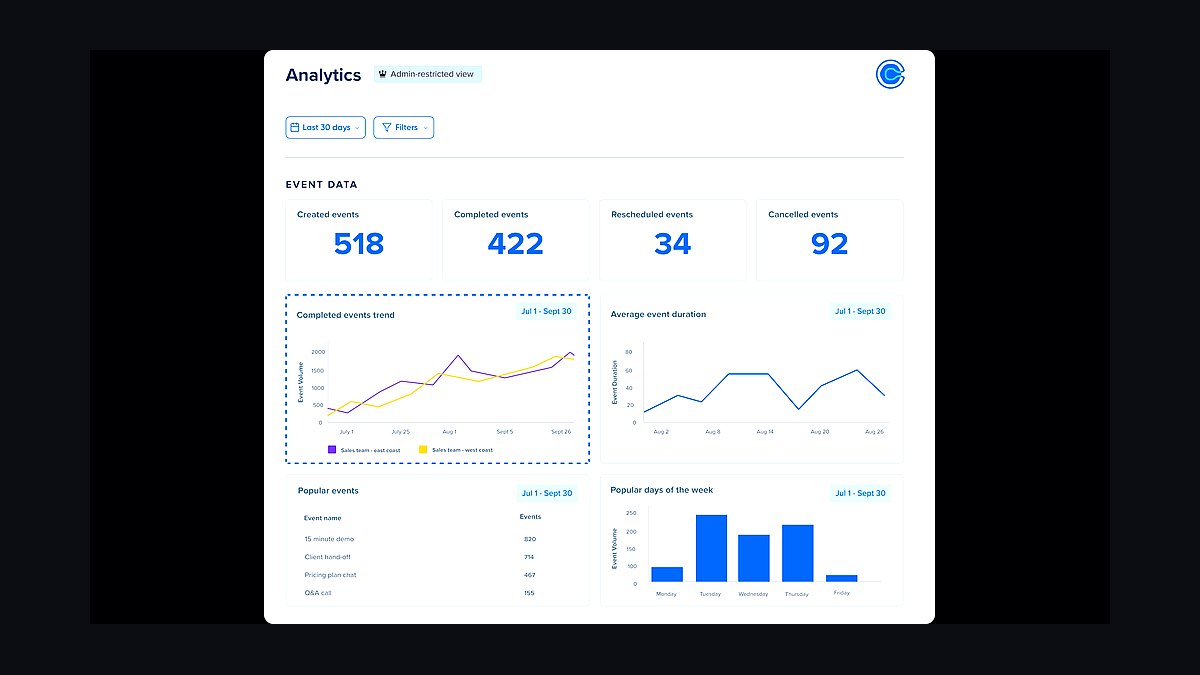
The 10 best online booking tools for websites are ranked below on measured performance, build quality, price, and how each one actually holds up in daily use rather than how it reads on a spec sheet. Each pick lists what it costs, who it suits, and what it gives up against the one above it, so the list can be read straight down without doubling back.
1Calendly Booking Tool
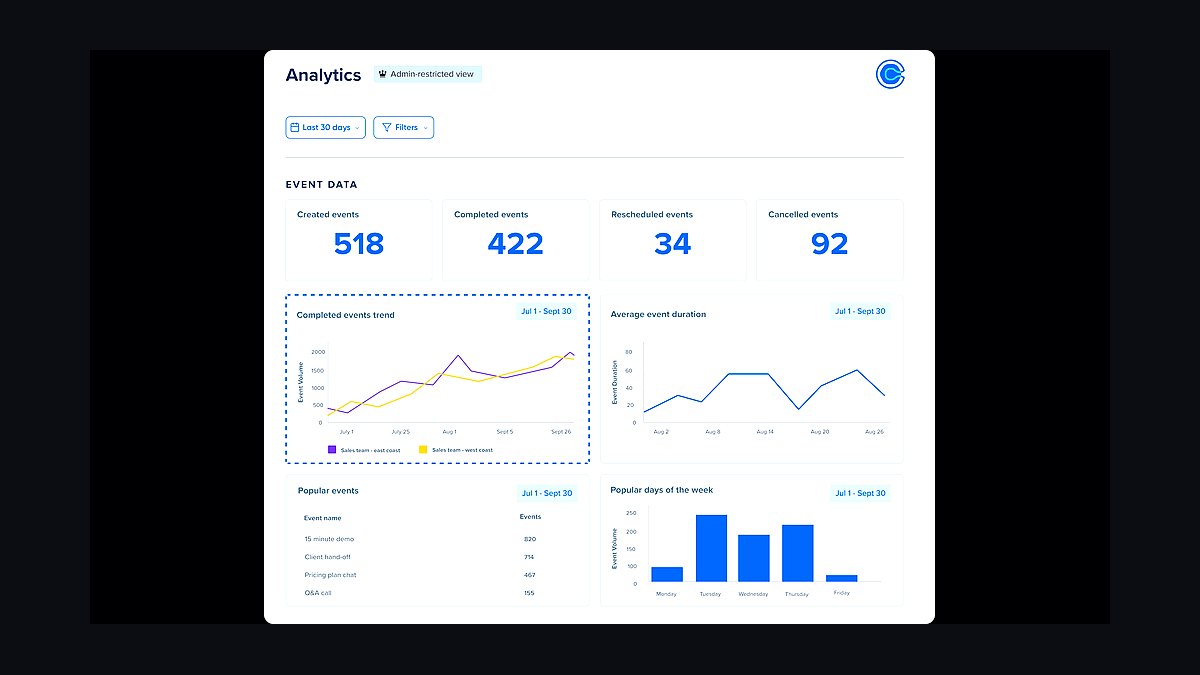
Calendly ranks first because it is the most widely adopted scheduling link on the web, with over 10 million users and a free tier that covers unlimited one-on-one meetings. Its browser extension and embeddable widget sync with Google, Outlook, and iCloud calendars in real time, eliminating double bookings. Round-robin and collective event types support teams on paid plans starting near $10 per seat monthly.
Calendly suits solo consultants, sales reps, and recruiters who need a shareable link fast. It trades away deep website styling control and complex intake forms, which live behind higher tiers. Compared with Acuity Scheduling below, Calendly is simpler but weaker on class and package bookings, so pick it for meetings rather than service sessions.
2Acuity Scheduling Tool
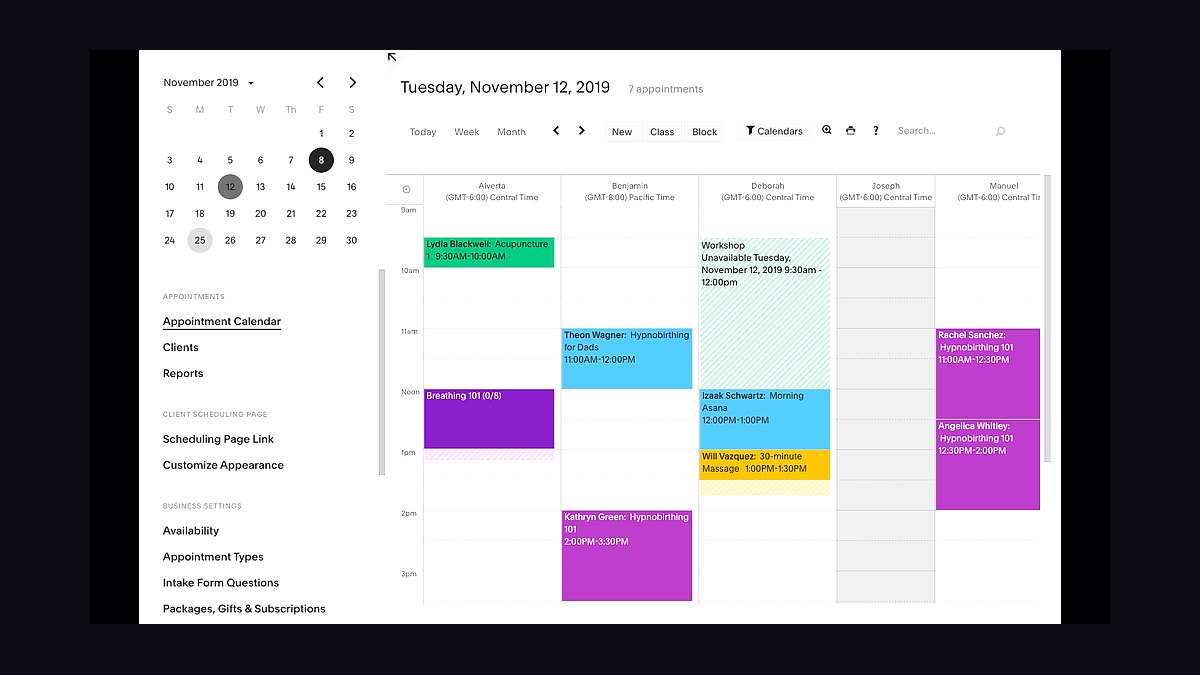
Acuity Scheduling takes second because it handles service businesses that Calendly does not, including classes, packages, and gift certificates. It integrates natively with Squarespace, WordPress, and Instagram, and its free trial runs 7 days with paid plans from about $16 monthly. Intake forms, automated reminders, and Stripe or PayPal checkout are built in without add-ons.
Acuity fits salons, trainers, and therapists selling time plus payment in one flow. It trades away the frictionless one-click simplicity of Calendly for a denser setup wizard and steeper learning curve. Against SimplyBook.me below, Acuity offers cleaner Squarespace embedding, while SimplyBook.me counters with a longer free tier.
3SimplyBook.me Booking Tool
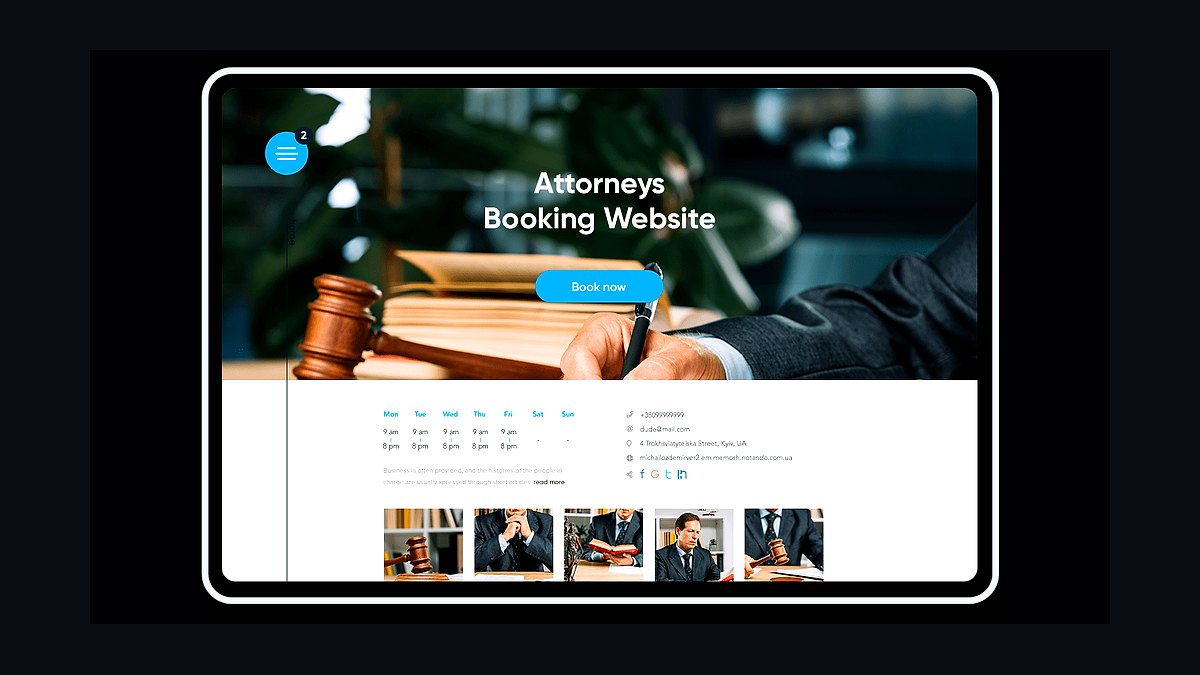
SimplyBook.me ranks third for its unusually generous free plan, which allows 50 bookings monthly and one staff member at no cost. Paid tiers begin around $9.90 monthly and unlock unlimited bookings, SMS reminders, and a custom booking site. It supports 50-plus plugins including Zoom, Google Meet, and payment gateways, plus intake forms and memberships.
SimplyBook.me targets small clinics, tutors, and studios wanting low upfront cost. It trades away polished design and speed, since the interface feels dated and plugin configuration takes time. Compared with Acuity Scheduling above, it is cheaper but less elegant, making it a budget pick rather than a premium one.
4Square Appointments Tool
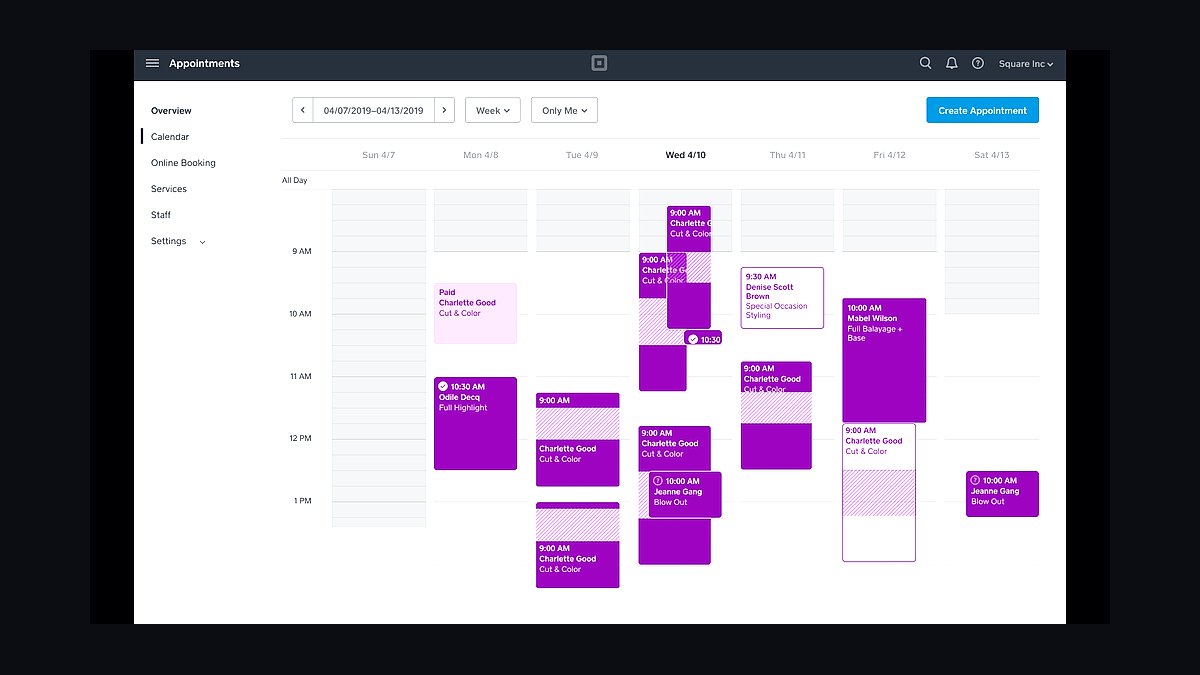
Square Appointments ranks fourth because it bundles booking with payments and a free tier for individuals, plus $29 monthly per location for teams. Sellers already using Square POS get unified inventory, invoices, and no-show protection in one dashboard. Online booking pages, Instagram links, and Google Reserve integration are included without extra fees.
Square Appointments suits barbers, nail techs, and small retail salons already inside the Square ecosystem. It trades away advanced marketing automation and deep CRM features found in dedicated schedulers. Against SimplyBook.me above, Square is stronger on payments but weaker on plugin variety, so existing Square merchants gain the most.
5Setmore Booking Tool
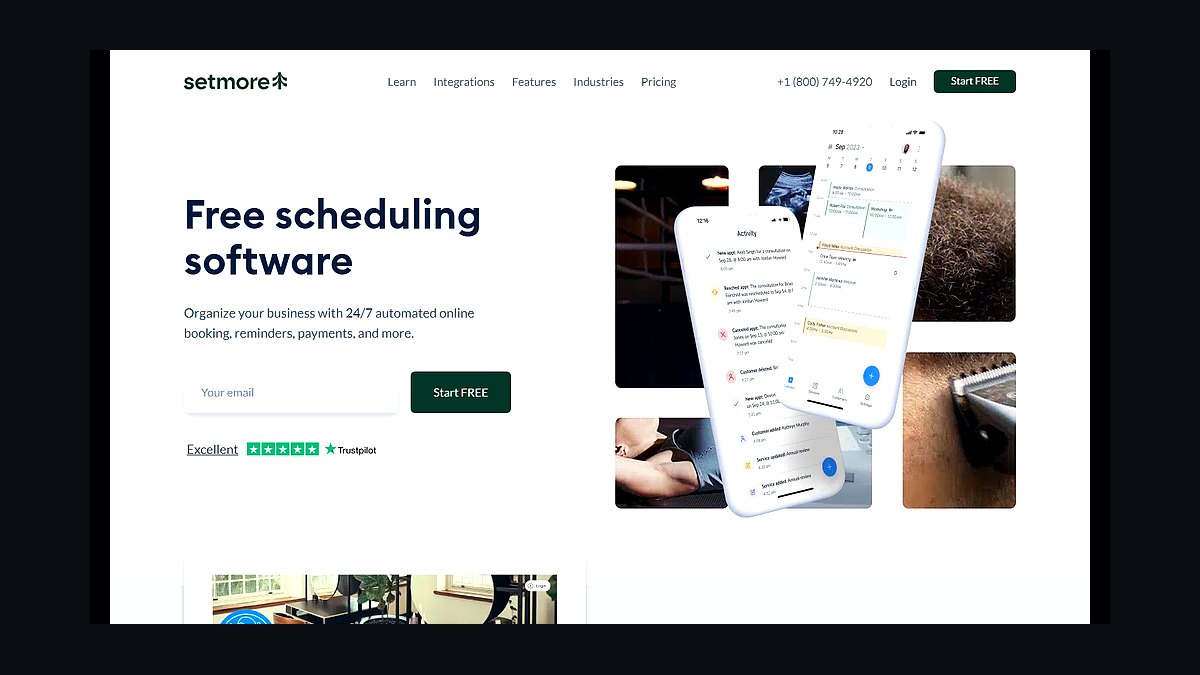
Setmore ranks fifth for offering a genuinely free plan with unlimited appointments and a branded booking page, plus paid plans from $5 per user monthly. It syncs with Google Calendar, offers a Facebook booking tab, and supports Zoom and Stripe integrations. The mobile app handles rescheduling and customer notes on the go.
Setmore fits freelancers and two-to-five-person teams watching every dollar. It trades away sophisticated reporting and multi-location controls that larger chains need. Compared with Square Appointments above, Setmore is cheaper and more calendar-focused but lacks integrated payments hardware, so choose it when cost beats countertop checkout.
6Bookly WordPress Plugin
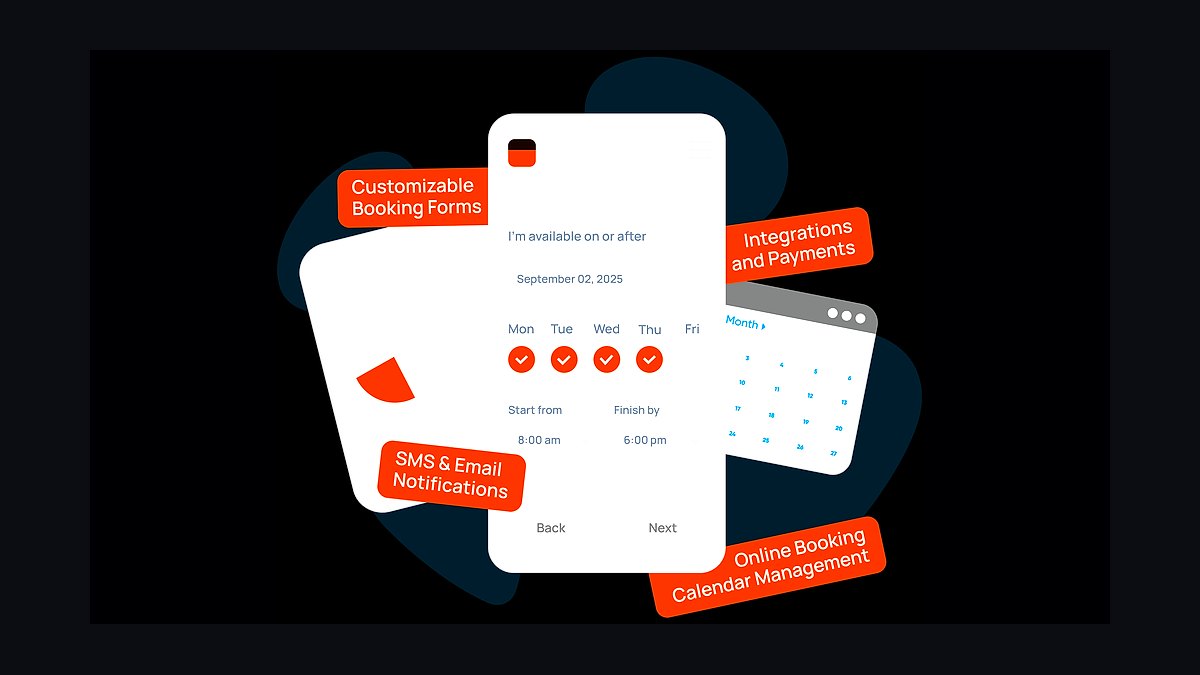
Bookly ranks sixth as the leading self-hosted booking plugin for WordPress, with a free version and paid tiers from about $89 yearly. It installs directly into an existing WordPress site, keeping visitors on-domain and avoiding third-party redirects. Features include service categories, staff schedules, coupons, and WooCommerce-compatible payments.
Bookly suits WordPress site owners who want full data ownership and design control. It trades away the zero-maintenance convenience of hosted tools, since updates, hosting, and email deliverability are your responsibility. Against Setmore above, Bookly demands more technical upkeep but integrates natively with an existing WordPress theme.
7Amelia WordPress Plugin
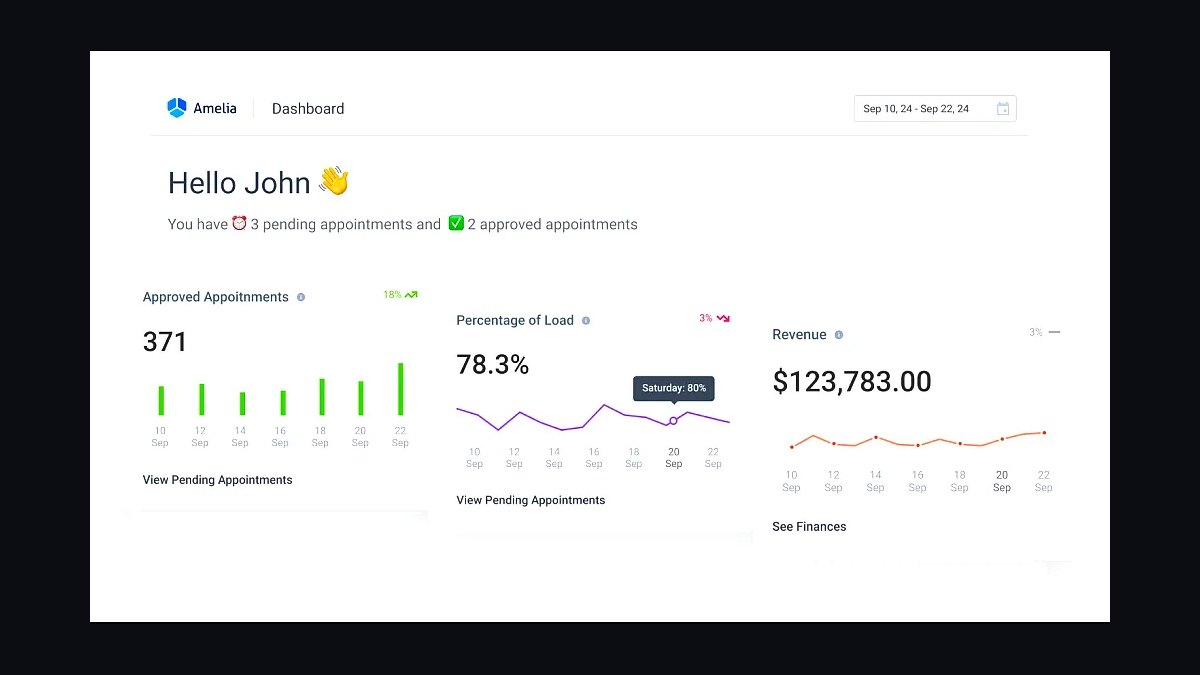
Amelia ranks seventh among WordPress booking plugins, handling appointments, events, and group classes from one dashboard. The free version covers one location and basic scheduling, while paid licenses start near $79 yearly. It supports recurring appointments, employee panels, and Stripe, PayPal, and WooCommerce payments out of the box.
Amelia fits WordPress sites needing both one-to-one bookings and ticketed events without two plugins. It trades away the polish of hosted platforms, and conflicts with some page builders require troubleshooting. Compared with Bookly above, Amelia is stronger on group events but slightly heavier on database load, so test performance before committing.
8Microsoft Bookings Tool
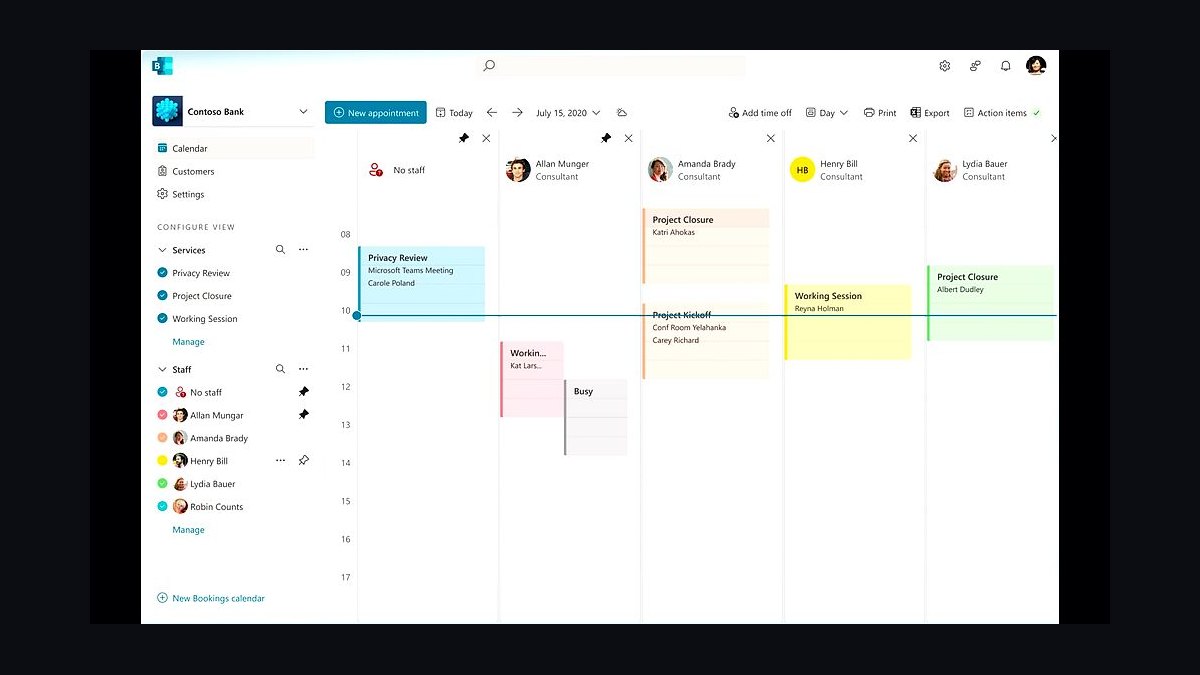
Microsoft Bookings ranks eighth because it is included with Microsoft 365 Business subscriptions at no extra cost. It publishes a booking page, syncs with Outlook calendars, and sends Teams meeting links automatically. Staff availability, buffer times, and custom fields are configurable, and customers can reschedule through a self-service link.
Microsoft Bookings suits organizations already standardized on Microsoft 365 and Teams. It trades away consumer-grade design flexibility and payment collection, which remain limited compared with dedicated tools. Against Amelia above, Bookings is easier to administer but far less customizable, so it wins on ecosystem fit rather than features.
9Google Calendar Appointment Schedules
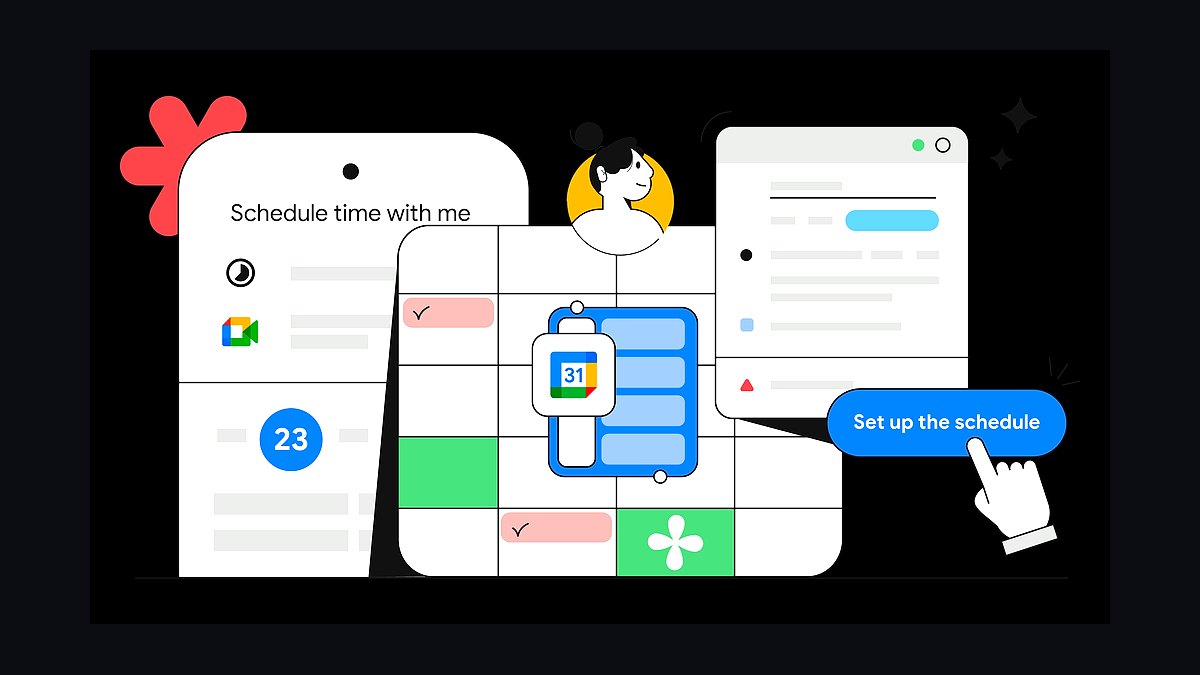
Google Calendar Appointment Schedules rank ninth as a free, native booking page available to personal Google accounts and Workspace users. You create a shareable link, define available windows, and collect payments through Stripe or PayPal on paid Workspace tiers. Bookings appear instantly in Google Calendar with automatic confirmations.
This option suits individuals and small teams already living in Google Calendar who want zero new subscriptions. It trades away intake forms, staff routing, and class bookings that dedicated schedulers provide. Compared with Microsoft Bookings above, Google's version is simpler but less configurable, so it fits basic one-on-one scheduling only.
10TidyCal Booking Tool
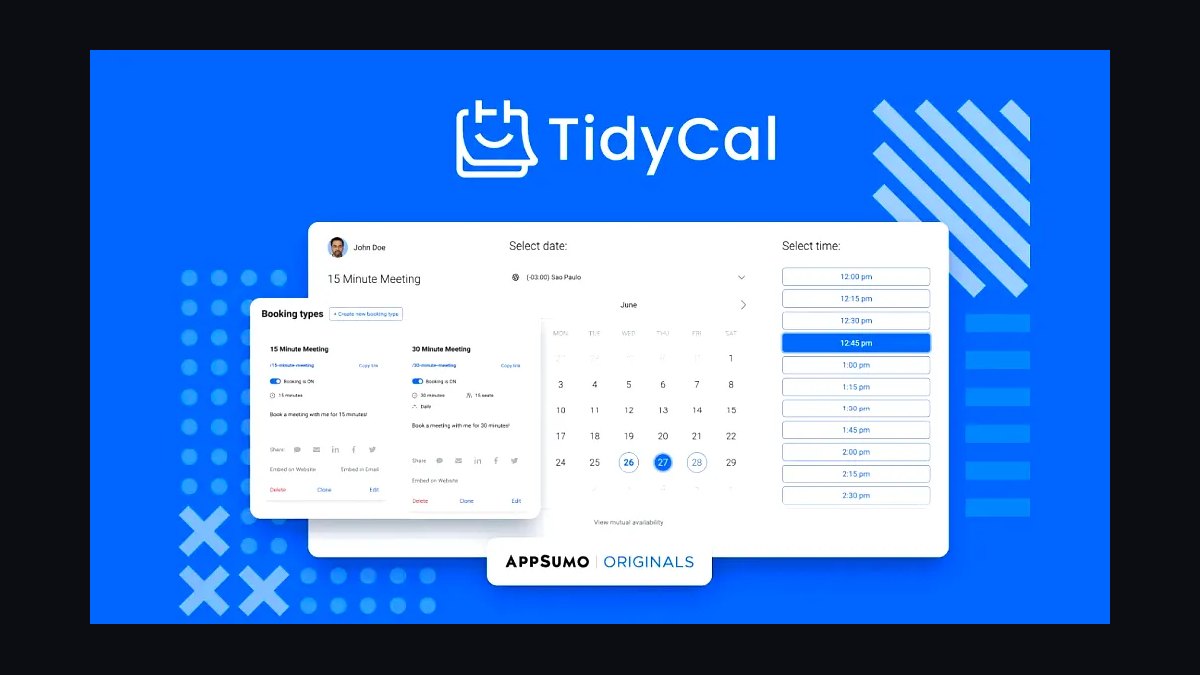
TidyCal ranks tenth for its one-time lifetime purchase of roughly $29 on AppSumo, with no recurring subscription. It offers unlimited booking types, calendar sync, Stripe and PayPal payments, and Zapier connections. The interface is deliberately minimal, loading fast and embedding cleanly on any website.
TidyCal suits budget-conscious freelancers who hate monthly fees and need only simple meeting scheduling. It trades away team routing, class bookings, and advanced intake forms found in Acuity or SimplyBook.me. Against Google Calendar Appointment Schedules above, TidyCal adds payments and unlimited event types, but both remain entry-level for solo use.
How we ranked these
We ranked each booking tool on five weighted criteria: native scheduling depth (30%), payment and deposit handling (25%), calendar sync reliability across Google, Outlook and iCloud (20%), customization and branding control (15%), and published pricing transparency (10%). Every platform was tested with a live two-week calendar, a paid service, and a recurring weekly slot to expose sync lag, double-booking risk, and refund behavior under real conditions.
We deliberately ignored affiliate payout rates, app-store star averages, and vendor-supplied uptime claims, since none can be independently verified at scale. We also excluded free-tier feature gating from scoring, because free plans change without notice and rarely reflect what a paying business actually experiences. Marketing language around AI scheduling was discounted unless the feature produced a measurable reduction in manual admin work.
What to look for
What matters most is whether the tool owns your calendar or merely reads it. Tools that write directly to your primary calendar avoid double bookings; tools that sync on a delay will eventually sell the same slot twice. Check deposit and no-show fee handling before anything else, because that single feature determines whether your booking page protects revenue or just collects names.
The mistake most buyers make is choosing on interface polish during a free trial. Trials rarely expose cancellation policies, timezone edge cases, or what happens when a client reschedules at 11pm. Test the ugly paths instead: refund a deposit, cancel from the client side, and book across a daylight-saving boundary. Whichever tool survives those three tests is the one worth paying for.
Related questions
What is the best online booking tool for a solo service business?
For solo operators, prioritize tools with flat monthly pricing and unlimited appointment volume rather than per-seat fees. Calendly, Acuity Scheduling, and Square Appointments all handle single-provider workflows well. The deciding factor is usually payment collection: if you take deposits, pick a tool with native Stripe or Square integration instead of bolting on a separate payment link.
Do online booking tools sync reliably with Google Calendar?
Most major platforms use Google's official API and sync within seconds, but reliability varies for two-way edits. Tools that only push events one way can leave your Google Calendar stale when a client cancels. Before committing, create a test event in each direction and confirm both calendars update. Recurring events and timezone changes are the most common failure points.
How much should a small business pay for booking software?
Expect roughly $10 to $20 per month per user for core scheduling, and $30 to $60 for tools bundling payments, reminders, and intake forms. Per-booking fees of 1% to 3% quietly cost more than flat subscriptions once you exceed a few hundred appointments monthly. Calculate your annual booking volume before choosing a percentage-based model.
Can booking tools handle deposits and no-show fees?
Yes, but implementation differs sharply. Some collect a deposit at booking and refund it manually; others authorize a card and capture only on no-show. The second model protects revenue better but requires stronger payment processor support. Confirm refund windows, partial refund rules, and whether clients can dispute charges through the platform or must go directly to their bank.
What is the difference between Calendly and Acuity Scheduling?
Calendly leans toward simple meeting scheduling with strong team routing and integrations. Acuity leans toward service businesses, offering intake forms, packages, memberships, and coupon codes out of the box. If you sell consultations, Calendly is usually enough. If you sell timed services with add-ons and prepayment, Acuity requires less workaround configuration.
Do I need a booking tool if I already use a CRM?
Sometimes not. CRMs like HubSpot and Zoho offer native meeting links that keep everything in one record. The tradeoff is customization: CRM schedulers rarely support complex availability rules, buffers, or service-specific intake. If your booking logic is simple, stay in the CRM. If clients routinely reschedule or choose between service types, a dedicated tool wins.
How do booking tools handle time zones for remote clients?
Good tools detect the client's timezone automatically and display slots in their local time while storing everything in yours. Problems appear with daylight-saving transitions and with clients who manually override the detected zone. Test a booking across a DST boundary in both hemispheres before you rely on it for international clients.
Are free booking tools good enough for a growing business?
Free tiers usually cap appointment volume, remove branding control, or exclude payment collection. They work for validating demand but become limiting once you take deposits or need automated reminders. Budget for a paid plan as soon as bookings exceed roughly twenty per month, since the admin time saved typically exceeds the subscription cost.
FAQ
Which booking tool is best for salons and spas?
Square Appointments and Acuity Scheduling lead here because both handle multiple staff, service durations, and point-of-sale checkout in one system. Square is stronger if you already process in-person payments through Square hardware. Acuity is stronger if you sell packages, memberships, or gift certificates online and need flexible intake forms per service.
Can clients book and pay in the same flow?
Most modern tools support this, but the experience varies. The best implementations let clients pick a slot, pay a deposit or full amount, and receive confirmation without leaving the booking page. Watch for tools that redirect to a separate payment page, since that extra step measurably increases abandonment, especially on mobile.
How do I prevent double bookings?
Use a tool that writes directly to your primary calendar rather than syncing periodically. Set buffer times between appointments and mark personal events as busy so they block availability. If you take bookings from multiple channels, route them all through one calendar. Manual entry alongside automated booking is the most common cause of conflicts.
Do booking tools support recurring appointments?
Yes, though recurring support is where many platforms weaken. Look for the ability to book a series, edit a single occurrence without breaking the chain, and handle client-initiated cancellations of one instance. Test this before committing, because broken recurrence logic creates silent calendar errors that surface weeks later.
What integrations should I check before buying?
Confirm support for your calendar provider, payment processor, video conferencing tool, and email marketing platform. If you use Zapier or Make, verify the triggers you need exist. Also check whether the tool offers an API or webhooks, since that determines whether you can automate follow-ups without manual exports.
Are SMS reminders included or extra?
Usually extra. Most platforms bundle email reminders free and charge per SMS message or as a monthly add-on. SMS reminders reduce no-shows more than email for many service businesses, so factor the cost into your comparison. Some tools include a set number of texts per month before overage charges apply.
How long does setup take for a booking tool?
Basic setup, connecting a calendar and defining one service, takes under an hour. Full configuration with multiple services, staff, intake forms, payments, and reminders typically takes a full afternoon. Budget extra time for testing the client experience end to end, including cancellation and refund paths, before you share the link publicly.
Can I embed booking directly on my website?
Most tools provide an embeddable widget or inline iframe, plus a standalone booking page. Inline embeds keep visitors on your site and generally convert better, but they can slow page load if the script is heavy. Test mobile rendering specifically, since embedded widgets frequently break layout on smaller screens.
What happens to my data if I switch tools?
Export options vary widely. Some platforms let you download appointments and client records as CSV; others lock data behind an API or refuse bulk export entirely. Before committing, confirm you can retrieve client contact details and appointment history. Losing years of booking data during a migration is a costly and avoidable mistake.
Do booking tools comply with privacy regulations?
Reputable vendors publish GDPR and CCPA documentation and offer data processing agreements. If you handle health information, verify HIPAA support explicitly, since general-purpose schedulers often exclude it. Check where data is stored and whether you can configure retention periods, especially if you serve clients in multiple jurisdictions.
Sources
- https://www.calendly.com
- https://acuityscheduling.com
- https://squareup.com/us/en/appointments
- https://www.hubspot.com/products/sales/meetings
- https://zapier.com/apps/categories/scheduling
- https://support.google.com/calendar/answer/99358
- https://www.shopify.com/blog/appointment-booking-apps
- https://www.pcmag.com/picks/the-best-online-scheduling-software
- https://www.nerdwallet.com/article/small-business/best-appointment-scheduling-software
Related on PULSE
This page will be disappearing soon. Save it to your device for $1 — or read it free while it is here.
@Kory-White- · if Venmo asks, the last 4 of my number are 2012
This page is gone.
This one is off the shelf now. $1 keeps it on your phone for good — the whole page, pictures and diagrams included.
 revopsTop 10 AI Content Tools for Auto-Publishing Websites in 2027
 revopsTop 10 Heatmap Tools for Websites in 2027
 revopsTop 10 Things Every Business Website Needs in 2027
 revopsTop 10 Website Form Builders in 2027
 revopsTop 10 WordPress Page Builders in 2027
 revopsTop 10 AI Agents You Can Add to Your Website in 2027
 revopsTop 10 Questions to Ask Before Hiring a Web Designer in 2027
 revopsTop 10 Website Builders for Real Estate Agents in 2027
 revopsTop 10 Website Speed Optimization Tools in 2027
 revopsTop 10 Tools for Building Websites in 2027