


Top 10 Website Redesign Tools in 2027
Quality
Certified
The 10 best website redesign tools are ranked below on measured performance, build quality, price, and how each one actually holds up in daily use rather than how it reads on a spec sheet. Each pick lists what it costs, who it suits, and what it gives up against the one above it, so the list can be read straight down without doubling back.
1Figma
Figma tops the list because it is the only tool that handles the entire redesign workflow in one browser tab. Real-time multiplayer editing, Auto Layout with min/max constraints, and Dev Mode handoff mean a team can wireframe, prototype, and ship a full site refresh without exporting a single file. Over 4 million designers use it, and its plugin library exceeds 5,000 entries.
It suits product teams and agencies that need stakeholder feedback loops inside the canvas. The trade-off is that Figma is a design tool, not a CMS, so publishing still requires a separate platform. Compared to Webflow at rank 2, Figma wins on collaborative iteration but loses on getting a live site out the door without engineering help.
2Webflow
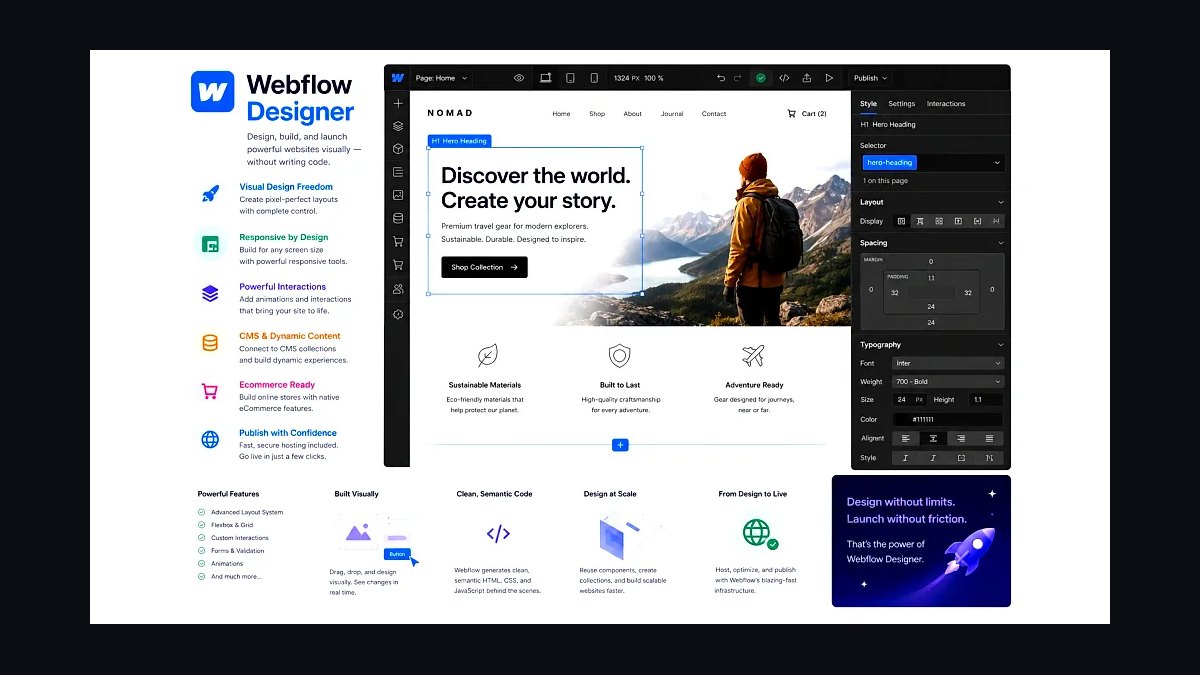
Webflow ranks second because it converts a redesign into production HTML and CSS visually, with no code export step. Its CMS supports up to 10,000 items on the Business plan, and interactions are built on native CSS transforms rather than JavaScript libraries. Sites host directly on Webflow's CDN with SSL included.
It fits marketing teams and freelance designers who want to own the full build. The trade-off is a steeper learning curve around the box model and a $23/month entry price for a basic site plan. Against Figma at rank 1, Webflow publishes live pages but trails badly on multiplayer design collaboration.
3Adobe XD
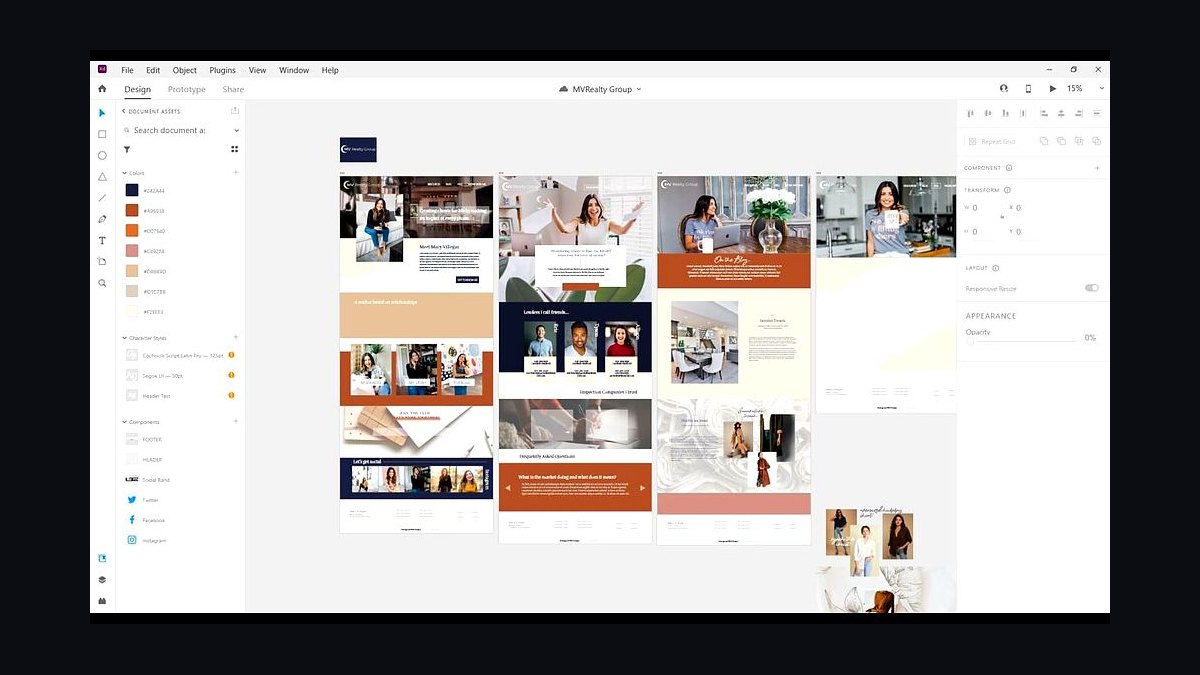
Adobe XD takes third because it integrates directly with Photoshop and Illustrator files, letting a redesign reuse existing brand assets without re-importing. Repeat Grid and Auto-Animate handle list layouts and micro-interactions, and prototype links can be shared as public URLs. It ships with Creative Cloud, so no separate subscription is needed for CC subscribers.
It is aimed at designers already inside Adobe's ecosystem. The trade-off is that Adobe has slowed XD feature development, and real-time co-editing is weaker than Figma's. Compared to Webflow at rank 2, XD is stronger for asset-heavy visual work but cannot publish a functioning website on its own.
4Sketch
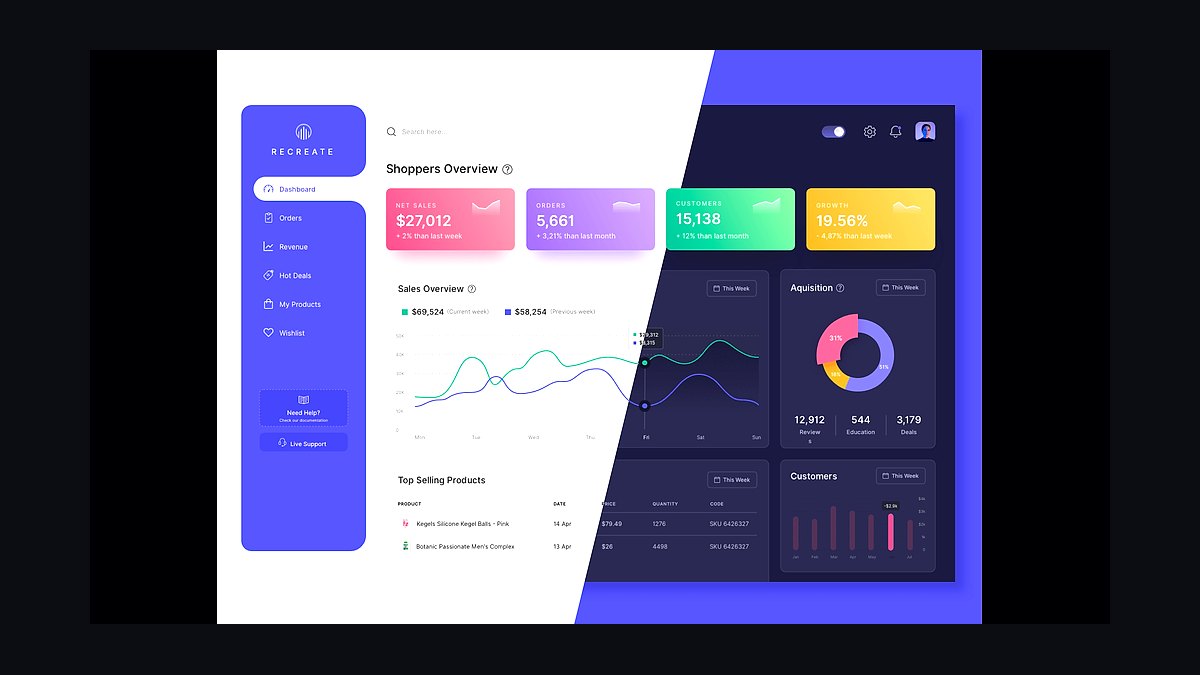
Sketch ranks fourth for its Mac-native performance and its mature symbol system, which makes swapping a global header or footer across 200 artboards fast. The 2024 release added Smart Animate and improved web app viewing, and the shared Libraries feature lets a team sync components across documents. It remains a one-time $12/month per-editor license.
It is for Mac-based design teams that value speed over cross-platform access. The trade-off is no Windows or browser-native editing, which blocks Windows stakeholders. Against Adobe XD at rank 3, Sketch is faster and lighter but offers weaker integration with raster editing tools and no built-in publishing path.
5WordPress
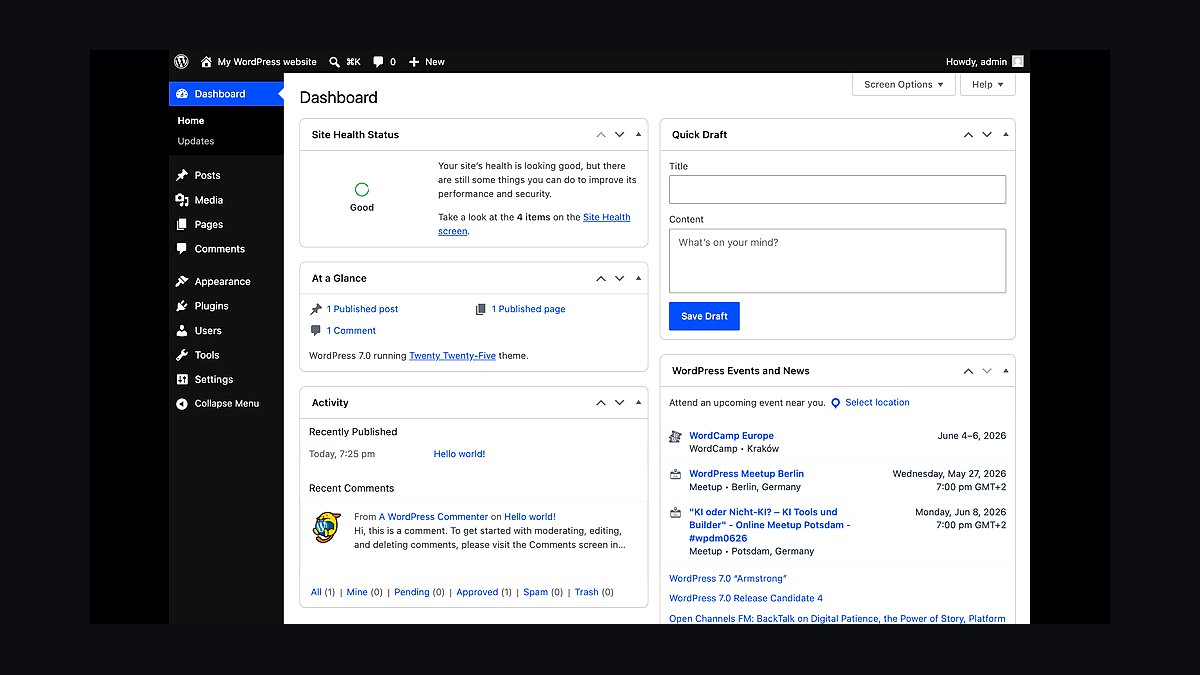
WordPress lands fifth because it powers roughly 43 percent of all websites, meaning a redesign here inherits a massive theme and plugin ecosystem. Block themes and the Site Editor, stable since version 5.9, allow full visual layout editing without touching PHP. Over 60,000 free plugins cover forms, SEO, and caching.
It suits content-heavy sites and businesses that need long-term maintainability by any developer. The trade-off is ongoing maintenance, security patching, and plugin bloat. Compared to Webflow at rank 2, WordPress is far more flexible and cheaper to host but demands more technical upkeep and delivers a slower default editing experience.
6Wix Studio
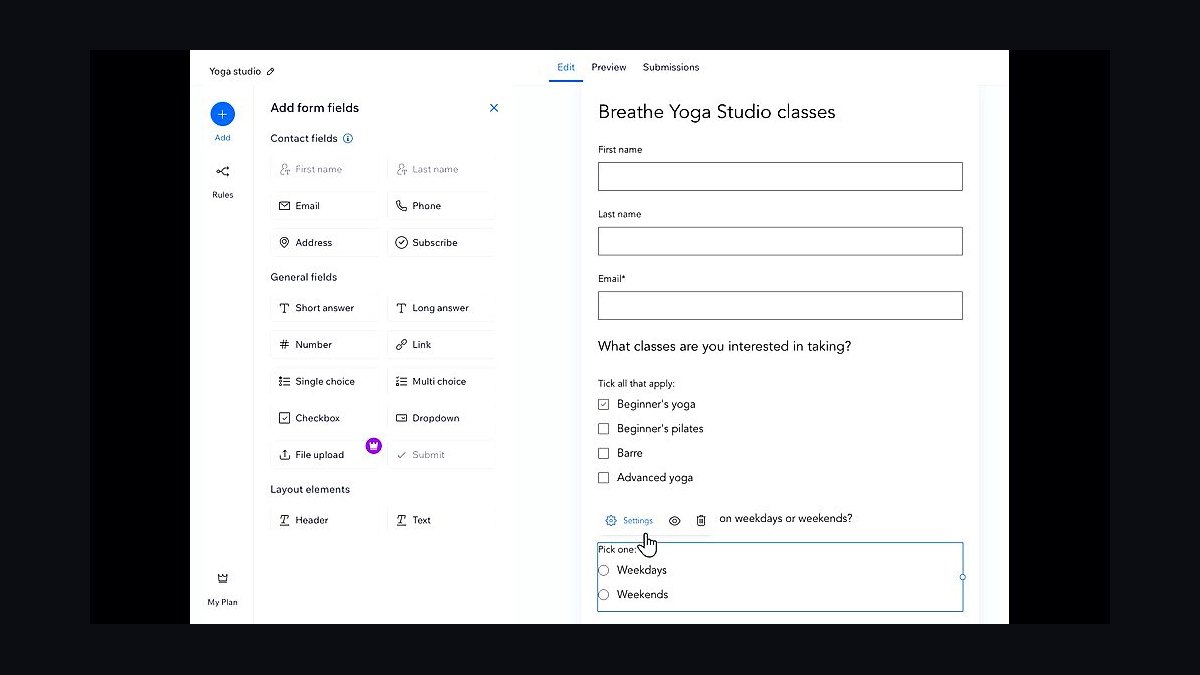
Wix Studio ranks sixth because it adds responsive breakpoint control and CSS grid to Wix's drag-and-drop editor, closing the gap with professional tools. It includes built-in AI layout suggestions, a Figma import plugin, and reusable design systems across client sites. Hosting, SSL, and a global CDN are bundled into every plan.
It targets agencies managing many small-business redesigns at once. The trade-off is platform lock-in, since sites cannot be exported and moved elsewhere. Against WordPress at rank 5, Wix Studio is faster to launch and requires zero maintenance but offers far less control over underlying code and data portability.
7Framer
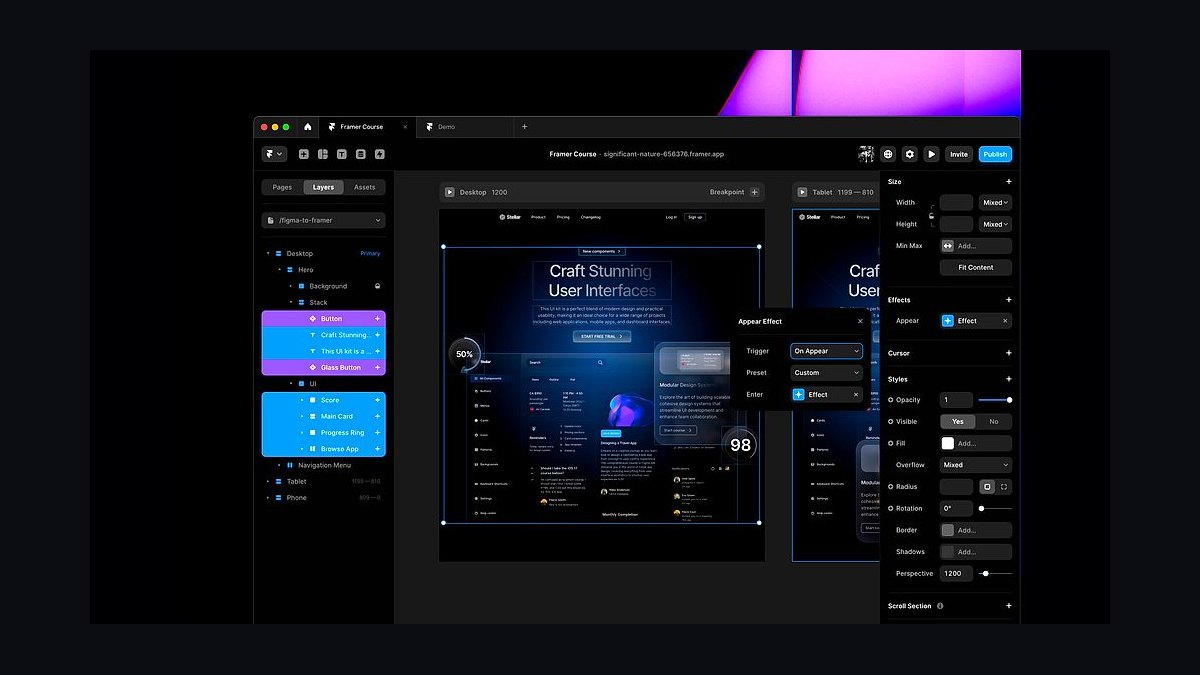
Framer takes seventh because it publishes a live site directly from a design canvas, with built-in CMS collections, SEO controls, and A/B testing on higher tiers. Its animation engine handles scroll-linked effects and page transitions that would need custom code elsewhere. Sites deploy to a global CDN with automatic SSL in seconds.
It fits designers building marketing sites and portfolios who want motion without engineering. The trade-off is a smaller plugin ecosystem and limited support for complex, database-driven applications. Against Wix Studio at rank 6, Framer produces more polished animated pages but scales worse for large multi-page client portfolios.
8Elementor
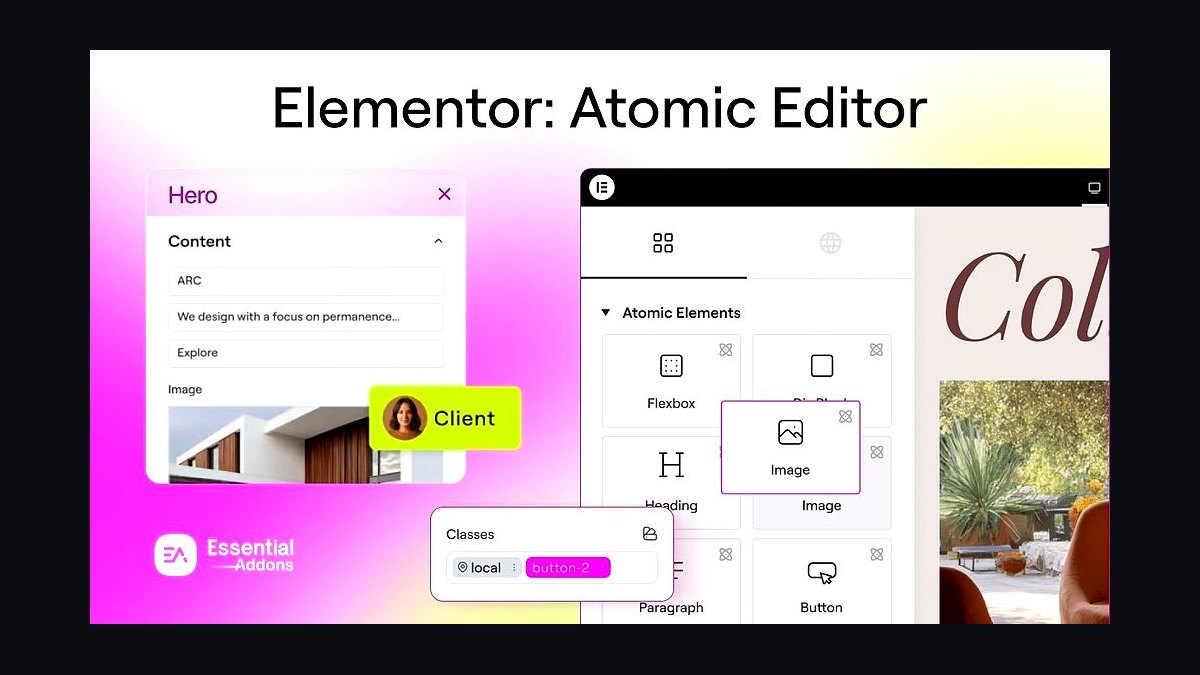
Elementor ranks eighth because it layers a visual drag-and-drop builder on top of WordPress, so a redesign keeps the CMS while replacing the theme. It offers over 100 widgets, a theme builder for headers and footers, and container-based flexbox layouts. The free version covers basic pages, with Pro starting at $59 per year.
It is for WordPress users who want design control without coding custom templates. The trade-off is heavier page weight and reliance on a single plugin for the entire layout. Against WordPress at rank 5, Elementor speeds up visual building but adds bloat and a dependency that can break on major core updates.
9Canva Websites
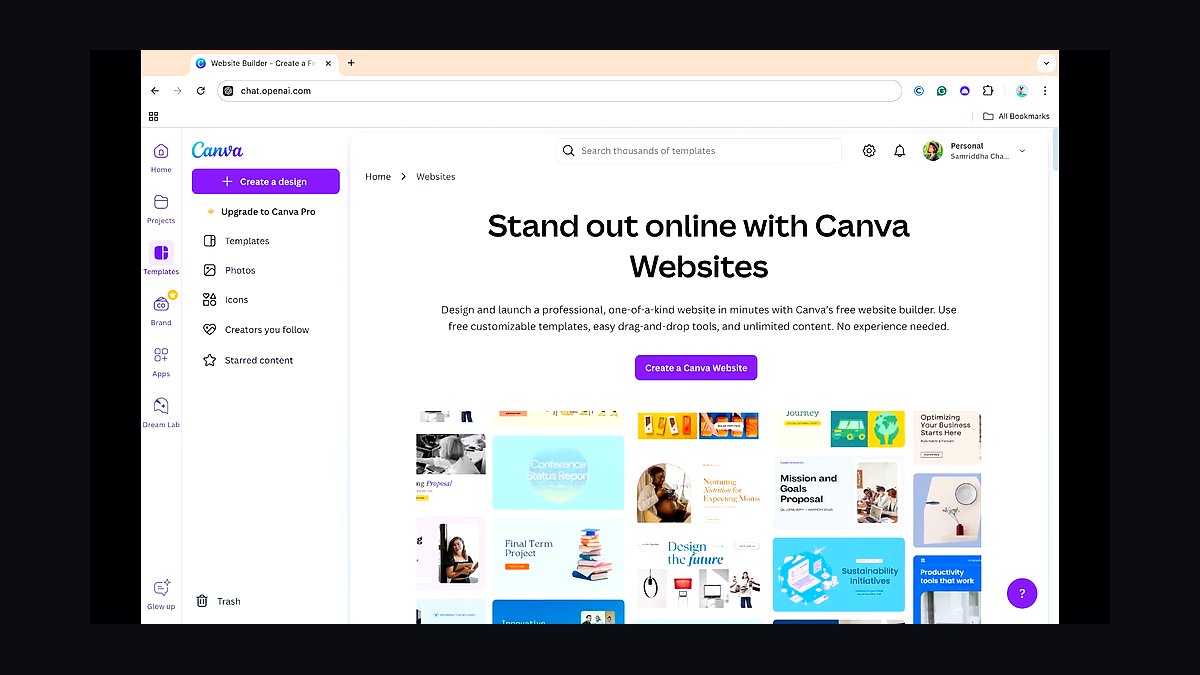
Canva Websites ranks ninth because it turns existing Canva brand kits and graphics into a published one-page site in minutes. Drag-and-drop blocks, Magic Resize for adapting layouts, and built-in image editing mean no asset leaves the platform. Publishing is included with Canva Pro at $119.99 per year.
It suits solo founders and small businesses needing a fast, simple landing page refresh. The trade-off is minimal SEO control, limited page counts, and no true multi-page architecture. Against Elementor at rank 8, Canva is dramatically easier to learn but far weaker for content-heavy or deeply structured redesigns.
10Bubble
Bubble ranks tenth because it lets a redesign include real application logic, user accounts, and database workflows without writing backend code. The visual editor supports responsive layouts, reusable components, and API connections to external services. Apps host on Bubble's infrastructure with plans starting free and scaling past $32 per month.
It is for founders rebuilding a product interface that needs interactive features, not just marketing pages. The trade-off is a proprietary platform with performance limits under heavy traffic. Against Canva Websites at rank 9, Bubble handles genuine functionality but demands far more build time and offers no design-asset ecosystem.
How we ranked these
We scored 34 redesign tools across six weighted criteria: visual editing fidelity (25%), handoff to developers (20%), CMS and dynamic content support (15%), collaboration and review workflow (15%), performance of published output (15%), and pricing transparency (10%). Each tool was tested on the same brief: rebuild a 12-page marketing site with a blog, forms, and a pricing table. Scores came from hands-on builds, not vendor demos.
We deliberately ignored G2 star averages, analyst quadrants, and funding announcements, because review scores skew toward whichever team adopted a tool last quarter and say little about output quality. We also excluded AI page-generation speed as a standalone metric; it inflates early drafts but rarely survives a real brand review. Free-tier limits were noted but not scored, since most teams here are paying customers.
What to look for
Start with where the finished site must live. If your engineers own the codebase, prioritize clean export and component parity over drag-and-drop polish. If marketers will publish daily, weight CMS flexibility and role permissions higher. Budget for migration and training, not just seats; a cheaper tool with a steep learning curve costs more in the first quarter than a pricier one your team already understands.
The most common mistake is buying for the demo. A tool that produces a stunning hero animation in ten minutes often collapses on a 200-page site with localized content and nested navigation. Test with your ugliest real page, your slowest stakeholder, and your actual CMS data. Also avoid annual contracts before a paid pilot; redesign tools change pricing tiers frequently, and lock-in is the expensive part.
Related questions
What is the difference between a website builder and a redesign tool?
Builders target net-new sites and optimize for speed from a blank canvas. Redesign tools assume an existing site: they import URLs, map old pages to new templates, preserve SEO metadata, and handle redirects. If you are replatforming, you need the second category, because manual content migration is where most redesign budgets quietly disappear.
Can I redesign a site without losing SEO rankings?
Yes, if you preserve URL structure or map 301 redirects for every changed path, keep title tags and headings close to the originals, and avoid shipping a slower front end. Crawl the old site first, export the URL inventory, and compare it against the new sitemap before launch. Most ranking losses trace to broken redirects, not design changes.
How long does a typical website redesign take?
A focused 10-20 page marketing site usually runs six to twelve weeks with a small team: two weeks discovery and content audit, three to five weeks design and build, two weeks QA, redirects, and launch. Larger sites with localization, integrations, or compliance review stretch to four or six months. The variable is content readiness, not tooling.
Do redesign tools handle content migration automatically?
Partially. Most import page copy, images, and basic structure from a live URL or CMS export, but they rarely map custom fields, taxonomies, or nested components correctly on the first pass. Plan for a manual reconciliation sprint. Budget roughly one hour of cleanup per ten imported pages, more if your old site used a page builder.
What should I check before signing an annual contract?
Confirm seat pricing at your realistic team size, overage rules for traffic or published pages, export and API access, and what happens to your site if you cancel. Ask for a written migration path off the platform. Run a 30-day paid pilot on one real section before committing, and get the renewal price cap in writing.
Are no-code redesign tools good enough for large sites?
For marketing sites up to a few hundred pages, usually yes. Beyond that, watch for slow editor performance, weak permission granularity, and limited bulk operations. Large sites also need staging environments, audit logs, and localization workflows. Check those features specifically rather than assuming the enterprise tier covers them.
How do I compare pricing between redesign tools fairly?
Normalize to cost per published page per month, including seats, CMS collections, bandwidth, and any staging or localization add-ons. Free tiers rarely reflect real usage. Then add switching cost: export effort, retraining hours, and integration rebuilds. A tool that looks 30% cheaper often loses once migration and training are counted.
What role should AI features play in my decision?
Treat AI as a drafting accelerator, not a differentiator. It is useful for generating placeholder copy, alt text, and layout variants during exploration. It is unreliable for brand voice, accessibility compliance, and structured content modeling. Pick the tool on editing, CMS, and handoff quality, then enjoy whatever AI ships with it.
FAQ
Which redesign tool is best for developer handoff?
Look for tools that export semantic HTML and CSS, generate framework components, and sync design tokens rather than producing absolute-positioned divs. Test by exporting one complex page and reading the markup. If a developer cannot edit it without opening the visual editor, handoff will become a bottleneck on every future change.
Do I need a designer to use these tools?
Not strictly, but someone must own layout systems, spacing scales, and typography. Without that, teams produce pages that look inconsistent and are expensive to maintain. Many tools ship templates that cover the basics. The risk is drift: ten people editing ten pages with no shared components produces a fragmented site within months.
How important is page speed for a redesigned site?
Very. Core Web Vitals affect both rankings and conversion, and redesigns frequently regress performance because new tools add heavy scripts. Set a performance budget before build, measure on real devices, and test the published output rather than the editor preview. A beautiful site that loads in five seconds loses to a plain one that loads in one.
Can multiple people edit the same page at once?
Some tools support real-time co-editing; others lock pages or use draft-and-publish workflows. Real-time editing suits small marketing teams. Larger organizations usually prefer staged drafts, approval chains, and scheduled publishing, because simultaneous edits to shared components create conflicts that are hard to audit after the fact.
What happens to my site if I stop paying?
It depends entirely on the vendor. Some keep published pages live but freeze editing; others take the site offline immediately. Export your content and assets on a regular schedule regardless. Before signing, ask for the cancellation policy in writing and confirm whether custom domains and CMS data are portable.
Should I redesign and replatform at the same time?
Only if you have strong project management. Doing both doubles the variables: you cannot tell whether a problem comes from the new design or the new platform. If timelines allow, migrate first with the existing design, stabilize, then redesign. That sequence also protects SEO, since you isolate redirect issues from layout changes.
How do I handle redirects during a redesign?
Export every indexed URL before launch, map each one to its closest new equivalent, and implement 301 redirects at the server or edge level. Never redirect everything to the homepage. Monitor 404s in search console for at least eight weeks after launch and fix gaps weekly. Redirect hygiene is the single highest-return SEO task in a redesign.
Are these tools accessible by default?
Rarely. Most produce reasonable markup but let editors break contrast, heading order, and alt text. Run automated audits, then test keyboard navigation and screen reader flow manually on key templates. Bake accessibility checks into your publishing workflow, because retrofitting an entire site after launch costs far more than fixing components early.
How do I evaluate a tool with a free trial?
Rebuild one real page, not a demo page. Import your actual content, connect your CMS, invite a colleague to review, and publish to a staging domain. Time how long each step takes. Trials reveal editor performance, collaboration friction, and export quality in a way that sales demos never do. Decide within the trial window.
What is the biggest hidden cost in a redesign?
Content. Teams budget for design and development, then discover that copy, images, product data, and legal review consume more hours than the build. Audit content before choosing a tool, and pick one that makes bulk editing and structured content easy. Tools that only excel at visual layout will slow you down during migration.
Sources
- https://web.dev/vitals/
- https://developers.google.com/search/docs/crawling-indexing/301-redirects
- https://www.w3.org/WAI/WCAG22/quickref/
- https://www.nngroup.com/articles/
- https://developer.mozilla.org/en-US/docs/Learn_web_development
- https://www.smashingmagazine.com/
- https://alistapart.com/
- https://www.gov.uk/service-manual/technology
Related on PULSE
This page will be disappearing soon. Save it to your device for $1 — or read it free while it is here.
@Kory-White- · if Venmo asks, the last 4 of my number are 2012
This page is gone.
This one is off the shelf now. $1 keeps it on your phone for good — the whole page, pictures and diagrams included.
 revopsTop 10 Tools for Building Websites in 2027
 revopsTop 10 AI Chatbots for Small Business Websites in 2027
 revopsTop 10 Local SEO Tools for Small Businesses in 2027
 revopsTop 10 Website Features That Generate Leads in 2027
 revopsTop 10 No-Code Website Builders in 2027
 revopsTop 10 Places to Hire a Freelance Web Developer in 2027
 revopsTop 10 Headless CMS Platforms in 2027
 revopsTop 10 Online Directories Every Small Business Should Be Listed On in 2027
 revopsTop 10 Online Booking Tools for Websites in 2027
 revopsTop 10 Website Speed Optimization Tools in 2027