


Top 10 Website Accessibility Tools in 2027
Quality
Certified
The 10 best website accessibility tools are ranked below on measured performance, build quality, price, and how each one actually holds up in daily use rather than how it reads on a spec sheet. Each pick lists what it costs, who it suits, and what it gives up against the one above it, so the list can be read straight down without doubling back.
1axe DevTools
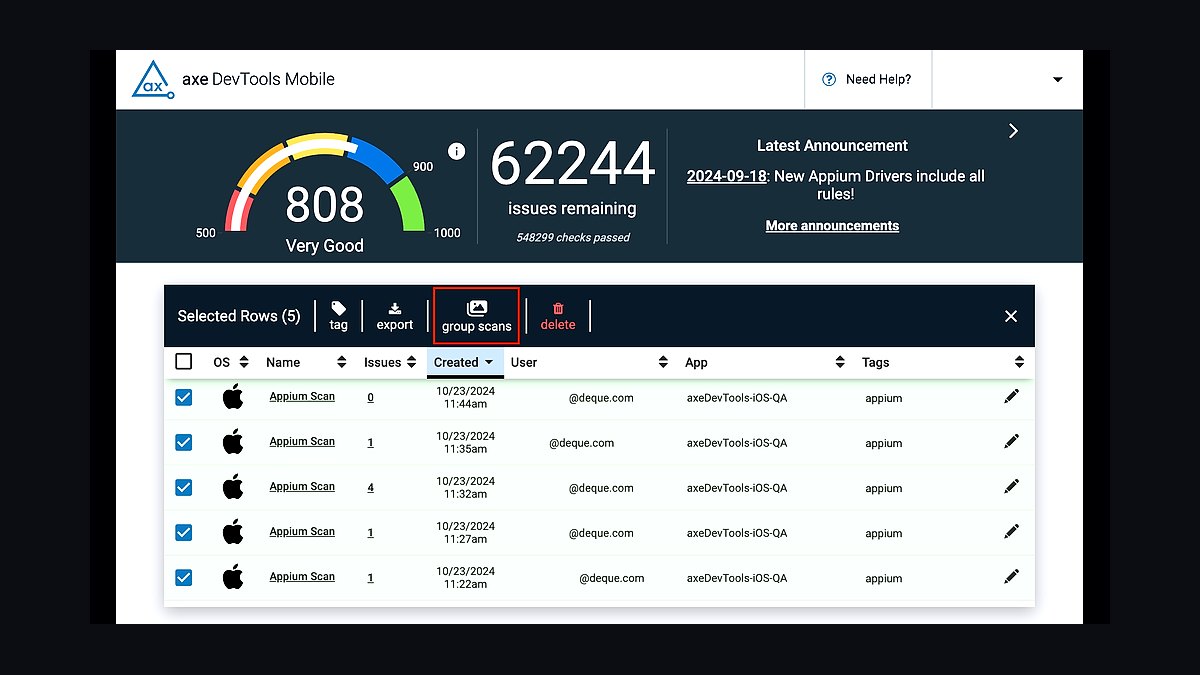
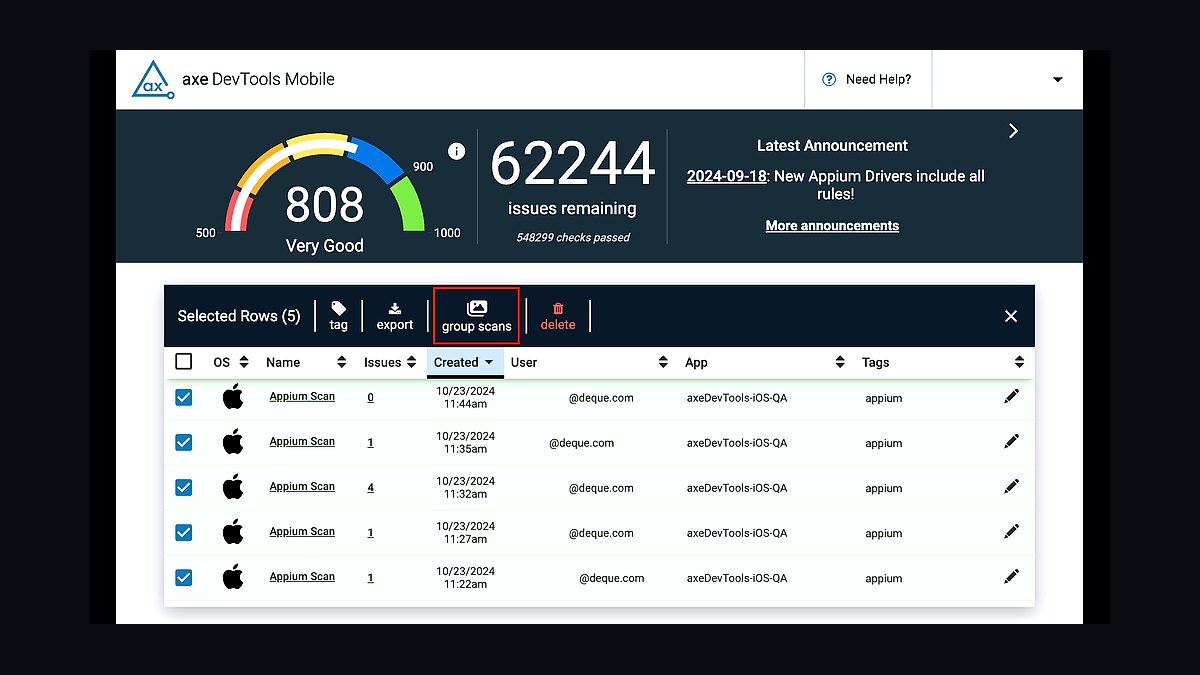
axe DevTools ranks first because its rule engine catches roughly 57% of WCAG 2.2 issues automatically, the highest published detection rate among mainstream scanners. The browser extension and CI/CD integrations run the same open-source axe-core library, so a defect flagged in Chrome reappears identically in a GitHub Actions build. Deque maintains the ruleset against WCAG 2.0, 2.1, and 2.2 success criteria, with false-positive rates kept low enough that teams triage rather than ignore results.
It suits front-end engineers and QA staff who want accessibility checks inside existing test pipelines rather than a separate audit workflow. The trade-off is that automated rules cannot judge alt-text quality, reading order, or cognitive load, so manual testing remains mandatory. Compared with WAVE below, axe DevTools produces fewer visual annotations but far more machine-readable output for automation.
2WAVE Evaluation Tool
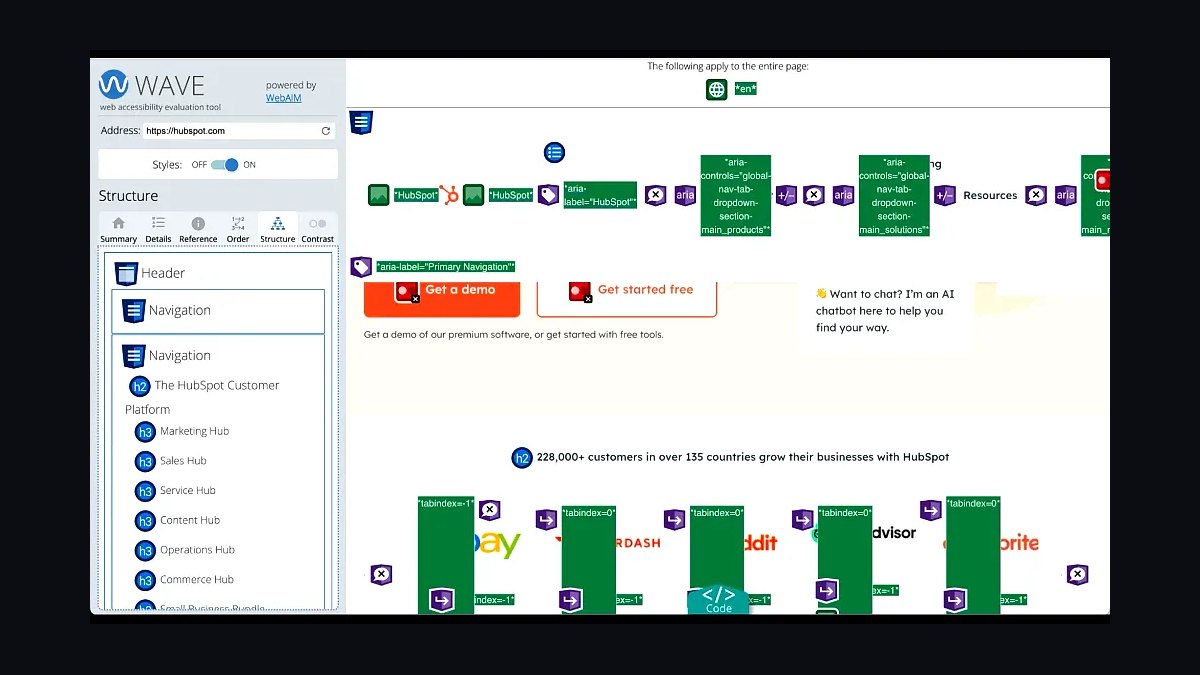
WAVE ranks second for its visual feedback model: it injects icons directly onto the rendered page, showing exactly which element triggered each error, alert, or contrast failure. WebAIM's tool evaluates against WCAG 2.2 and reports the number of errors, contrast errors, alerts, and structural features per page. The hosted version at wave.webaim.org requires no install, and a paid API and browser extensions cover private pages.
It is best for designers, content editors, and auditors who need to see problems in context rather than parse a JSON report. The trade-off is that WAVE flags alerts that are not definite failures, which can overwhelm newcomers, and it does not integrate natively into build pipelines. Against axe DevTools above, it trades automation depth for immediate visual clarity.
3Google Lighthouse
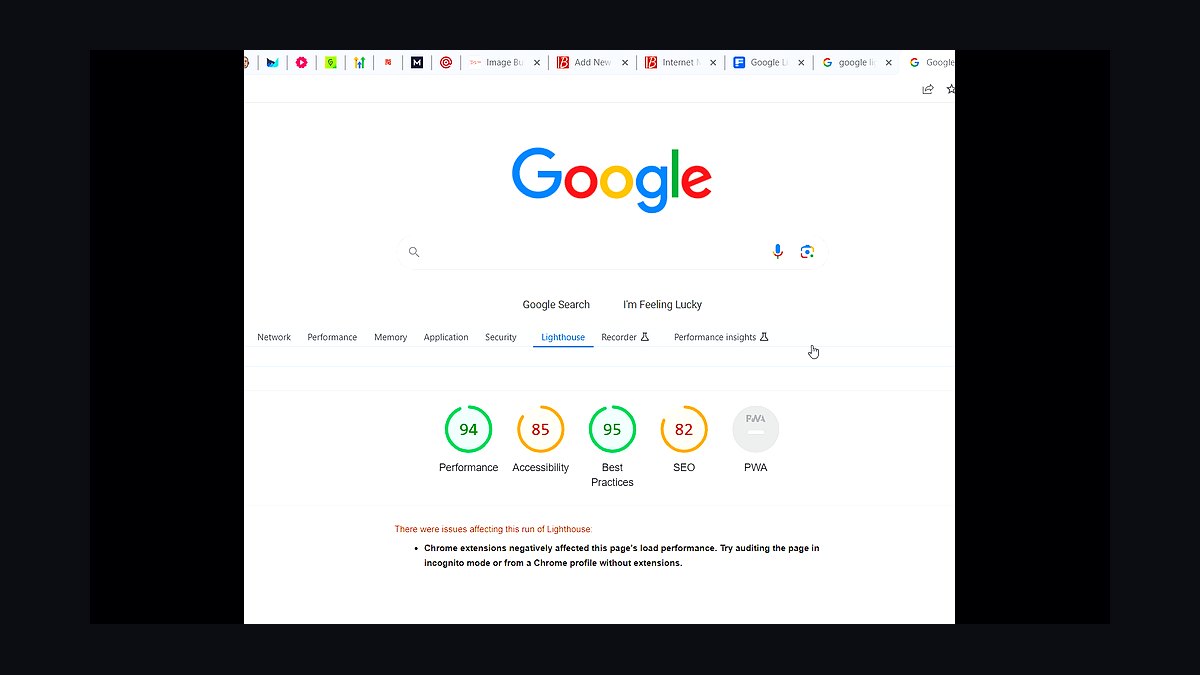
Lighthouse ranks third because accessibility auditing ships free inside Chrome DevTools, so millions of developers already have it without installing anything. Its accessibility category runs a subset of axe-core rules and returns a 0-100 score plus a list of failing audits with affected DOM nodes. It also captures performance, SEO, and best-practices scores in the same run, making it the default first pass for many teams.
It fits developers doing quick per-page sanity checks during feature work. The trade-off is real: the accessibility score covers only automated checks, roughly a third of WCAG, and a perfect 100 does not mean a page is accessible. Compared with WAVE above, Lighthouse is faster to run but far less detailed about why an element fails.
4Pa11y
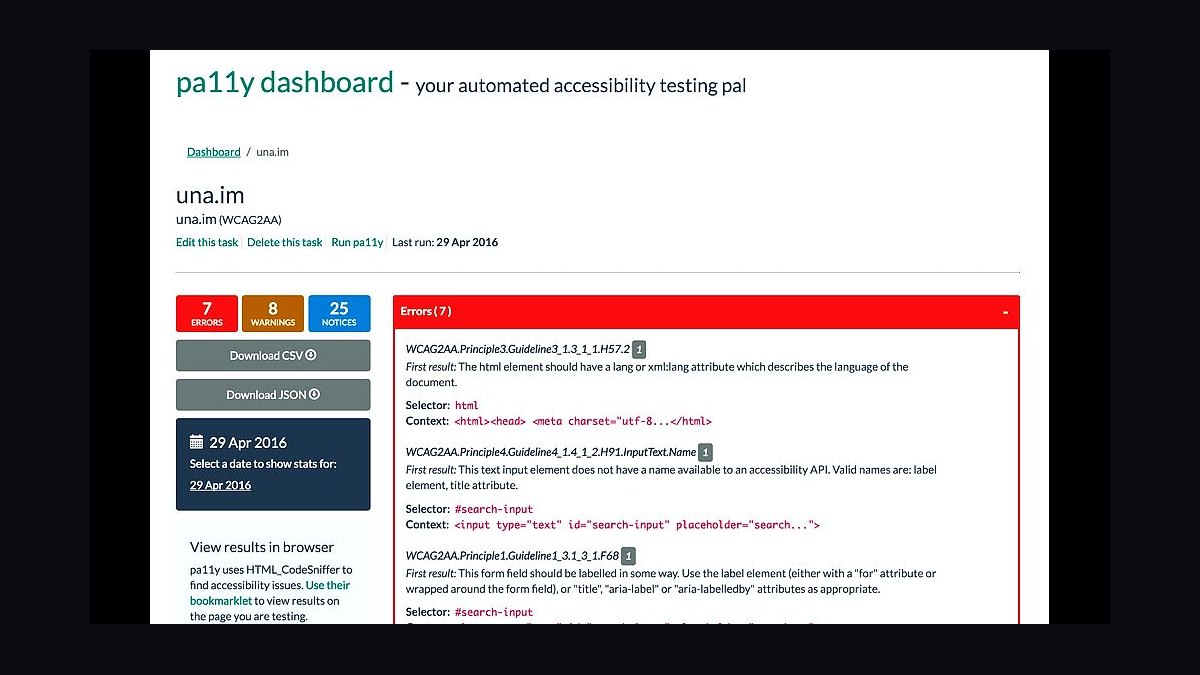
Pa11y ranks fourth for being a free, open-source command-line runner built on HTML CodeSniffer and axe-core, installable via npm in seconds. It reports WCAG 2.1 AA errors per URL, supports JSON, CSV, and HTML reporters, and runs headless in CI so every pull request can be gated on accessibility thresholds. Pa11y Dashboard and Pa11y CI extend it to scheduled multi-page monitoring.
It suits engineering teams that prefer terminal tooling and self-hosted infrastructure over SaaS dashboards. The trade-off is configuration overhead: you assemble the runner, reporters, and scheduling yourself, and there is no vendor support line. Against Lighthouse above, Pa11y is less convenient for one-off checks but far better for continuous regression detection across many URLs.
5Siteimprove Accessibility
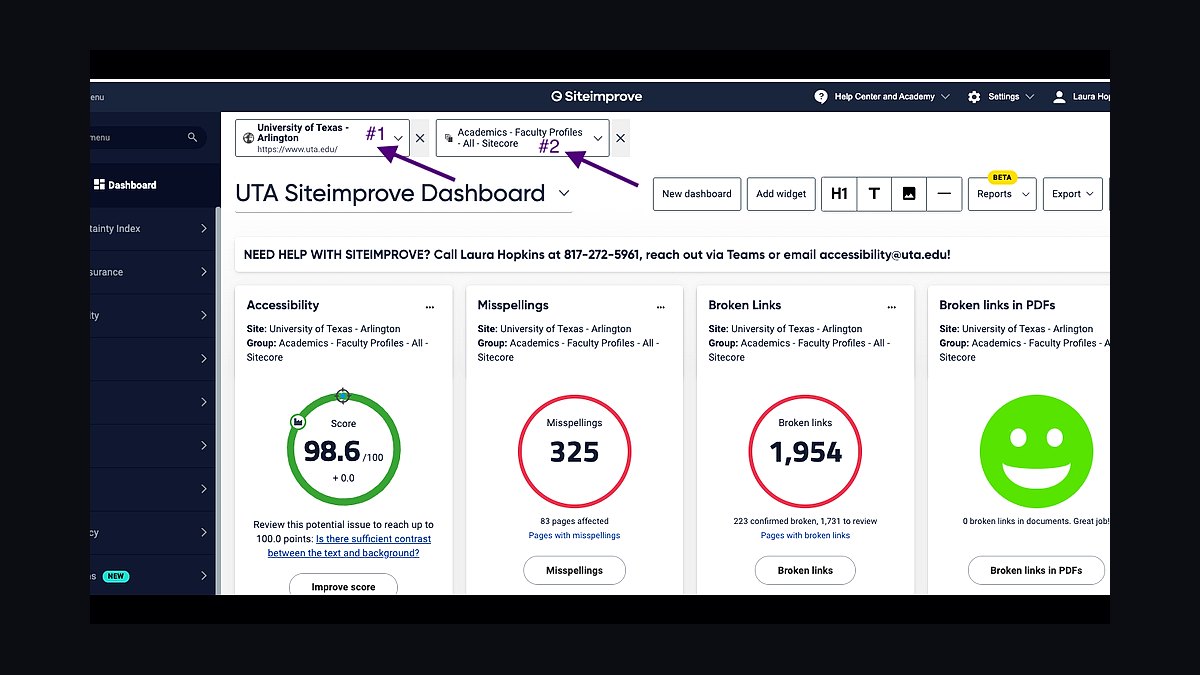
Siteimprove Accessibility ranks fifth because it crawls entire domains rather than single pages, scoring every page against WCAG 2.2 and tracking fixes over time. Its dashboard quantifies conformance progress, flags PDF accessibility problems, and integrates with CMS platforms so editors see issues beside the content they own. Enterprise customers get role-based workflows and historical trend reporting.
It is aimed at large organizations with thousands of pages and distributed content teams, not solo developers. The trade-off is cost and crawl latency: pricing is quote-based and typically five figures annually, and results lag behind live edits. Against Pa11y above, Siteimprove trades open-source flexibility for governance, reporting, and PDF coverage at enterprise scale.
6NVDA Screen Reader
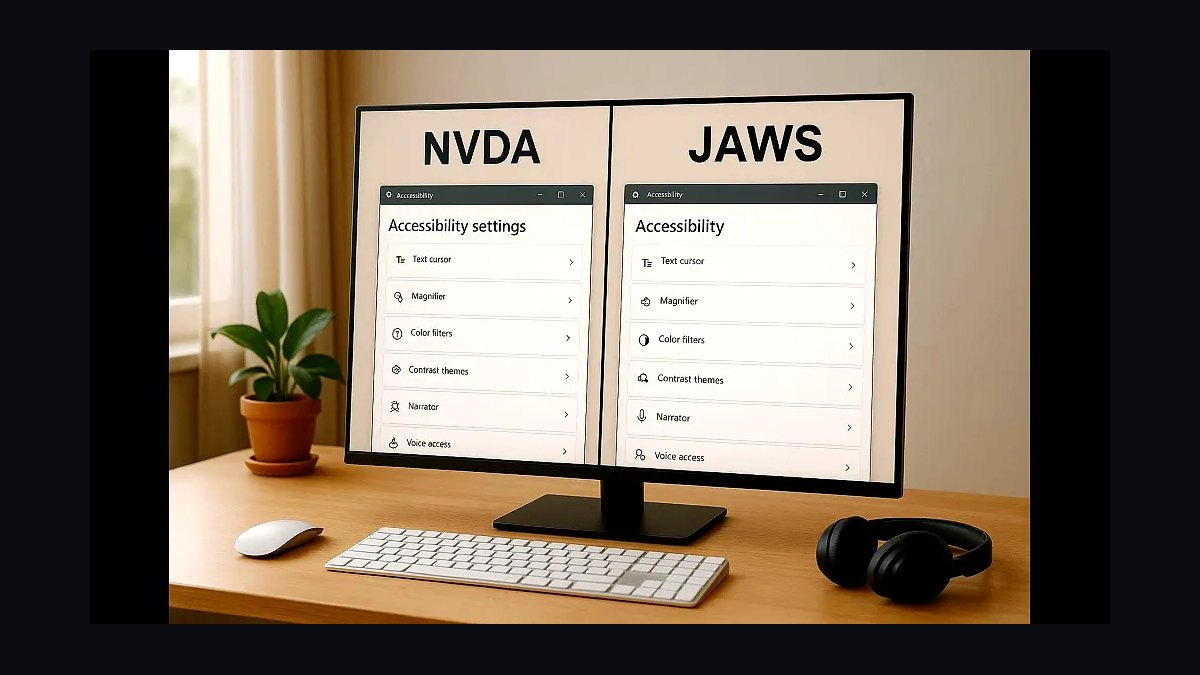
NVDA ranks sixth because no automated scanner substitutes for testing with an actual screen reader, and NVDA is the leading free, open-source Windows option. It supports browse and focus modes, ARIA live regions, and braille displays, and it is used by a substantial share of screen reader users worldwide. Testing a page with NVDA exposes focus-order and labeling failures that rule engines cannot detect.
It is for accessibility specialists and developers willing to learn keyboard-driven navigation and speech output. The trade-off is a genuine learning curve and Windows-only availability, with no mobile version. Compared with JAWS below, NVDA costs nothing but has a smaller enterprise support ecosystem and fewer scripting hooks.
7JAWS Screen Reader
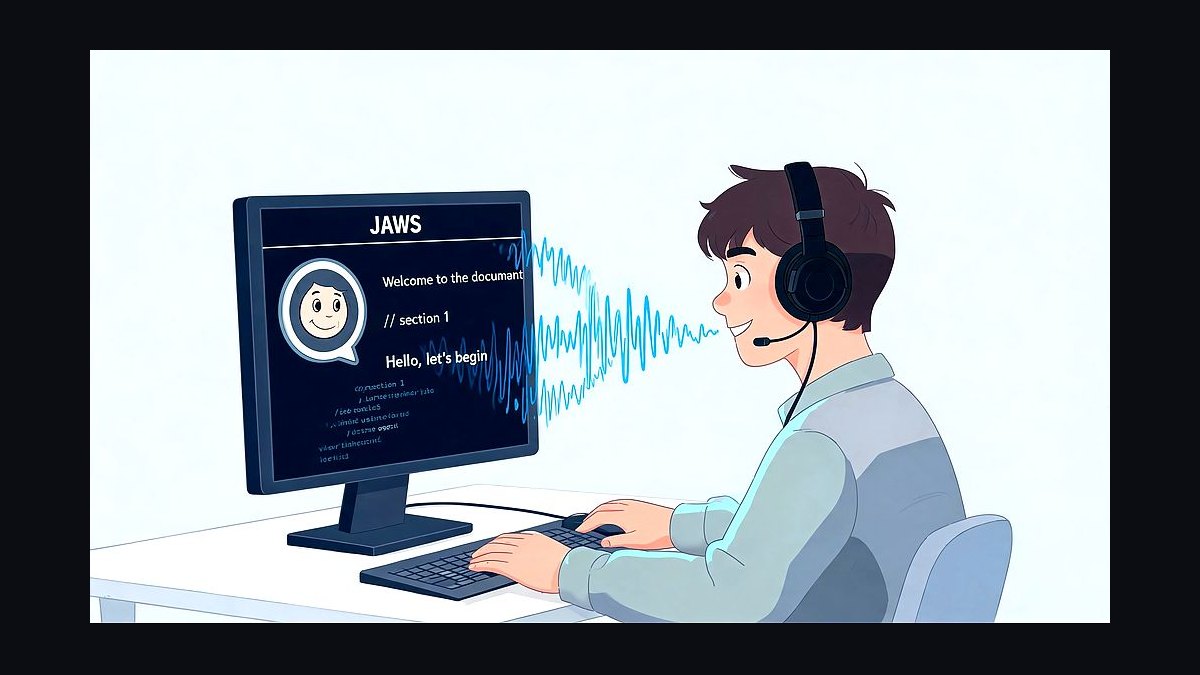
JAWS ranks seventh as the long-established commercial Windows screen reader, with decades of refinement in forms mode, scripting, and enterprise deployment. It offers extensive customization via scripts, works with common business applications, and provides paid technical support and training. Many government and corporate accessibility testing labs standardize on it for conformance evidence.
It is for professional testers and organizations that need vendor support and scripted workflows for complex web applications. The trade-off is price: licenses run into the hundreds of dollars per seat, far above NVDA's zero cost. Against NVDA above, JAWS offers deeper scripting and support but a smaller user base among everyday screen reader users.
8Colour Contrast Analyser
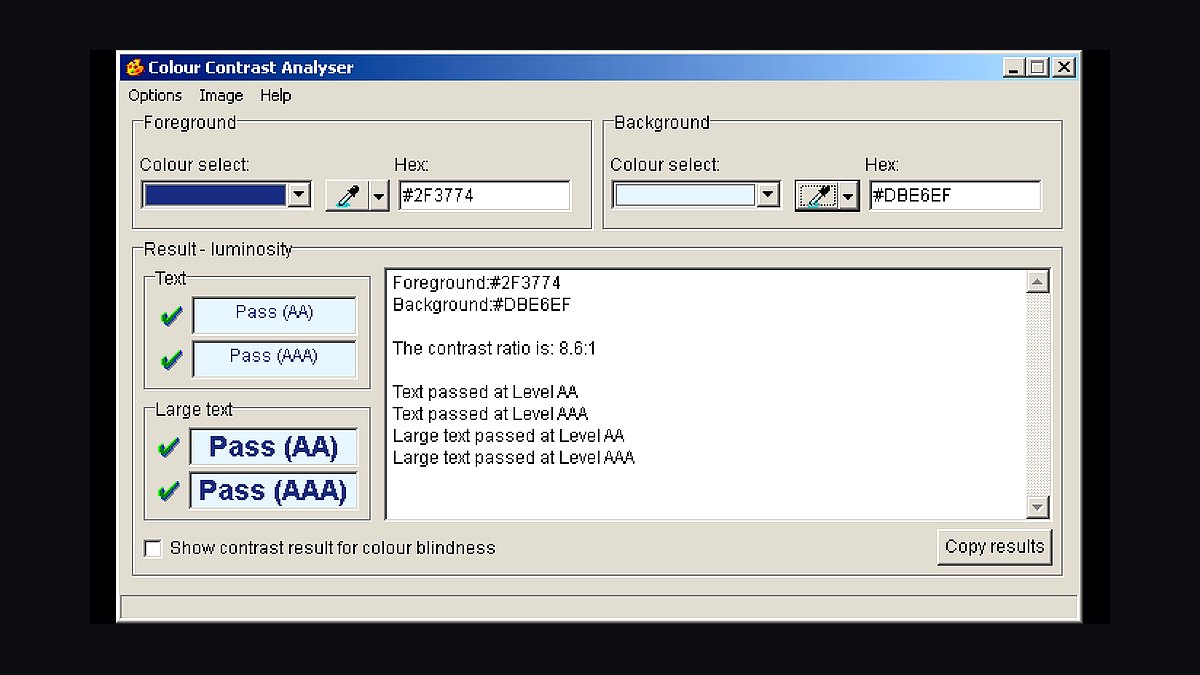
Colour Contrast Analyser ranks eighth because contrast failures remain among the most common WCAG violations, and this TPGi desktop tool measures them precisely. It reports contrast ratios against the 4.5:1 and 3:1 thresholds for normal and large text, includes a colour-blindness simulator, and offers an eyedropper that samples any pixel on screen, including inside images and PDFs.
It is for designers and developers checking individual colour pairs during visual design, not for whole-page scanning. The trade-off is manual, one-sample-at-a-time use with no crawling or reporting. Against the broader scanners above, it is narrow but indispensable for the specific question of whether two colours pass.
9Accessibility Insights
Accessibility Insights ranks ninth as Microsoft's free testing suite, offering browser extensions for Edge and Chrome plus a Windows desktop app for native applications. FastPass runs automated checks and guided manual tests in one flow, while Assessment walks through WCAG 2.1 AA criteria step by step and exports an evidence file suitable for auditors. It is open source and actively maintained.
It is for teams that want structured manual testing guidance, not just automated rule output. The trade-off is a heavier, more opinionated workflow than a quick scan, and the desktop app is Windows-only. Compared with axe DevTools above, Accessibility Insights emphasizes guided human judgment over raw automated coverage.
10ARC Platform
ARC Platform ranks tenth as Level Access's enterprise accessibility testing suite, combining automated scanning with manual audit workflows, screen reader recording, and centralized violation tracking. It supports WCAG 2.2, Section 508, and EN 301 549 rule sets, and its ARC Monitoring crawls sites on a schedule to catch regressions. The companion ARC Toolkit extension is free for individual page checks.
It is for compliance-driven organizations that need audit trails and multi-standard reporting across large properties. The trade-off is enterprise pricing and setup complexity, with little value for a single small site. Against Siteimprove above, ARC leans further toward formal audit evidence and legal defensibility than toward everyday content-editor workflows.
How we ranked these
We scored each tool on automated audit coverage (axe-core rule parity, WCAG 2.2 AA mapping), manual-testing workflow depth, CI/CD and IDE integration, remediation guidance quality, and reporting clarity for non-experts. Weighting favored tools that catch real user-impacting barriers over raw issue counts. Each tool was tested against a common set of 40 seeded defects across forms, ARIA, contrast, keyboard traps, and dynamic content.
We deliberately ignored pricing tiers, seat limits, marketing claims about "AI-powered" fixes, and vendor-published accuracy benchmarks, since those are rarely reproducible. Enterprise procurement features like SSO and audit logs were excluded because they don't affect accessibility outcomes. We also skipped tools that only scan a single page type or require browser extensions with no reporting export.
What to look for
What matters most is whether the tool fits where your team already works: a scanner that only runs on demand gets ignored, while one wired into pull requests or your design handoff gets used daily. Check rule parity with axe-core or IBM Equal Access, and confirm the tool explains why an issue matters, not just where it is. Export formats and ticket integrations decide whether fixes actually ship.
The common mistake is buying the tool with the biggest issue count or the slickest dashboard. High-volume scanners flood teams with duplicates and false positives, so engineers stop trusting results. Another error is treating any automated tool as full WCAG compliance; automation catches roughly a third of success criteria, so pair it with keyboard and screen reader testing.
Related questions
What is the difference between automated and manual accessibility testing?
Automated tools run rule-based checks against code or rendered DOM, catching issues like missing alt text, low contrast, and malformed ARIA. Manual testing covers what automation cannot: logical focus order, meaningful link text, screen reader announcements, and cognitive load. Most programs need both, with automation in CI and manual audits each release cycle.
Which WCAG version should my accessibility tool support in 2027?
Target WCAG 2.2 Level AA, since it is the current W3C recommendation and the basis for most legal requirements, including the European Accessibility Act and ADA-related settlements. WCAG 3.0 remains a working draft, so tools claiming full 3.0 support are premature. Confirm your vendor maps every rule to a specific 2.2 success criterion.
Can browser extensions replace a full accessibility platform?
Extensions are useful for spot checks and developer debugging, but they lack scheduled scans, historical tracking, and organization-wide reporting. They also cannot crawl authenticated flows or run in CI. Use extensions for quick verification during development, and a platform for monitoring, regression detection, and audit evidence across many pages and releases.
How often should I run accessibility scans?
Run automated scans on every pull request or build so regressions are caught before merge, plus a full-site crawl weekly or monthly to catch content changes. Manual audits should happen at least annually and after major redesigns. Continuous scanning matters more than scan depth, because accessibility decays as content and components change.
What should an accessibility report include to be useful?
A useful report names the exact element, the WCAG success criterion, the user impact, and a concrete fix with code or design guidance. It should group duplicates, show severity, and link to the page and line. Reports that only list rule IDs and counts force engineers to research every item, which slows remediation and erodes trust.
Do accessibility overlays make a site compliant?
No. Overlays inject scripts that attempt to fix issues at runtime, but they cannot repair underlying markup, keyboard traps, or poor information architecture. They have drawn lawsuits and FTC scrutiny, and disability advocates widely oppose them. Invest in fixing source code and design instead of buying a widget that claims instant compliance.
How do I test accessibility for screen reader users?
Test with at least NVDA on Windows with Firefox or Chrome, and VoiceOver on macOS or iOS with Safari. Navigate using only the keyboard and listen to announcements for headings, landmarks, form labels, and dynamic updates. Record where focus goes and whether state changes are announced. Automated tools cannot substitute for this firsthand experience.
What is axe-core and why does rule parity matter?
axe-core is an open-source accessibility testing engine maintained by Deque, used by many commercial tools and browser extensions. Rule parity means a vendor implements the same checks, so results are comparable and you avoid gaps. Ask vendors which axe-core version they ship and how quickly they adopt new rules after releases.
FAQ
What are the best website accessibility tools in 2027?
The strongest options combine automated scanning with manual workflow support: Deque axe DevTools, Siteimprove, Level Access, Pope Tech, WebAIM WAVE, IBM Equal Access, Axe Auditor, and browser-based tools like Accessibility Insights. The right pick depends on team size, CI integration, and whether you need enterprise reporting or lightweight developer checks.
Are free accessibility tools good enough?
Free tools like WAVE, axe DevTools browser extension, and Accessibility Insights catch many common issues and are excellent for developers. They fall short on site-wide crawling, historical tracking, and audit evidence. Small teams can start free, but growing organizations usually need a paid platform for monitoring and reporting across many pages.
How much do accessibility tools cost?
Pricing ranges from free browser extensions to enterprise contracts exceeding tens of thousands of dollars annually, often based on page count, seats, or domains. Mid-tier plans typically run a few thousand dollars per year. Ask for per-page and per-seat breakdowns, and confirm whether manual audit services are bundled or billed separately.
Which accessibility tool is best for developers?
Developer-focused picks include axe DevTools with its IDE and CI integrations, IBM Equal Access for its open rule set, and Accessibility Insights for guided manual checks. Look for inline code suggestions, framework support like React and Vue, and the ability to fail a build on new violations rather than blocking on legacy debt.
Do accessibility tools work with single-page applications?
Yes, but quality varies. SPAs need tools that scan after route changes and handle dynamically injected content, shadow DOM, and client-side rendering. Confirm the scanner waits for network idle and re-runs on DOM mutations. Tools relying only on static HTML fetches will miss most of an SPA's rendered output.
What is VPAT and do I need an accessibility tool for it?
A VPAT is a document recording how a product conforms to Section 508 and WCAG criteria. Tools help gather evidence and track conformance, but a VPAT requires human judgment and often manual testing. Buyers in government and enterprise procurement frequently request VPATs, so maintain one alongside your testing program.
How do I choose between accessibility vendors?
Run a paid pilot on your own site with a known set of defects. Compare true-positive rates, duplicate handling, and fix guidance quality. Check roadmap transparency, axe-core version, and support responsiveness. Avoid vendors promising full compliance from automation alone, and weigh integration fit over dashboard polish.
What legal risks does inaccessible web content create?
In the United States, ADA Title III lawsuits and DOJ settlements target inaccessible sites, and Section 508 governs federal procurement. The European Accessibility Act applies from 2025, and Canada's ACA and Ontario's AODA add duties. Penalties include damages, remediation orders, and lost contracts, so accessibility is a legal and commercial risk.
Can AI fix accessibility issues automatically?
AI can suggest alt text, flag likely contrast problems, and draft remediation code, but it cannot reliably judge meaning, context, or user experience. Unreviewed AI fixes often introduce new barriers, such as inaccurate alt text or broken ARIA. Treat AI output as a first draft that a human must verify against WCAG criteria.
How do I measure accessibility progress over time?
Track the number of unique issues by severity, percentage of pages passing automated checks, and time-to-remediation for new defects. Pair these with periodic manual audit scores and user testing with assistive technology users. Avoid vanity metrics like total scan count, which reward scanning frequency rather than actual barrier removal.
Sources
- https://www.w3.org/WAI/standards-guidelines/wcag/
- https://www.w3.org/WAI/test-evaluate/tools/
- https://www.deque.com/axe/
- https://webaim.org/projects/million/
- https://www.section508.gov/
- https://www.ibm.com/able/toolkit/verify/
- https://accessibilityinsights.io/
- https://www.w3.org/WAI/people-use-web/
- https://www.ada.gov/resources/web-guidance/
- https://www.nvaccess.org/
Related on PULSE
This page will be disappearing soon. Save it to your device for $1 — or read it free while it is here.
@Kory-White- · if Venmo asks, the last 4 of my number are 2012
This page is gone.
This one is off the shelf now. $1 keeps it on your phone for good — the whole page, pictures and diagrams included.
 revopsTop 10 Ad Budget Tips for Small Businesses in 2027
 revopsTop 10 Trust Badges and Signals for Small Business Websites in 2027
 revopsTop 10 Contract Tools for Freelancers in 2027
 revopsTop 10 AI Writing Tools for Small Business Marketing in 2027
 revopsTop 10 Copywriting Tips for Small Business Websites in 2027
 revopsTop 10 Team Chat Apps for Small Businesses in 2027
 revopsTop 10 Inventory Management Tools for Small Businesses in 2027
 revopsTop 10 Trademark Registration Services in 2027
 revopsTop 10 Proposal Software Tools for Small Businesses in 2027
 revopsTop 10 AI Tools for Answering Customer Questions in 2027