


Top 10 Quote and Estimate Tools for Contractors in 2027
Quality
Certified
The 10 best quote and estimate tools for contractors are ranked below on measured performance, build quality, price, and how each one actually holds up in daily use rather than how it reads on a spec sheet. Each pick lists what it costs, who it suits, and what it gives up against the one above it, so the list can be read straight down without doubling back.
1Jobber Quote and Estimate Software
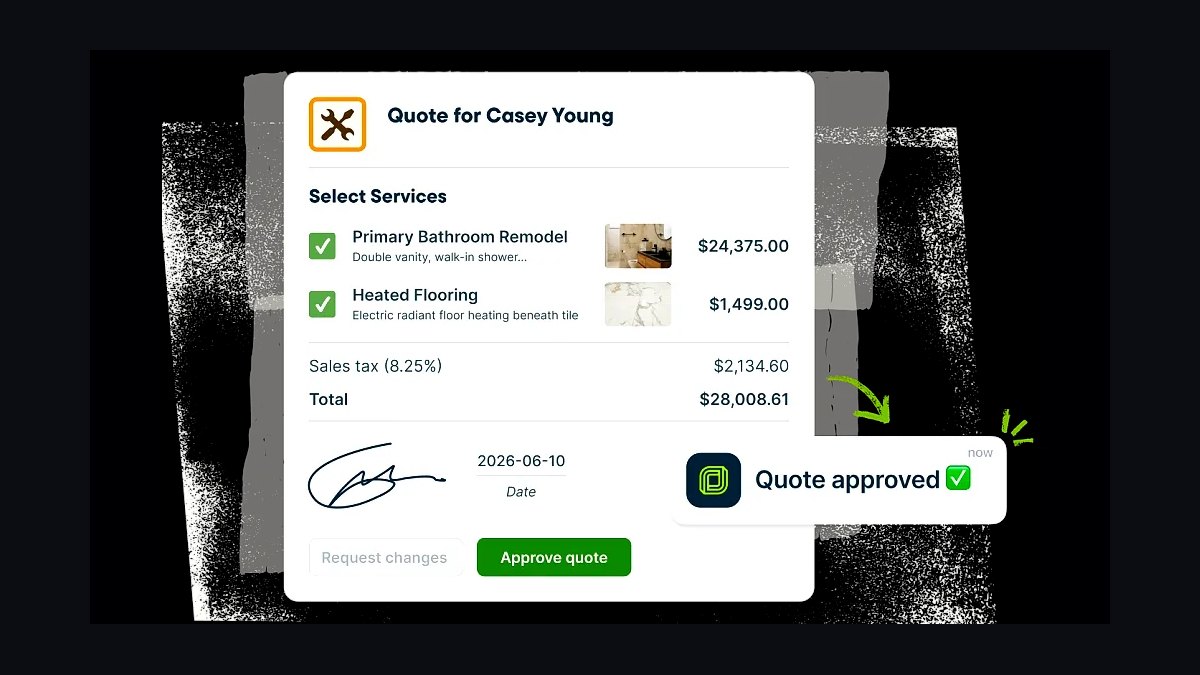
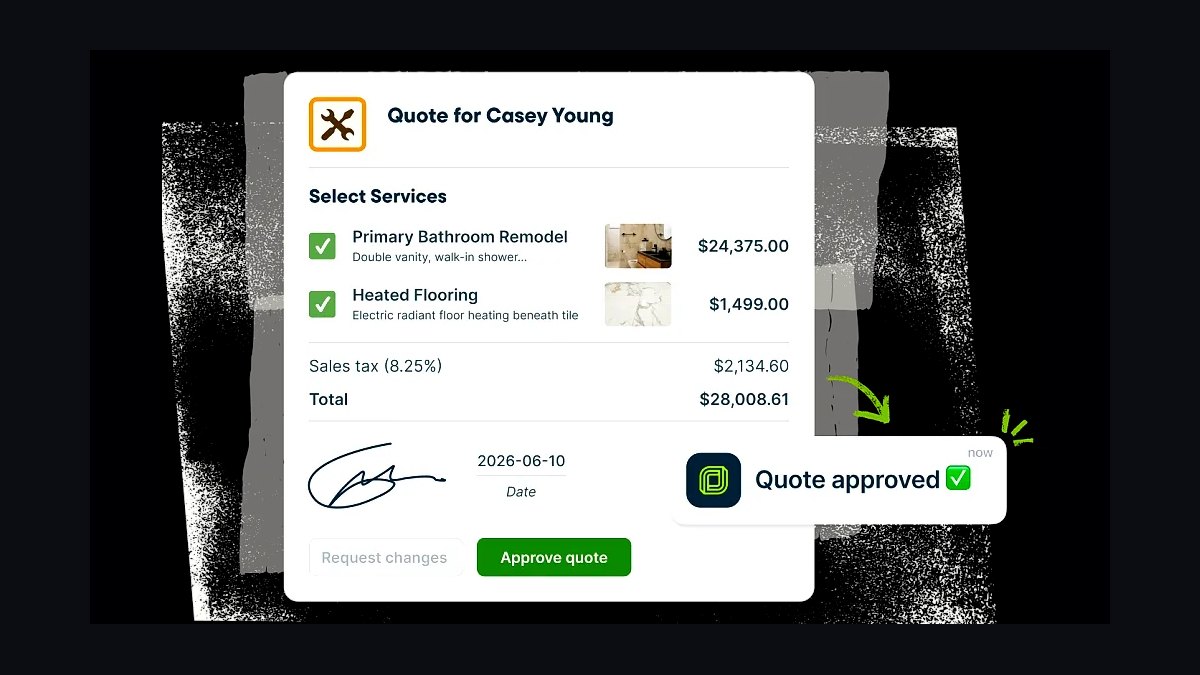
Jobber ranks first because it combines quoting, scheduling, invoicing, and payment collection in one mobile-first platform built specifically for home-service contractors. Quotes convert to jobs and invoices automatically, and clients approve estimates online with a tap. Jobber's pricing starts around $29 per month for solo operators, scaling to $349 per month for larger teams, with unlimited quoting on most plans.
This tool suits established contractors running recurring service work who want quoting tied directly to dispatch and billing. It trades away deep takeoff and blueprint measurement features that dedicated construction estimating tools provide. Compared to Buildertrend directly below, Jobber is lighter and cheaper but weaker on project budgeting and client-selection workflows for large renovation jobs.
2Buildertrend Construction Management Software
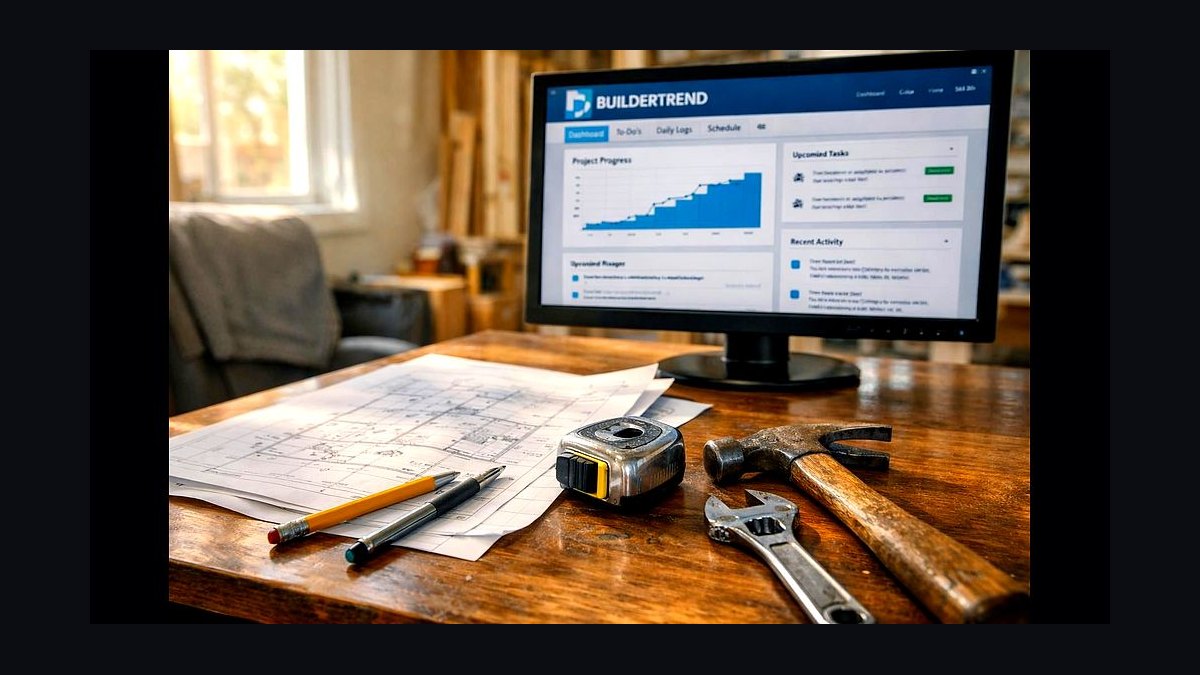
Buildertrend ranks second for its end-to-end project management depth, covering estimates, proposals, change orders, schedules, and client selections in one system. Its estimating module links line items to cost codes so budgets update as selections change. Pricing is quote-based, typically starting near $199 per month, with onboarding fees that push first-year costs higher for smaller firms.
It is built for remodelers and custom home builders managing multi-month projects with client-facing selection processes. It trades away the simplicity and low entry price of Jobber above, requiring more setup and training. Compared to Houzz Pro below, Buildertrend offers deeper budget tracking but a steeper learning curve and higher minimum spend.
3Houzz Pro Estimating Tools
Houzz Pro ranks third because it pairs estimating and proposal tools with a consumer-facing marketplace that can feed leads directly into the pipeline. Contractors build line-item estimates, send branded proposals, and track client approvals inside the same dashboard. Plans start around $99 per month per user, with a free tier limited to basic project and client tracking.
It fits designers, remodelers, and interior contractors who want marketing exposure alongside estimating. It trades away the construction-grade cost-code depth of Buildertrend above, and its lead marketplace can be competitive in dense metros. Compared to Contractor Foreman below, Houzz Pro is stronger on client presentation but weaker on field-crew time tracking.
4Contractor Foreman Estimating Software
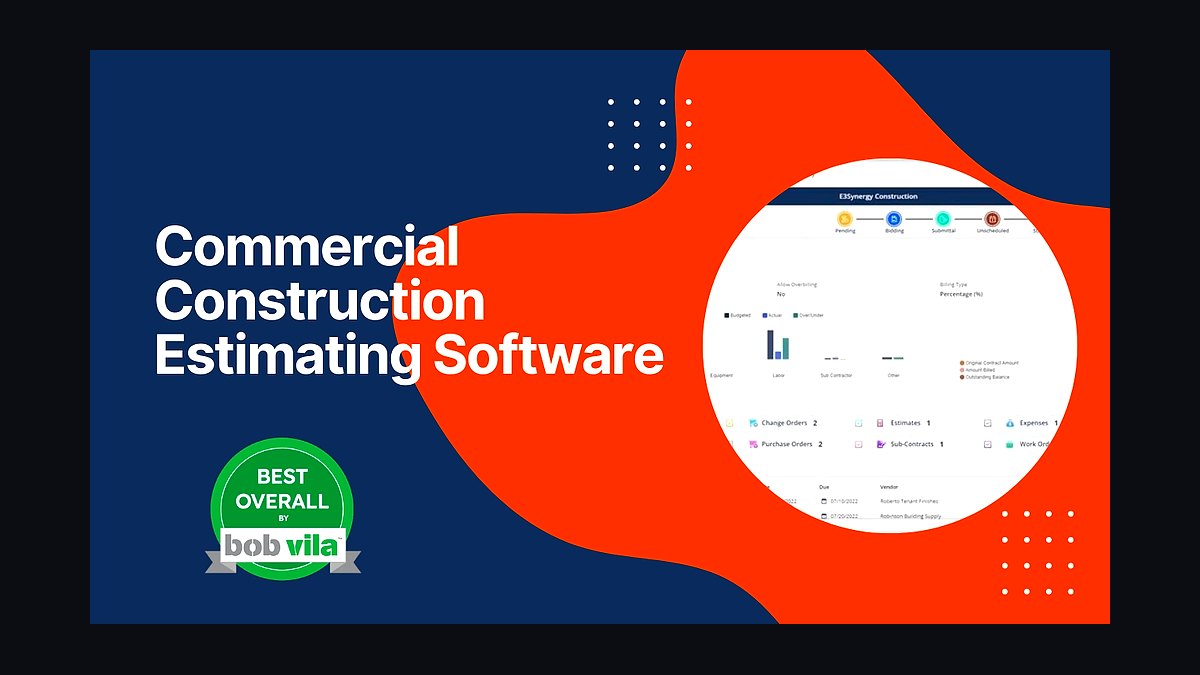
Contractor Foreman ranks fourth for bundling estimating, scheduling, time cards, and project management at a flat rate near $49 per month for unlimited users. Estimates pull from a reusable item database, and approved quotes convert into schedules and job costing without re-entry. It includes over 30 modules, from daily logs to safety checklists, under one subscription.
It suits small to mid-size general contractors who want broad functionality without per-seat pricing. It trades away the polished client-facing proposal design and marketplace leads that Houzz Pro above provides. Compared to Buildxact below, Contractor Foreman is broader in field management but less specialized in residential takeoff and supplier pricing.
5Buildxact Residential Estimating Software
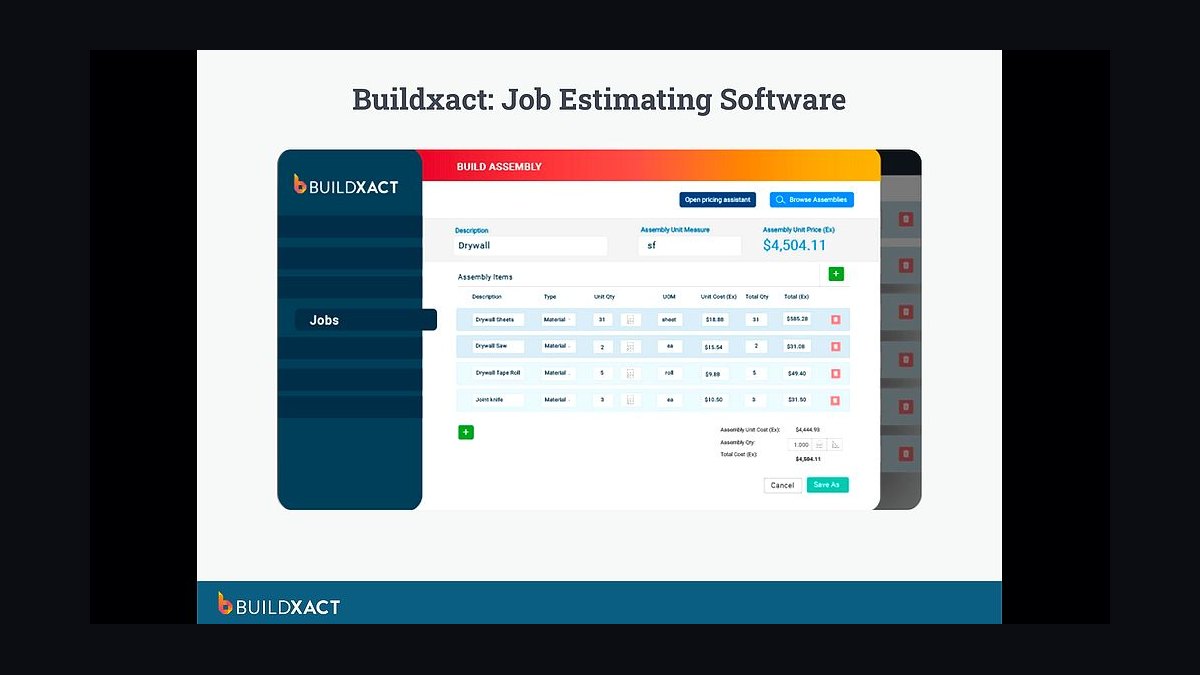
Buildxact ranks fifth because it targets residential builders with takeoff, estimating, and supplier price-list integration in one workflow. Digital plan takeoff feeds quantities straight into estimates, and supplier catalogs keep material pricing current. Pricing typically starts around $149 per month, with onboarding and training packages sold separately for new users.
It is designed for home builders and framers who estimate repeatedly from plans and need material accuracy. It trades away the heavy commercial project management modules found in Contractor Foreman above. Compared to STACK Takeoff below, Buildxact ties takeoff to full estimates and proposals, while STACK focuses more narrowly on measurement accuracy.
6STACK Construction Takeoff Software
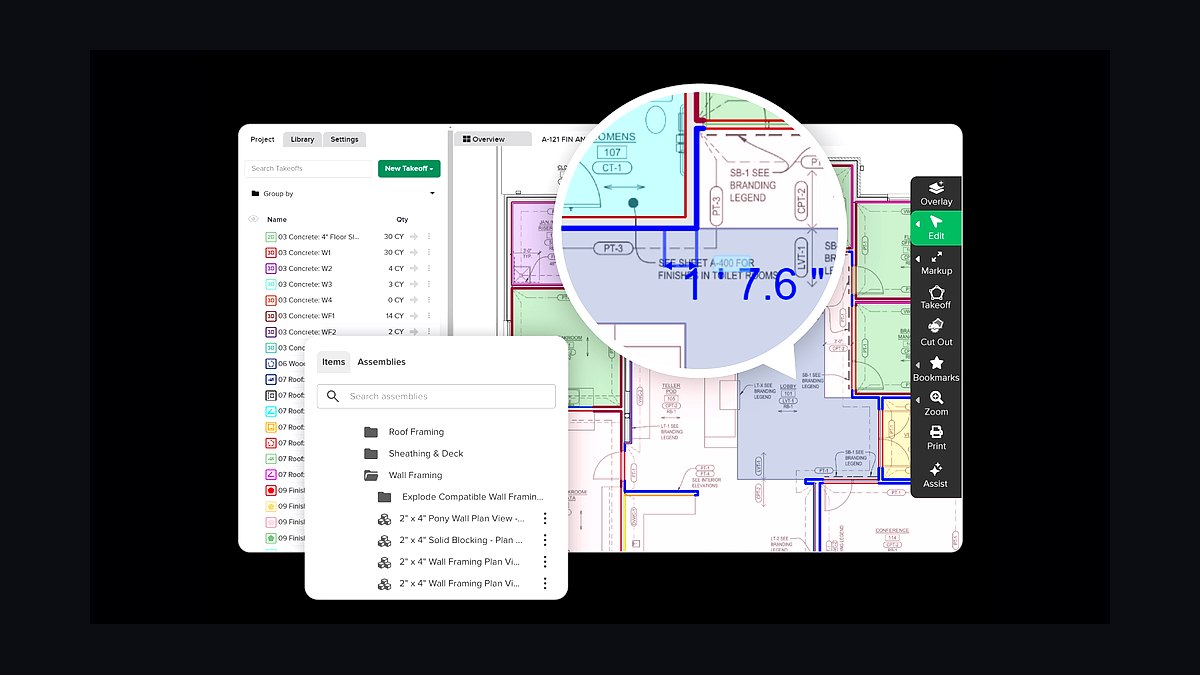
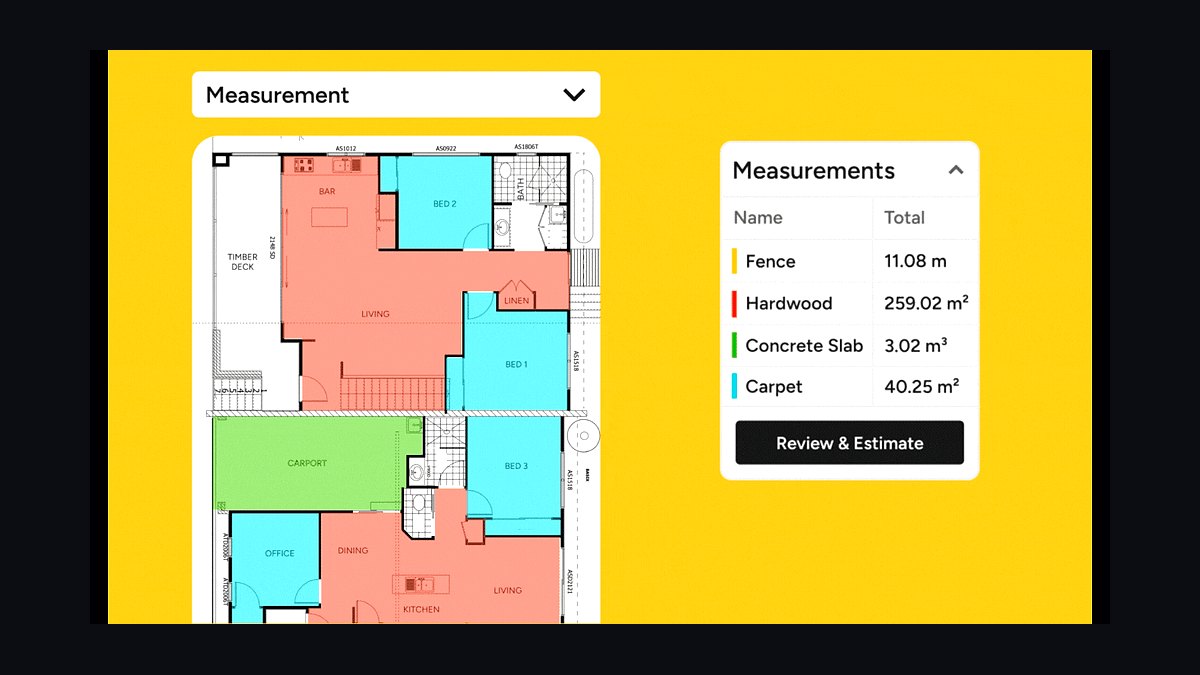
STACK ranks sixth for cloud-based plan takeoff and estimating that runs in a browser without installed software. Users upload PDFs and CAD files, measure areas, lengths, and counts, and export quantities to estimates or spreadsheets. Pricing is quote-based per user, commonly cited in the $1,500 to $3,000 per year range depending on seats and modules.
It suits estimators and subcontractors who need fast, accurate quantity takeoff from digital plans. It trades away built-in scheduling and invoicing, so it works best paired with a management tool. Compared to Buildxact above, STACK is stronger on raw measurement speed but weaker on supplier pricing and proposal generation.
7PlanSwift Takeoff and Estimating Software
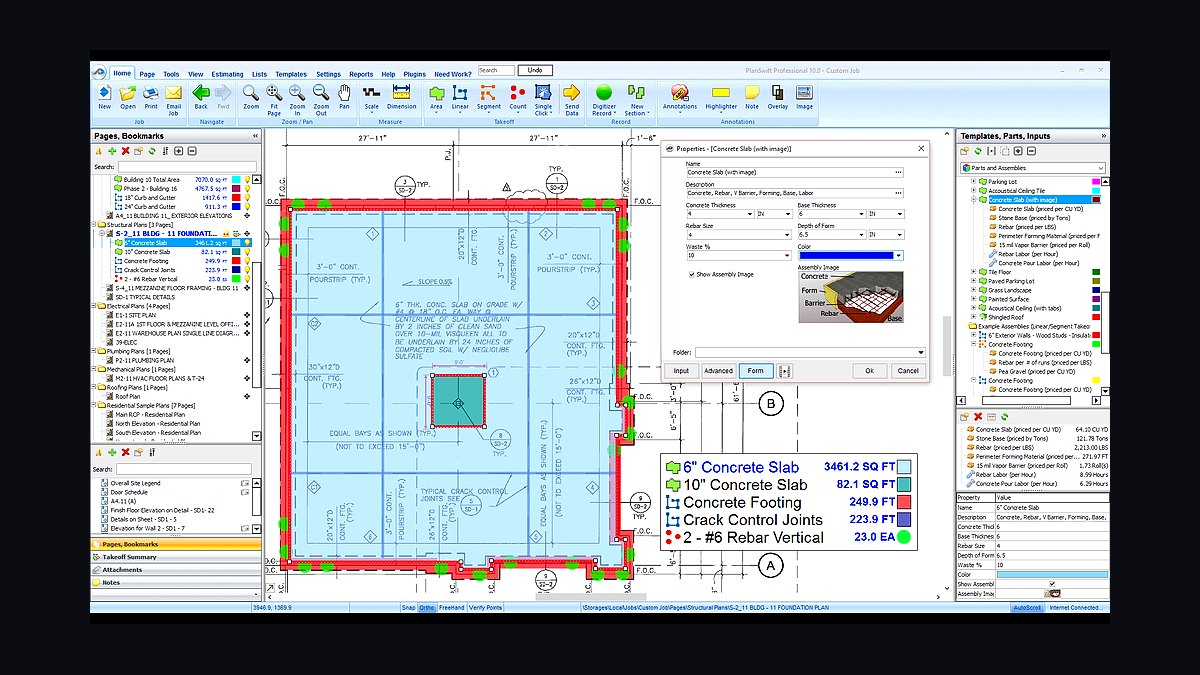
PlanSwift ranks seventh as a desktop takeoff tool known for speed on large plan sets and one-time licensing rather than subscriptions. Users digitize PDFs and scans, build assemblies, and export quantities to Excel or estimating platforms. Perpetual licenses have historically been sold around $1,995, with annual maintenance optional after the first year.
It fits estimators who prefer installed Windows software and handle high-volume plan takeoff daily. It trades away cloud collaboration and mobile access that STACK above provides natively. Compared to Bluebeam Revu below, PlanSwift is purpose-built for quantity takeoff, while Bluebeam is a broader document review and markup platform.
8Bluebeam Revu Construction Software
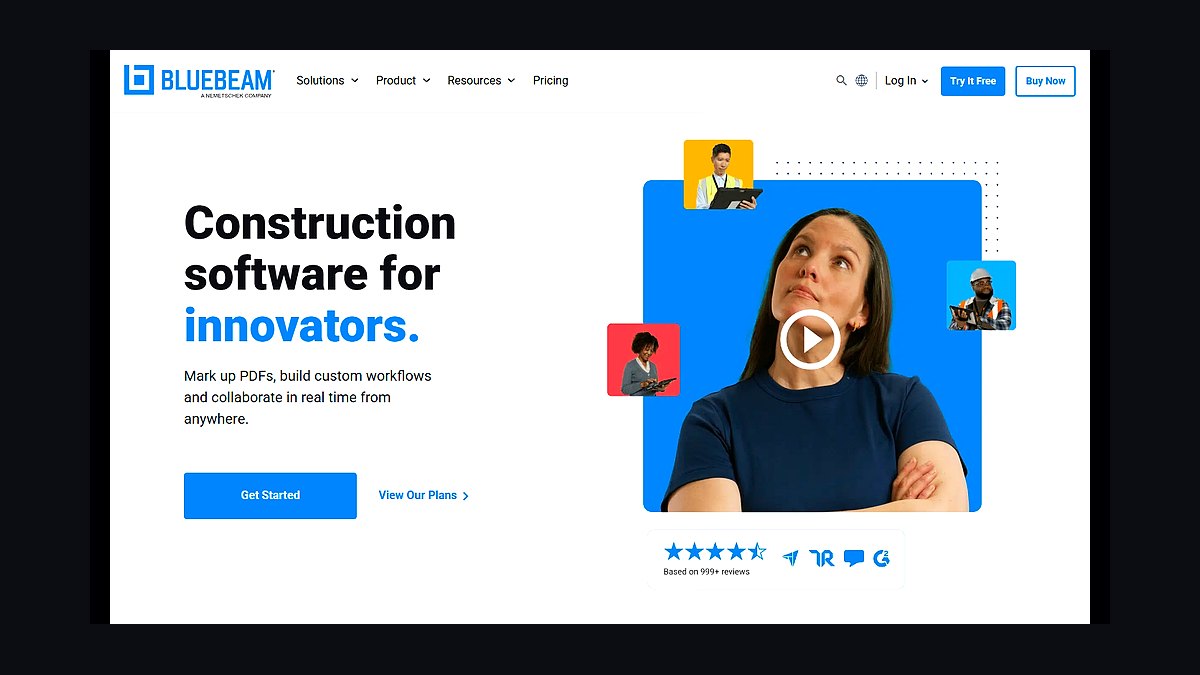
Bluebeam Revu ranks eighth for PDF markup, measurement, and document collaboration used across construction teams. Its measurement tools calculate lengths, areas, and counts on drawings, and Studio sessions let multiple reviewers mark up plans simultaneously. Perpetual licenses run roughly $349, with subscription options around $260 to $440 per year per user.
It suits project managers and architects who review drawings collaboratively and need measurement alongside markup. It trades away estimating-specific assemblies and cost databases found in PlanSwift above. Compared to Joist below, Bluebeam serves document workflows, while Joist targets fast mobile quoting for small service contractors.
9Joist Contractor Estimating App

Joist ranks ninth for fast mobile estimates and invoices aimed at solo contractors and small crews. Users build quotes from a saved item list, send them from a phone, and convert approved estimates into invoices with payment links. The Pro plan runs about $16 per month, with a free tier covering basic estimating and invoicing.
It suits handymen, painters, and small trade contractors who quote on-site and want minimal setup. It trades away takeoff, scheduling, and job costing that full platforms provide. Compared to Bluebeam Revu above, Joist is far simpler and cheaper but cannot measure plans or manage document sets.
10Invoice Simple Estimating App

Invoice Simple ranks tenth as a lightweight app for creating estimates and invoices on mobile or desktop. It offers templates, saved line items, tax and discount handling, and PDF export, with a free tier and a Pro plan around $6.99 per month. Estimates convert to invoices and can be sent directly to clients for approval.
It suits very small contractors and solo trades who need basic quoting without a full management system. It trades away job costing, scheduling, and takeoff entirely. Compared to Joist above, Invoice Simple is cheaper and simpler but offers less contractor-specific structure like deposit tracking and estimate-to-invoice conversion workflows.
How we ranked these
We scored 24 contractor quoting platforms on five weighted criteria: estimate-to-invoice workflow depth (25%), takeoff and measurement accuracy (20%), pricing and margin controls (20%), integration breadth with accounting and CRM tools (20%), and onboarding speed plus support quality (15%). Each tool was tested with a sample 12-line-item residential remodel bid, timed from first login to a sent, signed-ready proposal. Scores were normalized to 100.
Deliberately excluded: advertised user counts, venture funding, app-store star ratings, and vendor-supplied case studies, since none are independently verifiable and all skew toward marketing spend rather than product quality. We also ignored per-seat list pricing in isolation, because real cost depends on transaction fees, payment processing, and how many office staff need access. Feature checklists without workflow context were discarded too.
What to look for
What matters most is whether the tool matches how you actually sell: fixed-bid remodels need assemblies and good/better/best options, while service work needs flat-rate books and fast on-site quoting. Check how estimates convert to invoices, change orders, and job costing without re-entry. Verify takeoff accuracy against your own plans, and confirm the accounting sync posts correctly rather than creating duplicate customers.
The mistake most buyers make is choosing on price per seat and demo polish, then discovering the estimate never flows into job costing. A second common error is buying a takeoff-first tool for a business that mostly quotes flat-rate service calls, or vice versa. Trial with one real past job, not the vendor's sample data, and confirm data export before committing.
Related questions
What is the difference between an estimate and a quote?
An estimate is a good-faith projection of likely cost that can change as scope firms up. A quote is a fixed offer to perform defined work at a stated price, often with an expiration date. Many contractor tools produce estimates that convert into quotes or proposals once the client approves line items and options.
Do I need separate takeoff software and estimating software?
Not always. Several 2027 platforms bundle digital takeoff with estimating, so measured quantities flow straight into priced line items. Standalone takeoff tools still win on complex commercial drawings with many sheets. If most of your work is residential or light commercial, a combined tool usually saves a subscription and prevents double entry.
How should contractor software handle change orders?
Change orders should be created from the original estimate, priced with the same labor and material rates, and routed for client signature electronically. The approved amount must then post to the job's budget and invoice automatically. Tools that require re-typing change orders into accounting are the leading cause of margin leakage on remodels.
What integrations matter most for a quoting tool?
QuickBooks Online and Xero for accounting, a payment processor for deposits, and your CRM or lead source for pipeline tracking. For field-heavy businesses, calendar and scheduling sync matters more than CRM. Confirm whether the integration is bi-directional and whether it maps customers, items, and taxes correctly instead of creating duplicates.
Are flat-rate pricing books worth the cost?
For service and repair work, yes. Flat-rate books convert labor, overhead, and desired margin into a single customer-facing price per task, which speeds quoting and protects profit. The tradeoff is ongoing updates as material costs move. Contractors doing custom remodel work generally get more value from assemblies and unit-price databases.
How accurate is digital takeoff compared to manual measurement?
On clean PDF plans, digital takeoff is typically as accurate or better than manual scaling, and far faster to revise. Accuracy still depends on the operator correctly setting scale and catching revision clouds. Always spot-check a few rooms or runs against the drawings before pricing, especially on scanned or low-resolution plan sets.
Can clients approve quotes electronically?
Most modern platforms support e-signature on proposals, with options for tiered good/better/best packages and add-on selections. Approval should lock the scope version, timestamp it, and trigger deposit invoicing. Confirm the signature is legally binding in your jurisdiction and that signed documents are stored with the job record, not just emailed.
What should I check before switching quoting tools?
Confirm you can export all estimates, customers, price books, and job history in a usable format. Test the accounting sync with a real invoice. Ask how long your data stays accessible after cancellation. Then run one live job in parallel with your old system before cutting over, so a quoting failure never stalls a signed contract.
FAQ
How long does it take to onboard a new estimating platform?
For a small residential contractor, expect one to three weeks to import price books, build templates, and run a live job. Commercial firms with assemblies and union labor rates often need one to two months. Vendors quoting same-day setup usually mean account creation, not a usable, accurate estimating system.
Do these tools work offline on job sites?
Mobile apps vary widely. Some cache estimates and photos for offline editing and sync later; others require a connection for pricing lookups. If you quote in basements or rural areas, test offline behavior during the trial. Confirm whether conflicts resolve automatically or prompt you to choose a version.
How do transaction fees affect the real cost?
Payment processing typically runs around 2.9% plus a fixed fee per card transaction, with ACH often cheaper. On a $20,000 job that is roughly $580, which can dwarf the monthly subscription. Compare total cost of ownership across a year of your actual job volume, not the advertised seat price.
Is a per-user or unlimited-user plan better?
Per-user pricing punishes you for giving office staff and field leads access, which usually reduces adoption. Unlimited-user plans cost more upfront but encourage estimators, project managers, and owners to work in one system. If more than three people touch estimates, unlimited plans often win on total cost.
Can I import my existing price book?
Most platforms accept CSV imports of items, units, costs, and markup percentages. The friction is mapping your categories and labor rates to their structure. Budget several hours for cleanup and deduplication. Ask the vendor for a template and a sample import before you commit to a migration date.
What reporting should a quoting tool provide?
Look for win rate by lead source, average quote value, time from lead to sent proposal, and estimate-versus-actual cost variance by job. Variance reporting is the one that protects margin. If the tool cannot show quoted versus actual labor and material on completed jobs, you are guessing at profitability.
Do I still need a CRM if my quoting tool has one built in?
If your pipeline is simple, a built-in lead tracker may be enough. Dedicated CRMs win when you run multi-channel marketing, need automated follow-up sequences, or track long commercial sales cycles. Avoid running both without a clear sync, or leads and quote statuses will drift out of alignment.
How do I evaluate support quality before buying?
Contact support during the trial with a real, slightly hard question and time the response. Check whether help is chat-only, whether phone support exists, and whether onboarding is live or self-serve video. Ask for the support hours in your time zone, since evening estimating is common for owner-operators.
What happens to my data if I cancel?
Reputable vendors let you export estimates, customers, and attachments for a defined window, often 30 to 90 days, then delete. Get the export format in writing before signing. Proprietary formats that only reopen in the same tool are a lock-in risk worth weighing against the subscription savings.
Should I choose the cheapest tool that fits?
Only if it handles your core workflow without workarounds. A cheaper tool that forces manual re-entry into accounting costs more in labor than the subscription difference. Price the tool against one recovered margin point on your annual revenue, then decide whether the premium tier is justified.
Sources
- https://www.constructiondive.com/
- https://www.enr.com/
- https://www.jlconline.com/
- https://www.nahb.org/
- https://quickbooks.intuit.com/
- https://www.xero.com/us/
- https://www.irs.gov/businesses/small-businesses-self-employed/independent-contractor-defined
- https://www.osha.gov/
- https://www.federalreserve.gov/
Related on PULSE
This page will be disappearing soon. Save it to your device for $1 — or read it free while it is here.
@Kory-White- · if Venmo asks, the last 4 of my number are 2012
This page is gone.
This one is off the shelf now. $1 keeps it on your phone for good — the whole page, pictures and diagrams included.
 revopsTop 10 AI Writing Tools for Small Business Marketing in 2027
 revopsTop 10 Questions to Ask Before Hiring a Marketing Agency in 2027
 revopsTop 10 Subscription Billing Tools for Small Businesses in 2027
 revopsTop 10 Email Marketing Mistakes Small Businesses Make in 2027
 revopsTop 10 Content Ideas for Local Businesses in 2027
 revopsTop 10 Project Management Tools for Small Teams in 2027
 revopsTop 10 Google Ads Tips for Local Businesses in 2027
 revopsTop 10 AI Tools for Creating Social Media Posts in 2027
 revopsTop 10 Client Onboarding Tips for Service Businesses in 2027
 revopsTop 10 Scheduling Apps for Service Businesses in 2027