


Top 10 Best Tech Stack Tools for Nonprofit Organizations in 2027
Quality
Certified
The 10 best tech stack tools for nonprofit organizations are ranked below on measured performance, build quality, price, and how each one actually holds up in daily use rather than how it reads on a spec sheet. Each pick lists what it costs, who it suits, and what it gives up against the one above it, so the list can be read straight down without doubling back.
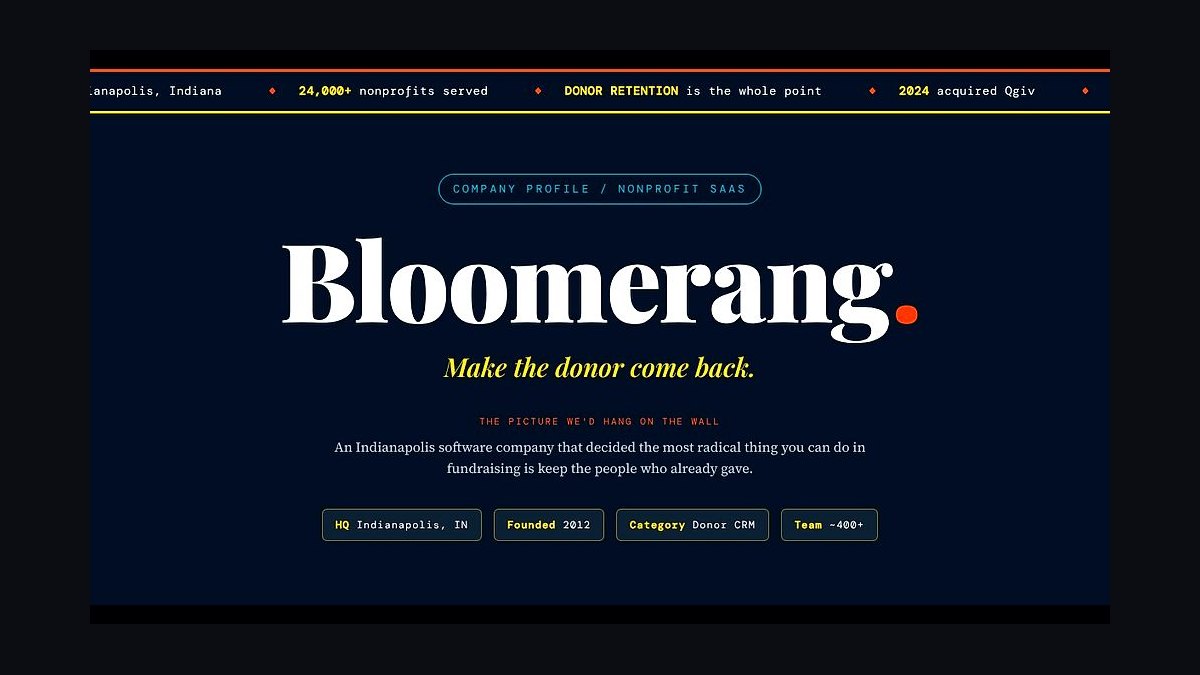
1Bloomerang Donor CRM

Bloomerang ranks first because it pairs donor retention tooling with a CRM most small shops can actually run. Plans run roughly $125–$500 per month by record count, and every tier includes lapsing-donor alerts and engagement scores. For organizations under $5M in annual revenue, that retention focus usually moves the needle more than any conversion add-on.
It is built for one- to ten-person fundraising teams that need a clean system of record without a consultant. It trades away deep customization and enterprise reporting, so a multi-program national nonprofit will outgrow it. Compared with Neon CRM below, Bloomerang costs more but ships stronger retention analytics out of the box.
2Neon CRM

Neon CRM takes second for bundling membership, ticketing, donations, and constituent records into one login starting near $99 per month. That single-database design removes the sync work that breaks lean nonprofit stacks, and pricing scales with contacts and modules rather than seats. It is the clearest example of the lean-suite path paying off.
It suits membership-heavy organizations like museums, associations, and community centers that want one vendor. The giving forms convert worse than dedicated tools and the email builder is basic, so growth-stage shops often bolt on a separate platform. It sits just below Bloomerang because its retention analytics are shallower.
3Givebutter

Givebutter ranks third because it charges $0 in platform fees, running instead on optional donor tips plus payment processing. Donation forms, campaigns, peer-to-peer pages, and event ticketing all live in one platform, which is why it dominates the grassroots tier. A volunteer-run organization can launch a full campaign without a subscription.
It is for small nonprofits and fiscally sponsored projects that need a giving front door fast. The trade-off is depth: reporting, email, and CRM features are thin, so it works best as a giving layer rather than a system of record. Compared with Neon CRM above, it costs less but stores far less donor history.
4Salesforce Nonprofit Cloud

Salesforce Nonprofit Cloud ranks fourth because it scales to multi-program, multi-channel fundraising that no lean suite handles. The Power of Us program grants 10 free licenses, but realistic all-in cost for a 20-person fundraising team including implementation commonly lands between $30,000 and $120,000 in year one. That ceiling is why it tops out large shops.
It is for organizations past roughly $5M in revenue with dedicated operations staff or a consulting budget. It trades away simplicity entirely — configuration demands are heavy and a half-implemented org gets nothing. Compared with Bloomerang above, it is far more powerful and far less usable without help.
5QuickBooks Online

QuickBooks Online ranks fifth because class tracking handles restricted-fund bookkeeping for most small and mid-size nonprofits at roughly $30–$90 per month, discounted through TechSoup. It is the ledger most bookkeepers already know, which shortens onboarding and keeps audit prep familiar. For organizations under $1M, it is usually sufficient.
It is for nonprofits whose finance work is straightforward and whose staff already use QuickBooks. It trades away true fund accounting: producing a clean Statement of Functional Expenses takes manual class discipline and can break down with complex grants. Compared with Aplos below, it is cheaper but less purpose-built.
6Aplos

Aplos ranks sixth because it combines true fund accounting with donation processing in one system, running roughly $50–$200 per month. Churches and small nonprofits get designated-fund tracking and donation intake without reconciling two databases, which is exactly the seam where restricted dollars go missing. It is purpose-built rather than adapted.
It is for faith-based and small nonprofit finance teams that want fund accounting without an enterprise contract. The trade-off is a smaller ecosystem and less flexible reporting than Sage Intacct. Compared with QuickBooks Online above, it costs more but handles restricted funds natively instead of through class workarounds.
7Donorbox

Donorbox ranks seventh because it takes roughly 1.75% as a platform fee on top of processing, giving organizations a low-commitment giving tool with recurring donation support. Forms are quick to configure and embed, and the monthly-giving option is prominent on every form, which matters for lifetime value. It is a common first paid giving tool.
It is for small and mid-size nonprofits that want a dedicated giving experience without a subscription. The trade-off is that the percentage fee scales with volume, so a $2M online program pays meaningfully more than a flat-fee tool. Compared with Givebutter above, it charges fees but offers more configuration.
8Mailchimp

Mailchimp ranks eighth because it lands around $15–$100 per month by contact count with roughly 15% off for nonprofits, making it the default email engine for small shops. Segmentation, automation, and deliverability are mature enough for newsletter and acknowledgment sequences. It connects easily to most CRMs and giving tools.
It is for nonprofits sending regular newsletters and automated thank-you flows without a dedicated marketing hire. It trades away advanced journey orchestration and can get expensive as lists grow. Compared with Constant Contact below, it offers stronger automation but a steeper price curve at scale.
9Instrumentl

Instrumentl ranks ninth because it pairs grant discovery with pipeline management at roughly $179–$500+ per month, replacing the spreadsheet most grant teams start with. It surfaces funder matches and tracks deadlines, applications, and awards in one place. For organizations with dedicated grant staff, that replaces hours of manual research.
It is for nonprofits with at least one person owning grants as a real part of their role. The trade-off is cost: at the low end it is hard to justify for an organization submitting two proposals a year. Compared with GrantHub below, it costs more but adds discovery rather than tracking alone.
10VolunteerHub

VolunteerHub ranks tenth because volunteer scheduling and hour tracking typically run $1,500–$4,000 per year by organization size, and most CRMs handle this poorly. It manages shifts, signups, and reporting for organizations that mobilize volunteers as a core program. That fills a gap the donor-side stack ignores.
It is for nonprofits running recurring volunteer programs with dozens of active participants. The trade-off is another system to maintain and another integration seam with the CRM. Compared with Instrumentl above, it serves a different function entirely and only earns a slot when volunteers are operationally central.
How we ranked these
We scored each tool on five weighted criteria: nonprofit pricing after verified discounts (25%), donor CRM depth and retention features (25%), integration quality with fund accounting and email (20%), staff training burden and time-to-live (15%), and reporting and audit-readiness (15%). Scores came from vendor documentation, published nonprofit rate cards, and hands-on configuration in sandbox accounts.
We deliberately ignored brand recognition, analyst quadrant placement, and enterprise sales polish. Those signals reward vendors that court large institutions, not the small and mid-size shops that make up most of the sector. We also excluded AI features that exist only in demos, mobile app ratings, and any tool whose nonprofit discount requires an unpublished negotiation.
Related questions
What is the single most important tool in a nonprofit tech stack?
The donor CRM. It is the system of record for every relationship, and donor retention is the highest-leverage activity in fundraising. For most small-to-mid organizations that means Bloomerang or Neon CRM; below a few hundred donors, a giving tool like Givebutter can serve as the de facto record.
Do we need separate tools for giving and CRM?
Early on, one can do both — Givebutter, Neon CRM, and Aplos each blur the line. As you grow, separating concerns pairs a best-in-class giving experience with a CRM built for long-term cultivation. Split when the combined tool's weaker half starts costing you donors.
How do nonprofit software discounts actually work?
TechSoup brokers donated and discounted licenses once you verify 501(c)(3) status. Google for Nonprofits and Microsoft 365 nonprofit grant free or discounted productivity suites directly, and Salesforce's Power of Us program provides 10 free licenses. Apply early; verification takes weeks.
Should a small nonprofit start on Salesforce because it scales?
Usually no. Salesforce Nonprofit Cloud demands configuration and often a consultant, a poor fit for a one- or two-person shop. Start on Bloomerang, Neon CRM, or Givebutter, and migrate only when multi-program complexity or revenue past roughly $5M genuinely justifies it.
How do we handle restricted versus unrestricted funds?
Use a tool with fund or class tracking — QuickBooks Online with classes at the low end, Aplos or Sage Intacct as you grow — and map every campaign and grant to a specific fund at intake so you can produce a Statement of Functional Expenses.
When should a nonprofit split a bundled suite into modular tools?
Split one layer at a time, triggered by a measurable failure: a giving form converting at half the rate of a dedicated tool, or a bundled ledger that cannot produce a Statement of Functional Expenses. Never rebuild the whole stack at once; that multiplies migration risk and staff retraining.
Does the Google Ad Grant change which tools we should pick?
It should. The Ad Grant provides up to $10,000 monthly in search advertising, but only if your landing pages and donation forms convert. Pair it with a fast giving tool and a CRM that captures appeal source, or the free traffic arrives and leaves without a record.
How long does a typical nonprofit stack migration take?
Plan on 90 to 120 days for a small or mid-size organization: 30 days auditing and cleaning data, 30 standing up the CRM and giving front door, 30 on accounting and email, and 30 on grants, volunteers, and reporting. Rushing the data cleanup phase is the most common cause of failure.
FAQ
What is the best tech stack for a nonprofit organization in 2027?
A donor CRM as the spine — Bloomerang or Neon CRM for most small-to-mid organizations, Salesforce Nonprofit Cloud at scale — wired to an online giving tool like Givebutter or Donorbox, fund accounting in QuickBooks, Aplos, or Sage Intacct, an email platform like Mailchimp or Constant Contact, and grant tracking in Instrumentl. Nonprofit discounts and free tiers should be claimed first, before any commercial purchase.
What does a complete nonprofit tech stack cost?
A grassroots all-volunteer organization can run a working stack for $0–$150 per month plus processing fees using free tiers and donated software. A mid-size organization with a few staff typically lands at $400–$1,500 per month. A large multi-program national nonprofit runs $4,000–$15,000 per month, often plus one-time implementation costs.
Why is fund accounting different from regular bookkeeping?
Restricted dollars given for a specific program cannot legally be spent on general operations, and grantors demand proof. Fund accounting tracks each restricted gift to its designated fund, produces a Statement of Functional Expenses, and splits costs across programs, administration, and fundraising — none of which vanilla bookkeeping handles cleanly.
What is the biggest mistake nonprofits make with their stack?
Paying enterprise prices too early. A small organization gets sold Salesforce or Blackbaud, spends its limited budget on licenses and a consultant to configure objects it will never use, and the system sits half-implemented. Match the tool to the stage and graduate only when program complexity demands it.
How important is recurring giving in the stack?
Very. Monthly giving smooths cash flow and lifts donor lifetime value substantially, so the giving tool's recurring-donation handling and its ability to nudge one-time donors toward monthly is a first-order feature. Every online form should offer a monthly option prominently, and the CRM should flag one-time donors as conversion candidates.
Can one platform really run the whole nonprofit?
For small organizations, often yes — Givebutter, Neon CRM, and Aplos each cover multiple layers. The limit appears when you need best-in-class conversion, deep fund accounting, or sophisticated journey orchestration simultaneously. At that point, modular tools connected by clean integrations outperform any single suite.
How do we keep restricted grant dollars from drifting into general operating?
Map every grant and campaign to a designated fund at intake, not at reconciliation time. Connect the giving tool's payouts directly to the ledger so deposits book against the correct fund automatically. Then reconcile monthly and review a fund balance report before any spending decision, so drift is caught in weeks rather than at audit.
Is Salesforce Nonprofit Cloud worth it for a mid-size organization?
Only past roughly $5M in revenue with multiple programs and complex reporting needs. Below that, the configuration burden and consultant costs usually exceed the benefit. The 10 free Power of Us licenses are genuinely useful, but the realistic all-in year-one cost for a 20-person team often lands between $30,000 and $120,000.
What should we do in the first 30 days of building the stack?
Audit every tool, owner, and cost, then export and de-duplicate the donor list before importing anything. Apply immediately for TechSoup, Google for Nonprofits, Microsoft 365 nonprofit, and vendor-specific discounts, since verification takes weeks. Importing a dirty list into a new CRM is the most common cause of a failed migration.
Do we need a separate grant management tool?
If grants are a meaningful revenue line, yes. Instrumentl handles discovery plus pipeline management at roughly $179–$500+ per month, while GrantHub is a budget tracker at roughly $600–$1,200 per year. Submittable fits foundations and scholarship programs that review applications rather than submit them.
Sources
- https://bloomerang.com/
- https://neonone.com/
- https://givebutter.com/
- https://donorbox.org/
- https://www.techsoup.org/
- https://www.google.com/nonprofits/
- https://www.microsoft.com/en-us/nonprofits
- https://www.salesforce.org/
- https://www.instrumentl.com/
- https://www.aplos.com/
Related on PULSE
This page will be disappearing soon. Save it to your device for $1 — or read it free while it is here.
@Kory-White- · if Venmo asks, the last 4 of my number are 2012
This page is gone.
This one is off the shelf now. $1 keeps it on your phone for good — the whole page, pictures and diagrams included.
 pulse-tech-stacksTop 10 Best Tech Stack Tools for RV Dealerships in 2027
 pulse-tech-stacksTop 10 Best Tech Stack Tools for Podiatry Practices in 2027
 pulse-tech-stacksTop 10 Best Tech Stack Tools for API Security Vendors in 2027
 pulse-tech-stacksTop 10 Best Tech Stack Tools for Independent Bakeries in 2027
 pulse-tech-stacksTop 10 Best Tech Stack Tools for Garden Centers and Nurseries in 2027
 pulse-tech-stacksTop 10 Best Tech Stack Tools for Insulation Contractors in 2027
 pulse-tech-stacksTop 10 Best Tech Stack Tools for Home Inspection Companies in 2027
 pulse-tech-stacksTop 10 Best Tech Stack Tools for Email Security Vendors in 2027
 pulse-tech-stacksTop 10 Best Tech Stack Tools for CrossFit Boxes in 2027
 pulse-tech-stacksTop 10 Best Tech Stack Tools for Independent Food Trucks in 2027