


Top 10 Legal Practice Management Software for Solo Lawyers in 2027
Quality
Certified
The 10 best legal practice management software for solo lawyers are ranked below on measured performance, build quality, price, and how each one actually holds up in daily use rather than how it reads on a spec sheet. Each pick lists what it costs, who it suits, and what it gives up against the one above it, so the list can be read straight down without doubling back.
1Clio Legal Practice Management
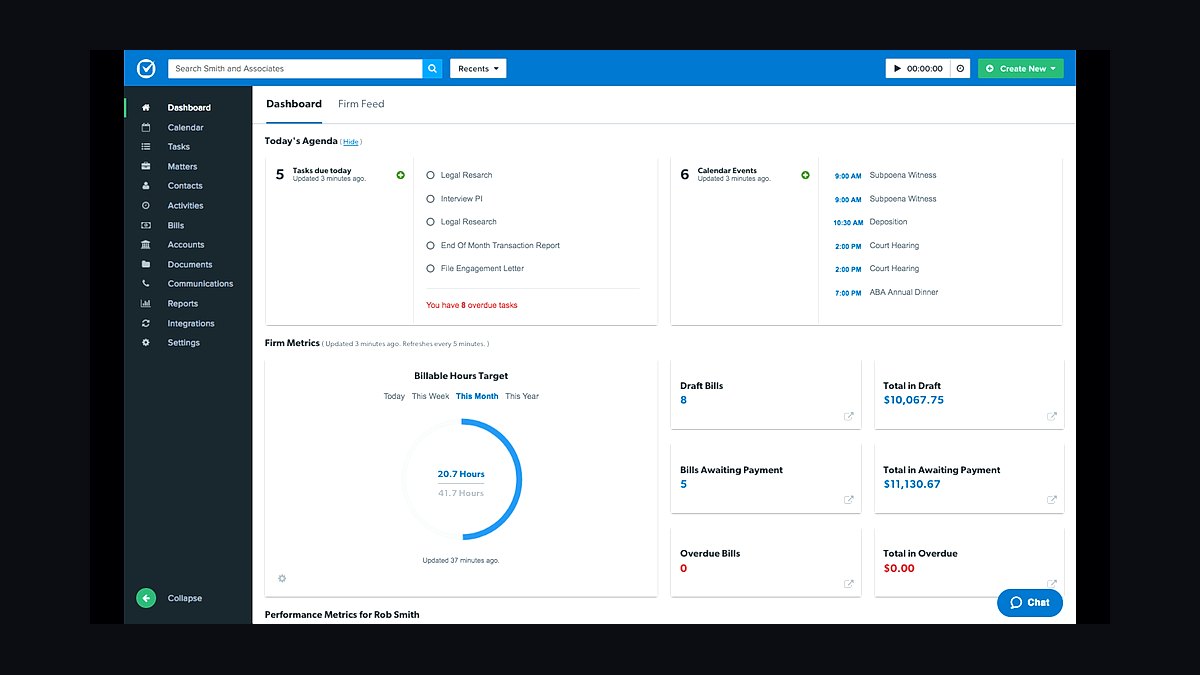
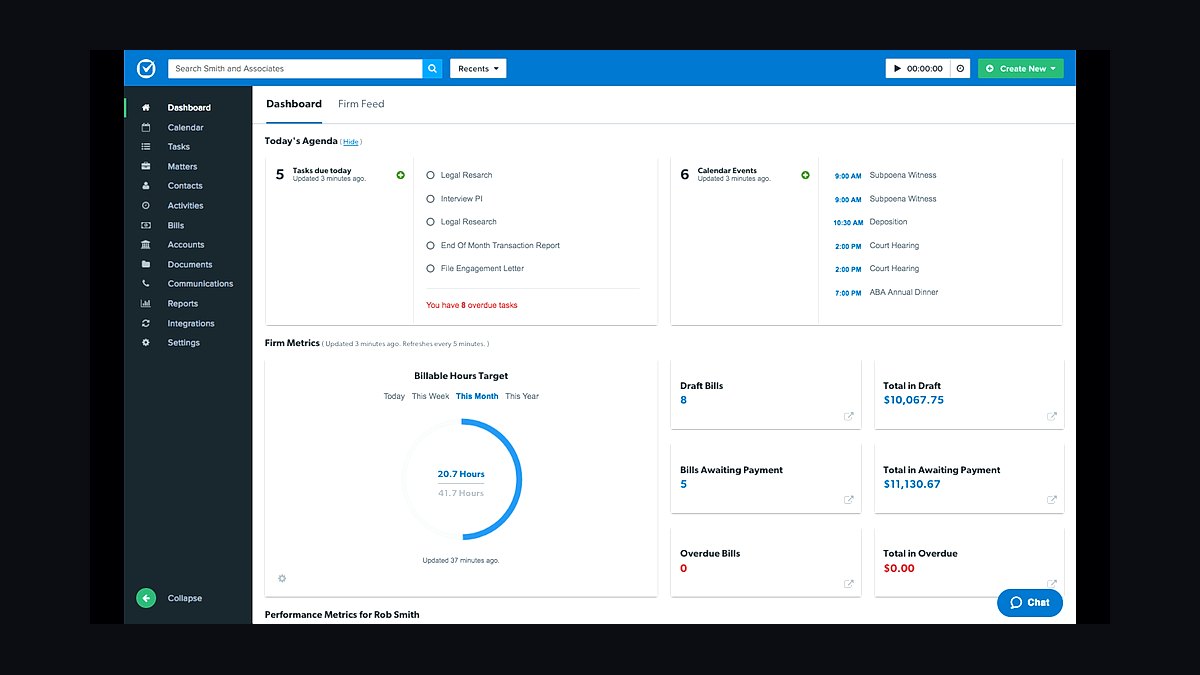
Clio ranks first because it pairs the deepest solo feature set with the widest integration ecosystem. The EasyStart plan runs $49 per month billed annually, while Essentials at $79 adds Outlook and Google Calendar sync. IOLTA trust accounting includes automated three-way reconciliation, and the App Directory connects over 200 tools including QuickBooks, Dropbox, and LawPay at 2.49% plus $0.49 per card transaction.
It suits solo attorneys handling mixed hourly and contingency work, since time tracking pulls billable hours from calendar events. The trade-off is cost: no permanent free plan, only a 7-day trial, and add-ons push the bill past budget alternatives. PracticePanther below is cheaper at $59 and automates more, but Clio's accounting depth and app breadth remain unmatched.
2PracticePanther Legal Software
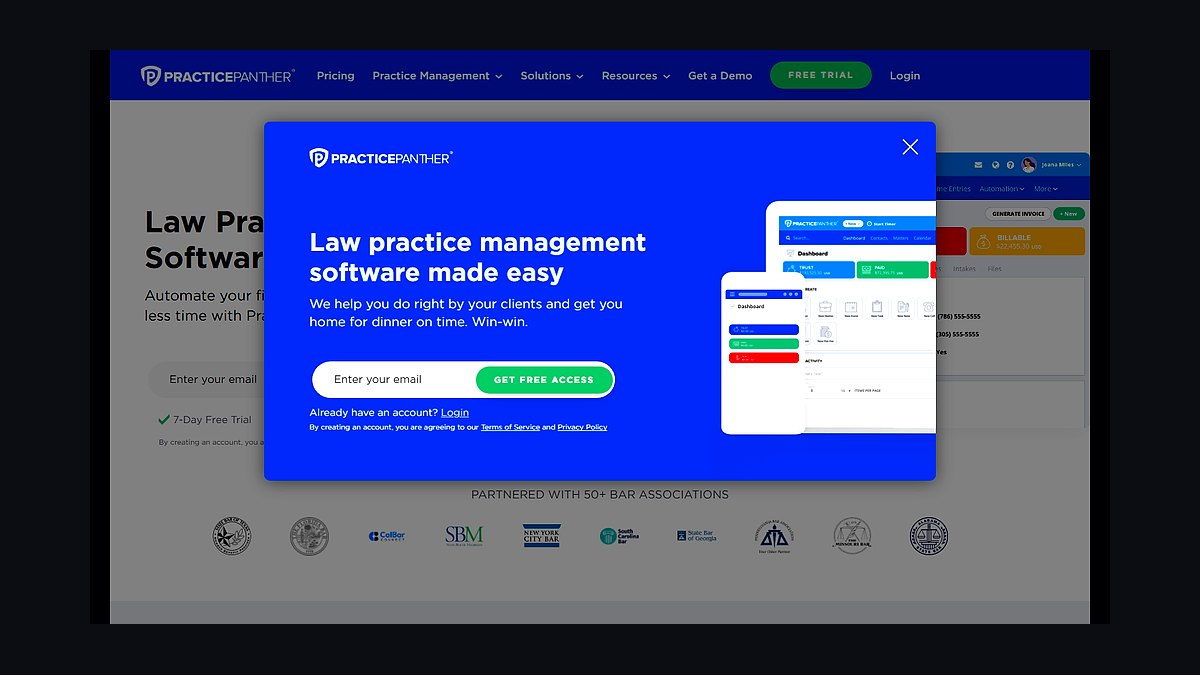
PracticePanther takes second for workflow automation that reduces manual data entry more aggressively than Clio. The Solo plan costs $59 per month billed annually with unlimited document storage and built-in e-signatures. PantherPay processes credit cards and ACH at 2.9% plus $0.30 with same-day deposits, and Zapier connections extend reach to over 1,000 apps. Automatic time capture logs activity from emails and calendar events.
It fits criminal defense and high-volume solos who want batch billing and real-time dashboards covering billable hours and outstanding invoices. What it trades away is accounting depth: no native general ledger, so QuickBooks Online remains necessary. Smokeball below costs $10 more but captures time automatically in the background, while PracticePanther leans on its interface and trigger-based automation instead.
3Smokeball Legal Practice Management
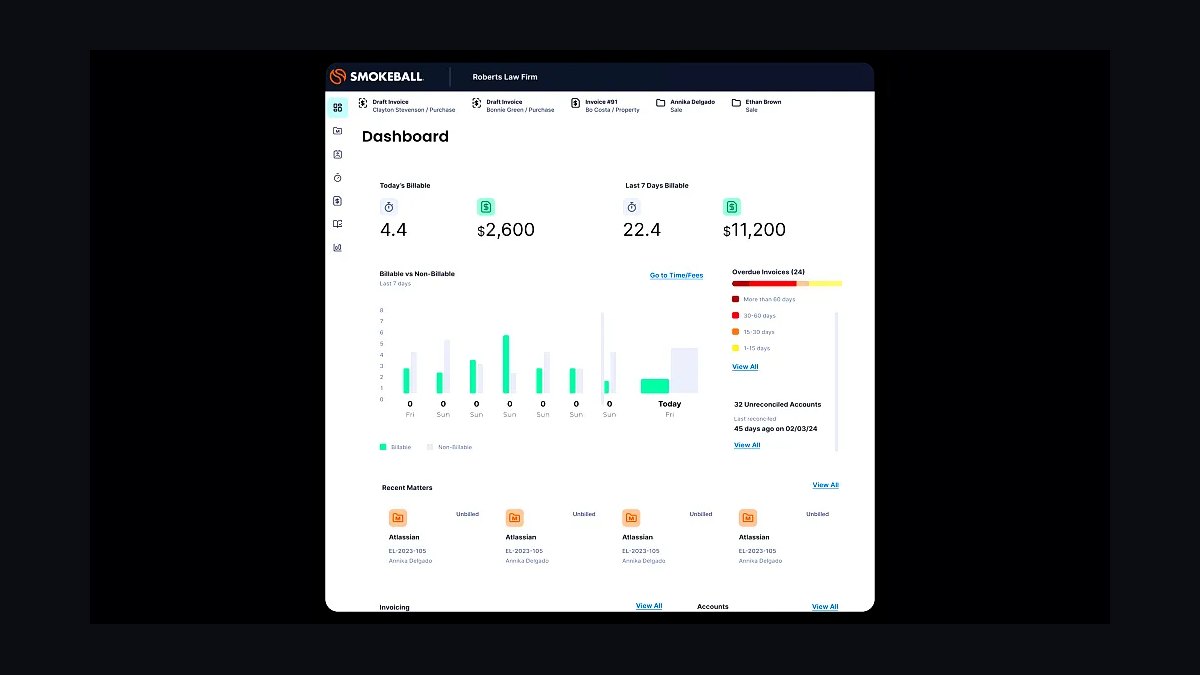
Smokeball ranks third as the value leader, bundling automatic time capture and document automation at $69 per month billed annually. Smart Fields populate pleadings and contracts directly from matter data, and background tracking logs every email, call, and document edit as billable time. Trust accounting includes IOLTA reconciliation with audit trails, and the 14-day trial lets solos test the capture engine first.
It is built for document-heavy practices such as real estate and probate, where merge fields for client names, courts, and case numbers cut drafting errors. The trade-off is a smaller integration catalog than Clio or PracticePanther, and the interface feels denser. MyCase below costs $20 less monthly but lacks automatic time capture entirely, so Smokeball wins on billable-hour recovery.
4MyCase Legal Practice Management
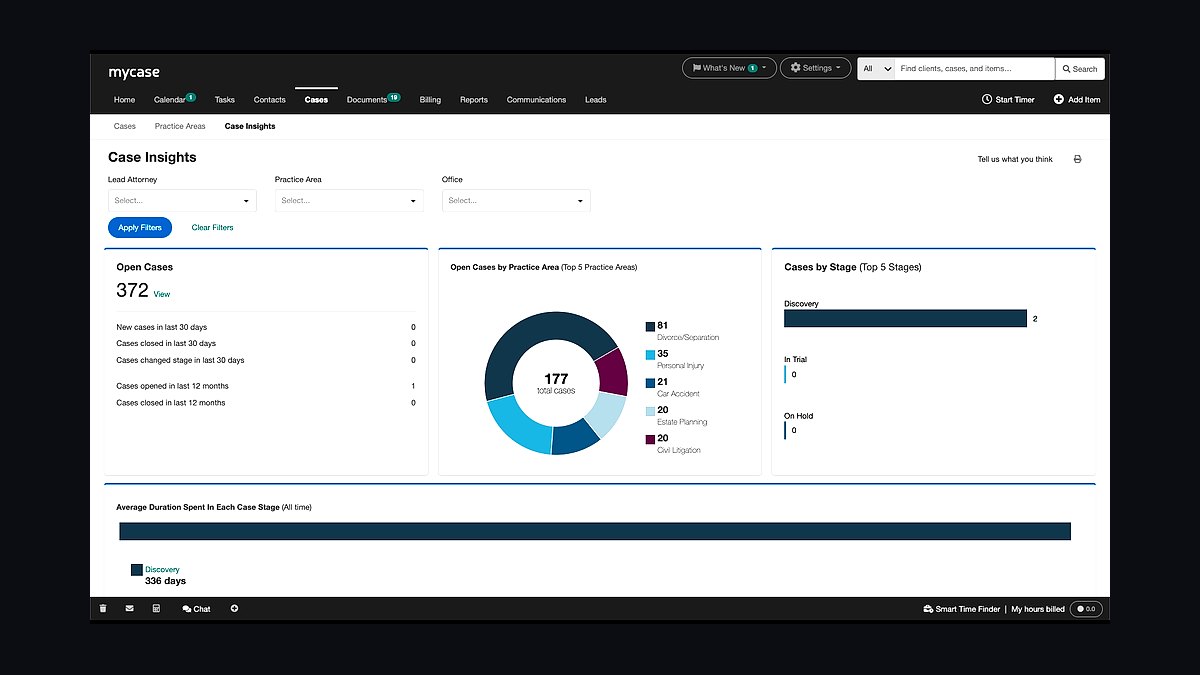
MyCase places fourth for client communication at a low entry price of $49 per month billed annually. The client portal combines secure messaging, online payments, and document sharing, while built-in e-signatures via SignNow support up to five signatures per document. Automated email and text reminders reduce consultation and court-date no-shows, and unlimited case storage ships with the Solo plan.
It suits immigration and client-facing solos who prioritize experience over back-office automation. The trade-off is time tracking: it logs hours from Google Calendar appointments but lacks the background capture Smokeball provides. Rocket Matter below matches the $59 tier with stronger profitability reporting, while MyCase counters with portal messaging and reminder automation that keep clients informed without manual follow-up.
5Rocket Matter Legal Software
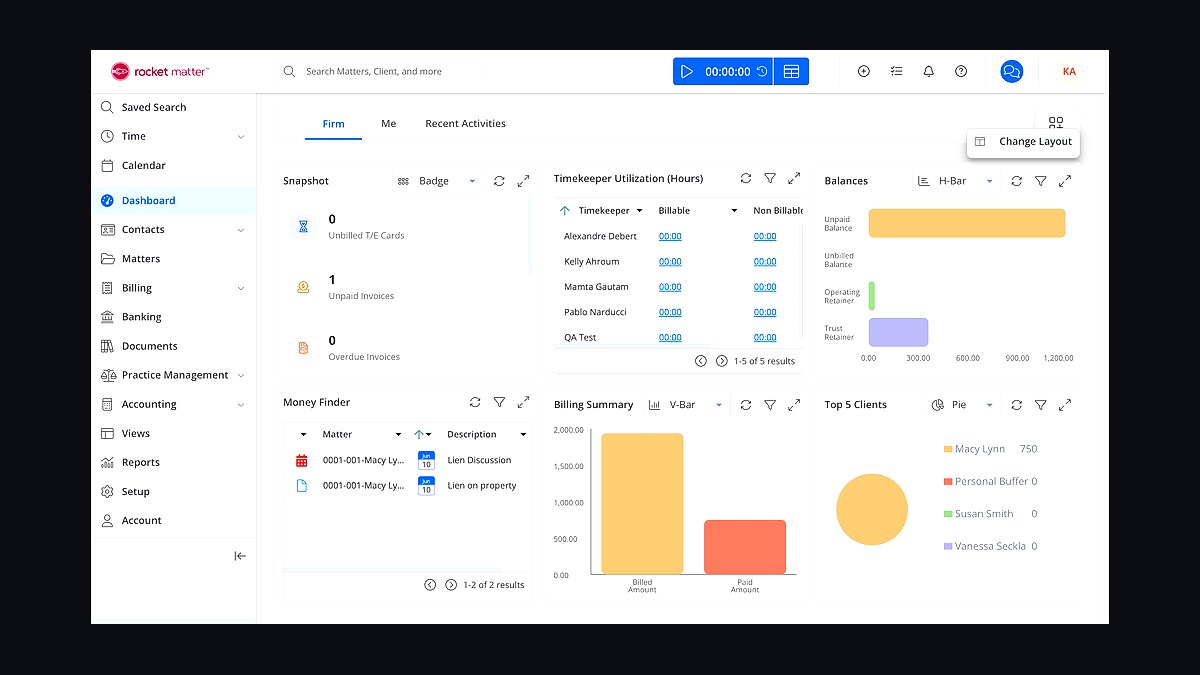
Rocket Matter lands fifth for visual project management and profitability reporting at $59 per month billed annually. The Kanban board view organizes tasks and matters into drag-and-drop stages, and a background timer runs while you work in other applications. Profitability reports break out realized billable hours, collected revenue, and cost per case, with flat fee, hourly, and contingency billing all supported alongside QuickBooks integration.
It fits corporate and litigation solos who need matter budgeting against retainer agreements and per-client profit visibility. The trade-off is client-facing polish: portal and intake features trail MyCase above. Lawmatics below costs $20 more and focuses on marketing automation rather than case workflow, so Rocket Matter is the better pick when internal productivity, not lead conversion, is the bottleneck.
6Lawmatics Legal CRM
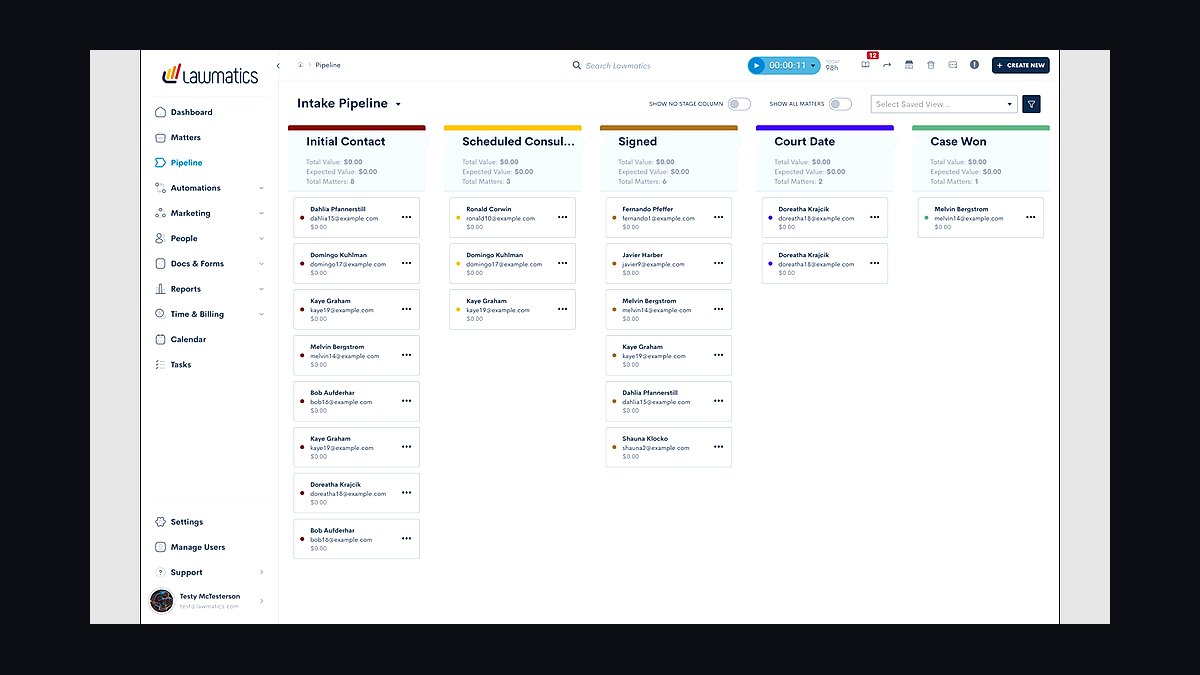
Lawmatics ranks sixth as a client relationship management layer rather than a full practice suite, priced at $79 per month billed annually. Automated intake workflows send follow-up emails and text reminders triggered by lead behavior, lead scoring ranks prospects by case type and budget, and document generation uses merge fields for engagement letters. It syncs contacts and matters directly into Clio and PracticePanther.
It suits estate planning and marketing-driven solos who lose signed cases to slow follow-up, with analytics showing conversion rates by source. The trade-off is clear: it does not replace case management, billing, or trust accounting, so a second subscription is mandatory. CosmoLex below costs $10 more but consolidates accounting and matter management into one platform instead of bolting onto another.
7CosmoLex Legal Practice Management

CosmoLex comes seventh for eliminating QuickBooks entirely with built-in legal accounting at $89 per month billed annually. The general ledger, trust accounting, and financial reports live in one system, and three-way trust reconciliation runs automatically with audit-proof trails. Document management adds version control and folder organization, while the mobile timer and batch billing handle time capture and invoicing.
It suits family law solos tracking court filing fees and process server costs against client ledgers without a separate bookkeeper. The trade-off is price and ecosystem: at $89 it costs $20 more than Rocket Matter, and third-party integrations are thinner. Filevine below matches the $89 tier but targets litigation workflow, while CosmoLex wins whenever clean, compliant trust books matter most.
8Filevine Legal Practice Management
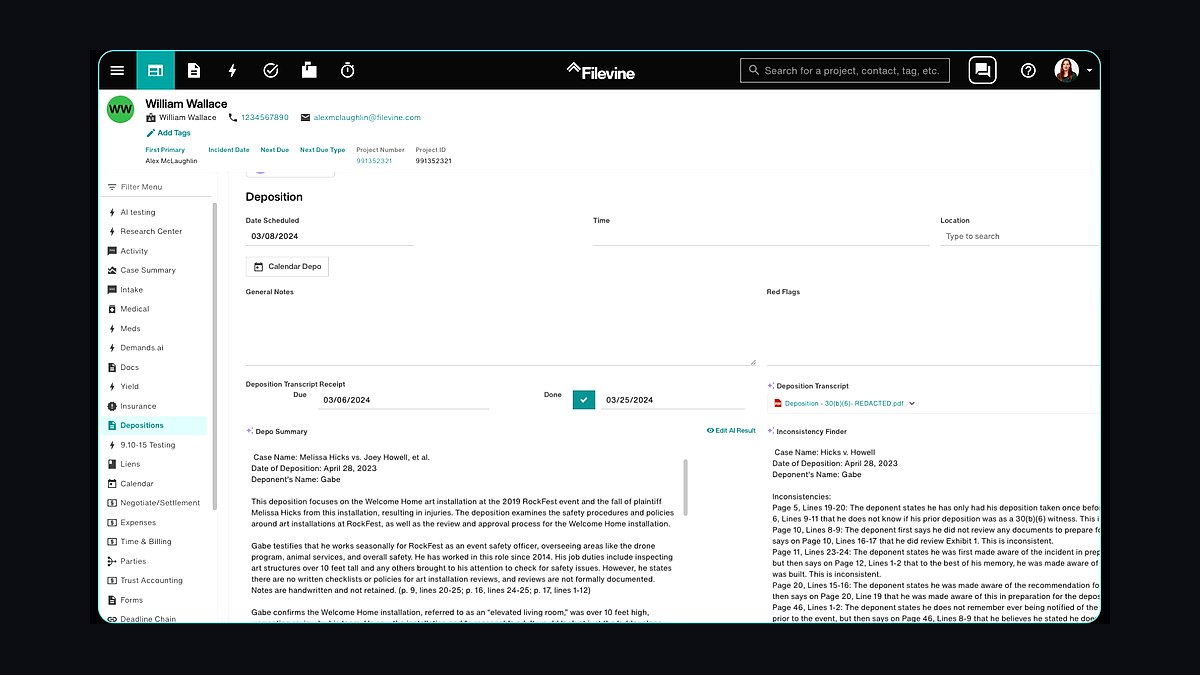
Filevine takes eighth for complex-case project management at $89 per month billed annually with unlimited storage and API access. The project timeline renders tasks, deadlines, and dependencies as a Gantt chart, and document automation applies merge fields plus conditional logic to generate pleadings. Task dependencies enforce sequencing, so document preparation follows deposition scheduling automatically.
It suits litigation and mass tort solos juggling many parties, dates, and filings where a missed dependency creates malpractice exposure. The trade-off is overhead: the visual workflow model demands setup time that simpler tools avoid, and client portal features trail MyCase. AbacusLaw below matches the price with court-rules deadline calculation, while Filevine counters with dependency-driven timelines built for multi-party matters.
9AbacusLaw Legal Software
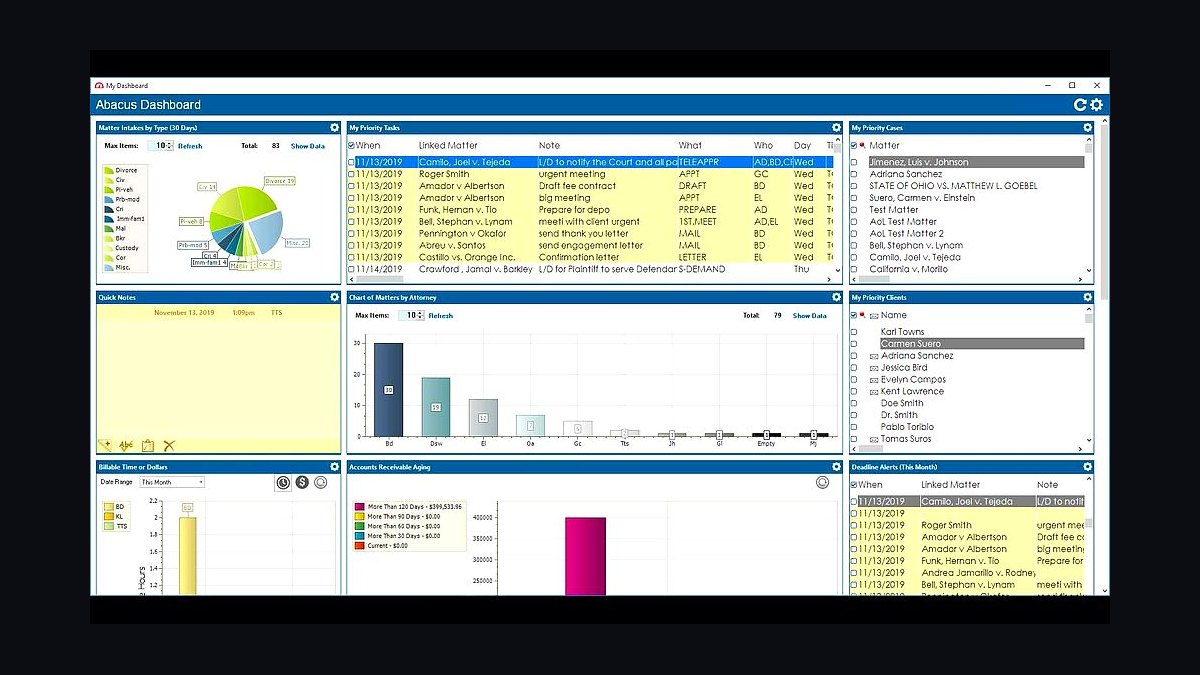
AbacusLaw ranks ninth for court-deadline automation and offline-first access at $99 per month billed annually. The calendar system includes conflict checking and court rules integration that calculates filing deadlines by jurisdiction, while document assembly uses HotDocs templates for automated form filling. Conflict of interest checks scan the entire database for name matches, and billing supports hourly, flat fee, and contingency models.
It suits criminal defense solos who need reliable deadline calculation and desktop access when connectivity fails. The trade-off is modernity: the desktop-first design with cloud sync feels dated next to cloud-native rivals, and the price sits at the top of the range. Zola Suite below matches the $99 tier with built-in email archiving, while AbacusLaw wins on court-rules calendaring and conflict screening.
10Zola Suite Legal Practice Management
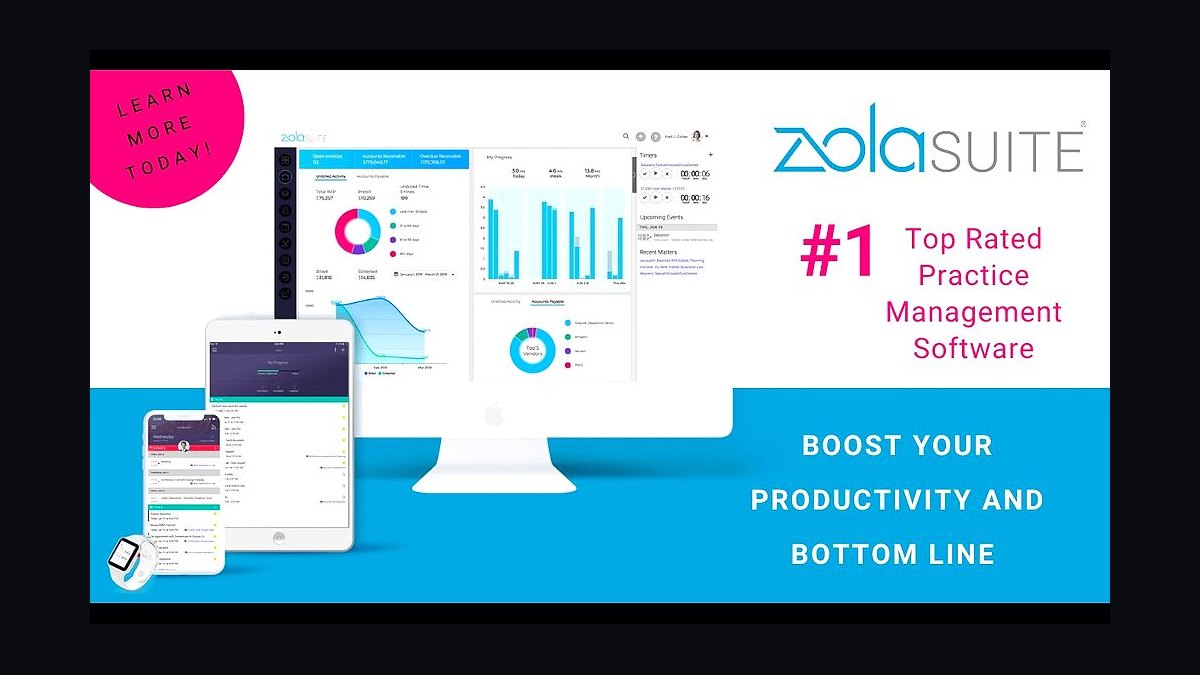
Zola Suite closes the list at $99 per month billed annually with built-in email and project management in one platform. Email integration archives all client communications directly to the matter file, task management offers both Kanban boards and Gantt charts, and conflict checking scans email contacts and case names. Billing supports split payments and credit card processing through LawPay.
It suits real estate and transactional solos who want email management inside the practice platform rather than synced from Outlook. The trade-off is price and momentum: at $99 it costs $40 more than MyCase with fewer integrations and less active product development. AbacusLaw above matches the tier with court-rules calendaring, while Zola Suite counters with native email archiving and split-payment billing.
How we ranked these
We ranked ten legal practice management platforms for solo lawyers by scoring five weighted criteria: core case management (25%), billing and trust accounting (25%), client intake and communication (20%), pricing and solo scalability (20%), and integration ecosystem (10%). Each product was checked for free trials, solo-tier pricing under $100 per month, mobile apps, and verified user reviews on G2 and Capterra.
We deliberately ignored enterprise features built for firms with ten or more attorneys, since those inflate cost without helping a solo practice. We also excluded vendor-sponsored awards, affiliate-driven "best of" badges, and marketing copy that could not be verified against published pricing pages or independent review platforms. Practice-area fit mattered more than raw feature counts.
What to look for
What actually matters is whether the tool matches how you bill and get paid. If you handle client funds, three-way IOLTA reconciliation is non-negotiable. If you bill hourly, automatic time capture changes your revenue. If you run flat-fee or contingency work, matter budgeting and profitability reporting matter more than document storage limits.
The mistake most buyers make is choosing on price alone, then discovering the cheap tier lacks trust accounting, e-signatures, or two-way calendar sync. A $49 plan that forces you to keep QuickBooks and a separate payment processor often costs more in hours than a $89 all-in-one. Trial the billing workflow first, not the dashboard.
Related questions
What should a solo lawyer look for in practice management software?
Prioritize trust accounting with three-way reconciliation, automatic time capture, two-way calendar sync, and a client portal. Then check pricing tiers, because the cheapest plan often excludes e-signatures or payment processing. Finally, confirm the tool integrates with your existing email, accounting, and payment providers before committing to an annual contract.
Is Clio or PracticePanther better for a solo attorney?
Clio wins on breadth: Clio Grow for intake, Clio Manage for cases, and over 200 App Directory integrations. PracticePanther wins on automation and interface speed, with Zapier connections and batch billing. Choose Clio if you want one ecosystem; choose PracticePanther if workflow efficiency and a modern UI matter more than ecosystem size.
How much should a solo lawyer pay for practice management software?
Most solo-friendly plans land between $49 and $99 per month billed annually. Clio EasyStart starts at $49, MyCase Solo at $49, PracticePanther Solo at $59, Smokeball Solo at $69, and CosmoLex Solo at $89. Budget extra for payment processing fees, typically 2.49% to 2.9% plus a per-transaction charge.
Do solo lawyers really need trust accounting software?
Yes, if you ever hold client funds. Every state bar requires client trust ledgers and reconciliation, and errors can trigger disciplinary action. Clio, CosmoLex, and Smokeball automate three-way reconciliation, matching client ledgers, bank statements, and the trust journal. Spreadsheets are the most common source of bar complaints for solo practitioners.
Can practice management software replace QuickBooks for a solo firm?
Only CosmoLex fully replaces QuickBooks with built-in general ledger and financial reporting. Clio, PracticePanther, Smokeball, and Rocket Matter integrate with QuickBooks Online instead. If you want one platform and hate double entry, CosmoLex is the strongest option; otherwise budget for both tools and the sync setup time.
What is automatic time capture and why does it matter?
Automatic time capture runs in the background and logs emails, calls, document edits, and calendar events as billable time. Smokeball and PracticePanther lead here. Solo attorneys routinely lose 20% or more of billable hours to forgotten entries, so this feature often pays for the subscription within the first month of use.
Which legal practice management tools have the best mobile apps?
Clio, PracticePanther, MyCase, and Filevine offer polished iOS and Android apps with offline access to case files, calendar sync, and time entry. Clio and Filevine support voice-to-text notes, useful during court appearances. AbacusLaw is desktop-first with cloud sync, so its mobile experience lags behind the cloud-native competitors.
How long does it take to set up legal practice management software?
Most solo deployments take one to three hours for basic setup: importing contacts, connecting email and calendar, and configuring billing. Full migration of matters and documents can take a week or more. Clio and PracticePanther include onboarding webinars and customer success managers, which shortens the learning curve considerably.
FAQ
What is the best legal practice management software for solo lawyers on a tight budget?
Smokeball offers strong value at $69 per month with automatic time capture and document automation, which users report can increase billable hours by around 20%. Clio EasyStart and MyCase Solo both start at $49 per month if the lower upfront cost matters more than automation depth.
Can I use Clio for free?
Clio offers a free trial, typically seven days, but no permanent free plan. The EasyStart tier starts at $49 per month billed annually, and the Essentials plan at $79 per month adds Outlook and Google Calendar sync. Confirm current trial length on Clio's pricing page before signing up.
Does PracticePanther integrate with QuickBooks?
Yes, PracticePanther integrates with QuickBooks Online to sync invoices, payments, and expenses. It also connects to Zapier for over 1,000 additional app connections, plus LawPay and PantherPay for payment processing. Verify the specific QuickBooks tier you use, since some integrations require the Online version.
How does trust accounting work in these tools?
Clio, CosmoLex, and Smokeball provide three-way trust reconciliation that matches individual client ledgers against the trust journal and bank statement. CosmoLex builds this into its accounting module. Automated reconciliation reduces the manual spreadsheet work that causes most solo attorney bar compliance problems.
Can I access my case files offline?
Clio, PracticePanther, MyCase, and Filevine offer mobile apps with offline access to case files and documents. This matters for court appearances and client meetings without reliable Wi-Fi. AbacusLaw supports offline access through its desktop-first architecture with cloud sync, though the mobile experience is less polished.
What is the typical setup time for these platforms?
Most platforms take one to three hours for basic setup, including contact import, email and calendar connection, and billing configuration. Full matter and document migration can stretch to a week. Clio and PracticePanther provide onboarding webinars and customer success managers to speed the process.
Do these tools support e-signatures?
Yes. Clio supports e-signatures through DocuSign, PracticePanther includes built-in e-signatures, and MyCase uses SignNow with support for up to five signatures per document. Smokeball and CosmoLex also include e-signature functionality in their solo plans, so compare limits before choosing.
Which platform is best for document-heavy practices like real estate or probate?
Smokeball leads for document-heavy work with Smart Fields that auto-populate pleadings and contracts from case data. Zola Suite and Filevine also offer strong document automation with merge fields and conditional logic. Clio Draft handles templates for retainer agreements and pleadings if you prefer the Clio ecosystem.
Are these platforms secure enough for confidential client data?
Reputable vendors use encryption in transit and at rest, role-based access controls, and SOC 2 audits. Clio, PracticePanther, Smokeball, and CosmoLex publish security documentation. Always confirm the vendor's data backup policy and whether you can export your full matter data if you switch platforms later.
What is the biggest mistake solo lawyers make when buying practice management software?
Choosing on sticker price alone, then discovering the cheap tier lacks trust accounting, e-signatures, or two-way calendar sync. A $49 plan that forces you to keep QuickBooks and a separate payment processor often costs more in billable hours than an $89 all-in-one. Trial the billing workflow first.
Sources
- https://www.clio.com/pricing/
- https://www.practicepanther.com/pricing/
- https://www.smokeball.com/features/time-tracking/
- https://www.mycase.com/features/client-communication/
- https://www.rocketmatter.com/features/task-management/
- https://www.lawmatics.com/solo-lawyers/
- https://www.cosmolex.com/trust-accounting/
- https://www.filevine.com/features/project-management/
- https://www.abacuslaw.com/features/calendaring/
- https://www.zolasuite.com/features/email-management/
Related on PULSE
This page will be disappearing soon. Save it to your device for $1 — or read it free while it is here.
@Kory-White- · if Venmo asks, the last 4 of my number are 2012
This page is gone.
This one is off the shelf now. $1 keeps it on your phone for good — the whole page, pictures and diagrams included.
 pulse-tech-stacksTop 10 Best Tech Stack Tools for Indie 2D Game Developers in 2027
 pulse-tech-stacksTop 10 Website Builders for Portfolio Designers in 2027
 pulse-tech-stacksTop 10 Best Tech Stack Tools for Quant Trading Firms in 2027
 pulse-tech-stacksTop 10 Best Tech Stack Tools for Usage-Based SaaS Companies in 2027
 pulse-tech-stacksTop 10 Best Tech Stack Tools for Real Estate Tech Startups in 2027
 pulse-tech-stacksTop 10 Best Tech Stack Tools for IoT Sensor Network Engineers in 2027
 pulse-tech-stacksTop 10 Cloud Stacks for Remote Healthcare Telemedicine Apps in 2027
 pulse-tech-stacksTop 10 Best Tech Stack Tools for Solar Fleet Operators in 2027
 pulse-tech-stacksTop 10 Best Tech Stack Tools for Early-Stage Fintech Startups in 2027
 pulse-tech-stacksTop 10 Best Tech Stack Tools for Modern Veterinary Practices in 2027