


How do I choose between fiber, cable, and 5G home internet in 2027?
Quality
Certified

Choose fiber if it reaches your address — symmetrical speeds, lowest latency, best reliability. Take cable when fiber is absent but you need high download speeds and can tolerate slow uploads. Pick 5G home internet for simple pricing, no contracts, and light-to-moderate use, accepting variable speeds tied to local tower congestion.
What each technology actually is, and why the difference shows up in daily use
The three options are not three brands of the same product. They are three physically different delivery systems, and the physics explains almost every difference you will feel.
Fiber to the home (FTTH) sends light through glass strands. Light in glass does not degrade over distance the way electrical signals do over copper, and glass is immune to electromagnetic interference. The practical consequences: symmetrical upload and download (a gigabit plan usually means gigabit in both directions), latency typically in the single-digit to low-teens milliseconds to the first internet hop, and jitter low enough that you stop noticing it. Most residential fiber today is a passive optical network — a single fiber from the provider's equipment is split among a group of homes — so it is shared, but the total capacity of the shared strand is enormous relative to what a neighborhood consumes. The widely deployed generations (GPON and XGS-PON) carry roughly 2.5 Gbps and 10 Gbps respectively on the shared segment, which is why gigabit and multi-gigabit tiers are now normal on fiber and rare elsewhere.
Cable uses the hybrid fiber-coaxial plant built for television. Fiber runs to a neighborhood node; coaxial copper covers the last stretch. The spectrum on that coax was historically allocated overwhelmingly to downstream, which is the root cause of cable's signature asymmetry: high download speeds paired with a small fraction of that in upload is a completely ordinary cable plan. Downstream performance on modern DOCSIS 3.1 is genuinely good — multi-hundred-megabit to gigabit tiers are common. Upstream is where you feel the architecture. DOCSIS 4.0 exists specifically to fix this by reallocating spectrum for high-split upstream and enabling multi-gigabit both ways, but it arrives node by node, not overnight, and whether your street has it is a question about your street rather than your provider's marketing.

5G home internet is fixed wireless access: a modem in your window talks to the same cellular network your phone uses. Its performance depends on which spectrum band serves you. Low-band travels far and through walls but delivers modest speed. Mid-band — the 2.5 GHz and 3.5 GHz range that carriers have been aggressively building out — is the sweet spot and delivers the triple-digit download figures carriers advertise. High-band millimeter wave is extremely fast and extremely short-range, essentially irrelevant for most home installs. Because you share a sector with every other device on that tower, your throughput varies by hour in a way wireline connections do not. The upside is real: no truck roll to bury a line, flat pricing, month-to-month terms, and often a genuinely better experience than the aging DSL it usually replaces.
One adjacent option deserves a mention because it dominates where the other three do not reach. Low-earth-orbit satellite has closed most of the historical latency gap — tens of milliseconds instead of hundreds — and is a legitimate primary connection in genuinely rural areas. It is not competitive on price or consistency with fiber or good mid-band 5G, so treat it as the fourth choice, evaluated only when the first three are unavailable or unusable.
The step-by-step process for actually deciding

Skip the marketing comparison charts. Run this sequence instead, because the answer is determined by your address far more than by your preferences.
Step one: establish real availability, not marketing availability. Check the FCC National Broadband Map for your exact address, then verify with each provider's own address lookup. Providers overstate coverage at the census-block level; the map's challenge process exists because of this. If fiber shows as available, confirm it is fiber to the home and not fiber-to-the-node marketed under a fiber brand name — ask directly whether the drop into the house is glass or copper. Then do the thing that beats every dataset: ask neighbors, or check a local subreddit or neighborhood forum. Someone two doors down already knows whether the cable node saturates at 8 p.m.
Step two: measure your actual demand instead of guessing. Count concurrent 4K streams (roughly 15–25 Mbps each), video calls (3–5 Mbps each direction for HD, more for multi-party), cloud backup and large file uploads, and game downloads. A typical family of four with two people working from home rarely exceeds a few hundred Mbps downstream at peak. The number that actually matters and that people systematically underestimate is upload. If you back up photos and video, run a home server, upload to cloud storage, or spend hours a day on camera, upload is your real constraint — and it is the single axis on which fiber wins most decisively.
Step three: identify your latency sensitivity. Competitive gaming, voice and video calls, and remote desktop work care about latency and jitter, not headline speed. A slower fiber line beats a gigabit cable line for a video call. If nobody in the household does anything latency-sensitive, this step costs you nothing to skip.

Step four: price the whole thing over 24 months. Compute promotional rate for the promo period, plus regular rate after, plus equipment rental, plus installation, plus any data-overage exposure, plus taxes and surcharges. Cable and fiber providers often advertise a 12-month promo and a materially higher rate in month 13. Fixed wireless tends to quote one all-in number including equipment. Compare the 24-month total, not the sticker price.
Step five: exploit the trial window. Most fixed wireless offers a 14–30 day return period and requires no contract. That converts an uncertainty about your specific tower into a cheap experiment. Order it, run speed tests at 8 a.m., noon, 6 p.m., and 9 p.m. for a week, and check latency and jitter alongside throughput. If evening performance collapses, return it and you have learned something no coverage map would have told you.
Step six: decide, and keep the exit cheap. Prefer month-to-month where the price difference is small. Buy your own modem or router when the provider allows it and the payback is under a year — equipment rental at a modest monthly fee adds up to a few hundred dollars over two years for hardware that often costs less to own. Note that most fixed wireless requires the carrier's gateway, so this lever is mostly a cable and fiber lever.
Costs, timelines, and the ranges you should expect
Prices move and vary sharply by market, so treat these as shapes rather than quotes, and verify every number against a current offer at your address.

Fiber typically sits in the mid-range for entry tiers and can be surprisingly cheap per megabit at the top end, because the marginal cost of a faster tier on the same glass is near zero for the provider. Expect installation to require a technician visit, and expect a wait: if the street already has fiber and only a drop to your house is needed, a couple of weeks is normal. If construction is required, timelines stretch to months, and a build that requires trenching or pole attachments can slip repeatedly. Get the install date in writing and have a backup plan for the gap.
Cable is usually fast to provision, because the coax is already in the wall. Self-install kits are common and often ship within days. The cost structure to watch is the promo cliff and the equipment rental. Also watch for data caps: several cable providers apply a monthly allowance with overage fees or an unlimited add-on. For a household streaming 4K and gaming, a cap in that range is reachable, and the unlimited add-on can quietly add a meaningful monthly charge, which changes the comparison entirely.
5G home internet is the simplest to price because carriers standardized on flat, all-in, equipment-included plans, often with a discount when bundled with an existing mobile line. Setup is same-day: the gateway arrives, you plug it in, and you spend twenty minutes finding the window with the best signal. That self-install simplicity is a real advantage for renters and anyone who moves often — the gateway goes with you, and there is no reinstall fee.
Timeline math that matters: if you are moving, start the availability check four to six weeks before the move date for fiber, one to two weeks for cable, and effectively zero notice for fixed wireless. A common and avoidable failure is signing a lease, ordering fiber on move-in day, and discovering a construction queue of weeks. Fixed wireless as a stopgap during a fiber build is a legitimate and underused play — no contract means no penalty for cancelling when the glass lands.

Ancillary costs people forget: a mesh system if your home is large or has thick walls (the connection is rarely the bottleneck in a poorly covered house — bad Wi-Fi masquerades as bad internet more often than anything else), static IP fees if you host anything, and the opportunity cost of bundled-service lock-in that makes the individual line hard to cancel.
A note on where this decision touches revenue. For anyone running a business from home — a consultant, an agency of one, a remote sales rep, a streamer, a small e-commerce operation — the connection is production infrastructure, not a household utility. A dropped call in a closing conversation, a stalled upload before a deadline, or an outage during a live session has a direct cost. That reframes the calculus: paying more monthly for symmetrical fiber, or keeping a cheap fixed wireless line as a failover, stops being a splurge and becomes ordinary business continuity spending. Households optimize for price per megabit; home businesses should optimize for the cost of an hour offline.
Where people get this decision wrong
Buying speed instead of buying upload and latency. The most common error by a wide margin. People compare a gigabit cable plan against a slower fiber plan, see the bigger number, and pick cable — then spend the next two years on video calls where their outbound video degrades whenever someone starts a backup. Beyond a few hundred Mbps, additional download capacity delivers rapidly diminishing perceptible benefit for typical household use. Upload and latency keep mattering long after download stops.

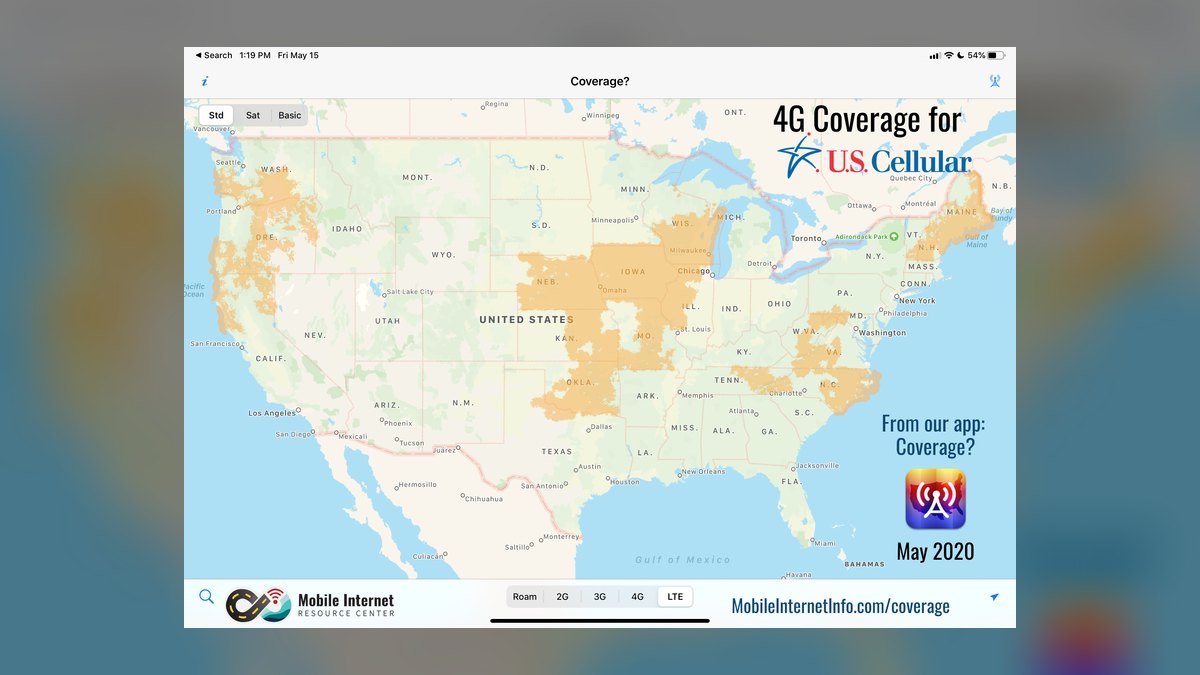
Trusting coverage maps as ground truth. Both fixed wireless coverage and wireline availability maps are optimistic. For 5G specifically, "covered" can mean low-band coverage that performs nothing like the mid-band service in the advertisement. Ask which band serves your address, and if the answer is vague, treat the trial period as your real diligence.
Ignoring the promo cliff. A low first-year rate that becomes much higher in month 13 is not a low plan. Set a calendar reminder for two weeks before the promo expires and call to renegotiate or switch. Retention departments frequently extend promotional pricing for customers who credibly threaten to leave, and the call takes fifteen minutes.
Blaming the ISP for a Wi-Fi problem. If speed tests are fast on a wired connection and slow on your laptop across the house, the connection is fine and the router or its placement is the problem. Test wired before you escalate anything, and before you upgrade to a more expensive tier that will not fix it.
Underestimating congestion timing. Cable and 5G both degrade under neighborhood load, but differently. Cable congestion shows up as upstream collapse and rising latency in the evening peak. 5G congestion shows up as broad throughput variance depending on how many phones are on your sector. A single midday speed test tells you almost nothing. Test at peak, repeatedly.
Overlooking outage behavior. Fiber survives power loss at the street but your ONT and router still need power at home, so a UPS is worth the investment if you work from home. Cable outages tend to be node-wide. Fixed wireless can be affected by tower issues and, notably, by carrier network policy — some fixed wireless plans are explicitly deprioritized behind mobile phone traffic during congestion, which is a contractual detail worth reading rather than discovering.

Treating this as a one-time decision. Availability changes. Fiber builds are ongoing in most metros, DOCSIS 4.0 upgrades roll out node by node, and 5G capacity improves as carriers add spectrum and densify. Re-check availability annually. The right answer in 2027 may be different from the right answer at your address eighteen months later.
A decision framework you can apply in ten minutes
Reduce it to a short ordered test, applied in sequence, stopping at the first clear answer.
If fiber is available and the price premium over cable is modest, take fiber. This is the dominant answer and it is not close. Symmetrical upload, lower latency, better outage characteristics, and no meaningful downside other than availability and install lead time.
If fiber is unavailable and your household needs sustained high download throughput — several simultaneous 4K streams, frequent large game downloads, many devices — cable is the pragmatic choice. Accept the asymmetry, negotiate the promo, watch the cap.
If fiber is unavailable and your usage is light-to-moderate, and especially if you value no contract and flat pricing, trial 5G home internet. The trial costs you almost nothing and answers the only question that matters: how does your specific tower behave at 9 p.m.?
If you run a business from the house, add a second, different-technology connection as failover before you upgrade the primary. A cheap fixed wireless line behind a router that supports failover converts a multi-hour outage into a ten-second blip. This is the highest-value dollar in the entire decision for anyone whose income depends on being reachable, and it is routinely skipped in favor of a faster primary tier that does nothing on the day the primary goes down.

If none of the three reach you, evaluate LEO satellite, and check whether any local fixed wireless provider — regional operators serve many areas the national carriers do not — has a line of sight to your property.
Adjacent scenarios worth naming. Renters with short leases should weight portability and no-contract terms heavily; a fixed wireless gateway that moves with you beats a fiber install you abandon in nine months. Apartment dwellers may find the building has a bulk agreement with one provider, which limits choice and sometimes makes the included service a better deal than anything you could buy alone — read the lease before shopping. Homeowners planning to stay should consider that fiber availability now measurably affects property desirability, which nudges the calculus toward requesting a build even when the timeline is annoying. And anyone in a multi-generational or shared household should size upload for the sum of concurrent camera-on hours, not the average.
Related questions
Is gigabit internet worth paying for?
For most households, no. Beyond a few hundred Mbps, download speed stops being the bottleneck for streaming and browsing. Gigabit is worth it if you routinely move very large files, have many simultaneous heavy users, or the price gap over a mid tier is small.
Does 5G home internet work well for gaming?
It can, but latency and jitter vary with tower load in a way wireline connections do not. Casual gaming is usually fine. Competitive gaming benefits meaningfully from fiber or cable, where latency is more consistent hour to hour.
Can I use 5G home internet as a backup connection?
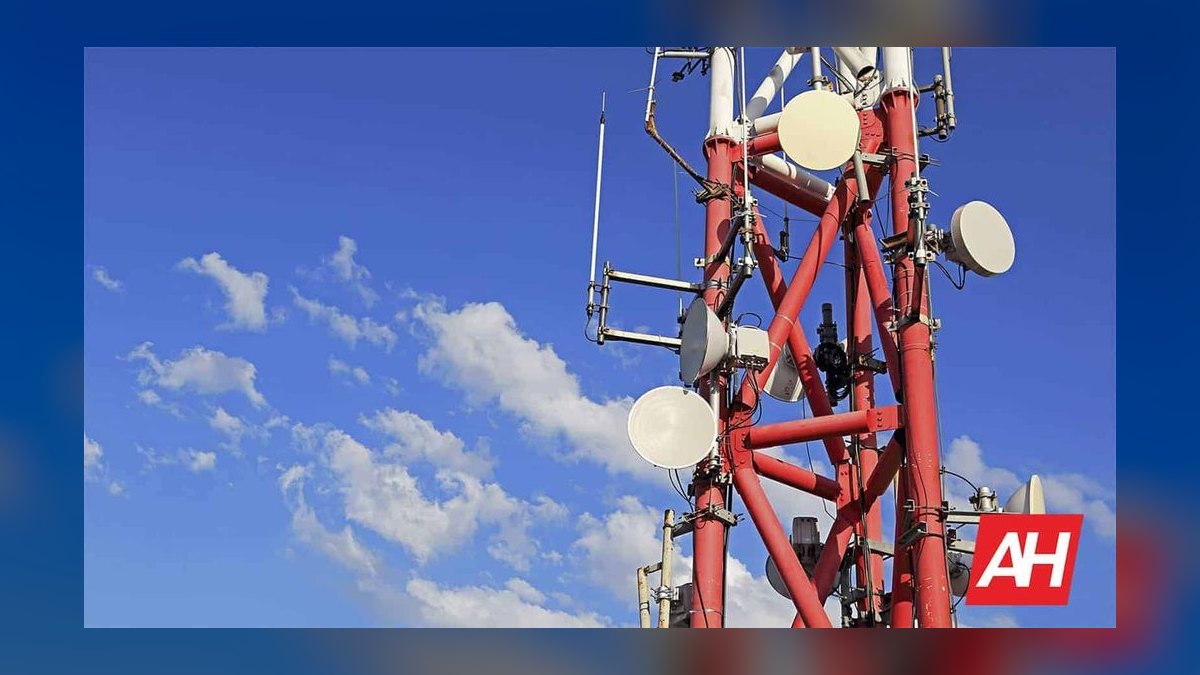
Yes, and this is one of its best uses. No contract, flat pricing, and same-day setup make it an inexpensive failover behind a router that supports dual-WAN, converting outages on your primary line from hours to seconds.
Why is my cable upload speed so much slower than download?
The hybrid fiber-coaxial plant allocated most spectrum to downstream when it was built for television. DOCSIS 4.0 reallocates spectrum to fix this and enables multi-gigabit upstream, but it deploys node by node, so availability depends on your specific street.
How do I check what internet is actually available at my address?
Start with the FCC National Broadband Map, then verify with each provider's own address lookup, since maps overstate coverage. Finish by asking neighbors or checking a local forum for real-world evening performance.
FAQ
Is fiber always better than cable and 5G?
Technically, on upload, latency, and consistency, yes. Practically, the comparison only matters if fiber reaches your address at a price you will pay. A good cable plan or strong mid-band 5G connection serves most households well; the gap becomes decisive for high upload use, latency-sensitive work, and home businesses.
How much speed do I actually need?
Estimate 15–25 Mbps per 4K stream and 3–5 Mbps each direction per HD video call, then add headroom for downloads and backups. Most families of four peak in the range of a few hundred Mbps. Buy for peak concurrency, not for the largest number on the page.
What is the biggest hidden cost to watch for?
The promotional cliff. A first-year rate that jumps substantially in month 13 changes the two-year total more than any speed tier decision. Equipment rental and data-cap overage or unlimited add-ons are the next two. Always compare 24-month totals including taxes and fees.
Should I buy my own modem and router?
On cable and many fiber plans, yes, if the provider permits it and payback is under a year — rental at a modest monthly fee adds up fast. Fixed wireless generally requires the carrier's gateway, so ownership is not an option there. Confirm compatibility with your provider's approved device list first.
My speeds are slow. Is it my provider or my Wi-Fi?
Test with a wired connection directly to the router first. If wired is fast and wireless is slow, the problem is Wi-Fi coverage or the router, and no plan upgrade will fix it. Mesh systems and better router placement solve this far more often than a faster tier does.
How often should I revisit this decision?
Annually, and immediately before any move. Fiber builds, DOCSIS 4.0 node upgrades, and 5G capacity expansions all change what is available at a given address over time. A yearly fifteen-minute availability check plus a promo-renewal call is the whole maintenance burden.
Sources
- https://broadbandmap.fcc.gov/
- https://www.fcc.gov/consumers/guides/broadband-speed-guide
- https://www.fcc.gov/general/measuring-broadband-america
- https://www.cablelabs.com/technologies/docsis-4-0
- https://www.itu.int/en/ITU-T/Pages/default.aspx
- https://www.ntia.gov/category/broadband
- https://www.consumerreports.org/electronics/internet-providers/
- https://www.ookla.com/articles
Related on PULSE
This page will be disappearing soon. Save it to your device for $1 — or read it free while it is here.
@Kory-White- · if Venmo asks, the last 4 of my number are 2012
This page is gone.
This one is off the shelf now. $1 keeps it on your phone for good — the whole page, pictures and diagrams included.
 telcoBest Cellular and Wireless Carrier in Des Moines in 2027
 telcoBest Cellular and Wireless Carrier in Louisville in 2027
 telcoWill Starlink become a real cell phone carrier in 2027?
 telcoBest Cellular and Wireless Carrier in Texas in 2027
 telcoWhat is Wi-Fi calling and should I turn it on in 2027?
 telcoBest Cellular and Wireless Carrier in Minneapolis in 2027
 telcoBest Cellular and Wireless Carrier in Baton Rouge in 2027
 telcoBest Cellular and Wireless Carrier in Oklahoma in 2027
 telcoIs 5G home internet good enough for gaming in 2027?
 telcoBest Cellular and Wireless Carrier in Virginia in 2027