


How do I set up two phone numbers on one phone with dual SIM in 2027?
Quality
Certified
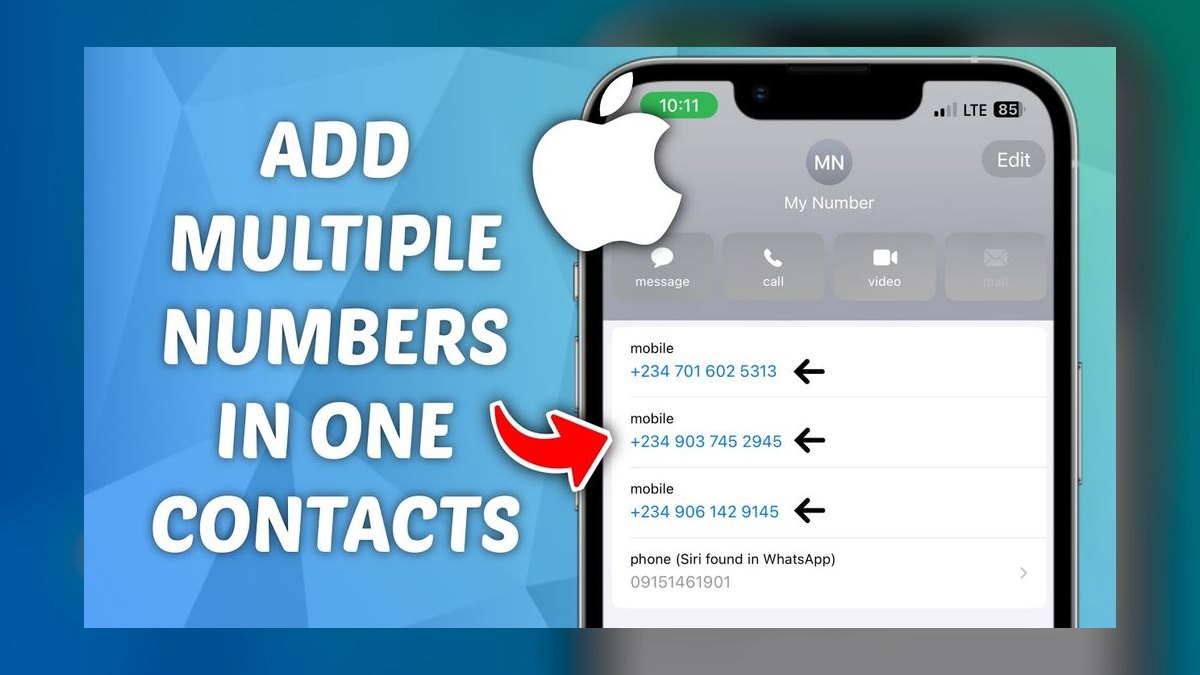
To run two phone numbers on one phone with dual SIM in 2027, get a device with two active eSIM profiles or a nano-SIM plus eSIM, then add the second line through your carrier's app or a QR activation code. Label each line, set defaults for calls, messages, and data, and enable Wi-Fi calling so both numbers stay reachable.
The outcome you should expect
A correctly configured dual-SIM phone behaves like two phones sharing one screen. You will see two signal indicators, two carrier names, and a line label on every outgoing call, message thread, and data session. On a modern flagship — iPhone 15 and later, most Samsung Galaxy S23 and later, Google Pixel 7 and later — both lines can be active at once, so a call on line one does not automatically drop line two. On older or budget hardware, the second line may fall back to 2G or 3G for voice, which matters because many carriers have retired those networks.
The practical outcome is that you carry one device, charge one battery, and manage one contact list, while your work number and personal number remain separate in billing, voicemail, and caller ID. Most people finish setup in under fifteen minutes if their carrier supports eSIM self-service. The friction almost never comes from the phone; it comes from carrier provisioning, account eligibility, and which line owns the data connection.
Expect three real constraints. First, only one line can carry mobile data at a time unless your phone supports Dual SIM Dual Active with dual data, which is still uncommon. Second, some carriers block eSIM on prepaid plans or require an in-store visit for the first activation. Third, dual-SIM changes how iMessage, RCS, and WhatsApp behave — you must decide, per app, which number is the sender identity.
A realistic target: two working numbers, distinct ringtones, correct caller ID on outbound calls, separate voicemail greetings, and a documented default for data. If you achieve that, you have a stable configuration you will not need to touch again.
What drives that outcome
The outcome depends on four variables: the hardware's SIM architecture, the carrier's provisioning rules, the operating system's line-management features, and how third-party messaging apps bind to a number.
Hardware architecture is the biggest lever. A phone with two physical nano-SIM slots behaves differently from one with a single slot plus eSIM. Dual SIM Dual Standby means both lines are registered on the network but only one can hold an active voice call at a time; the second line rings through only if the carrier supports call waiting across lines. Dual SIM Dual Active lets both lines handle calls simultaneously, which is what most people actually want for work and personal separation.
Carrier provisioning determines whether you can self-serve. Major carriers in most markets now issue eSIM profiles through a QR code or an in-app flow. Some require the phone's IMEI and EID to be registered before the profile will install. Prepaid brands are more restrictive than postpaid, and MVNOs sometimes cannot provision eSIM at all.
The operating system layer is where you actually control behavior. iOS and Android both let you assign a default voice line, a default data line, and per-contact line preferences. iOS calls this "Cellular Plans" and Android calls it "SIM cards." Both let you toggle "Allow Cellular Data Switching," which lets the phone borrow data from the secondary line when the primary has no signal.
Messaging apps are the hidden variable. WhatsApp, Signal, and Telegram bind to one number per account. iMessage and RCS bind to whichever numbers you register. If you want both numbers usable in WhatsApp, you need two accounts, which means two app instances on Android or a second device or WhatsApp Business on iOS.
The loop at the bottom matters. If one line fails to register, the fix is almost always to remove and re-add the eSIM profile rather than to change phone settings. Carriers push a fresh activation token, and the line comes back cleanly.
Benchmarks and realistic ranges
Setup time varies widely by provisioning path. A physical nano-SIM swap takes about two minutes. An eSIM QR activation takes five to ten minutes including a restart. An in-store activation for a restricted prepaid plan can take thirty to sixty minutes of queue and paperwork. If your carrier supports eSIM transfer between phones, migrating an existing number takes under five minutes on iOS and slightly longer on Android depending on the manufacturer's transfer tool.
Battery impact is real but modest. Dual standby typically costs three to eight percent additional battery per day compared to a single active line, mostly from the second radio maintaining a network registration. Dual active with simultaneous calls can push that higher during heavy use. On a 4,500 mAh phone, expect roughly thirty to sixty minutes less screen-on time across a full day.
Signal quality depends on band support. If line one is on a carrier using band n78 and line two is on a carrier using band n41, the phone must support both. Most 2024-and-later flagships do. Budget phones frequently support fewer bands, which means the second line may drop to LTE or worse in areas where the first line holds 5G.
Data speeds are unaffected by having two lines, because only one line carries data at a time in standby mode. If you enable data switching, the phone may briefly hand off between lines, which can cause a one-to-three second interruption during a video call or large download.
Voicemail is per-line and must be set up separately. Expect to configure two greetings, two PINs, and two notification behaviors. Some carriers charge separately for visual voicemail on each line.
Cost is the most variable benchmark. Adding a second line to an existing postpaid account commonly runs between fifteen and forty-five dollars per month depending on the plan and whether it shares data. Standalone prepaid second lines can be as low as ten to twenty-five dollars per month. eSIM travel plans for a temporary second number often cost five to fifteen dollars for a week of regional data.
A realistic expectation for a first-time setup: twenty minutes of active work, one restart, and one test call in each direction. If it takes longer than an hour, the bottleneck is carrier provisioning, not the device.
Risks, edge cases, and failure modes
The most common failure is a line that installs but never registers. This usually means the carrier has not fully provisioned the eSIM on the network side. The symptom is a signal bar with "No Service" or a spinning search. The fix is to contact the carrier, confirm the EID and IMEI are correctly associated, and have them push a fresh profile.

A second common issue is accidental data roaming. If line two is a travel eSIM and you leave "Data Roaming" on for the primary line, you can incur charges. Always set the data line explicitly and turn roaming off on any line that should not use it.
Call quality degradation happens when the phone falls back to 2G or 3G for the secondary line. Since many carriers have shut down those networks, a phone that only supports 2G standby on the second slot may show "Emergency Calls Only" for that line. Check your phone's spec sheet for "Dual SIM Dual VoLTE" support before relying on two lines.
Messaging identity confusion is subtle and annoying. If you send an iMessage from your work number to a personal contact, they may reply to the wrong thread. The same applies to RCS on Android. Set per-contact line preferences in your contacts app so the correct number is used automatically.
Emergency calling has a specific edge case. On some phones, only the primary line can place emergency calls with location data. If you are traveling and the primary line has no coverage, verify that the secondary line can reach emergency services. Most modern phones handle this, but it is worth a test.
Voicemail notification collisions occur when both lines use the same notification sound. You will miss which line received a message. Assign distinct tones and distinct vibration patterns.

Battery drain spikes can indicate a line is constantly searching for signal. If you notice the phone warm in your pocket with no use, check whether the secondary line is in a low-coverage area. Toggling that line off when not needed is a legitimate mitigation.
Account lockouts are a real risk with banking and two-factor authentication. If your bank sends an SMS code to your old number and you have moved that number to an eSIM, the code still arrives, but if you removed the physical SIM and the eSIM failed to activate, you are locked out. Always verify the second line works before deactivating the first.
The decision tree above resolves roughly ninety percent of dual-SIM registration failures without a carrier call, provided the profile itself was issued correctly.
A practical rollout plan
Start by confirming your hardware. Check the phone's settings for "SIM cards" or "Cellular" and count the available slots. If you see one physical slot and one eSIM option, you are set. If you see two physical slots, you can use either two physical SIMs or one physical plus one eSIM. If you see only one slot and no eSIM, you cannot run two numbers on this device.
Next, confirm carrier eligibility. Log into your carrier account and look for "Add a line" or "eSIM activation." If the option exists, you can self-serve. If it does not, call or visit a store. Have your phone's IMEI and EID ready; both are in the settings under "About" or "Status."

Install line one first. If you are keeping your existing number, activate it as the primary line using the method your carrier supports. Test a call and a text before moving on. This isolates problems to one line at a time.
Install line two. Use the carrier's app or scan the QR code they provide. If the phone asks which line should be primary for data, choose the line with the better data plan. Label the lines immediately — "Work" and "Personal" or "US" and "Travel" — so you never confuse them later.
Set defaults. Choose a default voice line for calls when you do not specify one. Choose a default data line. Choose a default line for new messages. Then go into your contacts and assign specific lines to your most important contacts so the right number is always used.
Enable Wi-Fi calling on both lines. This improves coverage indoors and reduces reliance on cellular signal. It also matters when traveling, because Wi-Fi calling can keep your home number reachable without roaming charges.
Configure messaging apps. Decide which number owns iMessage, RCS, WhatsApp, and Signal. If you need both numbers in WhatsApp, install WhatsApp Business for the second line on Android, or use a second device on iOS.

Test everything. Call your phone from another phone on each line. Send a text to each line. Check voicemail on each line. Verify that caller ID shows the correct number when you call out from each line. Confirm that data works when you force the phone onto the secondary line.
Document your configuration. Write down which line is which, the default settings, and any per-app overrides. If you ever reset the phone or migrate to a new device, this record saves an hour of reconfiguration.
Plan for travel. If you use a travel eSIM as your second line, set the travel line as the data line and turn off data roaming on your home line. Keep your home line active for SMS-based two-factor codes, but expect that some banks will not send codes to a roaming number.
Review monthly. Check your bill for the second line's charges and confirm the data usage is what you expect. Dual-SIM setups occasionally leak data onto the wrong line, and a monthly review catches it early.
Related questions
Can I use two numbers from the same carrier on one phone?
Yes. Most carriers allow two lines on one account, and both can be provisioned to the same device as a physical SIM and an eSIM. Billing is separate per line, but the account is shared.
Does dual SIM work with two eSIMs and no physical SIM?

Yes, on iPhone 13 and later and most recent Android flagships. You can store multiple eSIM profiles and enable two at once. You can also keep additional profiles disabled and switch between them.
Will both numbers ring at the same time?
On Dual SIM Dual Active phones, yes. On Dual SIM Dual Standby phones, the second line may not ring while the first is on a call unless the carrier supports cross-line call waiting.
Does WhatsApp work on both numbers?
Only with two accounts. On Android, WhatsApp Business can run alongside WhatsApp. On iOS, you need a second device or the WhatsApp Business app with a separate number.
Can I keep my old number and add a new one?
Yes. Activate the new number as the second line and keep the old number as the primary. Both remain active, and you can port either one later if you change carriers.
FAQ
How long does dual SIM setup take?
Most setups take ten to twenty minutes if your carrier supports eSIM self-service. In-store activation for restricted plans can take up to an hour. The phone itself is rarely the bottleneck; provisioning is.
Will dual SIM drain my battery faster?

Expect three to eight percent additional daily drain from the second line maintaining a network registration. Dual active calling and weak signal areas increase that. Turning off the second line when not needed recovers most of the difference.
Can I use two numbers on one phone without eSIM?
Yes, if your phone has two physical SIM slots. Many mid-range Android phones still offer dual physical slots. Flagships increasingly ship with one physical slot plus eSIM, so check your model's spec sheet.
What happens to my second line when I travel internationally?
It depends on the plan. A home-carrier line may roam at high rates, while a travel eSIM is usually cheaper for data. Set the travel eSIM as your data line and disable roaming on the home line to avoid surprise charges.
Do both lines get 5G?
Only if the phone supports the bands each carrier uses and the carrier provisions 5G on both lines. Some carriers restrict 5G to the primary data line. Check your carrier's dual-SIM policy before assuming both get full speed.
Can I move an eSIM between phones?
Yes, on most modern devices. iOS and Android both offer eSIM transfer tools, and carriers can reissue a QR code. Some carriers limit transfers per billing cycle, so check before you migrate.
Sources
- Apple Support: Using Dual SIM with an eSIM — https://support.apple.com/en-us/HT209044
- Apple Support: Set up cellular service on iPhone — https://support.apple.com/en-us/HT201415
- Google Support: Use dual SIMs on your Pixel phone — https://support.google.com/pixelphone/answer/9449293
- Samsung Support: Use Dual SIM on your Galaxy phone — https://www.samsung.com/us/support/answer/ANS00076741/
- GSMA: eSIM specification overview — https://www.gsma.com/esim/
- FCC: Cell phone radio frequency and network information — https://www.fcc.gov/consumers/guides/cell-phone-radiation-and-health
- Android Developers: Telephony and multi-SIM guidance — https://developer.android.com/develop/connectivity/telephony
- CTIA: Wireless industry consumer resources — https://www.ctia.org/consumer-resources
Related on PULSE
- How to choose between eSIM and physical SIM for a second line
- Managing work and personal numbers on one device
- Travel eSIM vs. carrier roaming: cost and coverage trade-offs
- Setting up Wi-Fi calling when cellular coverage is weak
- Porting a number between carriers without losing service
- Understanding Dual SIM Dual Standby vs. Dual SIM Dual Active
This page will be disappearing soon. Save it to your device for $1 — or read it free while it is here.
@Kory-White- · if Venmo asks, the last 4 of my number are 2012
This page is gone.
This one is off the shelf now. $1 keeps it on your phone for good — the whole page, pictures and diagrams included.
 telcoBest Cellular and Wireless Carrier in Texas in 2027
 telcoIs Starlink a good home internet option in 2027?
 telcoBest Cellular and Wireless Carrier in Fresno in 2027
 telcoBest Cellular and Wireless Carrier in Wyoming in 2027
 telcoBest Cellular and Wireless Carrier in Salt Lake City in 2027
 telcoBest Cellular and Wireless Carrier in Illinois in 2027
 telcoBest Cellular and Wireless Carrier in Virginia in 2027
 telcoBest Cellular and Wireless Carrier in Louisville in 2027
 telcoBest Cellular and Wireless Carrier in Minneapolis in 2027
 telco5G home internet vs fiber: which is better for home internet in 2027?