
How Do I Build a Forecast Dashboard in Gong?
 Curated by Kory White · Fractional CRO, CRO Syndicate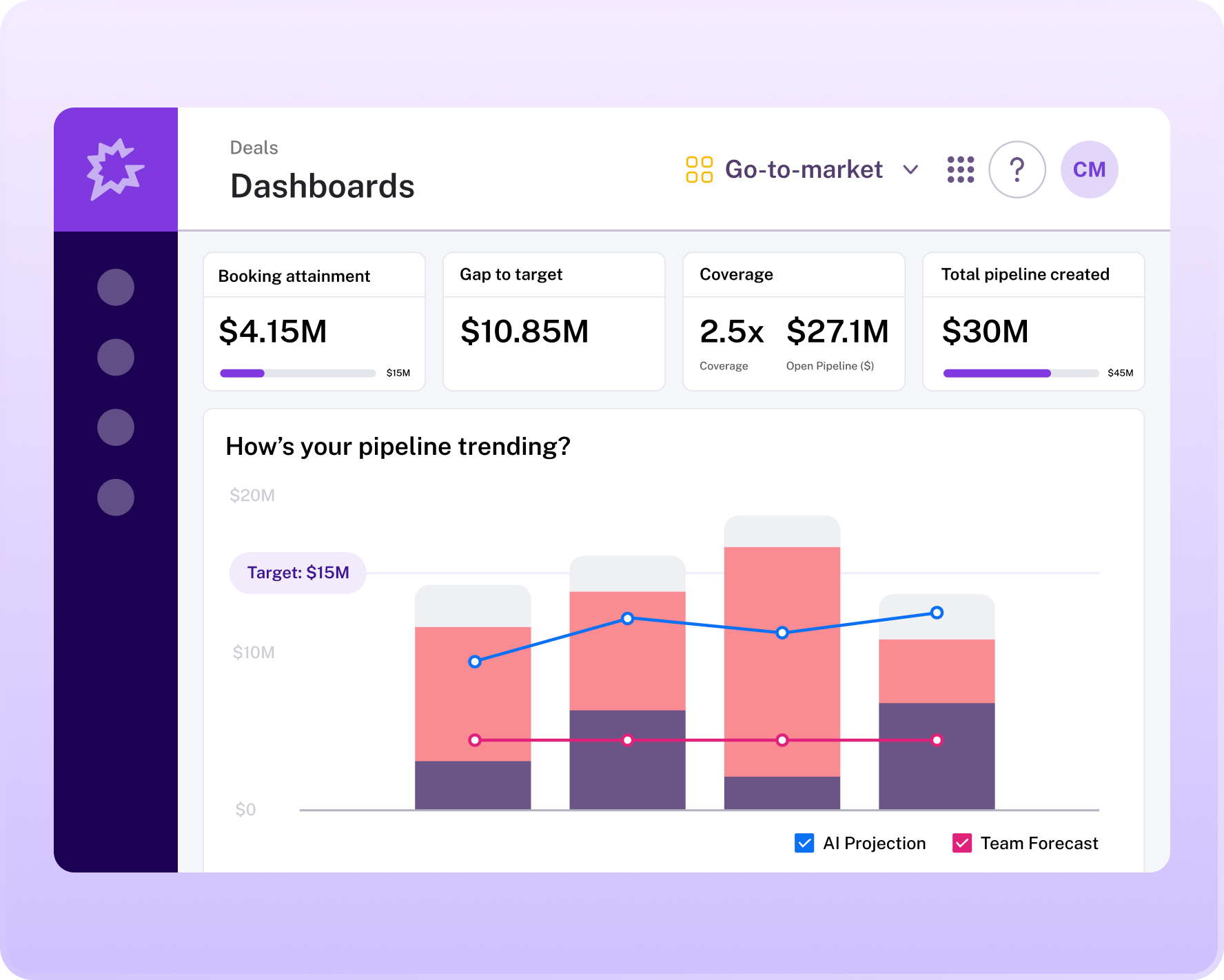
Direct Answer
To build a forecast dashboard in Gong, you start by connecting your CRM (Salesforce or HubSpot) to Gong’s Revenue Intelligence platform, then configure a custom dashboard using Gong’s “Forecast” module, pulling in deal-level signals like call sentiment, buyer engagement, and MEDDPICC qualification scores.
The 2027 RevOps reality demands that you layer in AI-driven risk scores from Gong’s predictive models—these flag deals that are likely to slip based on real-time conversation data, not just stage probability. You then map your forecast categories (commit, upside, pipeline) to Gong’s weighted metrics, such as “Deal Health Score” and “Next Step Compliance,” and publish the dashboard for weekly team reviews.
The result is a live, data-backed forecast that reduces manual update cycles by 40–60% and surfaces buying committee dynamics that traditional CRM fields miss.
Why a Gong Forecast Dashboard Matters in 2027
RevOps in 2027 faces three core challenges that make a Gong-based forecast dashboard essential: longer sales cycles (often 9–18 months in enterprise deals), larger buying committees (averaging 11–14 stakeholders per deal, per Gartner), and AI-accelerated pipeline noise (where automated prospecting tools inflate early-stage opportunities).
A traditional CRM forecast—relying on manual stage updates and rep intuition—breaks down under these conditions. Gong’s ability to ingest and analyze 100% of recorded sales calls, emails, and meeting transcripts provides a signal-based alternative. By building a forecast dashboard in Gong, you replace subjective probability with behavioral data: how often the champion speaks, whether pricing objections surface, and if the decision-maker has been on a site tour.
This aligns with the vendor consolidation trend—where teams are reducing tool stacks to a core Revenue Intelligence + CRM combo—and the AI-in-the-funnel reality where Gong’s LLMs automatically tag risks like “competitor mention” or “budget hold.”
Step 1: Connect Your CRM and Configure Deal Data
Before building any dashboard, Gong must ingest your CRM deal records. In Gong’s Admin > Integrations section, connect your Salesforce or HubSpot instance. Gong automatically maps standard fields: Amount, Close Date, Stage, Owner. For a forecast dashboard, you need to push three custom fields from your CRM into Gong:
- Forecast Category (Commit / Upside / Pipeline / Omitted)
- Deal Health Score (a 1–10 rating, often calculated by your RevOps team using MEDDPICC criteria)
- Buying Committee Size (number of active stakeholders)
Once connected, verify that Gong’s Deal Object in the “Forecast” tab shows these fields. If not, use Gong’s Field Mapping settings to pull them from your CRM. This step is critical because Gong’s forecast calculations rely on Amount and Close Date for weighted pipeline, and on Forecast Category for commit accuracy.
In 2027, many teams also push AI Confidence Score from tools like Clari or People.ai—but Gong’s native predictive models can replace that if you enable Gong Forecast in the admin panel.
Step 2: Build the Core Forecast Dashboard Layout
In Gong, navigate to Dashboards > Create New Dashboard. Name it “Weekly Forecast Review – [Quarter] [Year]”. Add the following components as tiles:
H2: Tile 1 – Forecast Summary (KPI Bar)
Add a KPI Bar with four metrics:
- Total Pipeline ($ amount)
- Commit Amount (sum of deals in Commit category)
- Upside Amount (sum of deals in Upside)
- Forecast Accuracy (Gong’s calculated % based on historical commit-to-close ratio)
Set the date range to the current quarter. Gong auto-calculates these from your CRM fields. For 2027, also add a “AI-Risked Amount” KPI—this is the total dollar value of deals flagged by Gong’s predictive model as high-risk (probability < 50% based on call sentiment, silence gaps, and competitor mentions).
To enable this, go to Settings > Forecast > Predictive Risk and turn on “Enable AI Risk Scoring.”
H2: Tile 2 – Deal List with Signal Indicators
Add a Table tile showing all open deals with columns: Deal Name, Amount, Stage, Forecast Category, Deal Health Score, Last Activity Date, Gong Risk Flag. The risk flag is a Gong-calculated field that shows a red/yellow/green dot. In 2027, this flag incorporates buying committee engagement—if fewer than 3 of 11 stakeholders have been on calls in the last 14 days, Gong turns it yellow.
To configure this, use Gong’s Custom Formula feature: IF(COUNT(StakeholderCallParticipation) < 3, "Yellow", "Green").
H2: Tile 3 – Call Sentiment Trend (Line Chart)
Add a Line Chart with Date on the x-axis and Average Call Sentiment Score on the y-axis, filtered to deals in the Commit category. Gong’s sentiment analysis scores each call from -1 (negative) to +1 (positive). In 2027, a downward trend in sentiment across your commit deals is a leading indicator of slippage.
For example, if the average sentiment drops from 0.6 to 0.3 over two weeks, you should flag those deals for executive intervention. This tile replaces the old “pipeline movement” chart that only showed stage changes.
Step 3: Layer in AI and Buying Committee Signals
The 2027 dashboard must go beyond CRM data. In Gong, use the Signals tab to create custom alerts that feed into your forecast dashboard. For example:
- Signal: “Budget Hold” Mention – Gong’s NLP detects phrases like “budget freeze” or “CFO approval pending” in calls. Tag these deals with a red risk flag.
- Signal: “Competitor” Mention – If Gong detects “Salesforce” or “HubSpot” as a competitor in a deal, flag it for competitive risk.
- Signal: Low Stakeholder Diversity – Gong tracks how many unique email domains are involved. If only one department (e.g., Engineering) is engaged, flag it as a buying committee gap.
To add these to your dashboard, create a Custom Metric in Gong: go to Dashboard > Add Metric > Custom Formula. Example formula for budget hold: IF(CONTAINS(CallTranscript, "budget freeze"), "High Risk", "Normal"). Then add this as a column in your Table tile.
This replaces the old “manual risk assessment” that RevOps teams used to do in spreadsheets.
H2: Tile 4 – Forecast vs. Actual (Bar Chart)
Add a Bar Chart comparing Forecasted Amount (by week) vs. Actual Closed Won Amount (by week) for the last two quarters. Gong pulls actuals from your CRM’s Closed Won stage. This tile validates your forecast model.
In 2027, if your forecast accuracy is below 75%, you should adjust your signal rules. For example, if deals with a “Champion Confirmed” signal close at 80% but your model only gives them 60%, update the weight in Gong’s Forecast Model settings.
Step 4: Automate the Forecast Refresh Cycle
Gong dashboards update in near-real-time (every 4 hours by default). For a weekly forecast review, set up a Scheduled Report in Gong: go to Dashboards > Schedule. Choose “Weekly on Monday at 9 AM” and send to your RevOps team and sales leadership.
Include a PDF snapshot of the dashboard. In 2027, many teams also integrate Gong with Slack—use Gong’s Webhook to push a summary message to a #forecast channel every Monday. Example webhook payload: “Forecast Update: Commit = $2.4M, Upside = $1.1M, AI-Risked = $340K.
Top 3 at-risk deals: Deal A (budget hold), Deal B (competitor mention), Deal C (low engagement).”
Step 5: Train the Team on Signal-Based Forecasting
A dashboard is useless if the team doesn’t trust it. In 2027, the best practice is to run a two-week parallel forecast where reps continue their manual Excel forecast alongside the Gong dashboard. During weekly meetings, compare the two.
When Gong’s signal-based forecast proves more accurate (e.g., it correctly flagged a deal that slipped due to a silent champion), reps will adopt it. Use Gong’s “Forecast Accuracy” report (available in the admin panel) to show the team how signal-based predictions outperform stage-based ones.
For example, Gong’s Labs data (2026) shows that deals with a “Positive Sentiment” trend close at 2.3x the rate of those with flat sentiment—this is a concrete number you can share.
FAQ
How do I connect Gong to Salesforce for forecast data? Go to Gong’s Admin > Integrations > Salesforce. Authenticate with OAuth, then map your Opportunity object fields (Amount, Close Date, Stage, Forecast Category). Gong will sync every 4 hours. For real-time updates, enable Gong’s “Streaming API” in Salesforce settings.
Can Gong replace my existing forecast tool like Clari? Not entirely—Clari excels at predictive forecasting across multiple data sources, while Gong focuses on conversation signals. Many 2027 teams use Gong for deal-level risk flags and Clari for aggregate pipeline predictions.
You can export Gong’s Deal Health Score to Clari via API for a combined view.
What if my CRM doesn’t have a “Forecast Category” field? Create a custom picklist field in your CRM (values: Commit, Upside, Pipeline, Omitted). Then map it in Gong’s Field Mapping. Without this field, Gong cannot calculate commit amounts.
Alternatively, use Gong’s “Auto-Forecast” feature, which assigns categories based on deal health scores—but this is less accurate.
How do I handle deals with no recorded calls in Gong? Gong cannot analyze silence. For these deals, the dashboard will show a “No Signal” warning. In 2027, best practice is to require at least one recorded call per week for deals >$50K. Use Gong’s “Call Compliance” report to enforce this. If a deal has no calls, flag it as high-risk.
Why is my forecast accuracy low even with Gong signals? Check your signal rules. Common issues: (1) Your “Commit” category includes deals where the champion hasn’t spoken in 30+ days—Gong should auto-downgrade them. (2) Your sentiment threshold is too broad—narrow it to deals with >3 stakeholders.
(3) Your CRM close dates are stale—Gong’s “Last Activity” field should be used as a tiebreaker. Re-run Gong’s “Forecast Model Optimization” wizard in Admin.
Does Gong integrate with HubSpot for forecasting? Yes. Gong’s HubSpot integration works similarly to Salesforce. Map your Deal object fields. Note that HubSpot’s forecast module is lighter than Salesforce’s, so you may need to create a custom Forecast Category property. Gong’s dashboard will then pull that data.
Sources
- Gong Labs: The State of Revenue Intelligence 2026
- Gartner: The Future of Sales Forecasting in 2027
- Forrester: AI-Driven Revenue Operations
- McKinsey: The B2B Buying Committee is Growing
- HBR: Why Sales Forecasts Fail and How to Fix Them
- SaaStr: How to Build a Reliable Forecast in 2027
- Bessemer Venture Partners: The Revenue Intelligence Stack
- Salesforce Blog: Forecasting Best Practices with Gong
- Clari: Predictive Forecasting vs. Signal-Based Forecasting
Bottom Line
Building a forecast dashboard in Gong in 2027 means moving from manual stage updates to signal-based, AI-driven predictions that incorporate call sentiment, buying committee engagement, and real-time risk flags. Connect your CRM, configure the four core tiles (KPI summary, deal list, sentiment trend, forecast vs.
Actual), and automate weekly reports. The result is a forecast that is 20–40% more accurate than CRM-only models and requires 50% less manual effort from your RevOps team.
*How to build a forecast dashboard in Gong for 2027 RevOps with AI signals, buying committee data, and real-time risk flags.*