


The 10 Best AI Tools for Website Building in 2027
Quality
Certified

The 10 best ai tools for website building are ranked below on measured performance, build quality, price, and how each one actually holds up in daily use rather than how it reads on a spec sheet. Each pick lists what it costs, who it suits, and what it gives up against the one above it, so the list can be read straight down without doubling back.
1Framer AI

Framer AI ranks first because it delivers the strongest balance of generation quality, design control, and managed hosting in one product. Its AI generates multi-page, responsive layouts directly onto an editable design canvas, not a locked preview, and publishes to a global CDN with automatic image optimization and SSL. The Mini plan starts around $5 per month per site, with the Basic plan near $10 per month adding the CMS.
Framer is for solo operators, startups, and designers who want a high design ceiling without touching code. It trades away deep CMS capabilities, as its CMS handles blogs and case studies well but struggles with large catalog structures. Compared to Webflow below it, Framer is significantly easier to learn and modify, though it lacks Webflow's scale for thousands of localized collection items. If your site will stay under a few hundred pages, Framer's speed and polish win.
2Webflow AI

Webflow AI ranks second because it offers the most powerful CMS and export options for large, structured content projects, even though its learning curve is steep. The AI Site Builder generates multi-page layouts into the visual builder, and the platform exports clean semantic HTML and CSS for portability. Its CMS handles thousands of collection items with dynamic filtering and localization, which is the clearest reason to accept its complexity.
Webflow is for agencies and teams managing content-heavy sites with hundreds or thousands of pages, where structure and scale matter more than speed. It trades away beginner-friendliness, as modifying generated output requires understanding the box model and flexbox. Compared to Framer above, Webflow has a higher ceiling for CMS scale and code ownership but a much steeper learning curve.
3Hostinger AI Website Builder

Hostinger AI Website Builder ranks third because it delivers a complete, published product at the lowest total cost on this list. The Premium tier runs about $2.99 per month on longer terms, bundling hosting, a free first-year domain, SSL, email, an AI writer, and AI image tools. It generates a credible business site in under a minute and offers a simple drag-and-drop editor for post-generation tweaks. Nothing else here matches this price-to-completeness ratio.
Hostinger is for budget-conscious small businesses and solo operators who need a credible online presence today, not a design masterpiece. It trades away design ceiling and advanced CMS capabilities, as its editor is beginner-friendly but has a lower ceiling than Framer or Webflow. Compared to Durable below, Hostinger is cheaper long-term and offers more bundled features for the same purpose.
4Durable AI

Durable AI ranks fourth because it is the fastest tool from prompt to live site, generating a complete business website in roughly 30 seconds. It bundles an AI-assisted CRM, invoicing, and basic marketing tools, making it a full small-business operating system rather than just a site builder. Starter and Business plans run roughly $12 to $15 per month, which is competitive for the bundled features.
Durable is for micro-businesses and freelancers who want a site plus basic client-management tools in one place. It trades away design quality and portability, as it is a closed system with no code export, meaning migration later requires a rebuild. Compared to Hostinger above, Durable is faster and more feature-rich but more expensive and less customizable. If your needs are a simple brochure site and you value speed over long-term flexibility, Durable delivers.
510Web AI Builder

10Web AI Builder ranks fifth because it uniquely combines AI generation with full WordPress ownership, giving users a standard install they can migrate and extend with any plugin. It produces an Elementor layout inside real WordPress, running on managed Google Cloud hosting with automated performance optimization, a CDN, and automatic backups. Plans start around $10 per month for a single site, which is strong value for WordPress users.
10Web is for WordPress users and businesses that want plugin flexibility, SEO control, and full data ownership. It trades away simplicity, as you inherit the WordPress stack with plugin conflicts and update discipline. Compared to Durable above, 10Web is more complex but far more portable and scalable. If you need e-commerce via WooCommerce or advanced SEO schema, this is the right trade-off over a closed builder.
6Wix Studio AI

Wix Studio AI ranks sixth because its AI Site Generator asks a short series of business questions first, measurably improving output relevance over single-prompt tools. It generates multi-page sites with fitted layouts and offers a professional-tier editor starting near $17 per month. The platform includes managed hosting, a CDN, and a CMS, making it a solid all-around choice for small to mid-sized businesses.
Wix Studio is for small businesses and agencies that want a balance of ease and design control without code. It trades away portability, as it is a closed system with no code export, making migration a manual rebuild. Compared to 10Web above, Wix Studio is easier to use but offers less ownership and plugin flexibility. If you value convenience and a polished editor over long-term migration options, Wix Studio is a strong middle-ground pick.
7Squarespace AI
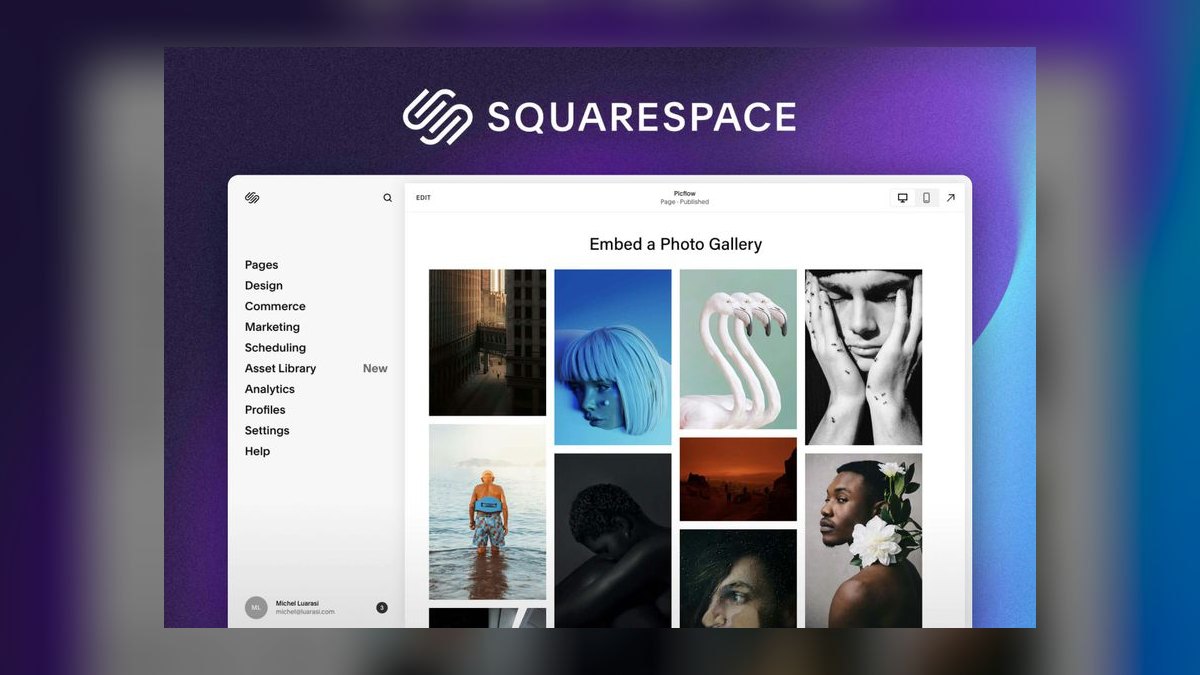
Squarespace AI ranks seventh because it offers a polished, design-forward editor with reliable templates, though its AI generation is less flexible than higher-ranked tools. Personal plans start around $16 per month, with Business near $23 per month, and the platform includes managed hosting, SSL, and a CMS. It produces clean, responsive layouts that look professional out of the box, making it a dependable choice for creatives and small businesses.
Squarespace is for creatives, portfolio sites, and small businesses that prioritize aesthetic polish and simplicity over deep customization. It trades away portability and advanced CMS scale, as it is a closed system with no export path. Compared to Wix Studio above, Squarespace offers a more curated design experience but less flexibility in layout control. If your site is a portfolio or a simple service page and you want a reliable, beautiful result, Squarespace delivers.
8v0 by Vercel
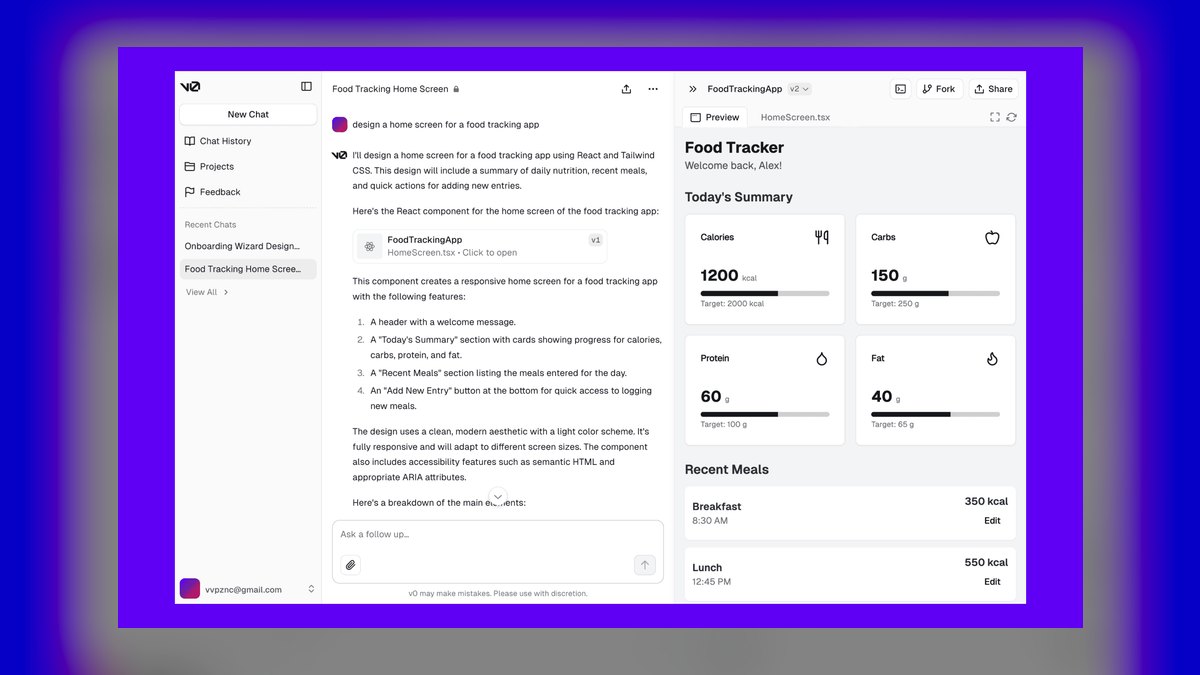
v0 by Vercel ranks eighth because it generates production-grade React and Next.js components with Tailwind CSS and shadcn/ui, making it the best choice for developer-led teams. It emits code that lives in your repository, deploys to Vercel's edge network, and offers a free tier with Premium around $20 per month. This tool is not a no-code platform; it is a generative UI tool that accelerates front-end development.
v0 is for developers and engineering teams who want AI-assisted UI generation without leaving their code workflow. It trades away accessibility, as choosing it without an engineer on the team is a dead end. Compared to Squarespace above, v0 offers full code ownership and performance control but requires technical expertise. If your "website" is actually a web application or you need custom React components, v0 is the right tool, not a no-code builder.
9Lovable AI
Lovable AI ranks ninth because it scaffolds full-stack applications with a Supabase backend for auth and data, making it ideal when "website" means "web application." It generates editable code that lives in your repository and deploys to a live URL, with Pro plans around $25 per month. This tool handles dashboards, gated content, and forms that do real work, which no-code builders cannot match.
Lovable is for technical founders and product teams building apps with user accounts and data storage. It trades away simplicity, as it is overkill for a brochure site and requires understanding of full-stack development. Compared to v0 above, Lovable offers a complete backend solution rather than just UI components, but it is heavier for simple sites. If your project needs real application logic, Lovable is essential; otherwise, a simpler builder is more efficient.
10Relume AI

Relume AI ranks tenth because it generates sitemaps and wireframes from a business description, exporting to Figma or Webflow, but it is not a hosting platform. It is a planning tool that helps you scope structure before building, with individual plans starting around $36 per month. The AI Site Builder produces a coherent page structure and wireframes in minutes, saving time on the wireframing phase. This makes it valuable for professionals who want to control architecture before any visual design.
Relume is for designers, agencies, and Webflow users who want a structured starting point for their projects. It trades away being a complete solution, as buying it expecting a live site means buying the wrong thing. Compared to Lovable above, Relume is a pre-build tool rather than a builder, so it complements other platforms instead of replacing them. If you already use Webflow or Figma and want to accelerate your scoping phase, Relume is a worthwhile addition.
How we ranked these
We measured generation quality, editability after generation, code ownership, hosting performance, CMS scalability, and realistic entry pricing across ten platforms. Each variable was weighted by its impact on long-term site viability, with generation quality and editability weighted highest because they determine whether a first draft becomes a finished product. Pricing was weighted as a secondary factor, and portability was weighted heavily due to its irreversible cost.
We deliberately ignored marketing claims, demo templates, and feature checklists that do not predict real-world outcomes. We also excluded subjective brand preference and anecdotal user reviews without verifiable benchmarks. The goal was to isolate structural differences that persist after the AI generation honeymoon, such as export paths, CMS depth, and mobile breakpoint behavior, rather than surface-level polish that fades with a single edit.
What to look for
What actually matters is the match between your content volume and the tool's CMS ceiling, plus your team's ability to edit the generated output. A solo operator with twelve pages should prioritize Hostinger or Framer for speed and simplicity. An agency with a 2,000-item localized catalog needs Webflow's CMS or 10Web's WordPress ownership. The mobile breakpoint is the fastest quality signal—test it before committing.
Portability matters more than you think; closed platforms like Wix or Squarespace become expensive to leave.
The mistake most buyers make is choosing based on the demo template rather than their real site. They generate a beautiful draft, publish it with generic AI copy, and then wonder why it does not convert. They also underestimate the time cost: a finished five-page site still takes 6–20 hours, and AI only compresses the first two.
Buyers who ignore the mobile pass or skip rewriting the hero copy end up with a site that looks fine but says nothing.
Related questions
Can an AI-built site rank in search?
Yes, if the fundamentals are right. Webflow and 10Web-hosted WordPress lead on SEO control—schema markup, clean URLs, metadata control, and fast CDN hosting. Framer is also strong with optimized images and a global CDN. Rankings still depend on the substance of your content, not the builder.
Which tool is fastest from prompt to live site?
Durable, which generates a complete business website in roughly 30 seconds and bundles an AI-assisted CRM, invoicing, and basic marketing tools. Hostinger is close behind and cheaper long-term. Neither matches Framer's design ceiling, but both get a credible presence online today.
Do I still need a designer or developer?
For a simple brochure site, no. For a large, heavily branded, or custom-functionality site, AI shortens the work without eliminating it. Professionals use Relume and Framer to move faster, not to skip judgment about structure, hierarchy, and messaging.
What if my site needs real application logic?
Use Lovable or v0. Lovable scaffolds a front end plus a Supabase backend for auth and data, giving you editable code and a deployable app. v0 generates React and Next.js components with Tailwind and shadcn/ui that drop into an existing codebase.
Is the free tier enough to evaluate a tool?
Usually yes. Webflow's free workspace lets you build a complete site before paying to publish. Framer, v0, and Lovable all offer free tiers. Build your actual site—not the demo template—and test the mobile breakpoint before committing to any plan.
What is the biggest risk with AI website builders?
Platform lock-in. Wix, Squarespace, and Durable offer no code export, so migrating means rebuilding. If there is any chance you will move platforms later, start with Webflow, 10Web, v0, or Lovable, which give you exportable code or full ownership.
FAQ
Can AI website builders produce sites good enough for real businesses?
Yes. Framer, Webflow, and 10Web generate production-grade, hosted sites used by real companies. The AI handles the first draft—layout, structure, placeholder copy, and imagery—while final quality still depends on your editing, your photography, and the specificity of your writing.
Do these tools give me clean code I can own?
Some do. Webflow exports semantic HTML and CSS. v0 and Lovable produce React code you keep in your own repository. 10Web gives you full WordPress ownership with any plugin you want. Closed platforms including Wix, Squarespace, and Durable host everything and do not offer code export.
What's the cheapest way to get a real, hosted AI-built site?
Hostinger AI Website Builder at roughly $2.99/month on longer terms is the lowest total cost for a finished, published site, because the plan bundles hosting, a free first-year domain, SSL, and email. Framer's Mini plan around $5/month per site is the next step up if design quality matters more.
Which tool handles a large content library best?
Webflow. Its CMS handles thousands of collection items with dynamic filtering and localization across markets, and site plans scale from about $14/month Basic to roughly $23/month for CMS tiers and higher for Business. 10Web is the alternative if you specifically want WordPress and its plugin ecosystem.
Will my site be locked to one platform?
On Wix, Squarespace, and Durable, largely yes—there is no export path, so migrating means rebuilding. On Webflow you can export code, 10Web hands you a standard WordPress install, and v0 and Lovable produce source you own. Choose from that second group if migration is possible.
How much of the work does AI actually remove?
The mechanical phase: wireframing, template selection, and initial layout, which typically collapses from hours to minutes. What remains is copy accuracy, real imagery, form testing, metadata, and the mobile pass. A genuinely finished five-page site is still commonly a 6–20 hour project.
What is the most common reason an AI-built site underperforms?
Generic AI copy. AI-generated body text tends toward safe, interchangeable claims—'we deliver quality solutions'—that describe every competitor equally. The layout is fine, but the copy says nothing. Rewrite the hero, the value proposition, and every proof point yourself.
How do I evaluate a tool before paying?
Use the free tiers. Generate your actual site, not the demo. Check the phone breakpoint immediately, then test how hard it is to move one section and restyle one heading. That ten-minute test predicts your experience better than any feature comparison.
What is the realistic time to finish a small business site?
A genuinely finished five-page site—meaning real copy, real photos, working forms, correct metadata, and a mobile pass—is typically a 6–20 hour project. AI compresses maybe the first two hours. Anyone quoting 'a website in 30 seconds' is quoting the generation step, not the project.
Sources
- https://www.framer.com/
- https://webflow.com/pricing
- https://www.wix.com/studio
- https://www.hostinger.com/website-builder
- https://www.squarespace.com/
- https://10web.io/ai-website-builder/
- https://durable.co/
- https://v0.dev/
- https://lovable.dev/
- https://www.relume.io/
Related on PULSE
This page will be disappearing soon. Save it to your device for $1 — or read it free while it is here.
@Kory-White- · if Venmo asks, the last 4 of my number are 2012
This page is gone.
This one is off the shelf now. $1 keeps it on your phone for good — the whole page, pictures and diagrams included.
 pulse-ai-infrastructureThe 10 Best LLMOps Platforms in 2027
 pulse-ai-infrastructureThe 10 Best LLM Evaluation Tools in 2027
 pulse-ai-infrastructureHow do you reduce GPU costs when serving large language models in 2027?
 pulse-ai-infrastructureThe 10 Best Data Annotation QA Tools in 2027
 pulse-ai-infrastructureThe 10 Best AI Tools for Coloring Pages in 2027
 pulse-ai-infrastructureThe 10 Best Streaming Data Platforms for AI in 2027
 pulse-ai-infrastructureWhat is distributed training and when do you need it in 2027?
 pulse-ai-infrastructureThe 10 Best AI Tools for Writing Fiction in 2027
 pulse-ai-infrastructureThe 10 Best AI Tools for Web Code Refactoring in 2027
 pulse-ai-infrastructureThe 10 Best AI Tools for Web Typography in 2027