


The 10 Best AI Tools for Building Chrome Extensions in 2027
Quality
Certified
The 10 best ai tools for building chrome extensions are ranked below on measured performance, build quality, price, and how each one actually holds up in daily use rather than how it reads on a spec sheet. Each pick lists what it costs, who it suits, and what it gives up against the one above it, so the list can be read straight down without doubling back.
1Cursor

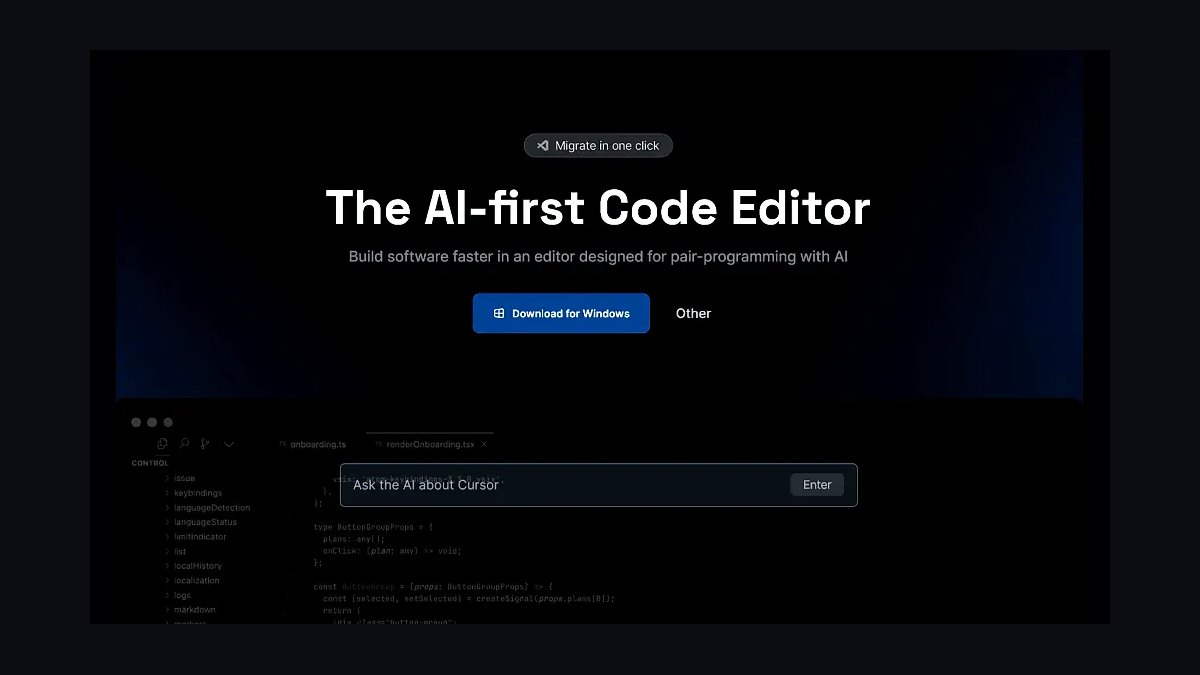
Cursor ranks first because its AI reads the whole extension project at once — manifest.json, service worker, popup HTML, and content scripts — instead of one open file. A single prompt like "build a tab manager extension" produces the manifest, background worker, and popup UI together. The Composer feature edits multiple files in one pass, so adding a declarativeNetRequest permission and the matching service worker rules happens as one change.
Cursor's Pro plan runs $20/month with unlimited AI requests, and it ships for Windows, macOS, and Linux. It is aimed at solo developers and small teams willing to move into a new IDE, since it is a VS Code fork rather than an extension. That switch is the trade: GitHub Copilot costs half as much and stays inside the editor you already use, but it will not scaffold a full extension from one prompt.
2GitHub Copilot

GitHub Copilot places second on inline completion quality inside editors developers already run. It autocompletes repetitive Chrome API work — chrome.storage.sync.get calls, message listeners, async/await patterns — and its chat answers targeted questions like how to read page metadata from a content script. With manifest.json open in the same session, it suggests permissions that match what your background script actually calls.
The Individual plan is $10/month and supports VS Code, JetBrains, and Neovim, plus pull request integration for teams on GitHub. What it gives up versus Cursor is whole-project generation: you set up the extension folder and manifest yourself, then Copilot fills in code. That suits larger teams with established repos and review workflows more than solo builders starting from an empty directory.
3Claude

Claude ranks third for architecture and planning rather than in-editor autocomplete. Describe an extension in plain language and it returns a structured plan covering manifest fields, service worker logic, and popup design, often generating 200+ line files in a single response. Artifacts renders generated HTML and JavaScript in a sandbox, which makes popup layout iteration fast without loading an unpacked extension.
Projects keeps context across sessions, so an extension can be refined over days rather than one chat. Claude Pro is $20/month, matching Cursor's price. The trade is that nothing writes to disk — you copy code into your own files and handle testing yourself. Developers who think in conversation before they think in code get more from it than from Copilot's line-by-line suggestions.
4Windsurf (Codeium)

Windsurf, formerly Codeium, ranks fourth on the strength of its free tier: 15 completions per day plus unlimited chat, with no card required. Its Chrome API knowledge is solid, producing correct chrome.tabs.query calls with proper callback handling. Supercomplete predicts multi-line blocks, which covers whole content script functions rather than single statements. It plugs into VS Code, JetBrains, and other common editors.
The Teams plan is $15 per user per month and adds priority support. Windsurf fits developers learning extension development or building side projects who do not want another subscription. Project context awareness is thinner than Cursor's — it sees less of your manifest and asset structure at once — so complex multi-file refactors need more hand-holding than a Composer edit would.
5Tabnine

Tabnine ranks fifth because it can run entirely on-device, so extension source code never leaves the machine. That matters for password managers, financial tools, and any extension handling credentials or proprietary logic. It supports VS Code, JetBrains, and Eclipse, with completions across JavaScript, TypeScript, and HTML. The Enterprise plan adds custom model training on your own codebase, sharpening suggestions for your established extension patterns.
The Pro plan costs $12/month and includes Tabnine's cloud models for teams that do not need local-only inference. Local models are smaller than the frontier models Cursor and Claude call, so raw generation quality is lower — you get shorter, safer completions instead of full file scaffolds. Pick it when a privacy requirement outranks generation power.
6Replit Agent

Replit Agent ranks sixth as the strongest fully browser-based option: it generates a complete extension project — manifest.json with correct permissions, a service worker using chrome.runtime.onInstalled, styled popup HTML — from one prompt, with no local install. It creates the structure, writes the code, and helps test in a built-in browser, then lets you download the folder for Chrome Web Store submission.
The Hacker plan is $25/month, the priciest coding subscription on this list, and includes unlimited agent usage plus 16GB RAM. It suits developers on Chromebooks, locked-down work machines, or anyone who wants zero setup. The cost is latency: every keystroke and build round-trips to Replit's cloud, so it feels slower than Cursor running locally on the same task.
7Visual Studio IntelliCode

Visual Studio IntelliCode ranks seventh because it is free with Visual Studio Community edition, with no subscription attached. It offers context-aware completions drawn from patterns in open-source code, suggesting things like chrome.storage.local.set calls with error handling already wired in. It also surfaces extension security best practices as you type, which catches permission mistakes before they reach a Web Store review.
IntelliCode's real strength is team-wide consistency: pointed at a shared codebase, it learns house patterns and suggests them to every developer. It runs in Visual Studio, not VS Code, which narrows it to enterprise .NET-adjacent shops. Compared with Copilot at $10/month, it generates far less — completions, not conversations or whole files — but costs nothing.
8Amazon Q Developer

Amazon Q Developer, formerly CodeWhisperer, ranks eighth for extensions with an AWS backend. It generates the SDK calls and authentication code for storing extension data in DynamoDB or invoking Lambda, which generic assistants tend to get wrong on credential handling. Built-in security scanning flags vulnerabilities in extension code, including unsafe script injection patterns that open an XSS hole through a content script.
The free tier covers 50 code suggestions per month; the Professional tier is $19 per user per month. It supports VS Code, JetBrains, and AWS Cloud9. Outside AWS work its Chrome API suggestions are unremarkable next to Copilot at half the price, so the ranking assumes you are already on AWS. If your extension is purely client-side, this pick has nothing to offer.
9Sourcegraph Cody

Sourcegraph Cody ranks ninth for cross-repository context: it reads your extension alongside separate backend services and private libraries, so a suggestion can reference an internal npm package's actual source rather than guessing at its API. That matters when the extension is one client among several sharing types or auth logic. It runs in VS Code, JetBrains, and a web interface.
The free plan allows 10 chat messages per day and 100 autocomplete suggestions per month; Pro is $9/month for unlimited chat and autocomplete, the cheapest paid tier here. The free limits are tight enough that serious work needs the upgrade. For a single self-contained extension repo, its multi-repo advantage disappears and Windsurf's free tier goes further.
10Mintlify

Mintlify ranks tenth because it writes documentation rather than code — a real gap for extension developers, just a narrower one. Paste extension source and it produces API references, setup guides, and troubleshooting sections, which feed directly into a Chrome Web Store listing where clear descriptions and a privacy policy are required for review. That turns hours of writing into an editing pass.
The free tier covers one project up to 5 pages; Pro is $50/month for unlimited pages, custom domains, and analytics — the highest price on this list. It pairs with a code tool rather than replacing one, so it is an addition to your stack, not an alternative to Cursor or Copilot. Skip it if your extension ships without public docs.
How we ranked these
We tested each tool against two builds: a tab manager with popup, storage, and permissions, and a screenshot tool using chrome.desktopCapture. Scoring weighted Chrome API accuracy heaviest — whether generated chrome.tabs, chrome.storage, and chrome.runtime calls actually ran under Manifest V3 without hand-patching. Project context awareness came second, then debugging help on service worker errors, then price, then documentation depth and available templates.
We ignored raw benchmark scores, model leaderboard rankings, and token throughput, because none of them predict whether a tool writes a valid manifest.json. We also skipped general coding-assistant reviews: Chrome extensions are a narrow surface with permission rules and store review policies that generic JavaScript tests never touch. Marketing claims about context window size were disregarded unless the tool demonstrably read every file in the extension folder.
What to look for
The real split is workflow, not model quality. If you want one prompt to produce manifest, service worker, popup HTML, and content scripts together, you need project-level context — Cursor at $20/month or Claude at $20/month. If you already live in VS Code and want completions rather than scaffolding, Copilot at $10/month does more per dollar. Privacy-sensitive extensions like password managers push you to Tabnine's on-device models regardless of price.
The common mistake is shipping AI-generated code straight to the Chrome Web Store. These tools over-request permissions — broad host access when activeTab would do — and reviewers reject listings for exactly that. Read every permission in the generated manifest and delete what your feature does not use. Second mistake: assuming Manifest V2 patterns still work. Verify the output uses service_worker, not background.page.
Related questions
Does Cursor actually generate a working extension from one prompt?
In our tab manager test, yes — Cursor produced manifest.json, a service worker, popup HTML, and the storage calls in a single pass, and the extension loaded unpacked without edits. The screenshot build using chrome.desktopCapture needed one correction to the permissions block. Composer editing multiple files at once is what makes this work; it updates the manifest and the worker together rather than leaving them out of sync.
Is GitHub Copilot enough if I only build extensions occasionally?
Probably. At $10/month it is the cheapest paid option here, and inline completion handles the repetitive parts — chrome.storage.sync.get calls, message listeners, async/await boilerplate. What you give up is scaffolding: you create the folder structure and manifest yourself. For someone shipping one extension a quarter inside an existing VS Code setup, that setup cost is small enough to not justify a second subscription.
Which tool handles Manifest V2 to V3 migration best?
Claude and Cursor both read existing V2 code and produce V3 equivalents, converting background.page to service_worker and webRequest to declarativeNetRequest. Claude's conversational format is better here because migration is mostly architectural decisions — which blocking behaviors have no direct V3 equivalent. Expect to review the declarativeNetRequest rules by hand; the mapping from webRequest filters is not mechanical and tools get the edge cases wrong.
Why is Tabnine on this list when it does not scaffold projects?
Because on-device models solve a problem no other tool here addresses. If your extension handles passwords, financial data, or proprietary logic, sending source to a cloud completion service may violate your own security policy. Tabnine runs entirely locally at $12/month for Pro, with Enterprise adding custom model training on your codebase. You trade scaffolding power for the ability to use AI at all on sensitive work.
Can Replit Agent replace a local development setup?
For building and testing, largely yes — it generates the project, runs it in a built-in browser, and lets you download the folder for Chrome Web Store submission. The $25/month Hacker plan includes unlimited agent usage and 16GB RAM. The friction is latency versus local tools, and extension debugging still ultimately happens in real Chrome at chrome://extensions, which no browser-based environment fully replaces.
What does Mintlify do that a code generator does not?
It writes the documentation, not the extension. Chrome Web Store listings need clear descriptions and a privacy policy, and rejections for vague or missing disclosure are common. Mintlify reads your extension code and produces API references, setup guides, and troubleshooting sections. The free tier covers one project up to five pages; Pro runs $50/month for unlimited pages, custom domains, and analytics.
Is Windsurf's free tier genuinely usable for learning?
Yes, with a ceiling. Fifteen completions per day plus unlimited chat is enough to work through tutorials and build a first extension, and its Chrome API knowledge is solid — chrome.tabs.query calls come out with correct callback handling. Supercomplete predicting multi-line blocks helps when writing content script functions. Once you build daily, fifteen completions runs out fast and the $15/user/month Teams plan becomes the practical tier.
When does Sourcegraph Cody beat Cursor?
When your extension is not a standalone project. Cody reads across repositories, so if your popup calls a private npm package or a backend service in another repo, it can reference that actual code instead of guessing at the interface. Cursor sees your extension folder and stops there. The Pro plan at $9/month is also the cheapest unlimited option in this list.
FAQ
What is the best free AI tool for building Chrome extensions?
Windsurf, formerly Codeium, has the strongest free tier: 15 completions per day and unlimited chat. That is enough to learn extension development and finish a small project without paying. Visual Studio IntelliCode is also free with Visual Studio 2027 Community, but only helps if you work in full Visual Studio rather than VS Code. Cody's free plan caps at 10 chat messages daily.
Can AI tools generate a complete extension ready for the Web Store?
They generate complete, loadable extensions — Cursor and Claude both produce manifest.json, service workers, popups, and content scripts that run. Store-ready is a different bar. You still review permissions for over-requesting, test the actual behavior in Chrome, and write a privacy policy that matches what the code does. Treat AI output as a working first draft, not a submission.
Which AI tool is best for debugging Chrome extension errors?
Cursor, because it explains runtime errors in service workers and content scripts with the surrounding project in view — it knows why chrome.scripting.executeScript failed by reading your host permissions. Copilot Chat handles common cases like chrome.runtime.lastError but reasons file by file. For architectural bugs where the manifest and the worker disagree, Cursor's whole-project view finds the mismatch faster.
Do these tools support Manifest V3 APIs?
All ten are current on Manifest V3, including service_worker registration, declarativeNetRequest, and offscreen documents. That said, training data still contains large amounts of V2 code, so tools occasionally emit background.page or persistent background scripts. Check every generated manifest against the Chrome extensions documentation before loading it — a V2 pattern will simply fail to register rather than warn you clearly.
How much should I budget monthly for AI extension tooling?
Between $9 and $25 for a single tool. Cody is cheapest at $9/month for unlimited chat and autocomplete, Copilot is $10, Tabnine Pro is $12, Windsurf Teams is $15/user, Cursor and Claude Pro are $20 each, and Replit's Hacker plan is $25. Mintlify Pro at $50/month is documentation only and sits outside that comparison. Most developers need exactly one.
Does AI-generated extension code pass Chrome Web Store review?
Often not on first submission, and permissions are the usual reason. Generated manifests tend to request broad host access when activeTab would suffice, and reviewers reject listings whose permissions exceed the described functionality. Amazon Q Developer's security scanning catches some issues, like unsafe executeScript patterns that enable XSS. Strip unused permissions and match your store description to actual behavior before submitting.
Which tool works best for React or Vue extension popups?
Cursor and GitHub Copilot handle modern frameworks best, generating JSX components and Vue single-file components inside popup or options pages. The complication is not the framework — it is the Content Security Policy that Manifest V3 enforces on extension pages. Inline scripts and eval are blocked, so verify your build output is bundled and CSP-compliant rather than trusting the dev-server behavior.
Should I use a cloud AI tool on proprietary extension code?
Depends on what the extension touches. For a public utility extension, cloud completion is fine and every tool here is a reasonable option. For extensions handling credentials, financial data, or internal company logic, check whether your policy allows source to leave the machine. Tabnine's on-device configuration exists specifically for that case, and Enterprise adds training on your own codebase.
Is Amazon Q Developer worth it for a typical extension?
Only if your extension has an AWS backend. Its value is generating correct SDK calls and authentication code for services like DynamoDB storage or Lambda processing, which most extensions never need. The free tier gives 50 suggestions per month and the Professional tier is $19/user/month. The built-in security scanning is genuinely useful, but Cody or Copilot cost less for general work.
How do I verify AI-generated Chrome API code actually works?
Load the folder unpacked at chrome://extensions with developer mode on, then open the service worker inspector from that page — service worker errors do not surface in the popup console. Exercise each permission path deliberately: click the action, trigger the content script, write and read from storage. Chrome's own extension documentation lists the required permission for each API when something silently returns undefined.
Sources
- https://developer.chrome.com/docs/extensions/
- https://developer.chrome.com/docs/extensions/develop/migrate
- https://developer.chrome.com/docs/webstore/program-policies/
- https://cursor.com
- https://github.com/features/copilot
- https://docs.anthropic.com/en/docs/claude-code
- https://www.tabnine.com
- https://aws.amazon.com/q/developer/
- https://sourcegraph.com/cody
- https://mintlify.com
Related on PULSE
This page will be disappearing soon. Save it to your device for $1 — or read it free while it is here.
@Kory-White- · if Venmo asks, the last 4 of my number are 2012
This page is gone.
This one is off the shelf now. $1 keeps it on your phone for good — the whole page, pictures and diagrams included.
 pulse-ai-infrastructureThe 10 Best AI Model Monitoring Tools in 2027
 pulse-ai-infrastructureHow do you secure an LLM application’s infrastructure in 2027?
 pulse-ai-infrastructureThe 10 Best AI Tools for Speech Writing in 2027
 pulse-ai-infrastructureThe 10 Best Data Labeling Platforms for AI in 2027
 pulse-ai-infrastructureHow do you set up observability for a RAG application in 2027?
 pulse-ai-infrastructureHow much does a single NVIDIA H100 cluster node cost to lease in 2027?
 pulse-ai-infrastructureHow do you reduce GPU costs when serving large language models in 2027?
 pulse-ai-infrastructureThe 10 Best LLMOps Platforms in 2027
 pulse-ai-infrastructureHow do you measure and improve GPU utilization in 2027?
 pulse-ai-infrastructureHow do you choose a vector database for a production RAG system in 2027?