


The 10 Best AI Tools for Tattoo Design in 2027
Quality
Certified
The 10 best ai tools for tattoo design are ranked below on measured performance, build quality, price, and how each one actually holds up in daily use rather than how it reads on a spec sheet. Each pick lists what it costs, who it suits, and what it gives up against the one above it, so the list can be read straight down without doubling back.
1Midjourney
Midjourney ranks first because its 2027 model line delivers unmatched rendering quality for tattoo concepts, with stylistic coherence that general tools cannot match. It excels at blackwork ornamental mandalas, dotwork shading, and negative-space discipline, producing balanced compositions that translate to stencil-ready reference. Style references (--sref) lock a consistent look across an entire flash sheet, while character references keep recurring motifs on-model.
Midjourney is for professional artists who already think in design language and are willing to invest in prompt craft. It trades away native skin-placement preview, forcing you to composite onto reference photos in Procreate or Photoshop yourself. Compared to Blackink AI directly below, Midjourney has a higher ceiling for complex realism and large-scale color work but requires more prompt gymnastics to reach tattoo-native results. For raw quality and control, nothing else matches it.
2Blackink AI
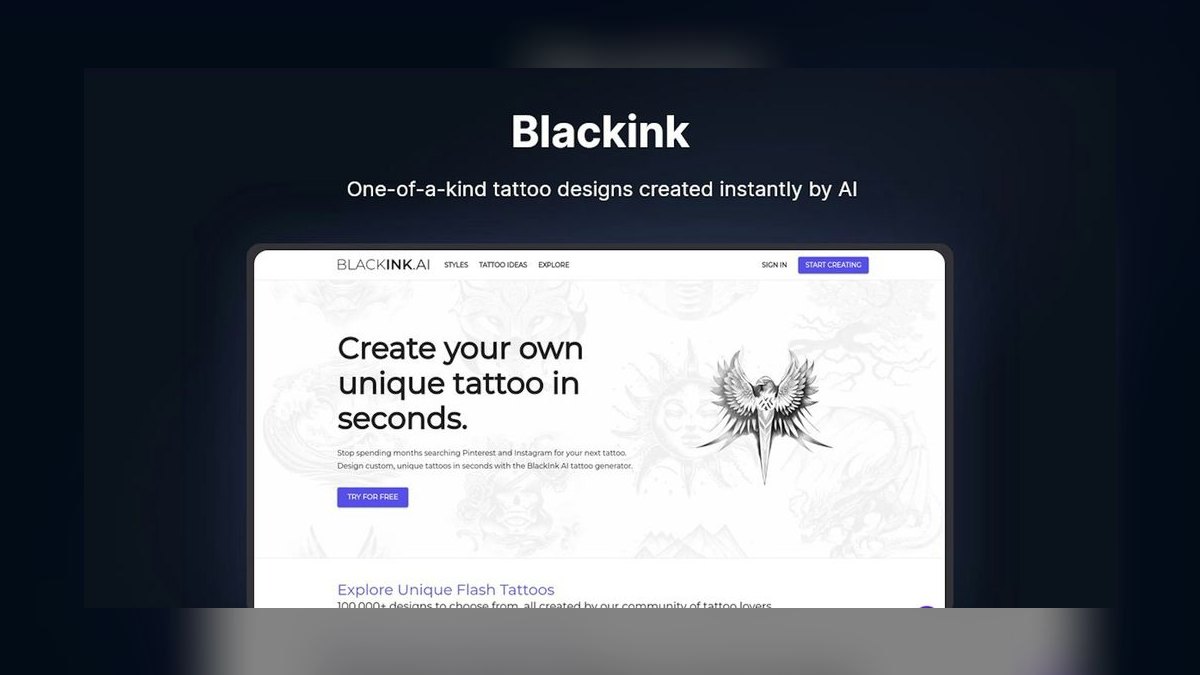
Blackink AI ranks second because it is the most credible tattoo-native generator on the market, with presets for fine line, geometric, traditional American, minimalist, and Japanese styles that remove prompt friction entirely. Instead of fighting a general model into tattoo territory, you pick a style and it generates designs already framed as tattoos on a clean background.
Blackink AI is for artists and clients collaborating on concepts fast, especially in walk-in consultation scenarios. It trades away the rendering ceiling of Midjourney directly above, failing to reach the same peak for complex realism or large-scale color work. As a concepting and client-communication tool, it is purpose-built and shows, but artists needing maximum rendering quality will still prefer Midjourney for final presentation pieces.
3Adobe Firefly
Adobe Firefly ranks third because it lives inside Photoshop, where tattoo artists already finish their work, and its Generative Fill and Generative Expand let you extend sleeve compositions, clean backgrounds, or rework linework non-destructively on the canvas you are editing. It is trained on Adobe Stock and licensed content, so its output carries commercial-use rights that nervous shop owners care about when selling flash.
Adobe Firefly is for the finishing stage of the workflow, bridging AI concept and hand-finished stencil. It trades away from-scratch generation quality, being middling as a standalone tattoo generator compared to Blackink AI directly above. As the integration point between AI output and professional hand refinement, nothing integrates better, but artists who need fast tattoo-native concepts will still reach for Blackink first.
4InkHunter
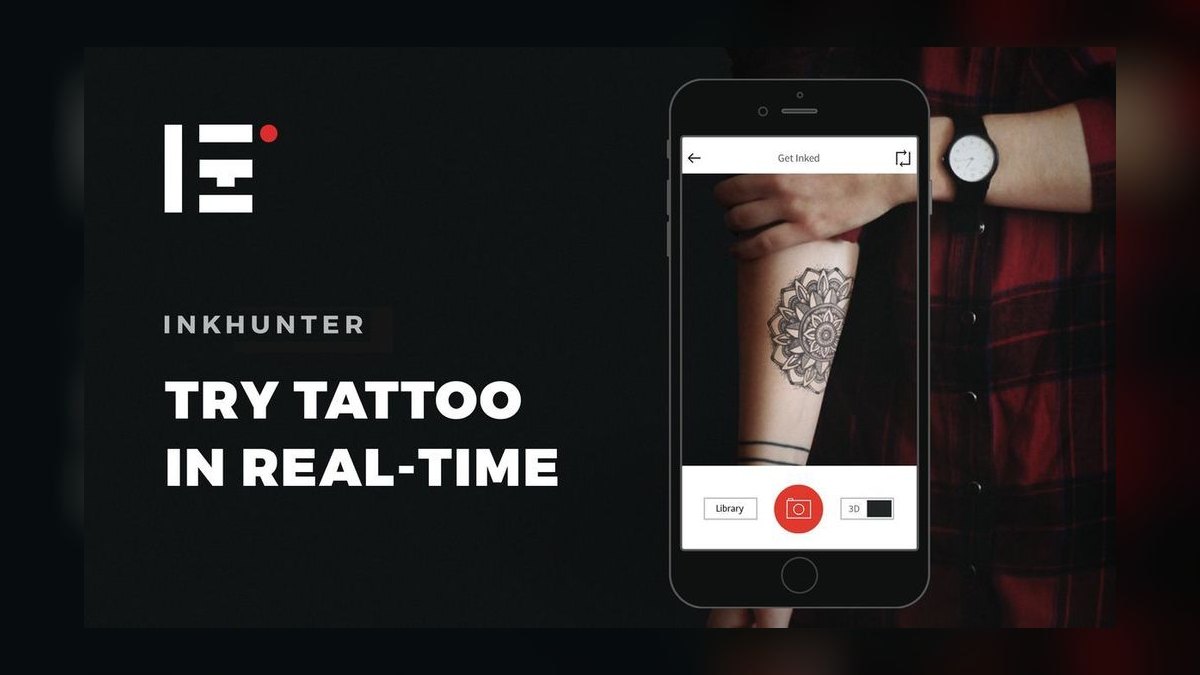
InkHunter ranks fourth because it is the AR placement specialist, solving the problem every other tool ignores: what a design actually looks like on the body. Point your phone camera at a forearm, draw the smiley reference marker, and InkHunter projects a tattoo design onto your skin in real time, scaled, positioned, and moving with you. It lets clients see a piece on their ribs, wrist, or shoulder before committing, killing the it's-bigger-than-I-imagined cancellation.
InkHunter is for the consultation phase, where clients second-guess size and placement endlessly. It trades away generation capability entirely, being not a generator but a try-on tool, so you must pair it with Midjourney or Blackink for the design itself. Compared to Adobe Firefly directly above, it solves a completely different problem, and as a placement tool it has no real equal, but it cannot help you create the design in the first place.
5Leonardo.ai
Leonardo.ai ranks fifth because it offers finer model control than Midjourney for users who want to tune things, with custom model selection and image guidance for pose, depth, and edge controls that steer composition tightly. Its Elements and fine-tuned community models cover tattoo-relevant styles, and the Canvas Editor supports inpainting to fix a hand or repair broken linework. The control surface is deeper than most cloud tools, making it a powerful browser-based option.
Leonardo.ai is for artists who want power without a local GPU and prefer ControlNet-style precision in a browser. It trades away the rendering peak of Midjourney directly above, landing between Midjourney's quality and Stable Diffusion's tinkering. Compared to InkHunter, it is a generation tool rather than a placement tool, so you will still need AR preview elsewhere. For an artist who wants deep control without local setup, it is a strong middle ground.
6DALL·E 3
DALL·E 3 ranks sixth because its prompt comprehension is the best in the industry, following long, specific, plain-English descriptions with literal accuracy that other tools miss. You can write a traditional swallow with a banner reading Mom, bold outlines, two-color, classic American style and get exactly that, making it exceptional for lettering and conceptual tattoos where text must render correctly.
DALL·E 3 is for artists and clients who need precise narrative compositions and correct text rendering without technical prompt knowledge. It trades away fine control, having no seeds or style references for cross-image consistency, making it a concepting tool rather than a flash-sheet production line. Compared to Leonardo.ai directly above, it is more accessible but less controllable, and the free Bing route makes it a zero-cost entry point for serious testing.
7Stable Diffusion
Stable Diffusion ranks seventh because it is the open-source workhorse for artists who want total control and zero per-image cost, running locally through ComfyUI or Automatic1111 with ControlNet, LoRA fine-tuning, and inpainting that no closed tool fully matches. Training a LoRA on your own portfolio makes the model generate in your style, a genuine edge for shops with a signature look.
Stable Diffusion is for the technical artist building a repeatable pipeline who is willing to invest setup time. It trades away accessibility, being the most powerful and least beginner-friendly option here, with a steep learning curve. Compared to DALL·E 3 directly above, it offers vastly more control but requires significant technical skill to leverage. It is worth it only if you will invest the time to master ComfyUI or Automatic1111.
8Tattoodo
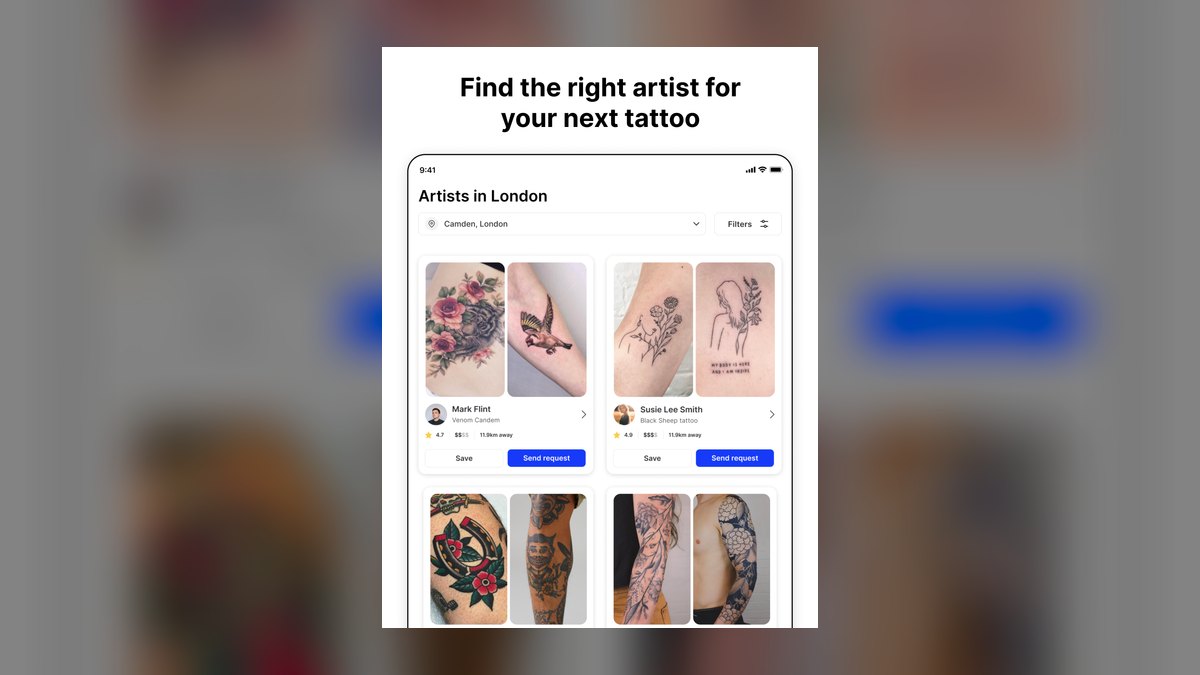
Tattoodo ranks eighth because it is the platform play, combining discovery, design, and artist-booking marketplace with AI-assisted concepting baked in. It connects clients to thousands of vetted artists worldwide and uses AI to help shape an idea before it ever reaches the chair. A client describes what they want, gathers reference, and gets matched to artists who actually work in that style, reducing the mismatch that wastes consult time.
Tattoodo is for the demand side and for artists wanting visibility, serving as a portfolio and lead channel as much as a design aid. It trades away pure generation quality, not being in Midjourney's league as a generator, but occupying a slot nothing else fills. Compared to Stable Diffusion directly above, it is far less technical but also far less powerful for actual design creation.
9Canva Magic Media
Canva Magic Media ranks ninth because it is the best value pick, with its text-to-image generator built into Canva's free tier and the surrounding editor handling layout, flash-sheet design, and client-ready mockups in one place. For a solo artist or new shop watching every dollar, the price-to-capability ratio is unbeatable.
Canva Magic Media is for budget-conscious artists who need design plus presentation plus marketing in one affordable tool. It trades away rendering quality, not out-rendering Midjourney, but the value is real for an artist who needs everything in one place. Compared to Tattoodo directly above, it is a design tool rather than a marketplace, but it offers far more creative capability. For a solo artist on a tight budget, the free tier alone is a compelling entry point.
10Fotor AI Tattoo Generator
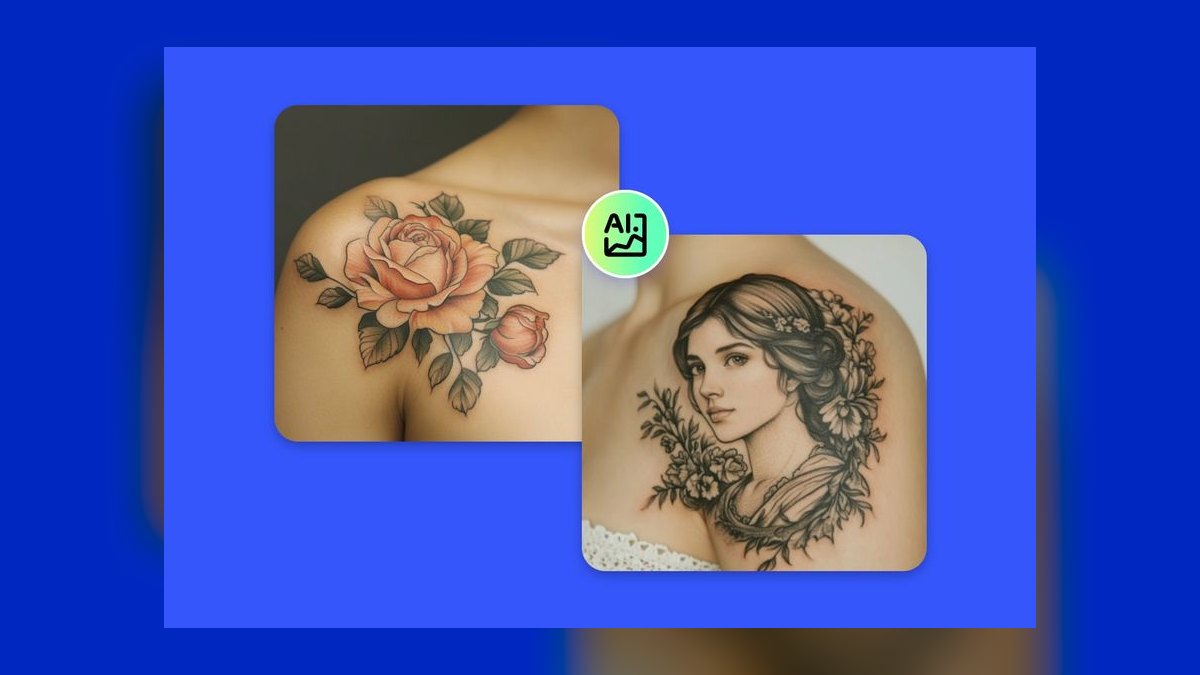
Fotor AI Tattoo Generator ranks tenth because it offers a dedicated tattoo generator inside its broader photo-editing suite, letting you enter a description, choose a style, and get quick concept variations with nothing to install. It is web and app based, making it accessible from anywhere, with adjacent tools like background remover, upscaler, and basic retouching for quick mockups.
Fotor is for fast, low-stakes ideation, such as a client wanting five rough directions for a small piece in two minutes. It trades away depth and control, being the most casual option on this list compared to Canva Magic Media directly above, which offers a more complete editor and better value. For an artist who needs a quick concept without any learning curve, it works, but serious production work demands a more capable tool.
How we ranked these
We measured linework quality, style fidelity, control, skin/placement preview, resolution and export, price and licensing, and workflow fit. Each tool was tested for stencil-ready output, commercial-use rights, and integration into a professional shop pipeline. These criteria were weighted most heavily because they determine whether an AI output can actually be used at the chair.
We deliberately ignored pure novelty apps that output watermarked low-res junk, and we did not rank tools on raw aesthetic beauty alone. A gorgeous painterly image that cannot hold up as a tattoo is useless. We also excluded tools without clear commercial licensing terms, since selling flash without rights is a legal risk no artist should take.
Related questions
What is the best AI tool for tattoo design in 2027?
Midjourney is the best overall AI tool for tattoo design in 2027, offering superior linework, shading, and stylistic coherence. It excels at producing clean, stencil-ready concepts when prompted correctly. For tattoo-native styles out of the box, Blackink AI is a strong runner-up, especially for fine line, geometric, and traditional American styles.
Can AI-generated tattoo designs be tattooed directly?
No, AI-generated designs should never be tattooed directly. They often have inconsistent line weights, open paths, and details that won't hold up in skin. Always redraw and clean the linework by hand in Procreate or Photoshop before transferring to a stencil. AI output is reference material, not a finished stencil.
Which AI tool is best for fine line tattoos?
Blackink AI has a dedicated fine line preset that produces clean, delicate designs. Midjourney also works well if you prompt for 'single needle, thin consistent lines.' For the best result, generate a concept and then redraw the lines by hand at the weight your tattoo machine will actually lay down.
How do I preview a tattoo on my body before getting it?
InkHunter is the best AR placement tool. It projects any uploaded design onto your skin through your phone camera in real time, allowing you to test size and placement on your forearm, wrist, or ribs. This helps clients visualize the final result and reduces the chance of post-tattoo regret.
Is there a free AI tattoo design tool?
Yes, several tools offer free tiers. Canva Magic Media includes free text-to-image generations, Bing Image Creator (DALL·E 3) is free, Leonardo.ai has a free daily token refresh, and Stable Diffusion can be run locally for free if you have a capable GPU. InkHunter is also free for AR placement previews.
Do I own the rights to AI tattoo designs?
Ownership depends on the tool. Adobe Firefly outputs carry commercial-use rights. Midjourney grants commercial use on paid plans. Free tools like Bing Image Creator have their own terms. Always check the licensing before selling flash. Note that purely AI-generated images may not be copyrightable on their own.
What is the best value AI tool for tattoo design?
Canva Magic Media is the best value pick. It offers a free tier with a monthly allotment of AI generations, plus a full editor for creating flash sheets, social posts, and client presentations. For a solo artist or new shop, it provides the best price-to-capability ratio without sacrificing design quality.
FAQ
What is the best AI tool for tattoo design in 2027?
Midjourney is the best overall AI tool for tattoo design in 2027, offering superior linework, shading, and stylistic coherence. It excels at producing clean, stencil-ready concepts when prompted correctly. For tattoo-native styles out of the box, Blackink AI is a strong runner-up, especially for fine line, geometric, and traditional American styles.
Can AI-generated tattoo designs be tattooed directly?
No, AI-generated designs should never be tattooed directly. They often have inconsistent line weights, open paths, and details that won't hold up in skin. Always redraw and clean the linework by hand in Procreate or Photoshop before transferring to a stencil. AI output is reference material, not a finished stencil.
Which AI tool is best for fine line tattoos?
Blackink AI has a dedicated fine line preset that produces clean, delicate designs. Midjourney also works well if you prompt for 'single needle, thin consistent lines.' For the best result, generate a concept and then redraw the lines by hand at the weight your tattoo machine will actually lay down.
How do I preview a tattoo on my body before getting it?
InkHunter is the best AR placement tool. It projects any uploaded design onto your skin through your phone camera in real time, allowing you to test size and placement on your forearm, wrist, or ribs. This helps clients visualize the final result and reduces the chance of post-tattoo regret.
Is there a free AI tattoo design tool?
Yes, several tools offer free tiers. Canva Magic Media includes free text-to-image generations, Bing Image Creator (DALL·E 3) is free, Leonardo.ai has a free daily token refresh, and Stable Diffusion can be run locally for free if you have a capable GPU. InkHunter is also free for AR placement previews.
Do I own the rights to AI tattoo designs?
Ownership depends on the tool. Adobe Firefly outputs carry commercial-use rights. Midjourney grants commercial use on paid plans. Free tools like Bing Image Creator have their own terms. Always check the licensing before selling flash. Note that purely AI-generated images may not be copyrightable on their own.
What is the best value AI tool for tattoo design?
Canva Magic Media is the best value pick. It offers a free tier with a monthly allotment of AI generations, plus a full editor for creating flash sheets, social posts, and client presentations. For a solo artist or new shop, it provides the best price-to-capability ratio without sacrificing design quality.
Will AI replace tattoo artists?
No, AI will not replace tattoo artists. It accelerates concepting and client communication, but tattooing is a hand skill that requires line consistency, skin behavior knowledge, and healing expertise. The artists who thrive in 2027 use AI to design faster, not to skip the craft.
What is the best workflow for using AI in tattoo design?
The winning workflow is a stack: generate concepts in Midjourney or Blackink AI, refine them in Photoshop with Adobe Firefly, preview placement with InkHunter, and always clean the linework by hand before it touches skin. This combines the strengths of each tool for professional results.
Sources
- https://www.midjourney.com/
- https://blackink.ai/
- https://www.adobe.com/products/firefly.html
- https://www.inkhunter.tattoo/
- https://leonardo.ai/
- https://openai.com/index/dall-e-3/
- https://stability.ai/stable-image
- https://www.tattoodo.com/
- https://www.canva.com/ai-image-generator/
- https://www.fotor.com/features/ai-tattoo-generator/
Related on PULSE
This page will be disappearing soon. Save it to your device for $1 — or read it free while it is here.
@Kory-White- · if Venmo asks, the last 4 of my number are 2012
This page is gone.
This one is off the shelf now. $1 keeps it on your phone for good — the whole page, pictures and diagrams included.
 pulse-ai-infrastructureWhat is GPU memory fragmentation and how do you avoid it in 2027?
 pulse-ai-infrastructureThe 10 Best AI Tools for Party Planning in 2027
 pulse-ai-infrastructureHow do you handle model rollbacks safely in production in 2027?
 pulse-ai-infrastructureHow do you evaluate LLM output quality at scale in 2027?
 pulse-ai-infrastructureThe 10 Best AI Tools for Reading PDFs Aloud in 2027
 pulse-ai-infrastructureThe 10 Best Data Versioning Tools for ML in 2027
 pulse-ai-infrastructureHow do you build a self-hosted LLM stack in 2027?
 pulse-ai-infrastructureHow do you get started with AI Infra in 2027?
 pulse-ai-infrastructureHow do you measure and improve GPU utilization in 2027?
 pulse-ai-infrastructureThe 10 Best LLM Fine-Tuning Platforms in 2027