


The 10 Best AI Tools for Reading PDFs Aloud in 2027
Quality
Certified
For most professionals who need a PDF read back to them with natural-sounding narration, Speechify is the best overall AI reader currently available: it handles native and scanned PDFs, runs on web, iOS, Android, and as a Chrome extension, and produces neural voices that work well on dense technical documents. The strongest runner-up is ElevenLabs Reader, whose voice quality is arguably the most lifelike in the category and is free to start.
If you never want to pay a cent and already live in a browser, Microsoft Edge Read Aloud is the best value — it opens any PDF and reads it with neural voices at no cost. This guide is for operators, researchers, students, and accessibility-focused readers who process long PDFs and want a tool that fits how they actually work.
How We Ranked These
Reading a PDF aloud sounds simple until you feed the tool a 60-page scanned contract, a research paper with two-column layout, or a slide deck exported to PDF. The tools below were judged on the criteria that actually matter for documents:
- Voice quality — do the neural voices sound natural on long, jargon-heavy text, or do they fall apart on acronyms and numbers?
- PDF handling — does it read native PDFs cleanly, and does it have OCR to handle scanned or image-only pages?
- Layout intelligence — can it follow two-column academic papers and skip headers, footers, and page numbers?
- Platform reach — web, desktop, iOS, Android, and browser extensions, plus offline listening.
- Speed and navigation — adjustable playback speed, sentence-level skipping, and word highlighting that tracks along.
- Price and value — free tiers, one-time purchases, and what the subscription actually unlocks.
- Accessibility — dyslexia-friendly fonts, OpenDyslexic support, and screen-reader compatibility.
1Speechify 🏆 BEST OVERALL

Speechify is the most complete PDF-reading tool currently available because it does the unglamorous parts well. Drop in a native PDF, a scanned contract, or a photo of a printed page, and its built-in OCR turns image-only text into speech without a separate conversion step. It runs as a web app, iOS and Android apps, and a Chrome extension, so the document you start on your laptop continues on your phone during a commute.
The voice library is the draw for professionals. Beyond standard neural voices, Speechify offers dozens of languages, and the playback tops out at very high speeds — useful when you're skimming a quarterly report by ear. Word-level highlighting tracks the narration, which helps with comprehension on dense material.
Pricing is subscription-based: a free tier exists with standard voices, while the premium plan runs roughly $139/year for the high-definition voices, faster speeds, and unlimited OCR scanning. For anyone who consumes PDFs daily — legal, finance, research, or operations — it earns the spend. Best for: all-around professional PDF and document listening across devices.
2ElevenLabs Reader

ElevenLabs Reader is the voice-quality leader. ElevenLabs built its reputation on generative text-to-speech that sounds genuinely human, and the consumer Reader app brings that engine to your own files. Import a PDF, ePub, TXT, or even an article URL, and it narrates with intonation that handles long sentences and clause breaks better than almost anything else.
The app is available on iOS and Android and is free to start, with paid tiers expanding the monthly character allowance and unlocking the premium voice models. You can pick from a wide voice catalog and switch narrators mid-document. Where it trails Speechify is document plumbing: OCR for scanned PDFs is limited, and it's more of a listening app than a heavy-duty document workstation.
If your PDFs are clean, text-based files — reports, ebooks, manuscripts — and you care more about how the narration sounds than about scanning paperwork, ElevenLabs Reader is the one to try first. Best for: listeners who prioritize the most lifelike voice.
3NaturalReader

NaturalReader has been a fixture in text-to-speech for years and remains one of the most capable PDF readers. It offers a web app, desktop software for Windows and macOS, mobile apps, and a browser extension. Upload a PDF and it reads it back with neural voices; its OCR handles scanned documents and even photographed pages.
The product is split for two audiences. The personal tiers cover individuals who want premium voices and higher daily limits — paid plans commonly start around $9.99/month depending on the tier. Separately, NaturalReader EDU and commercial licensing serve schools and businesses with bulk AI voice access. A genuinely usable free tier lets you test the standard voices before paying.
NaturalReader's strength is breadth: it reads PDFs, Word docs, ePub, and web pages, and the cross-platform consistency is reliable. It's a safe, no-surprises pick when you want a mature tool rather than the newest engine. Best for: cross-platform readers who want a proven, full-featured option.
4Adobe Acrobat Read Out Loud

If you already open PDFs in Adobe Acrobat Reader, you have a reader built in. The Read Out Loud feature is activated under View → Read Out Loud, or with the keyboard shortcut Ctrl+Shift+Y on Windows, and it narrates the current page or the whole document using your operating system's installed voices.
This is not the most natural-sounding option — it leans on system text-to-speech rather than a modern neural engine — but it has two real advantages. First, it's free with the standard Acrobat Reader. Second, it reads PDFs natively inside the exact app where your documents already live, so there's no uploading, no conversion, and no third-party privacy question about where your file went. For a confidential contract or an internal memo, that matters.
Acrobat's accessibility tooling also includes a tagging and reflow system that helps Read Out Loud follow the intended reading order on well-structured PDFs. Best for: people who want a built-in, no-upload reader for sensitive documents.
5Microsoft Edge Read Aloud 💎 BEST VALUE

Microsoft Edge quietly became one of the best free PDF readers on the planet. Edge opens any PDF directly in the browser, and its Read Aloud button (or Ctrl+Shift+U) narrates the document using Microsoft's neural voices — the same natural-sounding voices behind Azure speech. You get adjustable speed, a choice of voices and accents, and word highlighting that follows along.
The value is unbeatable: it costs nothing, requires no account, and is already installed on every Windows 11 machine. Because Edge renders the PDF locally, there's no upload step for routine documents. The limits are honest — there's no OCR, so image-only scanned PDFs won't read, and it's tied to the browser rather than offering a dedicated mobile listening experience.
For native, text-based PDFs — which is the majority of what most people read — Edge Read Aloud delivers neural-quality narration for free. It's the first thing to try before paying for anything. Best for: anyone who wants free, high-quality narration of standard PDFs.
6Listening.com

Listening.com was built specifically for the use case the general tools handle clumsily: academic papers and research PDFs. Upload a journal article and it intelligently skips headers, footnotes, figure captions, and reference lists, and it follows two-column layouts the way a human reader would — a problem that trips up most consumer apps.
It targets students, researchers, and academics, with features like the ability to ask questions about the paper, jump between sections, and listen at high speed. The voices are modern and natural, and there are iOS and Android apps for listening on the move. Pricing is subscription-based with a free trial, and it offers student discounts.
If your PDFs are mostly arXiv preprints, peer-reviewed papers, or textbook chapters, Listening.com's layout intelligence saves you from the maddening experience of a tool reading "Figure 3" in the middle of a sentence. Best for: researchers and students consuming academic PDFs.
7Voice Dream Reader
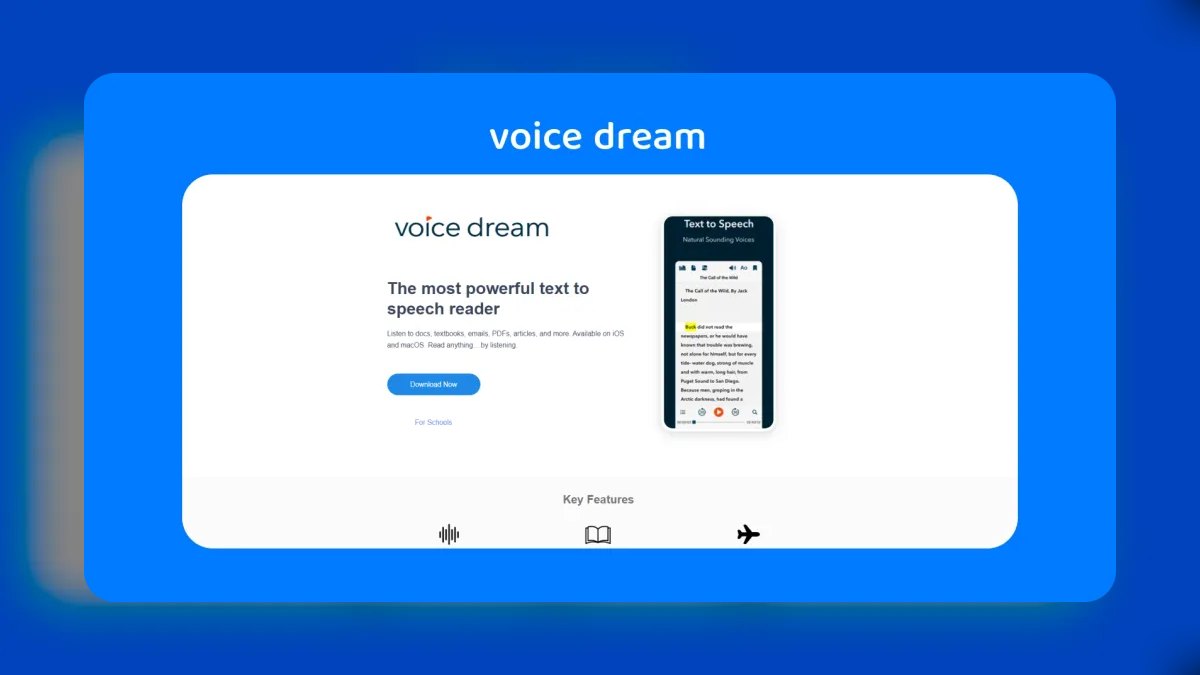
Voice Dream Reader is a long-standing favorite in the accessibility community, particularly among readers with dyslexia or low vision. It imports PDFs (with OCR for scanned files), ePub, DOCX, and more, and pairs the audio with strong visual reading aids: customizable fonts including OpenDyslexic, adjustable spacing, color overlays, and synchronized word highlighting.
The app is strongest on Apple platforms — iOS, iPadOS, and macOS — and integrates with VoiceOver and the broader Apple accessibility stack. It pulls in premium voices and supports a wide range of languages. Originally a one-time purchase, it has shifted toward a subscription model in recent years, so check current pricing before committing.
What sets it apart is the combination of listening plus reading support in one screen, which is why educators and accessibility specialists recommend it. Best for: dyslexic and low-vision readers who want audio plus visual reading aids.
8Read&Write by Texthelp
Read&Write, made by Texthelp, is the heavyweight in education and workplace accessibility. It's a toolbar that layers onto Google Chrome, Microsoft Word, and Google Docs, and it reads PDFs aloud with natural voices and word-by-word highlighting. Its OCR can make inaccessible scanned PDFs readable, and it adds vocabulary tools, picture dictionaries, and study aids.
It's widely deployed by schools, universities, and employers under site licenses, often provided to students and staff at no personal cost — so check whether your institution already gives you access before buying. Individual subscriptions are available, and there's a limited free version. Texthelp positions Read&Write as a workplace inclusion tool, which is why it's common in corporate accessibility programs.
This isn't the tool for casually listening to an ebook; it's a comprehensive literacy support suite where PDF read-aloud is one feature among many. Best for: students and employees with institutional access who need a full literacy toolkit.
9PlayAI (Play.ht)
PlayAI, formerly Play.ht, is best known as an AI voice generator for producing voiceovers and audio content, but it includes a reader that narrates documents and articles with some of the more natural generative voices available. You can paste text or upload files and choose from a large catalog of voices and languages.
Its real niche overlaps with creators: if you want to not only listen to a PDF but also export the narration as an audio file — turning a report into a shareable MP3 or a quasi-podcast — PlayAI's generation pipeline is built for exactly that. Pricing is subscription-based and tiered by the number of characters or minutes of audio you generate.
As a pure passive reader it's less convenient than Speechify or Edge, and heavy scanned-PDF workflows aren't its focus. But for turning written documents into polished audio you can save and distribute, it's a strong specialist. Best for: creators who want to convert PDFs into exportable, shareable audio.
10Balabolka
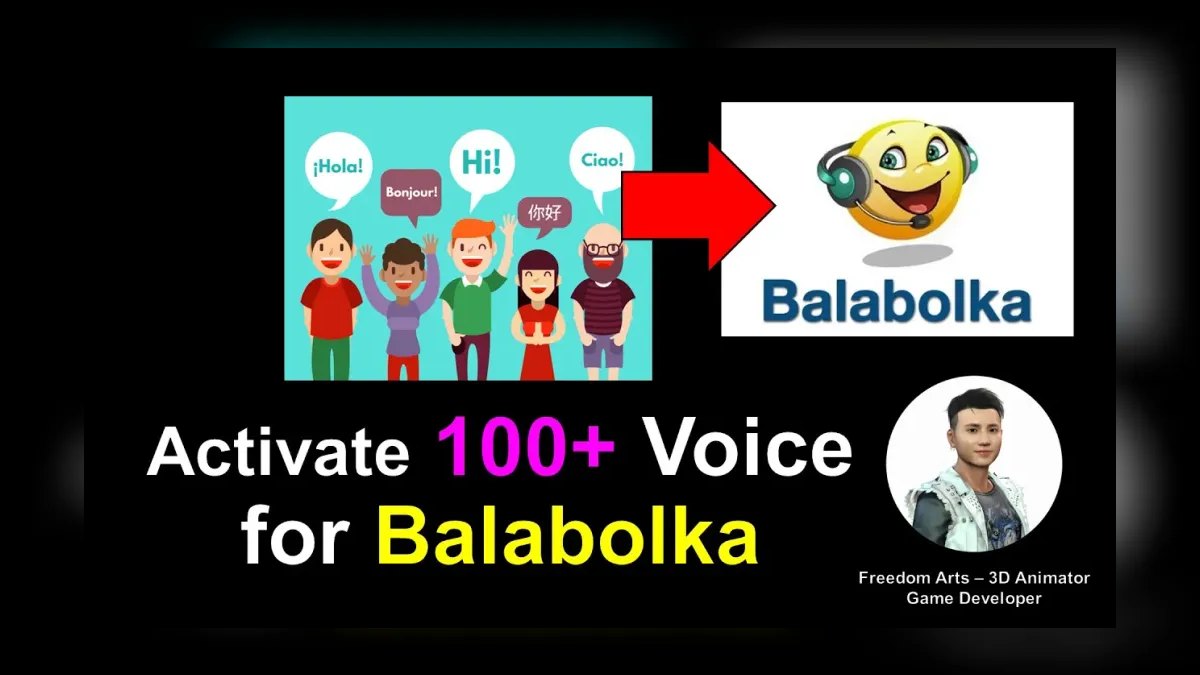
Balabolka is the free, no-frills classic that still earns a spot. It's a Windows desktop application that reads a long list of formats — including PDF, DOC, DOCX, ePub, FB2, and TXT — using whatever SAPI voices are installed on your system, and it can save the narration to MP3, WAV, or OGG files for offline listening.
It is completely free and has no account, no upload, and no subscription. The trade-off is that voice quality depends entirely on the voices installed on your PC; with only the default Windows voices it sounds dated, though it improves dramatically if you add premium neural voices to the system. It also lacks the polished mobile and cloud experience of the paid leaders.
For privacy-conscious users, offline workflows, or older hardware, Balabolka does the core job — reading a PDF aloud and exporting audio — without costing anything. Best for: free, offline, privacy-first PDF narration on Windows.
FAQ
Which tool is best for scanned or image-only PDFs? You need OCR. Speechify, NaturalReader, Read&Write, and Voice Dream Reader all include OCR to convert scanned images into readable text. Free browser readers like Edge Read Aloud do not.
What's the best completely free option? Microsoft Edge Read Aloud for native PDFs in the browser, Adobe Acrobat Reader's Read Out Loud for an in-app no-upload option, and Balabolka for offline Windows use with audio export. All three cost nothing.
Which has the most natural-sounding voice? ElevenLabs Reader is widely considered the most lifelike, with Speechify and the neural voices in Edge close behind.
Can these read two-column academic papers correctly? Most consumer tools struggle with multi-column layouts. Listening.com is purpose-built for research papers and follows two-column flow while skipping captions and references.
Are there tools designed for dyslexia? Yes — Voice Dream Reader and Read&Write by Texthelp combine read-aloud with dyslexia-friendly fonts like OpenDyslexic, color overlays, and synchronized highlighting.
Can I save a PDF as an audio file to listen offline? PlayAI and Balabolka let you export narration to MP3, and several premium apps offer offline downloads within their own players.
Bottom Line
For everyday professional use, Speechify is the most complete choice — it reads native and scanned PDFs, runs everywhere, and sounds good doing it. If voice realism is your top priority and your files are clean, start with ElevenLabs Reader. And before spending anything, try Microsoft Edge Read Aloud, which narrates standard PDFs with neural voices for free.
Match the tool to your documents: OCR for scans, layout intelligence for research papers, and a local option when the file is confidential.
Related on PULSE
- The 10 Best AI Tools for Reading Comprehension
- The 10 Best AI Tools for Shopping Cart Development
- The 10 Best AI Tools for Favicon and Icon Design
Sources
- Speechify — Text to Speech & PDF reader
- ElevenLabs Reader app
- NaturalReader — Text to Speech Online
- Adobe Acrobat — Read Out Loud feature
- Microsoft Edge — Read Aloud / Immersive Reader
- Listening.com — Listen to research papers
- Voice Dream Reader
- Read&Write by Texthelp
- PlayAI (Play.ht) — AI text to speech
- Balabolka — free text-to-speech software
*Best AI tools for reading PDFs aloud — top text-to-speech PDF readers with OCR, natural neural voices, and free options for professionals, researchers, and students.*
People also search for: best ai tools for reading pdfs aloud · top ai tools for reading pdfs aloud · top rated ai tools for reading pdfs aloud · top ranked ai tools for reading pdfs aloud · highest rated ai tools for reading pdfs aloud · ai tools for reading pdfs aloud reviews
This page will be disappearing soon. Save it to your device for $1 — or read it free while it is here.
@Kory-White- · if Venmo asks, the last 4 of my number are 2012
This page is gone.
This one is off the shelf now. $1 keeps it on your phone for good — the whole page, pictures and diagrams included.
 pulse-ai-infrastructureThe 10 Best AI Tools for Squarespace Websites in 2027
 pulse-ai-infrastructureHow much does AI Infra cost in 2027?
 pulse-ai-infrastructureWhat is the best way to approach AI Infra in 2027?
 pulse-ai-infrastructureThe 10 Best AI Tools for Speech Writing in 2027
 pulse-ai-infrastructureThe 10 Best AI Tools for Favicon and Icon Design in 2027
 pulse-ai-infrastructureThe 10 Best AI Tools for Design Mockups in 2027
 pulse-ai-infrastructureThe 10 Best MLOps Platforms in 2027
 pulse-ai-infrastructureThe 10 Best Data Warehouses for Machine Learning in 2027
 pulse-ai-infrastructureWhat is model serving and how is it different from a REST API in 2027?
 pulse-ai-infrastructureThe 10 Best LLM Fine-Tuning Platforms in 2027