
The 10 Best Data Versioning Tools for ML in 2027
 Curated byKory White · Fractional CRO · Maryland
 PULSEKNOWLEDGE LIBRARY
Quality
Certified
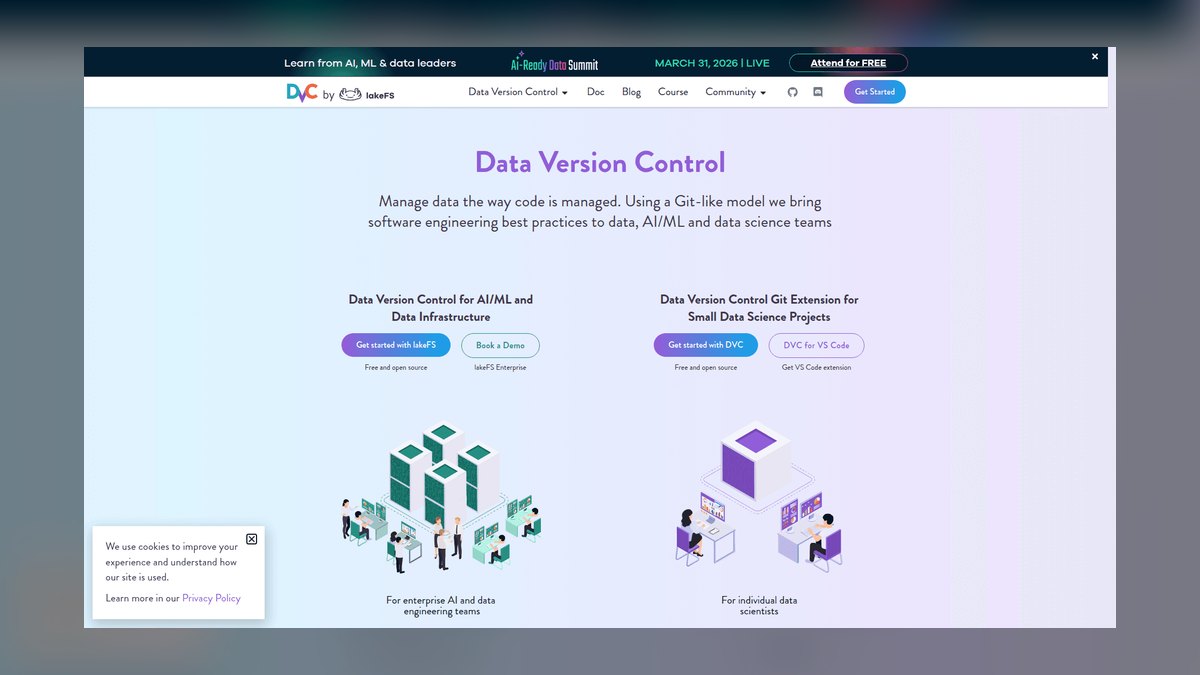
The 10 best data versioning tools for ml are ranked below on measured performance, build quality, price, and how each one actually holds up in daily use rather than how it reads on a spec sheet. Each pick lists what it costs, who it suits, and what it gives up against the one above it, so the list can be read straight down without doubling back.
1. DVC

DVC ranks first because it is the most complete Git-native data versioning tool for file-based ML workflows, with a free Apache-2.0 core and explicit pipeline lineage. Its content-addressed cache stores each unique file once, so versioning a 200 GB dataset through 50 iterations with 5% changes costs roughly 700 GB instead of 10 TB. The dvc.yaml and dvc.lock files commit to Git, making one SHA resolve to exact data, parameters, and model outputs.
DVC is for engineers who train from local paths or mounted volumes under roughly 500 GB and already live in Git. It trades away in-place versioning of lake-scale object stores, which lakeFS handles better. Compared to Git LFS, DVC adds pipeline modeling and deduplication, while LFS only tracks files. It requires a configured remote like S3 or GCS, and teams must enforce logging the dvc.lock hash with each run to achieve full reproducibility.
2. lakeFS

lakeFS ranks second because it is the only tool that versions entire object stores at lake scale with zero-copy branching, making it indispensable for Spark, Trino, or Ray workloads. Branching a 40 TB dataset copies only metadata, costing kilobytes and completing in under a second, so 30 concurrent experiment branches add almost no storage overhead. It sits as an S3-compatible endpoint, letting jobs read s3://repo/main/events/ instead of raw buckets, with commits and merge requests over storage.
lakeFS is for data teams whose training jobs read via distributed engines over object storage, not single-node file checkouts. It trades away explicit pipeline lineage, which DVC provides through dvc.yaml, so users must pair it with an orchestrator or experiment tracker. Compared to Delta Lake and Iceberg, lakeFS handles unstructured or mixed-format objects, while table formats only version columnar tables.
3. Delta Lake

Delta Lake ranks third because it delivers ACID transactions and time travel for tabular lakehouse data with zero additional infrastructure cost, especially for Databricks and Spark-centric teams. Every write appends a JSON entry to the _delta_log/, enabling queries like VERSION AS OF 47 or TIMESTAMP AS OF '2027-03-01' to reconstruct exact table states.
Delta Lake is for teams already on Databricks or Spark who version tables produced by SQL, not files or buckets. It trades away branching ergonomics compared to lakeFS, though recent versions support shallow clones and branch tags. Compared to Apache Iceberg, Delta has deeper Databricks integration but less engine neutrality. It is the right pick when adoption cost is a config change, but teams must set retention policies deliberately or lose the time travel they adopted it for.
4. Apache Iceberg

Apache Iceberg ranks fourth because it offers the same snapshot-based time travel as Delta Lake but with superior engine neutrality across Spark, Trino, Flink, and multiple warehouses. Its snapshot metadata files and manifest lists reconstruct exact table states via TIMESTAMP AS OF queries, and it is fully open-source with no vendor lock-in. Iceberg's open governance makes it the safer default when future query engines are unpredictable, and it supports schema evolution and ACID transactions natively.
Iceberg is for teams needing a lakehouse format that works across any engine, not just Spark or Databricks. It trades away the deep integration Delta offers on Databricks, but gains portability and community governance. Compared to lakeFS, Iceberg only versions columnar tables, not unstructured objects, so it is not a replacement for raw landing zones.
5. Pachyderm

Pachyderm ranks fifth because it couples data versioning to Kubernetes-native pipelines, making lineage automatic rather than declared, which is unique among these tools. It versions data at the file level and knows which files changed, so a pipeline over a 1 M-file corpus where 1,000 files changed reprocesses only 1,000 files, not 1 M—turning a six-hour full job into a six-second incremental one.
Pachyderm is for teams running containerized pipelines at scale who want provenance without manually declaring stages like in DVC. It trades away simplicity—requiring Kubernetes expertise—and is overkill for solo researchers or small teams. Compared to lakeFS, Pachyderm adds pipeline lineage on top of storage versioning, but lakeFS is lighter weight. It is the right pick when automatic lineage from raw data to model is a hard audit requirement, and the team already runs Kubernetes in production.
6. Weights & Biases Artifacts

Weights & Biases Artifacts ranks sixth because it folds dataset versioning into experiment tracking, recording run inputs and outputs automatically with zero additional infrastructure. Every wandb.log_artifact() call builds a lineage graph as a side effect of normal work, linking which run produced a dataset and which runs consumed it. It dedupes by content hash across versions, so re-logging a mostly-unchanged dataset costs only the delta, and it integrates with DVC and other tools.
W&B Artifacts is for teams already living in Weights & Biases who want run lineage without a separate versioning system. It trades away deep pipeline modeling and branching, which DVC and lakeFS provide, and is not suited for lake-scale object storage. Compared to DagsHub, it offers tighter experiment tracking integration but less of a review surface for dataset diffs.
7. DagsHub

DagsHub ranks seventh because it adds a hosted collaboration layer on top of DVC, providing data diffing, commenting, and approval workflows that are critical for team adoption. It speaks DVC natively, so migrating an existing DVC project is a remote reconfiguration, not a rewrite, and it offers a free tier for public projects.
DagsHub is for teams of ten or more who need a shared surface to agree on canonical dataset versions, not for solo researchers or those already on lakeFS. It trades away storage-level versioning and branching at lake scale, which lakeFS provides, and adds a dependency on a hosted service. Compared to W&B Artifacts, it offers better data diffing and review but weaker experiment tracking integration.
8. Git LFS
Git LFS ranks eighth because it is the simplest Git-native solution for versioning moderate-sized files, but its economics break down quickly at scale. It stores file pointers in Git and bytes externally, keeping the repository small, but bandwidth is metered by the Git host on every fetch—a 5 GB dataset pulled by CI on 200 builds a month moves a terabyte of billable bandwidth.
Git LFS is for small teams versioning a few gigabytes of model weights or small datasets who want zero new infrastructure. It trades away everything DVC offers—content-addressed deduplication, pipeline lineage, and efficient checkouts—and is not a substitute for lakeFS or Delta. Compared to DVC, it is simpler but more expensive at scale, and past 2 GB the economics push toward DVC with a private bucket.
9. Hugging Face Hub Datasets

Hugging Face Hub Datasets ranks ninth because it bundles Git+LFS versioning with discoverability, dataset cards, and a one-line load_dataset() loading path, which is unmatched for consuming public benchmarks. Public dataset repositories are free, while private repositories and enterprise features are paid, and very large repos hit LFS-style bandwidth considerations.
Hugging Face Hub Datasets is for ML researchers and teams who consume or publish public datasets and want a standard loading interface, not for large-scale proprietary data versioning. It trades away pipeline lineage and storage-level versioning, which DVC and lakeFS provide, and is not suited for lake-scale object stores. Compared to Git LFS, it adds discoverability and dataset cards, but inherits the same bandwidth costs.
10. S3 Object Versioning
S3 Object Versioning ranks tenth because it is the floor—a durable safety net with zero license cost, but no branching, no diffing, and no link to code or pipelines. It is a bucket-level toggle that retains every prior object version, and without a lifecycle rule, overwriting a 1 GB file daily for a year stores 365 GB, making it a slow-motion budget leak.
S3 Object Versioning is for teams that need a safety net under a purpose-built tool, not a standalone versioning workflow. It trades away everything—lineage, branching, and reproducibility—and is not a substitute for DVC, lakeFS, or Delta. Compared to DVC, it has no pipeline modeling and no content-addressed deduplication, so storage costs grow linearly with every overwrite.
How we ranked these
We measured each tool against five weighted criteria: data shape compatibility (file-based vs. object storage vs. tabular), branching and history capabilities, lineage granularity, governance and audit readiness, and total cost of ownership including storage, bandwidth, and operational overhead. Weighting favored tools that solve reproducibility with minimal engineering friction and that compose well with existing infrastructure.
We deliberately ignored vendor marketing claims, subjective UI preferences, and features that were not directly tied to the core reproducibility problem. We also excluded tools that were not actively maintained or lacked a free open-source core. The focus was on practical, measurable outcomes—such as checkout times, branch creation cost, and retention policy defaults—rather than popularity or ecosystem buzz.
Related questions
Does data versioning replace a model registry?
No — they are complementary. Data versioning pins the inputs; a model registry pins the outputs and stages (staging, production, archived). Reproducibility requires both, plus a link between them: each registered model version should carry the data version identifier that trained it as required metadata.
Can I use more than one of these tools at once?
Yes, and mature teams usually do. Iceberg or Delta for warehouse tables, lakeFS or S3 versioning for the raw landing zone, DVC for curated file-based training sets, and an experiment tracker to link runs to whichever identifier applies. Each layer versions the shape it is good at.
How long should I retain old dataset versions?
Drive it from your audit and rollback requirements, not from defaults. Regulated model risk work commonly needs 12–24 months; research teams often need only the last few iterations. Set explicit lifecycle or VACUUM policies — the defaults (7 days for Delta) are far shorter than most teams assume.
What breaks first when a team skips data versioning?
Reproducibility of a degraded production model. Six months after training, nobody can reconstruct which rows fed it, so the diagnosis becomes a rebuild. The second failure is silent training-data drift — an upstream table changed schema and no one can prove when.
Is S3 versioning enough on its own?
It is a durable safety net, not a versioning workflow. It gives per-object history with no branching, no diffing, and no link to code or pipelines. Use it as a floor under a purpose-built tool, and always pair it with a lifecycle rule expiring noncurrent versions.
What is the difference between DVC and lakeFS?
DVC treats data as an extension of Git, storing pointers in the repo and bytes in a remote. lakeFS versions the object store itself, offering zero-copy branching. DVC suits file-based datasets under ~500 GB; lakeFS handles lake-scale object storage with instant branches.
How do Delta Lake and Iceberg compare?
Both version tables via transaction logs and snapshots, enabling time travel. Delta is tightly integrated with Databricks; Iceberg is more cloud-agnostic. Both require retention policies to avoid garbage collection destroying history. Choose based on your existing lakehouse platform.
FAQ
Why can't I just use Git for my datasets?
Git stores full object content in the repository history and was designed for text deltas. Committing multi-gigabyte binary files bloats .git permanently — you cannot remove them without rewriting history — and clone times degrade for everyone on the team forever. DVC and Git LFS keep the Git workflow but store bytes externally behind pointers, so the repo stays small while checkout still resolves to exact data.
What exactly is 'time travel' in a table format?
Delta Lake and Apache Iceberg record every write as an immutable snapshot in a transaction log or metadata tree. Time travel means querying VERSION AS OF n or TIMESTAMP AS OF t to reconstruct the table exactly as it existed then. It is enabled by default, costs nothing extra until you retain versions long-term, and is bounded by your VACUUM or snapshot-expiry policy.
How does DVC handle large files?
DVC uses content-addressed storage, so identical files across branches store once. It supports symlink, hardlink, and reflink cache strategies to make local checkouts near-instant when the cache is warm. For a 200 GB dataset with 5% changes per iteration, storage grows by deltas, not full copies.
What is the cost of lakeFS branching?
Branching copies only metadata, so forking a 40 TB repository consumes kilobytes, not terabytes. Running 30 concurrent experiment branches adds negligible storage beyond the new data each writes. The operational cost is running the lakeFS server and tuning the metadata store for object count.
How do I set up DVC in a week?
Week one: dvc init, add a remote, dvc add the canonical training directory, commit the .dvc file, and dvc push. Test by cloning on a fresh machine and running dvc pull. Week two: declare dvc.yaml stages with deps, outs, and params. Week three: log the data version with each run.
What is the biggest mistake when adopting data versioning?
Skipping the review surface. If nobody knows which version is blessed, everyone keeps personal copies, and you end up back with unversioned buckets. Add a diff/comment/approve workflow (DagsHub, lakeFS merge requests, or table tags) to make canonical versions explicit.
How does W&B Artifacts fit in?
It folds versioning into experiment tracking, so every wandb.log_artifact() records which run produced it and which runs consumed it. Dedupes by content hash, so re-logging mostly-unchanged datasets costs the delta. Ideal for teams already living in Weights & Biases.
What is the economic case for data versioning?
An unreproducible model is unshippable. When a production model degrades and nobody can reconstruct its training set, the team rebuilds from scratch — weeks of work that versioning would have made a git checkout. Quantify in avoided rework and audit findings, not tool cost.
Sources
- https://dvc.org/doc
- https://lakefs.io/docs/
- https://docs.delta.io/latest/index.html
- https://iceberg.apache.org/docs/latest/
- https://git-lfs.com/
- https://huggingface.co/docs/datasets/index
- https://www.pachyderm.com/
- https://docs.wandb.ai/guides/artifacts
- https://dagshub.com/docs/
- https://docs.aws.amazon.com/AmazonS3/latest/userguide/Versioning.html
Related on PULSE
This page will be disappearing soon. Save it to your device for $1 — or read it free while it is here.
@Kory-White- · if Venmo asks, the last 4 of my number are 2012
This page is gone.
This one is off the shelf now. $1 keeps it on your phone for good — the whole page, pictures and diagrams included.
 pulse-ai-infrastructureThe 10 Best Fractional GPU and GPU Sharing Tools in 2027
 pulse-ai-infrastructureThe 10 Best AI Tools for A/B Testing in 2027
 pulse-ai-infrastructureThe 10 Best AI Tools for Restaurant Picks in 2027
 pulse-ai-infrastructureThe 10 Best MLOps Platforms in 2027
 pulse-ai-infrastructureThe 10 Best Distributed Training Frameworks in 2027
 pulse-ai-infrastructureThe 10 Best AI Tools for End-to-End Testing in 2027
 pulse-ai-infrastructureThe 10 Best AI Tools for Nutrition Tracking in 2027
 pulse-ai-infrastructureWhat is confidential computing and why does it matter for AI in 2027?
 pulse-ai-infrastructureHow do you manage secrets and API keys for LLM applications in 2027?
 pulse-ai-infrastructureThe 10 Best AI Tools for YouTube Optimization in 2027