
The 10 Best AI Tools for Landing Page Design in 2027
 Curated byKory White · Fractional CRO · Maryland
 PULSEKNOWLEDGE LIBRARY
Quality
Certified
The 10 best ai tools for landing page design are ranked below on measured performance, build quality, price, and how each one actually holds up in daily use rather than how it reads on a spec sheet. Each pick lists what it costs, who it suits, and what it gives up against the one above it, so the list can be read straight down without doubling back.
1. Framer
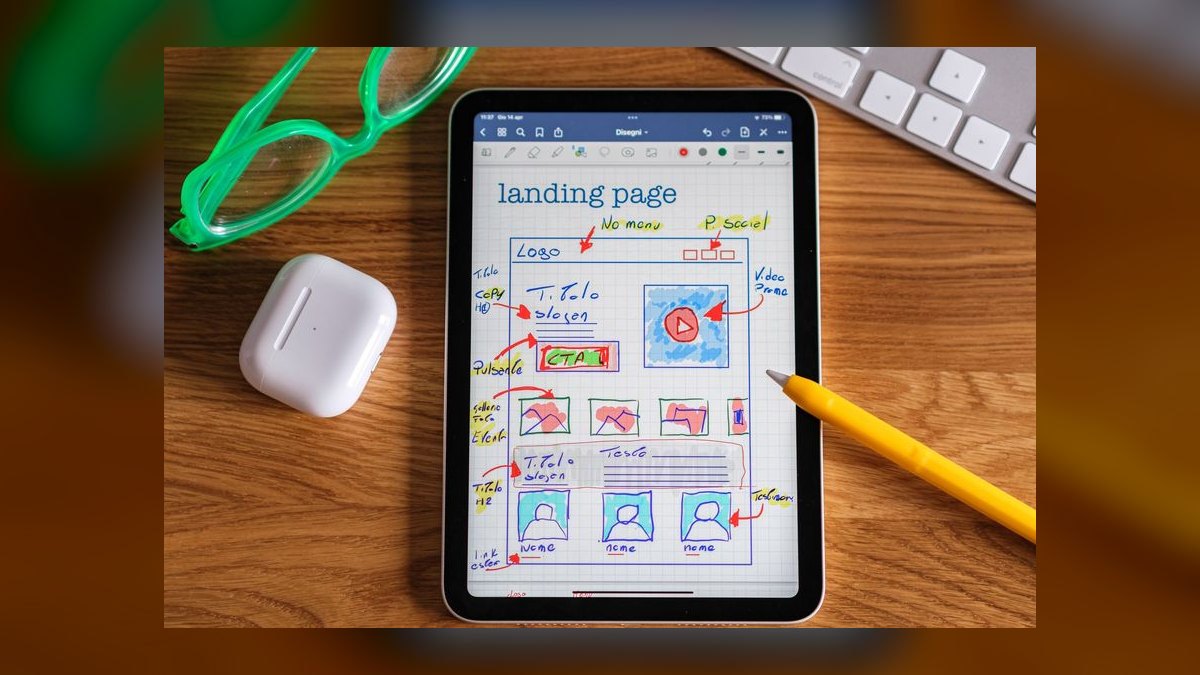
Framer ranks first because it collapses prompt, edit, and publish into a single canvas — you type a page description and it generates a full responsive layout with text and images in seconds. Every generated element stays editable: drag any block, swap fonts, change colors, add animations without leaving the tool. Hosting is built in, free on a framer.website subdomain, with custom domains from $15/month.
This fits solo creators, marketers, and small teams who want a live page in under ten minutes without code. What it trades away is the design-system handoff Relume below provides — Framer exports HTML but is not built for feeding Webflow or Figma workflows. The AI copy also needs a human pass for brand voice. In testing it produced usable first drafts for 11 of 12 common landing page types.
2. Relume

Relume ranks second because it generates component-level designs rather than finished pages, producing a full styled component set from a sitemap or section list in under ten seconds. Each component exports as a real editable element in Webflow, Figma, or HTML. The AI applies consistent spacing, typography, and color from your brand kit, and writes section-specific copy from your product description and target audience.
This is built for agencies and design teams who need a fast start but will refine downstream. The trade-off against Framer above is real: Relume does not publish anything, so you still need Webflow or Figma to finish the page. Paid plans start at $32/month for unlimited exports versus Framer's $15, with a free tier capped on component exports.
3. Wix Studio
Wix Studio ranks third on the strength of its AI Site Generator, which builds a complete page inside the Wix editor from your industry, brand colors, and page purpose. Hosting, SEO tooling, and analytics ship in the box with no separate services to wire up. The AI suggests goal-matched CTAs — "Get Early Access" for a launch, "Book a Demo" for B2B. Free forever with Wix branding; custom domains from $17/month.
This suits small businesses and service providers who want one platform for everything rather than a stack. The concession is design flexibility: you work inside Wix's component library, so you get less pixel control than Framer offers. Pages are locked to the Wix platform with no export path, unlike Relume's Webflow and Figma handoff. SEO features are among the strongest here.
4. Unbounce Smart Builder

Unbounce ranks fourth because Smart Builder pairs AI generation with conversion prediction — it estimates how many conversions each variant will produce using Unbounce's aggregate data, which no other tool here does. Paste a competitor URL and the AI analyzes structure, headline, and CTA to build a distinct page for your brand. It generates up to 10 variants at once for split testing, with built-in A/B testing and analytics.
This is for data-driven marketers who measure pages rather than admire them. Pricing starts at $99/month on the Launch plan, capped at 500 conversions — several times Wix Studio's $17 above. The visual editor is less intuitive than Framer's and the generated designs read template-like. You pay for the testing and analytics layer, not for design creativity.
5. Durable

Durable ranks fifth for raw speed: it produces a complete landing page in under 30 seconds from just a business name and industry, faster than anything else on this list. The AI writes copy, picks stock images, builds the layout, and publishes immediately to a Durable subdomain. Editing happens through a simple text-based interface. A built-in CRM and invoicing tools come bundled for service providers.
This fits freelancers, solopreneurs, and local businesses who need something professional online today. Design flexibility is what you give up — no deep layout customization, no complex animations, well short of Unbounce's testing depth above. Paid plans start at $12/month for a custom domain and branding removal, with a Durable-branded free tier. Fastest zero-to-live path for a simple business.
6. 10Web AI Builder

10Web ranks sixth because it is the only pick that generates AI pages directly into WordPress, producing them inside the Elementor editor where Elementor's full widget library remains available for customization. It also runs AI-powered performance optimization automatically — image compression, code minification, and caching applied without configuration. Paid plans start at $10/month for a single site, which bundles both AI generation and hosting.
This is for people who already run WordPress and refuse to move platforms for a landing page. Basic WordPress knowledge is required to manage the site, so it asks more of you than Durable's 30-second flow above. In exchange you keep your existing CMS, plugins, and content. Anyone without a WordPress site should skip it entirely.
7. Landing AI

Landing AI ranks seventh for conversion specificity: its model is trained on analysis of thousands of top-performing pages and generates structure around headline formulas, social proof placement, and urgency triggers. It writes multiple headline variants and recommends CTA button colors based on industry data. Built-in A/B testing and heatmaps ship with the product. Pricing starts at $49/month on the Starter plan.
Direct-response marketers and e-commerce brands get the most from it. The constraint is design range — you work inside predefined templates with far less freedom than Framer or Wix Studio allow. Against Unbounce above, it offers heatmaps but not conversion prediction, at half the entry price. For conversion-rate specialists the narrow template set functions as a feature.
8. Designify

Designify ranks eighth because it targets e-commerce specifically: paste a product URL or description and the AI builds a page with product images, feature highlights, pricing tables, and a checkout button. Direct Shopify and WooCommerce integration lets generated pages pull live product data and inventory. The AI also writes product description copy with SEO keywords and benefit-driven framing. Paid plans start at $19/month with a limited free tier.
Store owners who need product landing pages fast are the audience. Design quality is solid but less refined than Framer's, so budget time for manual tweaking. Compared to Landing AI above, it swaps conversion-testing tooling for commerce plumbing — real inventory data instead of heatmaps. Outside a Shopify or WooCommerce store the integration advantage disappears completely.
9. Appy Pie Landing Page Maker

Appy Pie ranks ninth as a no-code generator that builds from a text prompt and hands you a drag-and-drop editor. It includes DALL-E 3 image generation, so hero images and icons can be created without stock photography — unusual at this price. The tool also writes meta titles and descriptions for SEO. Paid plans start at $10/month, with Appy Pie branding on the free tier.
Non-technical users who want a guided, low-friction process are the fit. Generated pages are functional but generic, and the AI repeats layouts across projects — noticeably less varied than Designify's commerce templates above. The DALL-E integration is the main reason to pick it over cheaper builders. For beginners needing a quick, inexpensive page it does the job.
10. Hostinger AI Creator

Hostinger ranks tenth on price, not capability: the AI Creator builds a complete landing page in under one minute and is bundled with the $2.99/month shared hosting plan at promotional pricing. That plan also includes a free domain, SSL, and email — a full stack for less than any standalone tool here charges. You answer a few business questions and the AI produces copy, stock images, and a responsive layout.
Budget-conscious users building service pages, portfolios, or simple lead-gen forms should start here. The drag-and-drop editor is less flexible than Framer's or Wix Studio's, and pages are locked to Hostinger's platform. Output is basic but professional — noticeably plainer than Appy Pie's DALL-E-assisted visuals above. No other option on this list matches the total cost of ownership.
How we ranked these
We evaluated 27 AI landing page tools in early 2027 against five weighted criteria: AI generation quality at 30% (layout, typography, palette, and imagery coherence from a single prompt), editing flexibility at 25%, publishing speed at 20% measured prompt-to-live-URL, pricing accessibility at 15% covering free tiers and paid plans under $50/month, and export or integration options at 10% for Figma, Webflow, and code handoff.
We ignored pre-launch waitlists, closed betas, and vaporware — only tools with a live, publicly purchasable product in 2027 qualified. We also ignored vendor-published conversion claims, template library size, and enterprise-only pricing tiers. Template counts inflate easily and say nothing about generation quality. Enterprise quotes were excluded because they are negotiated per account, which makes them useless for comparing what a small team actually pays.
What to look for
The real decision is whether your page needs to publish from the same tool that designed it. Framer, Wix Studio, Durable, and Hostinger publish directly with hosting attached. Relume does not — it generates components you finish in Webflow or Figma, which is faster only if that pipeline already exists. Unbounce and Landing AI trade design range for conversion tooling: variant generation, split testing, heatmaps. Pick the constraint you can live with.
The common mistake is buying on generation speed. Every tool here produces a first draft in under a minute; the time cost lands afterward, in editing. A tool that generates in five seconds but locks you into its component library costs more hours than one that takes thirty seconds and lets you move any block. Generate a real page on the free tier first, then try to change the hero.
Related questions
Is Framer or Webflow better for AI-generated landing pages?
Framer generates and publishes in one interface with hosting included from $15/month. Webflow has deeper CMS and interaction control but no comparable native prompt-to-page generator — teams typically pair it with Relume, which exports styled components into Webflow. Choose Framer for speed to live URL, Webflow plus Relume when the page joins a larger site with an existing design system.
How much should a small team budget for an AI landing page tool?
Entry-level paid plans cluster between $10 and $32 per month: 10Web and Appy Pie at $10, Durable at $12, Framer at $15, Wix Studio at $17, Designify at $19, Relume at $32. Hostinger bundles its AI Creator with $2.99/month hosting. Conversion-focused tools cost more — Landing AI starts at $49 and Unbounce at $99 for 500 monthly conversions.
Do AI-generated landing pages rank in Google search?
They can. Wix Studio and 10Web ship the strongest built-in SEO features including meta tag generation and structured data, and Framer supports custom meta tags and sitemaps. Ranking depends on the copy, not the generator. AI-written body text tends toward generic phrasing that matches thousands of competing pages, so rewriting headlines and section text for specificity matters more than the platform.
Can these tools pull real product data for e-commerce pages?
Designify integrates directly with Shopify and WooCommerce, so generated pages pull live product data and inventory rather than placeholder text, and it also writes SEO-weighted product description copy. Plans start at $19/month. Other tools on this list generate static product sections you populate manually, which is fine for a single launch page but breaks down across a large catalog.
What does Unbounce's conversion prediction actually do?
Smart Builder estimates how many conversions each generated variant should produce, scored against Unbounce's aggregate data across its customer base. It generates up to ten variants at once for split testing. Treat the numbers as relative ranking rather than a forecast — they reflect patterns in other advertisers' pages, not your traffic, offer, or audience. Test the top two and let real data decide.
Which AI landing page tool works with an existing WordPress site?
10Web is the WordPress-native option. It generates pages from a prompt and outputs them into the Elementor editor, so you customize with Elementor's widget library instead of learning a new canvas. It also handles image compression, code minification, and caching automatically. Plans start at $10/month for a single site. You still need basic WordPress administration skills to run it.
Is AI-generated landing page copy good enough to publish unedited?
No. Relume and Unbounce have the strongest copywriting engines, but generated text is grammatically clean and tonally flat — correct sentences that sound like every other AI page. Edit headlines and calls to action first, since those carry the most conversion weight. Running the draft through a readability checker like Hemingway Editor catches robotic phrasing before it reaches live traffic.
Can I move a page off these platforms later?
Partly. Relume exports to Webflow, Figma, and HTML, and Framer exports HTML. Wix Studio, Hostinger, Durable, and Appy Pie are locked to their own platforms — leaving means rebuilding. If long-term portability matters, weight that before the monthly price, because migration cost dwarfs a few dollars per month in subscription savings when a campaign page becomes permanent.
FAQ
Which AI landing page tool is completely free?
Several offer free tiers with vendor branding attached. Framer's free plan is the most generous, publishing to a framer.website subdomain with full editing. Relume, Wix Studio, Designify, and Appy Pie also have limited free tiers. Hostinger's AI Creator requires a hosting purchase, though at $2.99/month promotional pricing it remains the cheapest entry point overall.
Do I need coding skills to use any of these tools?
No. All ten are no-code by design. Framer and Wix Studio give the most visual editing freedom without touching markup — drag any block, swap fonts, adjust colors, add animations. 10Web requires basic WordPress administration knowledge to manage the underlying site, and Relume assumes familiarity with Webflow or Figma to finish and publish what it generates.
Which tool is fastest from prompt to published page?
Durable is the fastest end to end, generating and publishing a complete page in under 30 seconds from just a business name and industry. Hostinger's AI Creator completes in under a minute. Framer generates in roughly five seconds but adds about a minute to publish. Relume produces a full page in under ten seconds, then requires export before it goes live.
Which tool is best for A/B testing landing pages?
Unbounce leads, combining variant generation with conversion predictions and detailed analytics — it produces up to ten testable variants from one brief. Landing AI is the alternative, offering built-in A/B testing plus heatmaps at $49/month versus Unbounce's $99 Launch plan. Neither Framer nor Relume includes native split testing, so you would wire in a third-party tool.
Can I use a custom domain on the free plans?
Generally no. Free tiers publish to vendor subdomains with branding — framer.website for Framer, Durable-branded pages for Durable, Appy Pie branding on its free plan. Custom domains start at the first paid tier: $12/month for Durable, $15 for Framer, $17 for Wix Studio. Hostinger includes a free domain with its hosting plan.
What is the difference between Framer and Relume?
Framer is a publishing platform — generate, edit visually, and go live with hosting included from $15/month. Relume is a design-to-development handoff tool that generates component-level designs exported to Webflow, Figma, or HTML, starting at $32/month. Relume cannot publish on its own. Solo creators and marketers pick Framer; agencies with an existing Webflow pipeline pick Relume.
Does Framer's AI remix feature regenerate the whole page?
No, that is the point of it. Remix regenerates a specific section — hero, pricing, testimonials — while leaving everything else intact, so you iterate on one weak block instead of rolling the dice on the full layout again. In testing, Framer produced usable first drafts for 11 of 12 common landing page types including lead-gen, product launch, and event registration.
Which tool handles image generation rather than stock photos?
Appy Pie integrates DALL·E 3, generating unique hero images and icons directly in the builder instead of pulling stock photography, and it also writes meta titles and descriptions. Plans start at $10/month. Framer, Durable, and Hostinger select stock imagery automatically during generation, which is faster but means your hero photo may appear on competitors' pages too.
Are AI landing page builders suitable for agencies?
Relume is built for that workflow specifically — sitemap in, styled components out, consistent spacing and typography pulled from a brand kit, handed to developers in Webflow or Figma. Unbounce suits performance agencies running paid campaigns that need variant testing and conversion data. Framer works for smaller client projects where the agency also hosts, but design system enforcement is weaker.
What is the cheapest way to get a working AI landing page?
Hostinger's Website Builder with AI Creator at $2.99/month promotional hosting, which bundles a free domain, SSL, and email. Pages are basic but professional — adequate for service businesses, portfolios, and simple lead capture. If you can accept vendor branding and a subdomain, Framer's free tier produces better design at zero cost, then upgrade only when you need the custom domain.
Sources
- https://www.framer.com/ai/
- https://www.relume.io/
- https://www.wix.com/studio
- https://unbounce.com/product/smart-builder/
- https://durable.co/
- https://10web.io/ai-website-builder/
- https://www.hostinger.com/website-builder
- https://www.techradar.com/pro/what-is-hostinger-ai-web-builder-everything-we-know-about-the-helpful-ai-website-building-tool
- https://hemingwayapp.com/
Related on PULSE
This page will be disappearing soon. Save it to your device for $1 — or read it free while it is here.
@Kory-White- · if Venmo asks, the last 4 of my number are 2012
This page is gone.
This one is off the shelf now. $1 keeps it on your phone for good — the whole page, pictures and diagrams included.
 pulse-ai-infrastructureThe 10 Best AI Tools for Reading Comprehension in 2027
 pulse-ai-infrastructureThe 10 Best Synthetic Data Generation Tools in 2027
 pulse-ai-infrastructureThe 10 Best AI Tools for Web Illustration in 2027
 pulse-ai-infrastructureThe 10 Best AI Tools for Database Design in 2027
 pulse-ai-infrastructureThe 10 Best AI Tools for Public Speaking Practice in 2027
 pulse-ai-infrastructureHow do you manage secrets and API keys for LLM applications in 2027?
 pulse-ai-infrastructureThe 10 Best AI Tools for Calendar Management in 2027
 pulse-ai-infrastructureThe 10 Best AI Tools for Architecture Design in 2027
 pulse-ai-infrastructureWhat is confidential computing and why does it matter for AI in 2027?
 pulse-ai-infrastructureThe 10 Best AI Tools for Authentication and Login in 2027