
The 10 Best AI Tools for Tax Preparation in 2027
 Curated byKory White · Fractional CRO · Maryland
 PULSEKNOWLEDGE LIBRARY
The 10 best ai tools for tax preparation are ranked below on measured performance, build quality, price, and how each one actually holds up in daily use rather than how it reads on a spec sheet. Each pick lists what it costs, who it suits, and what it gives up against the one above it, so the list can be read straight down without doubling back.
1. Intuit TurboTax with Intuit Assist

Intuit TurboTax with Intuit Assist ranks first because it pairs generative AI guidance with a built-in escalation to human experts, so the software never silently guesses on an ambiguous K-1. Intuit Assist explains why a number changed, drafts plain-English deduction answers, and imports W-2s and 1099s directly from thousands of employers and brokerages. As the most-used consumer tax product in the U.S., it has by far the largest install base and import network.
TurboTax fits DIY filers and households with a mortgage, investment accounts, or a side gig who want the lowest-risk path to a correct return without learning tax law themselves. Pricing scales from a Free Edition for simple returns up through Deluxe, Premium, and Full Service tiers with live CPA or EA review. It sits a notch above H&R Block AI Tax Assist for pure software depth, though H&R Block adds an in-person backup TurboTax lacks.
2. Thomson Reuters CoCounsel and SurePrep
Thomson Reuters CoCounsel paired with SurePrep ranks second because it grounds AI answers in Checkpoint Edge content and primary tax authority rather than the open internet, sharply cutting hallucination risk for professional preparers. SurePrep's 1040SCAN uses OCR and machine learning to auto-populate W-2s, 1099s, and brokerage statements into the return, while TaxCaddy collects documents from clients. A preparer can ask about passive activity loss limitations and get a cited, defensible answer.
This stack is built for volume CPA firms filing hundreds or thousands of 1040s, priced as a firm-level subscription rather than per return. It's overkill for a single self-filer but the clear professional choice above TurboTax for firm workflows. Compared with Wolters Kluwer CCH Axcess below, it leans more on generative research depth, while CCH leans on integrated firm workflow and document management.
3. Ask Blue J

Ask Blue J ranks third because it was built tax-first for research rather than retrofitted as a general chatbot, and it links every assertion back to statutes, regulations, and case law. Its research engine draws on Blue J's long history in machine-learning tax outcome prediction, giving it unusually strong grounding in how courts actually rule. Accounting firms and corporate tax departments use it for questions where being wrong is expensive.
Ask Blue J is a subscription research product for firms and tax departments, not a filing tool — you won't prepare a return in it, but you'll resolve the hard judgment calls that feed one. It suits CPAs and tax attorneys who need citable answers more than automated data entry. Unlike CoCounsel and SurePrep above, it has no document-intake or return-preparation layer attached.
4. H&R Block AI Tax Assist
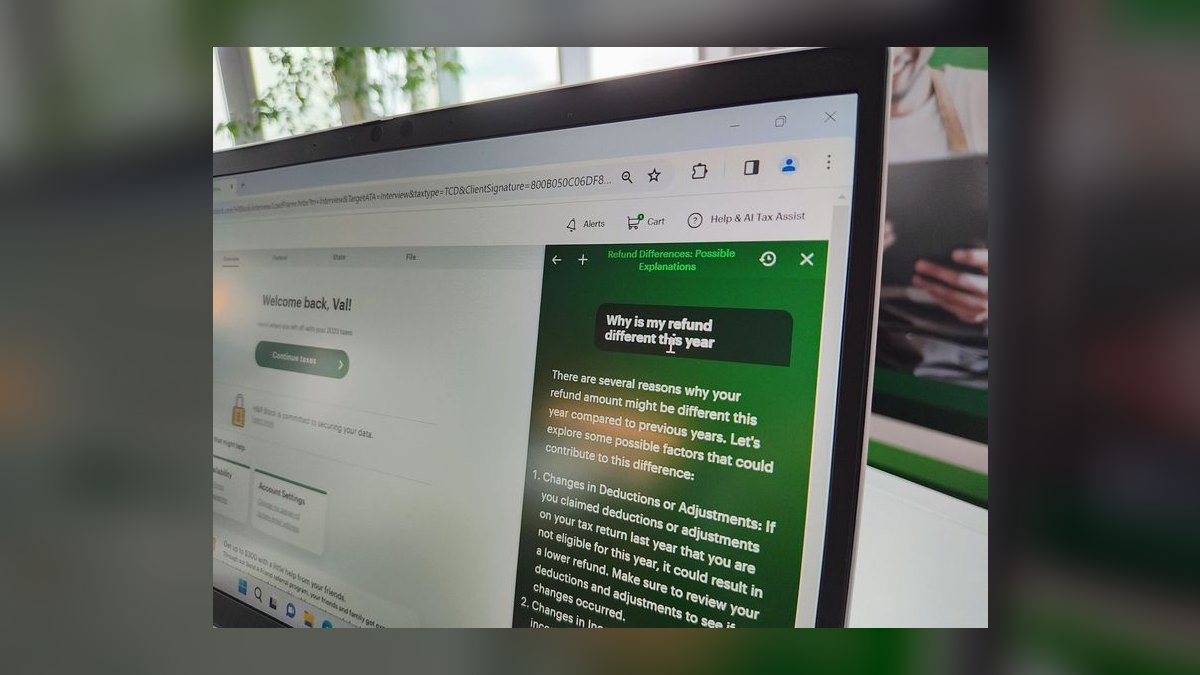
H&R Block AI Tax Assist ranks fourth because it mirrors TurboTax's hybrid safety net — a generative chatbot built on Microsoft Azure OpenAI Service that lets users escalate to a human tax pro when they want confirmation. It answers tax questions in plain language during the filing flow, trained on H&R Block's own tax knowledge base rather than the open web. Import features for W-2s and prior-year returns are comparable to TurboTax's.
H&R Block's edge over TurboTax above is its physical footprint: thousands of retail offices let a filer start with AI online and finish in person if the return gets complicated, something purely digital tools can't match. It fits consumers who want that in-person fallback more than TurboTax's broader Full Service tiers. Pricing across its DIY tiers is generally competitive with TurboTax's equivalent plans.
5. Wolters Kluwer CCH Axcess
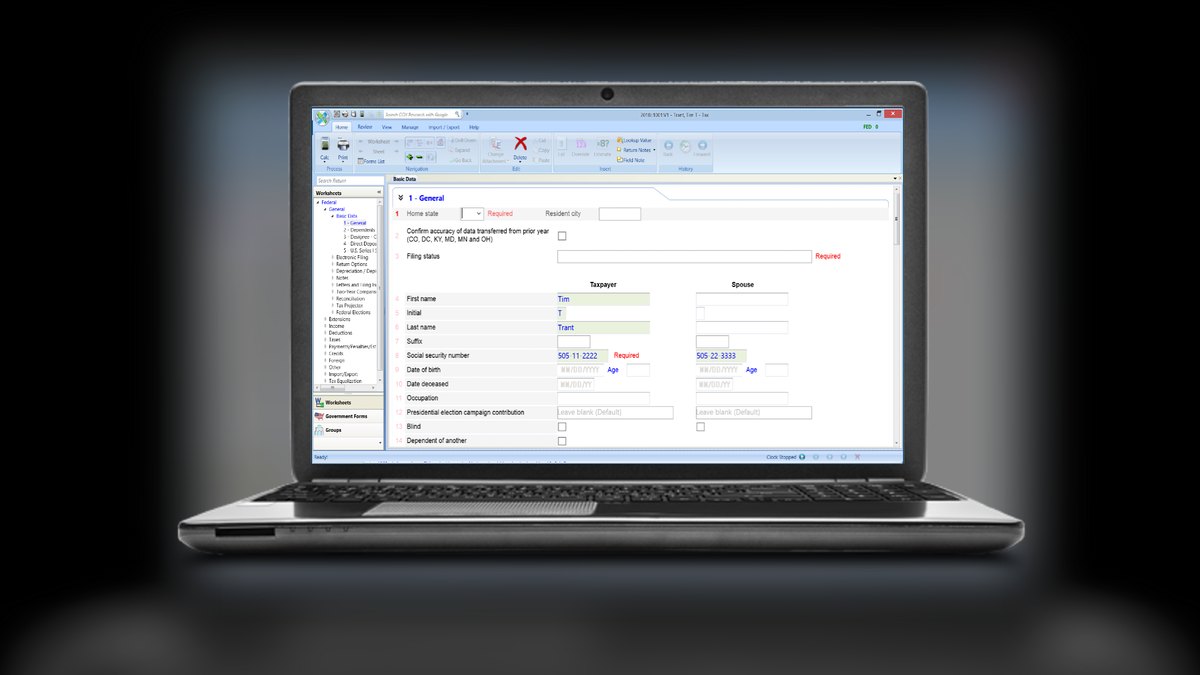
Wolters Kluwer CCH Axcess ranks fifth because it combines cloud tax prep and workflow with CCH AnswerConnect research grounded in Wolters Kluwer's own editorial content and primary law. The AI automates document import and review while the research tool answers questions preparers can defend to clients. It's a deep, enterprise-grade ecosystem favored by mid-size and large CPA firms needing workflow, document management, and e-filing in one governed environment.
CCH Axcess is priced as a firm subscription that scales with return volume, so solo practitioners may find it heavier than they need next to lighter research tools like TaxGPT below. Its features aim to cut preparer time on routine returns and lookups rather than replace professional judgment. Compared with Thomson Reuters CoCounsel above, it leans harder on integrated workflow than on generative drafting.
6. TaxGPT for Accountants
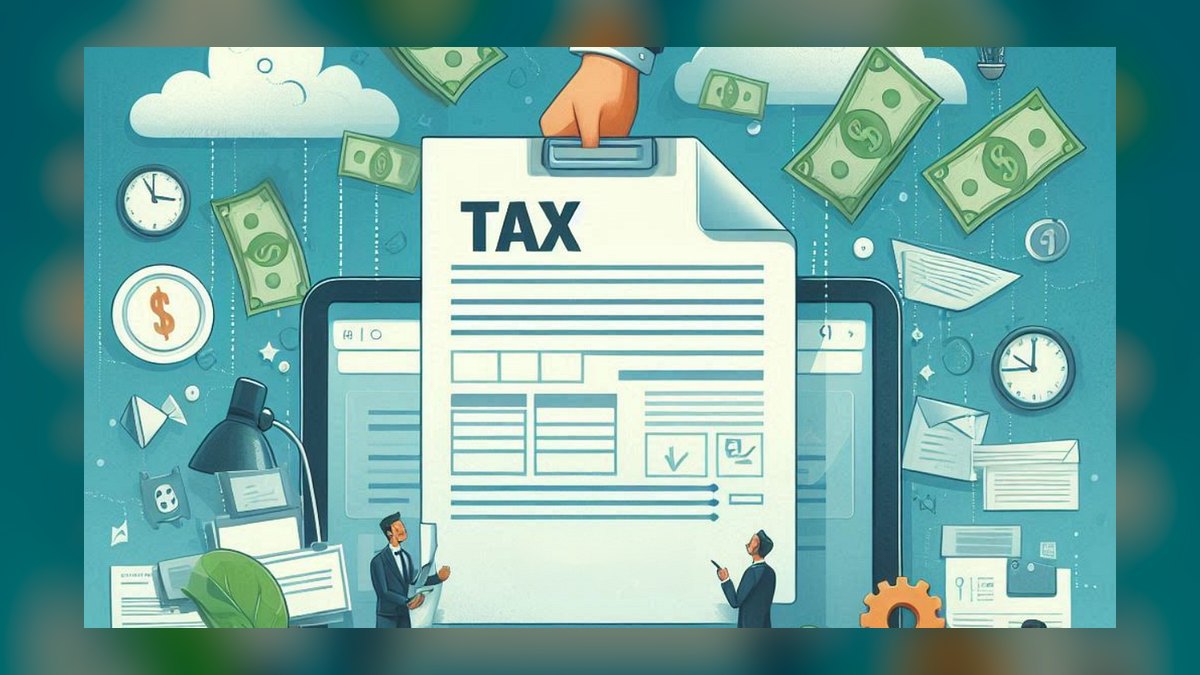
TaxGPT ranks sixth as a co-pilot built specifically for accountants and tax firms, turning a client email into a researched, citable response in minutes rather than hours. It's marketed on accuracy claims grounded in tax-specific training rather than a general-purpose model, targeting the productivity bottleneck common in small and mid-size practices. It doesn't carry the case-law prediction pedigree that puts Blue J above it.
TaxGPT works best as a research-and-drafting accelerator that complements existing prep software rather than replacing it, offering tiers for individual preparers up through firm deployments with per-seat or firm pricing. It suits small practices needing faster client responses more than firms needing full document automation. Always verify its citations before sending advice to a client, the same caution CoCounsel and Blue J warrant.
7. Black Ore Tax Autopilot
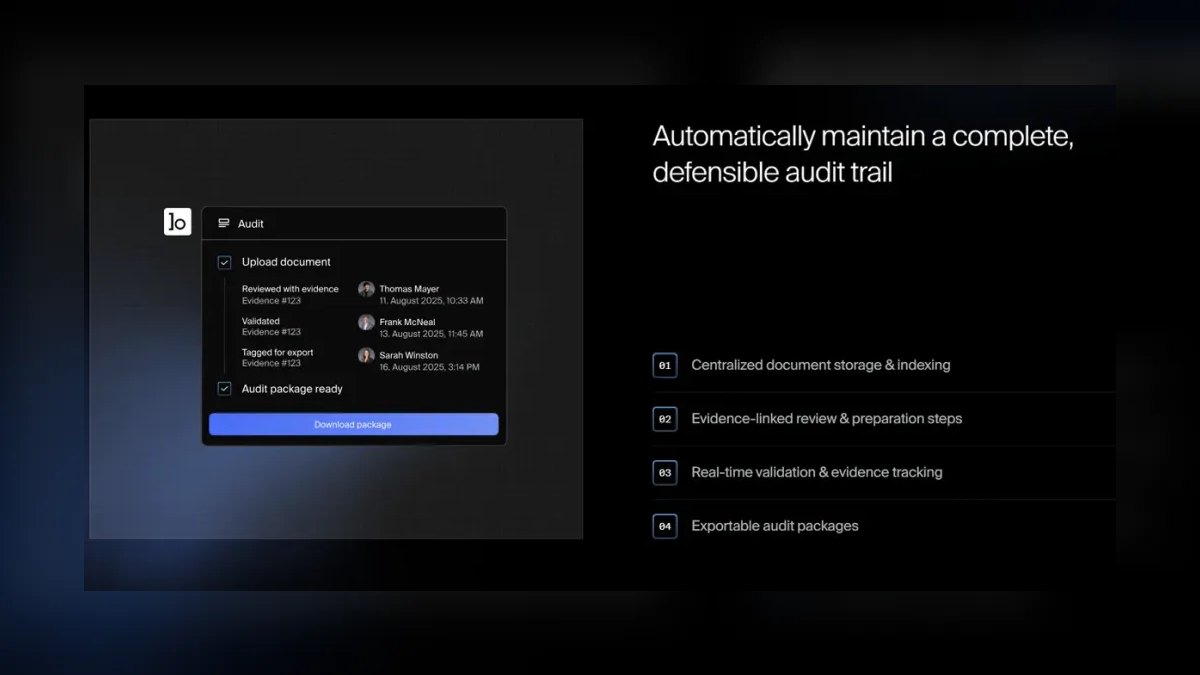
Black Ore Tax Autopilot ranks seventh because it automates the most labor-intensive part of a firm's season — preparing the 1040 itself — by ingesting client documents, extracting and classifying the data, and producing a draft return for preparer review. It's backed by venture investors including Andreessen Horowitz and Oak HC/FT and targets CPA firms facing staffing shortages. It's newer and less proven than the incumbent platforms ranked above it.
Tax Autopilot fits CPA firms that want to compress hours of manual data entry into minutes while keeping a human preparer in the loop to review and sign. It's an emerging, firm-focused tool best evaluated on a pilot before betting a busy season on it, unlike the established CCH Axcess and CoCounsel stacks above. Pricing is enterprise/firm-level, not built for individual filers.
8. Keeper Tax

Keeper Tax earns the Best Value spot because it connects directly to your bank and card accounts, automatically scans transactions, and flags business deductions freelancers routinely miss, then files federal and state returns in the same app. At roughly $20 a month, it's dramatically cheaper than paying a CPA for a simple Schedule C return. Year-round tracking means you're not reconstructing a year of expenses every April.
Keeper is built for freelancers, 1099 contractors, and gig workers — a rideshare driver, Etsy seller, or solo consultant turning a painful Schedule C into a guided, mostly automated process. It's not built for complex entity returns, and unlike FlyFin below it doesn't put a CPA review step at the center of the product. Choose it over FlyFin when the lowest price matters more than guaranteed human sign-off.
9. FlyFin Tax
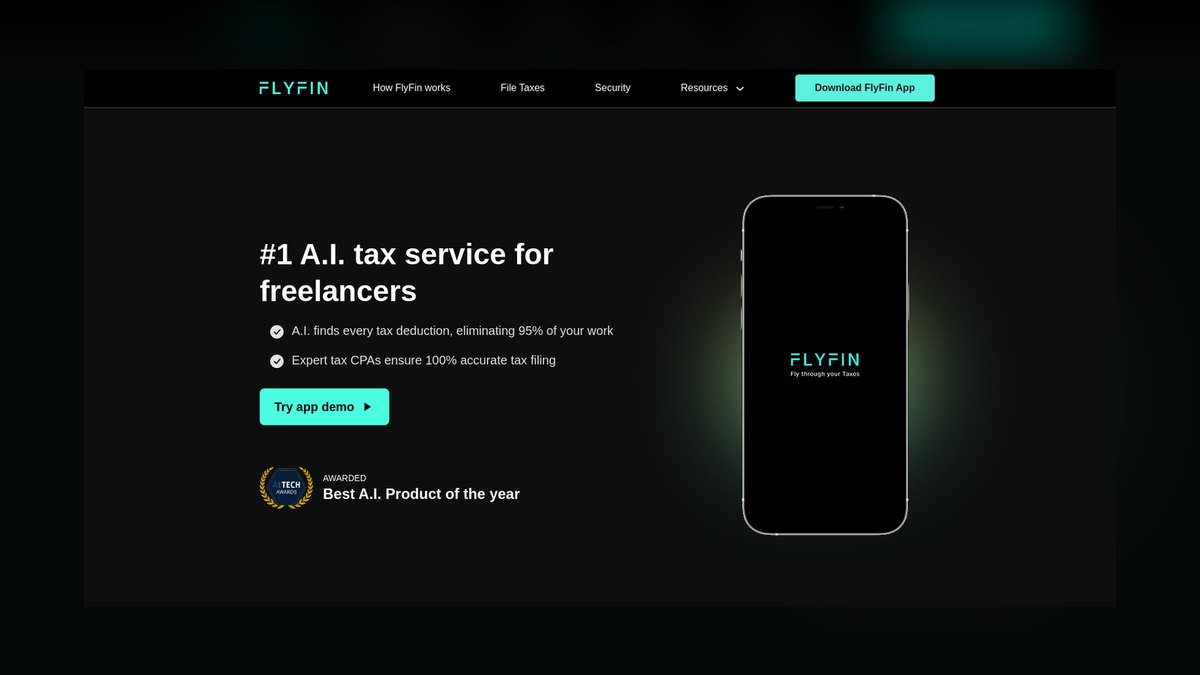
FlyFin ranks ninth as the other strong freelancer-focused AI option, pairing an automated deduction-finding engine with mandatory CPA review and filing rather than treating human review as an upsell. It scans linked accounts for write-offs and also handles quarterly estimated taxes, a perennial pain point for the self-employed. Premium plans commonly run around $192 a year and include unlimited CPA support.
FlyFin suits freelancers who want machine speed paired with guaranteed human sign-off built into every return, rather than offered only as a paid add-on. It competes directly with Keeper above; choose FlyFin over Keeper when CPA review matters more to you than the lowest possible monthly price. FlyFin doesn't undercut Keeper's roughly $20-a-month rate, instead trading a slightly higher price for built-in professional assurance and quarterly tax support.
10. Column Tax

Column Tax ranks tenth because it's an embedded tax-filing API rather than a consumer product, letting fintech apps, banks, and payroll platforms offer full IRS-authorized filing inside their own interface. The AI and compliance engine handle the return itself while the host app owns the user relationship, covering both federal and state returns. April, a competing embedded provider, serves the same category for payroll-adjacent integrations.
Column Tax is infrastructure, not something an individual filer would ever open directly — it's the build-vs-buy answer for a product operator who wants to ship compliant, e-file-ready tax preparation without becoming a tax software company. It doesn't compete with TurboTax or Keeper for end users; it competes for the platforms that would otherwise build their own filing engine. For the operator reading this list, it may be the most relevant tool despite ranking last.
How we ranked these
We weighted accuracy and authority-grounding above everything else — a hallucinated deduction is worse than no AI at all — favoring tools that cite the Internal Revenue Code, IRS regulations, or route output through credentialed human review. We also measured scope of automation (answering questions versus reading documents, classifying income, and preparing a filing), audience fit across DIY, freelancer, and firm use cases, pricing transparency, and how each vendor secures sensitive financial data.
We ignored marketing copy, app-store star ratings, and any product that bolted a generic chatbot onto an unchanged filing engine without improving accuracy or automation. Vaporware and beta-only features that weren't shipping in 2027 were excluded outright, as were tools that hide pricing behind a sales call. We also discounted UI polish on its own — a slick interface means nothing if the underlying tax logic isn't grounded in real authority or verified by a professional.
What to look for
What actually matters is matching the tool to who's filing: a W-2 household needs guided interview and import, a freelancer needs deduction-finding tied to a bank feed, and a firm needs document automation plus citation-grounded research. Check whether AI output escalates to a human when it's uncertain — that handoff is the real safety net, not the AI's confidence. Also confirm state filing is included, since some plans charge extra per state.
The most common mistake is picking a tool by brand recognition alone and never verifying a cited deduction or code section against the IRS directly — generative AI can fabricate authority-sounding citations with total confidence. A close second is freelancers sticking with a general W-2 product instead of a Schedule C-focused tool like Keeper or FlyFin, leaving real deductions unclaimed. Test any tool against last year's completed return before trusting it with this year's.
Related questions
Should a W-2 employee with no side income bother with AI tax software?
Yes, if the goal is speed and confidence rather than savings — TurboTax with Intuit Assist or H&R Block AI Tax Assist walks a simple W-2 return through in minutes and explains every number instead of leaving it as a black box. Free tiers cover truly simple returns, so a basic filer can get AI guidance and human escalation at no cost.
What's the difference between an AI tax research tool and an AI tax filing tool?
Research tools like Blue J, TaxGPT, and CCH AnswerConnect answer tax-law questions and cite statutes or case law, but they never submit a return — they're built for preparers resolving judgment calls. Filing tools like TurboTax, Keeper, and FlyFin are IRS-authorized e-file providers that walk a taxpayer through data entry and transmit the actual return, with AI layered on top to guide the process.
Can a CPA firm replace staff with an AI tool like Black Ore Tax Autopilot?
Not entirely — Black Ore Tax Autopilot automates document ingestion and drafts a return for review, compressing hours of manual entry, but a licensed preparer still has to review and sign every filing. It's a productivity multiplier for firms facing staffing shortages, not a replacement for professional judgment, and firms should pilot it on a subset of returns before betting a full busy season on it.
Is Keeper or FlyFin the better choice for a rideshare driver or Etsy seller?
Keeper is cheaper at roughly $20/month and automatically flags deductions from linked bank and card accounts, making it the value pick for a simple Schedule C. FlyFin costs more (around $192/year for premium) but bundles CPA review into every return, which matters more if you want a licensed professional's sign-off rather than the lowest possible price.
What does 'embedded tax filing' mean, and who is Column Tax actually for?
Embedded filing means a fintech app, bank, or payroll platform offers IRS-authorized tax preparation inside its own product instead of sending users to a separate site. Column Tax (and competitor April) supplies that AI-driven compliance engine as an API, so the host app owns the user relationship while Column Tax handles the return logic — it's infrastructure for builders, not a tool an individual filer signs up for directly.
Why does Thomson Reuters CoCounsel matter more for firms than for individual filers?
CoCounsel answers tax questions grounded in Checkpoint Edge content and primary authority rather than the open internet, which is exactly what a preparer needs when defending a position on an audited return. Paired with SurePrep's document-scanning, it speeds up volume firms filing hundreds of 1040s, but an individual with one straightforward return gets none of that value and would overpay for firm-level infrastructure.
How does Wolters Kluwer CCH Axcess compare to Thomson Reuters CoCounsel and SurePrep?
Both are firm-grade ecosystems combining cloud tax prep, workflow, and AI-assisted research, and both charge firm-level subscriptions scaled to return volume. CCH Axcess pairs with CCH AnswerConnect for research grounded in Wolters Kluwer's editorial content; CoCounsel leans on Checkpoint Edge and primary law instead. The choice usually comes down to which research library and existing workflow tools a firm has already standardized on.
Does TaxGPT replace tax prep software, or work alongside it?
TaxGPT is a research-and-drafting accelerator built for accountants and tax firms — it turns a client email into a cited, researched response in minutes, on a per-seat or firm subscription. It doesn't prepare or file a return, so it complements prep software like CCH Axcess or Thomson Reuters rather than replacing it, and any citation it produces should be verified before it reaches a client.
FAQ
Can AI tax software file my return directly with the IRS?
Yes — TurboTax, H&R Block, Keeper, and FlyFin are all IRS-authorized e-file providers that submit electronically once you approve the return. Research-focused tools like Blue J and TaxGPT don't file anything themselves; they support the preparation and judgment calls that feed into a return, so you'd still need a filing product like the ones above to actually submit to the IRS.
Is it safe to give an AI tax tool my Social Security number?
Established, IRS-authorized providers encrypt data and follow security requirements set for Authorized e-file Providers, so the risk is generally lower than emailing a document to a stranger. Still, verify each product's specific security disclosures before entering sensitive data, and never paste a full SSN or financial details into a general-purpose chatbot that wasn't purpose-built and authorized as a tax product.
Will AI eventually replace my CPA entirely?
For simple W-2 or single-Schedule-C returns, AI increasingly handles the whole job with a human only as backup. For complex situations — multi-state filings, K-1s, business entities, or anything likely to draw an audit — the best tools deliberately route you to a licensed human rather than guessing, and that escalation is a feature, not a limitation, so treat AI as a multiplier for your preparer.
What's the cheapest legitimate AI option for a freelancer?
Keeper runs roughly $20/month and covers year-round deduction tracking plus e-filing, making it the value leader for Schedule C filers with straightforward 1099 income. If your income is truly simple, the IRS's own Direct File and Free File programs are free for filers who qualify, though they offer far less AI-driven deduction hunting than a dedicated freelancer tool like Keeper or FlyFin.
Do these AI tools handle state tax returns too?
Most consumer-facing tools — TurboTax, H&R Block, Keeper, and FlyFin — handle both federal and state returns, and embedded providers like Column Tax build state filing into their API as well, though state coverage sometimes carries an additional fee. Firm-level tools like CoCounsel and CCH Axcess support state filings through the broader preparation platform. Always confirm your specific state is supported before starting a return.
How do I avoid AI hallucinations on a tax position?
Favor tools grounded in primary authority — Blue J, Thomson Reuters CoCounsel, and CCH AnswerConnect all cite the actual Internal Revenue Code, regulations, or case law behind an answer rather than the open internet. Even then, verify every cited section or case against the IRS or the primary source directly before relying on it, and never send a client AI-drafted advice without that manual check.
What should a small accounting practice pick between TaxGPT and Blue J?
TaxGPT is faster and cheaper for turning routine client emails into researched responses, making it a good fit for day-to-day workload. Blue J leans on a longer history of tax outcome prediction from real case data, giving it stronger grounding for the harder judgment calls where being wrong is expensive. Many firms end up using TaxGPT for volume and Blue J for the tough questions.
Why does TurboTax rank above H&R Block if both offer AI and human backup?
Both use a similar hybrid model — AI handles routine work, a human reviews the rest — but TurboTax's import coverage across thousands of employers and brokerages, plus Intuit Assist explaining why a number changed line by line, gives it a slight edge for accounts with investments or a side gig. H&R Block's advantage is its retail footprint, letting a filer finish in person if things get complicated.
Is Black Ore Tax Autopilot mature enough to trust for a full busy season?
It's newer than incumbents like SurePrep and CCH Axcess, so treat it as an emerging tool rather than a proven standard — evaluate it on a pilot batch of returns before relying on it firm-wide. Backing from investors like Andreessen Horowitz signals momentum, but a licensed preparer should still review and sign every draft return it produces, especially during the first season a firm uses it.
Sources
- https://turbotax.intuit.com/
- https://www.hrblock.com/
- https://www.bluej.com/
- https://www.thomsonreuters.com/en/products/tax-accounting/sureprep.html
- https://www.wolterskluwer.com/en/solutions/cch-axcess
- https://www.taxgpt.com/
- https://www.keepertax.com/
- https://flyfin.tax/
- https://www.columntax.com/
- https://www.irs.gov/filing
Related on PULSE
- [More ai tools for tax preparation rankings and buying guides](/knowledge)
- [PULSE Tools and calculators](/tools)
- [Everything on PULSE RevOps](/)
This page will be disappearing soon. Save it to your device for $1 — or read it free while it is here.
@Kory-White- · if Venmo asks, the last 4 of my number are 2012
 pulse-ai-infrastructureThe 10 Best AI Tools for E-commerce Websites in 2027
 pulse-ai-infrastructureThe 10 Best AI Tools for Children's Books in 2027
 pulse-ai-infrastructureHow do you prevent prompt injection at the infrastructure layer?
 pulse-ai-infrastructureThe 10 Best AI Tools for Email Writing in 2027
 pulse-ai-infrastructureThe 10 Best AI Tools for Color Grading in 2027
 pulse-ai-infrastructureThe 10 Best AI Tools for Presentations and Slide Decks in 2027
 pulse-ai-infrastructureThe 10 Best AI Tools for Language Learning in 2027
 pulse-ai-infrastructureThe 10 Best AI Tools for Album Art in 2027
 pulse-ai-infrastructureThe 10 Best AI Tools for Product Page Design in 2027
 pulse-ai-infrastructureThe 10 Best AI Tools for Database Design in 2027