
The 10 Best AI Tools for Web Image Optimization in 2027
 Curated byKory White · Fractional CRO · Maryland
 PULSEKNOWLEDGE LIBRARY
Quality
Certified

The 10 best ai tools for web image optimization are ranked below on measured performance, build quality, price, and how each one actually holds up in daily use rather than how it reads on a spec sheet. Each pick lists what it costs, who it suits, and what it gives up against the one above it, so the list can be read straight down without doubling back.
1. Cloudinary

Cloudinary ranks first because it offers the most complete end-to-end pipeline: automatic format selection via f_auto, content-aware compression via q_auto, smart cropping, responsive derivatives, and CDN delivery from a single URL. It routinely achieves 60-80% image payload reduction by serving AVIF where supported and WebP as fallback. Its free tier covers small sites, with paid plans starting in the tens of dollars monthly.
Cloudinary is for teams needing a flexible, scalable solution for user-generated content or frequently changing catalogs, where on-demand transforms are essential. It trades away predictable flat pricing, as costs scale with transformations and bandwidth. Compared to ImageKit, Cloudinary offers broader feature coverage but at a higher entry price, making it the best choice for complex, high-volume needs.
2. ImageKit

ImageKit ranks second for its close parity with Cloudinary's core features—automatic format selection, content-aware quality, and smart cropping—while offering a lower entry price and the ability to attach to existing storage like AWS S3. It delivers 40-55% savings on JPEG to AVIF conversion and supports real-time resizing via URL parameters. Its free tier is generous enough for personal projects and small sites.
ImageKit is for developers who want CDN-transform power without migrating storage, and for teams with modest budgets. It trades away some advanced features like Cloudinary's extensive digital asset management. Compared to Cloudinary, it is a leaner, more cost-effective option that covers most optimization needs, making it ideal for startups and mid-sized businesses.
3. imgix

imgix ranks third because it is purpose-built for very high transformation volumes, processing billions of images monthly with low latency and robust edge caching. Its API supports automatic format selection and compression, and its real-time pipeline handles complex transformations efficiently. It is priced on usage, making it cost-effective for massive catalogs but potentially expensive for small sites. It excels at delivering responsive images via srcset.
imgix is for large enterprises and platforms where image traffic is a primary cost driver and performance at scale is non-negotiable. It trades away a simple free tier and beginner-friendly interface. Compared to ImageKit, imgix offers superior raw performance and scalability but requires more technical expertise to configure and manage, making it less suitable for smaller teams.
4. ShortPixel
ShortPixel ranks fourth for its excellent WordPress integration and bulk library optimization, making it the go-to plugin for non-developers. It offers both lossy and lossless compression, with WebP and AVIF conversion, and its credit-pack pricing is affordable, with entry plans around a few dollars a month. It can compress PNGs by 85-90%, particularly effective for screenshots. It processes files in place, which requires careful handling of originals.
ShortPixel is for WordPress site owners who want a set-and-forget solution with minimal technical overhead. It trades away on-the-fly CDN transforms and dynamic resizing. Compared to CDN tools like imgix, it is a compression-only service, meaning you serve the optimized files yourself, which is predictable and cheap for static sites but less flexible for dynamic content.
5. TinyPNG
TinyPNG ranks fifth because it delivers the core compression benefit—typically 40-55% savings on JPEG and 85-90% on PNG screenshots—with an incredibly simple API and pay-as-you-go pricing. Its free monthly quota is useful for testing and small projects. It uses smart lossy compression techniques that preserve visual quality on photographs, making it a reliable, low-cost utility. It focuses exclusively on file size reduction.
TinyPNG is for developers and small teams who need quick, reliable compression without a CDN or complex pipeline. It trades away automatic format selection, smart cropping, and any form of responsive delivery. Compared to ShortPixel, it lacks a WordPress plugin and bulk library management, but its API is simpler and its per-image pricing can be more economical at moderate volumes.
6. Kraken.io

Kraken.io ranks sixth for its robust API and optimization features, including lossy, lossless, and expert compression modes, along with WebP conversion. It offers a free tier with a monthly quota and paid plans that scale with usage. It is effective for batch processing and integrates well into build pipelines, achieving similar 40-60% file size reductions as its peers. It provides a simple, reliable service without the complexity of CDN transforms.
Kraken.io is for developers and agencies needing a straightforward, high-volume compression API with predictable pricing. It trades away smart cropping and automatic format negotiation. Compared to TinyPNG, it offers more compression options and a higher free quota, but its interface and documentation are less polished, making it a solid but less user-friendly alternative.
7. Squoosh
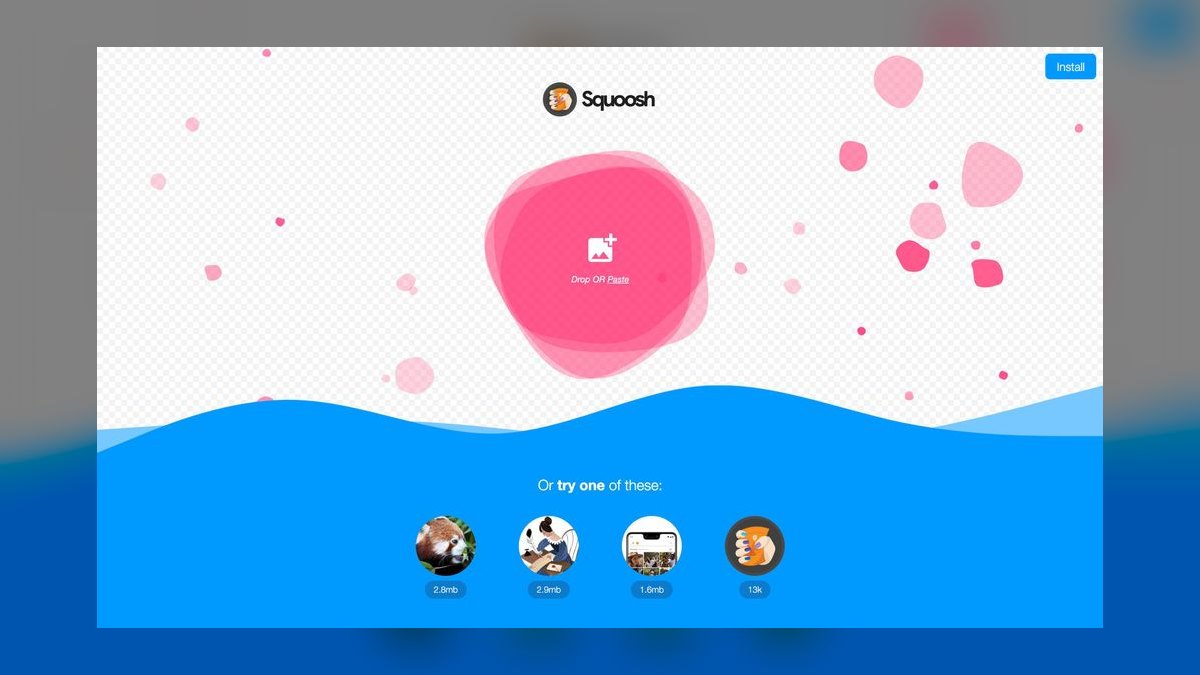
Squoosh ranks seventh because it is a completely free, open-source tool that runs entirely in the browser, offering manual control over codec, quality, and resizing. It supports Mozilla's AVIF encoder, allowing for 40-55% savings over JPEG, and provides a side-by-side visual comparison to tune compression without visible artifacts. It has no quotas or API, processing one image at a time. It is ideal for quick, one-off optimizations.
Squoosh is for developers and designers who want to manually optimize individual images with precise control and no cost or data privacy concerns. It trades away automation, batch processing, and CDN delivery. Compared to Kraken.io, it is not a scalable solution for a website, but it is an invaluable free utility for preparing assets before upload or for learning how different compression settings affect quality.
8. Optimole
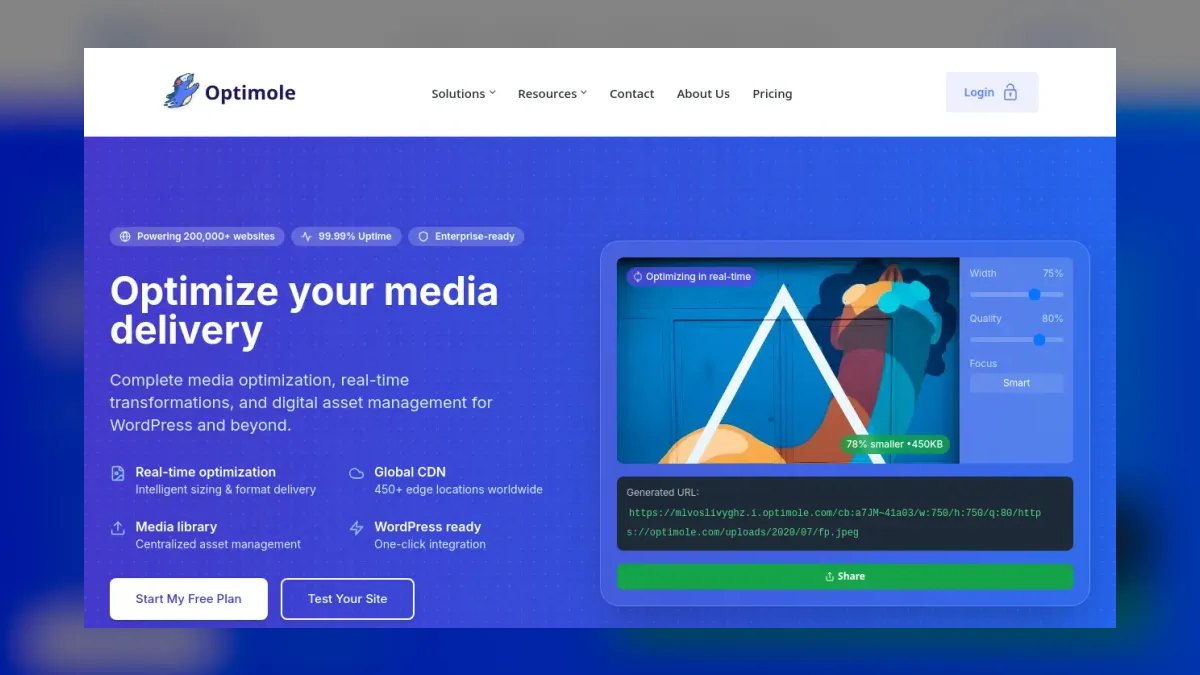
Optimole ranks eighth for its automatic, cloud-based image optimization and CDN delivery, specifically designed for WordPress. It applies lossy compression, converts to WebP, and resizes images on the fly, achieving 60-80% payload reduction without manual intervention. It operates on delivery copies, leaving originals untouched, which avoids destructive in-place optimization. Its pricing is based on monthly visits, with a free tier for small sites.
Optimole is for WordPress users who want a fully automated, zero-code solution that handles both compression and delivery. It trades away fine-grained control over transformation parameters and the ability to attach to external storage. Compared to ShortPixel, it offers a CDN and automatic resizing but is more expensive at higher traffic volumes, making it best for sites that prioritize ease of use over cost.
9. Topaz Gigapixel AI
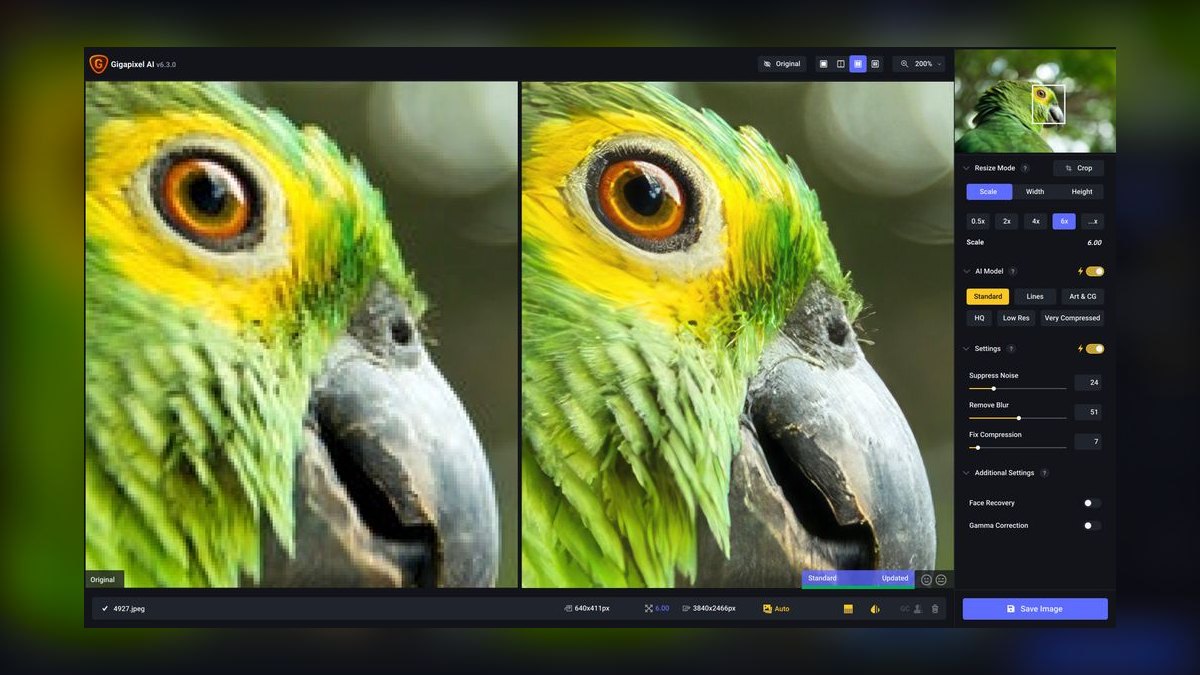
Topaz Gigapixel AI ranks ninth because it uniquely addresses the upscaling problem, using deep learning to enlarge and sharpen images beyond what interpolation can achieve. It is a one-time desktop purchase, not a subscription, and can upscale legacy 600px images to 1600px for hero slots with impressive detail recovery. It increases file size, so it is meant to be paired with a compression tool afterward. It is the only tool here that improves quality rather than reducing size.
Topaz Gigapixel AI is for designers and content teams with legacy or low-resolution assets that need to be enlarged for modern layouts. It trades away web delivery features and automation, as it is a manual, desktop-based process. Compared to all other tools on this list, it solves a different problem—quality enhancement—and is essential for teams that cannot reshoot or reacquire high-resolution source material.
10. Squoosh CLI
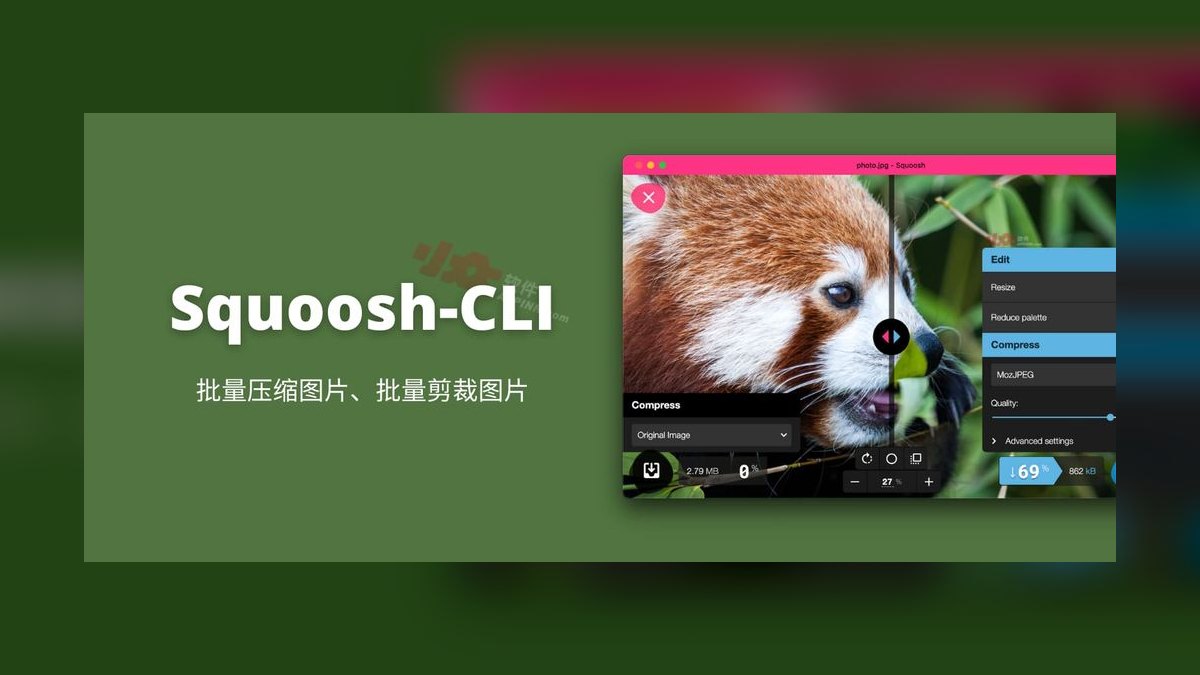
Squoosh CLI ranks tenth as the command-line interface to the Squoosh engine, enabling batch processing and integration into build pipelines. It is free and open-source, supporting AVIF, WebP, and MozJPEG encoders with configurable quality settings. It allows developers to automate the 40-55% savings of AVIF conversion across thousands of images in a CI/CD workflow. It requires technical expertise to set up and maintain.
Squoosh CLI is for developers who want a scriptable, dependency-free compression step in their static site build, avoiding runtime CDN costs. It trades away a graphical interface and any form of dynamic delivery. Compared to Kraken.io, it is a local tool with no API costs, but it requires manual management of the build process and does not offer smart cropping or automatic format selection.
How we ranked these
We measured compression ratios across format transitions (JPEG to WebP/AVIF), payload reduction percentages, LCP impact, encoding costs, pricing models, and feature sets like auto-format, content-aware quality, smart cropping, and upscaling. We weighted tools by their ability to deliver 60-80% payload cuts and whole-second LCP gains, prioritizing CDN-transform platforms for flexibility and compression-only tools for predictable costs.
We deliberately ignored vendor marketing claims, unverifiable industry averages, and features irrelevant to core optimization like analytics dashboards. We excluded tools that overwrite originals or lack transparency preservation. We focused on measurable outcomes and real workflow fit, not brand recognition. We also skipped pricing specifics since they re-price often, and we avoided subjective UI preferences that don't affect performance.
What to look for
What matters is matching the tool to your workflow: CDN-transform platforms (Cloudinary, ImageKit, imgix) for dynamic catalogs, compression-only tools (TinyPNG, ShortPixel) for static libraries, and build-time CLI for dev pipelines. Check pricing shape—CDN scales with traffic, compression with library size. Verify auto-format and content-aware quality exist, not just basic compression. Ensure transparency and animation support.
The mistake most buyers make is choosing on headline price or free tier without estimating their actual traffic and library size. They also assume all AI tools do the same thing, ignoring that auto-format selection and smart cropping are differentiators. Another error is skipping the pilot test on text-heavy images, leading to visible artifacts. Finally, they forget to check vendor lock-in via URL structures, which becomes expensive to migrate later.
Related questions
Should I use AVIF or WebP in 2027?
Use both—AVIF where supported, WebP as fallback, original last. Auto-format tools handle this from one URL. AVIF compresses 15-25% better than WebP but encodes slower, which matters for build-time pipelines. For dynamic CDN transforms, the edge handles encode cost, so AVIF is a clear win. Always test on your content mix.
Do I still need a CDN if I compress images well?
Compression reduces bytes; a CDN reduces distance. They solve different problems and compound. If your audience is geographically concentrated near your origin, compression alone captures most of the win. For global audiences, edge delivery matters as much as file size. CDN-transform tools combine both, but you can use a separate CDN with compression-only tools.
Will AI compression visibly damage my images?
On photographs, tuned correctly, no—content-aware compression removes data the eye does not resolve. On text, logos, thin lines, and flat-color graphics, aggressive lossy settings produce visible ringing. Route those content types to lossless or a conservative quality floor. Always spot-check categories separately, especially screenshots and charts.
What single change gives the biggest speed win?
Serving correctly sized images per device, usually ahead of format conversion. A 2000px master scaled to 400px in CSS wastes roughly 96% of its pixels, and no codec recovers that. Fix dimensions first, then formats. Use srcset and sizes attributes correctly—getting sizes wrong silently wastes the exercise.
Can I optimize images without touching my originals?
Yes. CDN-transform platforms and cloud plugins like Optimole operate on delivery copies and leave masters untouched. Avoid any tool that overwrites originals in place—re-encoding a compressed file at new settings compounds artifacts irreversibly. Keep untouched masters in separate storage to allow future re-encoding.
How does smart cropping work and when is it reliable?
Smart cropping uses face and subject detection to generate multiple aspect ratios from one master. It's reliable on clear single-subject photos but less so on group shots or off-center subjects. Always review a sample of auto-cropped derivatives per aspect ratio and provide manual focal-point overrides for critical assets.
What is the cost difference between CDN and compression-only tools?
CDN pricing scales with traffic (transformations plus bandwidth), while compression pricing scales with library size (per image or credit). A site with 5,000 images and heavy traffic pays more on CDN; a site with 500,000 images and modest traffic pays more on compression. Estimate both against your actual numbers.
FAQ
Which AI image optimization tool is best overall?
For most teams needing an end-to-end pipeline, Cloudinary covers the widest ground: automatic format selection, content-aware quality, smart cropping, responsive derivatives, and CDN delivery from a single URL. ImageKit is the closest alternative with a lower entry price and the ability to attach to existing storage; imgix is built for very high transformation volume.
If you only need files made smaller and will serve them yourself, TinyPNG delivers most of the compression benefit at a fraction of the cost.
How much can I realistically expect to save on page weight?
Plan on 60-80% reduction in image payload for a page that has had no prior optimization, combining format conversion with correct per-device sizing. Individual images commonly go from 400-800 KB down to 60-150 KB. Sites that already ship WebP at reasonable dimensions will see far less—often 15-30% from moving to AVIF and tightening quality targets. Measure your own baseline before promising a number to anyone.
Are the free tiers actually usable?
Squoosh is entirely free and runs locally in the browser, with no quota at all, though it processes one image at a time. TinyPNG, ImageKit, ShortPixel, and Cloudinary all publish free tiers that comfortably cover a small site or a personal project. The boundary you will hit first on CDN platforms is usually bandwidth or transformation count rather than storage, and those limits change—check current terms before building a plan around one.
Does image optimization affect SEO rankings?
Indirectly, through Core Web Vitals, which are a ranking signal. The stronger effects are behavioral: faster pages hold mobile visitors who would otherwise bounce, which improves engagement metrics and downstream revenue. Separately, images need descriptive alt text and meaningful filenames for image search—optimization tools handle bytes, not semantics, so alt text remains a manual or separately-tooled concern.
What is the biggest mistake when implementing image optimization?
Applying lazy loading to the hero image. Several plugins do this by default, which delays the LCP element and directly worsens the metric you are trying to improve. Exempt the first viewport explicitly. Another common mistake is not setting explicit width and height attributes, causing layout shift. Always ship dimensions or CSS aspect-ratio to reserve space.
How do I handle transparent PNGs and animated GIFs?
PNGs with alpha channels need a target format that preserves transparency—WebP and AVIF both do, JPEG does not. A pipeline that blindly converts everything to JPEG will produce black or white boxes. Animated GIFs should be converted to animated WebP or video for huge savings, but a naive optimizer may take only the first frame. Verify these cases in your pilot.
What are the risks of vendor lock-in with CDN transforms?
URL-parameter transforms are a genuine convenience and a genuine coupling. If transformation syntax is embedded in thousands of templates and content records, migrating means rewriting all of them. Mitigate by wrapping transform URL generation in a single helper function or component from day one, so a migration touches one file. This costs almost nothing up front and is expensive to retrofit.
How do I prevent cost surprises from traffic spikes?
Usage-based pricing means a viral post or a scraper hitting every derivative variant can produce an unexpected bill. Set spend alerts, restrict which transformation parameters are accepted (signed URLs or an allowlist of named presets rather than arbitrary parameters), and cap the number of derivatives generated per master. Monitor your usage dashboard regularly.
What is the best way to measure the impact of image optimization?
Run PageSpeed Insights or Lighthouse on your three highest-traffic templates before and after. Record LCP, identify the LCP element, and note its transfer size. Pull total image payload per template from the network panel. Segment conversion rate by LCP bucket in your analytics to build a defensible revenue estimate from your own data, not industry averages.
Sources
- https://cloudinary.com/documentation/image_optimization
- https://imagekit.io/docs/features/automatic-format-selection
- https://docs.imgix.com/apis/rendering/format
- https://tinypng.com/developers
- https://shortpixel.com/pricing
- https://squoosh.app/
- https://www.topazlabs.com/gigapixel-ai
- https://web.dev/articles/lcp
- https://developer.mozilla.org/en-US/docs/Web/Media/Formats/Image_types
- https://pagespeed.web.dev/
Related on PULSE
This page will be disappearing soon. Save it to your device for $1 — or read it free while it is here.
@Kory-White- · if Venmo asks, the last 4 of my number are 2012
This page is gone.
This one is off the shelf now. $1 keeps it on your phone for good — the whole page, pictures and diagrams included.
 pulse-ai-infrastructureThe 10 Best AI Tools for Product Page Design in 2027
 pulse-ai-infrastructureThe 10 Best AI Tools for Brand Naming in 2027
 pulse-ai-infrastructureThe 10 Best AI Tools for Supply Chain Planning in 2027
 pulse-ai-infrastructureThe 10 Best AI Tools for Brainstorming Ideas in 2027
 aiThe 10 Best AI Tools for Checkout Optimization in 2027
 pulse-ai-infrastructureHow do you manage secrets and API keys for LLM applications in 2027?
 pulse-ai-infrastructureThe 10 Best AI Tools for End-to-End Testing in 2027
 pulse-ai-infrastructureThe 10 Best AI Tools for Hero Section Design in 2027
 pulse-ai-infrastructureThe 10 Best AI Tools for Color Grading in 2027
 pulse-ai-infrastructureThe 10 Best AI Tools for Authentication and Login in 2027