


What should you know before investing in Buildouts in 2027?
Quality
Certified

Before investing in Buildouts in 2027, confirm your portfolio generates enough construction volume — roughly 20-plus active projects yearly — to justify a specialized platform. Assess data cleanliness, integration fit with your ERP and CRM, and full total cost beyond licensing. Buildouts excels at new-location lifecycle management, but it is not an ERP, lease system, or maintenance tool.
What Buildouts actually is — and where its boundaries sit
Buildouts is a purpose-built construction and real-estate project management platform aimed at organizations that open, remodel, or relocate physical locations at scale — retail chains, restaurant groups, franchises, and commercial operators. Its core promise is a single source of truth spanning the full physical-location lifecycle: site selection, design and drawing management, bidding and procurement, construction administration, and closeout. That end-to-end scope, connecting "should we open here?" to "the doors are open," is the differentiator worth understanding before you spend a dollar. Most tools own one slice of that arc; Buildouts stitches the whole motion into one record.
The boundary matters as much as the capability. Buildouts is deep on *getting a location built* but deliberately narrow everywhere else. It is not a general ledger, an accounts-payable engine, or a payroll system — it is not an ERP and should never be scoped as one. It is not a lease-accounting platform, so recurring rent obligations, tenant-improvement amortization, and ASC 842-style reporting live elsewhere. It is not a CMMS, so preventive maintenance, work orders, and asset tracking after the ribbon-cutting fall outside its lane.
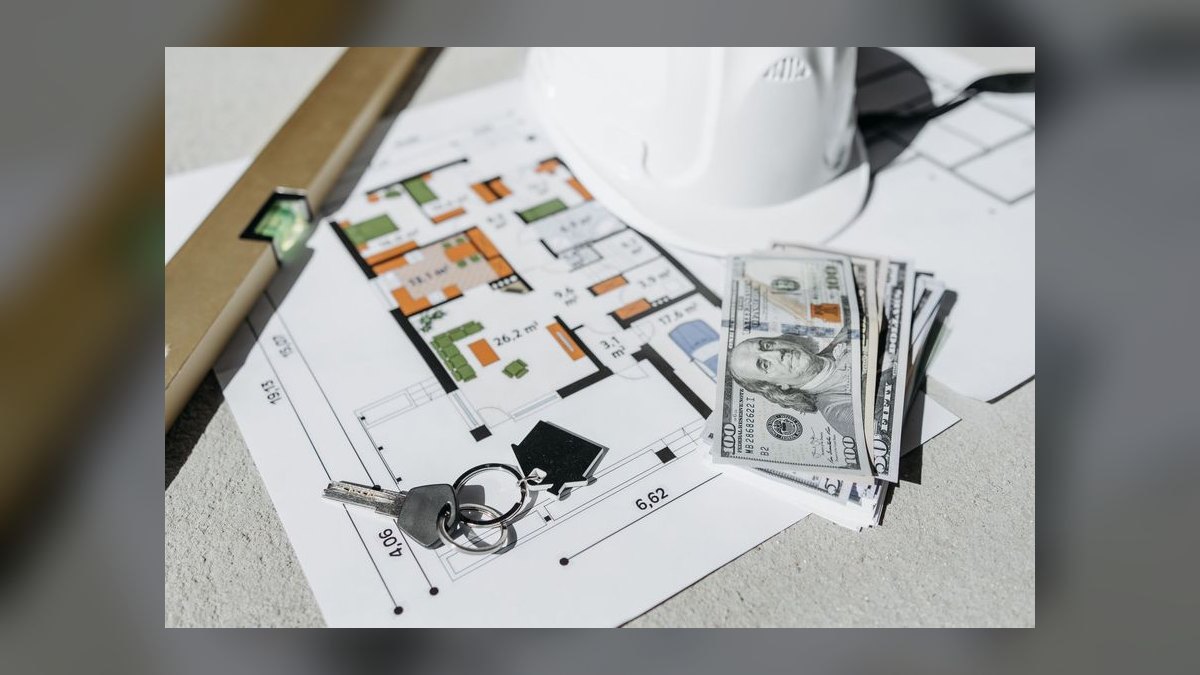
Buyers who misread the platform as an all-in-one facilities-lifecycle suite end up disappointed; buyers who scope it precisely as a build-management layer that *feeds* those other systems tend to extract real value. The single most useful pre-purchase exercise is drawing a one-page diagram of where a project's data starts, where Buildouts owns it, and where it hands off — because every gap on that diagram becomes an integration project, a manual reconciliation, or a shadow spreadsheet later. Do that mapping before the first demo, not after the contract, so vendor claims get tested against your actual data flow rather than a polished sales narrative.
The volume and maturity threshold that decides fit
Buildouts' value scales with project volume and organizational maturity, and both need to clear a threshold before the platform pays for itself. As a practical rule of thumb, teams managing fewer than roughly 20 active construction projects a year, or fewer than about 10 locations, rarely recover the implementation and change-management cost — lighter tools like Smartsheet, Airtable, or a well-structured project tracker usually deliver more value per dollar at that scale. Conversely, a construction director juggling 50-plus simultaneous builds across regions typically sees fast returns from centralized dashboards, standardized phase gates, and automated status reporting that eliminates the weekly spreadsheet-and-email scramble.

Maturity is the second gate, and it is easy to underestimate. Buildouts imposes structure: it expects defined project types, standardized phases, cost codes, and repeatable playbooks. If your organization already runs disciplined, consistent openings, that structure accelerates you and encodes best practice. If your processes are ad hoc — every project improvised, every GM doing it their own way — the platform will feel rigid, and you will spend the first quarter configuring workflows you have never formally written down.
That is not necessarily a reason to walk away, but it reframes the purchase honestly: you are buying a *process discipline* tool, and part of the cost is defining the process itself. Organizations that treat the deal as "the software will bring order" are the ones who end up with an expensive, half-populated data graveyard. The candid self-assessment is whether you have a dedicated project coordinator or admin who will own consistent data entry. Without that role, the system drifts stale within months regardless of how good the platform is — dashboards go blank, reports lose trust, and the field quietly reverts to email and spreadsheets.
Integration realities with your existing stack
Integration capability is frequently the make-or-break factor, because a construction platform that cannot exchange data with your general ledger and your site-selection pipeline creates as much manual work as it removes. Buildouts offers connectors to common finance and ERP systems and to major CRMs, but two details deserve scrutiny during evaluation. First, coverage is not universal — not every accounting package or project tool has a native connector, and legacy or niche systems often require middleware. Second, and more subtly, the *depth* of each sync varies: budget data may flow two-way, while documents or timelines sync in one direction or not at all. A demo that shows "we integrate with your ERP" can still mean a shallow, one-way, batch-nightly sync that will not support the real-time capital-expenditure visibility your finance team expects.
Insist on mapping every integration at the field and direction level before signing. The two connections that matter most are the general ledger — so committed and actual construction spend reconciles against your capex plan without re-keying — and the CRM or pipeline system, so site-selection decisions and real-estate deal status stay visible to the teams downstream. Ask each vendor to name the specific fields, the sync frequency, and the direction for both, in writing, and validate the answer against a sandbox before you commit.
Where a native connector is thin or missing, the common workaround is an iPaaS layer such as Workato or Tray.io. It works, but it adds recurring cost, a new failure point, and maintenance ownership someone on your team has to hold. Price that in as a permanent line item, not a one-time build. A stack heavy on legacy or bespoke systems can turn "integration" into the single largest and least predictable cost of the whole project, so treat integration scoping as a formal workstream during evaluation — with its own owner and its own budget — rather than an afterthought handled during implementation when the contract is already signed.
Total cost of ownership beyond the license

The subscription is the beginning of the cost, not the end. A realistic total cost of ownership for a mid-sized portfolio — think 50 to 200 active projects — frequently runs on the order of 1.5x to 2x the base subscription in the first year once you add everything around it. The major components are implementation services, data migration, configuration, training, optional middleware, and any reporting layer you bolt on. Implementation itself typically spans three to six months for a standard rollout, stretching toward six to nine for large enterprises with multiple regions and legacy systems, and it demands dedicated project-management time from *your* staff — this is not a set-and-forget SaaS signup.
Three costs are chronically underbudgeted. Data migration is the first: pulling historical budgets, vendor lists, specifications, and drawings out of scattered spreadsheets, email attachments, and old systems is labor-intensive precisely when your records are messy — which is exactly when you most want the new platform. Training is the second: field teams accustomed to email threads and paper change orders face a genuine learning curve, so budget roughly 8 to 16 hours of structured training for power users, 2 to 4 hours for occasional users, plus a super-user or admin dedicated for the first year. Reporting is the third: the out-of-the-box dashboards cover project status, budget performance, and vendor metrics, but any custom or cross-portfolio analytics you need beyond that typically pushes you into a BI tool like Tableau or Power BI, adding both licensing and development cost.
Build a three-year TCO model, not a one-year one. The subscription recurs, the middleware recurs, and the admin headcount recurs, while the implementation spike is one-time — so a single-year snapshot flatters the platform and a three-year view tells the truth. Comparing a fully loaded three-year number against the realistic cost of your alternative — including the hidden labor of the status quo — is the only fair way to judge the investment.
Data readiness — the most underestimated prerequisite

Data readiness is the single most underestimated determinant of whether a Buildouts investment succeeds, because the platform is only as good as the data you feed it. Before implementation, your organization needs clean, standardized records of past and active projects: budgets, timelines, vendor lists, and specifications, with consistent naming. If your history lives in siloed spreadsheets where the same job appears as "Project A," "Project A - Phase 1," and "Store 214 build," migration becomes painful and the resulting reporting becomes untrustworthy. Garbage in produces confident-looking garbage out, which is worse than no system at all because people act on it.
Beyond cleanliness, you need a deliberate taxonomy: defined project types, phases, and cost codes agreed on before anything is loaded. Cost coding is where teams most often cut corners and most often regret it. If every construction expense lands in a single "construction" bucket, you can never answer why framing costs are outpacing electrical, or which vendor category is driving overruns — the analytical payoff evaporates entirely. Invest the upfront time to build a data dictionary and a cost-code structure, then validate them against a handful of real, recently completed projects to confirm they actually describe how your money moves.
The proven risk-reducing move is a three-month pilot scoped to one region or one project type: migrate a clean slice, run live projects through it, confirm the data model holds and the reports make sense, and only then commit to full rollout. The pilot both de-risks the migration and builds the internal confidence and executive sponsorship that adoption depends on. Without visible early wins, finance and construction leadership disengage, budget scrutiny tightens, and the initiative stalls before it ever reaches critical mass. Treat the pilot as a proof of the data model as much as a proof of the software.
Weighing Buildouts against the alternatives

The 2027 landscape gives you real choices, and the right comparison depends entirely on which pain point dominates. Against general-purpose construction platforms such as Procore or Autodesk's construction offerings, Buildouts trades some on-site construction-management depth for something they lack — the upstream real-estate pipeline and site-selection stages that connect "should we open here" to "the store is built." If your bottleneck is coordinating subcontractors and RFIs on active job sites, a construction-first tool may fit better; if your bottleneck is standardizing the *whole* open-a-location motion across a growth-mode chain, Buildouts' lifecycle scope is the argument for it.
Against real-estate and lease-focused systems, the boundary is cleaner: platforms built for lease accounting and portfolio management own the recurring-obligation side that Buildouts intentionally does not. Organizations that need both new-build management and lease administration almost always land on a best-of-breed strategy — Buildouts for construction, a dedicated lease system for obligations, integrated through the general ledger — rather than expecting one tool to do both jobs well. And at the small end, lighter tools like Smartsheet or Airtable genuinely outcompete Buildouts on cost and simplicity below the volume threshold, where flexibility beats structure.

Frame the decision as a single question: is your biggest, most expensive recurring pain *new store openings* or *ongoing portfolio operations*? The answer points you toward Buildouts or away from it more reliably than any feature checklist. Run a structured evaluation, weight the criteria by your actual pain rather than the vendor's strongest demo, and demand a proof-of-concept on your own project data before committing to a multi-year contract. A platform that shines on canned demo data can still buckle on the messy reality of your portfolio — so make it prove itself there first.
Related questions
What are the biggest risks of investing in Buildouts in 2027?
The top risks are underestimated integration complexity, dirty or unstandardized historical data, and weak executive sponsorship. Without buy-in from finance and construction leadership, the platform becomes an expensive, half-populated data graveyard. Over-customizing during implementation is a further risk — it creates a brittle system that is hard to upgrade or maintain.
How long does it take to see ROI from Buildouts?
Most organizations see meaningful ROI within roughly 12 to 18 months, driven by fewer project delays, tighter budget control, and lower administrative overhead. Early wins usually come from eliminating manual status reporting and shortening change-order cycle times. ROI arrives slower if teams are not fully trained or if integrations are left incomplete.
Can Buildouts replace a full ERP system?
No. Buildouts is a specialized construction and real-estate project-management tool, not an ERP. It lacks core financial modules like general ledger, accounts payable, and payroll. It is designed to integrate with your ERP, not replace it — you need both systems working together for a unified financial view.
Is Buildouts a good fit for a business with fewer than 10 locations?
Usually not. The cost and configuration overhead suit organizations running 20 or more active projects a year. Smaller operators typically get more value from lighter, cheaper tools like Smartsheet or a focused construction app. Buildouts' return scales with project volume and team size.
What internal roles benefit most from Buildouts?
Capital project managers, construction coordinators, procurement specialists, and finance analysts who track project budgets extract the most value. The platform rewards clear role separation and a culture of consistent data entry. Lean, multi-hat teams — where one person handles construction admin among other duties — tend to struggle with its depth.
FAQ
Does Buildouts integrate with major CRM and ERP systems? Buildouts offers connectors to common ERP, accounting, and CRM platforms, syncing site-selection data, project milestones, and financial information. Sync depth varies by connector and direction, and some fields require configuration or middleware. Always test the specific integrations you depend on with a sample project before committing to a full rollout.
What is the typical implementation timeline? A standard implementation runs about three to six months, covering discovery, data migration, configuration, testing, and training. Larger enterprises with multiple regions, legacy systems, and complex integrations can require six to nine months. Timeline is driven mostly by data complexity and integration scope, not by the number of users alone.
Does Buildouts offer mobile access for field teams? Yes. Buildouts provides mobile apps that let field teams view drawings, submit photos, approve change orders, and update project status on site. The mobile experience is more limited than desktop, especially for complex reporting and administration, so plan for those tasks to happen on desktop.
How does Buildouts handle budget tracking and change orders? Its budget module tracks original budgets, commitments, actuals, and change orders, with change orders submitted, approved, and reflected in updated budget impact. Variance reporting helps surface overruns early. To capture value, you need a clean cost-code taxonomy in place before migration, or the analytics lose meaning.
Is Buildouts suitable for franchise organizations? Yes. Many franchise operators use it to manage new openings and remodels across franchisees, using standardized templates, shared vendor management, and portfolio-wide status visibility. The main challenge is franchisee adoption — without clear governance, incentives, and a data-entry owner, franchisee-level data drifts out of date.
Can Buildouts manage ongoing facilities maintenance after construction? Not really. Buildouts focuses on the construction lifecycle through closeout, where it can store warranty and closeout documents, but it lacks work-order management, preventive-maintenance scheduling, and asset tracking. For ongoing maintenance, pair it with a dedicated CMMS and hand off closeout data at project completion.
Sources
- Procore — Construction Management Software
- Autodesk Construction Cloud
- Smartsheet — Project Management
- G2 — Construction Project Management Software Category
- Capterra — Construction Management Software
- Software Advice — Construction Software
- FASB — ASC 842 Leases Standard
- Workato — Integration Platform (iPaaS)
Related on PULSE
- How much does a 10,000 sq ft cold storage warehouse buildout cost in 2027?
- How does the semantic field of the word "bo" in Old English reveal the Anglo-Saxon conceptualization of dwelling as a site of both physical shelter and social obligation?
- Can I get the landlord to reimburse my moving and storage costs during the buildout
- What’s the cheapest way to add a kitchenette to a raw shell office without triggering new fire sprinklers
This page will be disappearing soon. Save it to your device for $1 — or read it free while it is here.
@Kory-White- · if Venmo asks, the last 4 of my number are 2012
This page is gone.
This one is off the shelf now. $1 keeps it on your phone for good — the whole page, pictures and diagrams included.
 pulse-buildoutsHow do you get started with Buildouts in 2027?
 pulse-buildoutsHow much do Buildouts cost in 2027?
 pulse-buildoutsWhat are the most common mistakes in Buildouts in 2027?
 pulse-buildoutsTop 10 Buildouts strategies for 2027
 pulse-buildoutsWhat is the best way to approach Buildouts in 2027?
 pulse-buildoutsHow much does a 5,000 sq ft quick-service restaurant buildout cost in 2027?
 pulse-buildoutsTop 10 best Buildouts options in 2027
 pulse-buildoutsIs Buildouts worth it in 2027?
 buildoutsWhen Should I Demolish an Old Building Versus Build-to-Suit in 2026?
 buildoutsWhat Is a Tenant Improvement (TI) Allowance and How Do I Get the Landlord to Pay for It in 2027?