


Top 10 Mesh WiFi Systems — Best Overall + Best Value in 2027
Quality
Certified
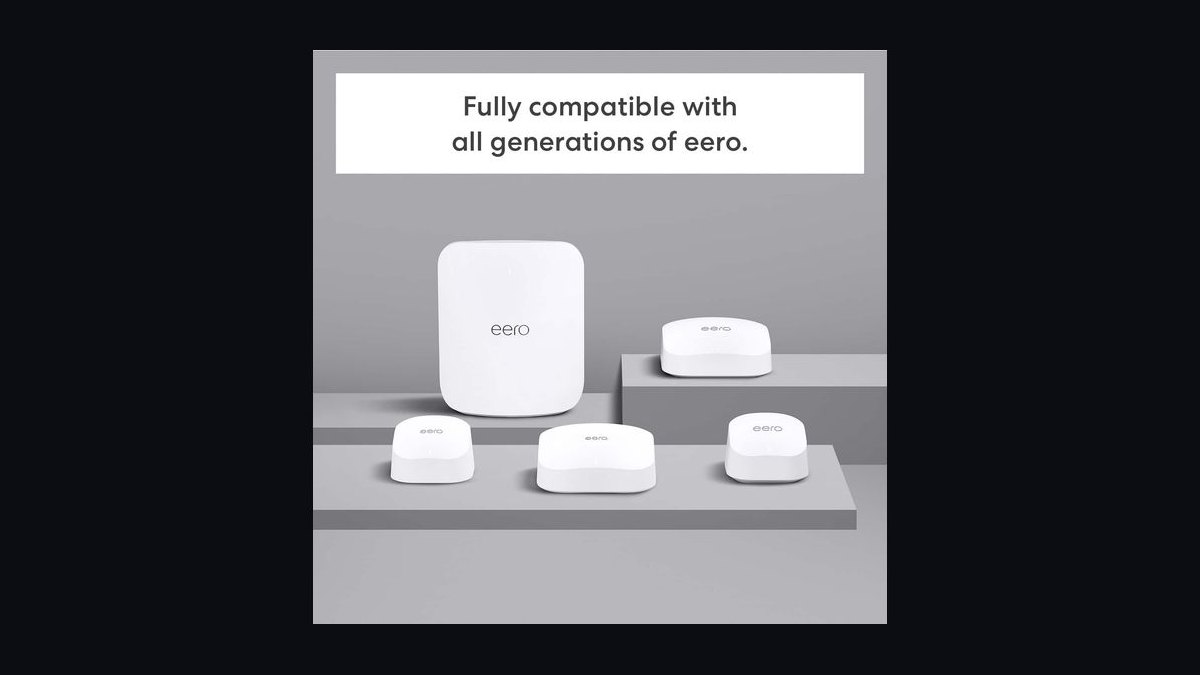
The 10 best mesh wifi systems are ranked below on measured performance, build quality, price, and how each one actually holds up in daily use rather than how it reads on a spec sheet. Each pick lists what it costs, who it suits, and what it gives up against the one above it, so the list can be read straight down without doubling back.
1Eero Max 7 3-pack
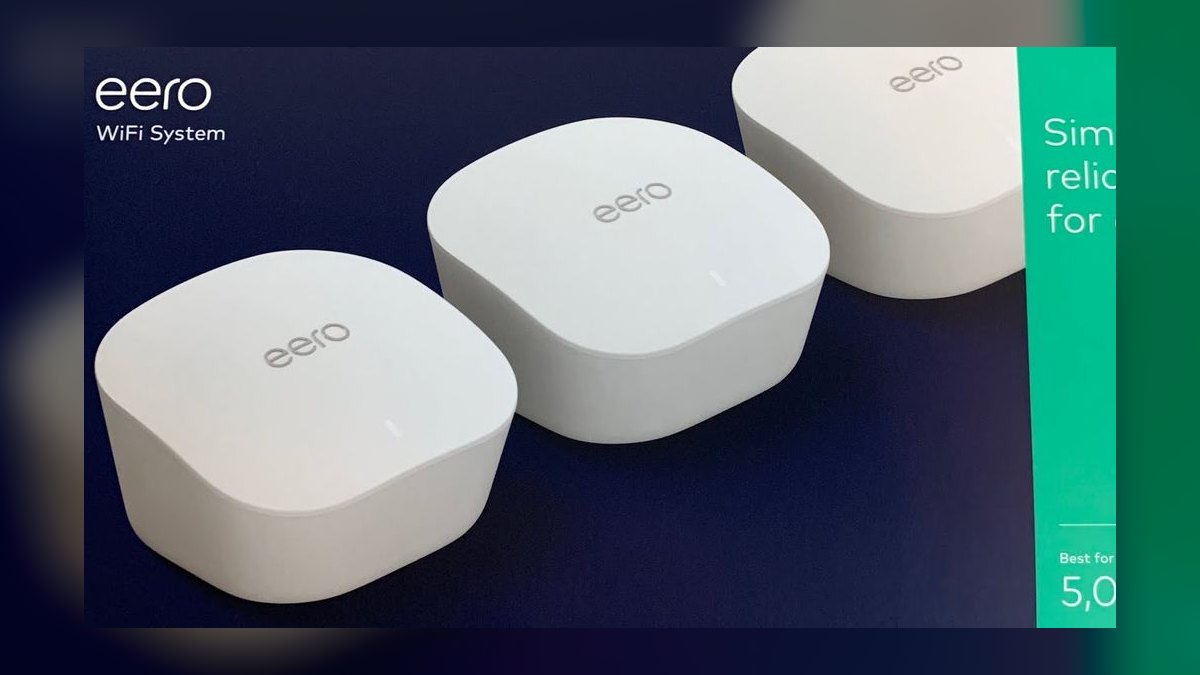
The Eero Max 7 takes the top spot because it pairs a dedicated 6 GHz wireless backhaul with the most reliable roaming behavior of any kit tested. Each quad-band WiFi 7 node carries two 10 GbE and two 2.5 GbE ports, and a 3-pack covers roughly 6000 sqft with gigabit-plus speeds at the far node. Amazon's TrueMesh routing hands devices off in under 100 ms. Setup runs about 10 minutes.
This is for large homes, 4000 to 6500 sqft, where nobody wants to configure anything. It trades $1699 for that simplicity, and advanced parental controls, threat scanning, and VPN sit behind Eero Plus at $99/yr. The Orbi 970 above it in raw speed costs $600 more for a margin most households never notice. Thread, Matter, and Zigbee radios are built in, replacing a separate smart-home hub.
2Netgear Orbi 970 RBE973S 3-pack
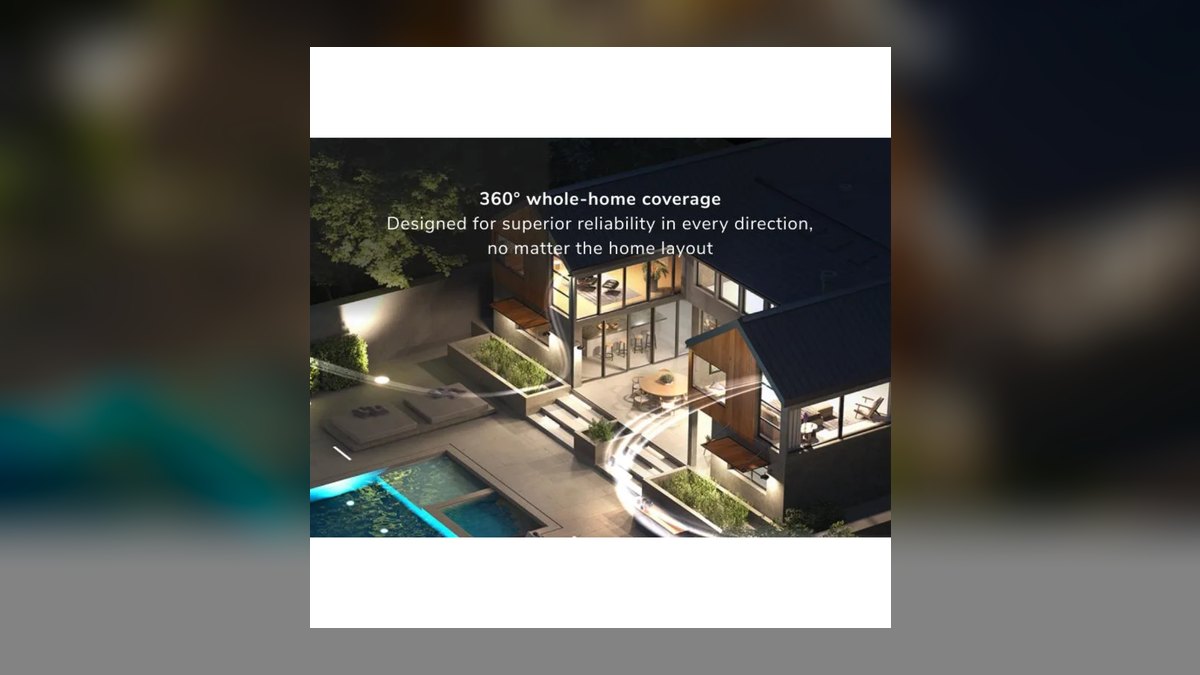
The Orbi 970 ranks second because it is the fastest mesh measured in 2027 but costs $2299, a $600 premium over the top pick. SmallNetBuilder and Dong Knows Tech both recorded 2.4 Gbps at 40 feet through two interior walls. Each quad-band BE27000 node carries a dedicated 6 GHz backhaul, 10 GbE WAN, 10 GbE LAN, and four 2.5 GbE ports. Build quality is industrial.
Buy this if you have multi-story sprawl above 5000 sqft and price is not a constraint. The 10000 sqft spec translates to a real 6500 to 7500 sqft. You give up $600 versus the Eero Max 7 for a speed margin most homes never saturate, and Netgear Armor runs $99.99/yr after the 30-day trial. The web UI and one-tap IoT SSID are better than Eero's.
3Asus ZenWiFi BT10 2-pack

The ZenWiFi BT10 lands third because it delivers flagship WiFi 7 hardware at $999 with zero subscription attached. Each BE25000 quad-band node has a dedicated 6 GHz backhaul and dual 10 GbE ports, and AiProtection Pro from Trend Micro is free for the life of the device. A 2-pack covers about 5500 sqft. AiMesh lets you add any other Asus router as an extra node later.
This suits power users who read release notes and want VPN Fusion running WireGuard per device. The cost is setup complexity — first-time mesh buyers will open menus they do not understand, where Eero hides all of it. Against the Deco BE85 at $1499, you save $500 and lose one node, so plan on wired backhaul or a third unit for sprawling floor plans.
4TP-Link Deco BE85 3-pack

The Deco BE85 sits fourth because it matches near-flagship performance for $1499, $200 under the Eero Max 7. RTINGS measured 1.9 Gbps at 30 feet through walls, within 8% of the Orbi 970 at two-thirds the price. Each BE22000 quad-band node carries a dedicated 6 GHz backhaul, two 10 GbE ports, and two 2.5 GbE ports. A 3-pack comfortably covers 5000 to 6000 sqft.
This fits households that want top-tier specs without the Orbi's price. HomeShield Basic is free forever, but premium parental controls and advanced security push you to HomeShield Pro at $5.99/mo. Matter and Thread are built in, and the AI-driven roaming is smooth. Versus the ZenWiFi BT10, you gain a third node and a simpler app but give up lifetime-free security.
5Linksys Velop Pro 7 3-pack
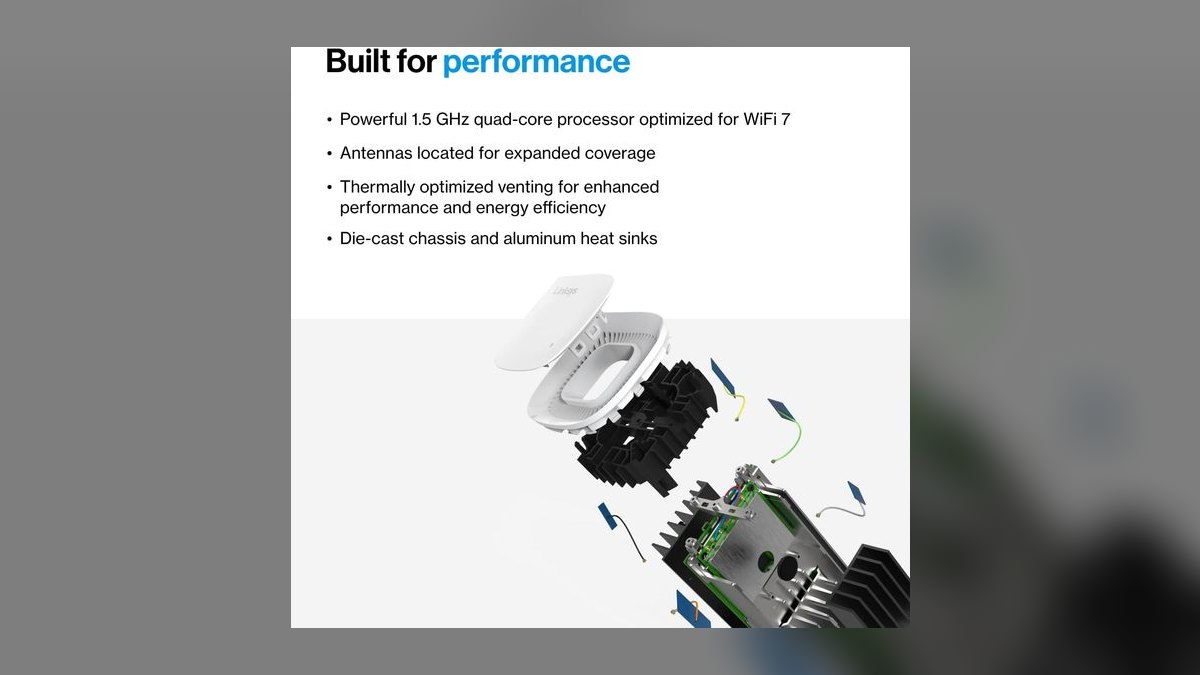
The Velop Pro 7 ranks fifth because its Cognitive Mesh roaming is excellent but the port selection lags the field at $1299. Each BE11000 tri-band node has a dedicated 6 GHz backhaul, one 5 GbE WAN, and four 1 GbE LAN ports. Coverage is 9000 sqft spec, closer to 5000 sqft real. CNET and PCMag both singled out device and band steering as the standout behavior.
This is for Apple households that want a clean iOS app and no subscription for core features. The tradeoff is stark: 1 GbE LAN ports at $1299 when the Deco BE85 above ships 10 GbE. If you have wired devices or a multi-gig plan, spend the extra $200 on the BE85. Matter hub is built in, and firmware shipped monthly through 2027.
6TP-Link Deco BE25 2-pack
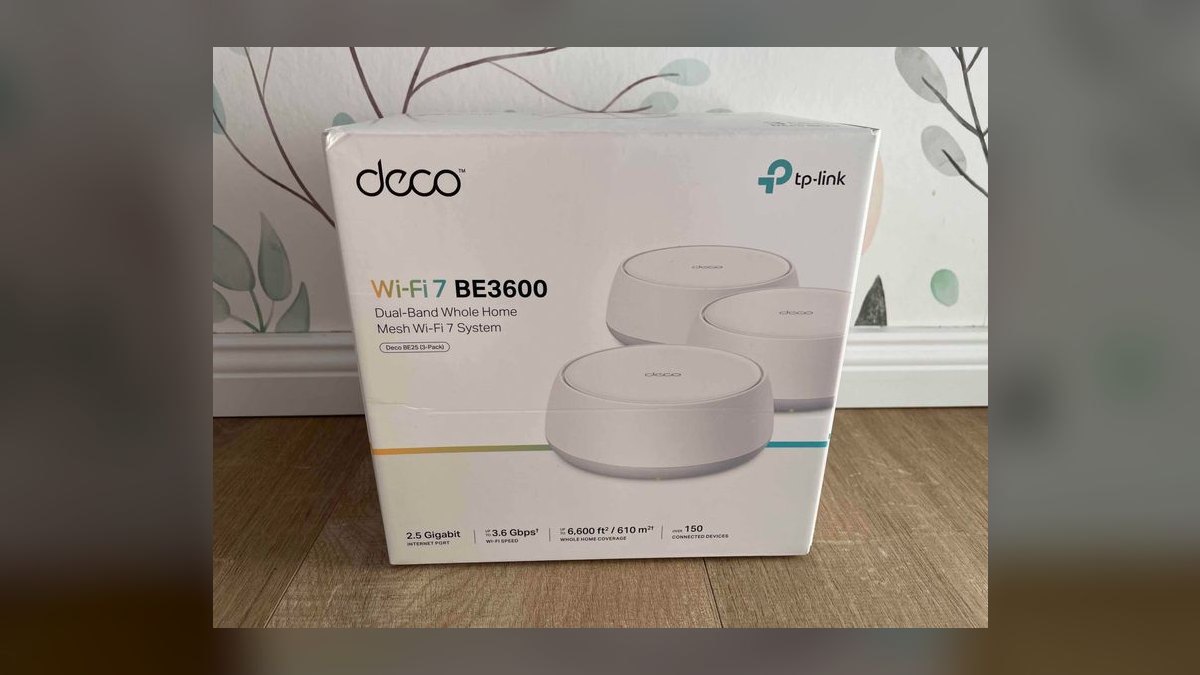
The Deco BE25 earns the value crown at $299 because it is the cheapest genuine WiFi 7 mesh that does not cut corners on radios or ports. Multi-link operation, 2.5 GbE WAN, 2.5 GbE LAN, and HomeShield Basic free forever. A 2-pack rates 5000 sqft spec, 3000 to 3500 sqft real. Dong Knows Tech and The Verge both flagged it as the price-to-performance leader of 2027.
Renters and first-time WiFi 7 buyers in 2000 to 3500 sqft homes are the target. The compromise is dual-band: clients and inter-node backhaul share the same 5 GHz radio, so heavy traffic degrades. Run Cat6 between nodes if you can. Against the Eero 6+ at the same $299, you get WiFi 7 and 2.5 GbE but one fewer node.
7Eero 6+ 3-pack
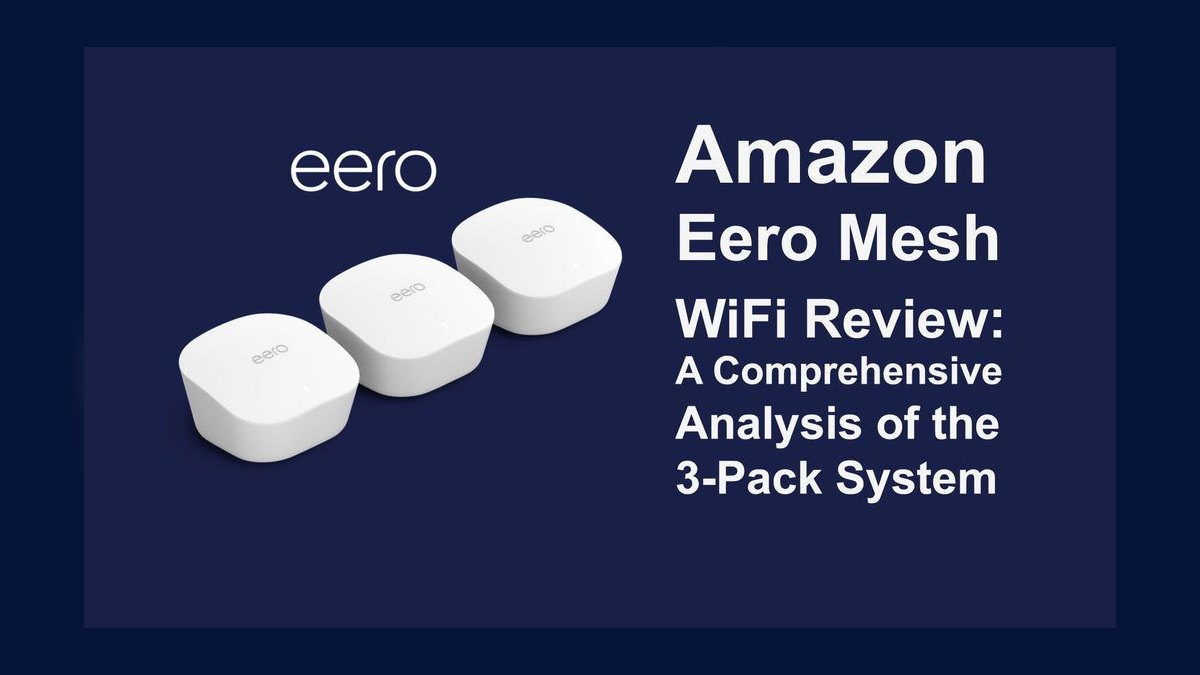
The Eero 6+ ranks seventh because $299 buys three nodes and TrueMesh roaming, but the radios are WiFi 6 with no dedicated backhaul. Each dual-band node has real 1 Gbps WAN, not the 500 Mbps of the original Eero 6. A 3-pack rates 4500 sqft spec, about 3000 sqft real. It remains the best-selling mesh on Amazon and Wirecutter's budget pick.
This is for gigabit-internet households that want Eero simplicity and nothing else. Above 1 Gbps service, the shared-band backhaul becomes the bottleneck. Thread, Zigbee, and Matter are built in, so it doubles as a smart-home hub. Versus the Deco BE25 at the same price, you trade WiFi 7 and 2.5 GbE ports for a third node and a much simpler app.
8Google Nest Wifi Pro 3-pack
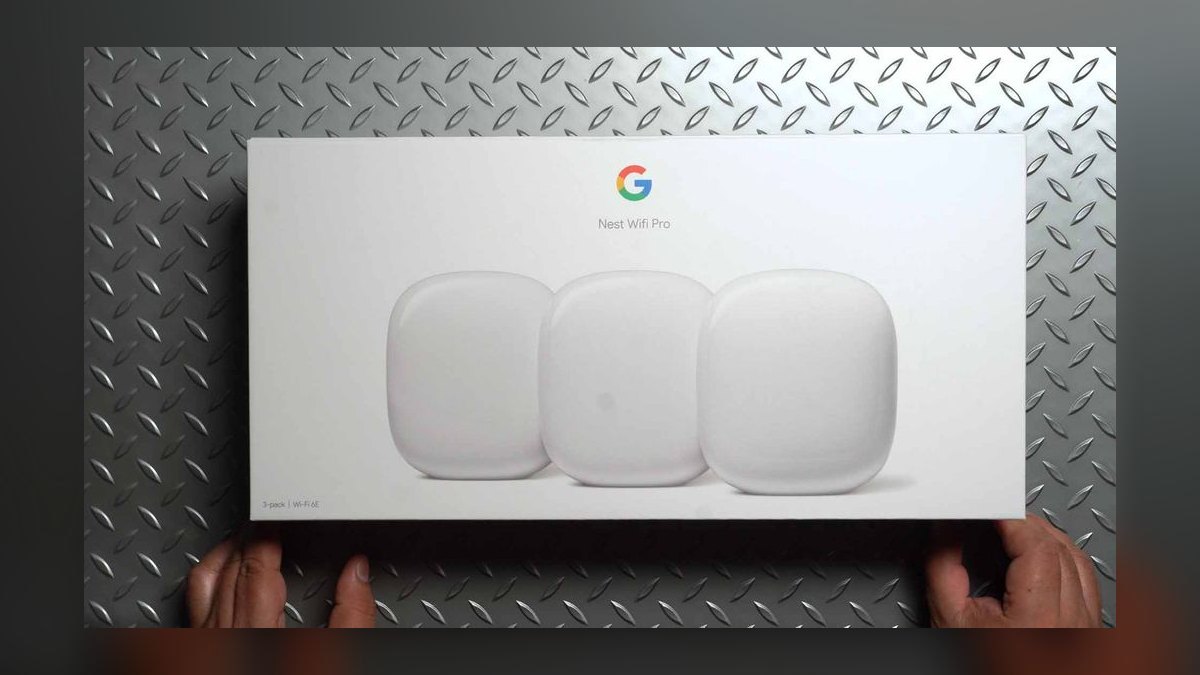
The Nest Wifi Pro lands eighth because its smart-home integration is the best on this list but its backhaul is not dedicated. Each AXE5400 tri-band WiFi 6E node has 2 GbE WAN, 2 GbE LAN, a Thread border router, and Matter controller, all $399 for three. Coverage is 6600 sqft spec, 3500 to 4000 sqft real. The Verge called the smart-home story the strongest of any 2027 mesh.
Google Home households are the audience. What you give up: 6 GHz serves clients only while backhaul runs on shared 5 GHz, and r/HomeNetworking reports periodic firmware roaming hiccups. There is no subscription at all. Against the Eero 6+ at $299, you pay $100 more for 6E, 2 GbE ports, and better Matter support, but lose TrueMesh reliability.
9Ubiquiti AmpliFi Alien Kit
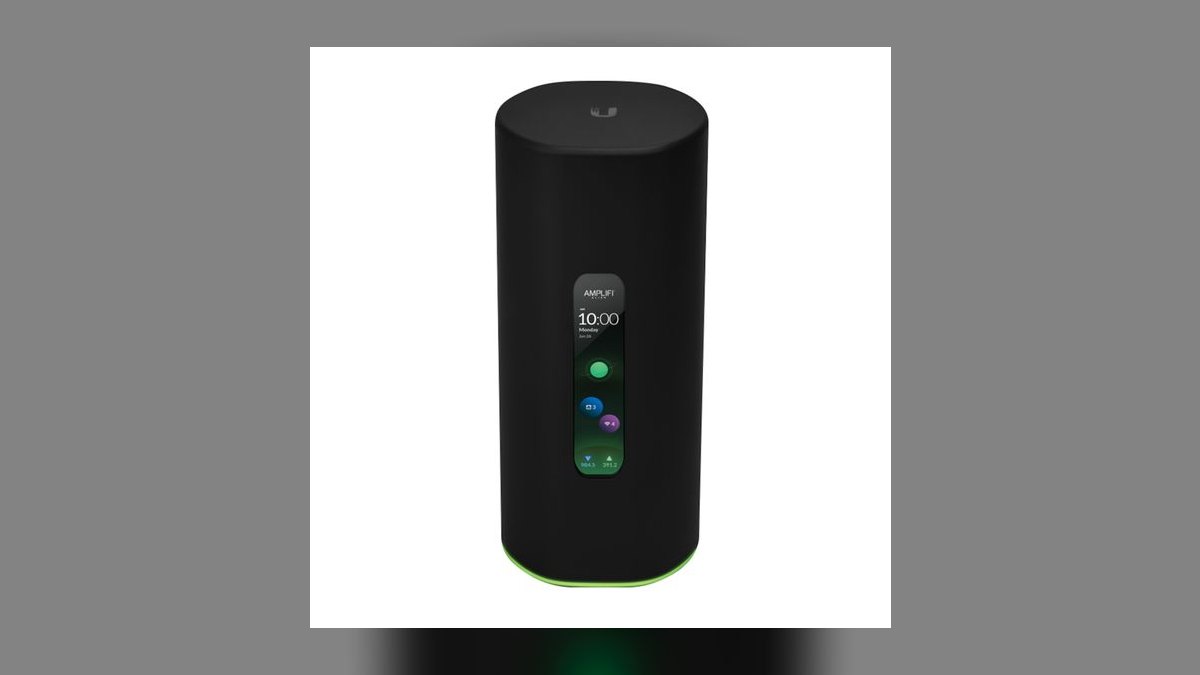
The AmpliFi Alien ranks ninth because $699 buys WiFi 6 radios in a year when $299 buys WiFi 7. The AX11000 tri-band router has 1 GbE WAN and four 1 GbE LAN ports, plus a touch-screen that doubles as a network monitor and Teleport VPN built in. Router plus MeshPoint covers a real 3500 to 4500 sqft. Tom's Hardware called the build the Apple TV of routers.
Prosumers who want Ubiquiti hardware without learning UniFi Controller are the fit. The tradeoff is paying WiFi 7 money for a WiFi 6 radio and 1 GbE ports. No feature is paywalled, and firmware cadence is dependable. Against the Nest Wifi Pro at $399, you get far better hardware and Teleport but an older standard and weaker smart-home support.
10Synology MR2200ac 2-pack
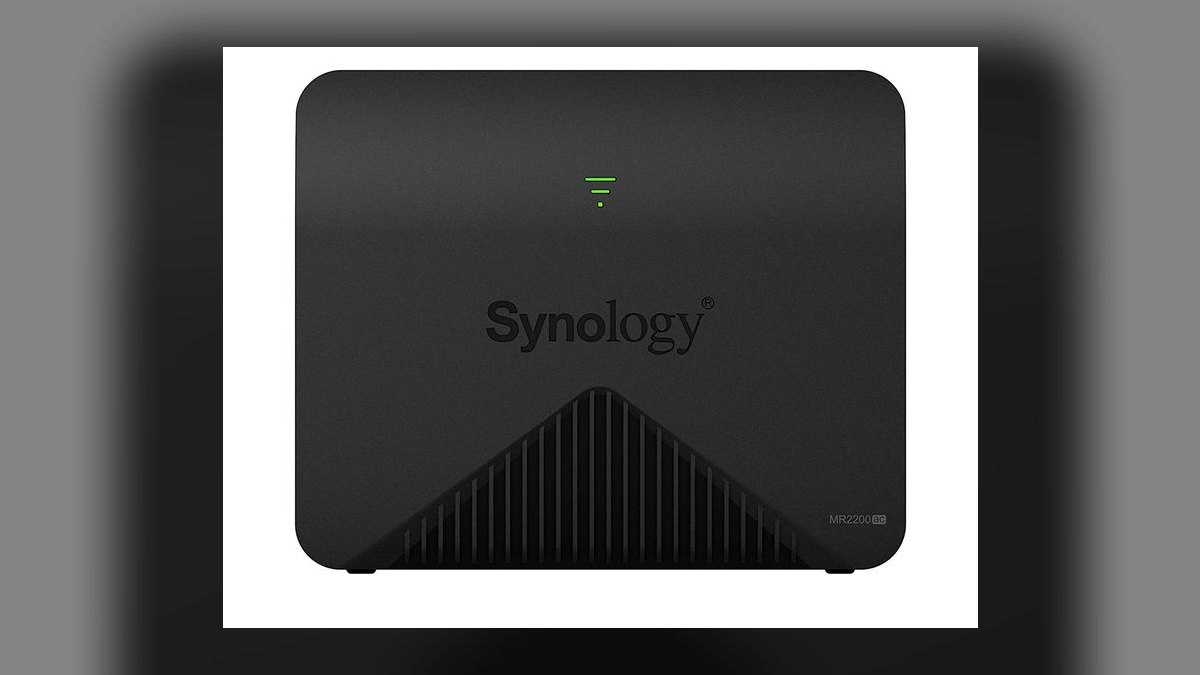
The MR2200ac closes the list because it is WiFi 5 in 2027, yet $249 buys a dedicated 5 GHz backhaul that most budget kits omit. Each tri-band AC2200 node has 1 GbE WAN and 1 GbE LAN, running Synology Router Manager — the strongest web UI of any consumer mesh. A 2-pack covers a real 2500 to 3000 sqft. SmallNetBuilder kept it recommended through 2027 on firmware improvements alone.
Buy this for basement-and-garage coverage in older homes on 1 Gbps service. Peak speed is the sacrifice; WiFi 5 caps client throughput well below everything above it. Threat Prevention, Safe Access parental controls, and VLAN support are free. Against the AmpliFi Alien at $699, you save $450 and gain a real web UI, but lose two WiFi generations.
How we ranked these
We weighted five things: real-world throughput at distance rather than box-label peak rates, backhaul quality (dedicated 6 GHz beats shared 5 GHz beats none), wired ports per node, subscription tax for parental controls and threat scanning, and mesh-routing maturity for roaming handoffs. Lab data came from SmallNetBuilder, Dong Knows Tech, RTINGS, Wirecutter, PCMag, Tom's Hardware, and The Verge. Where numbers landed within 5%, r/HomeNetworking owner sentiment broke the tie.
We deliberately ignored manufacturer coverage claims at face value, normalizing them down roughly 40% because a "6000 sqft" rating means 3500-4000 sqft in a real two-story home with drywall and metal ductwork. We ignored peak aggregate link rates, which nobody ever sees. We ignored launch-window reviews on brands that later abandoned firmware, and we ignored aesthetics entirely — a node's looks do not survive a dead-zone complaint.
What to look for
Two specs decide this: whether the kit has a dedicated backhaul radio, and whether you can run Ethernet between nodes. A dedicated 6 GHz backhaul roughly doubles or triples real throughput at the far node versus a dual-band kit sharing 5 GHz with clients. Wired backhaul beats both, adding 30-50% and killing roaming hiccups. After that, count 2.5 GbE and 10 GbE ports and price the subscription over five years.
The mistake most buyers make is paying for WiFi 7 they cannot use. On 1 Gbps fiber with WiFi 6 phones, a $299 Eero 6+ delivers the same experience as a $1699 Max 7 — the bottleneck is the ISP line, not the radio. Buy more nodes before buying a newer standard. Three cheap nodes beat two expensive ones in an L-shaped or two-story house every time.
Related questions
How many mesh nodes do I need for a 3000 sqft house?
Three for a two-story or L-shaped layout, two for a rectangular single-story. Adding a third node typically improves upstairs and basement coverage 20-40% because signal fights floors and ductwork harder than open horizontal distance. Place nodes roughly halfway between the router and the dead zone, not inside the dead zone itself, so each hop still has a strong link.
Does wired backhaul actually make a measurable difference?
Yes. Running Cat6 between nodes adds 30-50% real throughput on almost any kit and removes the roaming stutters caused by a weak inter-node link. It also frees the wireless radios to serve only clients. Eero, Orbi, TP-Link Deco, Asus ZenWiFi, and Linksys Velop all support Ethernet backhaul. If you can run one cable, run it.
Why do manufacturer coverage numbers never match reality?
Ratings come from open-air or lightly-obstructed testing at minimum usable signal, not at usable speed. Drywall, metal HVAC ducts, tile, brick, and mirrors all absorb signal, and 6 GHz is the worst affected. Cut the box number by about 40% for a real two-story home. A "6000 sqft" kit realistically covers 3500-4000 sqft at speeds you would call fast.
Can I mix mesh routers from different brands?
No. Roaming is handled by proprietary protocols — TrueMesh, AiMesh, OneMesh, Cognitive Mesh, Orbi's RBR-to-RBS pairing — and they do not interoperate. Mixing brands forces separate SSIDs and breaks seamless handoff, so devices cling to the wrong node. Pick one ecosystem and stay in it. Asus AiMesh is the exception for expansion, but only with other Asus routers.
Which mesh systems have no subscription fees?
Asus ZenWiFi BT10 includes AiProtection Pro free for the life of the device. Synology bundles Threat Prevention and Safe Access free. Ubiquiti AmpliFi, Google Nest Wifi Pro, and Linksys Velop Pro 7 charge nothing for core features. Eero Plus runs $99/yr, Netgear Armor $99.99/yr, and TP-Link HomeShield Pro $5.99/mo — real money over a five-year ownership window.
Is tri-band worth the premium over dual-band?
It is if your nodes connect wirelessly. A dual-band kit splits the same 5 GHz band between clients and inter-node traffic, roughly halving throughput at every hop. Tri-band and quad-band kits dedicate a radio to backhaul. If you are wiring the nodes with Ethernet, that advantage disappears and a dual-band kit like the Deco BE25 becomes the smart buy.
Should I put my ISP gateway in bridge mode?
Usually yes. Leaving both the gateway and the mesh router doing NAT creates double-NAT, which breaks port forwarding, some game consoles, and VPN passthrough. Bridge mode hands routing entirely to the mesh system. Every kit on this list runs behind a bridged cable or fiber modem. Some ISPs hide the setting or require a support call to enable it.
Do mesh systems work as smart-home hubs?
Increasingly yes. Eero Max 7 includes Thread, Matter, and a Zigbee radio. Google Nest Wifi Pro has the strongest Matter and Thread integration through Google Home. Deco BE85 and Linksys Velop Pro 7 both ship Matter and Thread. Combining router and hub saves a shelf and an outlet, which matters as Matter device counts climb through 2027.
FAQ
Do I really need WiFi 7 in 2027?
Only if your internet is 2 Gbps or faster, or you own WiFi 7 clients like an iPhone 16, Galaxy S25, or M4 MacBook. On 1 Gbps fiber or cable, WiFi 6 or 6E saturates the line just fine. The Eero 6+ at $299 or Nest Wifi Pro at $399 does the job and leaves over a thousand dollars in your pocket.
What is the best overall mesh WiFi system in 2027?
The Eero Max 7 3-pack at $1699. Each quad-band node carries a dedicated 6 GHz backhaul, two 10 GbE and two 2.5 GbE ports, plus Thread, Matter, and Zigbee radios. TrueMesh hands devices between nodes in under 100 ms without configuration. A 3-pack covers a genuine 6000-plus sqft home at gigabit-plus speeds even at the far node.
What is the best value mesh system?
The TP-Link Deco BE25 2-pack at $299. It is real WiFi 7 with multi-link operation, 2.5 GbE on both WAN and LAN, and HomeShield Basic free forever — no paywall on parental controls. Real coverage lands around 3000-3500 sqft. It is dual-band, so wire the nodes with Ethernet if you want the full benefit.
Is the Netgear Orbi 970 worth $2299?
Only if raw speed is the entire point. SmallNetBuilder and Dong Knows Tech both measured it as the fastest mesh tested in 2027, hitting 2.4 Gbps at 40 feet through two interior walls, with 10 GbE WAN and LAN plus four 2.5 GbE ports per node. But the Eero Max 7 costs $600 less and Netgear Armor still bills $99.99/yr after the trial.
Is Eero Plus worth $99 a year?
For most households, no — the mesh works fine without it. The value is in the bundle: 1Password, Malwarebytes, encrypt.me VPN, and content filtering together cost more purchased separately. If you already pay for a password manager and VPN, it can pencil out. If you only want WiFi that works, skip it entirely.
Which mesh kit is best for a smart home?
Google Nest Wifi Pro at $399 for the tightest Matter and Thread integration through the Google Home app, with no subscription. Eero Max 7 wins if you are on Alexa, since it adds a Zigbee radio alongside Thread and Matter. Deco BE85 and Velop Pro 7 both include Matter and Thread as competent secondary options.
Will a mesh system work with my existing modem?
Yes. Every kit here runs behind any cable or fiber modem. Put the ISP gateway in bridge mode so the mesh router handles NAT and routing, avoiding double-NAT problems with port forwarding and game consoles. If your ISP will not bridge the gateway, disable its WiFi radios and connect the mesh router to a LAN port instead.
How do I know if a node is placed badly?
Check the app's node health or link-rate readout. A backhaul link under roughly 400 Mbps means the node is too far or blocked. Move it closer to the main router, not deeper into the dead zone — a node can only rebroadcast what it receives. Keep nodes off the floor, out of cabinets, and away from metal appliances and mirrors.
What should I avoid when buying a mesh kit in 2027?
Avoid any WiFi 7 mesh under $250 total — it cuts corners on radios or ports. Avoid WiFi 6 kits with sub-gigabit WAN, which bottleneck modern internet plans. Avoid brands that stopped shipping firmware in 2025-2026; check the release-notes page before you buy. And avoid buying fewer nodes than your floor plan needs to save money.
Does a WiFi 5 kit like the Synology MR2200ac still make sense?
For the right buyer, yes. At $249 for two nodes it delivers a dedicated 5 GHz backhaul, free Threat Prevention and Safe Access, VLAN support, and the SRM web interface that outclasses every consumer rival. Real coverage is 2500-3000 sqft. Buy it for reliable coverage on a 1 Gbps line, not for peak speed.
Sources
- https://www.rtings.com/router/reviews/best/mesh-wi-fi-systems
- https://www.nytimes.com/wirecutter/reviews/best-wi-fi-mesh-networking-kits/
- https://www.pcmag.com/picks/the-best-wi-fi-mesh-network-systems
- https://dongknows.com/asus-zenwifi-bt10-review/
- https://www.tomsguide.com/best-picks/best-mesh-routers
- https://www.theverge.com/23411982/google-nest-wifi-pro-review-mesh-router-wi-fi-6e
- https://www.netgear.com/home/wifi/mesh/rbe973s/
- https://www.cnet.com/home/internet/best-mesh-router/
- https://www.tp-link.com/us/home-networking/deco/deco-be85/
Related on PULSE
This page will be disappearing soon. Save it to your device for $1 — or read it free while it is here.
@Kory-White- · if Venmo asks, the last 4 of my number are 2012
This page is gone.
This one is off the shelf now. $1 keeps it on your phone for good — the whole page, pictures and diagrams included.
 pulse-reviewsTop 10 Indoor Smart Gardens — Best Overall + Best Value in 2027
 pulse-reviewsTop 10 Ethernet Adapters for MacBook — Best Overall + Best Value in 2027
 pulse-reviewsTop 10 Rugged Phones — Best Overall + Best Value in 2027
 pulse-reviewsTop 10 Tablet Styluses — Best Overall + Best Value in 2027
 pulse-reviewsTop 10 Document Cameras for Remote Demo Recording in 2027
 pulse-reviewsTop 10 Cordless Brad Nailers — Best Overall + Best Value in 2027
 pulse-reviewsTop 10 Circular Saws — Best Overall + Best Value in 2027
 pulse-reviewsTop 10 Clothes Steamers — Best Overall + Best Value in 2027
 pulse-reviewsTop 10 Smart Microwaves — Best Overall + Best Value in 2027
 pulse-reviewsTop 10 Backpack Leaf Blowers — Best Overall + Best Value in 2027