


Top 10 Managed Network Switches — Best Overall + Best Value in 2027
Quality
Certified
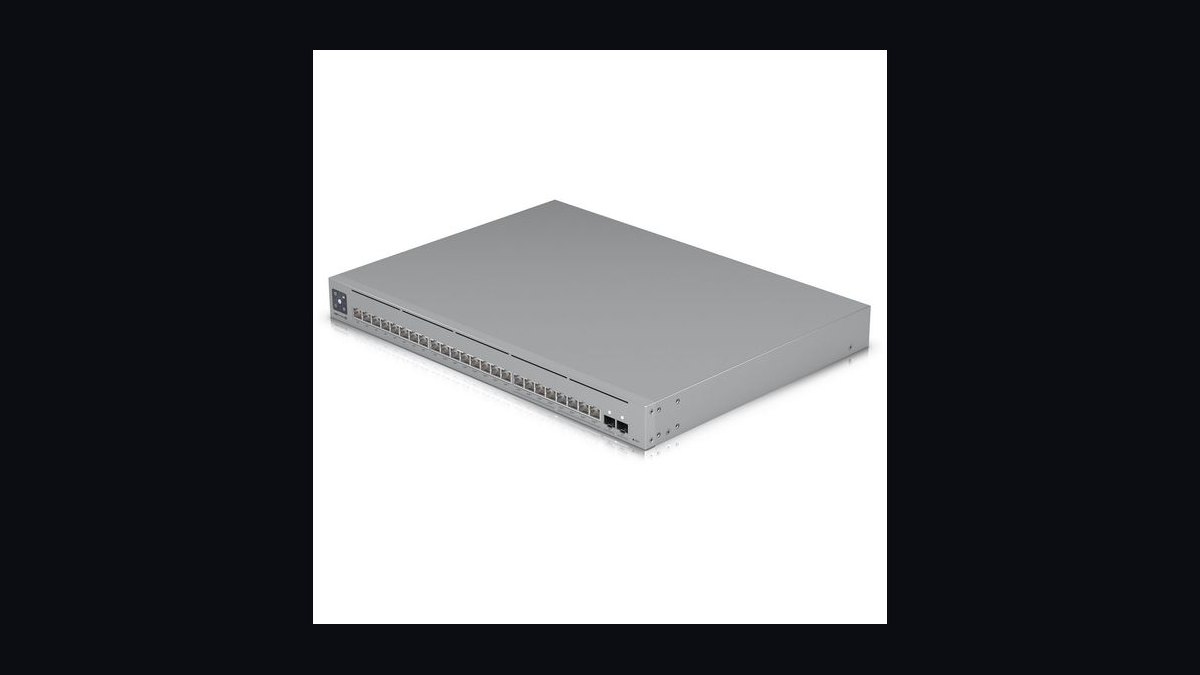
The 10 best managed network switches are ranked below on measured performance, build quality, price, and how each one actually holds up in daily use rather than how it reads on a spec sheet. Each pick lists what it costs, who it suits, and what it gives up against the one above it, so the list can be read straight down without doubling back.
1Ubiquiti UniFi Pro Max 24 PoE
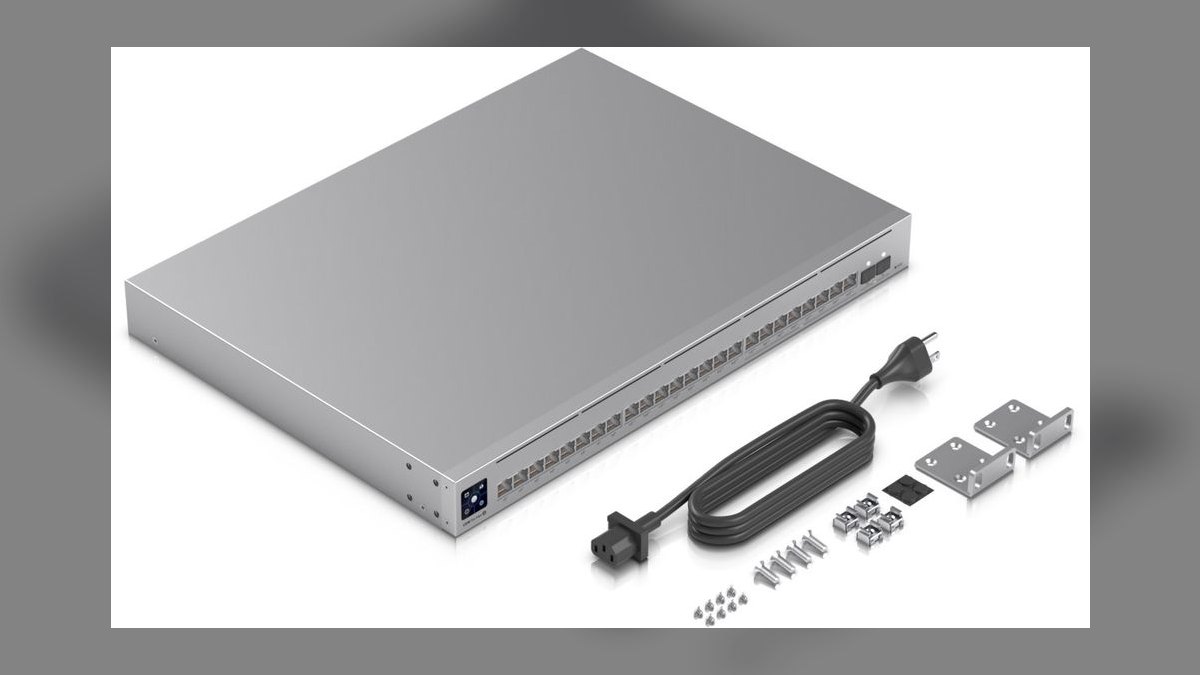
The UniFi Pro Max 24 PoE takes first because it packs 24x 2.5GbE ports, 2x 10G SFP+ uplinks, and a 400W PoE++ budget into one polished package at $799. Layer 3 lite routing handles inter-VLAN traffic without a separate router. The UniFi Network controller unifies VLANs, QoS, and per-port PoE scheduling in one modern interface. No rival matches this mix of multi-gig access, PoE headroom, and software quality.
It suits homelabbers and SMB IT teams wanting multi-gig performance with refined management. It trades away silent operation, since active cooling makes it too loud for desk-side use. Against the MikroTik CRS326-24S+2Q+RM below, it offers fewer 10G ports but far better management UX. For most buyers needing a primary access switch, this is the more practical pick.
2MikroTik CRS326-24S+2Q+RM
The MikroTik CRS326-24S+2Q+RM ranks second for unmatched 10GbE and 40GbE density: 24x 10G SFP+ plus 2x 40G QSFP+ ports. It forwards wire-speed at layer 2 with layer 3 hardware offload via RouterOS, on an 880Gbps non-blocking switching capacity. At $1199 it is the go-to aggregation core for serious homelab builders. Its 200,000-hour MTBF rating backs long-term reliability.
This switch targets enthusiasts building a 10GbE or 40GbE backbone, not casual users. It trades away quiet operation, as dual 40mm fans are loud and often swapped for Noctua replacements. Against the UniFi Pro Max 24 PoE above, it lacks PoE and a polished GUI, demanding RouterOS expertise. For pure 10G aggregation, it is the superior, more cost-effective choice.
3QNAP QSW-M408-4C
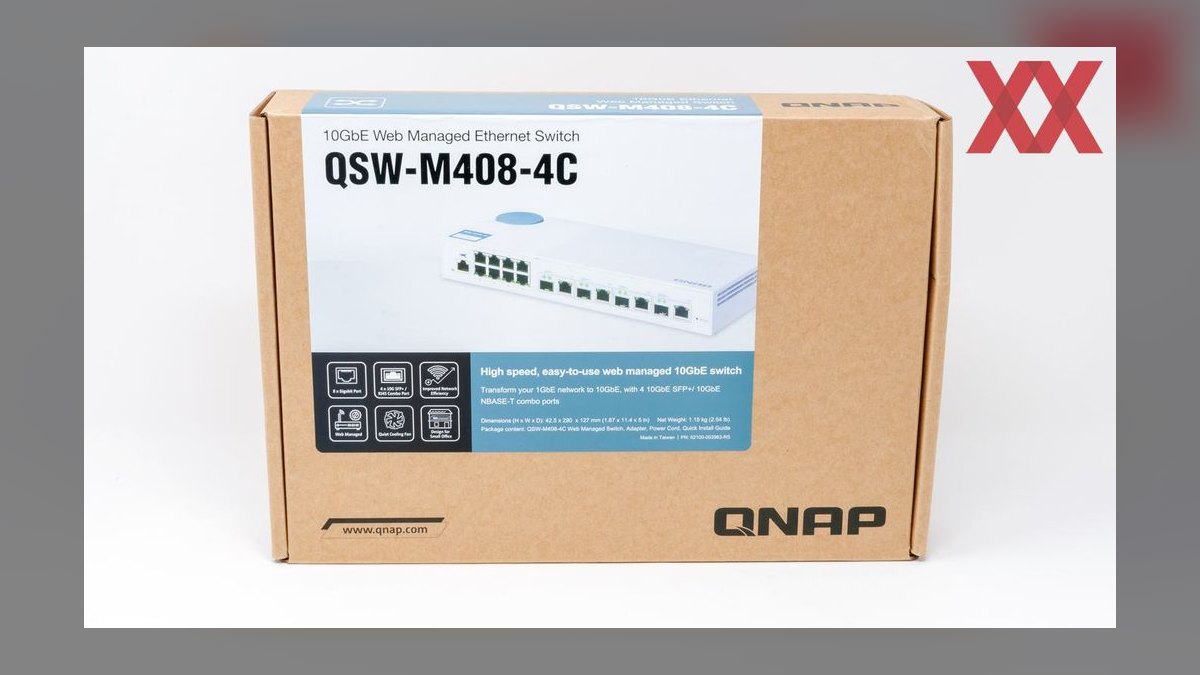
The QNAP QSW-M408-4C earns third by fitting 4x 10GbE combo ports and 8x gigabit ports into a fanless 1U chassis. Combo ports accept RJ45 copper or SFP+ fiber, easing NAS or distant-rack links. At $699 it delivers full layer 2 features: VLAN, QoS, LAGG, and IGMP snooping. A 295,000-hour MTBF and 3-year warranty support silent, dependable operation.
It suits small offices wanting 10GbE without the noise or cost of a fully managed rack unit. It trades away PoE entirely, so it cannot power cameras or APs directly. Against the MikroTik CRS326 above, it has far fewer 10G ports but a quieter, simpler web-managed experience. For a compact, silent 10G upgrade, this is the best fit.
4Aruba Instant On 1930 24G PoE+
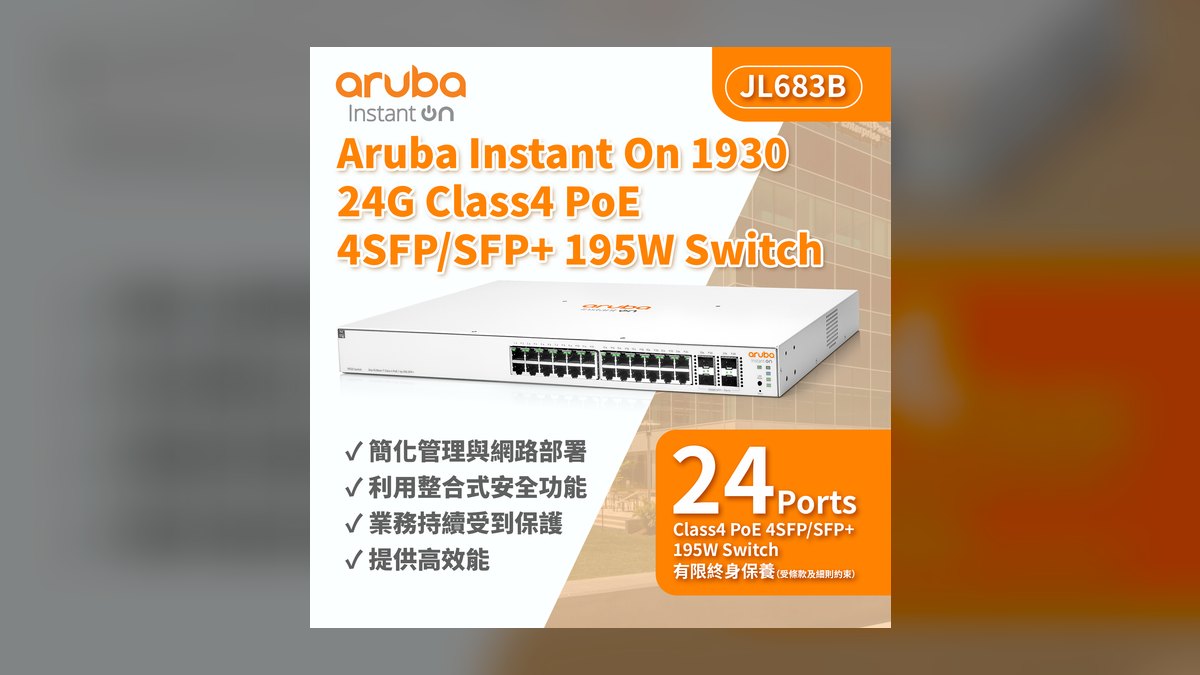
The Aruba Instant On 1930 24G PoE+ ranks fourth for enterprise-grade reliability and a lifetime warranty at $599. It provides 24x gigabit PoE+ ports with a 370W budget and 4x 10G SFP+ uplinks, plus layer 2+ static routing. Its 1.4-million-hour MTBF is among the highest here, suiting 24/7 operation. The free Aruba Instant On cloud app simplifies remote management for non-experts.
This switch suits SMBs wanting HPE/Aruba dependability without subscription fees. It trades away 2.5GbE access ports, sticking with gigabit for endpoints. Against the QNAP QSW-M408-4C above, it adds PoE and a better warranty but lacks 10GbE copper ports. For businesses prioritizing long-term support and PoE for APs, it is the stronger investment.
5Netgear GS324T 24-Port Smart Managed Pro
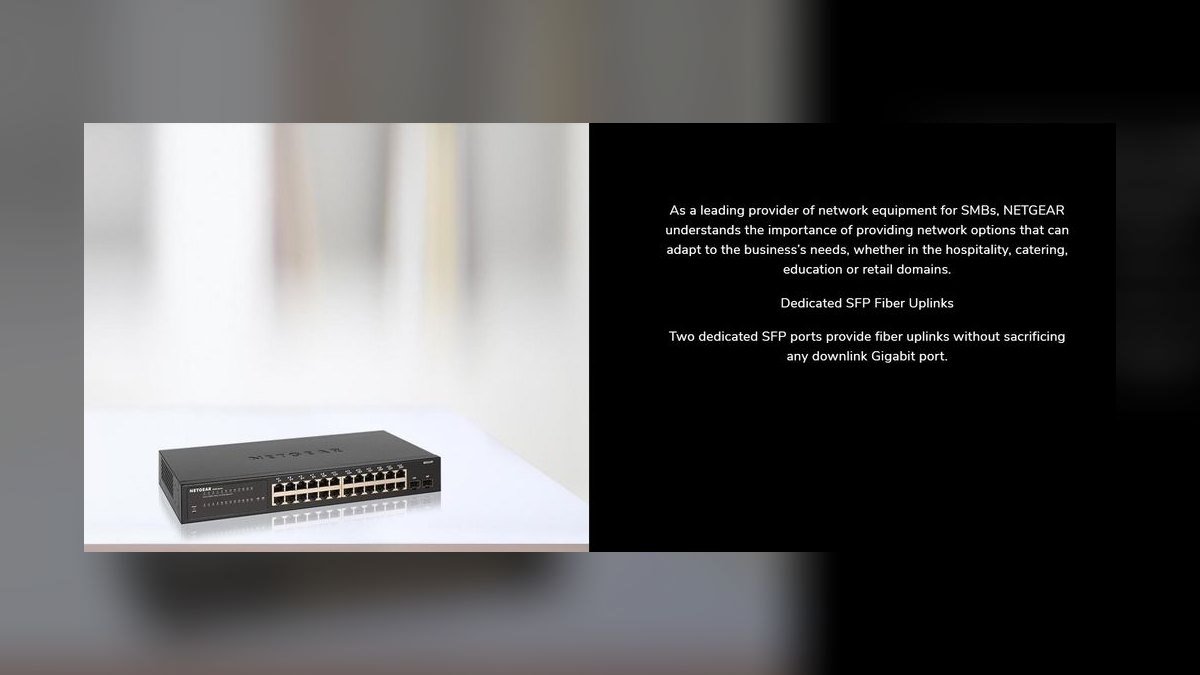
The Netgear GS324T ranks fifth as a budget workhorse: 24 gigabit ports and 2 SFP slots for just $249. It carries a full layer 2 feature set including 256 VLANs, 8 QoS queues, LAGG, RSTP, and IGMP snooping. Its fanless steel chassis and 1.5-million-hour MTBF suit quiet office environments. The lifetime ProSAFE warranty adds significant long-term value.
It suits budget-conscious SMBs needing managed gigabit connectivity without PoE or 10GbE. It trades away power over Ethernet and multi-gig speeds to hit an unbeatable price per port. Against the Aruba Instant On 1930 above, it lacks PoE and a cloud app but costs less than half as much. For basic VLAN segmentation and link aggregation, it delivers exceptional value.
6TP-Link TL-SG108E 8-Port Easy Smart
The TP-Link TL-SG108E is the value pick, delivering 8 gigabit ports with VLAN, QoS, port mirroring, and loop prevention for about $30. Its fanless design and 700,000-hour MTBF keep it silent and reliable anywhere. The Easy Smart Configuration Utility provides essential layer 2 controls through a simple Windows application. No other switch here approaches its price-to-feature ratio.
It suits homelabbers and AV installers needing basic VLAN segmentation on a tiny budget. It trades away a metal chassis, PoE, and a web GUI, using a plastic case and Windows-only software instead. Against the Netgear GS324T above, it offers far fewer ports but costs a fraction as much. For per-room deployments or camera aggregation, it is the most practical choice.
7Netgear GS308EP 8-Port PoE+ Managed
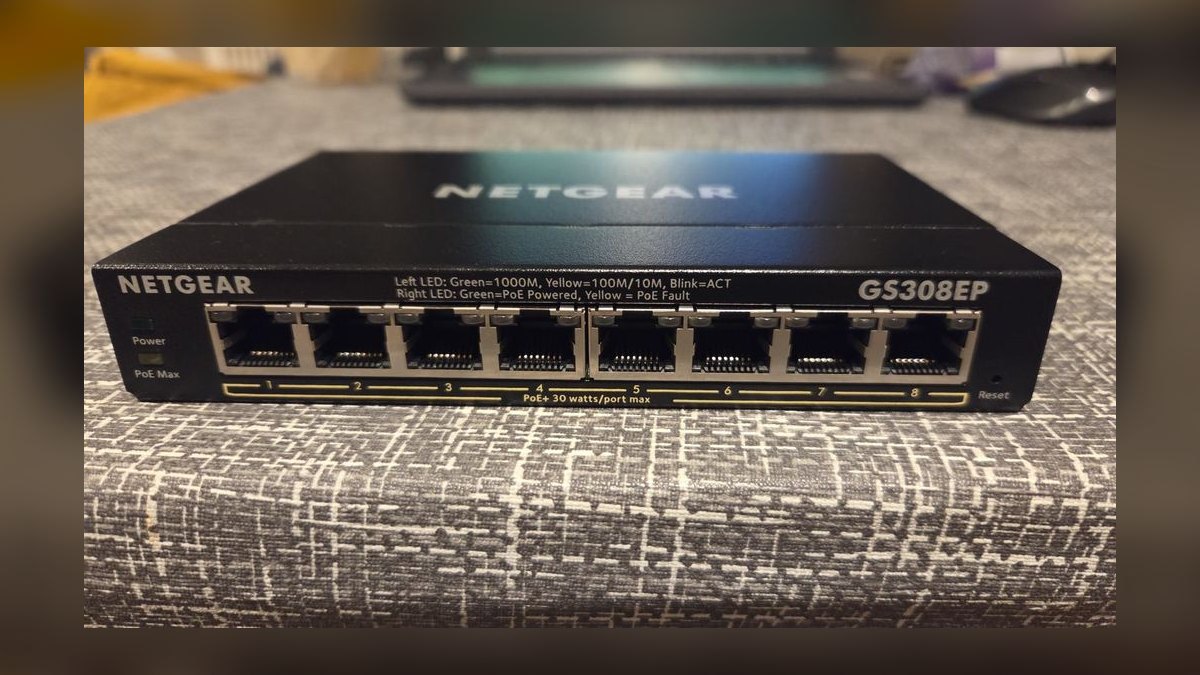
The Netgear GS308EP ranks seventh for its 8-port gigabit design with a 62W PoE+ budget at just $110. It supports VLANs, QoS, LAGG, STP, IGMP snooping, and PoE scheduling through a clean web interface. The fanless metal chassis and 1-million-hour MTBF make it durable and silent for desk or closet use. Netgear Insight cloud management is available free for remote access.
It suits home users powering security cameras and Wi-Fi 6 access points. It trades away port count and PoE++ wattage, limiting it to smaller deployments. Against the TP-Link TL-SG108E above, it costs more but adds PoE and a metal chassis. For a reliable, managed PoE feeder, it is the best value in this category.
8Ubiquiti UniFi Switch Lite 8 PoE
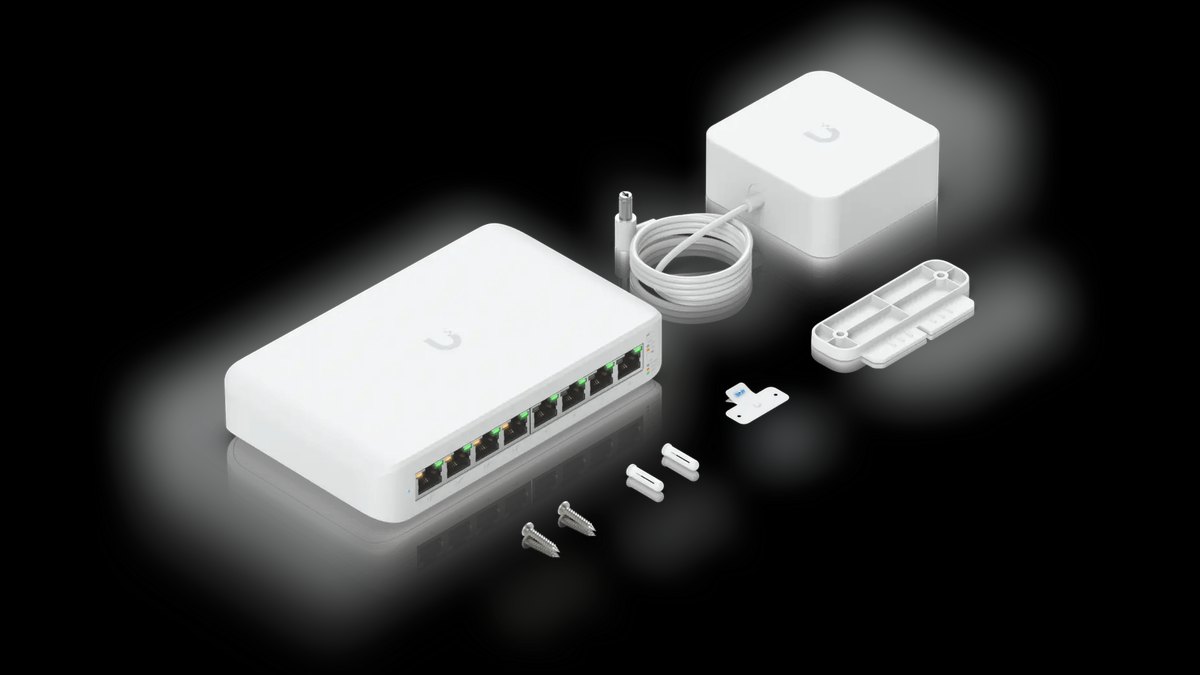
The Ubiquiti UniFi Switch Lite 8 PoE ranks eighth for seamless UniFi ecosystem integration at $199. It offers 8 gigabit ports, 4 delivering PoE+ with a 52W budget, fully managed from the UniFi Network controller. Its fanless steel chassis and wall-mountable design suit home or small office installs. A 500,000-hour MTBF makes it a dependable feeder switch.
It suits UniFi-first networks wanting unified VLAN profiles and PoE scheduling across devices. It trades away PoE++ support and port count, with only 4 of 8 ports providing power. Against the Netgear GS308EP above, it costs more but offers superior controller-based management. For existing UniFi users, the single-interface convenience is unmatched.
9MikroTik CRS305-1G-4S+IN
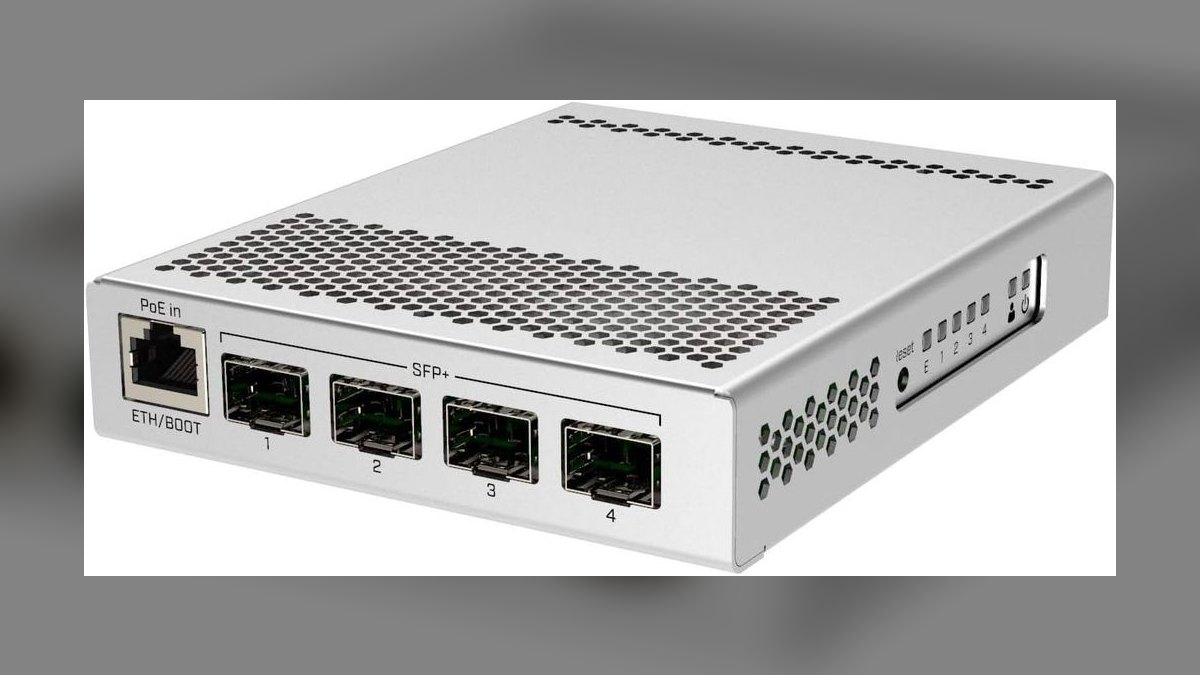
The MikroTik CRS305-1G-4S+IN ranks ninth for bringing 10GbE to homelabs for under $200. It provides 4x 10G SFP+ ports and 1 gigabit management port in a fanless, passively cooled steel chassis. RouterOS offers wire-speed layer 2 and layer 3 hardware offload across all SFP+ ports. Its compact size and silent operation suit desk-side deployment.
It suits homelab enthusiasts wanting 10G aggregation without rack noise or high costs. It trades away PoE and a user-friendly GUI, requiring RouterOS knowledge to configure. Against the UniFi Lite 8 PoE above, it offers far more bandwidth but no power delivery. Paired with DAC cables, it creates a cheap, high-speed backbone for NAS and workstation links.
10Cisco Catalyst CBS250-24P-4G
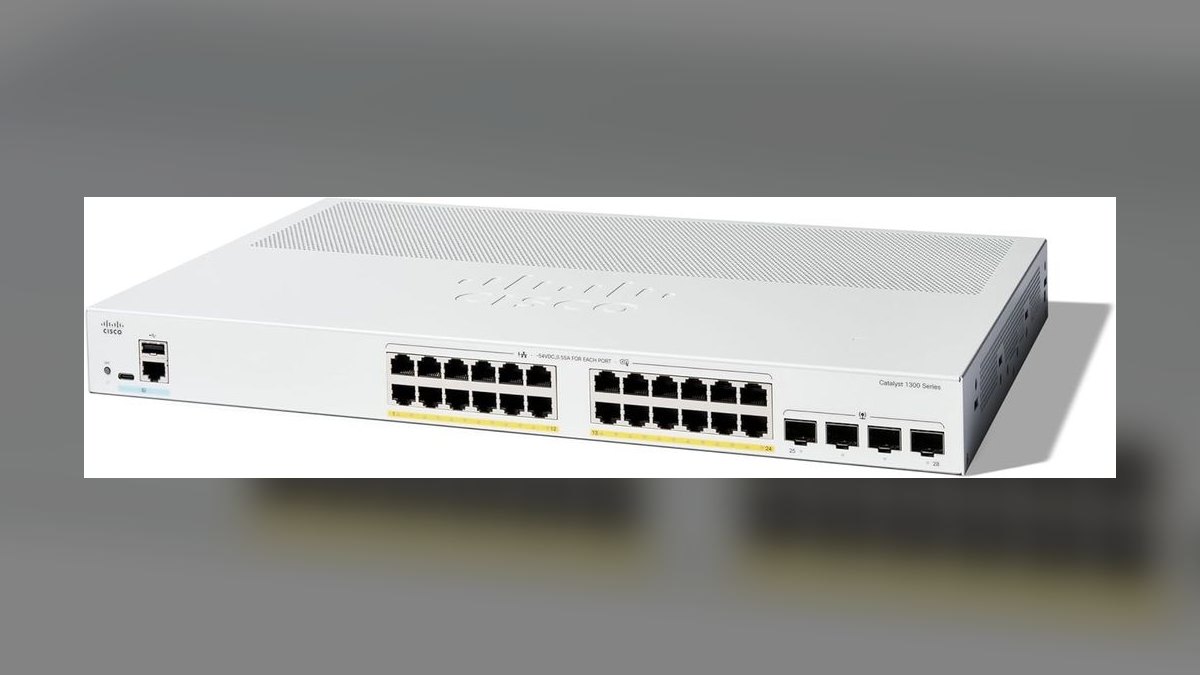
The Cisco Catalyst CBS250-24P-4G closes the list with genuine Cisco security features at $499. It offers 24 gigabit PoE+ ports with a 195W budget and 4x 1G SFP uplinks, plus static routing. Its security stack includes DHCP snooping, Dynamic ARP Inspection, 802.1X, and port security. A 1.1-million-hour MTBF and limited lifetime warranty back long-term reliability.
It suits security-conscious offices needing Cisco-grade protection without enterprise pricing. It trades away 2.5GbE and 10GbE copper ports, sticking with gigabit access and 1G SFP uplinks. Against the MikroTik CRS305 above, it adds PoE and a familiar Cisco web UI but far less bandwidth. For compliance-driven environments, the advanced security features justify the cost.
How we ranked these
We scored each switch on port density and speed mix, PoE budget and per-port wattage, layer 2/3 feature depth, management UX, acoustic profile, MTBF and warranty, and real-world reliability drawn from ServeTheHome, Tom's Hardware, Network Computing, SmallNetBuilder, Dong Knows Tech, and Reddit sentiment. Weighting was Features 30%, Reliability 25%, Performance 20%, Price 15%, Management UX 10%.
We deliberately ignored marketing hype, gaming-branded features, and jumbo frame support, which rarely matter in real deployments. We excluded unmanaged switches and enterprise-only models with subscription licensing, since they don't serve the prosumer and SMB audience. We focused on models with verifiable long-term reliability data and active community feedback, avoiding brands with poor firmware update histories.
Related questions
What is the difference between a managed and unmanaged network switch?
A managed switch offers configuration options like VLANs, QoS, link aggregation, and port mirroring, letting you segment traffic, prioritize bandwidth, and monitor performance. An unmanaged switch is plug-and-play with no configuration, simpler but far less flexible. For most homelabs and small offices, a smart managed switch provides the best balance of features and ease of use.
How much PoE budget do I need for a typical home security camera system?
A typical PoE camera draws about 12-15W. For four to six cameras, you need a switch with at least 60-90W of PoE budget. The Netgear GS308EP with 62W handles four cameras plus one access point, but larger systems should step up to a 24-port switch with 150W or more for headroom and expansion.
Is it worth upgrading to 2.5GbE from gigabit in 2027?
Yes, if you have Wi-Fi 6E or 7 access points, a NAS with an NVMe pool, or clients with 2.5GbE NICs. The price premium for 2.5GbE switches has collapsed to within 15-25% of gigabit, making it a worthwhile future-proofing investment. For basic browsing and streaming, gigabit remains sufficient.
What are the benefits of a fanless network switch?
Fanless switches are silent, making them ideal for home offices, AV racks, and desk-side deployments. They also have fewer moving parts, which can improve long-term reliability. However, they run hotter, so they suit lower-PoE-load scenarios and well-ventilated spaces. For most homelabs, a fanless switch like the QNAP QSW-M408-4C is the better choice.
How do I choose between SFP+ DAC cables and fiber transceivers?
For runs under seven meters, DAC cables are dramatically cheaper, roughly $25 versus $40 or more for transceiver pairs plus fiber, and they use less power. Use fiber for longer runs or where electrical isolation matters. For a homelab, DAC cables are the standard choice for connecting a NAS or workstation to a 10GbE switch.
What is layer 3 lite routing on a switch?
Layer 3 lite routing lets a switch perform inter-VLAN routing without a separate router, using static routes and DHCP relay. It is sufficient for most SMBs running three to five VLANs. The Ubiquiti UniFi Pro Max 24 PoE supports this, enabling wire-speed routing between VLANs, which reduces latency and simplifies the overall network architecture.
Are Cisco Catalyst switches worth the premium for small businesses?
The Cisco Catalyst CBS250 series offers a genuine Cisco IOS-like experience with advanced security features like DHCP snooping and Dynamic ARP Inspection at a budget price. For security-conscious offices, those features justify the premium over Netgear or TP-Link. However, the web UI is busier and there is no 2.5GbE or PoE++ support, so evaluate needs first.
How many ports should I plan for on a managed switch?
Count your current wired devices and add 20-30% for expansion. For a homelab, eight ports is often enough, but 16-24 ports leave room for cameras, access points, and future devices. The TP-Link TL-SG108E suits small setups, while the UniFi Pro Max 24 PoE fits larger networks with PoE demands.
FAQ
Do I need a managed switch for a home network?
Only if you want VLANs for guest or IoT isolation, QoS for prioritizing traffic, or PoE control. For a single flat network with a consumer router, unmanaged is fine. But if you have smart home devices or want to segment traffic, a smart managed switch like the TP-Link TL-SG108E is a cheap, effective upgrade.
Can I mix PoE and non-PoE devices on a PoE switch?
Yes, PoE is negotiated per port. Non-PoE devices simply receive no power, so it is safe to mix freely. This flexibility is a key advantage of PoE switches, letting you power cameras and access points while connecting regular devices like PCs or printers to the same switch without any configuration changes.
Is 2.5GbE worth it over gigabit in 2027?
Yes if you have Wi-Fi 6E or 7 access points, a modern NAS, or NVMe-equipped clients. The cost premium has collapsed, with 2.5GbE switches within 15-25% of gigabit pricing per ServeTheHome. For most users, 2.5GbE access with a 10GbE backbone to the NAS is the sweet spot.
Fanless or active cooling for a network switch?
Fanless for desks, AV racks, and home offices where silence matters. Active cooling for closet or rack deployments with high PoE load, since anything pushing over 200W of PoE generates real heat. The UniFi Pro Max 24 PoE has active fans that are audible but not loud, suitable for a rack but not a desk.
SFP+ DAC vs fiber transceivers, which is cheaper?
DAC for runs under seven meters is dramatically cheaper, roughly $25 versus $40 or more for transceiver pairs plus fiber. Use fiber for longer runs or where electrical isolation matters. For a homelab, DAC cables are the standard for connecting a NAS or workstation to a 10GbE switch, keeping costs low.
Will firmware updates keep coming for my switch?
Ubiquiti, Aruba, Cisco, MikroTik, and TP-Link Omada have strong update histories. Netgear's Insight line is solid, but older ProSAFE consumer models have slowed updates per SmallNetBuilder. Avoid brands with firmware abandonment histories, like some D-Link and Trendnet smart-managed lines, which stopped updates within three years.
What is the difference between PoE+ and PoE++?
PoE+ (802.3at) provides up to 30W per port, enough for Wi-Fi 6 access points and PTZ cameras. PoE++ (802.3bt Type 3) provides up to 60W, powering Wi-Fi 7 tri-band access points, displays, and thin clients. UPOE or PoE++ Type 4 provides 90W for LED displays and small workstations. Budget total wattage at 50-70% utilization.
How many ports do I need on a managed switch?
Count your current wired devices and add 20-30% for expansion. For a homelab, eight ports is often enough, but 16-24 ports provide room for cameras, access points, and future devices. The TP-Link TL-SG108E is great for small setups, while the UniFi Pro Max 24 PoE suits larger networks with PoE needs.
What is the best managed switch for a small office?
The Aruba Instant On 1930 24G PoE+ is excellent for SMBs, offering a lifetime warranty, 1.4-million-hour MTBF, and a user-friendly cloud app. It provides 24 gigabit PoE+ ports with a 370W budget and four 10G SFP+ uplinks. For a budget option, the Netgear GS324T is a solid choice at $249.
Do managed switches slow down network traffic?
No, managed switches forward at wire speed when hardware offload is enabled. Features like VLANs, QoS, and link aggregation add negligible latency on modern switching ASICs. The MikroTik CRS326 delivers non-blocking 880Gbps switching capacity, and the UniFi Pro Max handles full 2.5GbE line rate across all ports simultaneously without measurable slowdown.
Sources
- https://www.servethehome.com/
- https://www.tomshardware.com/
- https://www.networkcomputing.com/
- https://www.smallnetbuilder.com/
- https://dongknows.com/
- https://www.reddit.com/r/homelab/
- https://www.reddit.com/r/networking/
- https://www.ui.com/
- https://mikrotik.com/
- https://www.tp-link.com/
Related on PULSE
This page will be disappearing soon. Save it to your device for $1 — or read it free while it is here.
@Kory-White- · if Venmo asks, the last 4 of my number are 2012
This page is gone.
This one is off the shelf now. $1 keeps it on your phone for good — the whole page, pictures and diagrams included.
 pulse-reviewsTop 10 Cordless Brad Nailers — Best Overall + Best Value in 2027
 pulse-reviewsTop 10 Electric Spice Grinders — Best Overall + Best Value in 2027
 pulse-reviewsTop 10 TCL TVs — Best Overall + Best Value in 2027
 pulse-reviewsTop 10 Wireless Earbuds for Quick Sales Calls in 2027
 pulse-reviewsHow do I reduce echo in a home office for sales calls in 2027?
 pulse-reviewsTop 10 Label Makers — Best Overall + Best Value in 2027
 pulse-reviewsTop 10 Car Phone Mounts for Field Sales Reps in 2027
 pulse-reviewsTop 10 Premium Travel Coffee Mugs for Sales Reps in 2027
 pulse-reviewsTop 10 Foldable Phones — Best Overall + Best Value in 2027
 pulse-reviewsTop 10 RV Surge Protectors — Best Overall + Best Value in 2027