


Top 10 Drawing Tablets — Best Overall + Best Value in 2027
Quality
Certified
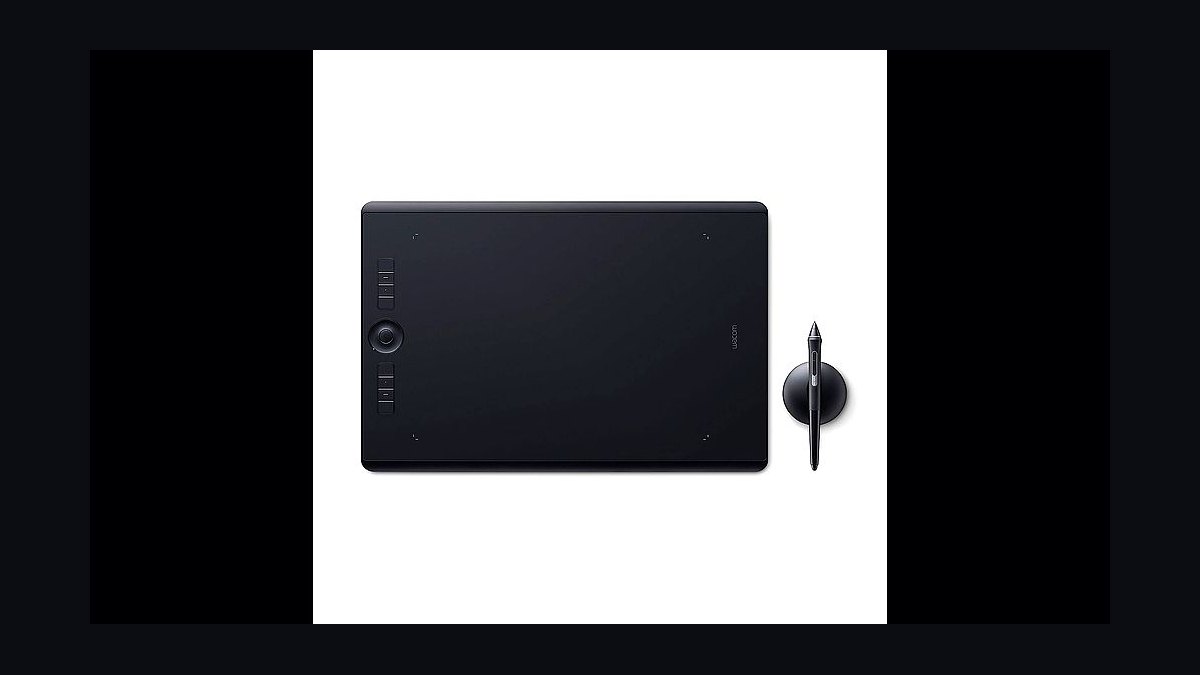
The 10 best drawing tablets are ranked below on measured performance, build quality, price, and how each one actually holds up in daily use rather than how it reads on a spec sheet. Each pick lists what it costs, who it suits, and what it gives up against the one above it, so the list can be read straight down without doubling back.
1Wacom Intuos Pro Medium PTH-660
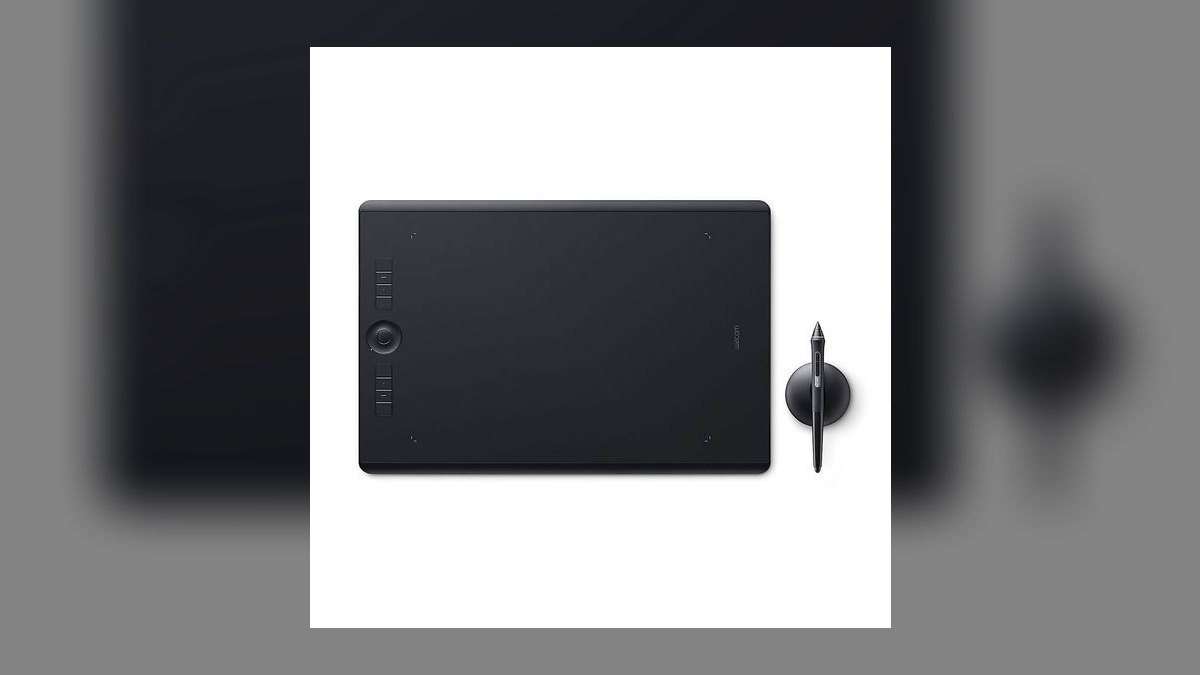
This ranks first because it is the reference tablet every competitor benchmarks against. The 8.7 × 5.8 inch active area maps cleanly to a 27-inch 16:9 monitor without the wrist travel of the Large. The Pro Pen 2 delivers 8,192 pressure levels, ±60° tilt, a 200 PPS report rate, and battery-free EMR operation. Eight ExpressKeys flank a four-function Touch Ring, over USB-C or Bluetooth 4.2.
At $379 this is aimed at professional illustrators, retouchers, and concept artists doing paid client work where a driver crash costs money. What it trades away is price — it is the most expensive tablet in its size class, and the multi-touch surface most pros disable anyway. Compared with the Huion Inspiroy Dial 2 below, it gives up a second dial and some active area in exchange for the most mature macOS and Linux driver stack available.
2Huion Inspiroy Dial 2
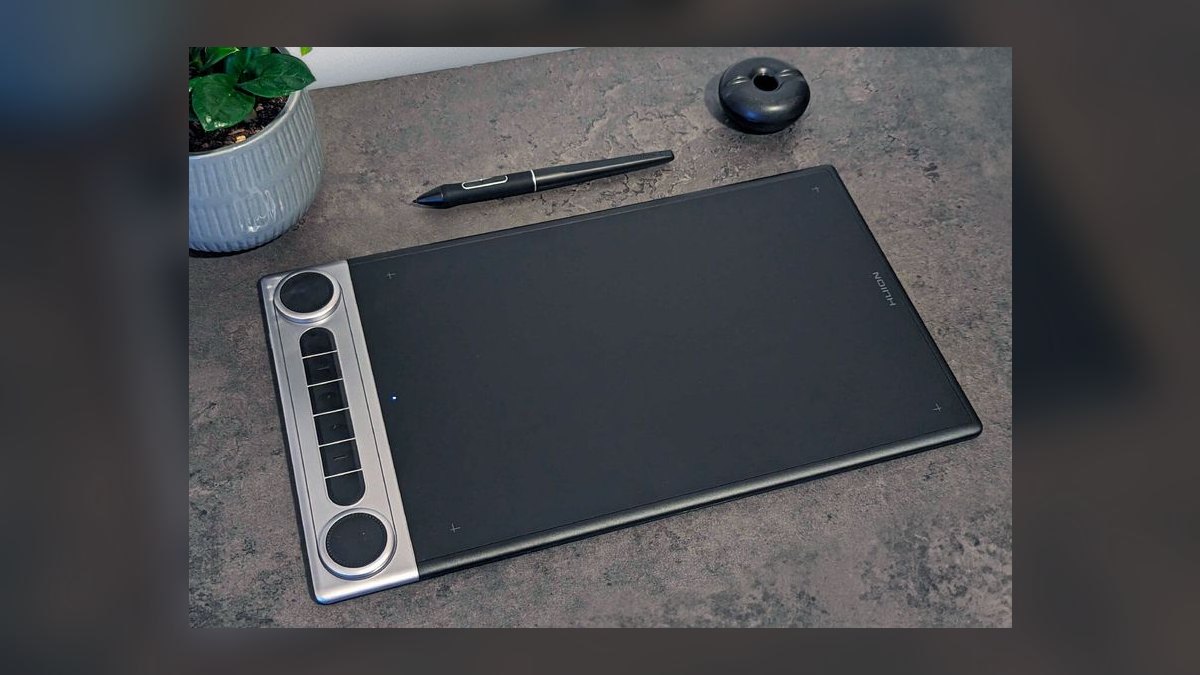
Second place goes to the closest spec-for-spec rival to the Wacom at roughly half the money. The $199 Inspiroy Dial 2 carries a 10.5 × 6.56 inch active area — larger than the Intuos Pro Medium — with 8,192 pressure levels and ±60° tilt. Its PW517 pen is battery-free EMR with two side buttons. Eight press keys sit beside two physical dials, each reprogrammable per application.
This suits working pros and semi-pros who want Wacom-class hardware without the brand premium, and Linux users served by Huion's official DKMS packages. The trade is connectivity and polish: 2.4 GHz dongle only with no Bluetooth, and a driver that occasionally needs relaunching after macOS sleep. Against the Intuos Pro Medium above, you gain a second dial and area but accept slightly less predictable driver behavior.
3Wacom Intuos Pro Large PTH-860
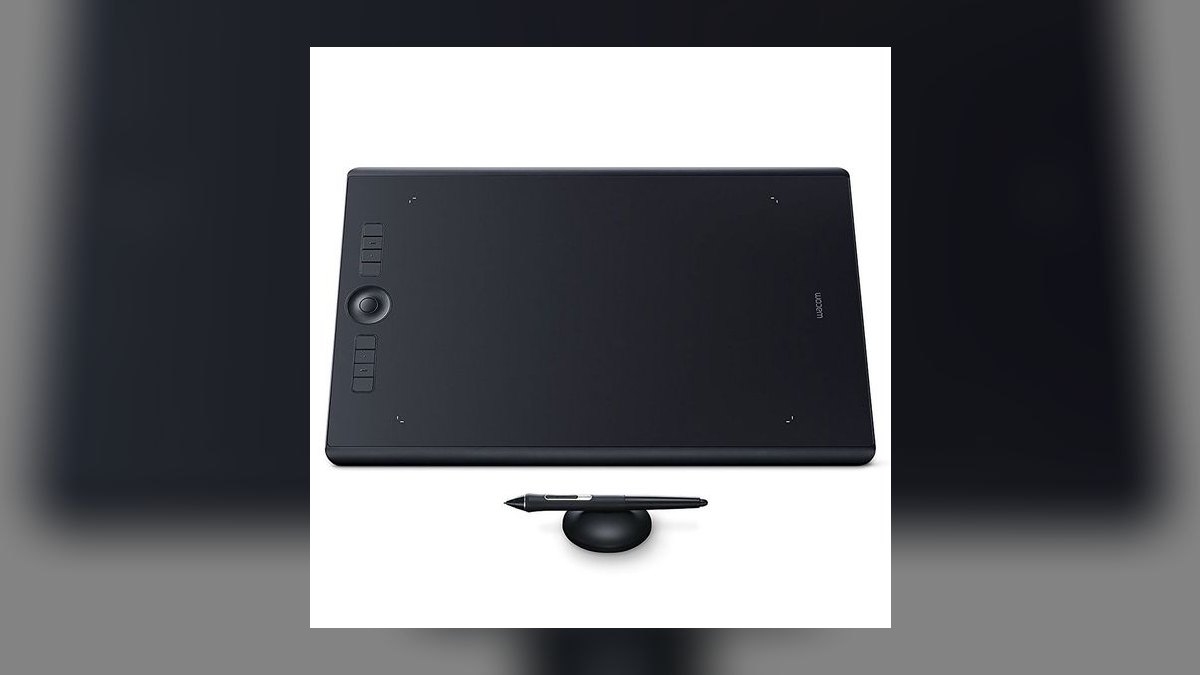
Third because it is the Medium scaled up rather than improved — same pen, more surface. The active area measures 12.1 × 8.4 inches, driven by the identical Pro Pen 2 with 8,192 pressure levels and ±60° tilt. Eight ExpressKeys, the Touch Ring, multi-touch, USB-C and Bluetooth all carry over unchanged. At $499 it is the most expensive tablet on this list.
Animators working in Toon Boom Harmony or TVPaint, traditional artists who draw from the elbow, and anyone running a 32-inch or dual-monitor setup are the real audience. It trades away desk space and wrist stamina — newer users tire quickly across that much travel. Relative to the Medium at number one, muscle memory transfers perfectly, so the only real question is whether your arm and desk want the extra reach.
4XP-Pen Deco Pro Medium MW
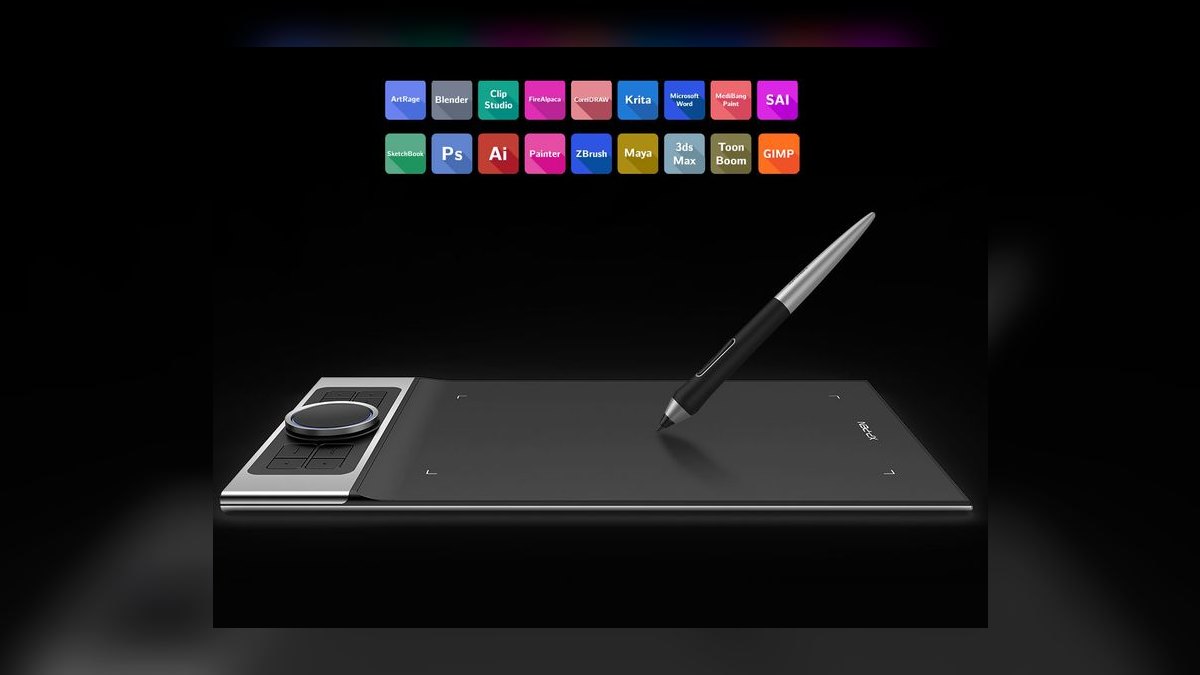
This lands fourth on control hardware for the money: $219 buys 8,192 pressure levels, ±60° tilt, and an 11 × 6 inch active area. The X3 Pro Stylus is battery-free with an 8 g initial activation force, roughly half what most styluses require, which shows in light line work. The control cluster stacks a physical dial wheel over a virtual touch wheel alongside eight shortcut keys. Bluetooth 5.0 and USB-C both connect.
Illustrators who lean on dials and want delicate pressure onset are the target, particularly on Windows where XP-Pen drivers are dependable. The trade is platform coverage: Linux support is unofficial and depends on community digimend packages, and Mac driver QA lags. Against the Huion Inspiroy Dial 2 above, the wheel cluster is the better layout but the driver situation is weaker.
5Wacom Intuos Pro Paper Edition
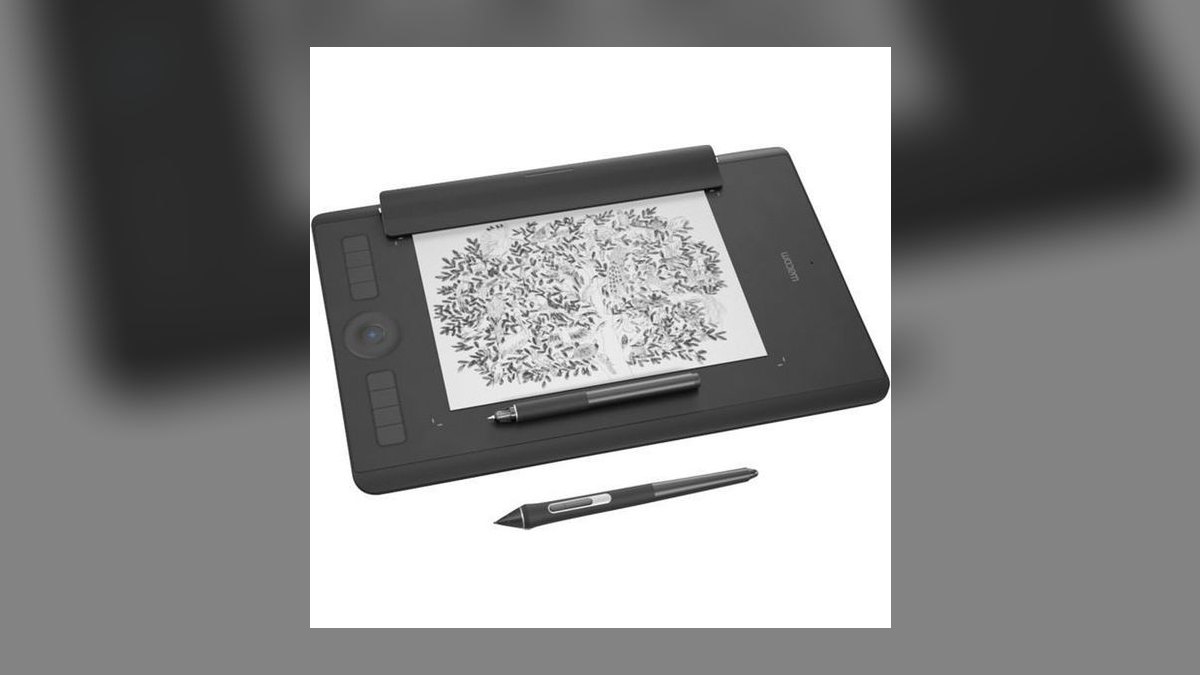
Fifth because it is the PTH-660 hardware plus a workflow, not a better tablet. Every core spec matches the Medium: 8,192 pressure levels, ±60° tilt, battery-free EMR, ExpressKeys, Touch Ring, Bluetooth and USB-C. What $429 adds is the Finetip Pen and a paper clip that holds a real sketchbook on the surface, capturing ink strokes as editable vector layers in Wacom Inkspace.
Field sketchers, journalists, and sketchbook-first artists going hybrid get real value here. The trade is $50 over the standard Medium, a genuine learning curve on the paper workflow, and the ongoing consumable cost of actual paper and ink refills. Against the number one pick, the digital drawing experience is identical — you are paying purely for the ink-capture path, so skip it if you never sketch on paper.
6Wacom Intuos Small CTL-4100
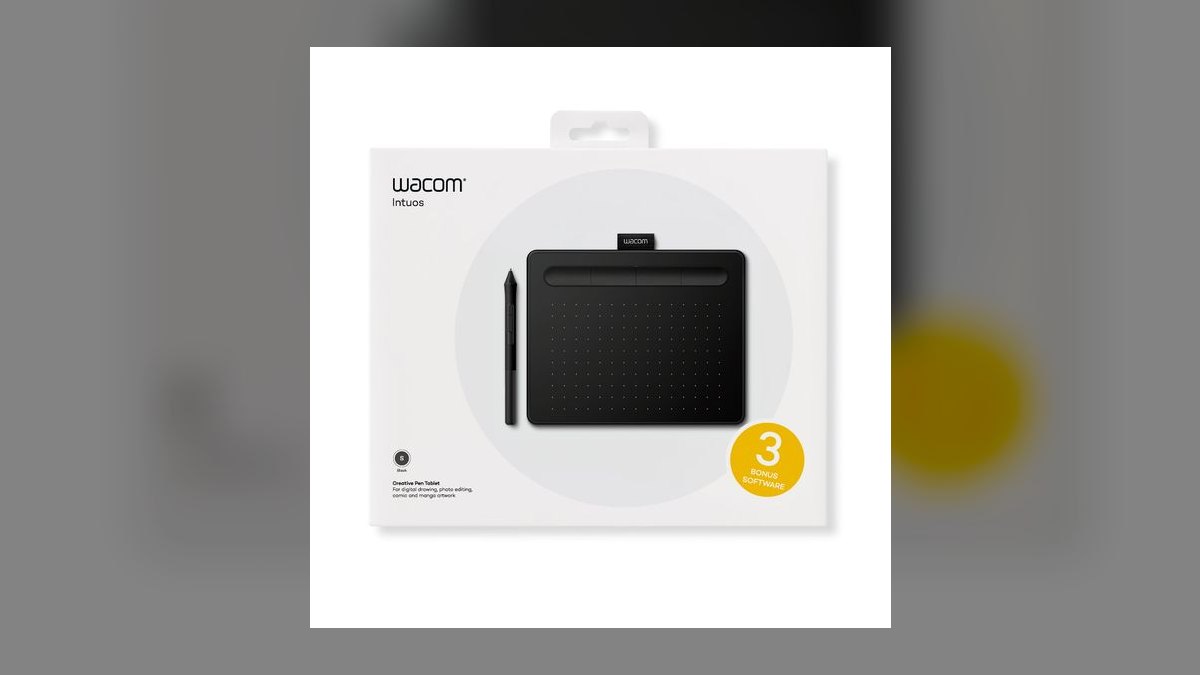
Sixth overall but the best value on this list, because $79 buys genuine Wacom EMR pen technology. The active area is 6.0 × 3.7 inches, sized for a 13 to 15 inch laptop, with 4,096 pressure levels through the battery-free Wacom Pen 4K. Four ExpressKeys run along the top edge over a wired USB-C connection. The bundled software — Clip Studio Paint Pro, Corel Painter Essentials 8, Corel AfterShot 3 — is worth more than the tablet.
Beginners, students, and professionals annotating PDFs are the honest audience. It trades away tilt-free nuance is not the issue; the real limits are the tight active area on monitors above 24 inches and wired-only connection unless you pay $20 more for the CTL-4100WL. Against the Pro models above, you lose tilt, ExpressKey count, and half the pressure range.
7XP-Pen Deco Mini7W Wireless
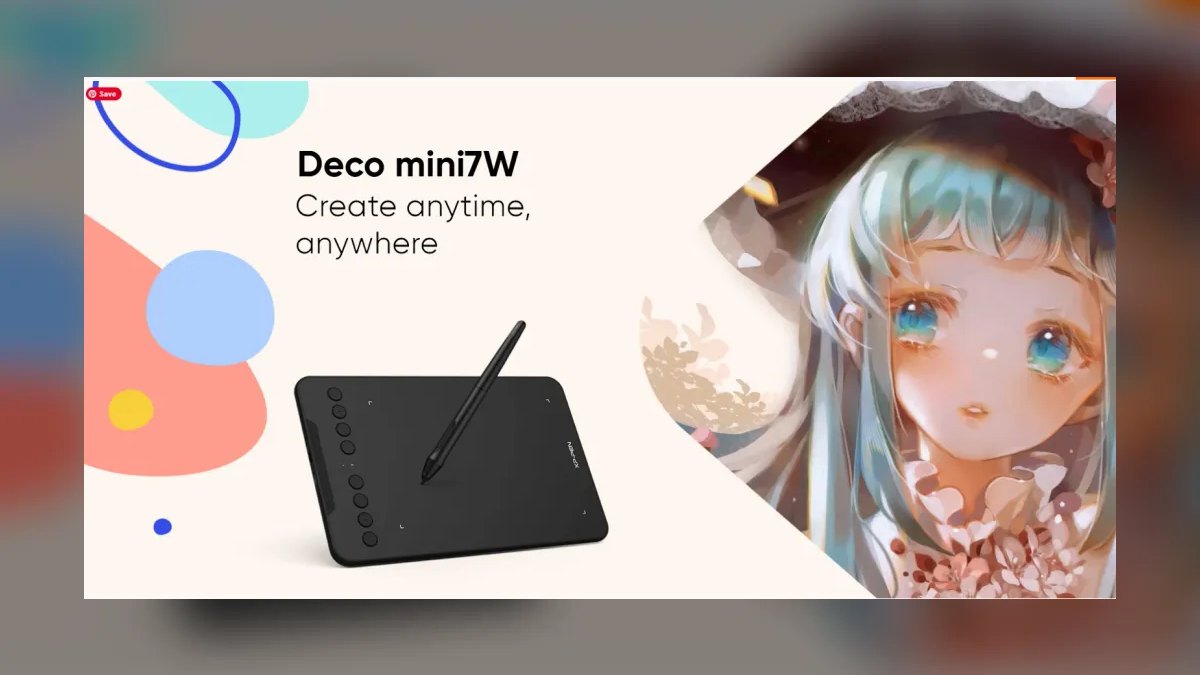
Seventh because it delivers untethered drawing at a price point where wireless usually disappears. The $109 Deco Mini7W offers a 7 × 4.37 inch active area, 8,192 pressure levels, ±60° tilt, and the battery-free P05D pen. A 2.4 GHz dongle ships in the box, the tablet charges over USB-C for roughly 10 hours of cordless use, and the whole unit weighs under 300 grams.
Travel artists, presenters, and anyone working from cafés or client sites benefit most, with support spanning Windows, Mac, Chrome OS, Android 6.0+, and community Linux drivers. The trade is a small active area and unlabeled shortcut keys that require the on-screen overlay until muscle memory forms. Versus the Wacom Intuos Small above, you gain wireless and tilt but give up Wacom's driver maturity and software bundle.
8Huion HS610
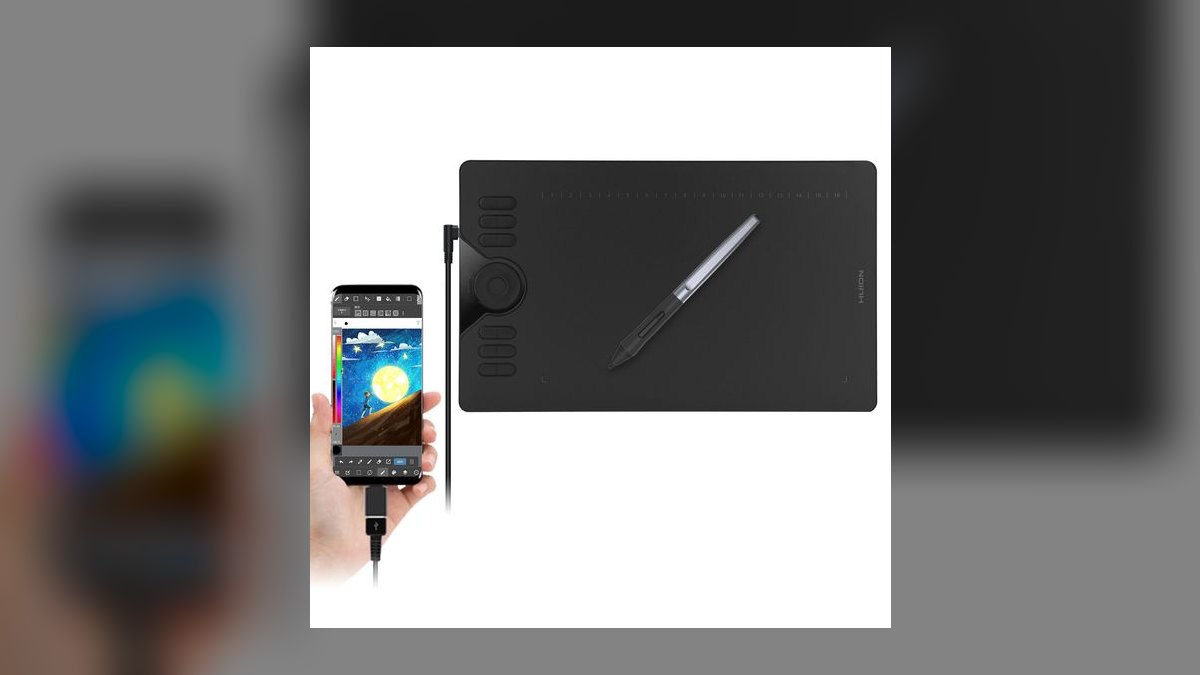
Eighth on raw area per dollar: a 10 × 6.25 inch active area for $119, within a hair of the Intuos Pro Medium at under a third the price. It carries 8,192 pressure levels and the battery-free PW100 pen, backed by a two-year warranty. Control count is the highest here — 12 physical shortcut keys plus 16 soft keys along the edge for application-specific commands. Connection is wired USB-C only.
Budget illustrators who want desktop-scale drawing surface without desktop-scale spend are the fit. The trade is significant: the PW100 has no tilt support, which meaningfully limits graphite-style shading and sketch-heavy work. Against the XP-Pen Deco Mini7W above, you gain far more surface and shortcut keys but lose both tilt and wireless operation entirely.
9Gaomon S620
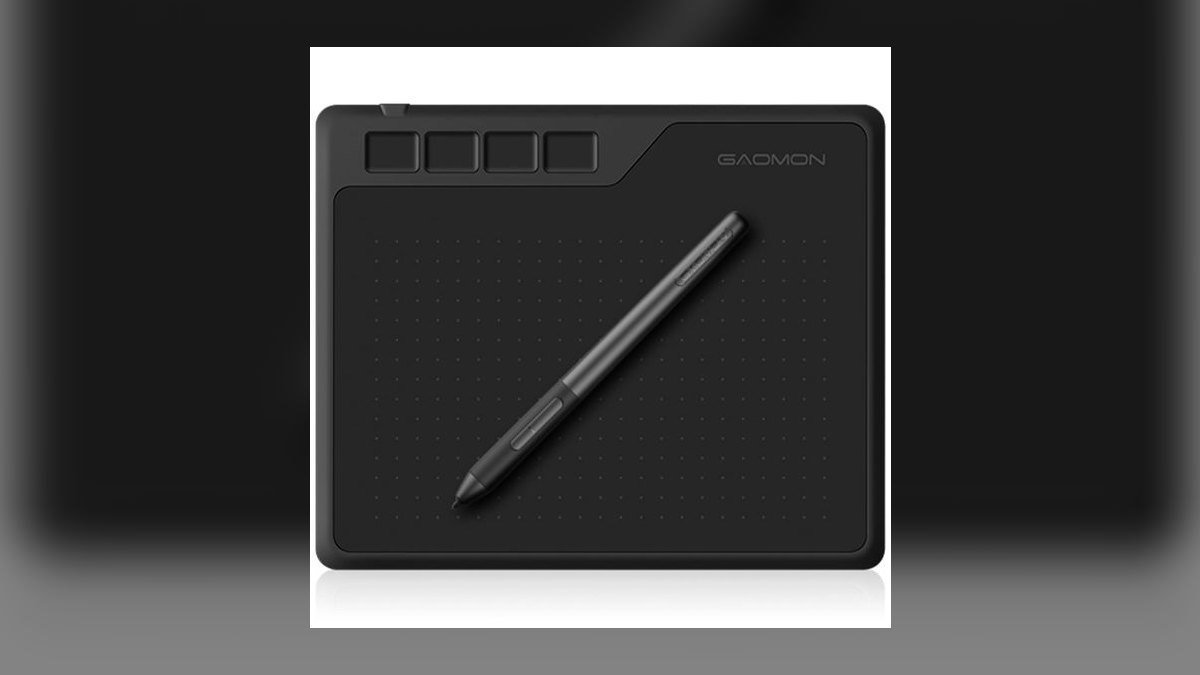
Ninth because at $35 the spec sheet is difficult to argue with even after discounting the build. The active area is 6.5 × 4 inches, the ArtPaint AP32 pen is battery-free, and the sensor reports 8,192 pressure levels. Four shortcut keys and wired USB-C round it out. Compatibility spans Windows 7 and later, macOS 10.12 and later, Android 6.0+ over OTG, and Chrome OS 88+.
First-timers, online whiteboard teachers, and parents testing whether a kid actually sticks with digital art should start here. The trades are real: plastic construction, a slicker surface than the premium picks, no tilt, and bare-bones drivers that work fine in Krita and MediBang but get fiddly with Adobe apps. Against the Wacom Intuos Small, you save $44 and lose driver reliability and the software bundle.
10Wacom One Pen Tablet Medium
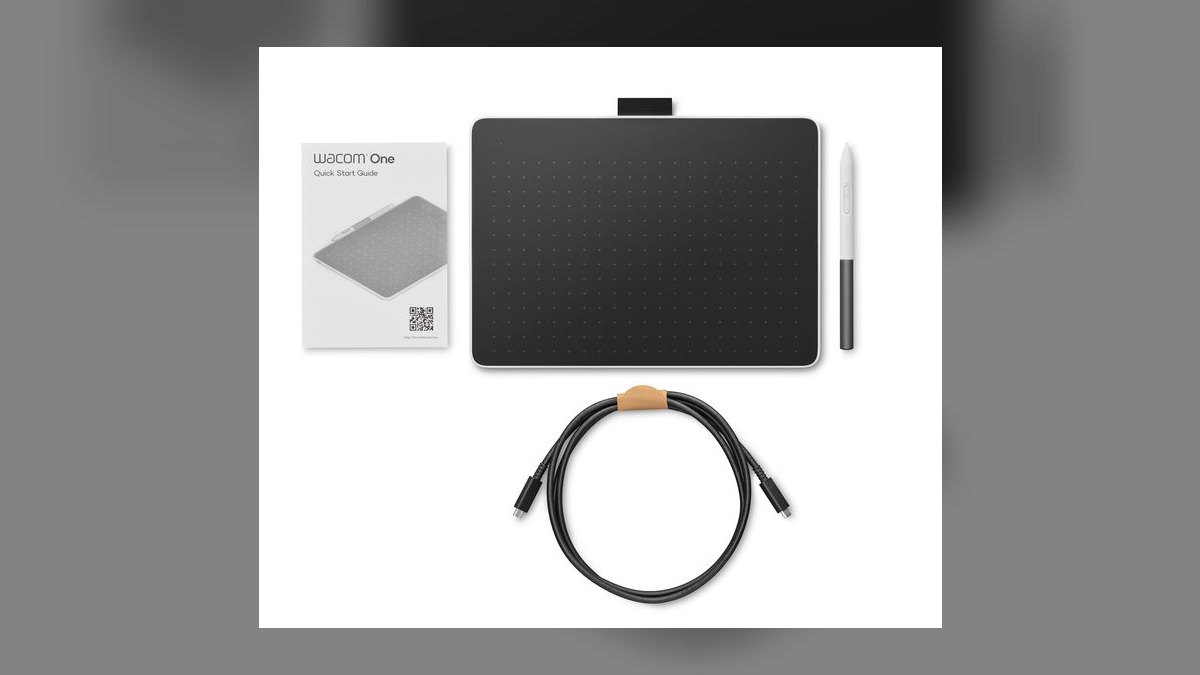
Tenth because it fills one specific gap — official Chromebook support from Wacom — rather than winning on specs. The $129 Wacom One Pen Tablet Medium offers an 8.5 × 5.3 inch active area with 4,096 pressure levels through the battery-free Wacom One Standard Pen. It connects over Bluetooth Low Energy or USB-C, and ships with Clip Studio Paint and Adobe Fresco trials.
Hybrid students and creators on Chrome OS or Android, who need first-party drivers rather than community packages, are the audience. It trades away tilt entirely, and the pen is lighter than the Pro Pen 2, which some professionals read as less controlled. Compared with the Intuos Small at number six, you get a larger surface and Bluetooth for $50 more, but the same 4,096-level pen and no tilt.
How we ranked these
We scored ten screenless pen tablets on six weighted axes: pen technology and pressure curve at 30 percent, driver stability across macOS, Windows, and Linux at 20 percent, active area and ergonomics at 15 percent, shortcut keys and dial controls at 15 percent, price-to-performance at 15 percent, and warranty support at 5 percent. Battery-free EMR styluses scored above rechargeable ones. Tilt response, initial activation force, and report rate broke ties.
We ignored raw pressure-level counts as a ranking driver, because human articulation tops out near 2,048 distinct levels and the 8,192 figure sells more than it delivers. We ignored pen displays entirely — Cintiq and Kamvas are a different category with different ergonomics. We also skipped bundled sleeve accessories, marketing-page resolution figures, and Amazon star ratings, which track shipping speed more than drawing feel.
What to look for
Match active area to your monitor first: a 6 × 3.7-inch Small for a 13-15 inch laptop, an 8-10 inch Medium for a 24-27 inch display, 12 inches or more only for 32-inch or dual-monitor rigs. Then demand a battery-free EMR pen and tilt support. Tilt lets you shade with the nib's side; the Wacom One and Huion HS610 lack it entirely.
The common mistake is buying the largest tablet affordable. A Large PTH-860 tires wrists that a Medium never would, and most buyers downgrade within a year. The second mistake is chasing 8,192 pressure levels while ignoring driver quality — the thing that actually ruins sessions. Check r/wacom, r/huion, and r/XPpen for your exact operating system before ordering, especially on Apple Silicon and Linux.
Related questions
Is the Wacom Intuos Pro Medium worth $379 over the Huion Inspiroy Dial 2?
For paid client work, yes. The $180 premium buys driver maturity on macOS Sequoia and Apple Silicon, a two-year warranty, and resale value Huion can't match. The Inspiroy Dial 2 matches the 8,192 pressure levels, ±60° tilt, and battery-free EMR pen, and adds a second dial and a larger active area. Hobbyists should take the Huion.
What does EMR mean and why does it matter?
EMR stands for Electromagnetic Resonance, Wacom's induction system that powers the stylus wirelessly from the tablet surface. The pen carries no battery and no charging port, so it never dies mid-stroke, weighs less, and balances better in the hand. Every tablet on this list uses a battery-free pen. Any stylus needing a USB-C charge or AAA cell is a step backward.
Which drawing tablet is best under $100?
The Wacom Intuos Small CTL-4100 at $79, on the strength of its battery-free Wacom Pen 4K, mature drivers, two-year warranty, and a software bundle worth more than the hardware. If you need a bigger surface, the $35 Gaomon S620 gives you 6.5 × 4 inches and 8,192 pressure levels, but its driver support is bare bones outside Krita and MediBang.
Do I need tilt support?
If you shade like a pencil artist, yes. Tilt reads the stylus angle up to ±60° so brushes respond the way a graphite side-stroke does. The Wacom Pro Pen 2 and Huion PW517 both support it. The Wacom One's Standard Pen and Huion's PW100 do not, which is the single biggest compromise in those two otherwise capable tablets.
What's the best drawing tablet for animation?
The Wacom Intuos Pro Large PTH-860 at $499. Its 12.1 × 8.4-inch active area suits the sweeping whole-arm strokes that Toon Boom Harmony and TVPaint work demands, and the pen feel is identical to the Medium so muscle memory transfers. Budget desk space accordingly — the Large is genuinely big, and newer users often find the wrist travel tiring at first.
Which tablets work with a Chromebook?
The Wacom One Pen Tablet Medium is the safest pick — it carries official Chrome OS driver support alongside Bluetooth Low Energy and USB-C. The Gaomon S620 lists Chrome OS 88 and later, and the XP-Pen Deco Mini7W claims Chrome OS support too, but neither ships first-party drivers. If Chromebook is your primary machine, pay the extra for official support.
How much active area do I actually need?
Less than you think. A 6 × 3.7-inch Small covers a 13-15 inch laptop comfortably. Medium sizes of 8 to 10 inches map well to 24-27 inch monitors, the range most people own. Anything past 12 inches only pays off on 32-inch or dual-monitor setups. Oversized tablets force more arm travel per stroke, which fatigues wrists and slows detail work.
Is the Intuos Pro Paper Edition worth the $50 premium?
Only if you actually sketch on paper. The $429 Paper Edition is the same PTH-660 hardware plus a Finetip Pen and a clip that holds a real sketchbook on the surface, capturing ink strokes as editable vector layers in Wacom Inkspace. If you won't use that workflow weekly, buy the standard Medium and keep the $50.
FAQ
What's the difference between a pen tablet and a pen display?
A pen tablet is a flat input pad — you draw on the surface while watching your monitor. A pen display has a screen built in, so you draw directly on the image. Displays cost three to ten times more. Many professionals stay on pen tablets long-term because keeping your head up and eyes forward prevents the neck strain that hunched display work causes.
Wacom vs Huion vs XP-Pen — what's the real difference?
Wacom has the deepest driver maturity, the longest support, and the strongest resale. Huion has closed the hardware gap with EMR pens, matching pressure specs, and more shortcut keys per dollar, and now matches Wacom on Mac drivers for most users. XP-Pen is the price-aggressive option with solid hardware but spottier driver QA, especially on macOS. For paid client work, Wacom stays the safe pick.
Do I need 8,192 pressure levels?
No. Human pressure articulation tops out near 2,048 distinct levels, so 4,096 already exceeds what your hand can control and 8,192 is largely a spec-sheet number. What you will feel is pressure curve tuning and initial activation force — the XP-Pen X3 Pro stylus activates at about 8 grams, roughly half the industry norm, which helps with delicate line work.
Are these tablets compatible with iPad?
No. These connect over USB-C or Bluetooth to Mac, Windows, and Linux, with Chromebook and Android support on some models. The iPad ecosystem uses the Apple Pencil natively and does not accept third-party pen tablets. If you want pen input on an iPad, that is its own category built around the Apple Pencil Pro rather than anything on this list.
Can I use these for handwriting and notes, not just art?
Yes. The Wacom Intuos Small and Wacom One are popular with teachers, lawyers, and sales reps for PDF annotation and digital whiteboarding in OneNote and Microsoft Whiteboard. Writing on a flat surface while watching the screen takes roughly two to three hours to feel natural, after which most people stop noticing the disconnect entirely.
Are pens cross-compatible between brands?
No. A Wacom Pro Pen 2 will not work on a Huion tablet, and a Huion PW517 will not work on a Wacom. Each manufacturer tunes its own EMR implementation. Buy replacement pens and nibs from the same brand as the tablet. The Intuos Pro ships with ten spare nibs and a removal ring, which lasts most artists a year or more.
Do these work on Linux?
Yes, with caveats by brand. Wacom is supported natively in the Linux kernel, so Intuos models are plug-and-play on Ubuntu, Fedora, and Pop!_OS. Huion ships official DKMS driver packages. XP-Pen depends on the community digimend-kernel-drivers project, which is well maintained but unofficial. If Linux is your daily driver, Wacom or Huion will save you configuration time.
How much is the bundled software actually worth?
On the $79 Intuos Small, roughly $120 — you pick from three apps including a six-month Clip Studio Paint Pro license, Corel Painter Essentials 8, and Corel AfterShot 3. That makes the software worth more than the tablet. The Wacom One bundles Clip Studio Paint and Adobe Fresco trials. Trials expire, so weigh perpetual licenses more heavily than time-limited ones.
Which tablet has the most shortcut keys?
The Huion HS610 at $119, with twelve physical press keys plus sixteen soft keys along the edge for application-specific commands. The tradeoff is its PW100 pen, which is battery-free but lacks tilt. The Wacom Intuos Pro offers eight ExpressKeys plus a four-mode Touch Ring, and the Huion Inspiroy Dial 2 gives you eight keys and two physical dials.
Is multi-touch on the Intuos Pro worth paying for?
Rarely. Wacom's multi-touch surface sounds useful for pinch-zoom and canvas rotation, but palm rejection remains imperfect and many professionals disable it within the first week, then drive those gestures from the ExpressKeys and Touch Ring instead. If the feature is what pushes you over budget, a non-touch tablet will not hold back your work.
Sources
- https://www.nytimes.com/wirecutter/reviews/best-drawing-tablets/
- https://www.pcmag.com/picks/the-best-drawing-tablets
- https://www.techradar.com/news/best-drawing-tablet
- https://www.tomsguide.com/best-picks/best-drawing-tablets
- https://www.creativebloq.com/computing/tablets/best-drawing-tablet
- https://www.cnet.com/tech/computing/best-drawing-tablet/
- https://www.wacom.com/en-us/products/pen-tablets/wacom-intuos-pro
- https://github.com/DIGImend/digimend-kernel-drivers
- https://www.reddit.com/r/wacom/
Related on PULSE
This page will be disappearing soon. Save it to your device for $1 — or read it free while it is here.
@Kory-White- · if Venmo asks, the last 4 of my number are 2012
This page is gone.
This one is off the shelf now. $1 keeps it on your phone for good — the whole page, pictures and diagrams included.
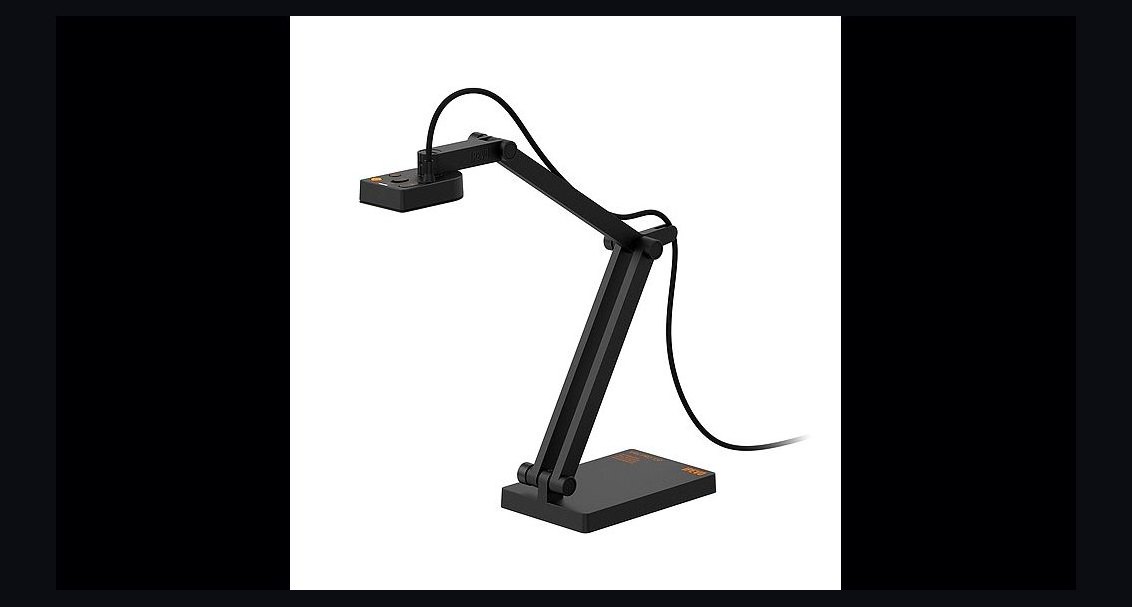 pulse-reviewsTop 10 Document Cameras for Remote Demo Recording in 2027
 pulse-reviewsTop 10 Standing Desks $500-$1500 in 2027
 pulse-reviewsTop 10 Smart Microwaves — Best Overall + Best Value in 2027
 pulse-reviewsTop 10 Label Makers — Best Overall + Best Value in 2027
 pulse-reviewsTop 10 Sports Earbuds — Best Overall + Best Value in 2027
 pulse-reviewsTop 10 DDR5 RAM Kits — Best Overall + Best Value in 2027
 pulse-reviewsTop 10 Cordless Brad Nailers — Best Overall + Best Value in 2027
 pulse-reviewsTop 10 TDS Water Testers — Best Overall + Best Value in 2027
 pulse-reviewsTop 10 TCL TVs — Best Overall + Best Value in 2027
 pulse-reviewsTop 10 Electric Back Massagers — Best Overall + Best Value in 2027