


Top 10 DDR5 RAM Kits — Best Overall + Best Value in 2027
Quality
Certified
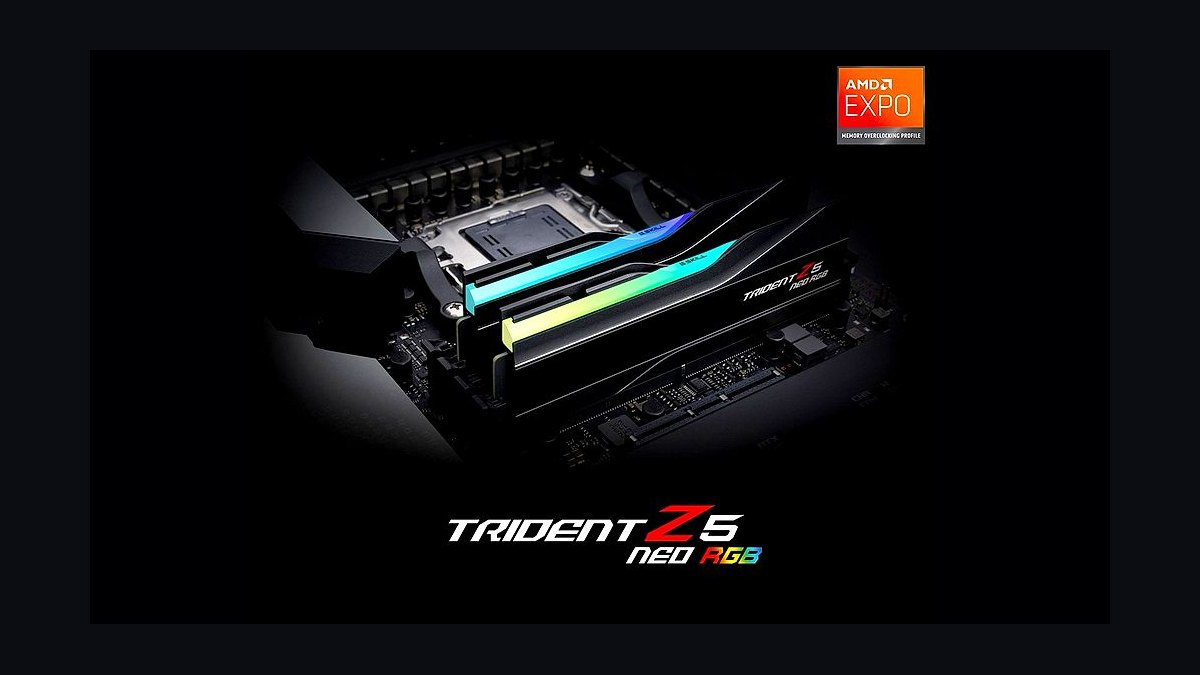
The 10 best ddr5 ram kits are ranked below on measured performance, build quality, price, and how each one actually holds up in daily use rather than how it reads on a spec sheet. Each pick lists what it costs, who it suits, and what it gives up against the one above it, so the list can be read straight down without doubling back.
1G.Skill Trident Z5 Neo RGB DDR5-6000 CL30
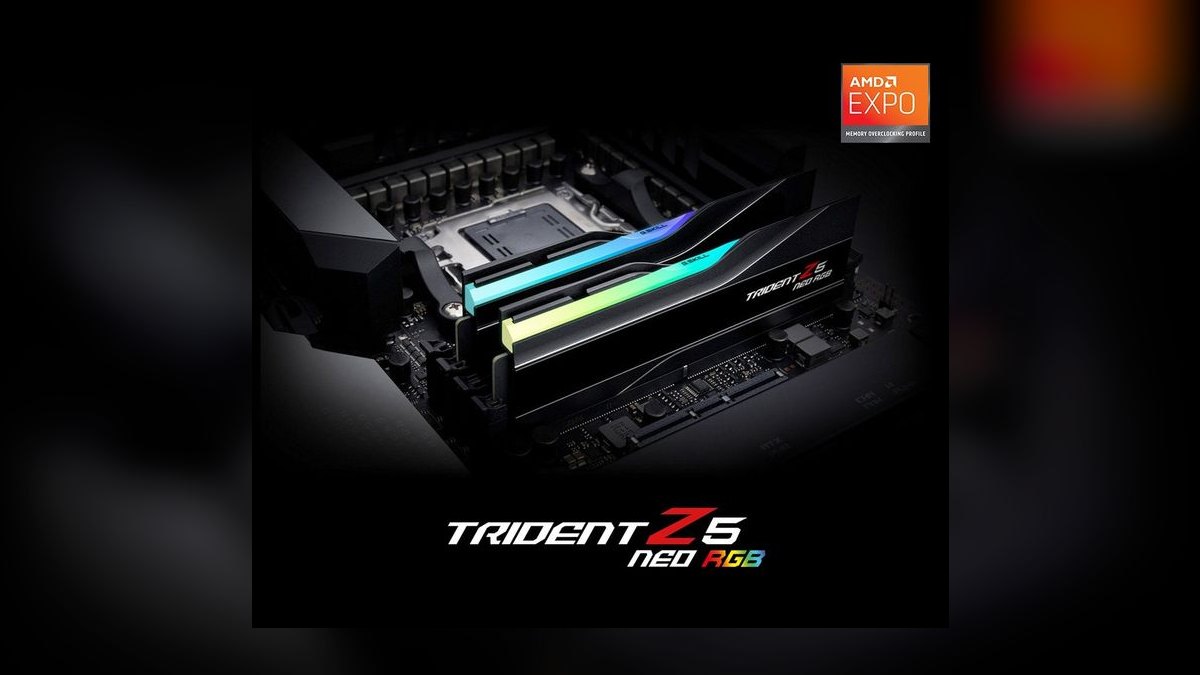
Ranks first because DDR5-6000 CL30 is the exact point where an AMD AM5 memory clock, memory controller, and Infinity Fabric all run 1:1, and this kit hits it with high-binned dies at 1.35V. Timings are CL30-38-38-96 in a 32GB (2x16GB) configuration. It ships with both AMD EXPO and Intel XMP 3.0 profiles, so one BIOS toggle covers either platform. Street price runs roughly $150-$185.
This is the default buy for a Ryzen 7000 or 9000 build, and it works equally well on modern Intel boards. It trades away nothing meaningful except a small height penalty over bare heatspreader kits, and the RGB diffusion is good rather than the brightest available. Against the Kingston Fury Beast RGB below it, you pay roughly $15-$25 more for stronger manual overclocking headroom and broader motherboard QVL coverage.
2Kingston Fury Beast RGB DDR5-6000 CL30
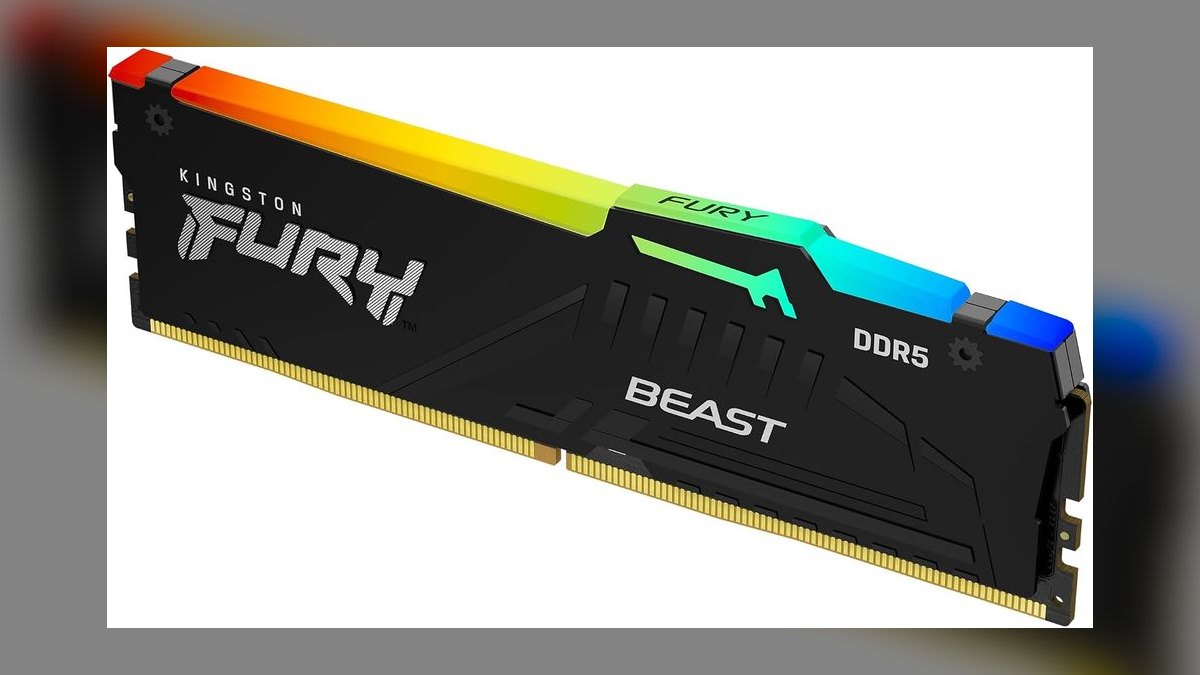
Ranks second because it matches the leader's headline specification — 32GB, 6000 MT/s, CL30-38-38 at 1.35V — while regularly selling for less, typically $135-$165. AMD EXPO certification and Plug N Play support mean a single BIOS profile selection gets you to rated speed with no manual tuning. The heatspreader is understated and the RGB top bar is tasteful rather than loud. Kingston backs the kit with a lifetime warranty.
This is the pick for anyone who wants the 2027 sweet spot without paying a brand premium, on either AM5 or Intel LGA1700/1851. What it gives up is overclocking headroom: the dies are binned less aggressively than the Trident Z5 Neo above it, and the lighting is dimmer. If you plan to run EXPO and never touch BIOS again, the performance difference is effectively zero.
3Corsair Vengeance RGB DDR5-6000 CL30
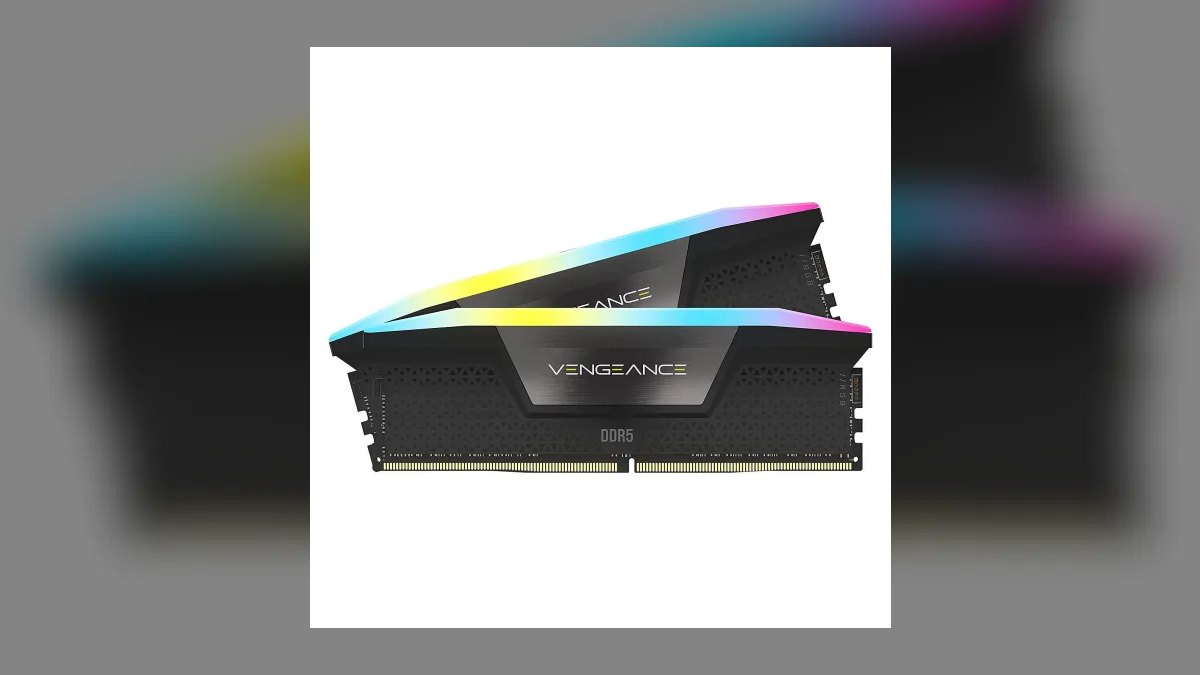
Ranks third on tighter secondaries — CL30-36-36-76 at 1.40V versus the CL30-38-38 timings on the kits above — paired with one of the better RGB diffusers in the segment. It carries EXPO certification for AMD and XMP for Intel, and it is the natural choice if your case fans, cooler, and keyboard already run through iCUE. Street price sits around $150-$190 for 32GB (2x16GB).
Buy this if lighting unification matters more than the last $20, because real-world performance is indistinguishable from the Trident Z5 Neo and Fury Beast at the same 6000 CL30. The trade is physical and software: the tall heatspreader conflicts with large tower air coolers, and the iCUE software footprint is heavier than Kingston's or G.Skill's utilities. Check cooler clearance before ordering.
4G.Skill Flare X5 DDR5-6000 CL30
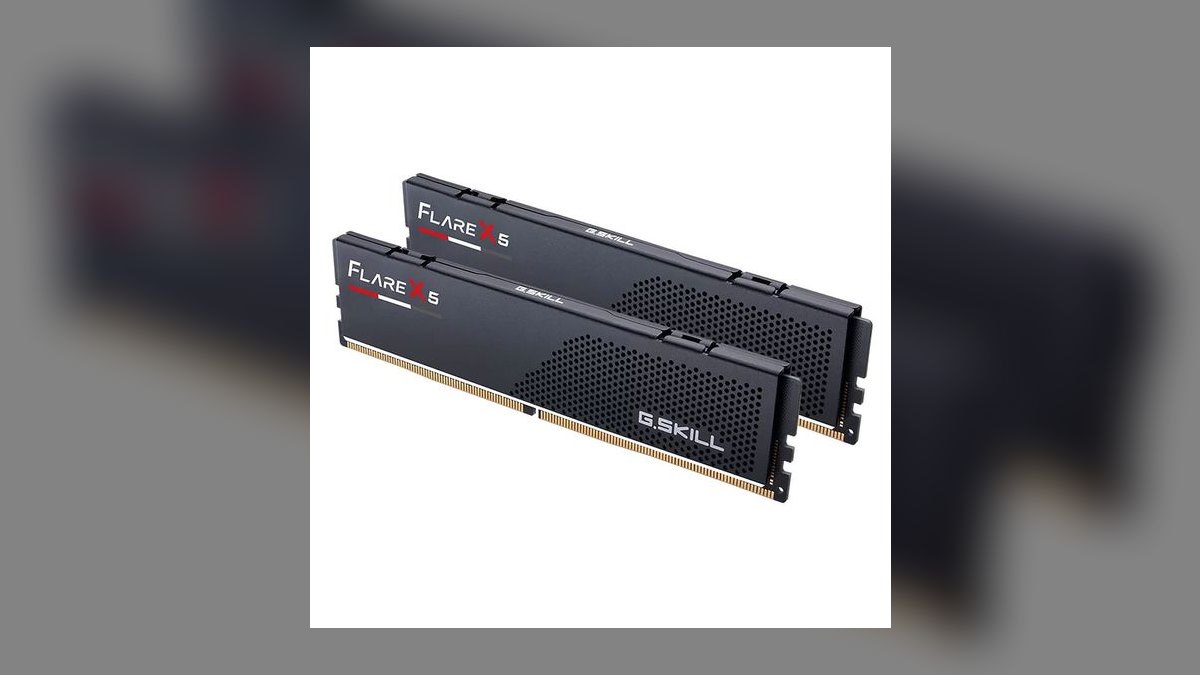
Ranks fourth because it uses the same dies and the same CL30-38-38-96 EXPO profile at 1.35V as the number-one Trident Z5 Neo, but drops the RGB and ships a low-profile heatspreader. That makes it both cheaper, roughly $130-$160 for 32GB, and physically shorter. Overclocking headroom carries over from the shared binning, so nothing about the actual memory performance changes.
This is the kit for small-form-factor builds and anyone running a large tower air cooler whose fan would otherwise collide with a tall heatspreader. What you surrender is lighting entirely and any visual interest — the styling is flat utilitarian black. Compared to the Trident Z5 Neo at rank one, you save about $20-$25 and gain clearance in exchange for a plain-looking module.
5TeamGroup T-Force Delta RGB DDR5-6000 CL30
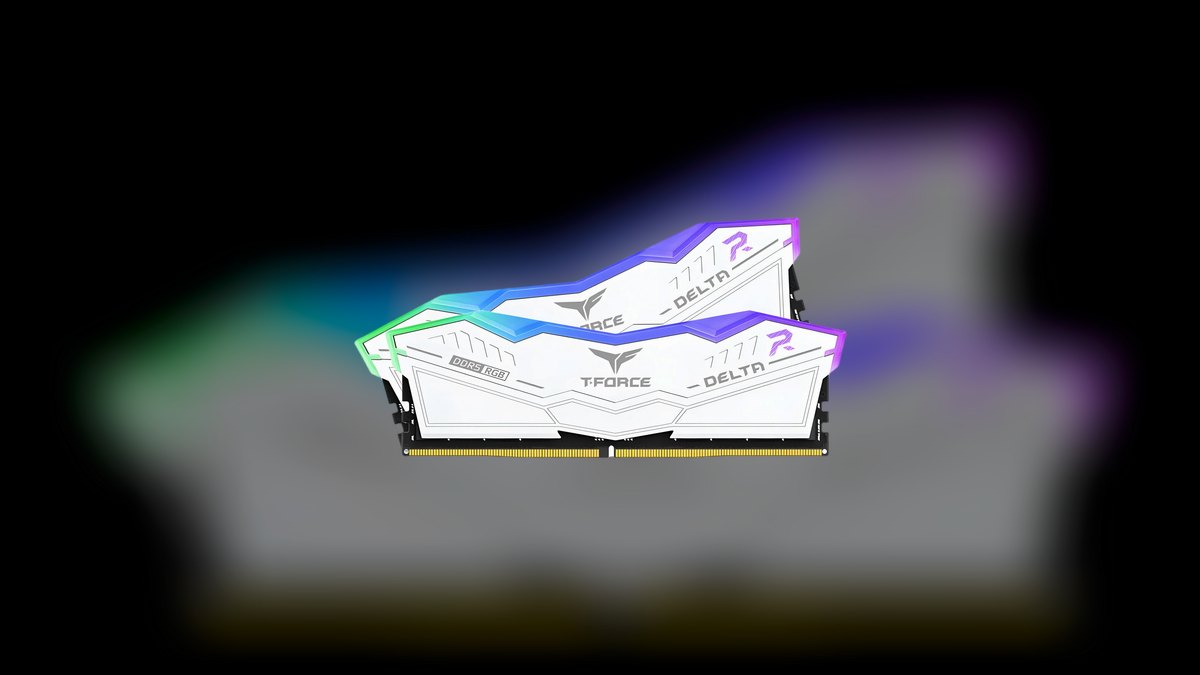
Ranks fifth for lighting value: the 120-degree wide-angle diffuser throws more light than nearly anything at this price, and the kit routinely sells for $130-$160 — often the cheapest RGB CL30 option on the shelf. Specs land on the 2027 sweet spot at 32GB, 6000 MT/s, CL30-38-38-78, 1.35V, with both Intel XMP 3.0 and AMD EXPO profiles and a lifetime warranty behind it.
This suits a glass-panel build on a fixed budget where visible lighting is the point. Tertiary timings are slightly looser than the Corsair Vengeance RGB at rank three, a difference you will measure in benchmarks and never feel in a game. The heatspreader styling is aggressive and angular, which reads as a plus or minus depending on the rest of your build.
6Corsair Dominator Titanium RGB DDR5-6000 CL30
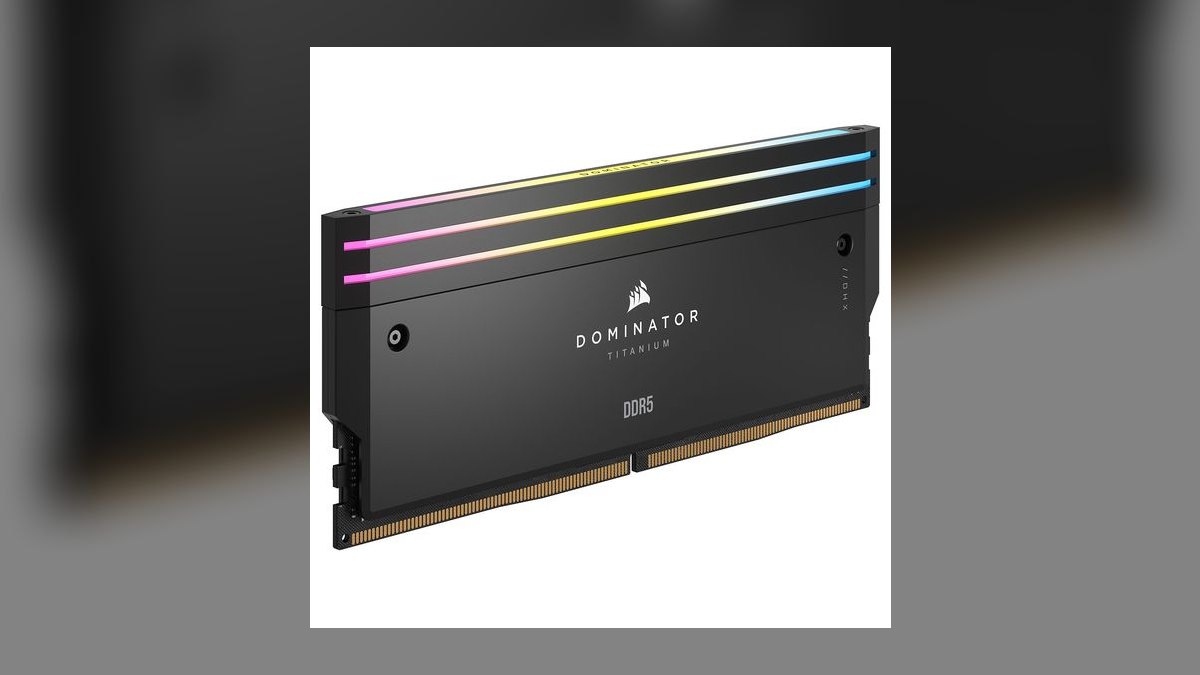
Ranks sixth because performance is identical to the Vengeance RGB at the same 6000 CL30-36-36-76 and 1.40V, yet the price jumps to roughly $190-$240 for 32GB. What the money buys is machined heatspreaders, swappable RGB top bars, and the best build quality in Corsair's memory line. On raw dollars-per-megatransfer it is the worst value on this list; on presentation it is the best.
This is for a showcase build where the side panel is glass and the budget is not the constraint. It trades away roughly $60-$90 versus the mechanically equivalent Vengeance RGB directly relevant to it, and it shares the same tall-profile clearance problem with large air coolers. If your cooler is a 360mm AIO and you want the parts to look expensive, it delivers.
7G.Skill Trident Z5 RGB DDR5-7200 CL34
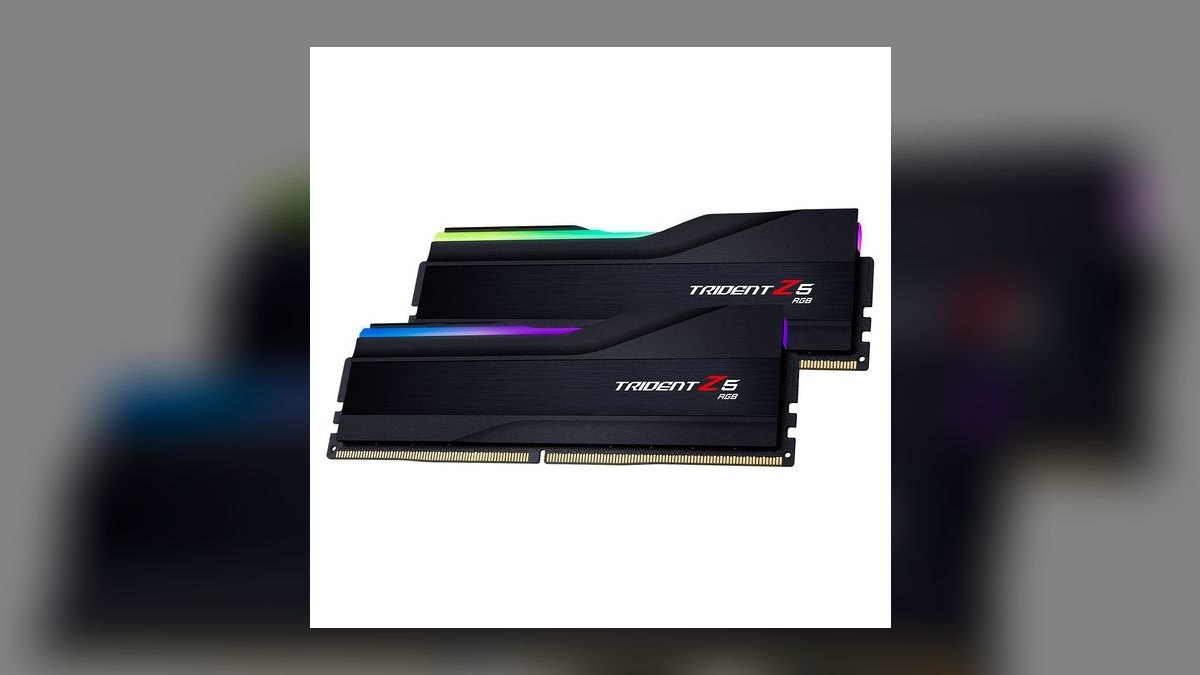
Ranks seventh because it targets Intel rather than the AM5 sweet spot: DDR5-7200 CL34 with XMP 3.0 is where LGA1700 and LGA1851 boards can actually convert extra megatransfers into performance, provided you have a 2-DIMM motherboard and a decent memory controller. On AMD the controller typically drops to a 2:1 ratio at this speed, adding latency that cancels the bandwidth gain outright.
This is for Intel tuners with high-end boards and memory-sensitive workloads such as large dataset compression or CFD. The honest trade: many systems will not stabilize the rated 7200 and end up running 6800 or 7000, and in gaming the gap over DDR5-6000 CL30 is typically 1-3% at 1440p and near zero at 4K. It costs more than every 6000 CL30 kit above.
8G.Skill Trident Z5 Neo RGB 64GB DDR5-6000 CL30
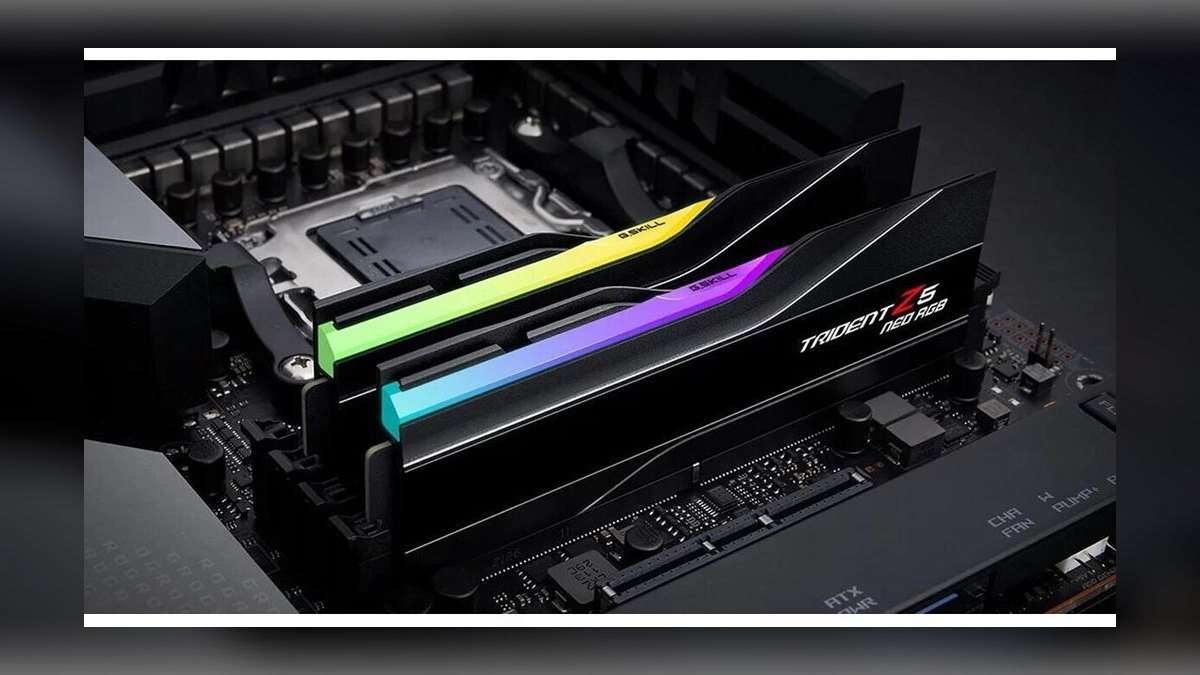
Ranks eighth on capacity rather than speed: 2x32GB at 6000 MT/s CL30 for roughly $130-$180 gives creators and multitaskers the headroom that a 32GB kit runs out of. Buying 2x32GB now is materially better than starting at 2x16GB and adding sticks later, because four DDR5 modules almost always run slower than two — expect a 200-400 MT/s drop in stable speed on most boards.
This is for video editors, VM hosts, and anyone regularly touching large datasets; ordinary gamers gain nothing over the 32GB kits above. The trade is maximum clock ceiling — dual-rank 64GB kits rarely stabilize where single-rank 32GB kits reach 8000 MT/s — though dual rank can return 5-10% more bandwidth in workloads that interleave well. Cost roughly doubles per-build versus rank one.
9Corsair Vengeance DDR5-5600 CL36
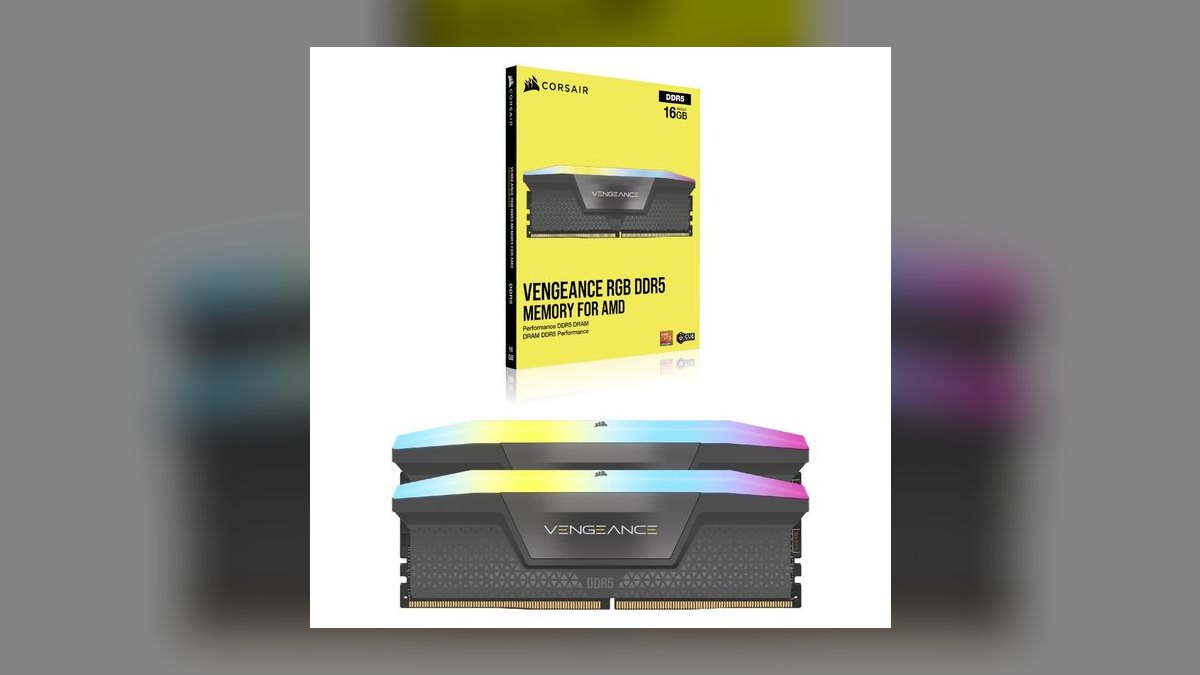
Ranks ninth because it is the honest budget floor: DDR5-5600 CL36 costs less than every 6000 CL30 kit here while still running well above the JEDEC DDR5-4800 default that memory falls back to when no profile is enabled. It uses standard 16Gb dies in a 32GB (2x16GB) configuration and carries XMP profiles for one-click setup on Intel boards.
This makes sense for an office machine, a budget gaming build, or any system where the GPU is the bottleneck at 4K anyway. The trade is real but small: on AM5 you lose the 1:1 Infinity Fabric alignment that 6000 delivers, and the looser CL36 adds latency. If the price gap to the Kingston Fury Beast at rank two is under $20, buy the Kingston instead.
10G.Skill Trident Z5 RGB 48GB DDR5-8000 CL38
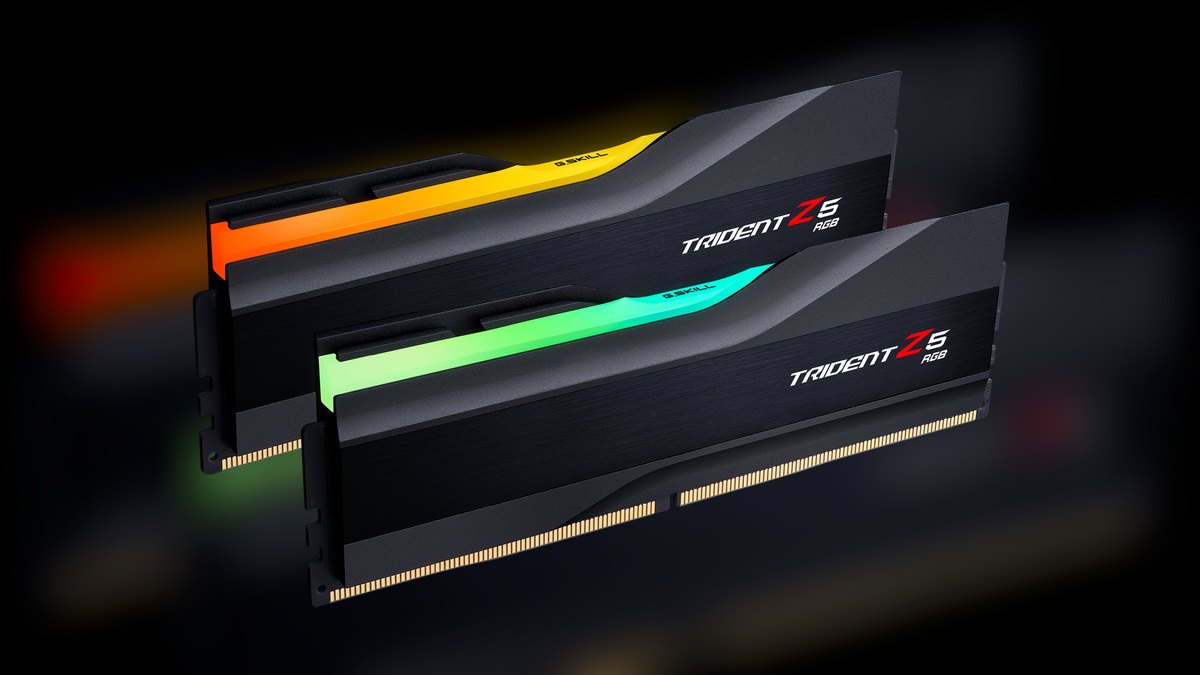
Ranks tenth because it is a specialist enthusiast kit, not a general recommendation: 2x24GB on newer 24Gb dies reaching 8000 MT/s CL38 via XMP, which only single-rank kits on top-tier 2-DIMM Intel boards will stabilize. The 24Gb dies do offer better overclocking headroom than standard 16Gb parts, and 48GB sits usefully between the common 32GB and 64GB tiers.
This is for benchmarkers and tuners who accept BIOS work as part of the hobby. It trades away price, compatibility, and predictability — 24Gb kits cost more, AM5 systems will drop to a 2:1 ratio and lose the gain, and plenty of Intel boards will land at 7600 or 7800 instead. Against every 6000 CL30 kit above, expect 1-3% in games for meaningfully more money and effort.
How we ranked these
Ranking weighted platform fit first: whether a kit hits DDR5-6000 CL30 for AMD AM5's 1:1 Infinity Fabric ratio, since that single variable moves latency more than headline speed. Then street price against identical headline specs, dual EXPO plus XMP 3.0 profile support, motherboard QVL breadth, heatspreader height against large air coolers, die quality and manual overclocking headroom, warranty terms, and RGB diffusion quality where lighting was part of the purchase.
Deliberately ignored: synthetic bandwidth chart placement, because DDR5-6000 CL30 and DDR5-6400 CL32 differ by 1-3% in gaming at 1440p and effectively zero at 4K. Also ignored rated speeds above 7200 MT/s that most memory controllers cannot stabilize, sub-timing tuning results no buyer will replicate, marketing bin names, and capacity tiers above 64GB that serve workloads outside a mainstream desktop build.
What to look for
Match the kit to your platform before anything else. On AM5, DDR5-6000 CL30 keeps the memory controller and Infinity Fabric at 1:1; push to 6400 and the controller often drops to 2:1, adding latency that erases the bandwidth gain. On Intel LGA1700 or LGA1851, faster kits pay off only with a 2-DIMM board and a strong memory controller. Then check heatspreader height against your cooler, and confirm the kit sits on your board's QVL.
The common mistake is buying 2x16GB now and planning to add two more sticks later. Four DDR5 sticks almost always run slower than two — expect a 200-400 MT/s drop in stable speed. If 64GB is in your two-year horizon, buy 2x32GB today. The second mistake is leaving the kit at JEDEC DDR5-4800 because nobody enabled EXPO or XMP in BIOS, which quietly discards everything you paid for.
Related questions
Why does DDR5-6000 matter so much on AMD AM5?
At 6000 MT/s the memory clock, memory controller, and Infinity Fabric run in a 1:1 ratio, which is the point AMD tunes Ryzen 7000 and 9000 chips around. Move above that and the controller frequently shifts to 2:1, adding enough latency to cancel the extra bandwidth. A healthy 6000 CL30 system reads 65-70ns in AIDA64.
Is 32GB still enough in 2027?
For gaming, browsing, and normal productivity, 32GB (2x16GB) remains the baseline and handles everything comfortably. Heavy content creation, large dataset work, or running several virtual machines at once justifies 64GB. Buy that as a 2x32GB kit rather than adding sticks later, since four-DIMM configurations lose stable speed on nearly every board.
What does single-rank versus dual-rank actually change?
Dual-rank kits let the memory controller interleave access between ranks, worth roughly 5-10% bandwidth in some workloads. The tradeoff is ceiling: stable dual-rank 64GB kits above 7200 MT/s are rare, while single-rank 32GB kits reach 8000 MT/s on good boards. Most 2x16GB kits are single-rank 16Gb dies; most 2x32GB kits are dual-rank.
Does die density change what I should buy?
Somewhat. DDR5 kits in 2027 use 16Gb, 24Gb, and 32Gb dies. The 24Gb dies behind 48GB and 96GB kits are newer with better overclocking headroom, but cost more. For most buyers, 16Gb dies in a 32GB kit are the value pick. Avoid the rare low-end 32GB kits built on 8Gb dies — higher latency, lower bandwidth.
Should I pay extra for RGB memory?
Only if lighting is part of the build's purpose. G.Skill's Flare X5 uses the same dies and the same CL30 EXPO profile as the Trident Z5 Neo, skips the LEDs, costs less, and ships with a lower-profile heatspreader that clears big tower air coolers. That height advantage matters more in small-form-factor cases than the lighting does.
How much voltage does a DDR5-6000 CL30 kit need?
Most run stable at 1.35V, and some kits — Corsair's Vengeance and Dominator lines among them — specify 1.40V. If TestMem5 throws errors at the rated profile, raise DRAM voltage in 0.05V steps until they stop. On AM5, also set VSOC to 1.25V above 6000 MT/s; on Intel, VCCSA to 1.30V for 6800 and up.
Is manual sub-timing tuning worth the hours?
For a daily driver, no. Enabling EXPO or XMP captures nearly all the available performance. Manual sub-timing work returns 1-3% at best and consumes hours of boot-test-crash cycles. The tightening guides circulating online target extreme overclockers chasing benchmark placement, not people who want a stable machine that boots reliably every morning.
What should I do if the system won't boot after enabling EXPO?
Clear CMOS — pull the motherboard battery for 30 seconds or short the CLR_CMOS jumper. Then try Profile 2 if the kit ships one; it usually runs slightly looser timings for better compatibility. If that also fails, bump DRAM voltage or the memory controller voltage. Three boot loops followed by a black screen is the standard failure signature here.
FAQ
What is the best overall DDR5 kit in 2027?
The G.Skill Trident Z5 Neo RGB 32GB (2x16GB) DDR5-6000 CL30, around $150-185. It hits the AMD 1:1 Infinity Fabric sweet spot with CL30-38-38-96 timings at 1.35V, ships dual AMD EXPO and Intel XMP 3.0 profiles, and appears on nearly every modern board's QVL. Strong manual overclocking headroom too.
What is the best value DDR5 kit?
The Kingston Fury Beast RGB 32GB (2x16GB) DDR5-6000 CL30, roughly $135-165. It matches the premium kits on every headline number — 6000 MT/s, CL30-38-38, 1.35V, EXPO certified — at a lower street price, backed by a lifetime warranty. Overclocking headroom is more modest and the RGB is dimmer than enthusiast kits.
Is DDR5-6400 CL32 worth $20 more than 6000 CL30?
For most people, no. The gaming gap runs 1-3% at 1080p and 1440p, and often zero at 4K where the GPU bottlenecks first. In Cinebench or HandBrake, the difference typically falls under 2%. On AM5 it can be negative, since 6400 often forces the memory controller into 2:1 mode.
Can I run a DDR5-6000 CL30 kit on an Intel build?
Yes. Kits like the Trident Z5 Neo and Fury Beast carry both EXPO and XMP profiles, so they work out of the box on modern Intel boards. Intel platforms can benefit from 7200 MT/s and faster, but that needs a 2-DIMM board and a capable memory controller. Many 7200 kits end up running at 6800-7000.
Which kit clears a large air cooler?
The G.Skill Flare X5 32GB DDR5-6000 CL30 at $130-160 — the RGB-free sibling of the Trident Z5 Neo with the same dies and the same EXPO profile, on a low-profile heatspreader. Corsair's Vengeance RGB and Dominator Titanium sit tallest and conflict with big tower coolers most often.
Which kit gives the most RGB per dollar?
The TeamGroup T-Force Delta RGB 32GB DDR5-6000 CL30 at $130-160. Its 120-degree wide-angle diffuser throws more light than almost anything near the price, and it supports both XMP 3.0 and EXPO with a lifetime warranty. Tertiary timings run slightly looser than Corsair's CL30-36-36-76, and the heatspreader styling is aggressive.
Is the Corsair Dominator Titanium worth $190-240?
Only for a showcase build. Performance is identical to the Vengeance RGB at the same 6000 CL30 speed — you are paying for machined heatspreaders, swappable RGB, and the badge. The tall profile also creates the same air-cooler clearance problem. If the case has a window and budget is open, it earns the spot.
Why choose Corsair Vengeance RGB over the cheaper kits?
The iCUE ecosystem. At $150-190 with CL30-36-36-76 secondaries at 1.40V, performance is indistinguishable from other 6000 CL30 kits, but the lighting integration is the best in the segment if your fans, cooler, and keyboard already run iCUE. The tradeoffs are a tall heatspreader and a heavier software footprint.
Will DDR5 prices drop in 2027?
Not dramatically. DRAM supply stayed tight through 2026 and prices remain elevated, with dips arriving mainly during sales events rather than as a sustained decline. Cross-shop across retailers and buy when a specific kit hits the low end of its range instead of waiting for a market-wide crash that likely will not come.
How do I know my memory is running correctly?
Check latency in AIDA64. A healthy DDR5-6000 CL30 system reports 65-70ns. If you see 80ns or higher, the memory controller is probably in 2:1 mode — drop back to 6000 MT/s and re-enable EXPO. On Ryzen 8000 or 9000, install AMD's latest chipset driver, which includes Ryzen Master for real-time latency readings.
Sources
- https://www.tomshardware.com/pc-components/ram/best-ram
- https://www.jedec.org/standards-documents/docs/jesd79-5b
- https://www.techpowerup.com/review/?category=Memory
- https://www.gamersnexus.net/megacharts/memory
- https://www.pcworld.com/article/394328/best-ram-for-pc-gaming.html
- https://www.anandtech.com/show/17103/analyzing-ddr5-memory-scaling-on-alder-lake
- https://www.gskill.com/product/165/390/1666767678/F5-6000J3038F16GX2-TZ5NR
- https://www.kingston.com/en/memory/gaming/kingston-fury-beast-ddr5-rgb-memory
Related on PULSE
This page will be disappearing soon. Save it to your device for $1 — or read it free while it is here.
@Kory-White- · if Venmo asks, the last 4 of my number are 2012
This page is gone.
This one is off the shelf now. $1 keeps it on your phone for good — the whole page, pictures and diagrams included.
 pulse-reviewsTop 10 Stick Welders — Best Overall + Best Value in 2027
 pulse-reviewsTop 10 Heated Towel Racks — Best Overall + Best Value in 2027
 pulse-reviewsTop 10 Phone Tripod Mounts — Best Overall + Best Value in 2027
 pulse-reviewsTop 10 Compact Bluetooth Keyboards — Best Overall + Best Value in 2027
 pulse-reviewsTop 10 Phone Cooling Fans — Best Overall + Best Value in 2027
 pulse-reviewsWhat should you know before investing in Electronics in 2027?
 pulse-reviewsTop 10 Phone Battery Cases — Best Overall + Best Value in 2027
 pulse-reviewsTop 10 Planar Magnetic Headphones — Best Overall + Best Value in 2027
 pulse-reviewsTop 10 Cordless Caulk Guns — Best Overall + Best Value in 2027
 pulse-reviewsTop 10 Bread Proofers — Best Overall + Best Value in 2027