


Top 10 Portable Monitors for Remote AEs in 2027
Quality
Certified
The 10 best portable monitors for remote aes are ranked below on measured performance, build quality, price, and how each one actually holds up in daily use rather than how it reads on a spec sheet. Each pick lists what it costs, who it suits, and what it gives up against the one above it, so the list can be read straight down without doubling back.
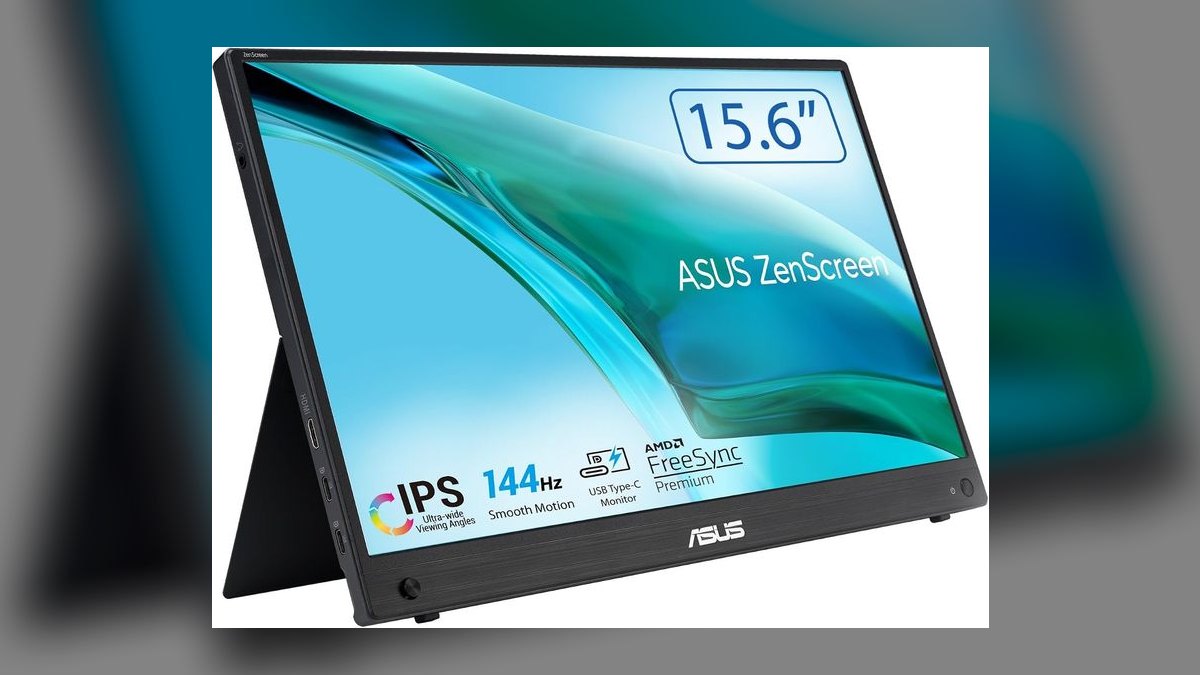
1ASUS ZenScreen MB16AHG
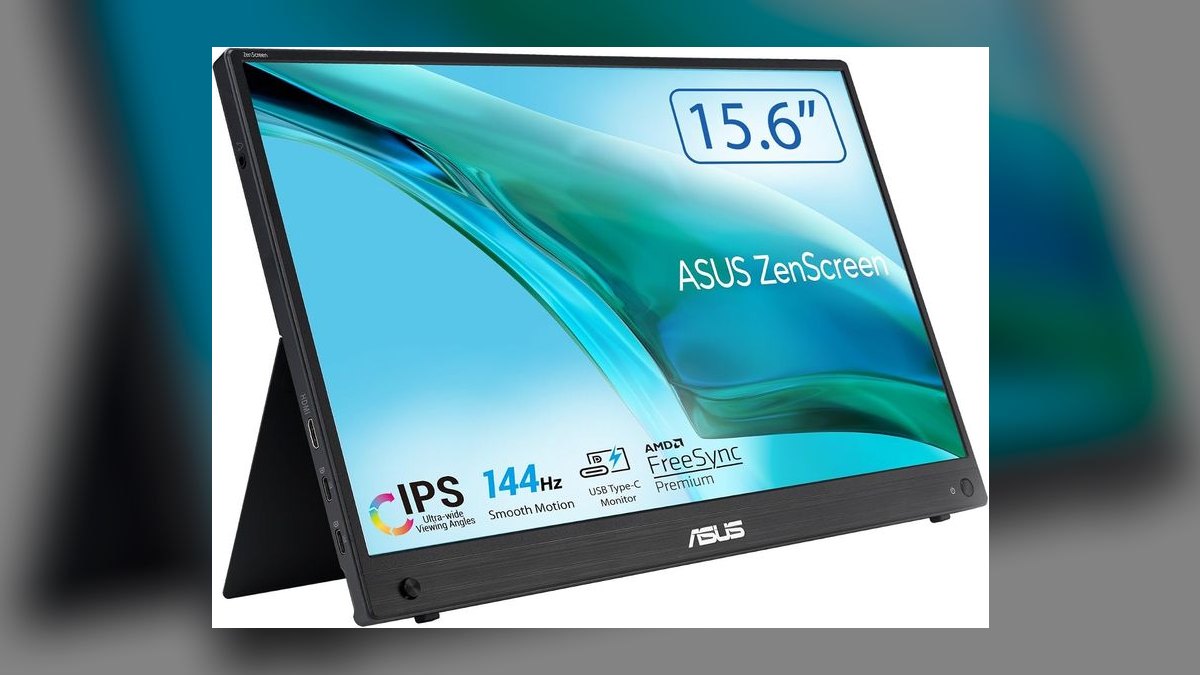
This ranks first because it is the only pick that pairs a 144 Hz IPS panel with true single-cable USB-C operation at $329. The 15.6-inch 1920x1080 screen hits 300 nits, carries two USB-C DP-Alt ports plus mini-HDMI, and weighs 1.7 lb. The aluminum kickstand holds two viewing angles without wobble, and the blue-light filter works without yellowing the image.
Built for outside AEs who hot-desk at customer sites and want one cable running to a MacBook, with 65 W passthrough keeping a 14-inch machine topped up. You trade sharpness: 1080p across 15.6 inches looks soft beside the 2560x1440 panels lower on this list, and there is no touch input. Against the Lenovo M14t below, the ASUS wins on refresh rate and loses on resolution and stylus support.
2Lenovo ThinkVision M14t Gen 2
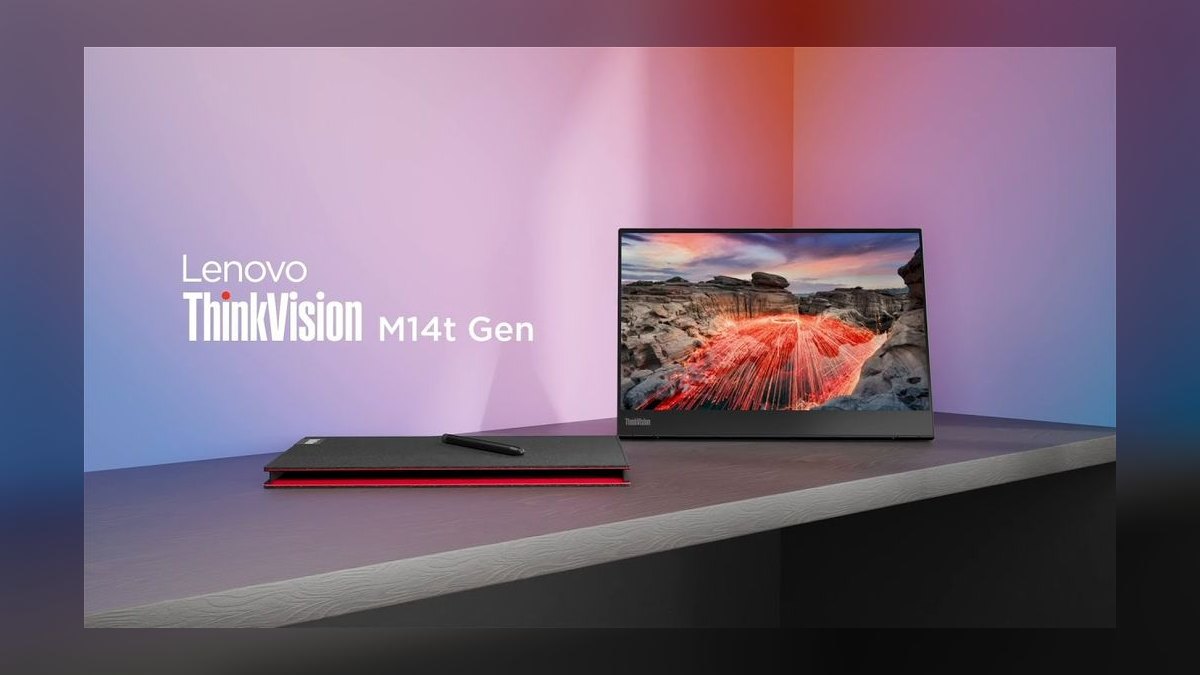
Second place goes to the M14t Gen 2 because it delivers the best stylus latency in the portable class for $349. The 14-inch 16:10 panel runs 2240x1400 at 300 nits with 10-point multi-touch, and the included Lenovo pen docks magnetically on the bezel. At 1.4 lb it is lighter than the ASUS, and its hinge folds a full 180 degrees flat for over-the-shoulder demos.
This is the monitor for AEs who whiteboard during live discovery or mark up a quote PDF in front of a buyer. The trade is refresh rate — 60 Hz versus the ASUS ZenScreen's 144 Hz — plus a glossy touch layer that throws fingerprint glare in direct sunlight. The 16:10 ratio does return a genuine extra column of CRM fields the ASUS cannot show.
3Espresso 17 Pro
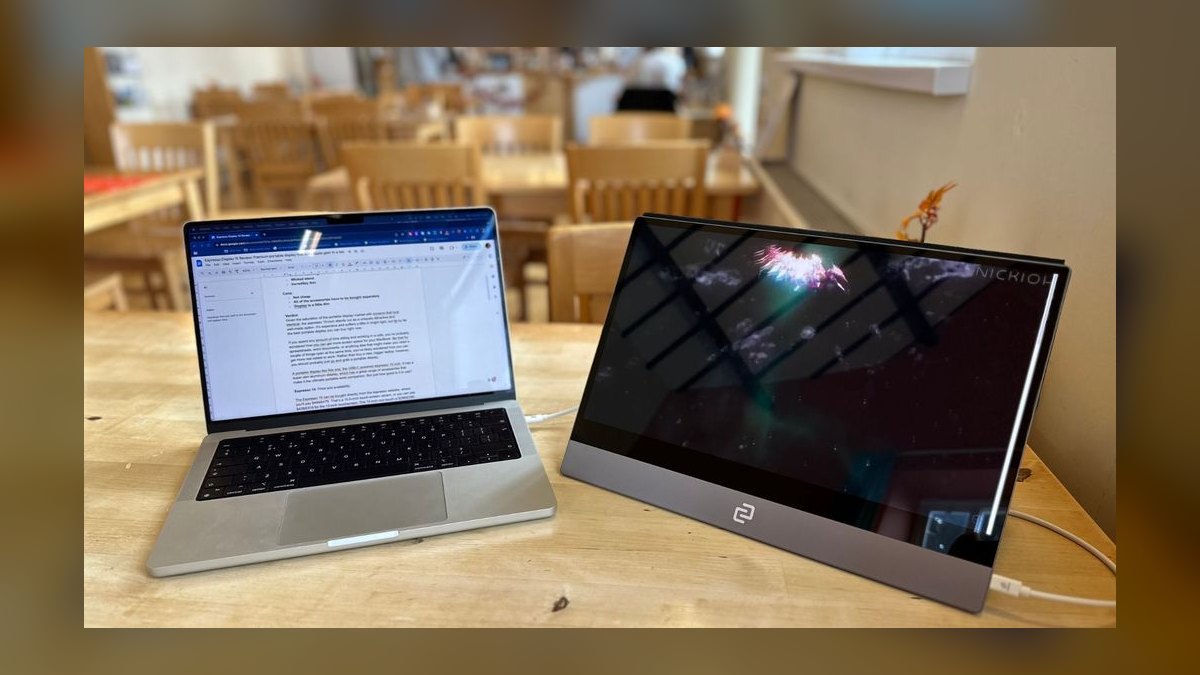
The Espresso 17 Pro ranks third on build quality rather than value: 4 mm tempered glass over a 17-inch 2560x1440 panel at 300 nits, with pen and touch included in the Pro bundle for $799. The espressoFlow magnetic stand pivots between portrait and landscape in a single motion. Two USB-C ports and a mini-HDMI cover connectivity, and a replacement program covers cracked panels.
Senior AEs and field directors who travel weekly get the most from it — one device that runs the hotel room and the demo room. The cost is real: $799 is roughly double the field, and 2.4 lb is heavy for the size class. Pen latency beats most portables but trails an iPad Pro, and the Lenovo M14t above matches the stylus use case for $450 less.
4ViewSonic VG1655
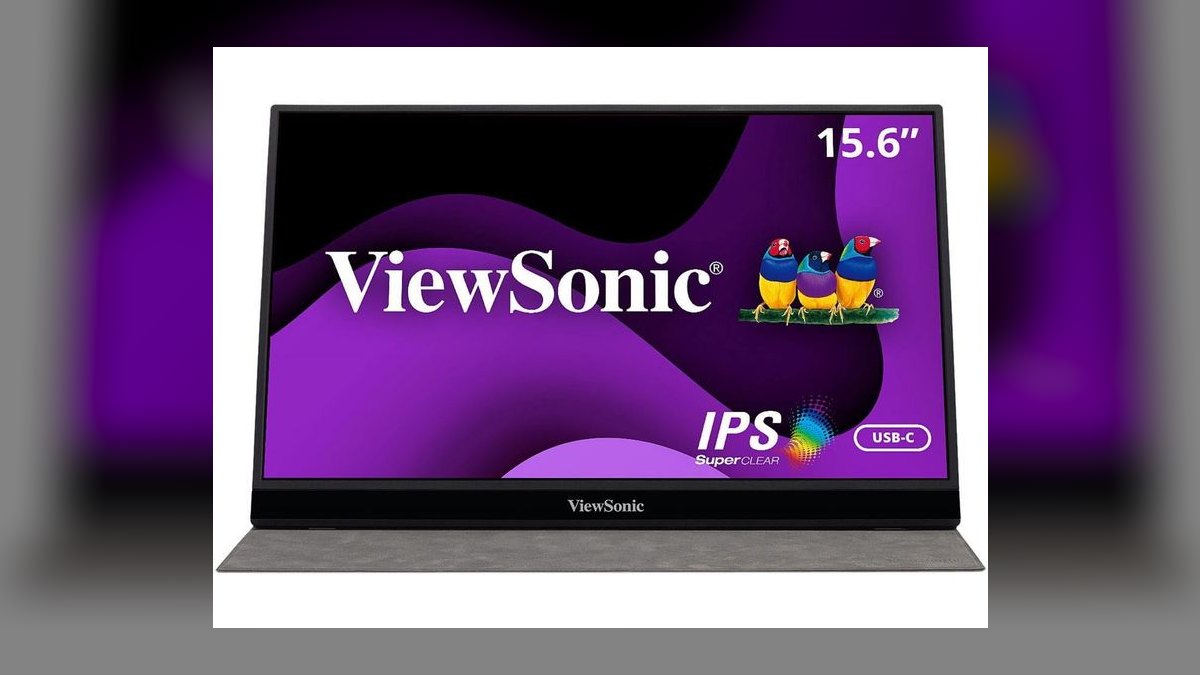
Fourth because it is the fleet-purchase pick at $209 — the number that matters when IT has to buy forty units. The 15.6-inch 1920x1080 IPS panel runs 60 Hz at 250 nits, weighs 1.7 lb, and offers two USB-C ports plus mini-HDMI. It is the rare portable with VESA mount holes for desk arms, and ViewSonic backs it with a three-year warranty.
Sales ops teams standardizing an inside-sales floor that travels occasionally are the target buyer. The compromises show up in brightness — 250 nits feels dim in a window seat at noon — and in a plastic bezel that scuffs within a year, with the stand-cover hinge as the weakest long-term part. Against the ASUS above, you give up 144 Hz and build for a $120 saving per seat.
5Innocn 15A1F
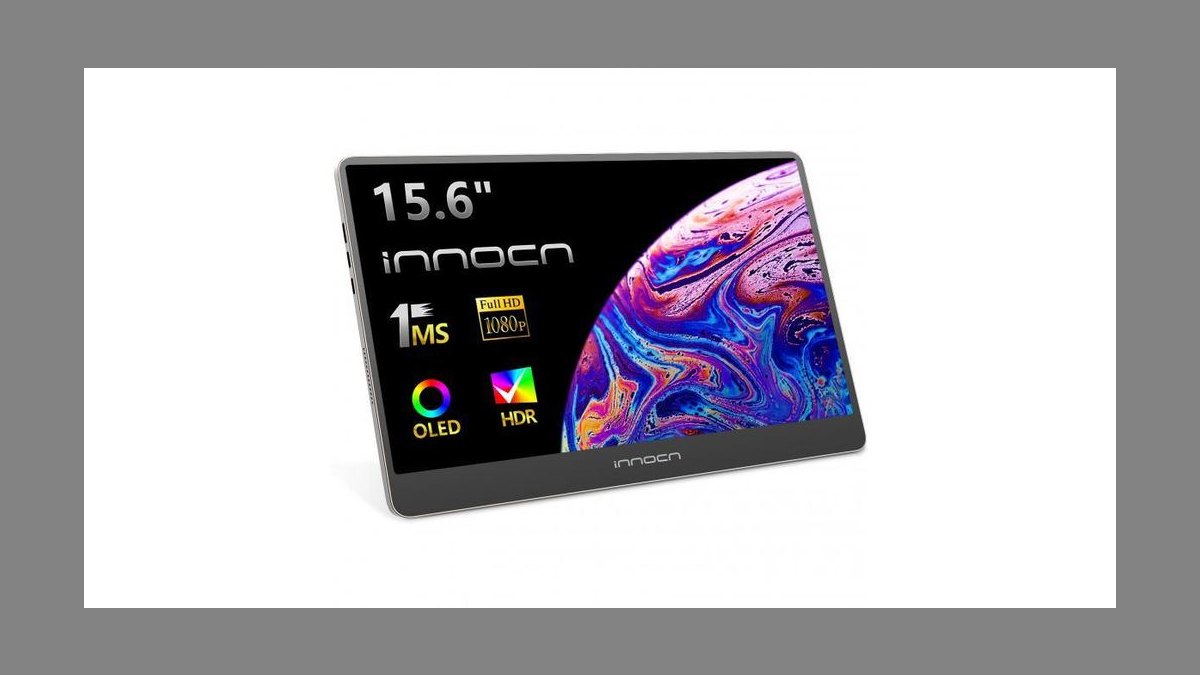
Fifth for one specific reason: it is the OLED panel on this list, covering 100% DCI-P3 out of the box at 400 nits in HDR. The 15.6-inch screen runs 1920x1080 at 60 Hz and weighs just 1.4 lb, lighter than most LCD competitors at the same size. Two USB-C ports and a mini-HDMI handle connections, and it sells for $259 on Amazon.
AEs selling design, agency, or creative tools benefit most, since every demo screenshot gets judged on color accuracy across the table. OLED brings burn-in risk if you pin a static Salesforce dashboard for eight-hour stretches, and the glossy panel catches overhead lights. Where the ViewSonic above is the durable fleet choice, this is the color-critical one — pixel-shift mitigation helps but will not stop heavy static use from aging it.
6Arzopa A1 Gaming
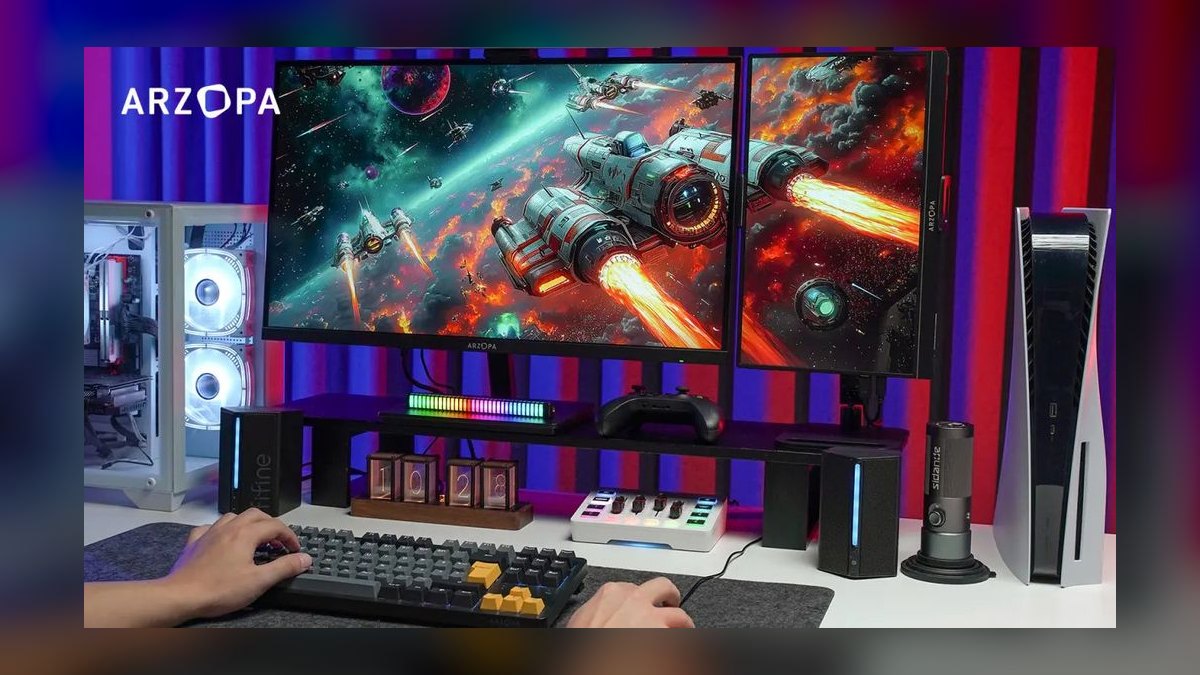
Sixth on price alone: $179 list, and frequently $149 on Prime Day, the lowest entry point here. The 15.6-inch 1920x1080 panel runs 60 Hz at 250 nits and weighs 1.7 lb, with two USB-C ports and mini-HDMI. A 144 Hz variant costs about $40 more. The box includes an HDMI cable, USB-C cable, and a pleather cover that folds into a stand.
SDRs and BDRs working from coffee shops, or home-office workers wanting a second screen under $200, are the audience. Color accuracy is mediocre, corner brightness drop-off is visible, and the cover-stand bends after a year of use. Compared with the ViewSonic VG1655, you save $30 and lose the VESA mounts, the three-year warranty, and the sturdier build.
7Mobile Pixels Geminos T
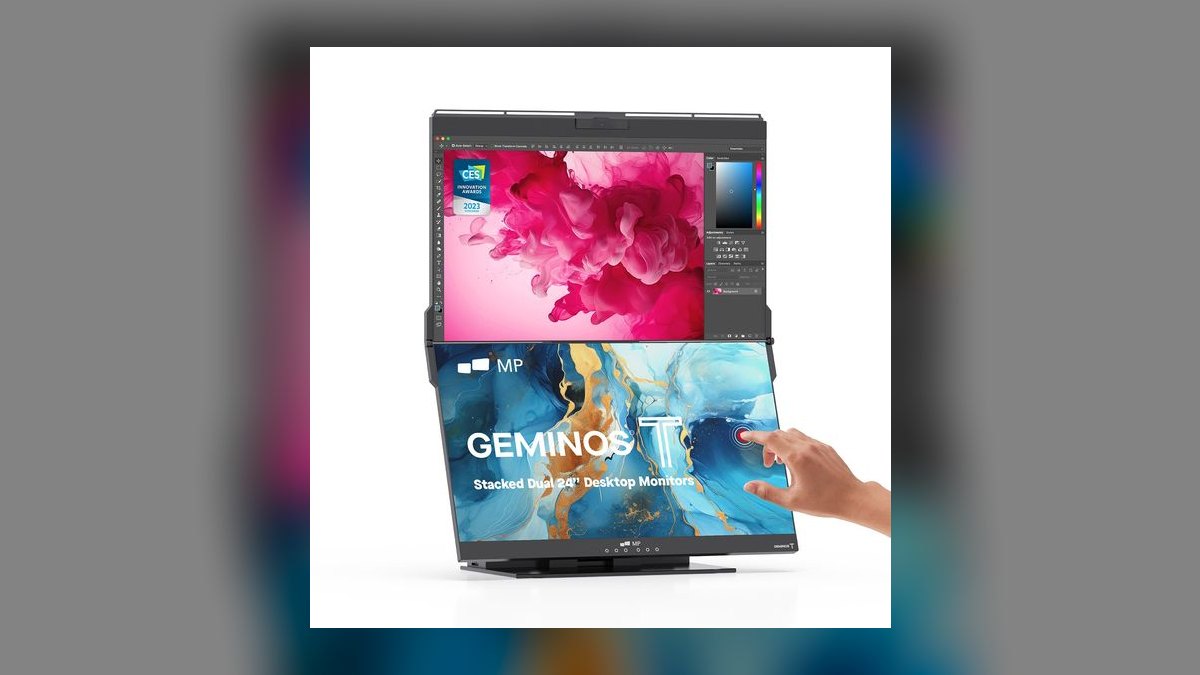
Seventh because at 16 lb it is barely portable, but the vertically stacked pair of 24-inch 1920x1080 panels is the best layout on this list for reading email above and writing below. It runs 60 Hz at 300 nits, includes a USB-A hub and an eye-level 1080p webcam, and takes one cable from the laptop to drive both screens. Price is $499.
Hybrid AEs who need a desk setup that collapses into a single 24-inch package when the home office reverts to a guest room are the fit. It is not portable in the AE travel sense at all, the hinge plastic creaks after a year, and the integrated mic picks up keyboard noise. Everything ranked above it fits in a bag; this one does not.
8InnoView 15.6 2.5K
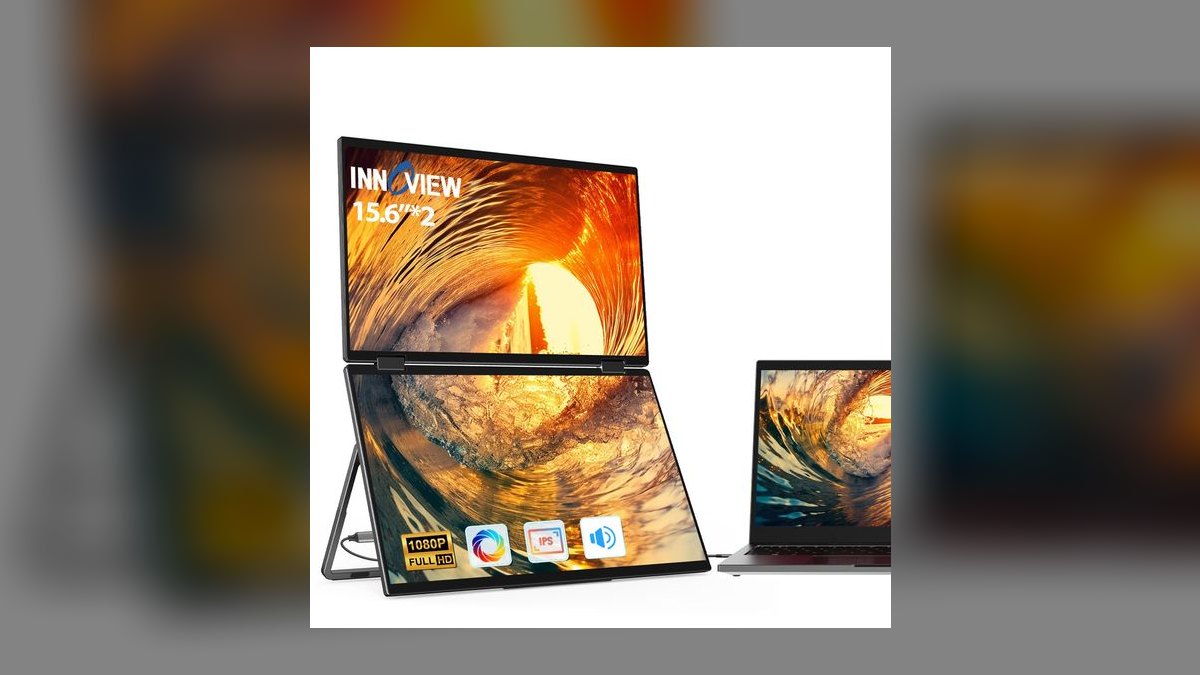
Eighth because it delivers 2560x1440 on a 15.6-inch panel for $199 — resolution that cost far more two years ago. Brightness reaches 400 nits, genuinely usable in a sunlit kitchen, and the profile stays light and thin at 1.8 lb. Two USB-C ports handle single-cable operation with passthrough charging for the laptop, and a mini-HDMI covers older machines.
Inside AEs who live in spreadsheets and CRM grids and value text crispness over refresh rate should look here. Color uniformity shows a slight green shift on white backgrounds, the included case is generic, and there is no touch layer. Against the ViewSonic VG1655 above, you gain a much sharper panel and 150 extra nits, but lose VESA mounting and the three-year warranty.
9UPERFECT UStation Delta Max
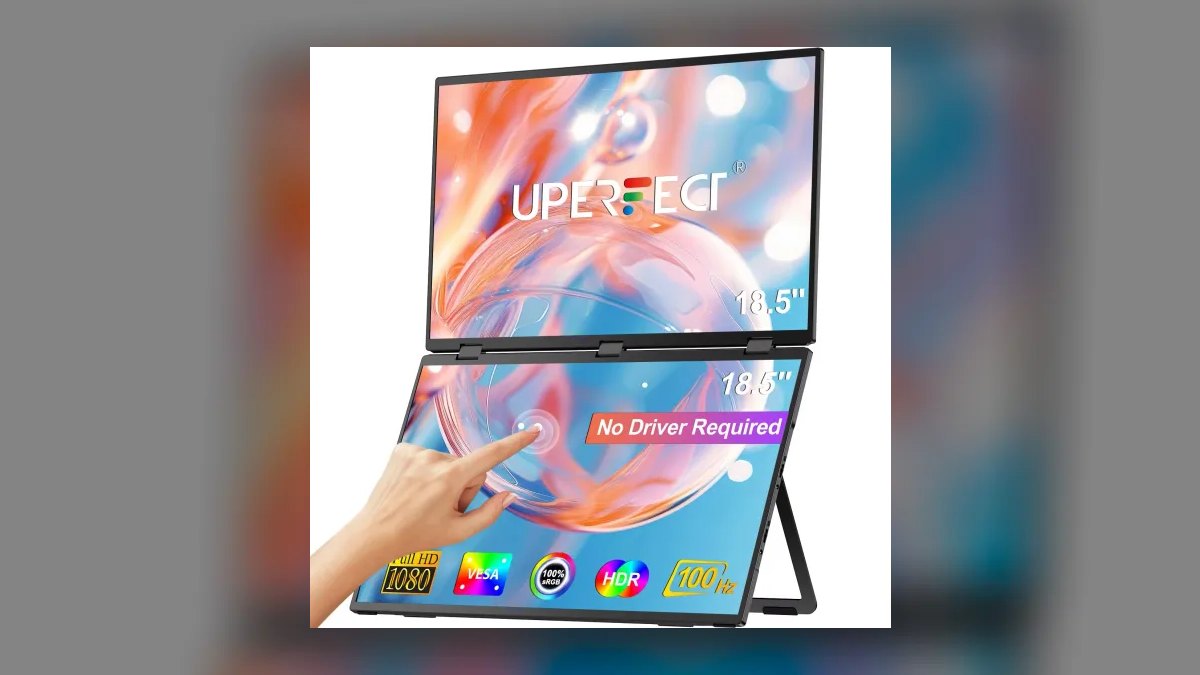
Ninth because it is the only triple-screen rig here: two 14-inch 1920x1200 wings that magnetically mount to a 14 or 16-inch laptop lid and fold out into a three-panel plane. Each wing runs 60 Hz at 300 nits with its own USB-C cable, and the wings tilt independently. Total added weight is 3.3 lb, and the set costs $429.
Solutions consultants and SEs presenting multi-app workflows — CRM, product, and slides side by side — get real value from the extra plane. The costs are 3.3 lb in the laptop bag, a fiddly first setup, and magnets strong enough that the laptop lid takes a thump. The Geminos T above gives more total screen area but never leaves the desk; this one travels.
10AOC 16T3EA
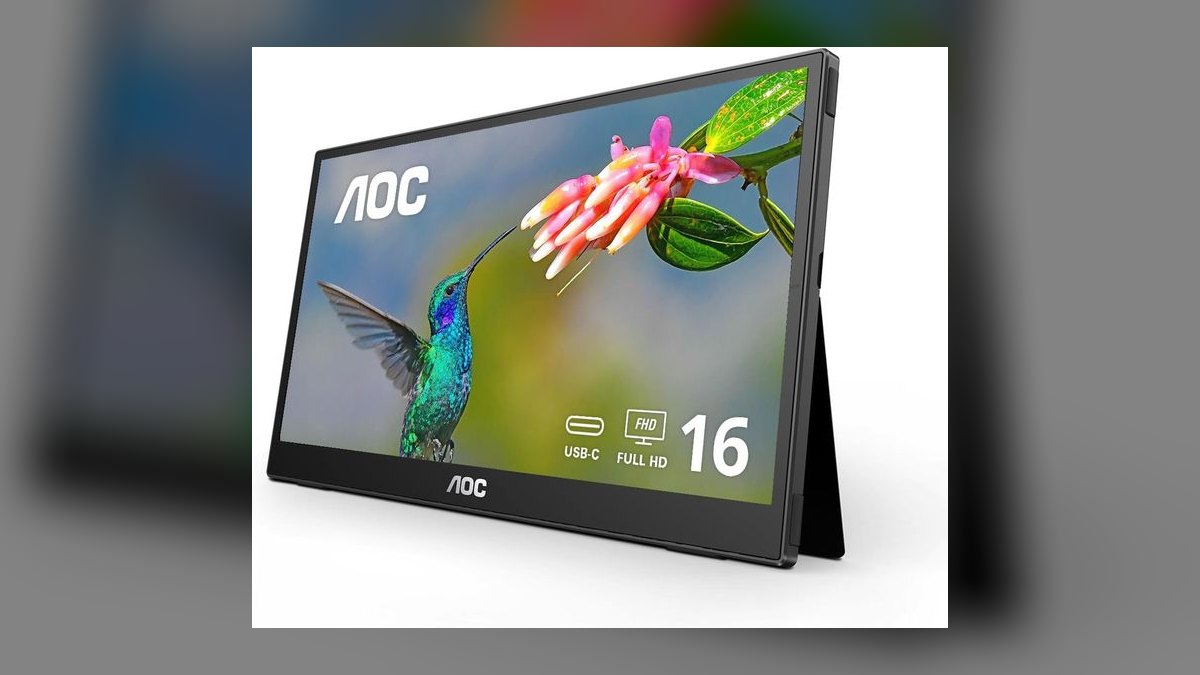
Tenth because its pull-out kickstand is built in, giving a five-second setup with no origami cover to fight. The 15.6-inch 1920x1080 panel runs 60 Hz at 250 nits, and the port set includes two USB-C, a mini-HDMI, and a USB-A that doubles as a hotel-room hub. It costs $219, weighs 2.0 lb, and carries a three-year AOC warranty.
AEs who set up in the same hotel room twice a week and want instant deployment are the buyers. The integrated stand adds weight over fold-cover designs and narrows carry-case options, and 250 nits sits at the low end of this list. A touch version runs $50 more. Against the UPERFECT above, this is the simplicity pick rather than the screen-real-estate one.
How we ranked these
Every monitor here was ranked on the things that actually change an AE's day: single-cable USB-C operation with power passthrough, panel brightness measured against airport and hotel-window glare, weight in a bag already holding a laptop, and how fast the stand deploys. Refresh rate mattered only where scrolling volume justified it. Prices were pulled from Amazon, B&H, and manufacturer storefronts in June 2026, before the Q3 refresh repriced the category.
Ignored: HDR badges, since nearly every panel under $400 claims HDR and none has the backlight zones to deliver it. Ignored: 4K, because macOS and Windows scale a 15-inch 4K panel to 200% and hand back the same usable workspace as 1440p. Also ignored: bundled software, speaker quality, and gaming response times, none of which decide a deal in front of a buyer.
What to look for
The decision is really two questions: does the monitor need to charge your laptop, and does anyone touch the screen but you. Passthrough at 65 W keeps a 14-inch MacBook Pro alive; a 16-inch will hold level at best. Touch and stylus add roughly $120 to $150 to the price, and only pay for themselves if you whiteboard or sign PDFs live. Everything else is secondary.
The common mistake is buying brightness last. A 250-nit panel looks fine on a store page and washes out in a window seat or a sunlit conference room, which is exactly where a portable monitor earns its keep. Spend the extra $50 on 400 nits before you spend it on refresh rate, HDR, or resolution. The second mistake is trusting a fold-cover stand to survive two years of travel.
Related questions
How many nits do I actually need for airport and hotel work?
Treat 250 nits as an indoor-only number. It reads fine in a conference room with the blinds down and disappears in a window seat at noon. Four hundred nits, which the InnoView 2.5K and the Innocn 15A1F both hit, is the practical floor for anyone who works in daylight. The Espresso and ASUS sit at 300, which is workable but not generous.
Is 1440p worth it over 1080p on a 15.6-inch panel?
Yes, if your day is spreadsheets and CRM grids. At 15.6 inches, 1440p renders small text without the softness that makes 1080p tiring after a few hours, and it does not force the aggressive OS scaling that 4K does. The InnoView 2.5K delivers it at $199. If you mostly run slides and browser demos, 1080p is genuinely fine.
What breaks first on a portable monitor?
The stand, almost always. Fold-cover designs like the ASUS, ViewSonic, and Arzopa rely on a magnetic origami flap that loses stiffness after a year of being crushed in a bag, and the hinge crease eventually will not hold an angle. Integrated kickstands, as on the AOC 16T3EA, add weight but survive far longer.
Does a portable monitor need its own power brick?
Not if your laptop supports DisplayPort Alt Mode over USB-C, which covers every modern MacBook and most business Windows laptops. One cable carries video and power. You need a separate supply only when driving the monitor from HDMI, from a USB-A port, or from a laptop whose single USB-C port is already the charging port.
Can I use two portable monitors with one laptop?
On Windows, usually yes, if the laptop has two USB-C ports with Alt Mode or supports DisplayPort MST through a dock. On Apple Silicon MacBook Air and base M-series MacBook Pro models, external display support is limited, and a second panel typically needs a DisplayLink adapter and its driver. Check your specific chip before buying two.
Do portable monitors work for live demos in a customer's office?
They work well as a presenter screen and poorly as an audience screen. At 15 inches, more than two people cannot read it comfortably. Use the portable for your notes and CRM while the room watches a TV or projector. The exception is a one-on-one, where a 17-inch Espresso or a touch panel genuinely improves the conversation.
How does OLED hold up under eight hours of Salesforce?
Static UI is the worst case for OLED. A pinned nav bar, a fixed sidebar, and an unchanging dashboard header are exactly the elements that age unevenly. Pixel-shift mitigation helps and modern panels are far better than early ones, but if your monitor lives on one CRM tab all day, an IPS panel is the safer buy.
Is a stacked or triple-screen rig worth the weight penalty?
Only if the extra panels change how you work rather than just where windows sit. The UPERFECT Delta Max adds 3.3 pounds for two 14-inch wings, which pays off for solutions consultants juggling CRM, product, and slides in one demo. For a quota-carrying AE who mostly runs a call and takes notes, one extra screen is enough.
FAQ
Will a portable monitor charge my MacBook Pro?
A 65 W passthrough monitor keeps a 14-inch MacBook Pro topped up under light and moderate load. The 16-inch draws 96 to 140 W and will hold its charge level at best, draining slowly during heavy work. The ASUS MB16AHG and Lenovo M14t Gen 2 both support 65 W passthrough, which covers most real AE workloads.
Do these work with an iPad Pro?
Yes. Any USB-C portable monitor supporting DisplayPort Alt Mode drives an iPad Pro from 2022 or later and an iPad Air from 2024 or later. Apple added proper external display handling with Stage Manager in iPadOS 17. The Espresso 17 Pro has the tightest iPad integration because of its companion driver app.
Should I pay for touch on a portable monitor?
Most AEs should not. Touch earns its cost in exactly two moments: whiteboarding during discovery and marking up or signing a quote in front of a buyer. If neither is part of your motion, the $120 to $150 premium buys nothing you will use, and a non-touch ASUS or ViewSonic is the better spend.
Why skip 4K portable monitors entirely?
On a 15-inch panel, both macOS and Windows scale 4K to 150% or 200% so text stays legible. The result is roughly the same usable workspace as a native 1440p panel, at $100 to $150 more and with meaningfully higher GPU and battery load. In this size class, 1080p or 1440p is the rational choice.
How do I stop the monitor sliding around a hotel desk?
The Lenovo M14t and AOC 16T3EA carry their weight lower and resist sliding on their own. For fold-cover designs like the ASUS, ViewSonic, and Arzopa, slide the included pleather cover or a folded napkin under the bottom edge to add friction. A cheap silicone shelf liner cut to size works even better.
Are any of these worth buying refurbished?
ASUS and Lenovo both run legitimate manufacturer-refurbished programs at 20 to 30 percent off, with real warranty coverage, so a refurbished MB16AHG or ThinkVision is a sound buy. The value brands are already cheap enough that a refurb discount is not meaningful, and their warranty support is harder to reach. Stick to the two majors.
Does a VESA mount matter on a portable monitor?
It matters more than buyers expect. VESA holes let the monitor live on a desk arm at home and travel on weeks you need it, which turns one purchase into two setups. The ViewSonic VG1655 is unusual in offering them at this price. Most fold-cover models omit them entirely and lock you into the built-in stand.
What warranty should I expect in this category?
One year is standard from the value brands and is effectively a returns window. ViewSonic and AOC both offer three years, which changes the math on a fleet purchase where a few units will fail. Espresso runs a paid replacement program for cracked panels, which is worth reading closely before spending $799 on glass.
How should sales ops standardize a portable monitor across a team?
Pick one model, buy a spare pool at roughly 10 percent of headcount, and prioritize warranty length and cable simplicity over specs. The ViewSonic VG1655 wins fleet deployments because it takes both USB-C and HDMI, so nobody files a ticket about a Mac-versus-PC cable issue. Mixed models create support overhead that outweighs any per-unit savings.
Sources
- https://www.nytimes.com/wirecutter/reviews/best-portable-monitor/
- https://www.pcmag.com/picks/the-best-portable-monitors
- https://www.rtings.com/monitor/reviews/best/portable
- https://www.tomshardware.com/monitors
- https://www.theverge.com/reviews
- https://www.asus.com/us/displays-desktops/monitors/zenscreen/asus-zenscreen-mb16ahg/
- https://www.viewsonic.com/us/vg1655-15-6-portable-1080p-ips-monitor-with-60w-usb-c-and-mini-hdmi.html
- https://www.usb.org/usb-charger-pd
- https://en.wikipedia.org/wiki/DisplayPort
Related on PULSE
This page will be disappearing soon. Save it to your device for $1 — or read it free while it is here.
@Kory-White- · if Venmo asks, the last 4 of my number are 2012
This page is gone.
This one is off the shelf now. $1 keeps it on your phone for good — the whole page, pictures and diagrams included.
 pulse-reviewsTop 10 Neck and Shoulder Massagers — Best Overall + Best Value in 2027
 pulse-reviewsTop 10 Red Light Therapy Devices — Best Overall + Best Value in 2027
 pulse-reviewsTop 10 Smart Microwaves — Best Overall + Best Value in 2027
 pulse-reviewsTop 10 Outdoor Smart Lighting — Best Overall + Best Value in 2027
 pulse-reviewsTop 10 Hair Dryers — Best Overall + Best Value in 2027
 pulse-reviewsTop 10 Shop Vacuums — Best Overall + Best Value in 2027
 pulse-reviewsHow do I reduce echo in a home office for sales calls in 2027?
 pulse-reviewsTop 10 Drone Batteries — Best Overall + Best Value in 2027
 pulse-reviewsTop 10 Standing Desks $500-$1500 in 2027
 pulse-reviewsTop 10 Radar Detectors — Best Overall + Best Value in 2027