


Top 10 LED Desk Lamps for Home Office in 2027
Quality
Certified
The 10 best led desk lamps for home office are ranked below on measured performance, build quality, price, and how each one actually holds up in daily use rather than how it reads on a spec sheet. Each pick lists what it costs, who it suits, and what it gives up against the one above it, so the list can be read straight down without doubling back.
1BenQ ScreenBar Halo 2
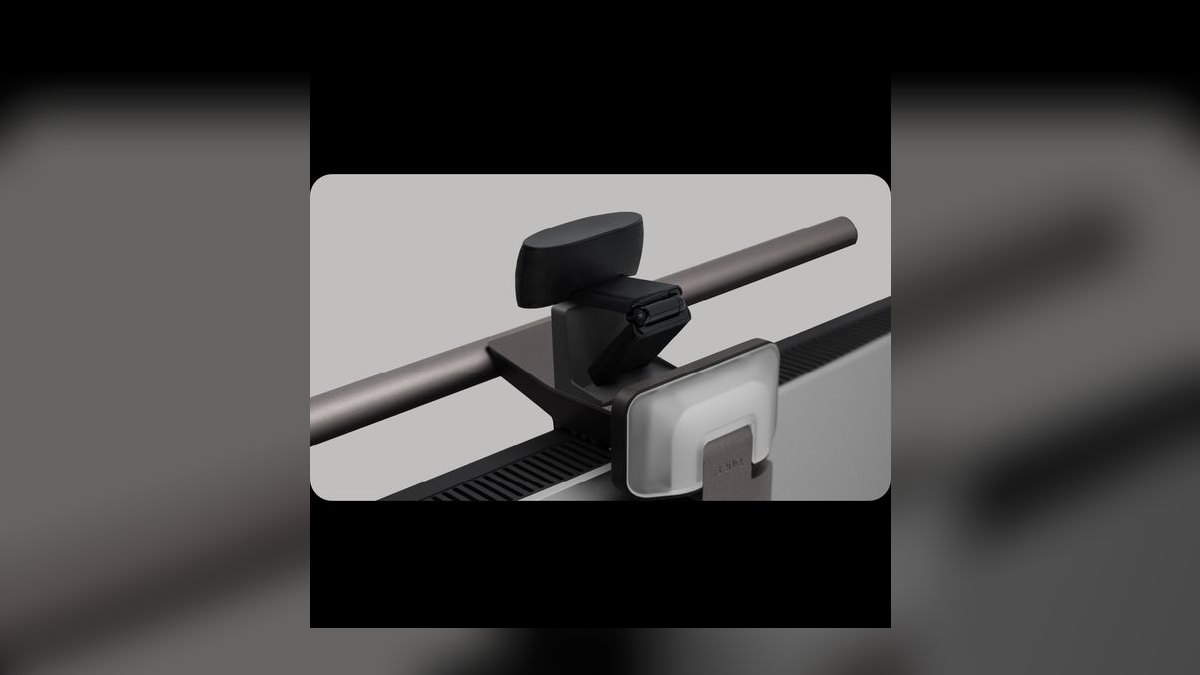
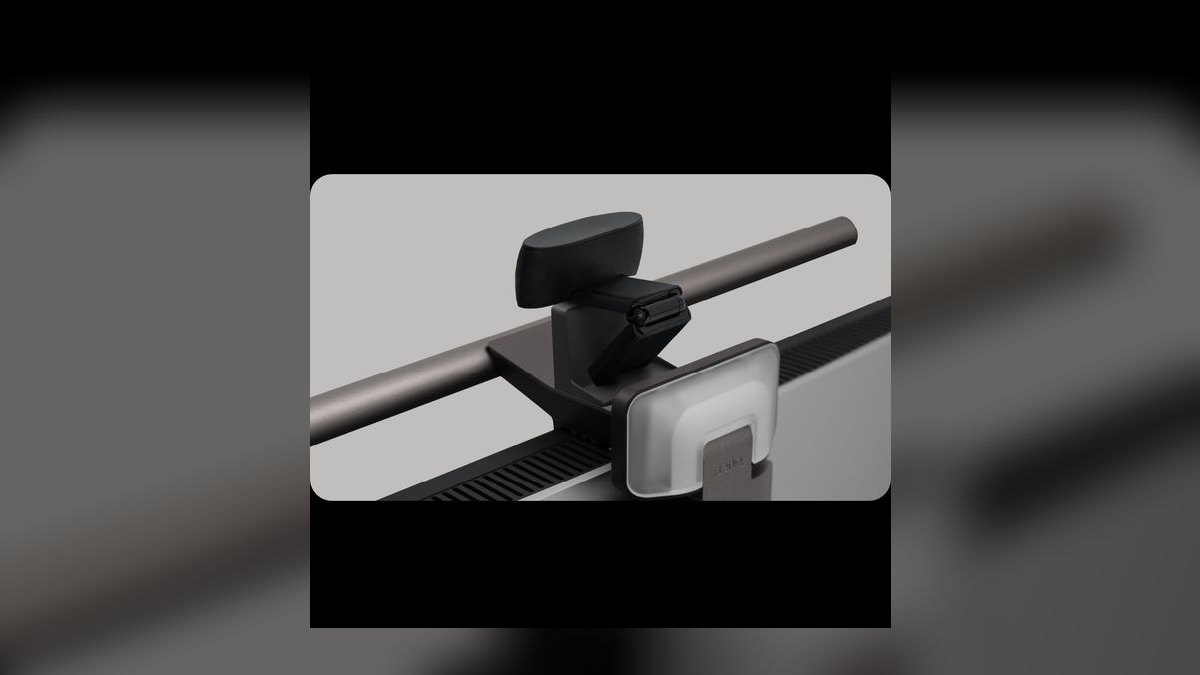
This ranks first because it is the only lamp here that solves task light, screen glare, and ambient bias light from one mount. The bar clamps to flat or curved monitors from 1000R to 1800R and delivers 1,000 lux at desk center with 500 lux carried to the edges, enough to read a paper notebook with no reflection on the panel. A wireless puck gives stepless dimming and 8 color temperatures from 2,700K to 6,500K.
This is for knowledge workers and video editors running dual monitors for 8-plus hours a day, where eye fatigue is a real daily cost. It trades away affordability outright: at $179 it costs six times the TaoTronics TT-DL13 below and asks you to give up a lamp you can move around the room. Against the ScreenBar Pro at $149, the Halo 2 adds the rear bias strip and the puck controller in place of on-bar touch keys.
2BenQ ScreenBar Pro
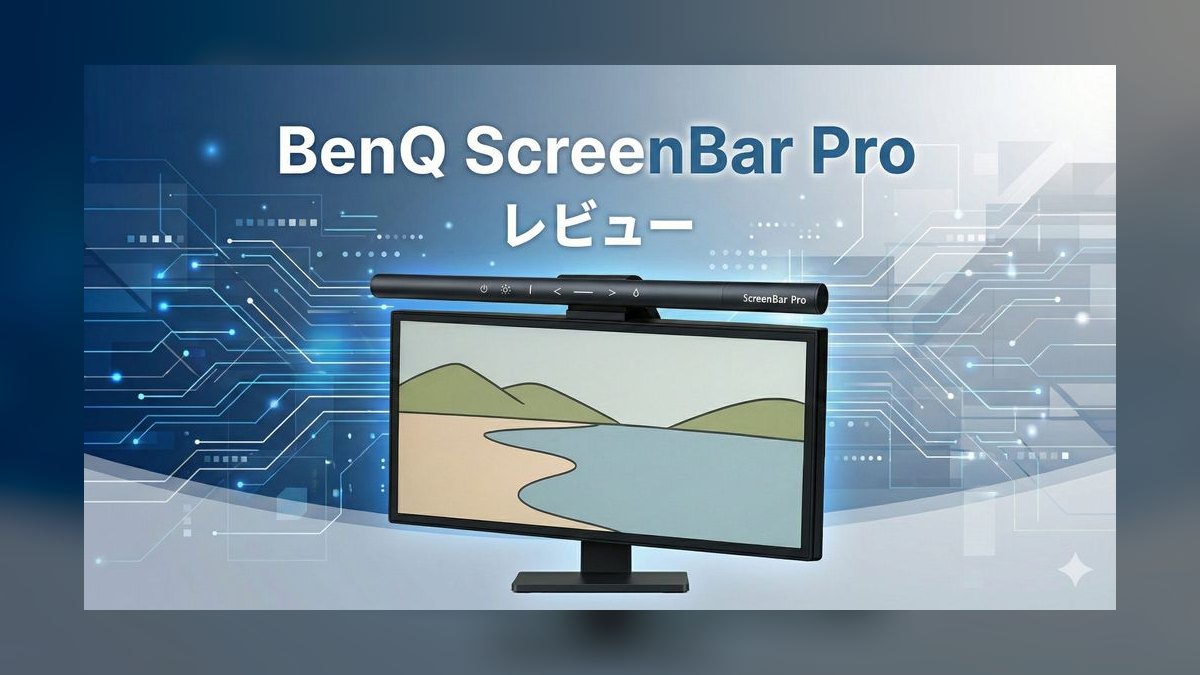
Second place goes to the single-monitor sibling of the Halo 2, which keeps the same 1,000-lux output and the same 2,700K to 6,500K tuning for $149. Its distinguishing feature is an automatic motion-and-ambient-light sensor that switches the bar on when you sit down, then continuously adjusts both brightness and color temperature against the room and time of day. Controls live on the bar itself as touch keys. Refurbished units run $139 at the BenQ outlet.
Buy this for a solo-monitor desk where set-and-forget matters more than manual control. The trade is the rear bias-lighting strip and the wireless puck, both dropped to reach the lower price, so adjusting brightness means reaching past your keyboard to the bar. Compared with the Halo 2 above, you save $30 and lose the wall wash behind the screen that does much of the eye-fatigue work.
3TaoTronics TT-DL13
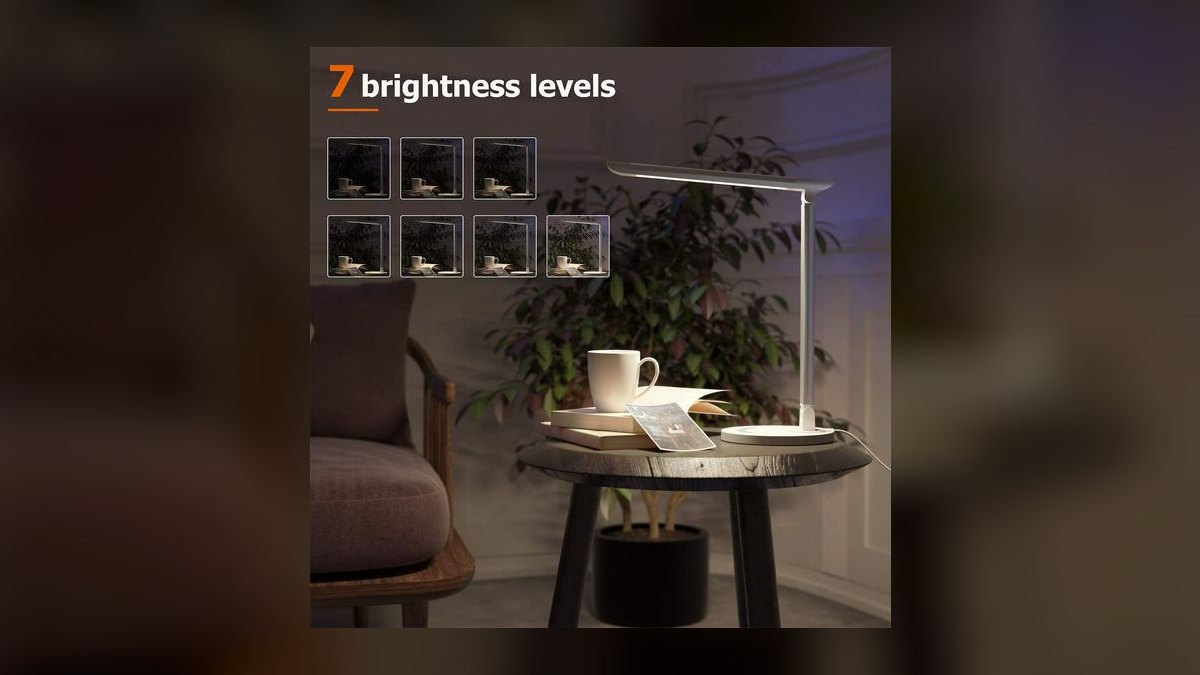
This holds third on value: it is the best sub-$30 LED desk lamp for the third year running, at $29.99 on Amazon and roughly $24.99 during Prime Day and Black Friday. The aluminum-and-plastic body folds flat, the 510-lumen panel casts a wide soft cone with no visible hotspots, and the touch strip exposes 7 brightness levels, 5 color modes from 3,000K to 6,500K, a 1-hour auto-off timer, and a USB-A 5V/1A port.
This suits students, renters, and secondary desks where the money simply is not there for a monitor bar. What it trades is optics and mounting: the light comes from the desk rather than above the screen, so glare on a glossy panel is still possible. Against the BenQ bars above, it gives up bias lighting, sensors, and lux output, but it adds phone charging and a 50,000-hour rated life covering about 17 years of 8-hour weekdays.
4Xiaomi Mi Monitor Light Bar 1S
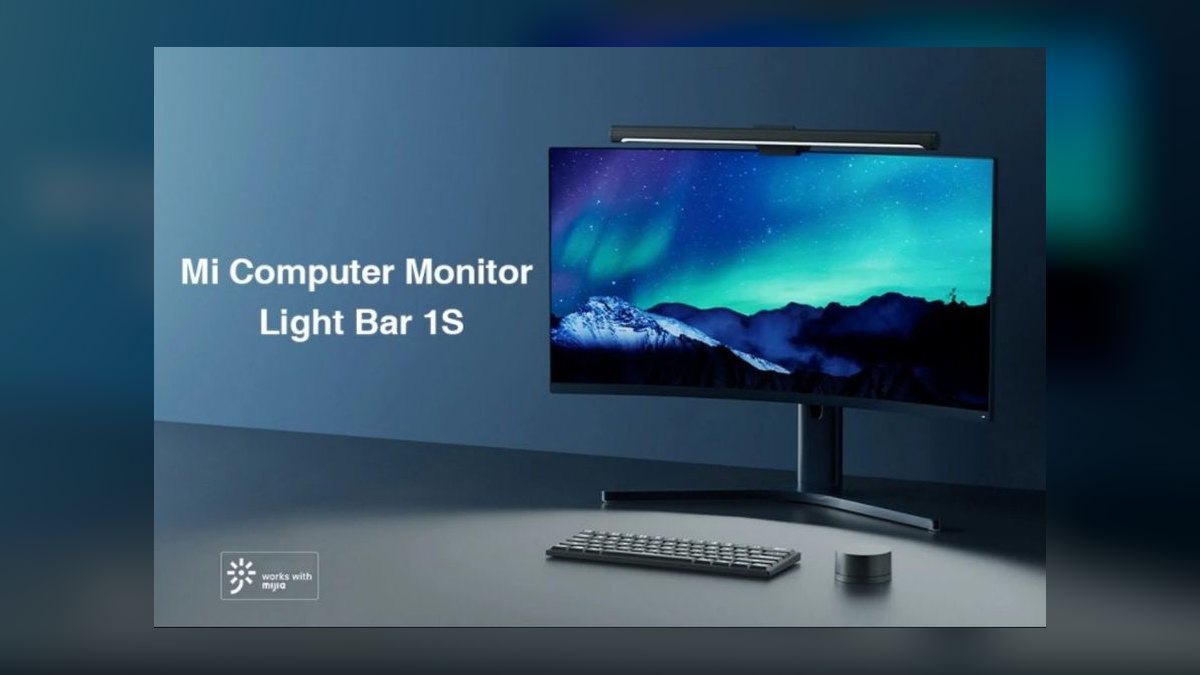
Fourth place reflects the best mid-priced monitor bar at $69.99 on Amazon, or $59.99 direct from Xiaomi during sales. A magnetic clamp snaps to a counterweight hung on the back of the monitor, tuning spans 2,700K to 6,500K across 10 discrete color steps, and a rotary wireless dial ships in the box. Many reviewers prefer that click-and-spin feedback to BenQ's flat puck. Rated output is 500 lux at desk center.
This is for buyers who want ScreenBar ergonomics without paying the BenQ markup, on standard office work rather than color-critical editing. The trade is brightness: 500 lux is half the Halo 2's figure, and the 10 fixed color steps replace stepless control. Against the Quntis below at $59, the Xiaomi costs about $10 more and puts out less light, but the magnetic mount and rotary dial are the better daily hardware.
5Quntis ScreenLinear Pro+
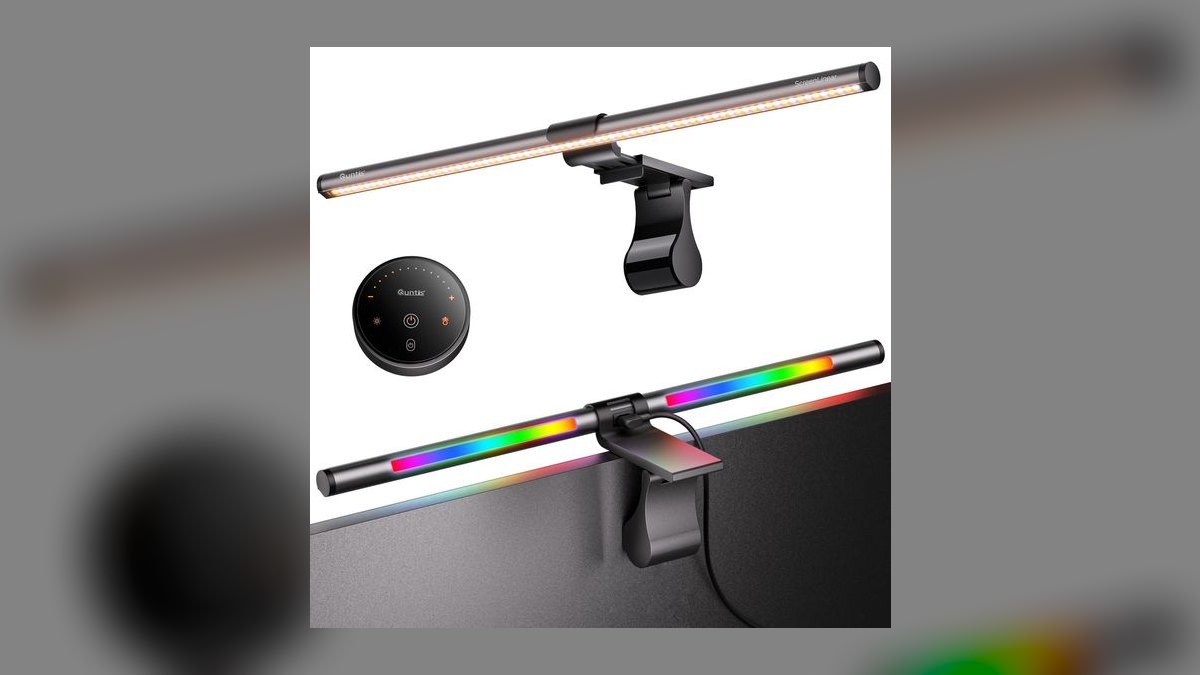
This lands fifth as the budget monitor bar reviewers name when the BenQ feels overpriced. It puts out roughly 850 lux at center, tunes 3,000K to 6,500K, and ships a wireless puck nearly identical in shape and function to BenQ's. The weighted clamp is the standout: heavier than BenQ's, it grips flat 27-inch IPS panels and curved 1800R ultrawides without sliding. Price is $59 on Amazon, often $49 with the listing coupon clipped.
This fits cost-conscious buyers who want roughly 90% of the BenQ experience for half the money. What it gives up is the warm end of the range: it starts at 3,000K rather than 2,700K, so late-evening work stays cooler than on the Halo 2. Compared with the Xiaomi above, the Quntis is brighter at 850 lux versus 500 and $10 cheaper, but its clamp is bulkier than the magnetic counterweight.
6Yeelight Light Bar Pro
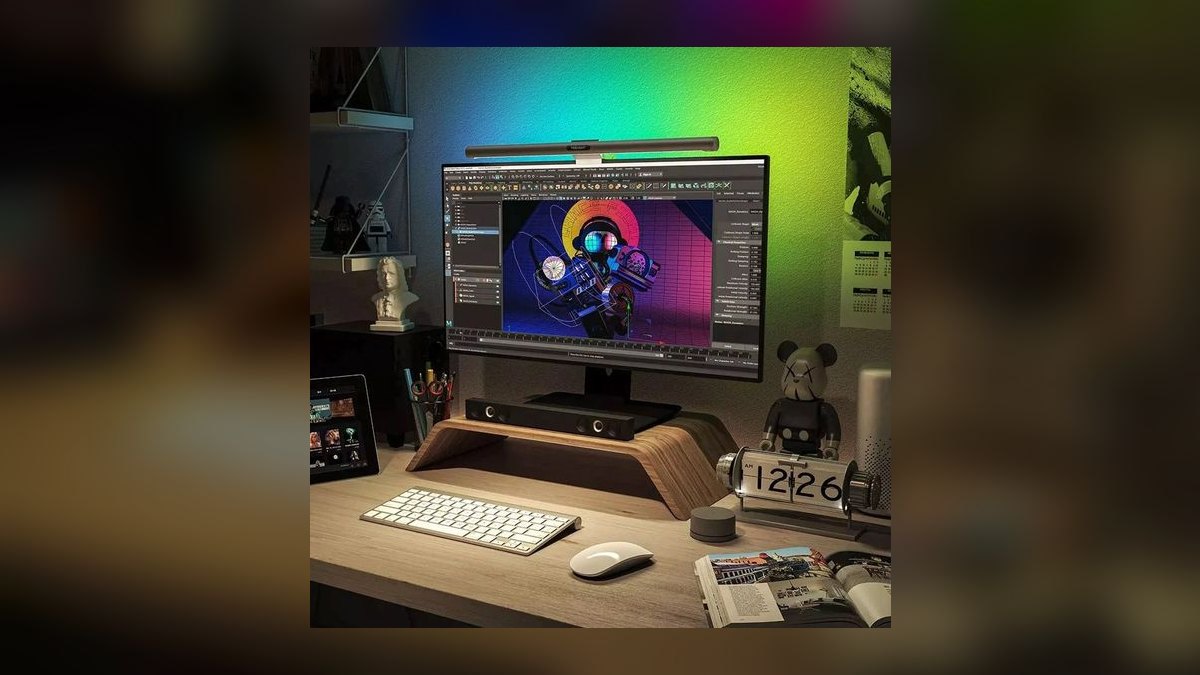
Sixth position is earned on smart-home integration rather than raw output. The front-facing 10W LED tunes 2,700K to 6,500K, the rear strip runs full RGB across 16 million colors with 4 dynamic scene presets, and the bar joins dual-band Wi-Fi with no hub required. HomeKit, Alexa, and Google Home all work, so a spoken focus scene can drop the rear strip and ramp the front bar to 6,500K daylight.
This is aimed at streamers, content creators, and smart-home households that want the desk lamp running on a schedule. The trade is dependence on Wi-Fi and an app for anything beyond basic operation, plus a $119.99 price that beats no bar above it on brightness. Against the Quntis at $59, you pay roughly double for RGB and voice control rather than for more usable task light.
7Lepro 12W Desk Lamp
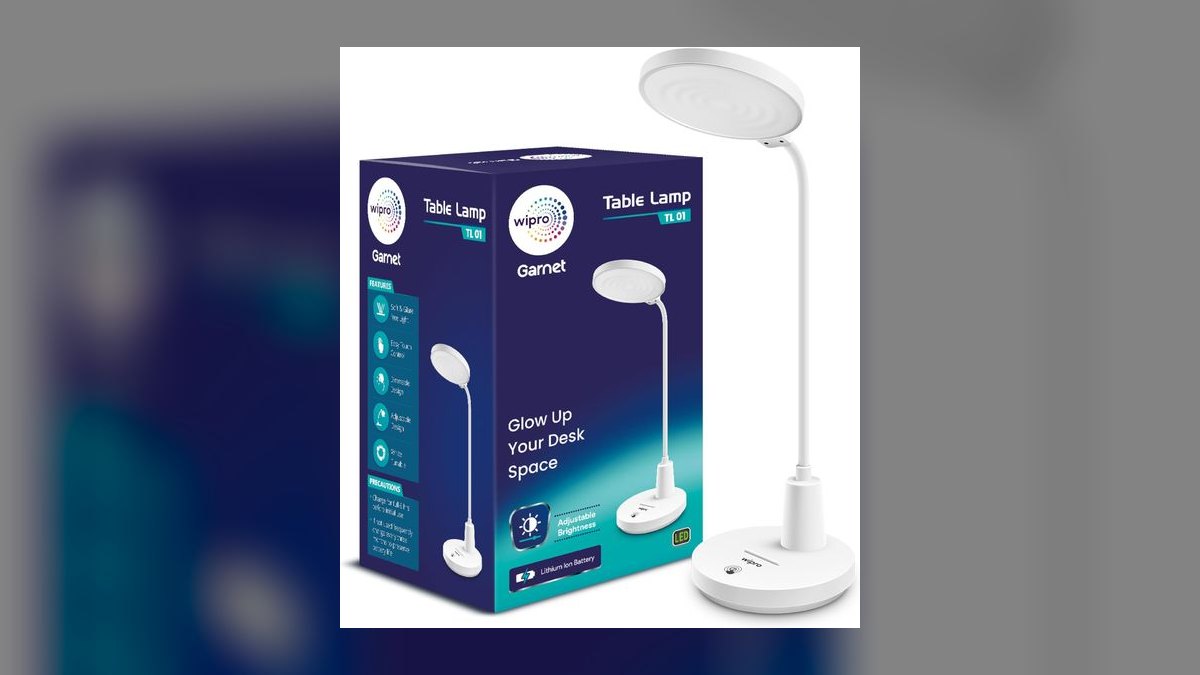
This takes seventh as the best traditional swing-arm task lamp under $40 for anyone who does not want hardware clamped to a monitor. The aluminum gooseneck bends in two separate segments rather than only at the head, the 12W panel pushes 600 lumens, and the touch base exposes 5 brightness levels and 5 color modes from 3,000K to 6,500K. It sells for $35.99 on Amazon, or $29.99 with the on-page coupon applied.
This suits drafting tables, sewing desks, and bedside reading where a clamp-on bar simply will not mount. The clear omission is USB charging, absent on the standard 12W model, so buyers who need it must step up to the 14W version at $44. Compared with the TaoTronics at $29.99, the Lepro costs about $6 more, adds 90 lumens and a genuine two-segment arm, but drops the charging port.
8HoneyComb 5W Desk Lamp
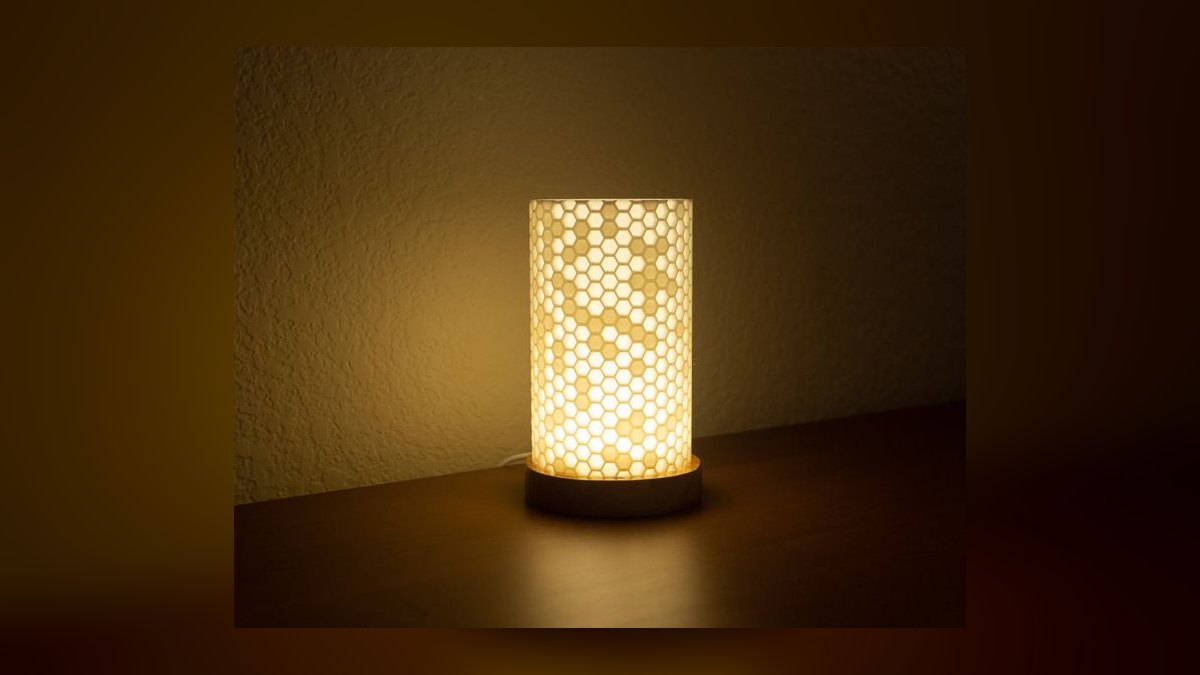
Eighth place is about footprint. The honeycomb diffuser panel measures only 5.5 inches wide, yet its 30-LED array delivers 280 lumens with a CRI 95 rating that is unusually faithful at this price. One touch sensor cycles 3 color modes at 3,000K, 4,500K, and 6,000K plus 3 brightness levels, and a hidden USB-C port on the back of the base charges phones at 5V/2A. Price is $24.99 on Amazon, sometimes $19.99 on sale.
This is for cramped desks, dorm rooms, shared workspaces, travel, and gifting under $25. What it trades is output: 280 lumens is roughly half the TaoTronics figure, so it lights a keyboard and a notebook rather than a full desk. Against the Lepro above, it is $11 cheaper and far smaller, adds USB-C charging and better color rendering, but loses the reach of an adjustable arm.
9BenQ e-Reading Desk Lamp
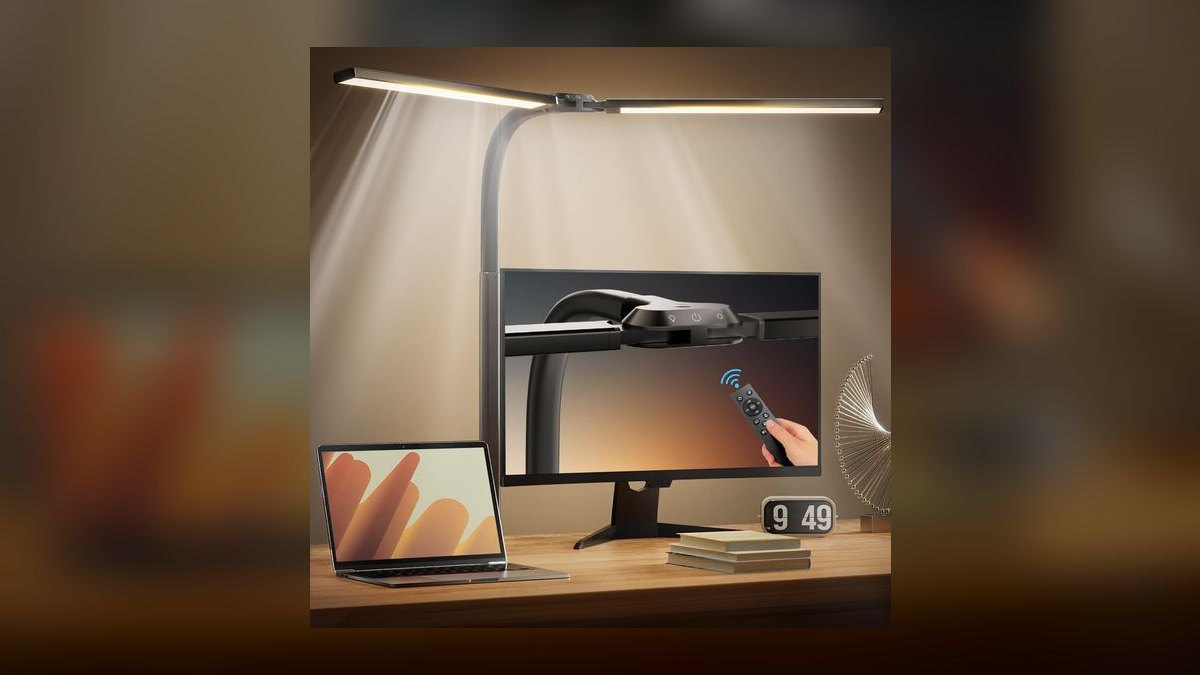
This sits ninth on price rather than quality: at $209 direct from BenQ it is the most expensive lamp on the list. The wide-curved illumination panel covers a 35-inch-wide work area, roughly three times what most task lamps reach, and an ambient light sensor on the head tunes brightness to the room automatically. Six color temperature settings span 2,700K to 5,700K, and the weighted base needs no clamping. Amazon drops it to $189 during sales.
This is for large desks, architects, and designers who mark up paper documents daily and need even coverage edge to edge. The trades are cost and ceiling: it stops at 5,700K rather than reaching 6,500K daylight, and it occupies desk space a monitor bar would not. Against the Halo 2 at $179, you pay $30 more for a freestanding lamp with far wider spread but no bias lighting.
10Govee Smart Table Lamp 2
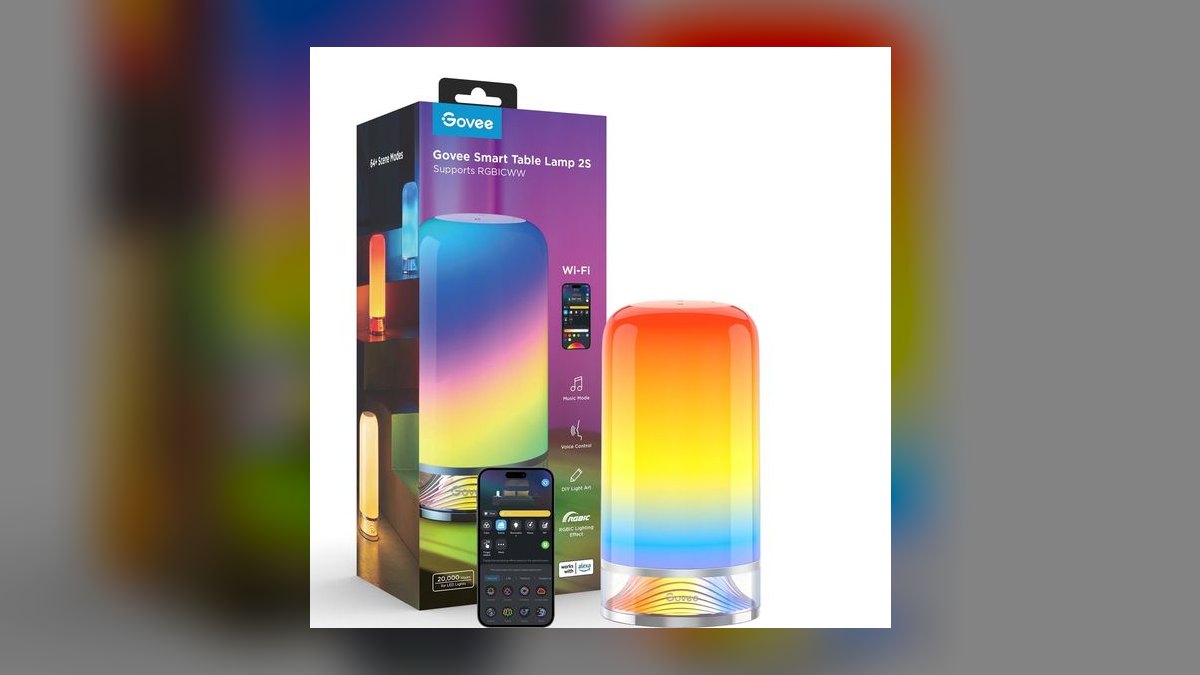
Tenth place goes to the best ambient-and-task hybrid rather than a pure work light. The cylindrical body holds two independently controlled zones: a top zone for downward task light tuning 2,700K to 6,500K, and a bottom RGB zone covering 16 million colors for ambient glow. The Govee Home app schedules circadian shifts that warm the lamp through the evening. It sells for $59.99 on Amazon and $49.99 during Govee flash sales.
This is for home offices that double as bedrooms or living rooms and need one lamp for both work and evening. It has no USB output port, though the lamp itself runs off USB-C, so a hub like the Anker 543 covers phone charging. Against the BenQ e-Reading lamp above, it costs a quarter as much but offers nothing close to the same coverage or optical control for paper work.
How we ranked these
We weighted four things that actually change how a lamp feels after eight hours: measured lux at the desk center and edges, color-temperature range and step count, flicker behavior at low brightness, and control ergonomics — puck, dial, or touch. Monitor-mounted bars were judged on clamp fit across flat and 1000R-1800R curved panels. Price was cross-checked against real Amazon and direct-store listings, not MSRP, including recurring Prime Day and coupon pricing.
We ignored RGB effect libraries, app scene counts, and "16 million colors" marketing — none of it improves reading a document. We ignored rated LED lifespan as a differentiator, since 30,000-50,000 hours exceeds any realistic ownership window and drivers fail first. We skipped battery-powered and portable lamps entirely, since a home office has an outlet. Aesthetic finish, unboxing quality, and warranty length also stayed out of the ranking.
What to look for
Two decisions drive everything: mounted bar or swing arm, and whether you need the lamp to charge a phone. If you stare at a 27-inch or larger monitor most of the day, a bar wins because asymmetric optics put light on paper without bouncing any onto the screen. If you mark up documents, sketch, or work off a large surface, a swing arm with a wide panel covers area a bar cannot reach.
The common mistake is buying on lumens. Lumens measure total output; lux at your desk surface is what you actually read by, and a 600-lumen gooseneck aimed correctly can beat a poorly placed brighter lamp. The second mistake is skipping the color-temperature check — a fixed 6,500K daylight lamp is punishing at 9pm. Buy tunable, verify flicker-free at low brightness, and confirm the clamp fits your monitor's curve before ordering.
Related questions
Do monitor light bars work with ultrawide monitors?
Yes, but check two things. The bar's clamp must tolerate your panel's curve — most support flat through 1800R, and the BenQ ScreenBar Halo 2 covers 1000R to 1800R. Second, a single bar lights roughly a monitor-width area, so on a 34-inch ultrawide the desk edges get less. The Halo 2's 500 lux edge spread handles this better than shorter budget bars.
Is the BenQ ScreenBar Pro worth $149 over the Quntis at $59?
Only for the sensor. The Quntis ScreenLinear Pro+ delivers roughly 850 lux against BenQ's 1,000, tunes 3,000K-6,500K, and ships a nearly identical wireless puck with a heavier, better-gripping clamp. The Pro's advantage is its motion-and-ambient sensor that turns on when you sit and continuously retunes brightness and color. If set-and-forget matters, pay it. Otherwise the Quntis is the value pick.
What is CRI and does it matter for desk work?
CRI, or Color Rendering Index, scores how faithfully a light reproduces color against natural daylight on a 100-point scale. For reading text it barely matters. For anything color-critical — photo editing, design proofs, matching fabric or paint — it matters a lot. Look for CRI 90 or above; the HoneyComb 5W hits CRI 95, which is unusually good for a $24.99 lamp.
Can I use a monitor light bar with a laptop?
Not well. These bars are counterweighted for monitor bezels roughly 0.4 to 3cm thick, and a laptop lid is thinner, lighter, and hinges backward — the bar tips the screen. A laptop user is better served by a swing-arm lamp like the Lepro 12W or the compact HoneyComb 5W. If your laptop drives an external monitor, mount the bar on that instead.
Which lamp is best if my office doubles as a bedroom?
The Govee Smart Table Lamp 2 at $59.99. Its two independent zones let the top zone run 2,700K-6,500K task light during work hours while the bottom RGB zone handles evening ambient, and the Govee Home app schedules a circadian shift that warms the lamp through the night. That switch from work mode to living-space mode is exactly what a dual-purpose room needs.
Do I need a USB port on the lamp itself?
Usually not. Lamp-integrated ports run 5V/1A to 5V/2A — fine overnight, slow otherwise. The TaoTronics TT-DL13 has USB-A and the HoneyComb 5W has USB-C, but a dedicated desk hub charges faster and does not tie charging to lamp placement. Only prioritize the built-in port if outlets are genuinely scarce, as in a dorm or a shared rental desk.
Why does my desk lamp cause headaches at low brightness?
Almost always PWM flicker. Cheap dimming circuits pulse the LED on and off rapidly, and the effect worsens as you dim — the exact setting you use for evening work. Independent testers rated the TaoTronics TT-DL13 flicker-free at every brightness level, which is why it beats similarly specced $29 lamps. Test yours by filming the lit lamp with a phone camera and looking for banding.
Should I buy a smart lamp or a simple tunable one?
Buy smart only if you will actually use schedules or voice control. The Yeelight Light Bar Pro at $119.99 earns its premium in HomeKit, Alexa, or Google Home households where a spoken "focus" scene ramps the front bar to 6,500K. If you would just press a button anyway, the Quntis at $59 gives you the same usable light with no app, no Wi-Fi, and no firmware updates.
FAQ
Can I use an LED desk lamp with a curved monitor?
Yes. Most clamp-on bars including the BenQ ScreenBar Halo 2 support curved panels, but check the stated curvature range — typically flat through 1800R. The Halo 2 specifies 1000R to 1800R. For deeper curves than a bar supports, the clamp contacts unevenly and the bar can slide, so a swing-arm lamp like the BenQ e-Reading is the safer fit.
How bright should a home office desk lamp be?
Target 500 to 1,000 lux measured at the desk surface for comfortable reading and writing. The BenQ Halo 2 hits 1,000 lux at center with 500 lux at the edges; the Xiaomi 1S rates 500 lux at center, which suits general office work. Because needs shift by task and time of day, dimmability matters as much as peak output — 200 lux is plenty for pure screen work.
Do LED desk lamps cause eye strain?
Not if they are flicker-free and tunable. Two features prevent it: a warm setting near 3,000K for evening use, and a Color Rendering Index of 90 or above so text and colors look natural. Bias lighting helps too — the Halo 2's rear strip washes the wall behind your monitor, reducing the contrast between a bright screen and a dark room that tires your eyes.
What is the difference between 2,700K and 6,500K color temperature?
2,700K is a warm yellowish glow like an incandescent bulb, suited to winding down. 6,500K mimics midday daylight and supports alertness and focus. Most lamps here tune across that range — the Halo 2 offers 8 steps, the Xiaomi 1S offers 10. Use the cool end during work hours and shift warm after sunset; a fixed 6,500K lamp at night is genuinely uncomfortable.
Can I charge my phone through a desk lamp?
Some lamps include a port. The TaoTronics TT-DL13 has USB-A at 5V/1A, the HoneyComb 5W has USB-C at 5V/2A, and the BenQ e-Reading has an in-base USB-A. Speeds are standard, so it is fine for overnight charging but slower than a wall charger. The Govee Table Lamp 2 has no port at all — it runs off USB-C itself, so pair it with a desk hub.
How long do LED desk lamp bulbs last?
Rated lifespans run 30,000 to 50,000 hours, roughly 10 to 17 years of 8-hour weekdays — the TaoTronics TT-DL13 is rated 50,000 hours. In practice the LEDs almost never burn out first. The driver electronics, the touch panel, or the wireless controller's battery fail earlier, which is why build quality and warranty matter more than the headline hour rating.
What is bias lighting and do I need it?
Bias lighting is a soft glow cast on the wall behind your monitor. It narrows the contrast gap between a bright screen and a dark room, which reduces eye fatigue during long sessions. The BenQ ScreenBar Halo 2 builds it in with a tri-zone rear strip; the ScreenBar Pro drops it entirely. It matters most in dim rooms and for night work, and barely at all in a sunlit office.
Are monitor light bars better than traditional desk lamps?
For screen-centric work, yes — they use asymmetric optics that throw light forward onto your desk while keeping it off the panel, so you get no glare and no desk footprint. For everything else, no. Drafting, sewing, reading physical books, or marking up documents across a wide surface all favor a swing arm like the BenQ e-Reading, which covers a 35-inch work area.
What is the cheapest lamp here that does not feel cheap?
The TaoTronics TT-DL13 at $29.99, dropping to $24.99 on Prime Day. It carries the full feature checklist — 3,000K-6,500K tuning, 7 brightness levels, an auto-off timer, USB-A charging, and a 510-lumen panel with no visible hotspots — and independent testers confirmed it is flicker-free at every level. For a monitor bar specifically, the Quntis ScreenLinear Pro+ at $59 is the equivalent pick.
Does a lamp with a wireless puck beat on-bar touch controls?
Usually, yes. A puck sits beside your keyboard so you adjust without reaching over the monitor or nudging the bar out of alignment. The Halo 2, Quntis, and Xiaomi all ship one — the Xiaomi's rotary dial gets praised for tactile click-and-spin feedback over BenQ's flat puck. The exception is the ScreenBar Pro, whose auto sensor means you rarely touch controls at all.
Sources
- https://fstoppers.com/reviews/benq-screenbar-halo-best-upgrade-can-make-under-180-658689
- https://www.digitalcameraworld.com/reviews/benq-screenbar-pro-review
- https://www.techgearlab.com/topics/small-and-home-office/best-desk-lamp
- https://www.benq.com/en-us/lighting/e-reading-desk-lamp/e-reading/spec.html
- https://www.techradar.com/home/smart-home/govee-table-lamp-2-review
- https://www.creativebloq.com/reviews/quntis-screenlinear-pro-plus
- https://www.cultofmac.com/news/benq-screenbar-pro
- https://www.techradar.com/home/smart-lights/dyson-solarcycle-morph-desk-review
- https://www.rtings.com/monitor/learn/what-is-flicker-free
- https://www.energystar.gov/products/light_bulbs
Related on PULSE
This page will be disappearing soon. Save it to your device for $1 — or read it free while it is here.
@Kory-White- · if Venmo asks, the last 4 of my number are 2012
This page is gone.
This one is off the shelf now. $1 keeps it on your phone for good — the whole page, pictures and diagrams included.
 pulse-reviewsTop 10 Car Backup Cameras — Best Overall + Best Value in 2027
 pulse-reviewsTop 10 Wireless Earbuds for Quick Sales Calls in 2027
 pulse-reviewsTop 10 85-Inch TVs — Best Overall + Best Value in 2027
 pulse-reviewsTop 10 VR Headsets — Best Overall + Best Value in 2027
 pulse-reviewsTop 10 Electric Back Massagers — Best Overall + Best Value in 2027
 pulse-reviewsTop 10 Mirrorless Cameras — Best Overall + Best Value in 2027
 pulse-reviewsTop 10 Backpack Leaf Blowers — Best Overall + Best Value in 2027
 pulse-reviewsTop 10 TDS Water Testers — Best Overall + Best Value in 2027
 pulse-reviewsTop 10 4K TVs — Best Overall + Best Value in 2027
 pulse-reviewsTop 10 Foldable Phones — Best Overall + Best Value in 2027