


Top 10 Portable USB-C Monitors for Sales Travel in 2027
Quality
Certified
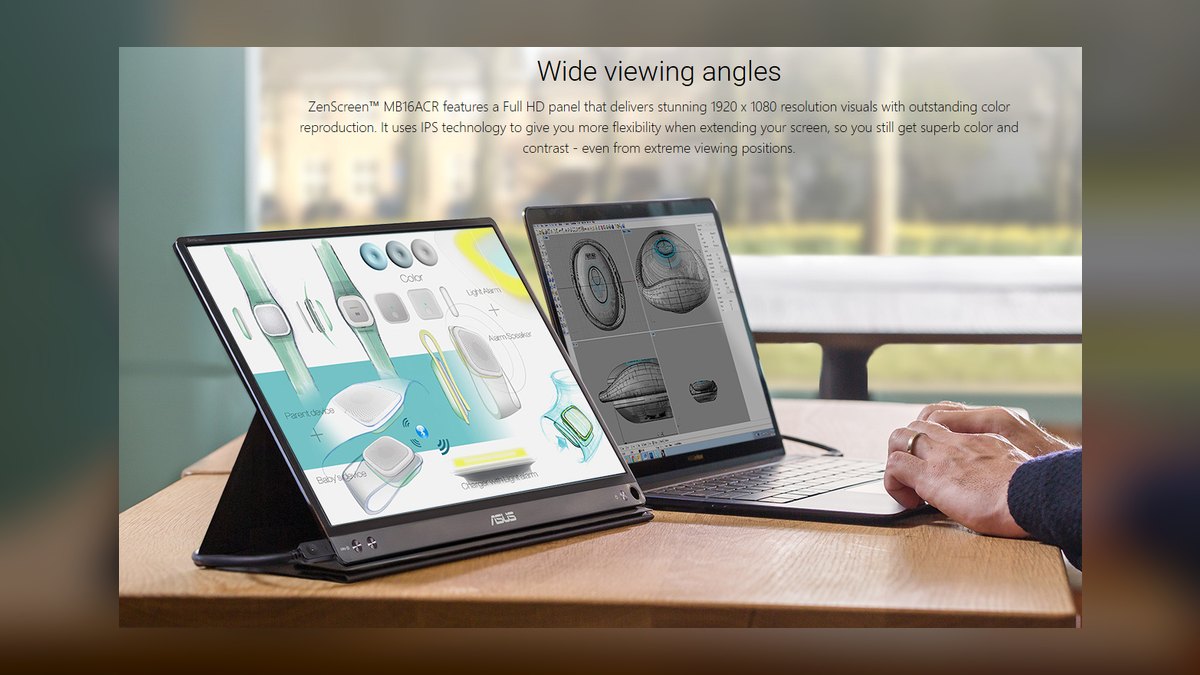
The 10 best portable usb-c monitors for sales travel are ranked below on measured performance, build quality, price, and how each one actually holds up in daily use rather than how it reads on a spec sheet. Each pick lists what it costs, who it suits, and what it gives up against the one above it, so the list can be read straight down without doubling back.
1ASUS ZenScreen MB16ACR
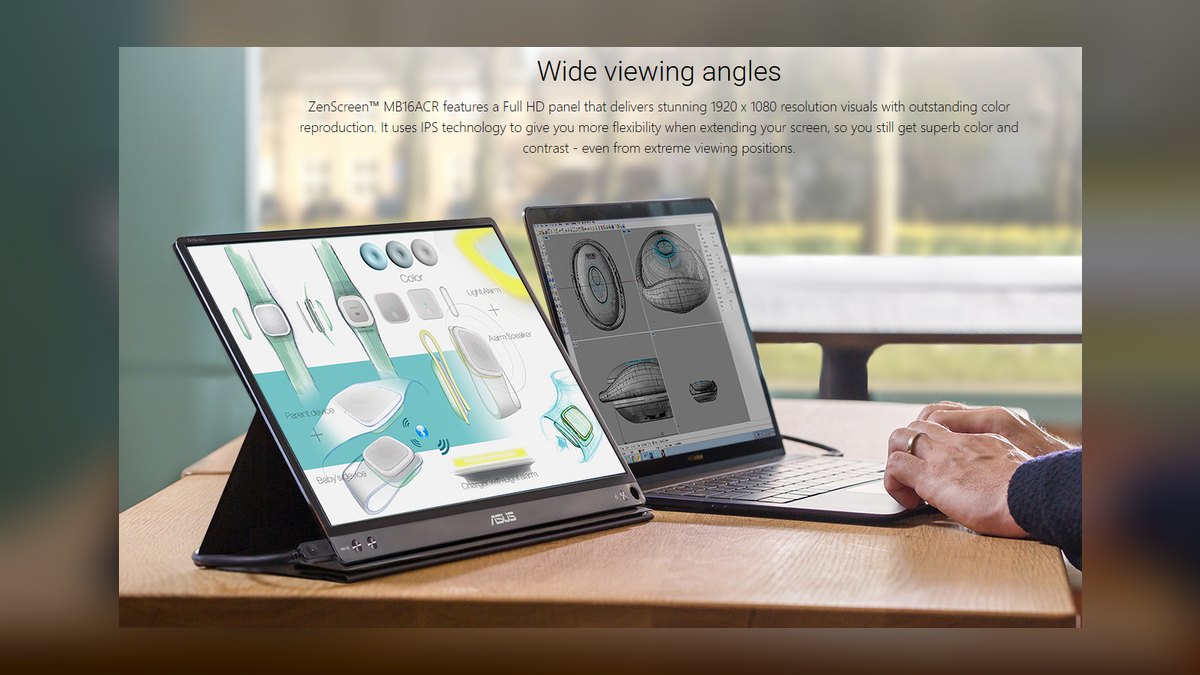
It ranks first because it delivers the fewest failure points for weekly travel at a fair $229 street price. The 15.6" 1920x1080 IPS panel runs off a single USB-C cable carrying video and power, and the whole unit is 8 mm thick at 0.78 kg. The included foldable smart cover doubles as a horizontal or portrait stand, so there is no separate kickstand to lose. ASUS backs it with a 3-year warranty.
This is the pick for field AEs, sales engineers, and RevOps consultants who need one screen that works on Mac, Windows, and DisplayPort Alt Mode Android phones. It trades away brightness at 250 nits typical and does not chase color accuracy. Against the espresso Display 15 Pro below it, you give up 4K, touch, and a glass-aluminum chassis, but you also save roughly $470 and carry 140 g less.
2espresso Display 15 Pro
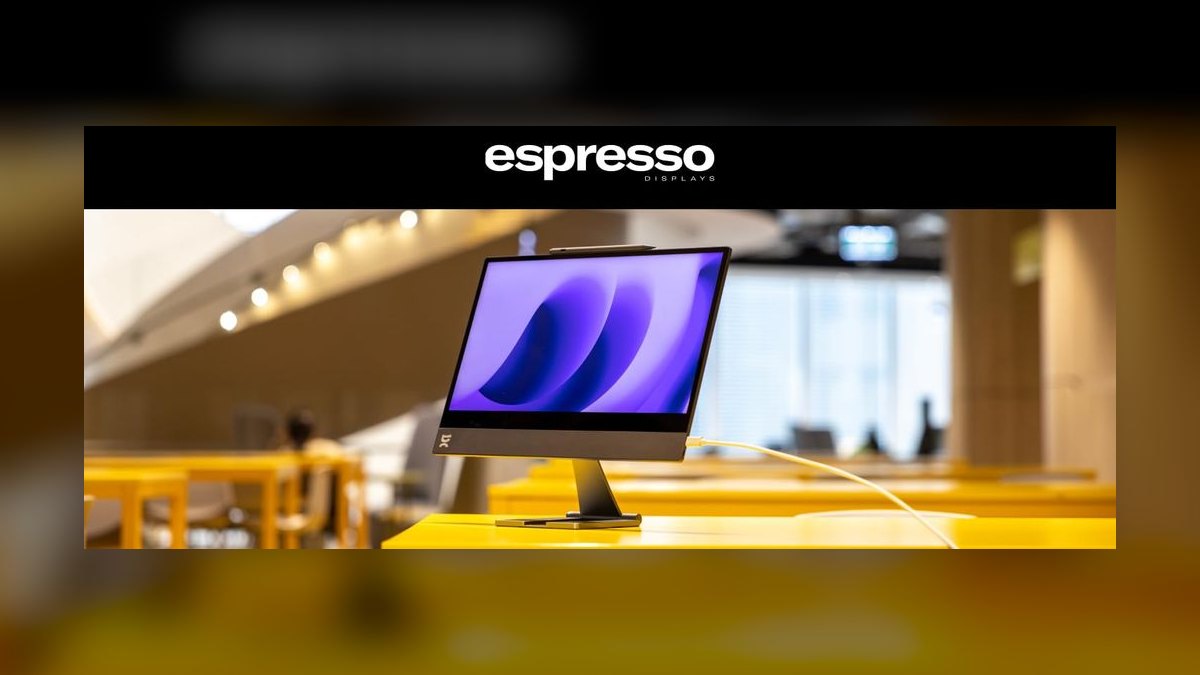
Second place goes to the highest-end panel here: 4K 3840x2160 across 15.6 inches with 572 nits measured brightness and touch input on both Windows 11 and macOS. The glass-fronted aluminum chassis weighs 0.92 kg, and the magnetic Stand+ clamps to the back at any orientation, adjusting like a Wacom Cintiq. It costs $699 including stand and cable, which is why it does not take the top spot.
Buy it for founder-led sales, solutions architects screen-sharing Figma files, or client work billing well over $500 an hour. You trade away money and forgiving optics: the speakers are an afterthought and the glossy finish fights fluorescent conference-room lighting. Compared to the ASUS MB16ACR above, it more than doubles pixel density and brightness while roughly tripling the price.
3ViewSonic VG1655
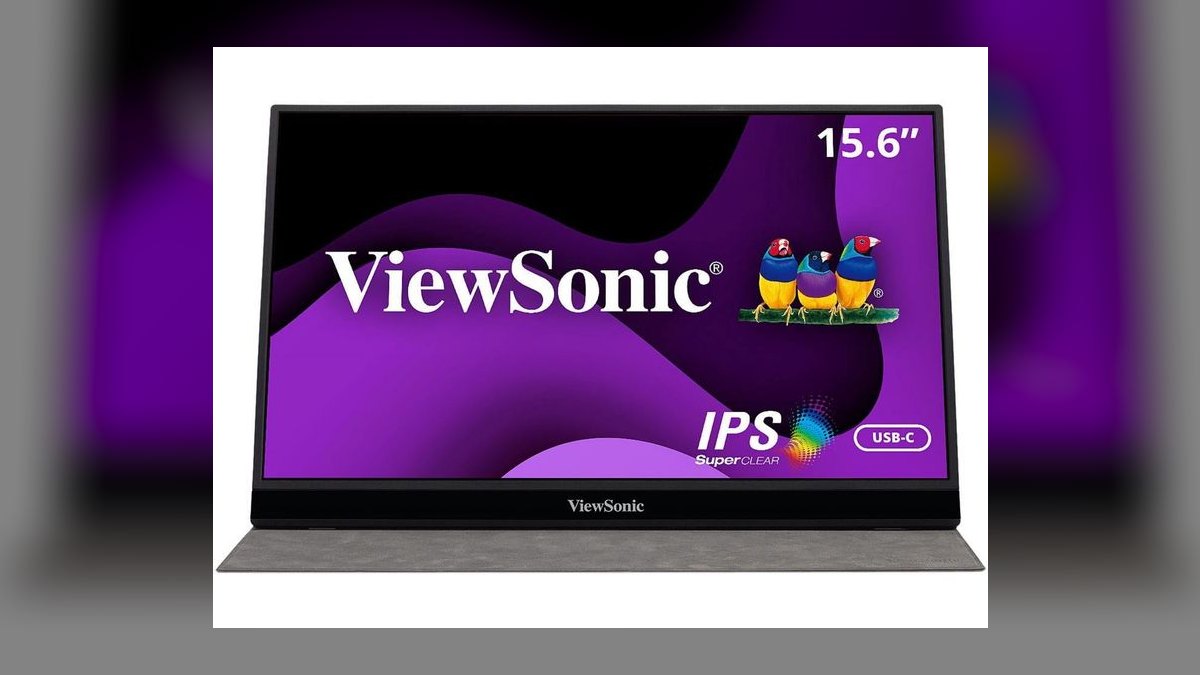
It lands third on connectivity and fleet supportability rather than panel quality. Dual USB-C with full 60 W passthrough means one cable to the wall powers both the laptop and the screen, and Mini-HDMI covers older docks. The built-in kickstand eliminates the smart case that gets left in a TSA bin, plus there is a VESA mount and height-adjustable base. It is 15.6" Full HD IPS at 250 nits, 0.82 kg, around $229.
This is built for large field-sales orgs standardizing one SKU across 200-plus reps, where a 3-year warranty and supportability outrank panel pop. The picture is solid rather than stunning. Against the espresso 15 Pro above it, the VG1655 gives up 4K and touch entirely but adds 60 W charge passthrough and an integrated stand for a third of the price.
4InnoCN 15A1F OLED
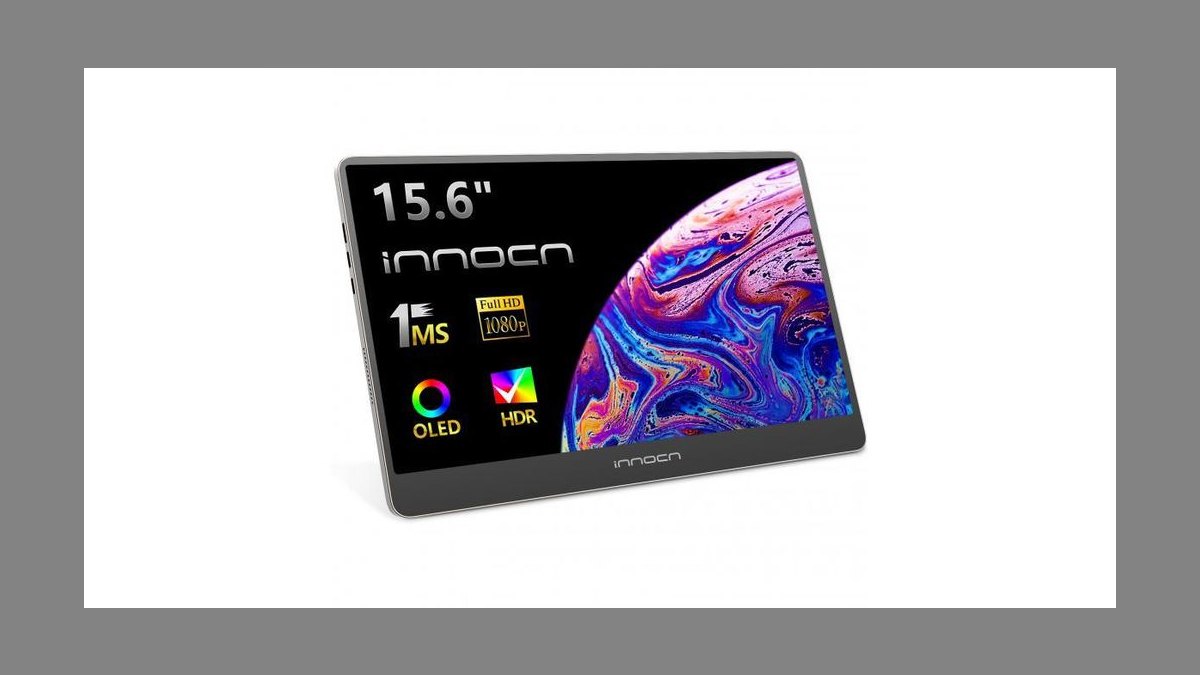
Fourth place reflects the best price-to-image-quality ratio on this list. The 15.6" 1920x1080 OLED hits 400 nits SDR and 500 nits HDR peak with 100% DCI-P3 coverage and 1 ms response time, connecting over dual USB-C or Mini-HDMI with a magnetic origami cover. Street price runs about $299, dropping toward $249 on Amazon Lightning Deals. Blacks are genuinely black rather than IPS gray.
It suits SaaS AEs demoing dark-theme dashboards and reps who play customer testimonial reels live in meetings. The trade is OLED burn-in risk if a static CRM view sits on screen eight hours daily, so rotate windows or use the built-in screensaver. Versus the ViewSonic VG1655 above, you gain dramatically wider color volume and 150 more nits but lose the integrated kickstand and 60 W passthrough.
5Lepow Z1 Slim
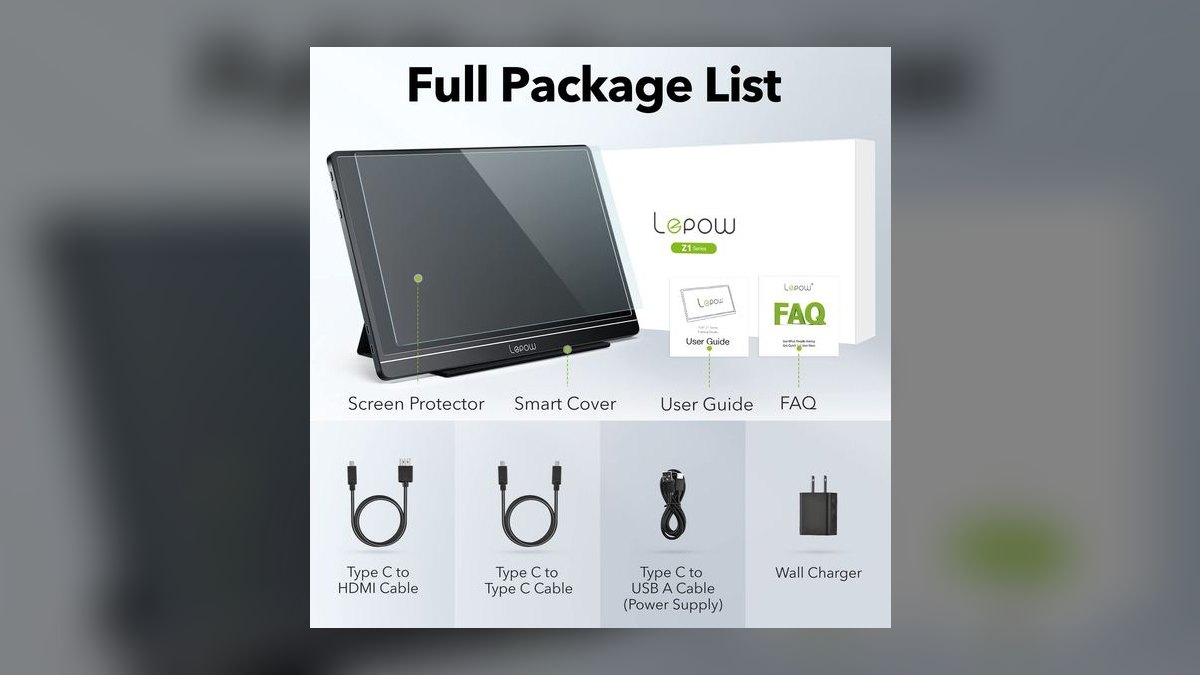
Fifth on the list and the value champion at $139 street, frequently $119 during Prime Day and Black Friday. The 15.6" Full HD IPS panel runs 300 nits, brighter than the 250-nit ASUS and ViewSonic picks, with dual USB-C plus Mini-HDMI and a 0.77 kg weight. An integrated leather smart cover folds into a stand. Lepow now backs it with a 1-year warranty and 30-day Amazon returns.
This is for SDRs, BDRs, and first-year AEs buying their own gear who refuse to spend over $150. You trade away build quality: more plastic in hand, a cover that sometimes refuses to magnetize on the first try, and zero resale value. For Salesforce, Outlook, and spreadsheets it is honestly indistinguishable from the MB16ACR at rank one.
6ViewSonic VX1655-4K-OLED
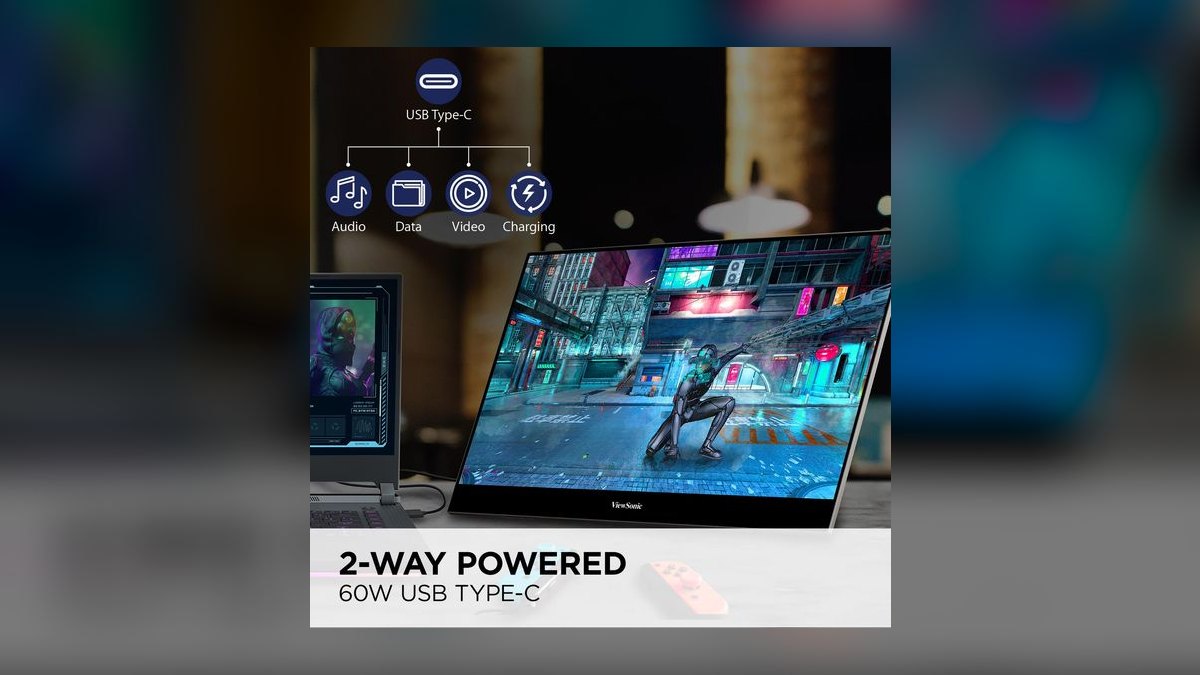
Sixth because it delivers 4K OLED at $449 rather than the $699 espresso asks. The 15.6" 3840x2160 OLED panel hits 400 nits with 100% DCI-P3, packed into a 15 mm thick body weighing 0.68 kg, making it among the lightest and thinnest 4K portables sold. Connectivity covers dual 60 W USB-C plus Mini-HDMI, and it keeps a 3.5 mm headphone jack. MSRP is $499.
It fits sales engineers and demo engineers whose buyers need fine UI detail, such as medical devices, financial trading software, or GIS. Reviewers universally pan the speakers, so pack earbuds. Compared to the InnoCN 15A1F above, you quadruple resolution and drop 100 g of weight, but pay roughly $150 more for the same OLED color coverage and no brightness gain.
7Arzopa Z1FC 144Hz
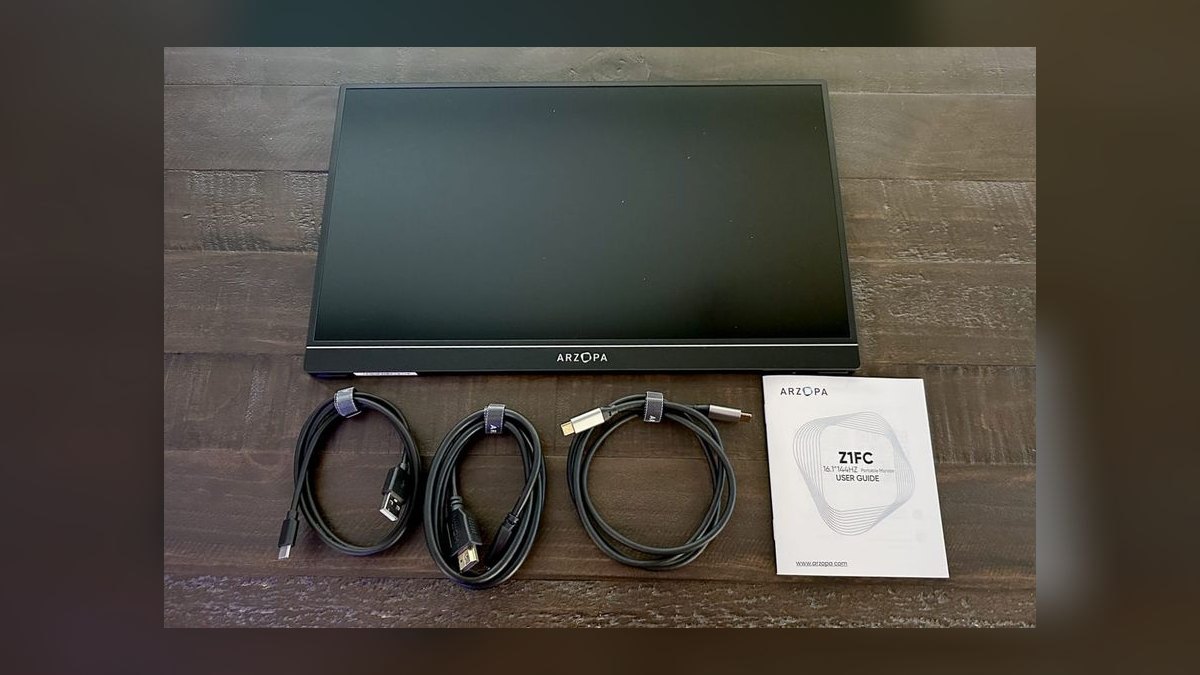
Seventh place is earned on refresh rate and price, not sales utility. It is the cheapest above-60 Hz portable on the market at $129 street, running 15.6" Full HD IPS at 144 Hz and 300 nits. Connectivity covers dual USB-C plus Mini-HDMI, it includes a VESA mount, and it weighs 0.7 kg. Most reps never need 144 Hz, which caps how high it can rank here.
It makes sense for gamer-AEs who run CS2 or Path of Exile in the hotel room after a steakhouse dinner. What you give up is color: roughly 85% sRGB out of the box, plus a fiddly OSD joystick. Against the Lepow Z1 Slim above, it costs $10 less and more than doubles refresh rate, but the Lepow has the better smart cover and stand.
8Plugable USBC-PDMON
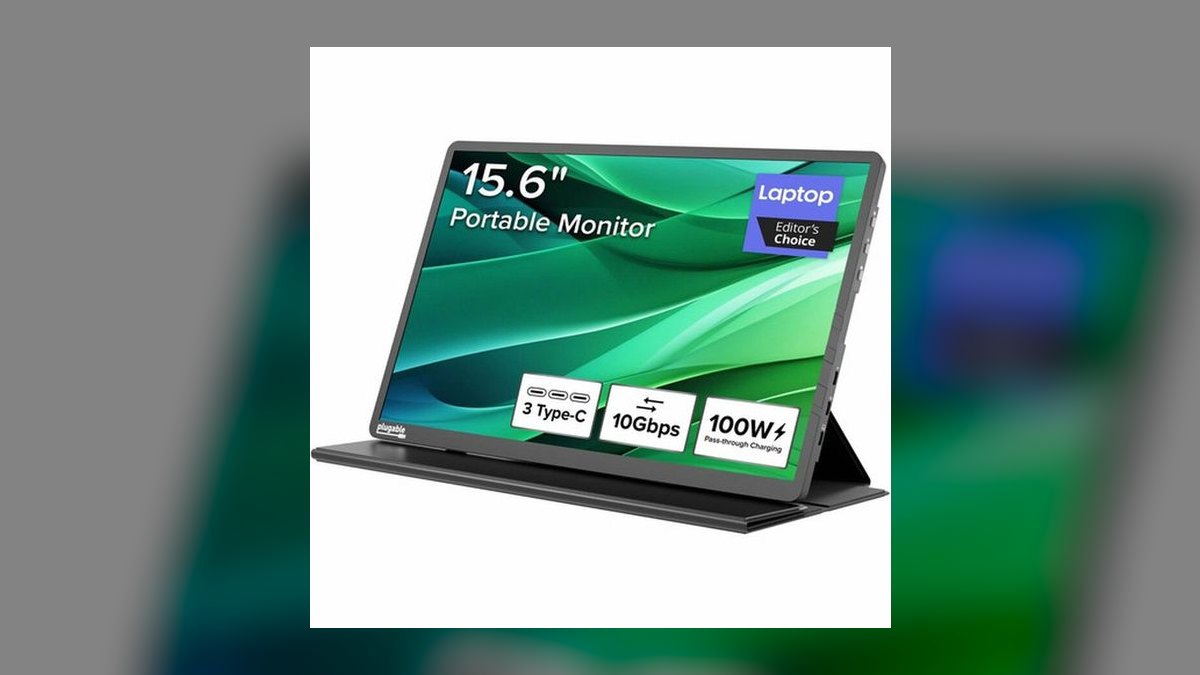
Eighth on support infrastructure rather than specs. The 15.6" Full HD IPS panel runs 250 nits at $219 street, with dual USB-C plus HDMI, 100 W passthrough charging, a smart-cover stand, and a 2-year warranty. Plugable answers a US-based phone line out of Redmond, Washington, which no other brand here offers. Macworld reviewed it positively for out-of-box color accuracy and called the chassis easy on the eyes and arms.
It fits mid-market RevOps teams already buying Plugable docks and hubs who want a single-vendor bill of materials. You trade away brightness and any color ambition. Versus the Arzopa Z1FC above, you pay $90 more for a 60 Hz panel, but gain 100 W passthrough, a real support line, and double the warranty term.
9ASUS ZenScreen Go MB16AHP
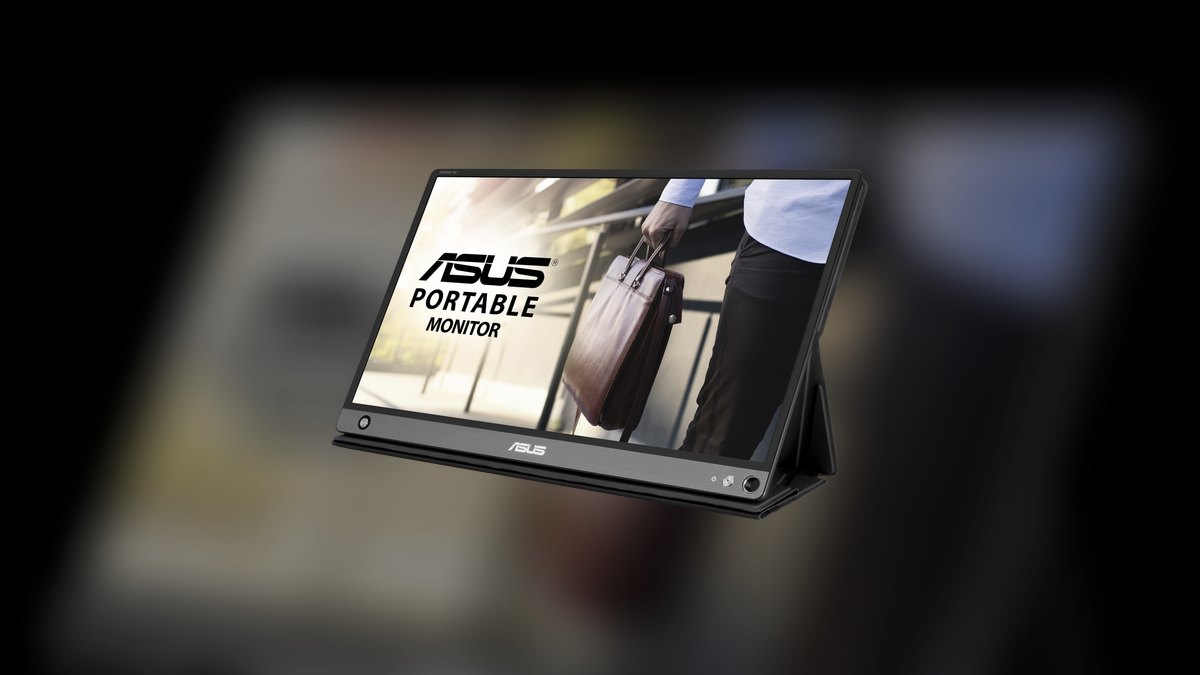
Ninth because its differentiator is narrow: a built-in 7800 mAh battery delivering roughly four hours of untethered display time. That means it opens in the back of an Uber, on an airport floor with no outlets, or in a customer's loading dock. The panel is standard 15.6" Full HD IPS at 250 nits with mini HDMI and USB-C, weighing 0.9 kg with a foldable smart cover. Street price is $349 against a $399 MSRP.
It earns its keep for field sales in industrial, construction, agriculture, and energy verticals where wall power is not guaranteed. The trades are real: about 120 g heavier than the passive MB16ACR, and the battery degrades after roughly 500 cycles. Against the Plugable above, you pay $130 more purely for cordless operation, not for a better picture.
10Mobile Pixels Duex Max
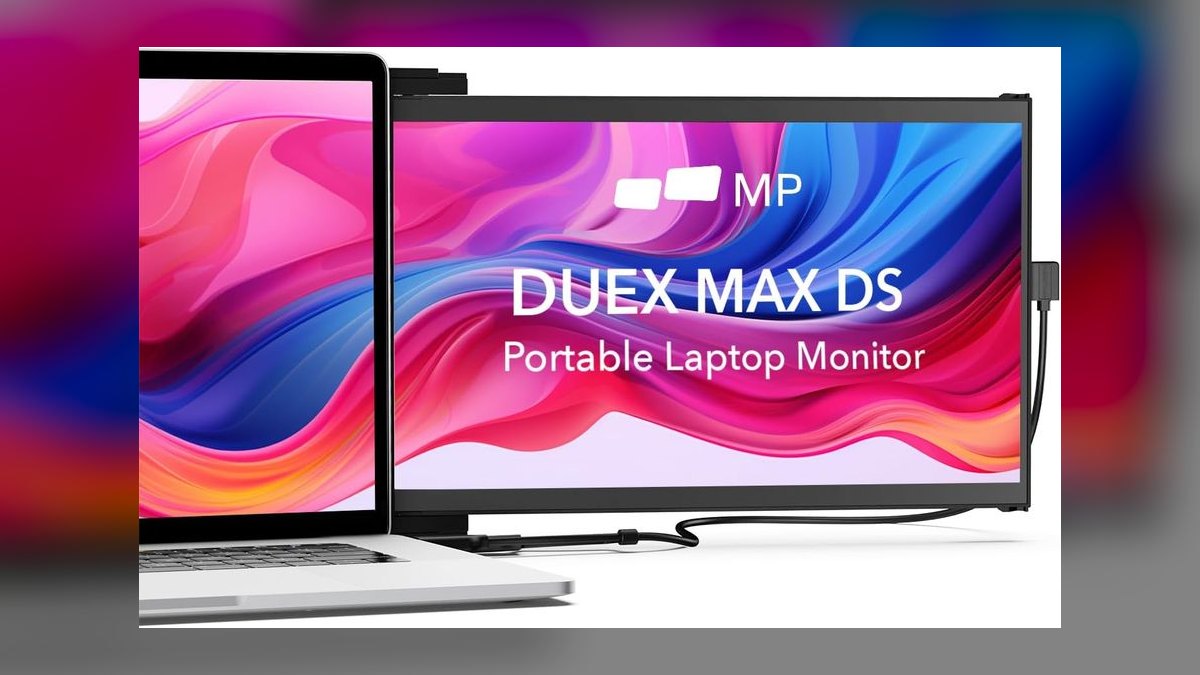
Tenth because it solves a narrow problem: it slides out from the back of your laptop lid on a magnetic mount instead of standing on the table. The 14.1" Full HD IPS panel runs 300 nits over a single USB-C cable, and the display itself weighs 0.6 kg. Street price is $249. The catch is that the mounting hardware adds roughly 1.3 kg of permanent weight to the laptop lid.
It is for road-warrior AEs who run dual monitors on airline tray tables, conference floors, and customer break rooms where horizontal desk space does not exist. You trade away 1.5 inches of diagonal and any option to reposition the second screen independently. Against the ASUS MB16AHP above, it costs $100 less but requires laptop power and permanently burdens the lid hinge.
How we ranked these
Ranking weighted four measurables: total carry weight including the stand or cover (0.6–0.92 kg across the field), single-cable USB-C behavior on a real laptop port, measured brightness against hotel and conference-room glare, and price at street rather than MSRP. Panel technology mattered where the buyer's demo depends on it — OLED black levels and DCI-P3 coverage for dashboard and video work, plain IPS everywhere else. Warranty length and support channel broke ties.
Deliberately ignored: refresh rate above 60 Hz, since CRM and Zoom never touch it (the 144 Hz Arzopa earns its slot on price, not speed). Built-in speakers were excluded outright — every unit here sounds bad and every rep already carries earbuds. Bezel styling, RGB accents, and marketing contrast ratios were skipped as unmeasurable. Aggregate star ratings were not used; they conflate a $129 panel with a $699 one.
Related questions
Does a portable monitor actually help on sales calls, or is it just desk clutter?
It helps when your workflow is split: CRM notes on one screen, the shared deck on the other. Reps who screen-share a single laptop display end up alt-tabbing in front of the customer, which reads as unprepared. The gain is largest for discovery calls and live demos. For pure phone prospecting, a second screen buys you very little.
Why does the ASUS MB16ACR beat cheaper panels that look identical on paper?
Because the spec sheet does not capture failure rate. At $229 the MB16ACR ships a three-year warranty, an 8 mm chassis, and a smart cover that has been iterated on for several generations. Sub-$100 units match the 1080p IPS line item but die on cable seating, hinge wear, or flicker under load. The reliability is what you are paying the difference for.
How much power does a portable monitor pull from my laptop?
Typically 10–15 W over a single USB-C cable, which a modern laptop supplies without complaint but which visibly shortens battery life on a long flight. Models with 60 W or 100 W passthrough — the ViewSonic VG1655 and Plugable USBC-PDMON — let one wall charger feed both devices, which is the real fix for all-day untethered work.
Is OLED worth the premium over IPS for a travel monitor?
Only if the customer is looking at the screen. The InnoCN 15A1F at $299 delivers 100% DCI-P3 and genuinely black blacks, which matters for dark-themed dashboards and video reels. For Salesforce records and Excel, an IPS panel at $139 is indistinguishable. OLED also carries burn-in risk if you park a static CRM view on it all day.
What is the case for a monitor with a built-in battery?
Field demos where wall power is not guaranteed — construction trailers, loading docks, plant floors, agricultural sites. The ASUS MB16AHP's 7800 mAh cell buys roughly four hours untethered for $349. The cost is about 120 g of extra carry weight every single day, plus cell degradation after roughly 500 cycles. Office-bound reps should skip it entirely.
How do laptop-mounted monitors like the Duex Max compare to freestanding ones?
The Duex Max slides out of your laptop lid, so it needs no desk space — the deciding factor on an airline tray table or a two-foot coffee shop table. The trade is permanent: its mounting hardware adds about 1.3 kg to your laptop forever, and the 14.1" panel is smaller. Freestanding units pack away when you do not need them.
Can I take a portable monitor through airport security without unpacking it?
Treat it like a tablet — most TSA agents want it out of the bag in a separate bin, and screens with metal chassis or magnetic covers draw extra attention. Overhead-bin travel is fine inside the included sleeve. Checked luggage is a genuine risk; these are not ruggedized, and a cracked panel is rarely covered under warranty.
Does 4K make sense on a 15.6-inch screen?
For most sales work, no — 1080p on 15.6" is already past the point where text pixelation is visible at normal distance, and 4K costs $100–200 more plus higher power draw. It earns its keep when your product has fine UI detail the customer must actually see: trading terminals, medical imaging, GIS layers, CAD.
FAQ
Can I run a portable USB-C monitor from a single laptop USB-C port?
Yes, provided your laptop supports DisplayPort Alt Mode and can supply roughly 10–15 W over that port. Nearly every laptop from 2020 onward qualifies. Some 4K and OLED units want a second USB-C cable to hit full brightness or enable touch input, so check the box contents before assuming one cable does everything.
How much do portable USB-C monitors weigh?
The lightest 15.6" units land around 0.68 kg — the ViewSonic VX1655-4K-OLED is the outlier at 1.5 lb. Most sit between 0.7 and 0.92 kg bare, and protective covers push realistic carry weight past 1 kg. The ASUS MB16ACR at 0.78 kg is a fair benchmark for the category.
Are portable monitors durable enough for checked luggage or overhead bins?
Overhead bins are fine inside the included sleeve or smart cover. Checked luggage is not — these are not ruggedized, and baggage handling routinely applies force a 8 mm glass-fronted panel will not survive. If you must check one, use a hard case. The Lepow Z1 Slim has a reputation for tolerating ordinary travel knocks.
What screen resolution should I choose for sales demos?
1080p covers CRM, spreadsheets, and video calls without compromise and keeps you in the $130–$250 band. Step to 4K only if fine text or high-resolution imagery is part of the pitch — medical, financial, or GIS software. Expect to pay $100–200 more and possibly to run a second cable for full performance.
Do these work with both Windows and Mac laptops?
Yes. Every unit here is plug-and-play over USB-C on Windows and macOS, and several also drive from Android phones supporting DisplayPort Alt Mode. The one caveat is touch: the espresso 15 Pro supports touch on Windows 11 and macOS, but touch on Mac generally depends on the vendor's own driver, so verify before buying for that reason.
What is a reasonable price range in 2027?
Budget 1080p models with a basic cover stand run $130–$150. The productivity mid-range — better brightness, real stands, passthrough charging — sits at $200–$280. OLED and 4K premium units span $300–$500, with the touch-enabled espresso 15 Pro topping the field at $699. Anything under $80 is a false economy.
What does USB-C passthrough charging actually get me?
One wall outlet powers both laptop and monitor. The ViewSonic VG1655 offers 60 W and the Plugable USBC-PDMON 100 W, meaning your charger plugs into the monitor and the monitor feeds the laptop over the same cable carrying video. In a hotel room with one reachable outlet behind the nightstand, that is the difference between working and not.
Should I worry about OLED burn-in on a work monitor?
It is a real consideration if your job means a static Salesforce dashboard on screen eight hours a day, five days a week. Modern panels include pixel-shift and screensaver mitigations, and rotating windows periodically largely handles it. If your usage is genuinely static all day, an IPS panel is the safer long-term buy.
Do I need a separate stand?
Usually not. Most units here fold their protective cover into a stand, and the ViewSonic VG1655 has an integrated kickstand plus a height-adjustable base — nothing to lose in a TSA bin. The espresso 15 Pro's magnetic Stand+ is included in the $699 price. Buy a separate stand only if you need portrait orientation the cover cannot hold.
How do the built-in speakers sound?
Poorly, across the entire category — the VX1655-4K-OLED's speakers are near-universally panned, and the espresso 15 Pro's are an afterthought on a $699 device. There is no physical volume in a 15 mm chassis. Plan on earbuds or a small Bluetooth speaker for any call where audio quality matters to the customer.
Sources
- https://www.rtings.com/monitor/reviews/best/by-size/portable
- https://www.tomshardware.com/best-picks/best-portable-monitors
- https://www.pcworld.com/article/1787210/best-portable-monitors.html
- https://www.techradar.com/news/best-portable-monitor
- https://www.tomshardware.com/monitors/portable-monitors/espresso-displays-15-pro-portable-monitor-review
- https://www.pcworld.com/article/2036107/innocn-15a1f-portable-monitor-review.html
- https://www.tomshardware.com/monitors/portable-monitors/viewsonic-vx1655-4k-oled-portable-monitor-review-4k-oled-goodness-in-a-slim-package
- https://www.macworld.com/article/2445332/plugable-15-6-inch-usb-c-portable-display-usbc-pdmon-review.html
- https://www.rtings.com/monitor/reviews/asus/zenscreen-go-mb16ahp
- https://www.asus.com/displays-desktops/monitors/zenscreen/zenscreen-mb16acr/
Related on PULSE
This page will be disappearing soon. Save it to your device for $1 — or read it free while it is here.
@Kory-White- · if Venmo asks, the last 4 of my number are 2012
This page is gone.
This one is off the shelf now. $1 keeps it on your phone for good — the whole page, pictures and diagrams included.
 pulse-reviewsTop 10 Car Backup Cameras — Best Overall + Best Value in 2027
 pulse-reviewsTop 10 Wireless Earbuds for Quick Sales Calls in 2027
 pulse-reviewsTop 10 Noise-Cancelling Headphones — Best Overall + Best Value in 2027
 pulse-reviewsTop 10 RV Surge Protectors — Best Overall + Best Value in 2027
 pulse-reviewsTop 10 Circular Saws — Best Overall + Best Value in 2027
 pulse-reviewsTop 10 85-Inch TVs — Best Overall + Best Value in 2027
 pulse-reviewsTop 10 Cordless Brad Nailers — Best Overall + Best Value in 2027
 pulse-reviewsTop 10 Rugged Phones — Best Overall + Best Value in 2027
 pulse-reviewsTop 10 Ethernet Adapters for MacBook — Best Overall + Best Value in 2027
 pulse-reviewsTop 10 Smart Water Leak Detectors — Best Overall + Best Value in 2027