


Top 10 MagSafe Power Banks — Best Overall + Best Value in 2027
Quality
Certified
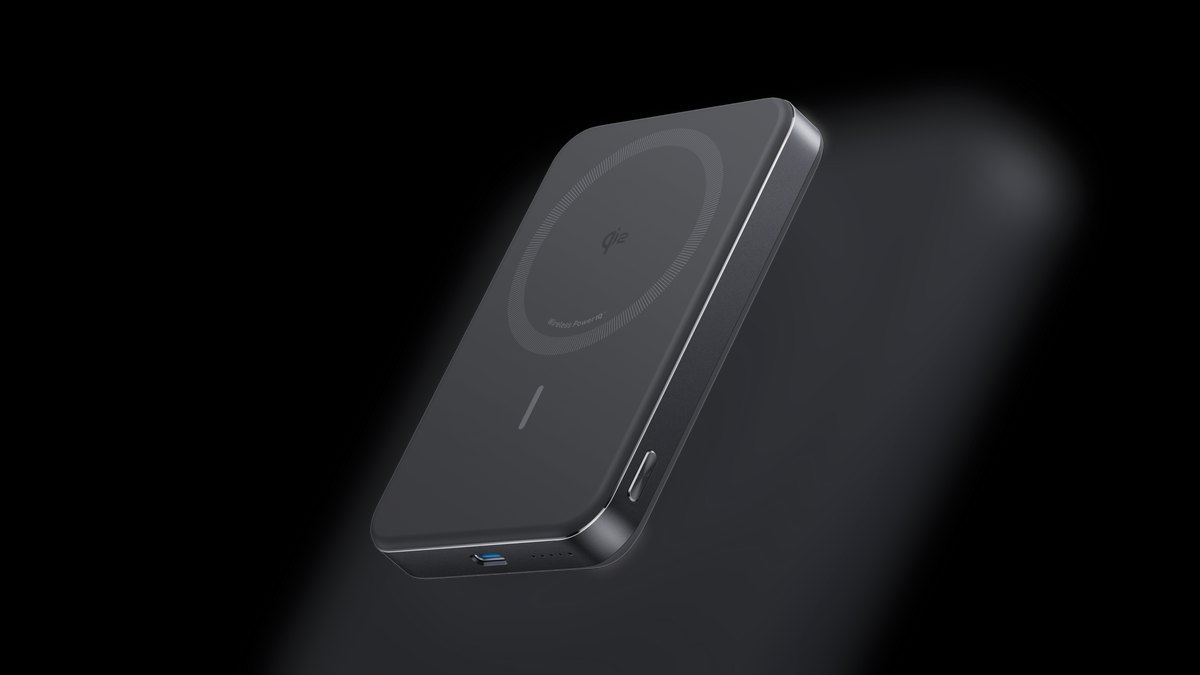
The 10 best magsafe power banks are ranked below on measured performance, build quality, price, and how each one actually holds up in daily use rather than how it reads on a spec sheet. Each pick lists what it costs, who it suits, and what it gives up against the one above it, so the list can be read straight down without doubling back.
1Anker MagGo 10K Slim
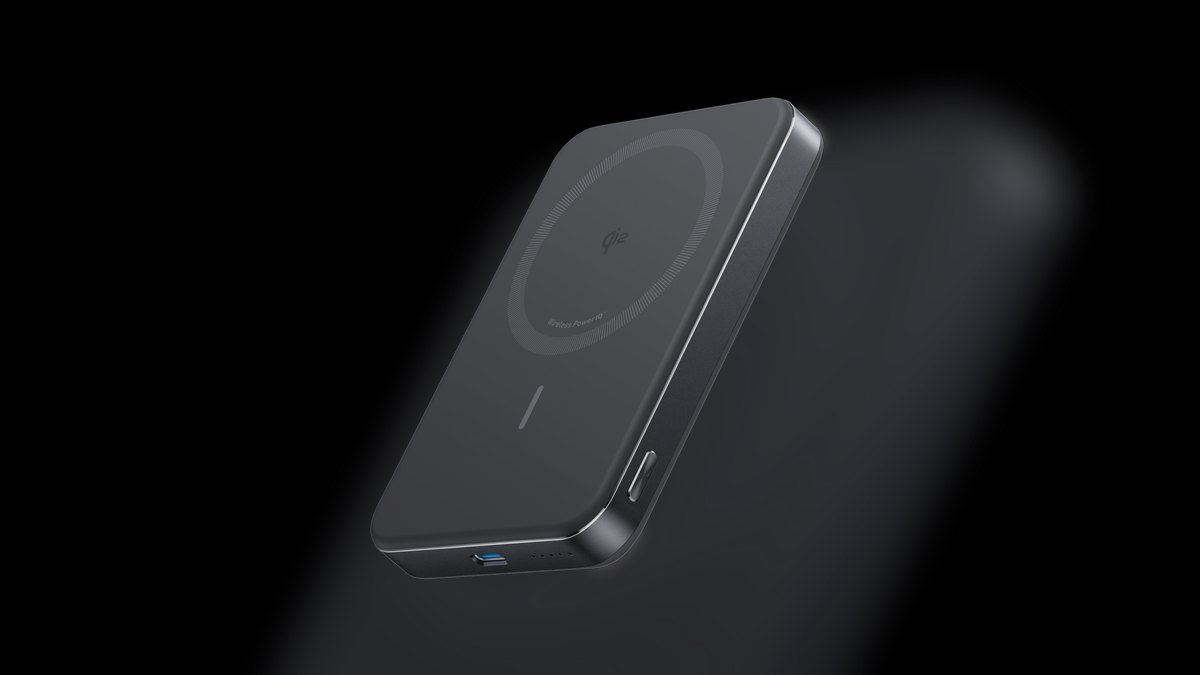
This tops the list because it carries 10,000mAh in a 0.58-inch-thick body, the best capacity-to-bulk ratio in the category. It is Qi2-certified for 15W wireless and pushes 27W over USB-C wired, taking an iPhone 15 to roughly 60% in 30 minutes. Street price runs $60 to $80. The magnetic hold stays locked through pocket movement and one-handed use.
Buy this if you want a full day of reserve capacity without a brick stuck to your phone. It trades away a kickstand and the 25W wireless ceiling that the Ugreen MagFlow below delivers, so video-watchers and speed-chasers should look one rank down. At roughly 200 to 260 grams, it is still noticeably heavier than a 5,000mAh bank, which matters if you leave it attached all day.
2Ugreen MagFlow
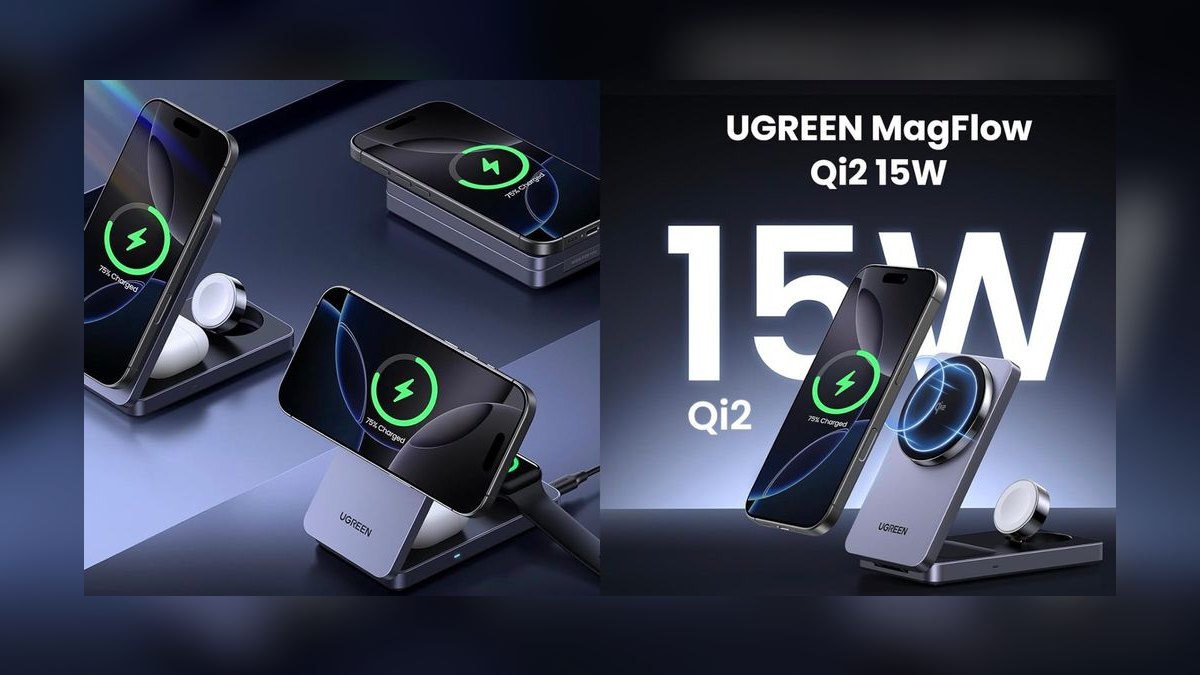
This ranks second on charging capability per dollar: it is the first Qi2.2-certified power bank, hitting up to 25W wireless against the 15W ceiling nearly everything else obeys. The 10,000mAh cell takes an iPhone from 20% to 80% twice, and wired output reaches 30W. A USB-C cable is built into the body so there is nothing separate to lose. Expect $50 to $70.
This suits people who recharge in short windows and want the wireless speed to actually matter. It trades away the ultra-slim profile of the Anker MagGo 10K above, and higher wireless wattage means more heat to shed during a full-speed session. Anyone who wants a stand instead of raw speed should drop to the Belkin BoostCharge Pro line below.
3Belkin BoostCharge Pro 5K
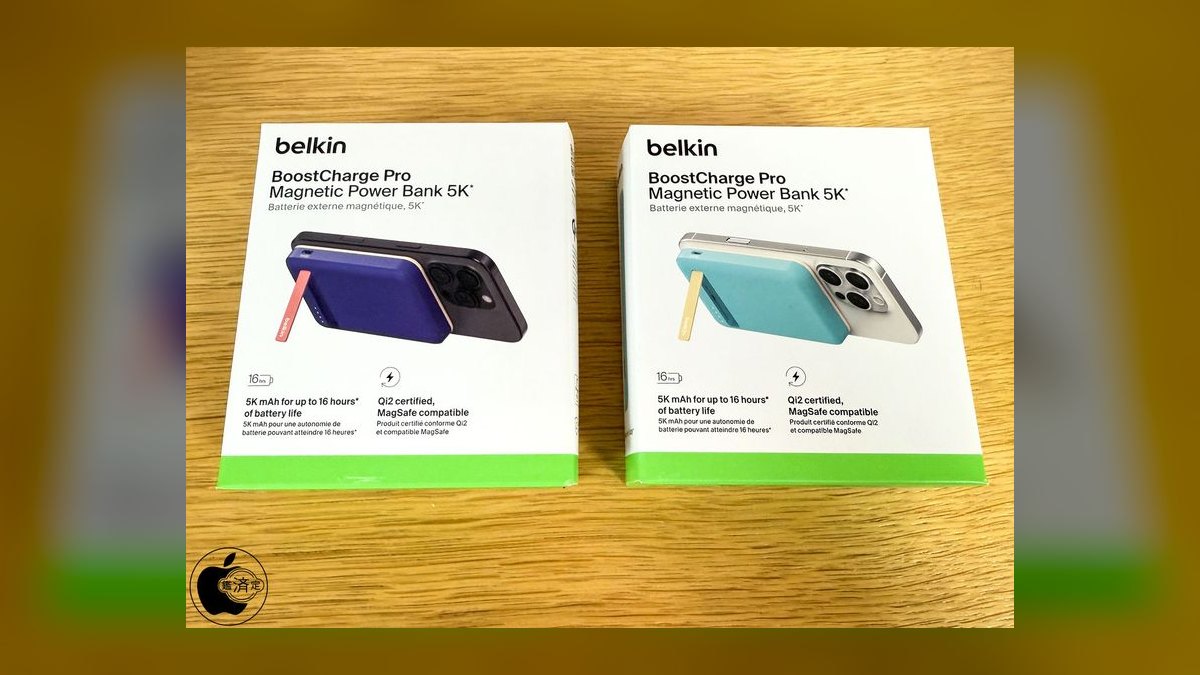
It earns third for measured recharge performance: in an independent head-to-head test it refilled a drained iPhone 16 Pro by 79%, the strongest result in its size class. The foldable kickstand holds the phone upright for video calls or watching, and the hinge is metal rather than the plastic used on budget stands. Pricing lands between $50 and $70.
This is for the person who props the phone on a desk or tray table while it charges. It trades away capacity — 5,000mAh means one partial charge, not a full day of reserve — so heavy users should take the 10K version below instead. Against the ESR HaloLock, it costs about $15 more and gives you half the capacity, buying hinge quality and tested output.
4Belkin BoostCharge Pro 10K
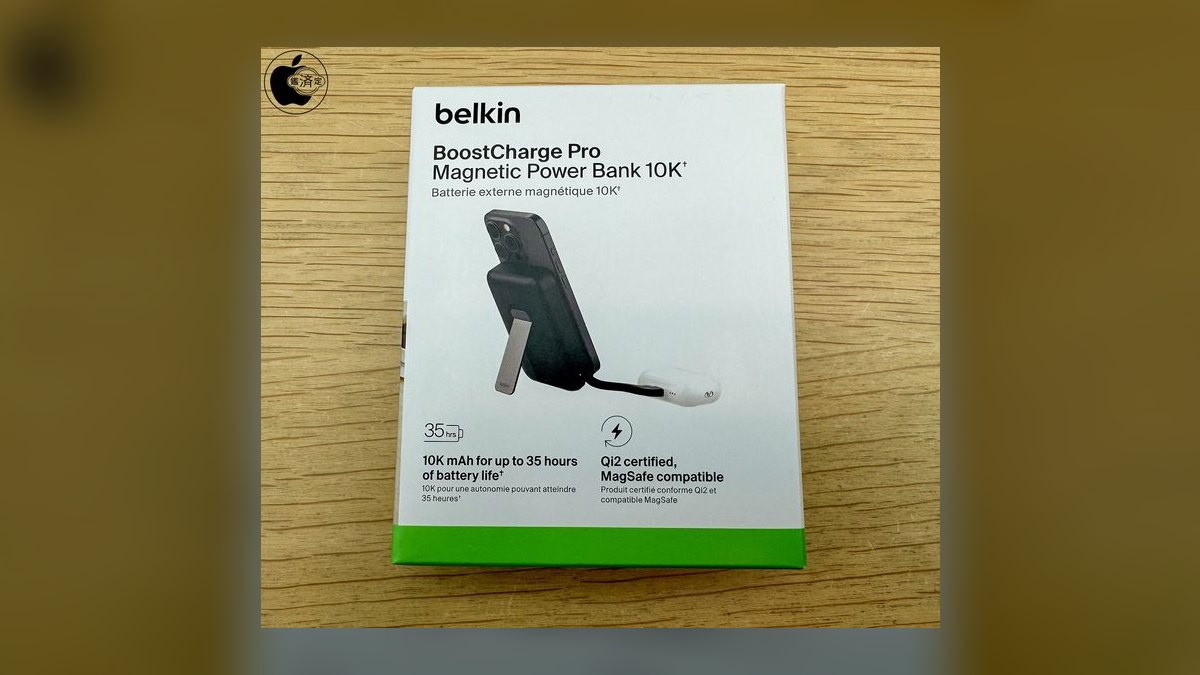
This lands fourth because it delivers the same tested recharge performance as Belkin's 5K but doubles the cell to 10,000mAh, worth up to 35 hours of extra phone runtime. The metal-hinge kickstand carries over, rated for 10,000-plus folds. Heat stays under 40°C during charging, avoiding the thermal throttling that drops budget banks to 5W. Street price is $60 to $80.
Buy this if you already trust Belkin's build and want headroom rather than pocketability. It trades away weight — this is a 200-gram-plus device that you feel stuck to the phone — and it costs more than the ESR HaloLock for comparable capacity. Compared to the 5K above, you are paying roughly $20 for double the runtime and the same charging behavior.
5ESR HaloLock Kickstand
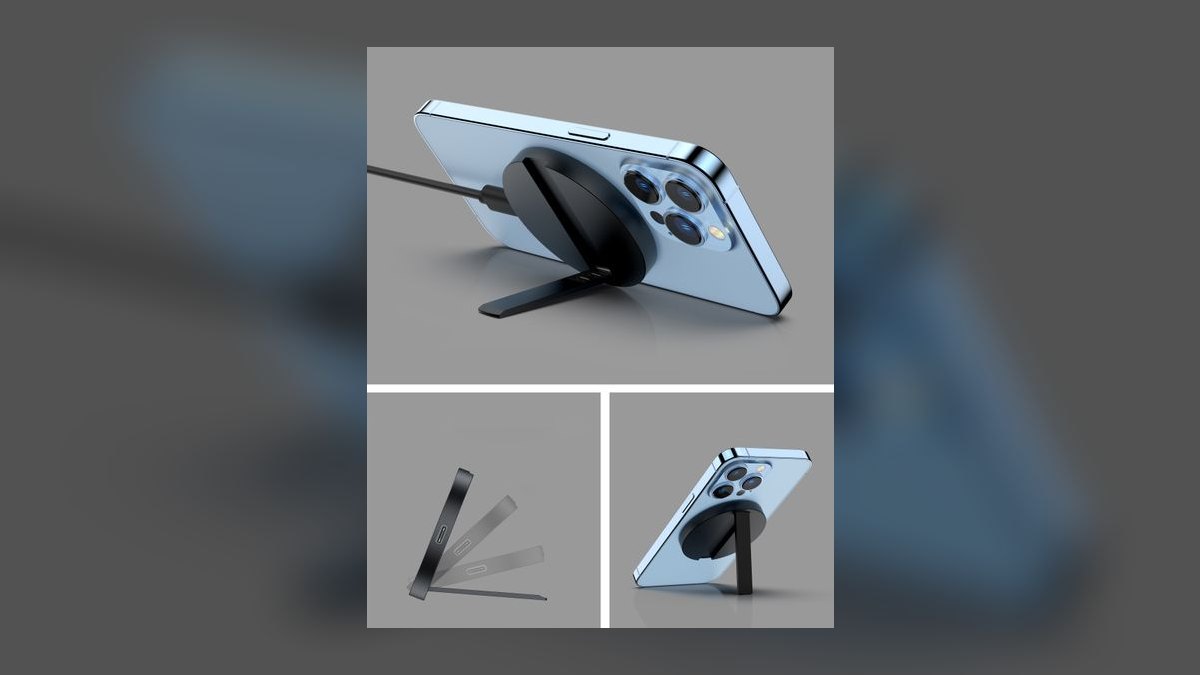
Fifth on value-per-feature: 10,000mAh plus a dual-orientation kickstand that works in both portrait and landscape, for $40 to $55. Wireless output caps at the standard Qi2 15W. The magnetic grip holds firmly through normal handling, and the price undercuts the Belkin 10K by roughly $20 while matching its capacity.
This fits people who want a stand and full-day capacity without paying premium-brand pricing. It trades away the metal hinge durability and independently tested recharge numbers that justify Belkin's premium above, so daily stand users should weigh hinge longevity. Against the Anker MagGo 6.6K below, it gives more capacity and landscape support but no charge-level display.
6Anker MagGo 6.6K with Stand
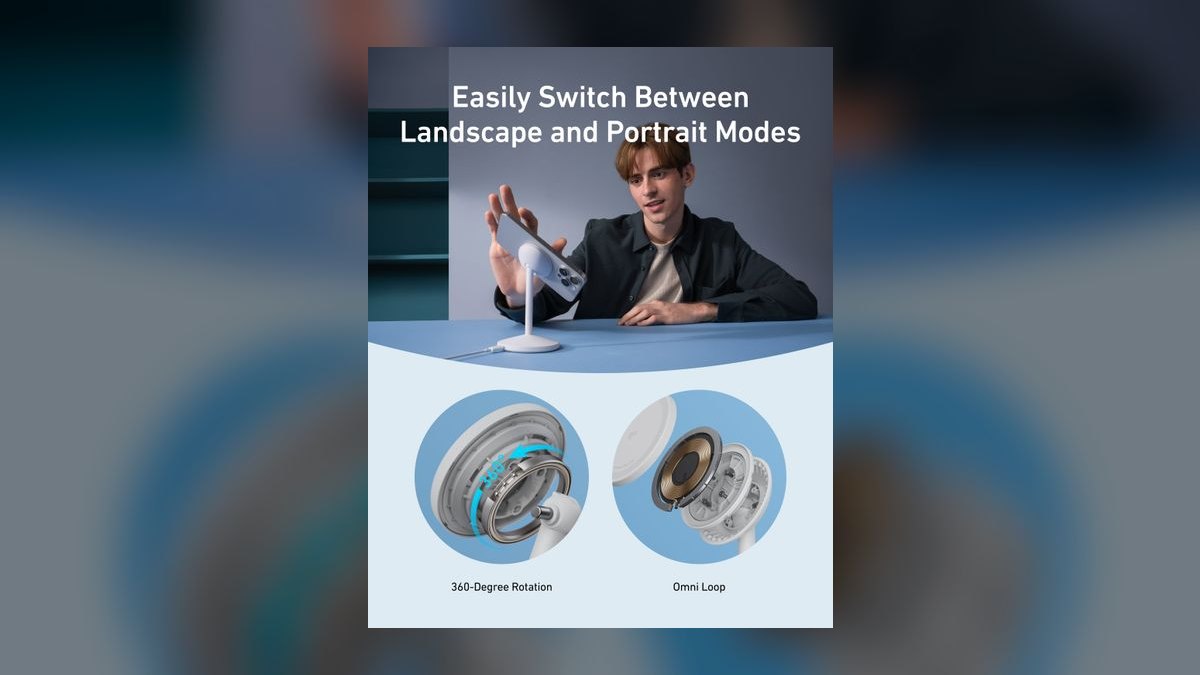
Sixth because it splits the difference: 6,600mAh, Qi2 15W wireless, a foldable kickstand, and a small status display showing charge level and estimated remaining time. That readout is uncommon below $55 and removes the guesswork of four-LED indicators. It sits between the slim 10K and the pocketable Nano in both size and price, at $40 to $55.
This is for someone who wants a stand and real charge telemetry without a full-size 10,000mAh brick. It trades away about a third of the capacity of the ESR HaloLock at similar money, so all-day users should go bigger. Compared to the Anker Nano below, it is heavier but adds the stand, the display, and meaningfully more runtime.
7Anker Nano MagSafe
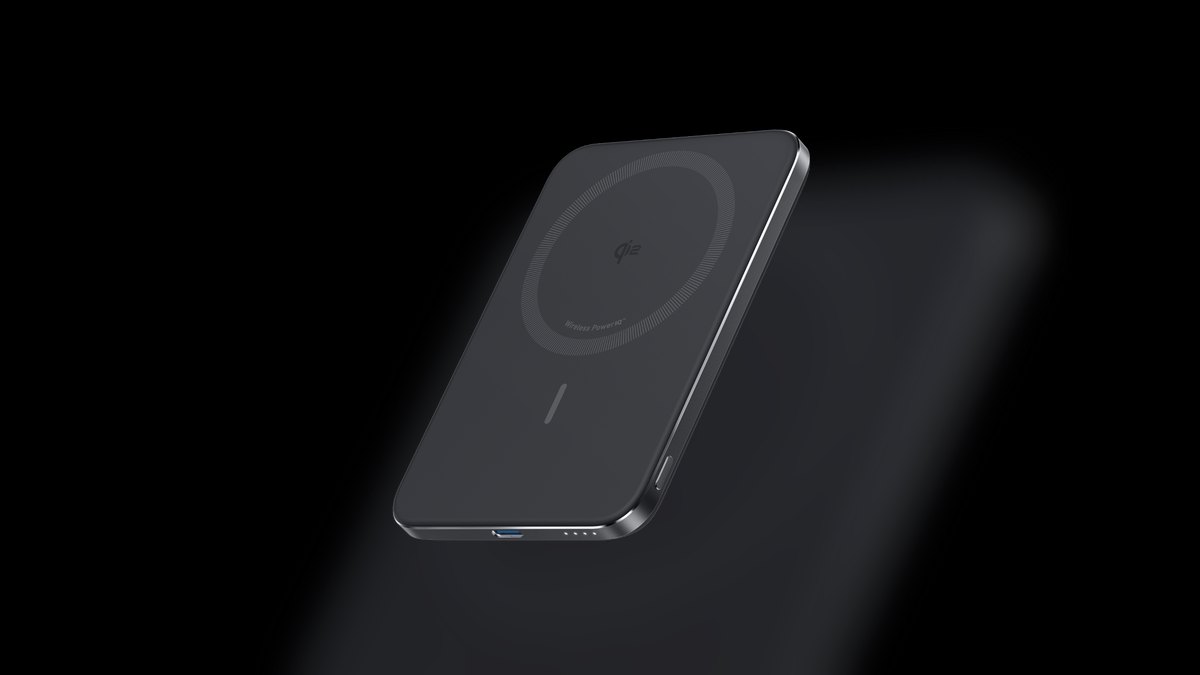
Seventh on pure portability: 0.34 inches thick and 4.3 ounces, the lightest credible option here. It delivers 15W wireless and 20W over USB-C, refilling an iPhone 16 Pro to 25% in 42 minutes. The 5,000mAh cell adds roughly 8 to 10mm of thickness to the phone, which is the practical threshold for leaving a bank attached all day.
This is for the quick-top-up crowd who will not carry anything they can feel in a pocket. It trades away capacity outright — 5,000mAh is one partial charge, not a day of reserve — and there is no kickstand. Against the Anker MagGo 6.6K above, you lose the stand and display but gain a device you genuinely forget is there.
8Sharge Icemag
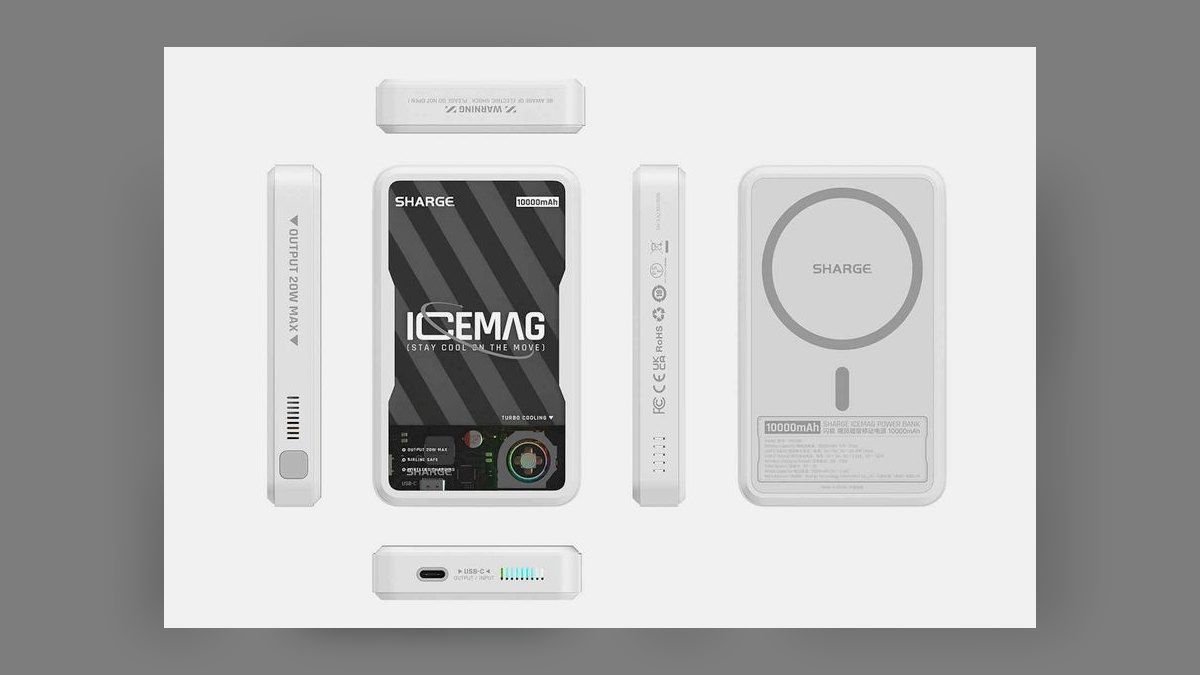
Eighth for its active cooling system, a genuine hardware fan rather than passive graphene layers. Heat is what forces phones into thermal throttling and drops wireless charging to 5W, so a bank that holds temperature keeps delivering full speed through a long session. Most competitors here rely on vents and heat-spreading material alone to stay under 40°C.
This suits people who charge while gaming, navigating, or recording — workloads that generate their own heat on top of the wireless coil. It trades away simplicity and quiet operation for that cooling hardware, and it is a niche pick versus the broadly capable Anker MagGo 10K at rank one. If you charge a mostly idle phone, the cooling buys you nothing.
9Mophie Snap+ Powerstation
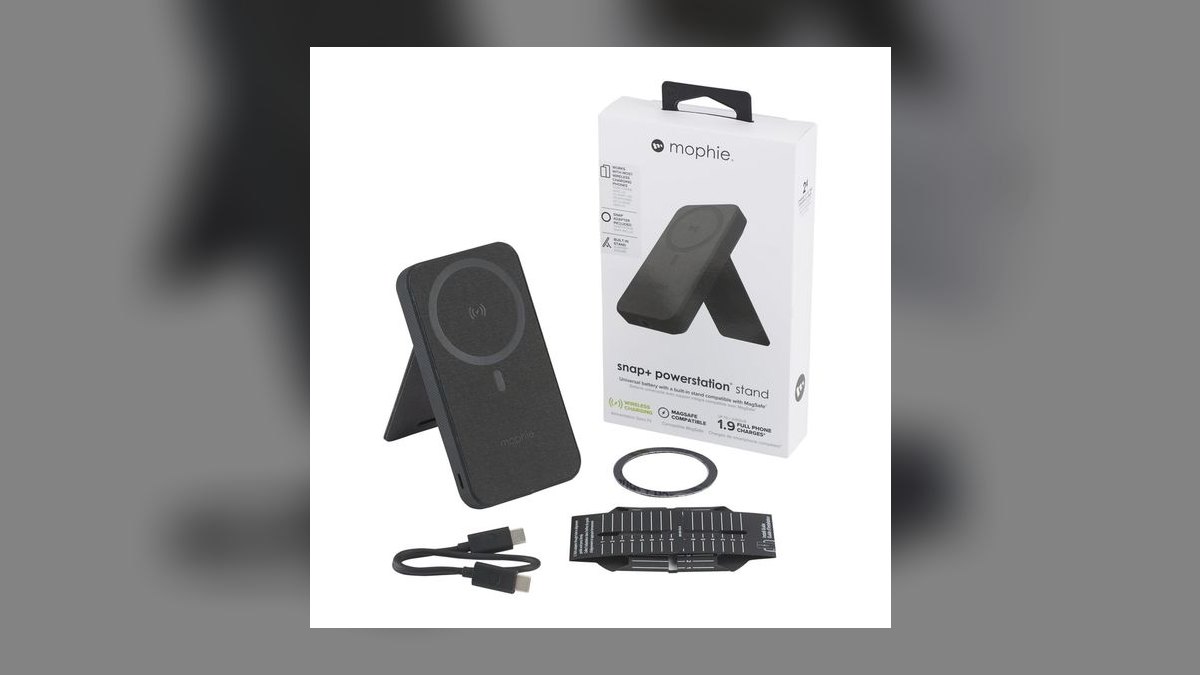
Ninth on tested thermal behavior: in side-by-side charging it stayed under 40°C, the threshold where iPhones begin throttling wireless input down to 5W. Its 10,000mAh cell moved a phone from 0% to 50% in 50 to 65 minutes, in line with other banks of that size. Extra capacity extends runtime rather than accelerating any single charge.
This fits people already inside the Mophie accessory ecosystem or buying from a carrier store. It trades away the slim profile of the Anker MagGo 10K above and the 25W wireless ceiling of the Ugreen MagFlow, without a distinguishing feature to justify the gap. Buy it when it is discounted; at full price the higher-ranked 10,000mAh options are better spends.
10Apple MagSafe Battery Pack
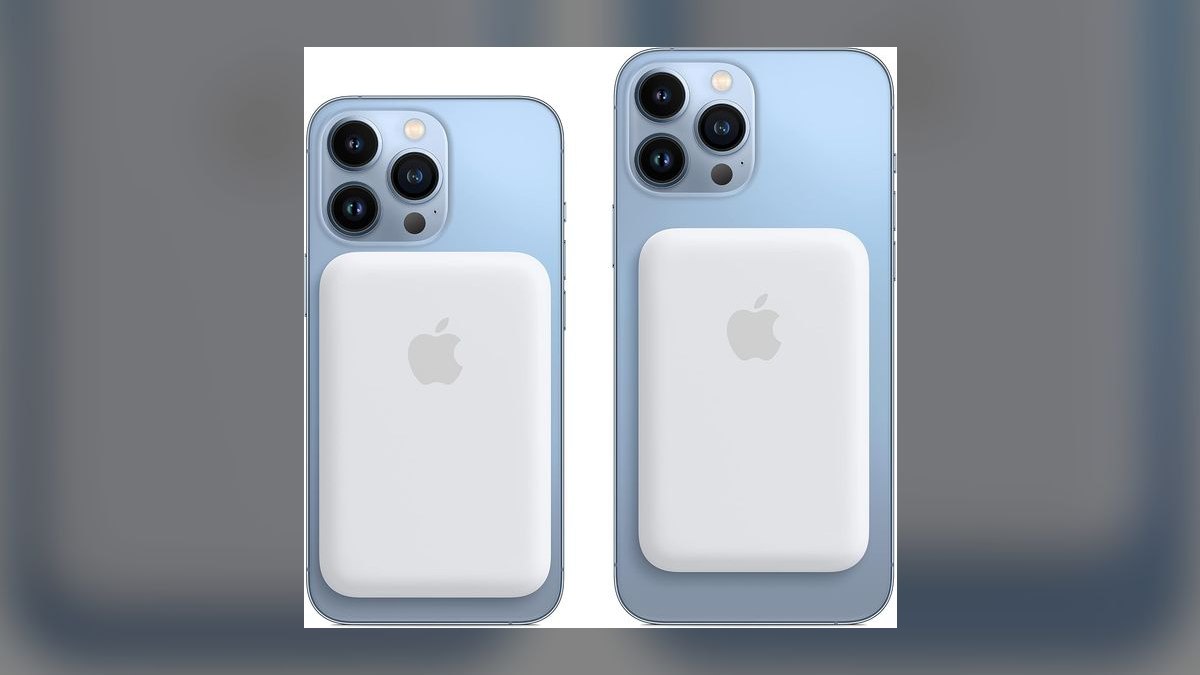
It ranks last on value: $80 to $99 for 5,000mAh is the worst capacity-per-dollar figure here, roughly double what the Anker Nano charges for the same cell size. What you buy instead is integration — native iOS battery status in the widget and Control Center, exact magnetic alignment, and reverse charging that tops up the phone first when plugged into the wall.
This is only for people who want first-party iOS behavior and Apple's warranty path. It trades away capacity, price, and charging speed against every bank above it. Compared to the Anker Nano at rank seven, you pay roughly $50 more for identical 5,000mAh capacity, buying software polish rather than any measurable charging advantage.
How we ranked these
Ranking weighted delivered energy over printed cell capacity — a 10,000mAh pack realistically hands an iPhone 5,500-6,500mAh after boost-conversion and coil losses. We scored Qi2 certification (true 15W versus 7.5W fallback), magnet grade, sustained thermals under a 0-50% run at 50% brightness, input wattage for self-recharge, wired USB-C output, pass-through behavior, and hinge durability on kickstand models.
We deliberately ignored marketing charge-count claims, star ratings, and Amazon review volume — all three are gameable and none survive contact with physics. We ignored color options, carry pouches, and app dashboards that only restate battery percentage. Brand loyalty got no credit: Apple's own pack ranks mid-pack here because integration does not offset 5,000mAh at ninety-nine dollars. Bundled cables were noted, never scored.
What to look for
Decide capacity by carry method first, because that choice dictates everything else. Sticking a bank to your phone all day means 5,000mAh at 120-150g; anything heavier peels off mid-pocket. Bag carry means 10,000mAh at 200-260g is free weight. Then confirm Qi2 certification on the product page, 20-30W input so recharge takes ninety minutes rather than four hours, and pass-through that keeps wireless live while the bank refills.
The common mistake is buying capacity and assuming speed follows. It does not — a 10,000mAh pack charges at the same 15W ceiling as a 5,000mAh one, it just runs longer. The second mistake is tolerating heat. A bank hitting 45-50°C trips iPhone thermal throttling down to 5W, so the cheap high-capacity pack finishes slower than the expensive small one while degrading your phone battery.
Related questions
What does Qi2 certification actually guarantee?
Qi2 guarantees 15W wireless output and a standardized magnetic alignment ring, so the coils line up without guesswork. Packs advertising only "MagSafe compatible" often cap at 7.5W and use weaker magnets that let the phone slide when you pocket it. Look for the Qi2 logo itself on the listing, not compatibility language, which carries no testing requirement.
Why does a 10,000mAh bank not deliver 10,000mAh?
Cell capacity is measured at roughly 3.7V, but charging your phone requires stepping voltage up, and wireless transfer wastes energy as heat across the coil gap. Combined losses run 35-45%, so expect 5,500-6,500mAh delivered. Against an iPhone 17 Pro's 3,600mAh battery, that is 1.5-1.8 full charges, not the 2.5 printed on the box.
Does a phone case block MagSafe charging?
Thin MagSafe-designed cases are fine. Standard cases thicker than about 3mm widen the coil gap enough to weaken magnetic lock and drop charging toward 5W, and metal plates or card holders can block transfer entirely. If the pack shifts when you shake the phone gently, the case is too thick for reliable all-day attachment.
How much does pass-through charging matter?
It matters most for travel. Pass-through lets one wall outlet refill the bank and your phone simultaneously overnight. Many sub-$40 packs silently disable wireless output while recharging themselves, so you wake to a full bank and a dead phone. Check the spec sheet explicitly — this feature is frequently omitted from bullet points rather than disclosed.
What magnet grade should I look for?
N52-grade neodymium is the strongest commercially available and what premium packs use. Budget models use N35 or N42, which hold in ideal conditions but slip with a case or in a pocket. There is no reliable way to read grade off a listing, so test on arrival: attach, shake gently, and return anything that detaches or creeps downward.
Is active cooling worth paying for?
Only if you charge while gaming, navigating, or recording video. Under those loads a passively cooled bank throttles as it approaches 45°C, stretching a top-up considerably. For a bank sitting in a bag or on a nightstand, graphene layers and vents in mainstream packs keep temperatures under 40°C without a fan, and the fan adds noise plus weight.
Do these work with Android phones?
Functionally yes, practically with caveats. Without a built-in magnet ring, most Android handsets fall back to standard Qi at 5-7.5W and have nothing to hold the pack in place. An adhesive magnetic ring restores attachment but not Qi2 speeds. Android models shipping with Qi2 magnets natively get the full 15W and proper alignment.
FAQ
What is the best overall MagSafe power bank in 2027?
The Anker MagGo 10K Slim, at $60-80. It packs 10,000mAh into a 0.58-inch body, carries Qi2 certification for true 15W wireless, and adds 27W wired USB-C output. An iPhone 15 reaches 60% in thirty minutes. The magnetic hold is strong enough to survive pocket movement with a thin case, which most competitors cannot claim.
What is the best value MagSafe power bank?
The Ugreen MagFlow at $50-70. It is the first Qi2.2-certified pack, pushing up to 25W wireless and 30W wired from a 10,000mAh cell, with a built-in USB-C cable so you stop losing yours. That combination charges an iPhone from 20% to 80% twice per fill — the most charging capability per dollar available in 2027.
Is the Apple MagSafe Battery Pack worth $99?
Only for integration. You get native iOS battery status, guaranteed alignment, and reverse charging when plugged in. What you do not get is capacity — roughly 5,000mAh at the highest price in this roundup, while $50 competitors ship double that. Buy it if seamless iOS behavior genuinely matters to you; otherwise the money buys measurably more elsewhere.
How long does a 10,000mAh MagSafe pack last?
Expect 1.5 to 2 full charges on an iPhone Pro and closer to 1 to 1.5 on a Pro Max, after conversion losses. Belkin's 10K rates up to 35 hours of added runtime under light use. Background apps, screen brightness, and cellular signal strength all shorten that meaningfully, so treat published runtime figures as a ceiling.
Is 15W meaningfully faster than 7.5W?
Yes, when the phone and pack both support it. Doubling wireless input roughly halves the wall-clock time for a full wireless charge — typically 30-45 minutes saved. The catch is sustained delivery: a pack that hits 15W briefly then throttles on heat can finish slower than one holding a steady 12W, which is why thermals matter more than peak numbers.
How hot is too hot while charging?
Warm is normal; uncomfortable to hold is not. Above roughly 40°C you are into territory that accelerates lithium-ion degradation, and 45-50°C triggers iPhone thermal throttling down to 5W. If the pack is too hot to hold comfortably, disconnect and let it cool. Persistent overheating in a budget pack is a reason to replace it, not manage around it.
What separates a $30 pack from a $70 one?
Cell quality, magnet grade, certification, and thermal design. The $30 tier commonly uses lower-grade cells, skips Qi2 so it caps at 7.5W, uses N35 magnets, and runs hot enough to throttle your phone. The $70 tier gets sustained 15W, better heat management, metal kickstand hinges rated for thousands of folds, and a longer warranty.
How do I make one last three or more years?
Recharge at 20-30% rather than draining to zero, and keep it out of hot cars, direct sun, and windowsills. For storage longer than a month, leave it at 50% in a cool dry place and top it back up quarterly. Check the manufacturer app twice a year for firmware that improves charging efficiency and heat handling.
When should I replace a MagSafe power bank?
Replace it when it delivers roughly 60% of its original capacity, or takes noticeably longer to charge your phone than when new. Most cells degrade visibly after 300-500 full cycles. Any swelling, or a pack that runs hot at rest, is a fire risk — stop using it immediately and recycle at Best Buy, Staples, or a local e-waste center.
Which pack is best if I want a kickstand?
The Belkin BoostCharge Pro with stand won an independent head-to-head recharge test, refilling a faded iPhone 16 Pro by 79%, and its metal hinge is rated for over 10,000 folds. The ESR HaloLock costs about $15 less with a dual-orientation stand and 10,000mAh. Budget packs with plastic hinges commonly snap within three to six months of daily use.
Sources
- https://www.apple.com/shop/accessories/all/magsafe
- https://www.nytimes.com/wirecutter/reviews/best-portable-chargers-power-banks/
- https://www.cnet.com/tech/mobile/best-magsafe-battery-pack/
- https://www.consumerreports.org/electronics/portable-chargers/
- https://www.anker.com/collections/magnetic-battery
- https://www.belkin.com/power/power-banks/
- https://www.wirelesspowerconsortium.org/qi2/
- https://www.tomsguide.com/best-picks/best-magsafe-power-banks
Related on PULSE
This page will be disappearing soon. Save it to your device for $1 — or read it free while it is here.
@Kory-White- · if Venmo asks, the last 4 of my number are 2012
This page is gone.
This one is off the shelf now. $1 keeps it on your phone for good — the whole page, pictures and diagrams included.
 pulse-reviewsTop 10 Compact Bluetooth Keyboards — Best Overall + Best Value in 2027
 pulse-reviewsTop 10 Heated Towel Racks — Best Overall + Best Value in 2027
 pulse-reviewsTop 10 Portable Power Stations — Best Overall + Best Value in 2027
 pulse-reviewsTop 10 Woodworking Routers — Best Overall + Best Value in 2027
 pulse-reviewsTop 10 85-Inch TVs — Best Overall + Best Value in 2027
 pulse-reviewsTop 10 Popcorn Machines — Best Overall + Best Value in 2027
 pulse-reviewsTop 10 Budget 3D Printers — Best Overall + Best Value in 2027
 pulse-reviewsTop 10 UPS Battery Backups for Gaming PCs — Best Overall + Best Value in 2027
 pulse-reviewsTop 10 Leather Wallets for Sales Reps in 2027
 pulse-reviewsTop 10 Electric Fondue Pots — Best Overall + Best Value in 2027