


Top 10 Laptop Sleeves — Best Overall + Best Value in 2027
Quality
Certified
The 10 best laptop sleeves are ranked below on measured performance, build quality, price, and how each one actually holds up in daily use rather than how it reads on a spec sheet. Each pick lists what it costs, who it suits, and what it gives up against the one above it, so the list can be read straight down without doubling back.
1Bellroy Laptop Sleeve
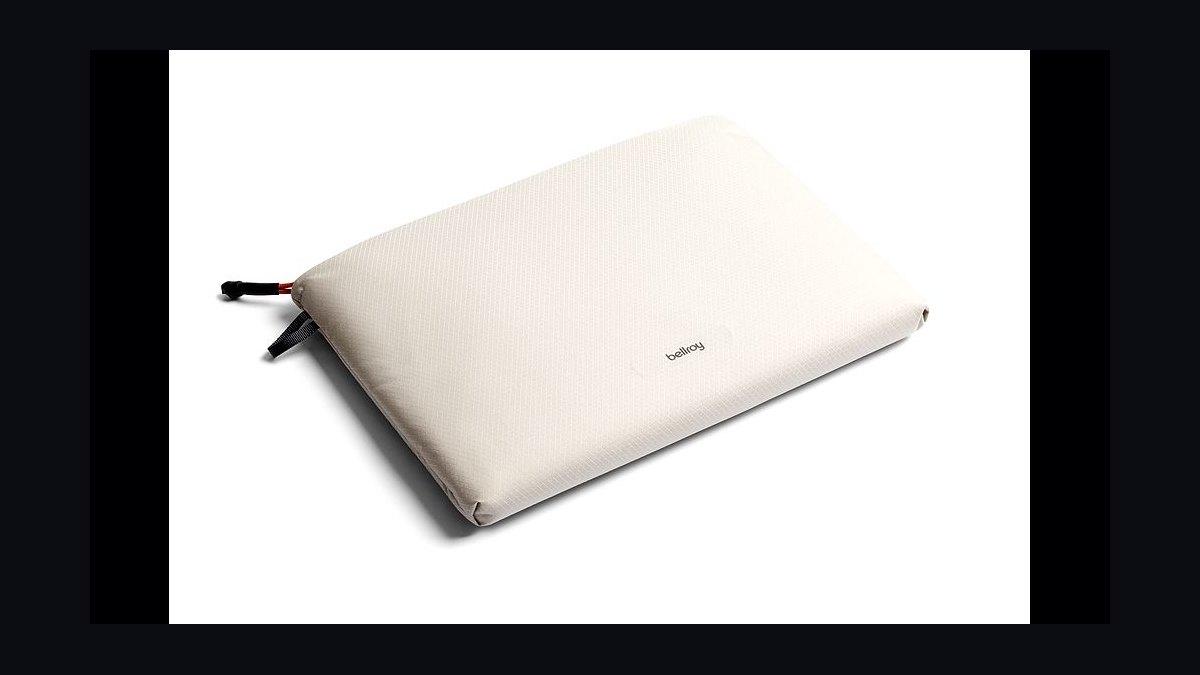
Ranked first because it balances protection and appearance better than anything else at roughly $59. The shell is woven ripstop over a firm foam core, thin enough to slide into a backpack yet stiff enough to absorb knocks. A magnetic flap opens one-handed, faster than any zipper here. A leather pull-tab keeps it meeting-appropriate, and sizes cover 13-inch, 14-inch, and 16-inch machines.
This is for professionals who carry a laptop into rooms where the bag gets seen. It costs more than basic neoprene, and the slimmest version has no exterior accessory pocket, so the charger lives in your bag. Against the tomtoc 360 below it, the Bellroy trades raw corner padding for a thinner profile and better materials. Buy it if looks matter as much as cushioning.
2tomtoc 360 Protective Sleeve
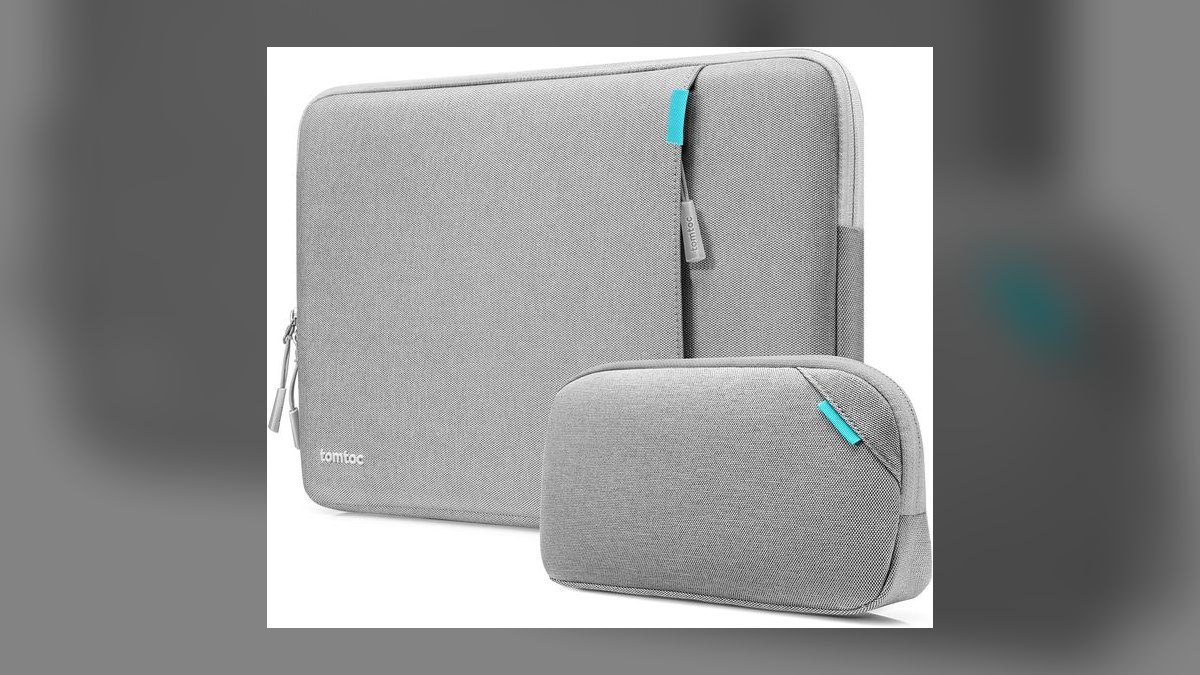
Second because it delivers the most protection per dollar on this list at roughly $22 to $30. CornerArmor padding reinforces the corners, which take the majority of drop impacts, and soft foam lines all sides. The water-repellent polyester exterior handles spills and light rain. A recessed zipper sits well clear of the screen, and sizing spans 13-inch through 16-inch laptops.
This is for budget buyers who want maximum cushioning and do not care about looking premium. It is bulkier than a true slim sleeve, and the polyester finish reads utilitarian rather than refined. Compared with the Bellroy above, it protects at least as well for a third of the price but sacrifices the materials and the one-handed magnetic closure. It is the default recommendation under $30.
3Native Union Stow Slim
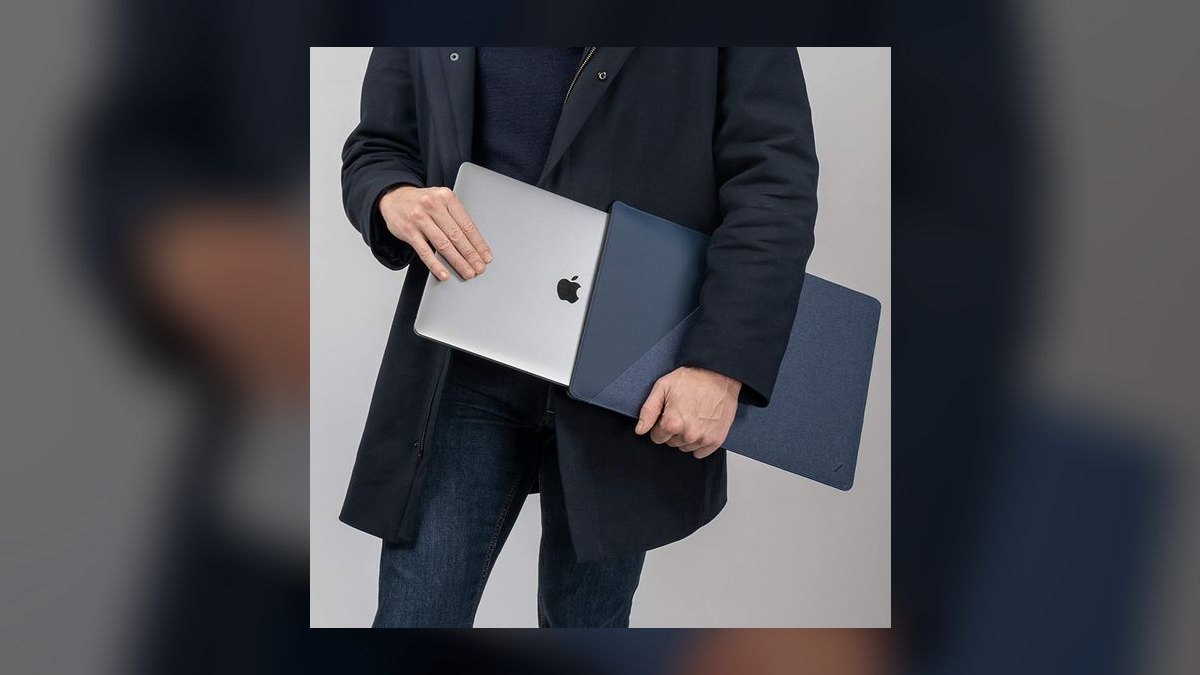
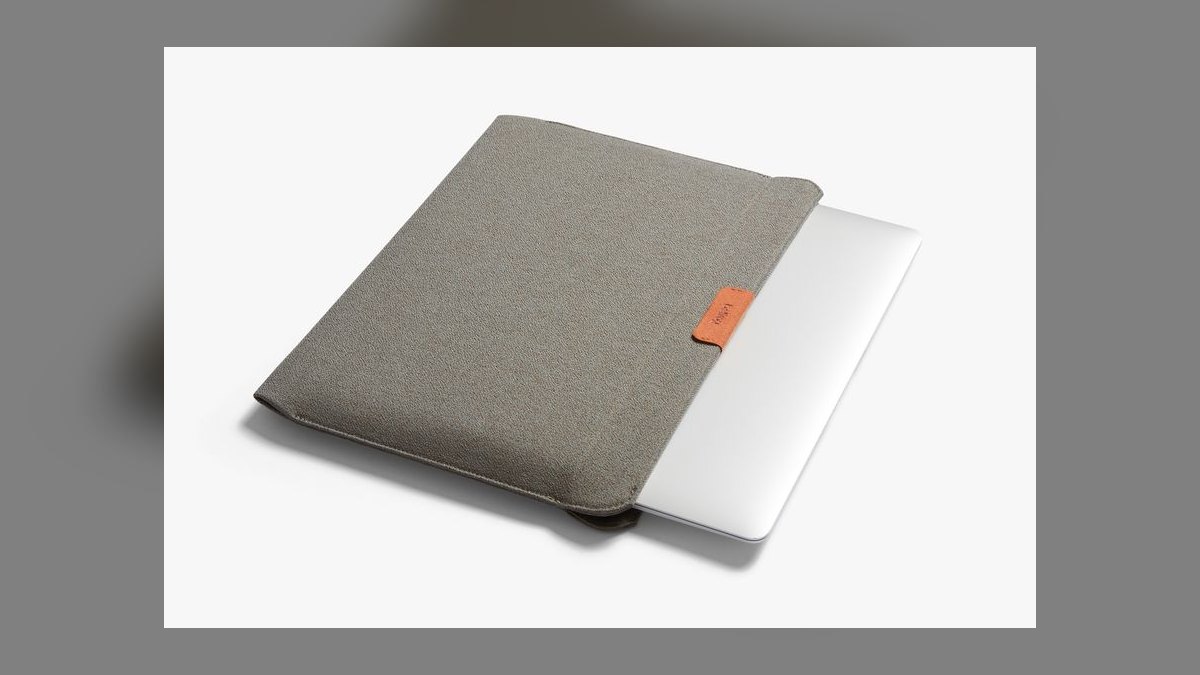
Third because nothing here adds less bulk, at roughly $50 to $60. The coated woven fabric and slim magnetic closure make the sleeve barely thicker than the laptop inside it, so it slides in and out of a backpack or tote without snagging. A thin front slip pocket swallows a charging brick or a few cables. Sizes cover 13-inch, 14-inch, and 16-inch machines.
This is for minimalists whose laptop always travels inside a larger bag. Padding is thin, so it is not the sleeve to drop on concrete, and you pay a premium price for slimness rather than armor. Against the tomtoc 360 above, it gives up real drop protection to gain a profile you forget is there. Skip it if the sleeve is your only carry.
4Incase A.R.C. Brief
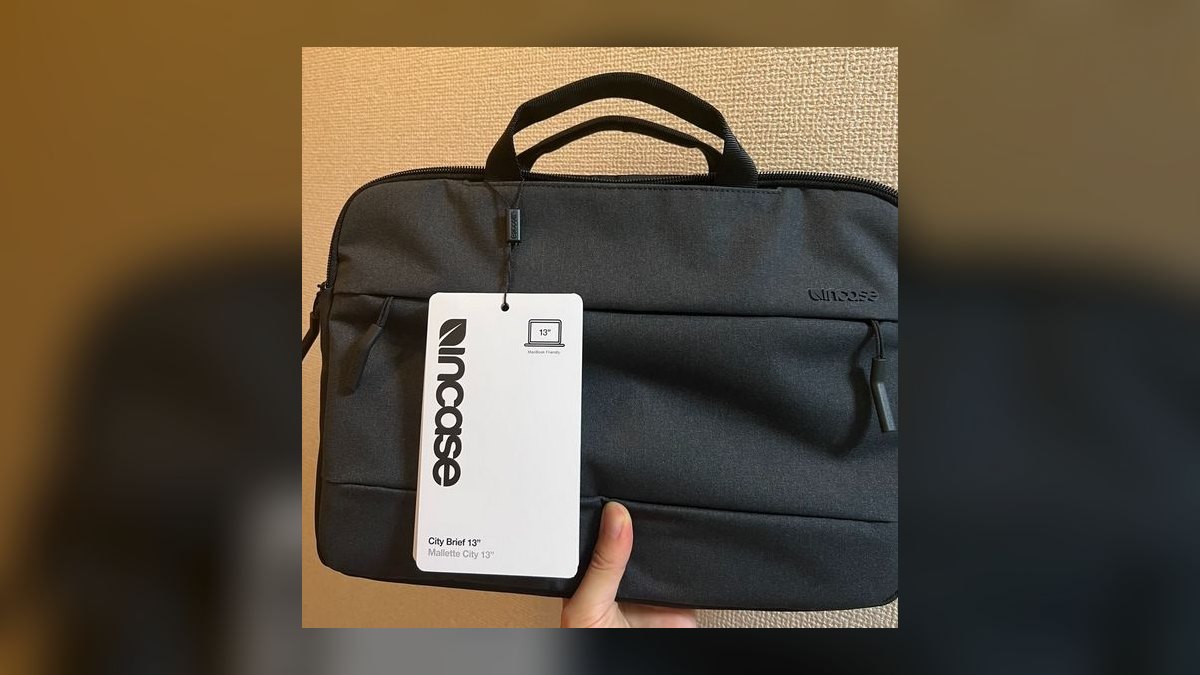
Fourth because it is a sleeve that carries everything else too, at roughly $70 to $90. It measures about 15 by 12 by 4 inches and wraps organized accessory pockets around a soft, padded laptop compartment sized up to 16 inches. Carry handles make it a genuine grab-and-go brief. The protective lining guards both the screen and the lid during daily commutes.
This is for commuters who need a notebook, charger, and daily items alongside the laptop. It is heavier and considerably larger than a plain sleeve, and it is overkill if device protection is all you want. Against the Native Union above, it reverses the trade entirely, adding volume and organization where the Stow Slim strips both away. Treat it as a brief, not a sleeve.
5MOFT Carry Sleeve
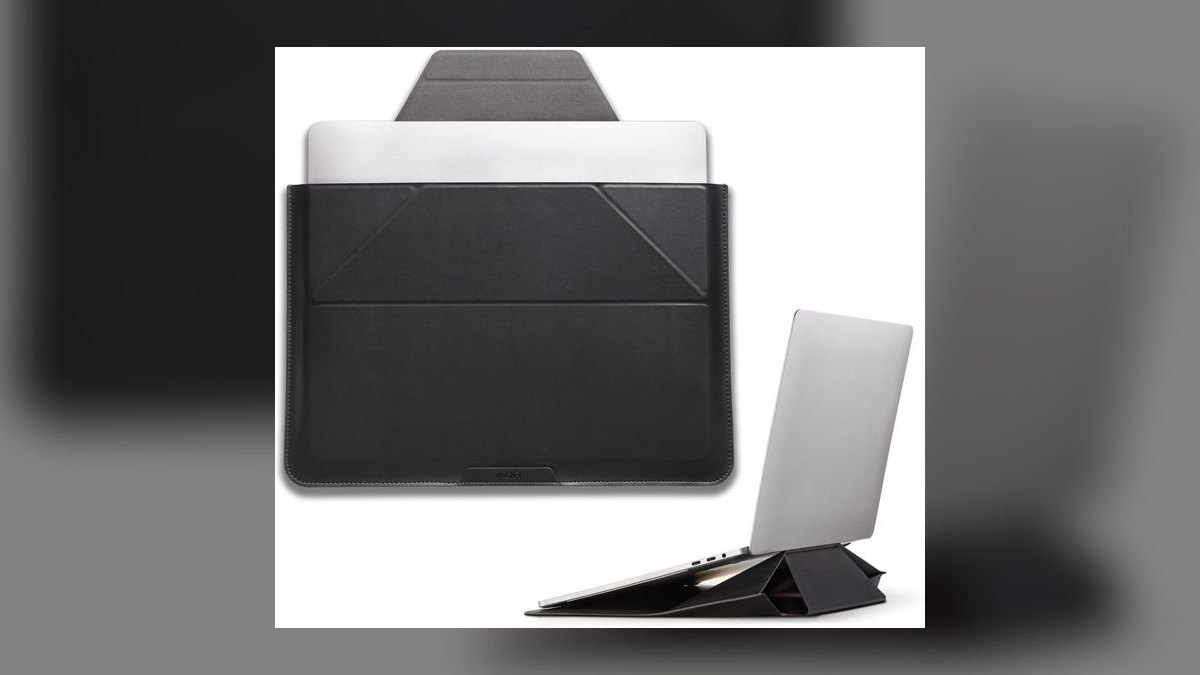
Fifth because it folds out into a dual-angle laptop stand, roughly 15 degrees for typing and 25 degrees for viewing, at about $50 to $70. That removes a separate riser from the bag. The build uses vegan leather over the origami fold MOFT is known for, with magnetic catches holding each stand position firmly. Folded, it stays slim enough to slide into a backpack, and sizes cover 13, 14, and 16 inches.
This is for hybrid workers who set up at a different desk most days. Padding is modest next to dedicated protective sleeves, and the stand needs a flat surface, so lap work is out. Against the Incase brief above, it carries nothing extra but solves ergonomics instead. Buy it if posture, not storage, is the problem.
6tomtoc Defender-A13

Sixth because it is the toughest sleeve here for roughly $30 to $40. It layers tomtoc's CornerArmor with extra reinforcement, aimed at laptops that get tossed into overhead bins or crowded backpacks. A fuzzy fleece-like lining prevents scratches on the lid, and exterior pockets hold chargers and accessories. A soft handle covers short carries, with fits from 13 inches to 16 inches.
This is for rough commutes and frequent travel where the bag takes real abuse. It is among the bulkiest sleeves on this list, and it is more protection than a light office user will ever need. Against the standard tomtoc 360 in second place, it adds reinforcement, pockets, and a handle while giving up the slimmer profile. Choose it if your laptop routinely gets thrown.
7Inateck Laptop Sleeve
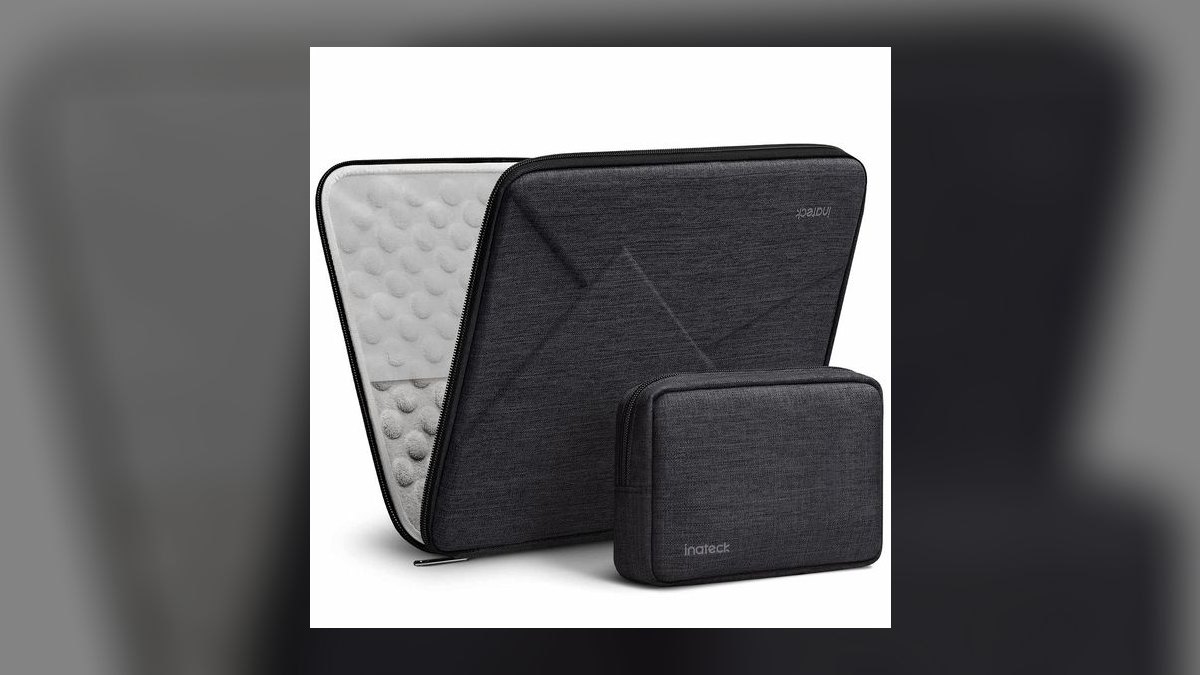
Seventh because it turns sleeve protection into a near-bag for roughly $25 to $35. Stowable handles retract when unneeded and deploy for a quick carry, and a roomy front accessory pocket holds a charger and cables. The padded shell is thick for the price point, with a simple zippered closure. Sizes run 13 inches through 16 inches across several colorways.
This is for tight budgets that still need to carry the laptop on its own occasionally. It is bulkier than any slim sleeve here, and the fabric feels functional rather than premium. Against the tomtoc Defender above, it costs less and adds handles plus a pocket but does not match the reinforced corner protection. Pick it when the handles matter more than the armor.
8tomtoc 360 Slim Recycled
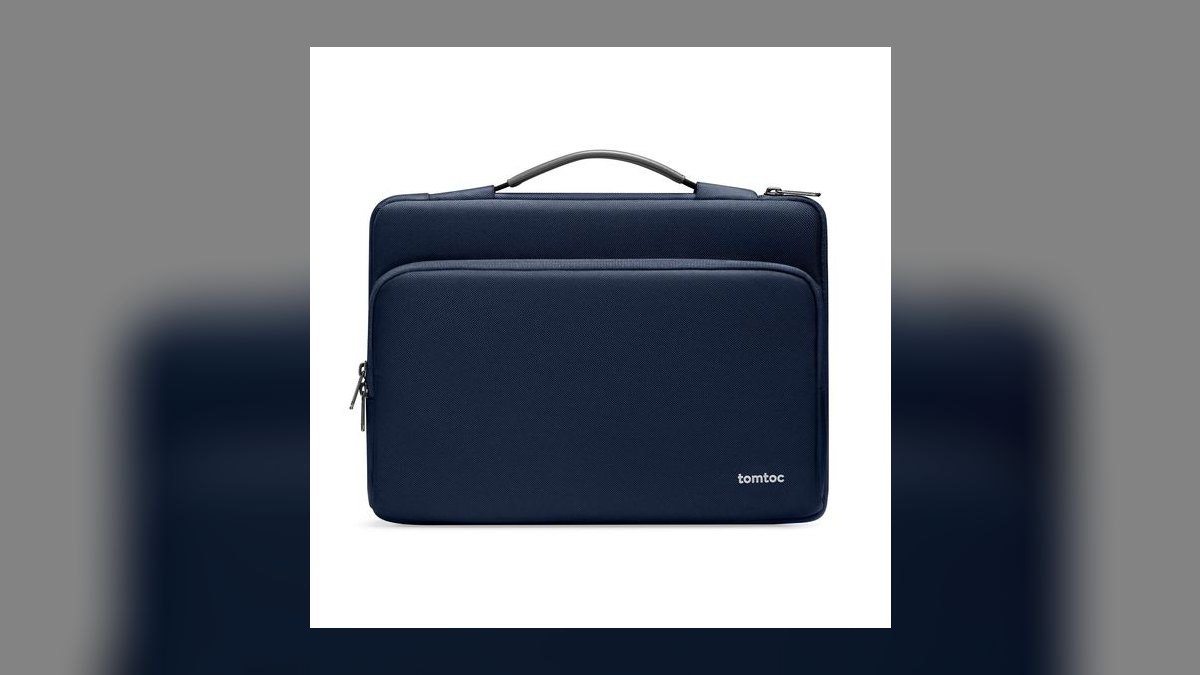
Eighth because it keeps CornerArmor corner protection in a thinner shell built from recycled fabric, at roughly $25 to $30. It is the trimmed sibling of the flagship 360, cutting bulk so it fits into tighter bag compartments while retaining the reinforcement at the impact points that matter most. Sizing covers 13-inch through 16-inch laptops at the same budget price as the standard model.
This is for eco-minded buyers who want tomtoc protection without the full thickness. Padding is measurably less than the standard 360, and color options are limited by comparison. Against the Inateck above, it is slimmer and better protected at the corners but offers no handles and no accessory pocket. Take it as the middle ground between slim styling and real drop cushioning.
9WaterField Shield Case
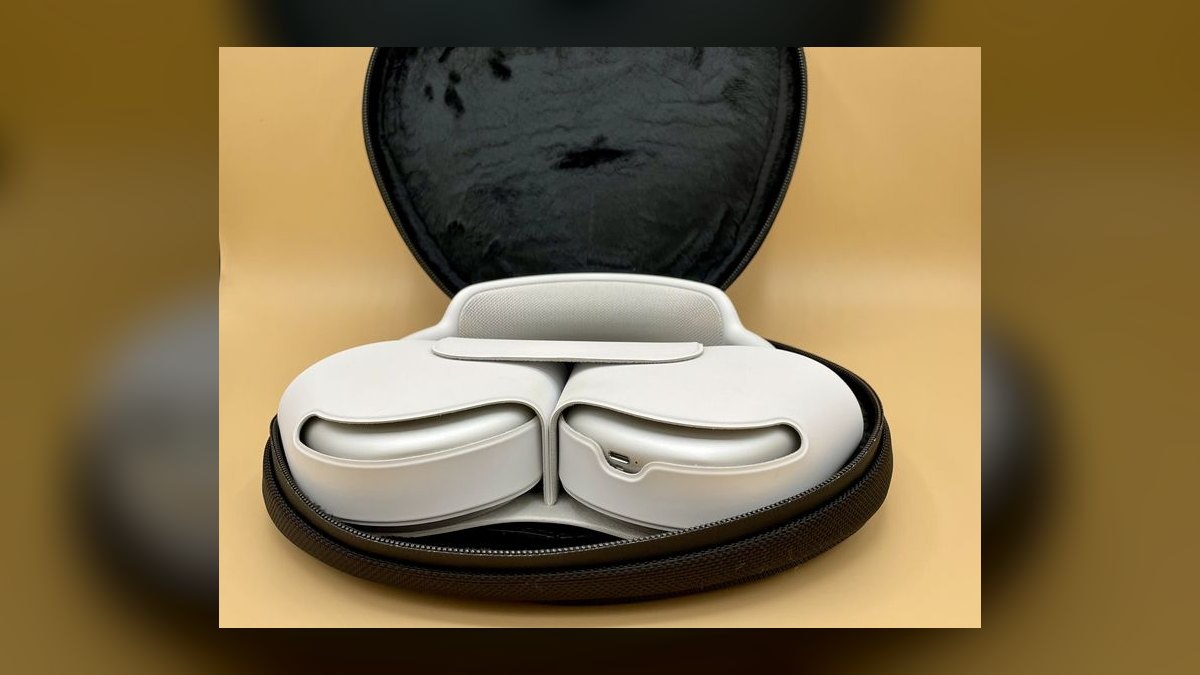
Ninth because its ballistic nylon build and custom-fit sizing deliver premium protection, though at roughly $80 to $120 it is the most expensive pick here. The case is cut to specific laptop models rather than generic screen-size ranges, so the fit is snug and the laptop does not shift inside. Padding is substantial, and the materials are chosen to survive years of daily carry rather than a season.
This is for owners of expensive machines who want a sleeve matched exactly to their model. The price is double or triple most of this list, and model-specific sizing means it will not carry over to your next laptop. Against the tomtoc 360 Slim above, it buys far better materials and fit for roughly four times the money. Justify it on longevity.
10Neoprene Zip Sleeve
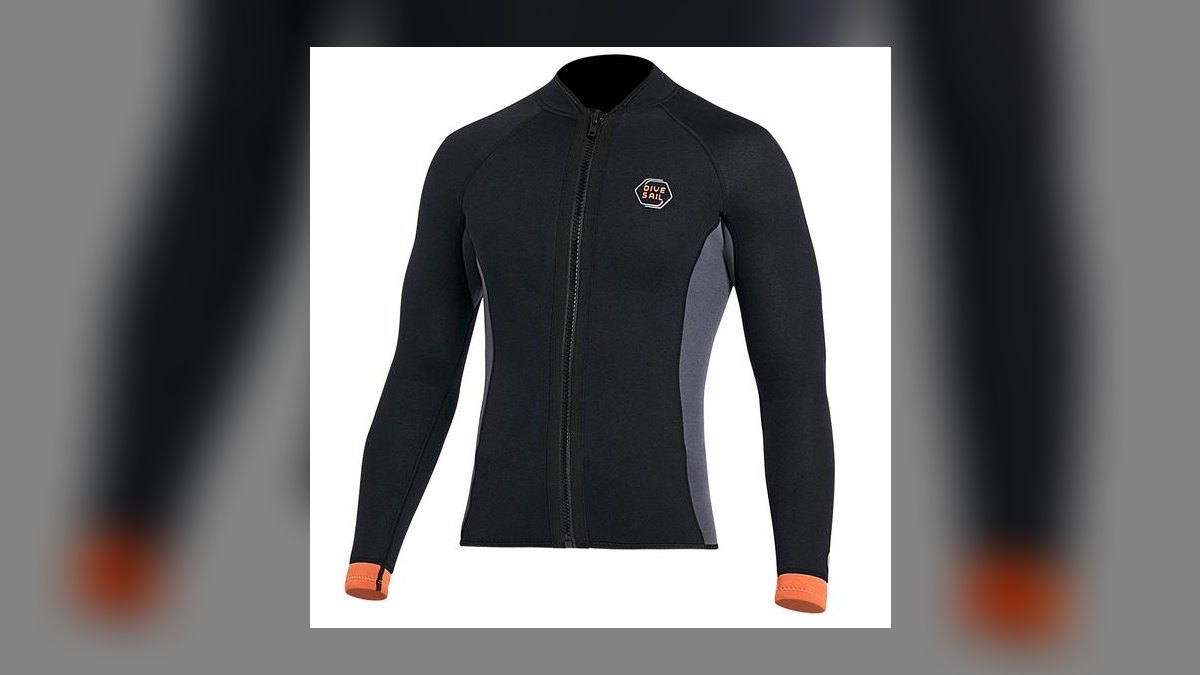
Tenth because a basic neoprene zip sleeve is the cheapest workable protection, typically under $20. The stretch neoprene grips the laptop snugly, resists light moisture, and cushions the scratches and minor bumps that happen inside a backpack. There is no structure and no reinforcement, but the material conforms to nearly any 13-inch to 16-inch machine and adds almost no weight to the bag.
This is for anyone who needs a barrier between a laptop and everything else in the bag today. It offers no corner armor, no pockets, and no drop protection beyond desk-height slips. Against the WaterField Shield above, it is the opposite end of the market entirely, trading fit, materials, and impact resistance for a price most people will not think twice about.
How we ranked these
Ten sleeves were ranked on four weighted factors: drop protection at the corners, where laptops actually land; fit tolerance across 13, 14, and 16-inch machines; closure speed and reliability in daily carry; and shell durability against scuffs, abrasion, and light rain. Price was folded in last, as protection-per-dollar rather than raw cost, which is why a $22 sleeve and a $59 sleeve both won categories.
Deliberately ignored: brand prestige, marketing claims about "military-grade" anything, and color selection. Also skipped were laptop-specific model names on packaging, since internal dimensions matter more than the badge. Thin decorative sleeves with under 5mm of padding were excluded outright regardless of looks. Warranty length was noted but not weighted, because sleeve failures show up as worn seams, not sudden defects covered by a claim.
What to look for
The single decision that matters is whether the sleeve lives inside another bag or travels alone. Inside a padded backpack compartment, a slim sleeve like the Native Union Stow Slim is enough, and extra foam just wastes space. Carried alone by a handle or tossed in an overhead bin, you need reinforced corners and 10mm-plus padding. Everything else, closure type, pockets, fabric, is preference.
The common mistake is buying by screen size alone. A 14-inch laptop in a rugged skin can measure wider than a bare 15-inch, and the sleeve will not close. Measure width, depth, and thickness, then add a few millimeters for any case. The second mistake is choosing a zipper that runs flush against the lid, which scratches screens over months of use.
Related questions
Does a laptop sleeve actually prevent screen damage?
It prevents pressure damage, which is the most common cause of screen failure in bags. A charger or water bottle pressing against a bare lid can crack the panel over time. A sleeve with firm foam distributes that pressure. It will not save a screen from a fall onto concrete, but bag-crush accounts for far more dead displays than drops do.
What is CornerArmor and does it matter?
CornerArmor is tomtoc's name for extra foam reinforcement built into the four corners of the sleeve. It matters because laptops rarely land flat. A dropped bag pivots and lands on an edge or corner, concentrating the impact into a small area. Extra material there absorbs energy that would otherwise transfer straight into the chassis and hinge.
Are magnetic closures more secure than zippers?
They are faster, not more secure. The Bellroy and Native Union magnetic flaps open one-handed, which matters when you are pulling a laptop out at security or in a meeting. A zipper holds better if the sleeve is carried alone and swung around. For a sleeve that lives inside a backpack, magnetic closure is the better daily experience.
Is neoprene still worth buying in 2027?
Neoprene is cheap and mildly water-resistant, but it stretches out over about a year and stops holding a snug fit. Woven ripstop and coated polyester hold their shape longer and resist abrasion better. If a neoprene sleeve costs under $15 and lives inside a bag, it works. For anything carried alone, choose a structured shell instead.
Should I get a sleeve or a slim laptop brief?
Choose a brief like the Incase A.R.C. only if you carry more than the laptop. It measures roughly 15 by 12 by 4 inches and adds real pockets and handles, but it is heavier and bulkier than a plain sleeve. If your charger and notebook already live in a backpack, the brief duplicates capacity you have and costs you space.
Do sleeves with built-in stands sacrifice protection?
Yes. The MOFT Carry Sleeve trades foam thickness for the folding origami panel that becomes a stand at roughly 15 and 25 degrees. That is a fair trade if you were already packing a separate riser, since you drop an item from your bag. It is a bad trade if the sleeve is your only layer of protection during a rough commute.
How much padding is enough for a daily commute?
Around 10mm of foam is the practical threshold for a sleeve carried alone. Below that you are relying on the bag around it. The tomtoc 360 and Defender-A13 clear that line; slim sleeves at 3 to 5mm do not. Judge by squeezing the sleeve empty. If your fingers nearly meet through the wall, it is a scratch guard, not armor.
Are recycled-material sleeves less durable?
Not meaningfully. The tomtoc 360 Slim recycled version uses recycled fabric in the exterior shell and keeps CornerArmor at the corners. The tradeoff is padding thickness compared to the standard 360, not fiber quality. Recycled polyester tests close to virgin polyester for abrasion. Choose it if you want the slimmer profile; the sustainability is a bonus, not a compromise.
FAQ
Which sleeve is best overall in 2027?
The Bellroy Laptop Sleeve at around $59. It uses woven ripstop over a firm foam core, opens one-handed via magnetic flap, and stays thin enough to slide into a backpack. It fits 13, 14, and 16-inch machines. The leather pull-tab keeps it meeting-appropriate. It costs more than neoprene and the slimmest version has no exterior pocket.
Which sleeve is the best value?
The tomtoc 360 Protective Sleeve at roughly $22 to $30. It delivers CornerArmor reinforcement, a water-repellent polyester shell, soft fleece lining, and a recessed zipper that sits clear of the screen. It covers 13 through 16-inch laptops. It is bulkier than a slim sleeve and looks utilitarian rather than premium, but nothing here protects better per dollar.
Are laptop sleeves really necessary?
Yes, if the laptop shares a bag with anything else. Chargers, keys, and water bottles scratch lids and press against screens. Modern aluminum chassis resist dents but do nothing about abrasion or point pressure. A sleeve adds a cushioning layer for under $30 and almost no bulk. If your bag has a dedicated padded compartment, a slim sleeve is enough.
How do I choose the right size?
Measure your laptop's width, depth, and thickness rather than trusting the screen size on the box. Manufacturers list compatible inches, but internal dimensions vary by brand. Aim for snug: a loose fit lets the machine shift and slam into the zipper, while an over-tight fit stresses seams. Add three to five millimeters if you use a case or skin.
Can I use a sleeve with a case already on my laptop?
Usually yes, but size up. A slim laptop wearing a thick rugged skin can exceed the sleeve's internal dimensions, and forcing the zipper closed strains the seams. Check the listed interior measurements and add a few millimeters for the case. Some sleeves are cut with case clearance in mind, but most assume a bare machine.
Will a sleeve survive a real drop?
It handles desk-height slips and bag bumps. No sleeve is engineered to survive a fall down stairs. For the hardest knocks, choose reinforced corners and at least 10mm of foam, like the tomtoc Defender-A13. The strongest setup is a padded sleeve inside a bag with its own padded laptop compartment, so two layers absorb the energy separately.
How do I clean a laptop sleeve?
Spot clean polyester, nylon, and neoprene with a damp cloth and mild soap. Leather or wool felt needs a specialized cleaner or dry cleaning. Never machine wash or soak a padded sleeve; water warps the foam core and it never returns to shape. Air dry away from radiators and direct sun, which can shrink and stiffen coated fabrics.
Which sleeve is best for frequent travel?
The tomtoc Defender-A13, roughly $30 to $40. It layers CornerArmor with extra reinforcement, adds a fuzzy fleece lining against scratches, and includes exterior pockets for chargers. A soft handle covers short carries between gates. It is among the bulkiest sleeves here, which is exactly the point when the laptop goes into an overhead bin or a crowded backpack.
What is the slimmest sleeve worth buying?
The Native Union Stow Slim, around $50 to $60. Coated woven fabric and a slim magnetic closure keep it barely thicker than the laptop, and a thin front pocket takes a charging brick. The catch is thin padding, so it belongs inside a backpack or tote rather than carried alone. You are paying for the slim profile, not armor.
Is a sleeve with handles better than a plain sleeve?
It is more versatile if you sometimes carry the laptop alone. The Inateck sleeve, around $25 to $35, adds stowable handles and a front accessory pocket for cables, which turns it into a quick grab-and-go bag. The cost is bulk and a utilitarian look. If the sleeve never leaves your backpack, handles just add material you never use.
Sources
- https://www.nytimes.com/wirecutter/reviews/best-laptop-sleeve/
- https://www.pcmag.com/picks/the-best-laptop-bags-and-cases
- https://www.cnet.com/tech/computing/best-laptop-bag/
- https://www.tomsguide.com/best-picks/best-laptop-bags
- https://www.consumerreports.org/electronics/laptops/
- https://bellroy.com/products/laptop-sleeve
- https://www.nativeunion.com/collections/stow-slim
- https://www.moft.us/products/carry-sleeve
- https://www.incase.com/collections/laptop-sleeves
Related on PULSE
This page will be disappearing soon. Save it to your device for $1 — or read it free while it is here.
@Kory-White- · if Venmo asks, the last 4 of my number are 2012
This page is gone.
This one is off the shelf now. $1 keeps it on your phone for good — the whole page, pictures and diagrams included.
 pulse-reviewsTop 10 Radon Detectors — Best Overall + Best Value in 2027
 pulse-reviewsTop 10 Electric Fondue Pots — Best Overall + Best Value in 2027
 pulse-reviewsTop 10 Kegerators — Best Overall + Best Value in 2027
 pulse-reviewsTop 10 Random Orbital Sanders — Best Overall + Best Value in 2027
 pulse-reviewsTop 10 Smart Pill Dispensers — Best Overall + Best Value in 2027
 pulse-reviewsTop 10 Raclette Grills — Best Overall + Best Value in 2027
 pulse-reviewsTop 10 Edge Banders — Best Overall + Best Value in 2027
 pulse-reviewsTop 10 USB Microphones Under $100 for Sales Calls in 2027
 pulse-reviewsTop 10 Laptop Stands for Field Sales Travel in 2027
 pulse-reviewsTop 10 Woodworking Routers — Best Overall + Best Value in 2027