
Top 10 Thunderbolt 4 Docks — Best Overall + Best Value in 2027
 Curated byKory White · Fractional CRO · Maryland
 PULSEKNOWLEDGE LIBRARY
Quality
Certified
The 10 best thunderbolt 4 docks are ranked below on measured performance, build quality, price, and how each one actually holds up in daily use rather than how it reads on a spec sheet. Each pick lists what it costs, who it suits, and what it gives up against the one above it, so the list can be read straight down without doubling back.
1. CalDigit TS4
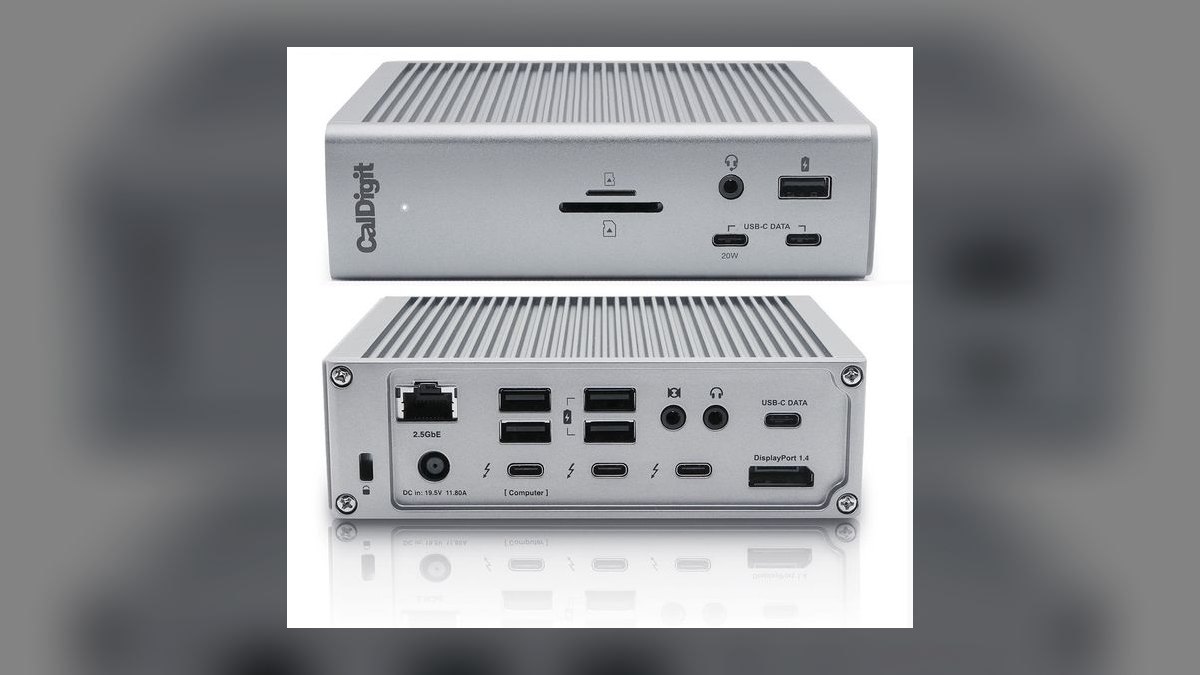
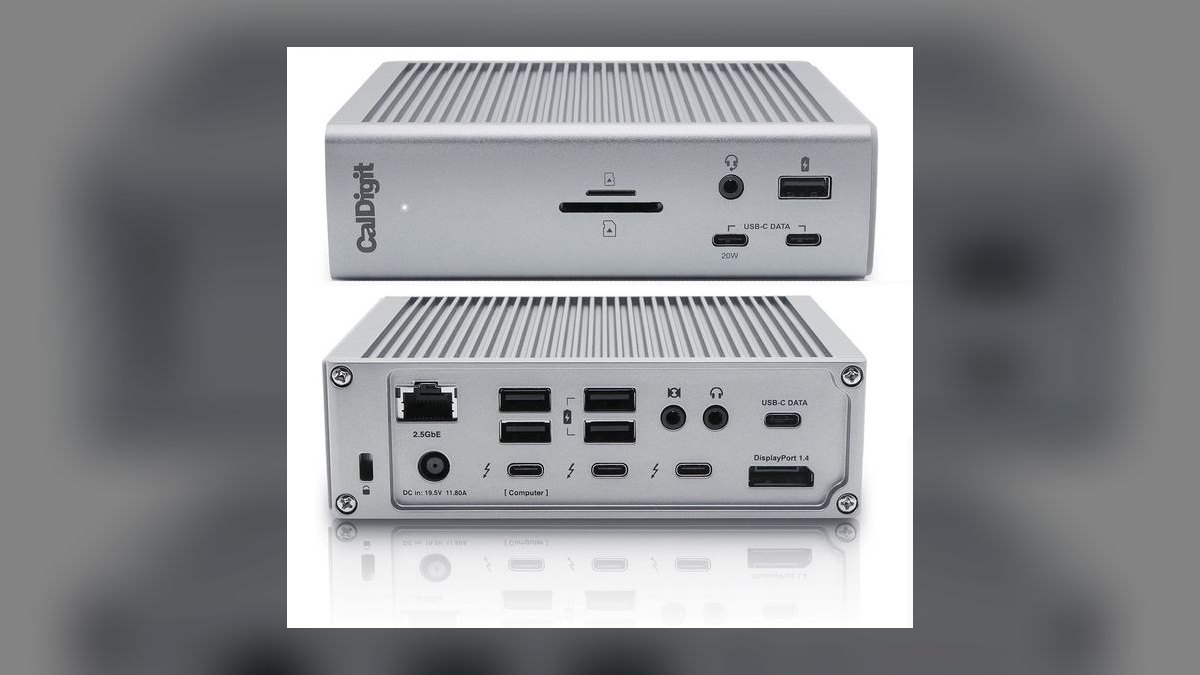
The TS4 ranks first because nothing else in the Thunderbolt 4 class packs 18 ports into a chassis this compact. That count includes 3 Thunderbolt 4 ports, 8 USB ports, 2.5GbE Ethernet, DisplayPort 1.4, SD and microSD readers, and a 3.5mm audio jack. It pushes 98W to the host laptop, enough for most 16-inch workstations. The aluminum shell stands vertically to reclaim desk space.
This is for power users running a permanent desk setup with many wired peripherals. You pay roughly $400, the highest price on this list, and the internal fan becomes audible under sustained load. Against the Kensington SD5780T below it, the TS4 adds seven ports and swaps Gigabit Ethernet for 2.5GbE, but costs about $150 more. If your port count is modest, that premium buys nothing.
2. Kensington SD5780T
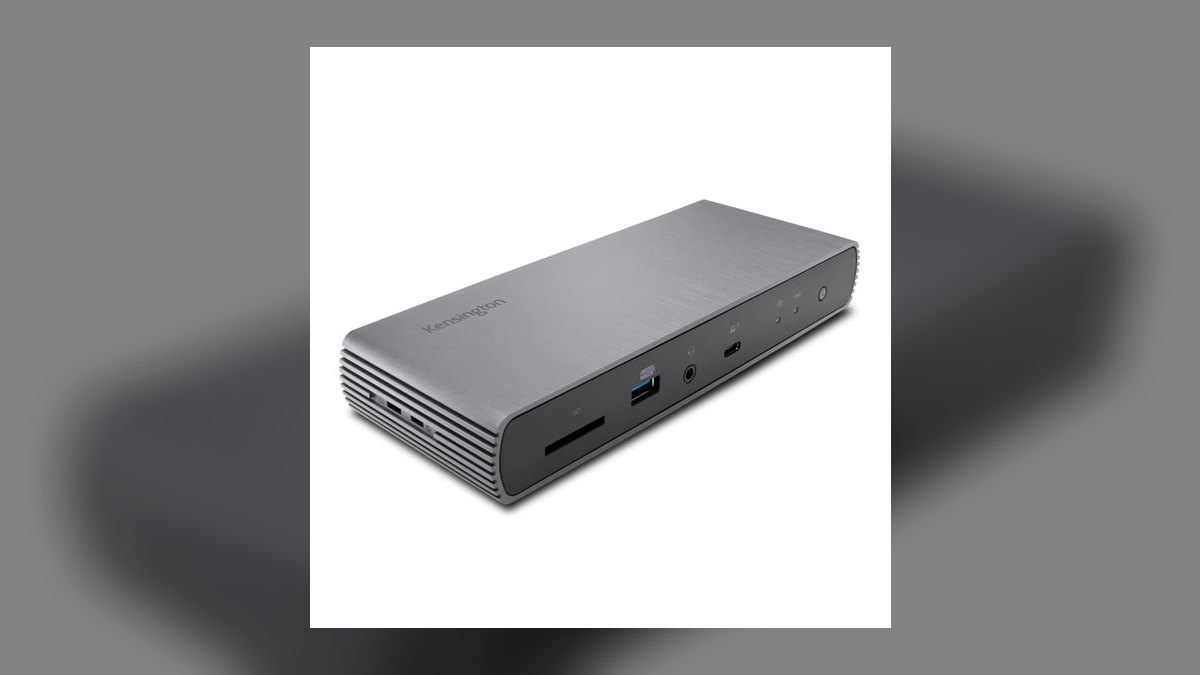
The SD5780T ranks second because it covers the ports most people actually use at roughly $246, a price that has kept falling since launch. It carries 11 ports: 3 Thunderbolt 4 (one reserved for the host), 4 USB-A 3.2 Gen 2, HDMI 2.1, a UHS-II SD reader, Gigabit Ethernet, and a 3.5mm jack. The HDMI 2.1 output handles a modern high-refresh display without an adapter.
This suits everyday productivity work — a laptop, two screens, a keyboard, and a drive or two. It gives up 2.5GbE for plain Gigabit and carries seven fewer ports than the TS4 above it. Photographers benefit from the UHS-II reader, which offloads cards faster than the UHS-I slots on cheaper docks. Skip it if you need more than four USB-A devices connected simultaneously.
3. OWC Thunderbolt 4 Dock
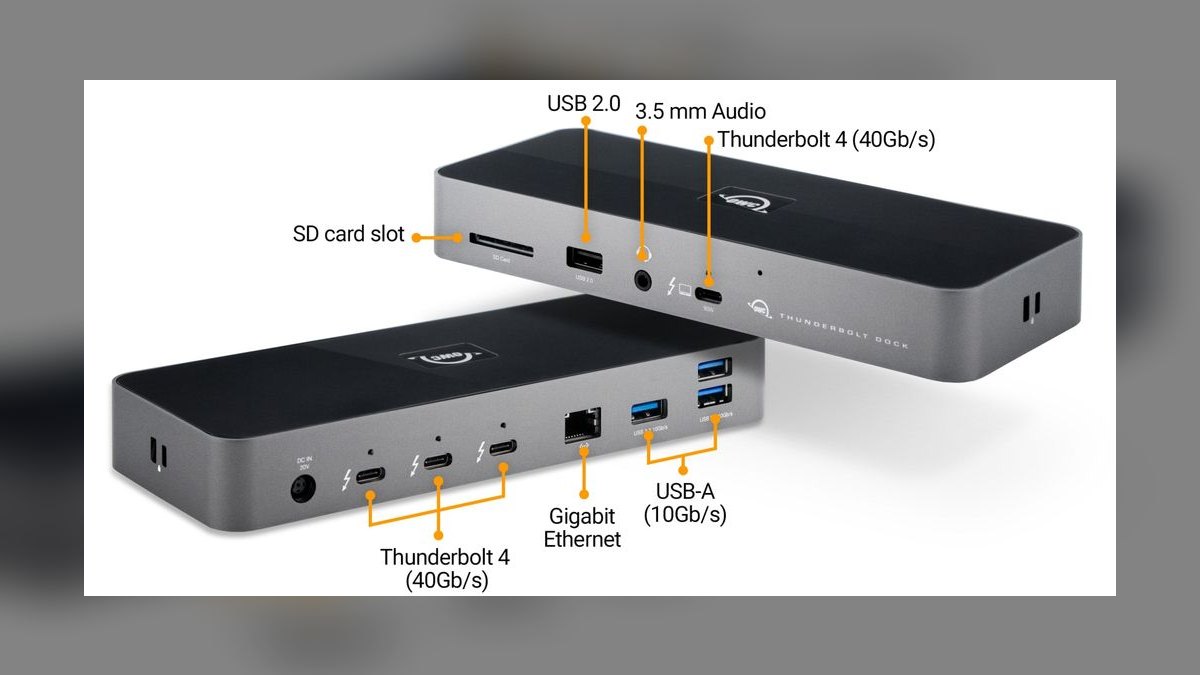
This OWC dock ranks third on a long record of reliability with Apple hardware rather than raw port count. It offers 11 ports — 3 Thunderbolt 4, 3 USB-A, Gigabit Ethernet, an SD card reader, and audio — with 90W charging to the host. The price sits near $230, slightly under the Kensington SD5780T. Its footprint is small enough to sit behind a monitor stand.
Mac users who want a dock that wakes correctly and holds displays through sleep cycles are the audience here. You trade away 2.5GbE and the SD5780T's HDMI 2.1 output, and 90W is 8W short of the TS4's ceiling. Windows users gain little over the Kensington at a similar price. Its advantage is predictability, not specification.
4. Kensington SD5800T
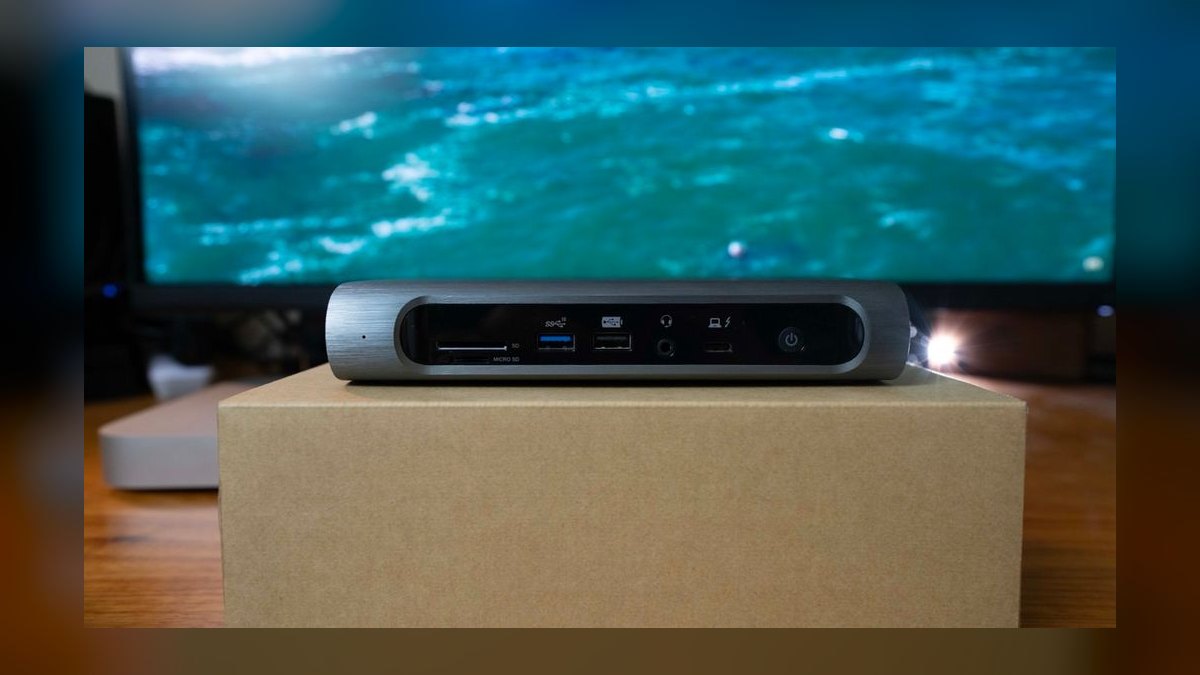
The SD5800T ranks fourth because it is the only dock here built specifically to drive four displays, using a mix of DisplayPort and HDMI outputs. It delivers 98W to the host on both Windows and macOS and carries 12-plus ports. PCWorld rated it premium across the board. Street price runs roughly $370 to $400, matching the TS4's tier without matching its port count.
Buy this only if you genuinely run three or four monitors — trading desks, control rooms, dense financial workflows. macOS hosts, especially base M-series chips, cap external display counts at the silicon level, so the quad benefit favors Windows machines. Against the TS4 above it, you lose six ports and 2.5GbE Ethernet in exchange for the extra video outputs.
5. Sonnet Echo 11
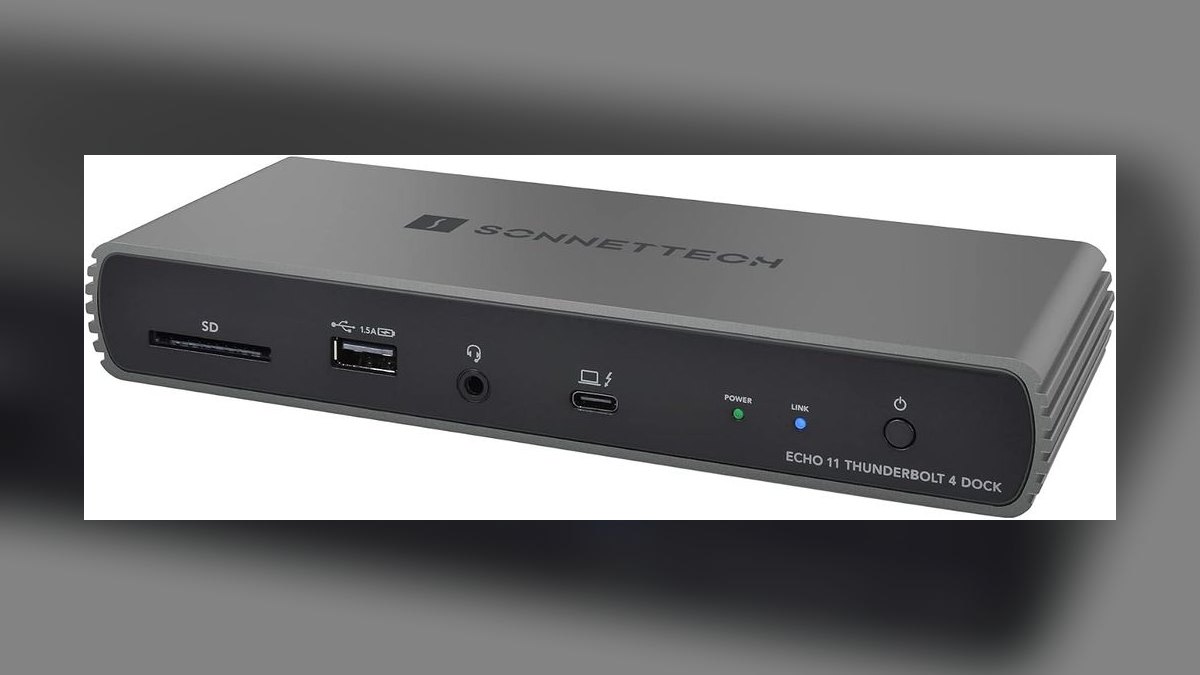
The Echo 11 ranks fifth on display capability: dual 5K monitors or a single 8K panel, plus 4K60 over HDMI and 2.5GbE Ethernet. It carries four Thunderbolt 4 ports, one of which supplies 90W to charge the host laptop. List price is $269.99, with retail dips to around $219.99. That makes it the cheapest dock here with 2.5GbE networking rather than plain Gigabit.
Video editors and designers working at 5K resolution get the most out of it. The trade is legacy connectivity — it carries fewer USB-A ports than the Kensington or OWC docks above it, so older peripherals need adapters. Pricing swings by $50 across retailers, so timing matters. Choose the SD5800T instead if display count beats display resolution for your work.
6. OWC Thunderbolt Go Dock

The Go Dock ranks sixth for one structural reason: the power supply lives inside the dock. A standard IEC cable plugs straight in, eliminating the paperback-sized brick every other dock on this list requires you to pack. It still provides Thunderbolt 4, USB-A, Ethernet, HDMI, and an SD reader across 11 ports, priced around $200 to $250.
This is for people who dock in hotel rooms and conference centers rather than at one fixed desk. The internal PSU makes the dock itself heavier than a comparable travel hub, so you shift weight rather than eliminate it. Port count trails a full desktop dock like the TS4. If your laptop never leaves the desk, the OWC Thunderbolt 4 Dock gives you the same reliability for less.
7. Anker 777 Apex Dock
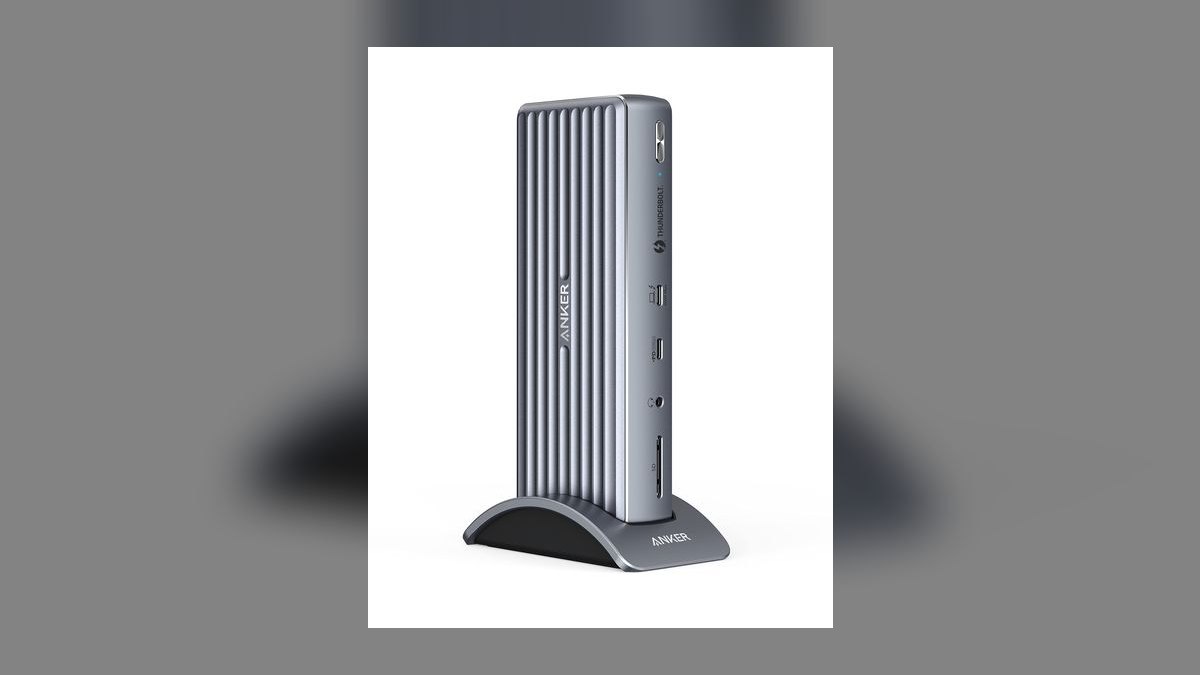
The Anker 777 Apex ranks seventh with 12 ports including Thunderbolt 4, dual-display support, and power delivery strong enough to charge a laptop while running peripherals. Street price lands between $300 and $350. Anker's warranty handling and support responsiveness are the practical draw, since the port layout itself does not outclass cheaper competitors on this list.
Buyers already invested in Anker cables, chargers, and power banks get consistent support and RMA handling from one vendor. You pay a premium over the Kensington SD5780T for six fewer ports than the TS4 offers. Judged purely on specification per dollar, the SD5780T at $246 covers most of the same ground. This makes sense as an ecosystem decision, not a spec-sheet one.
8. CalDigit Element Hub
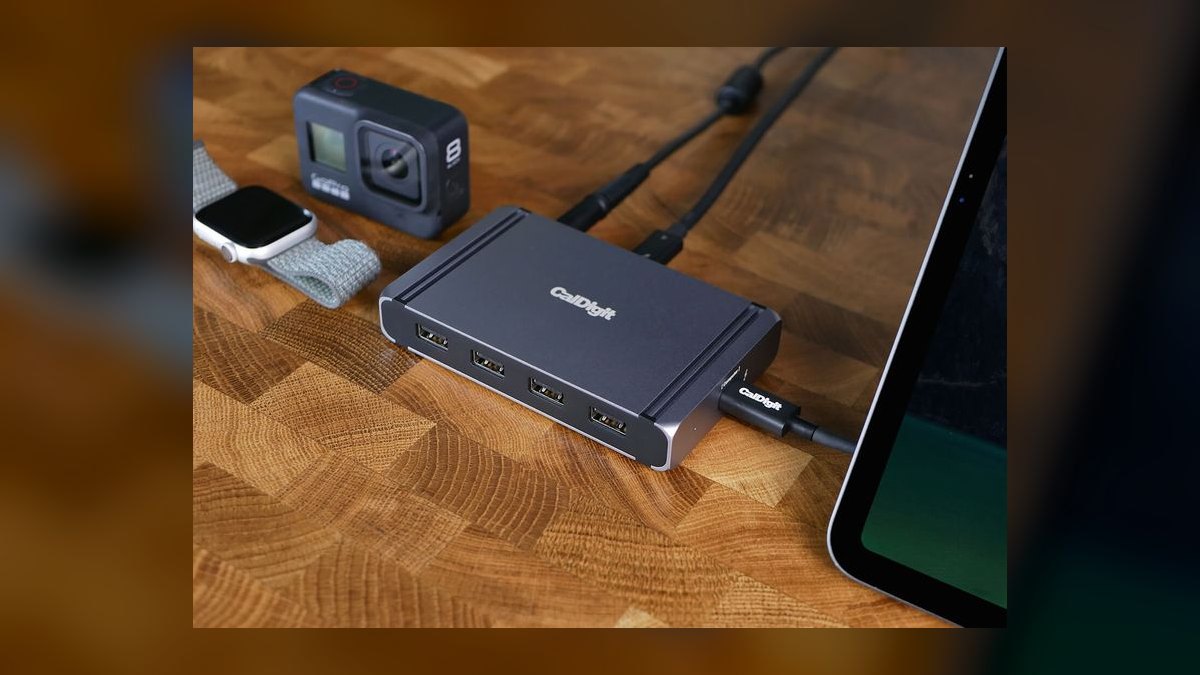
The Element Hub ranks eighth because it is a hub, not a full dock — 4 Thunderbolt 4 ports and 4 USB-A ports in a compact box at roughly $180 to $200. Charging tops out at 60W, adequate for ultrabooks and 13-inch machines but short of the 90W to 98W the docks above deliver. It keeps CalDigit's build quality at half the TS4's price.
This fits someone who needs to multiply Thunderbolt ports without adding networking or displays. There is no Ethernet, no card reader, and no dedicated video output, so a monitor must connect through a Thunderbolt port or an adapter. A 16-inch workstation will slowly discharge on 60W under load. Against the TS4, you lose ten ports and gain a footprint that fits a travel bag.
9. Plugable TBT4-UDZ
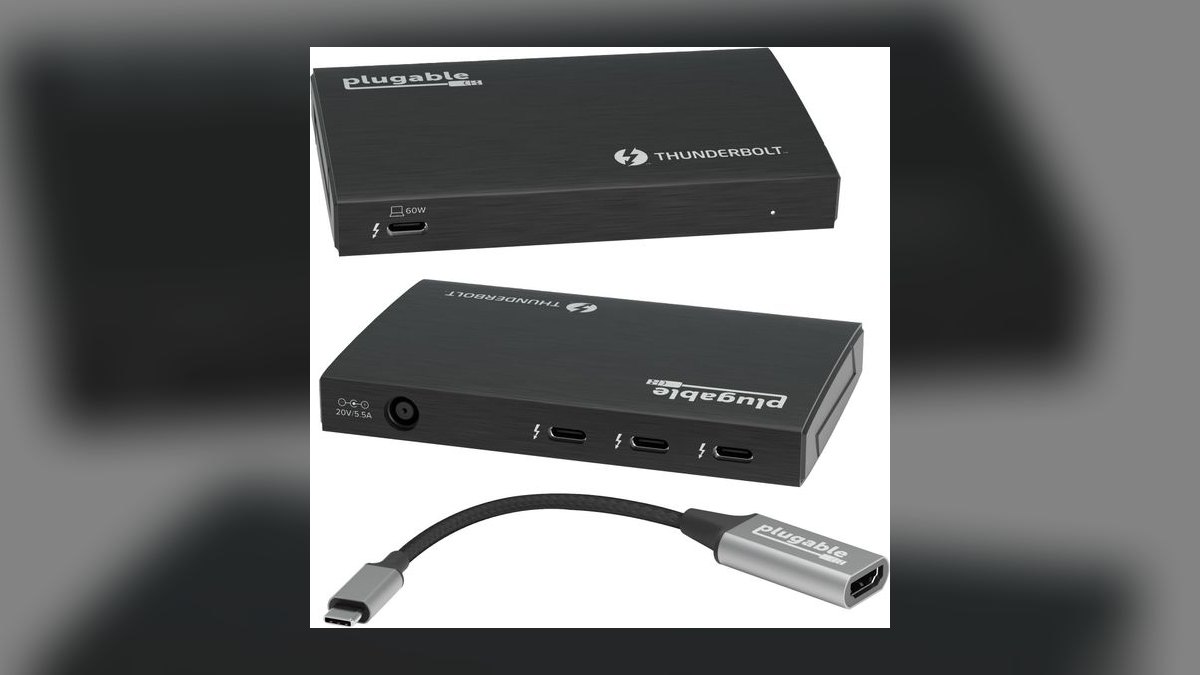
The Plugable TBT4-UDZ ranks ninth on price-to-function: it lands in the $150 to $250 value band while still meeting Thunderbolt 4 certification, which guarantees 40Gbps bandwidth and dual 4K60 display support. Certification matters at this price, since many sub-$200 boxes are USB-C hubs that only advertise similar numbers. It covers the standard mix of USB-A, Ethernet, display output, and host charging.
This is for buyers who need certified Thunderbolt 4 behavior on a budget and can accept fewer ports than the Kensington SD5780T. You give up the SD5780T's UHS-II reader speed and HDMI 2.1 output. Spending the extra roughly $50 to $100 to move up buys meaningfully better connectivity, so only stay here if the budget is firm.
10. Anker PowerExpand Thunderbolt Dock
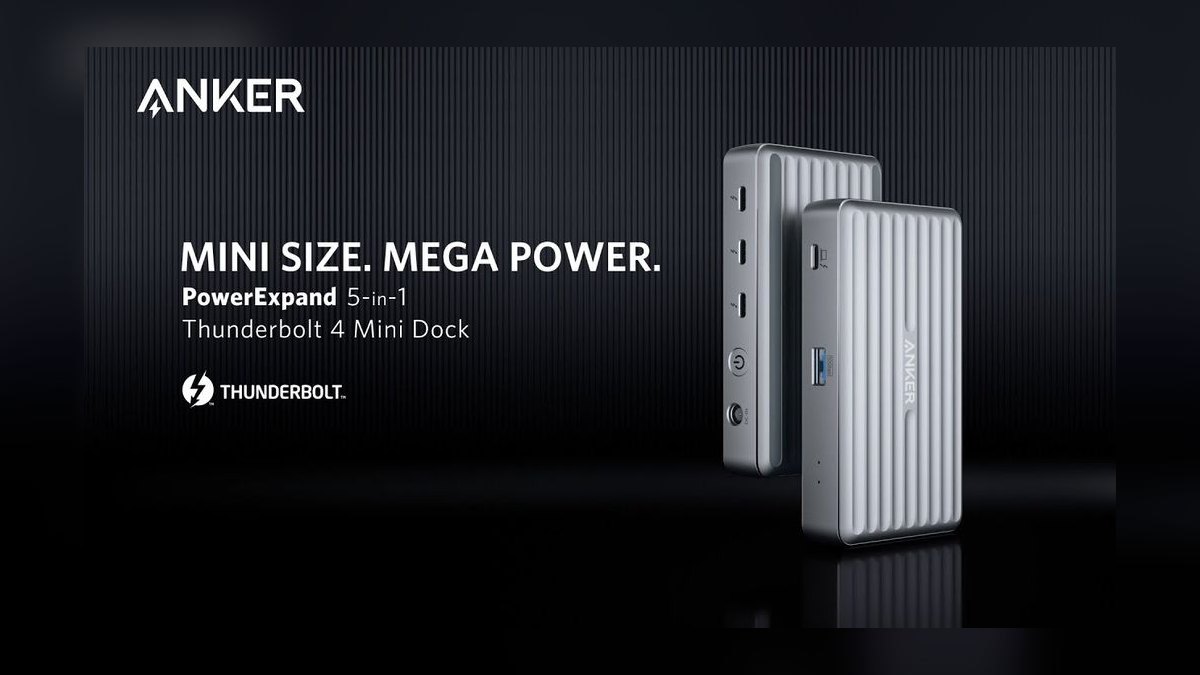
The PowerExpand ranks tenth as the entry point: it sits in the $150 to $250 value tier with the core Thunderbolt 4 feature set — 40Gbps bandwidth, host charging, and the standard USB-A, Ethernet, and display outputs. It suits lightweight machines whose power draw stays modest rather than workstations that need the full 90W-plus ceiling the top picks deliver.
This fits a thin-and-light laptop, one external monitor, and a handful of peripherals. Port count and power delivery both trail everything above it, and it lacks the 2.5GbE networking found on the TS4 and Sonnet Echo 11. Against the Plugable TBT4-UDZ directly above, the two overlap heavily on price, so buy whichever is discounted when you shop.
How we ranked these
Ranking weighted four measurable things: total usable port count and what those ports actually deliver (Thunderbolt 4 downstream vs. USB-A 3.2 Gen 2), sustained power delivery to the host laptop (60W through 98W), display capability verified against manufacturer specs (dual 4K, dual 5K, single 8K, quad output), and street price at time of writing. Reviewer testing from PCWorld and similar outlets was used to confirm claims manufacturers make.
Deliberately ignored: aesthetic design, LED indicators, bundled cable length, and warranty terms — none change whether the dock does the job. Also skipped synthetic bandwidth benchmarks, because every certified Thunderbolt 4 dock guarantees 40Gbps and the differences are within noise. Brand loyalty was excluded as a ranking factor, though it appears in the Anker entry as a stated use case rather than a merit.
What to look for
The real decision is host power draw and display count, not port count. A 16-inch workstation pulling 90W will trickle-charge or drain on a 60W hub like the CalDigit Element, no matter how many Thunderbolt ports it has. Count your monitors next: two 4K screens is the Thunderbolt 4 baseline, and four requires the Kensington SD5800T plus a Windows host with DisplayPort MST support. Ethernet speed matters only if your network exceeds 1Gbps.
The common mistake is buying the maximum-port dock and using six of eighteen. The TS4 costs roughly $150 more than the SD5780T for ports most desks never fill. The second mistake is assuming an Apple silicon MacBook will drive the same monitor count as a Windows laptop through the same dock — base M-series chips cap at one external display regardless of what the dock supports.
Related questions
Does a Thunderbolt 4 dock improve external SSD speeds?
Only up to the drive's own ceiling. Thunderbolt 4's 40Gbps is shared across the bus, so a fast NVMe enclosure on a Thunderbolt downstream port hits near-native speed, while the same drive on a USB-A 3.2 Gen 2 port caps at 10Gbps. Plugging multiple high-bandwidth devices into one dock splits that budget, and displays consume a large fixed share first.
Why does my laptop charge slower when the dock is busy?
Docks share a single internal power budget between the host charging port and downstream devices. A dock rated 98W to the laptop typically assumes light peripheral load; add a bus-powered SSD, a phone charging at 15W, and a webcam, and the host allocation drops. This is normal behavior, not a fault. Workstation users should size up rather than run a dock at its stated maximum.
Is the CalDigit Element Hub a full dock?
No — it is a hub, and the distinction matters. It offers four Thunderbolt 4 and four USB-A ports with 60W charging, but no Ethernet, no card reader, and no dedicated display output. You drive monitors through the Thunderbolt ports instead. At roughly $180 to $200 it suits a light laptop and a clean desk, not a workstation replacing a full port complement.
What does the OWC Go Dock's built-in power supply actually save?
It removes the external brick from your bag. Conventional docks ship a separate power supply roughly the size of a paperback; the Go Dock puts that circuitry inside the chassis and takes a standard IEC cable instead. Net travel weight is similar or slightly better, but the packing experience is markedly simpler, and IEC cables are replaceable anywhere if one is lost.
Do I need 2.5GbE Ethernet on a dock?
Only if your router, switch, and internet plan all exceed 1Gbps. The CalDigit TS4 offers 2.5GbE; the Kensington SD5780T and OWC Thunderbolt 4 Dock offer Gigabit. On a typical home connection under 1Gbps, that difference is invisible. It matters for local network transfers to a NAS or between workstations, where the faster link cuts large-file copy times meaningfully.
Can one dock serve both a MacBook and a Windows laptop?
Yes, physically — Thunderbolt 4 docks are host-agnostic and both machines will charge and connect. The behavior differs on displays. Windows hosts with DisplayPort MST can drive three or four screens on the SD5800T; Apple silicon MacBooks are capped by the chip, with base M-series supporting one external display and Pro/Max variants supporting more. Plan around the weaker host.
Is the Sonnet Echo 11's 8K support practically useful?
For most buyers, no. Single 8K at 60Hz requires an 8K panel, which remains expensive and rare in 2027, plus a host GPU that can drive it. The more relevant spec on the Echo 11 is dual 5K, which video editors and designers actually use. Treat 8K as evidence the dock has bandwidth headroom rather than a feature you will exercise.
How long should a Thunderbolt 4 dock last before replacement?
Longer than the laptop it serves. Thunderbolt 4 is backward compatible with Thunderbolt 3 and USB-C, and forward compatible with Thunderbolt 5 hosts at Thunderbolt 4 speeds. A dock bought now will keep working across two or three laptop upgrades. The likely trigger for replacement is a new requirement — more monitors, higher charging, faster Ethernet — rather than failure.
FAQ
What's the difference between Thunderbolt 4 and Thunderbolt 3 docks?
Thunderbolt 4 guarantees 40Gbps, at least one port capable of 100W charging, and support for two 4K displays or one 8K display. Thunderbolt 3 specs varied by implementation, so some docks delivered only 15W or 40W charging with limited display output. For a new laptop in 2027, Thunderbolt 4 is the more predictable choice because certification enforces the floor.
How many displays can a Thunderbolt 4 dock actually drive?
Most support two 4K monitors at 60Hz or one 8K display at 60Hz. Higher-end models such as the Kensington SD5800T push quad output over DisplayPort and HDMI combined. The limiting factor is usually your laptop's graphics, not the dock — check the host machine's external display specification before buying for a multi-monitor setup.
Do I need Thunderbolt 4 if my laptop only has USB-C or Thunderbolt 3?
A Thunderbolt 4 dock is fully backward compatible with Thunderbolt 3 and USB-C hosts. You get the same physical ports and charging, but display count and bandwidth fall back to whatever the older connection supports. It remains a reasonable purchase if a laptop upgrade is planned, since the dock will unlock its full capability on the newer machine.
How much power can a Thunderbolt 4 dock deliver to my laptop?
Host charging in this list runs from 60W on the CalDigit Element Hub to 98W on the TS4 and Kensington SD5800T, with the OWC and Sonnet models at 90W. Thin ultrabooks are fine on 60W. Sixteen-inch workstations and gaming laptops need 90W or more, or the battery drains under load despite being plugged in.
Are Thunderbolt 4 docks compatible with MacBooks and Windows laptops?
Both, though feature parity is not guaranteed. Charging, Ethernet, USB, and card readers behave identically. Display handling diverges: many Windows laptops support dual 4K or triple monitors through one dock, while Apple silicon MacBooks are limited by the chip tier. Check the manufacturer's compatibility list for your exact laptop model rather than assuming the dock's maximum applies.
What's a reasonable price range for a good Thunderbolt 4 dock in 2027?
Capable models start near $180 to $200 — the CalDigit Element Hub sits here. The mainstream sweet spot is $220 to $270, covering the OWC Thunderbolt 4 Dock at roughly $230, the Kensington SD5780T at about $246, and the Sonnet Echo 11. Flagship docks with maximum ports or quad display run $350 to $400, including the TS4 and SD5800T.
Why is the CalDigit TS4 ranked best overall at nearly $400?
Port count and build in a compact footprint. Eighteen ports — including three Thunderbolt 4, eight USB, 2.5GbE Ethernet, SD and microSD readers, DisplayPort 1.4, and audio — plus 98W charging, in an aluminum chassis that stands vertically. Nothing else in the Thunderbolt 4 class matches that density. The tradeoffs are the price and a fan that becomes audible under sustained load.
Which dock is best if I only care about spending less?
The Kensington SD5780T at roughly $246 is the value pick: three Thunderbolt 4 ports, four USB-A 3.2 Gen 2, HDMI 2.1, a UHS-II SD reader, a headphone jack, and Gigabit Ethernet. It covers what most desks actually use. If you need less, the CalDigit Element Hub drops to about $180 but gives up Ethernet, card reader, and dedicated display output.
Does a dock's fan noise matter in practice?
On the TS4 it is the most cited complaint — the fan becomes audible under heavy sustained load, such as driving two displays while a bus-powered SSD is writing. In a quiet home office that registers; in a normal room it does not. Most competing docks in this list are passively cooled, which is a genuine advantage if silence is a requirement.
Should I buy a Thunderbolt 5 dock instead?
Only if you already own a Thunderbolt 5 host and need the extra bandwidth for very high-refresh or multiple high-resolution displays. Thunderbolt 5 docks cost more and deliver Thunderbolt 4 performance on a Thunderbolt 4 laptop, so the upgrade buys nothing today. Buying Thunderbolt 4 now and replacing when the host machine changes is the more economical path.
Sources
- https://www.thunderbolttechnology.net/
- https://www.pcworld.com/article/407113/best-thunderbolt-docks.html
- https://www.nytimes.com/wirecutter/reviews/best-thunderbolt-dock/
- https://www.tomshardware.com/best-picks/best-thunderbolt-docks
- https://www.usb.org/documents
- https://www.cnet.com/tech/computing/best-thunderbolt-dock/
- https://www.caldigit.com/thunderbolt-station-4/
- https://www.owc.com/solutions/thunderbolt-go-dock
- https://www.sonnetstore.com/products/echo11-thunderbolt4-hdmi-dock
- https://www.intel.com/content/www/us/en/products/docs/io/thunderbolt/thunderbolt4.html
Related on PULSE
- [More thunderbolt 4 docks rankings and buying guides](/knowledge)
- [PULSE Tools and calculators](/tools)
- [Everything on PULSE RevOps](/)
This page will be disappearing soon. Save it to your device for $1 — or read it free while it is here.
@Kory-White- · if Venmo asks, the last 4 of my number are 2012
This page is gone.
This one is off the shelf now. $1 keeps it on your phone for good — the whole page, pictures and diagrams included.
 pulse-reviewsTop 10 Electric Can Openers — Best Overall + Best Value in 2027
 pulse-reviewsTop 10 Portable Washing Machines — Best Overall + Best Value in 2027
 pulse-reviewsTop 10 Conference Speakerphones for Sales Team Calls in 2027
 pulse-reviewsTop 10 Electric Nail Drills — Best Overall + Best Value in 2027
 pulse-reviewsTop 10 Waterproof Bluetooth Speakers — Best Overall + Best Value in 2027
 pulse-reviewsTop 10 Cordless Grease Guns — Best Overall + Best Value in 2027
 pulse-reviewsBest Headsets for Sales Teams in 2027: Top 10 Ranked
 pulse-reviewsTop 10 Air Fryers — Best Overall + Best Value in 2027
 pulse-reviewsTop 10 TV Headphones for Seniors — Best Overall + Best Value in 2027
 pulse-reviewsTop 10 Electric Lunch Boxes — Best Overall + Best Value in 2027