
Top 10 Surge Protectors for Home Office — Best Overall + Best Value in 2027
 Curated byKory White · Fractional CRO · Maryland
 PULSEKNOWLEDGE LIBRARY
Quality
Certified
The 10 best surge protectors for home office are ranked below on measured performance, build quality, price, and how each one actually holds up in daily use rather than how it reads on a spec sheet. Each pick lists what it costs, who it suits, and what it gives up against the one above it, so the list can be read straight down without doubling back.
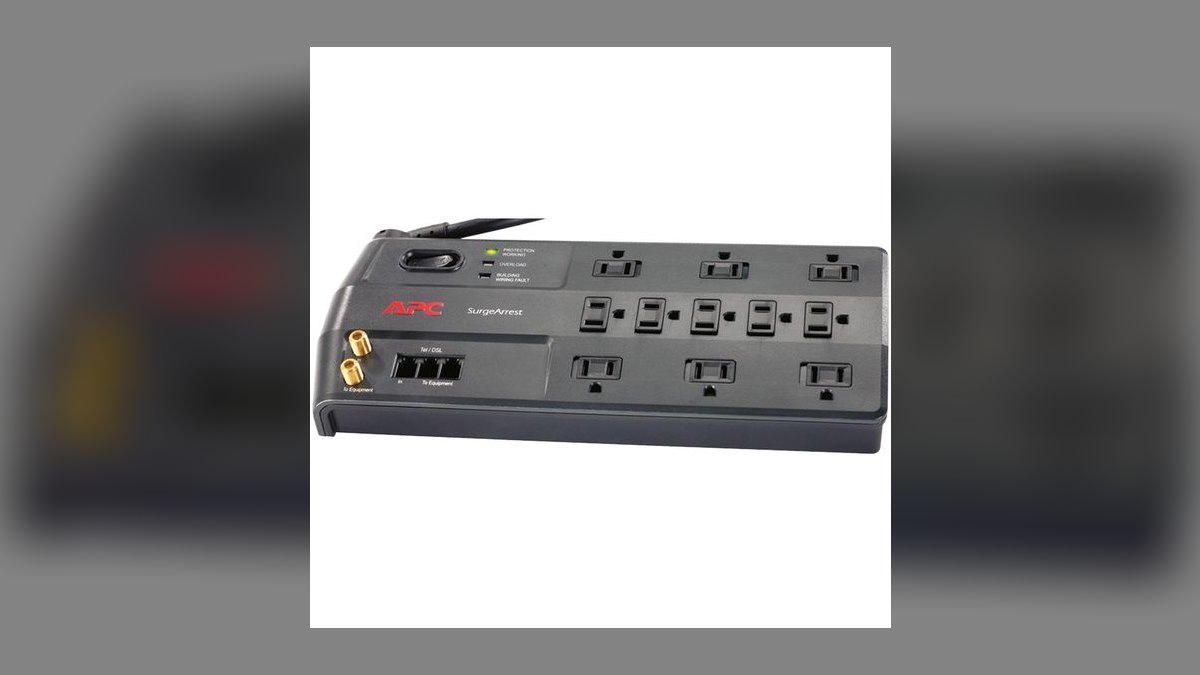
1. APC Performance SurgeArrest P11VNT3
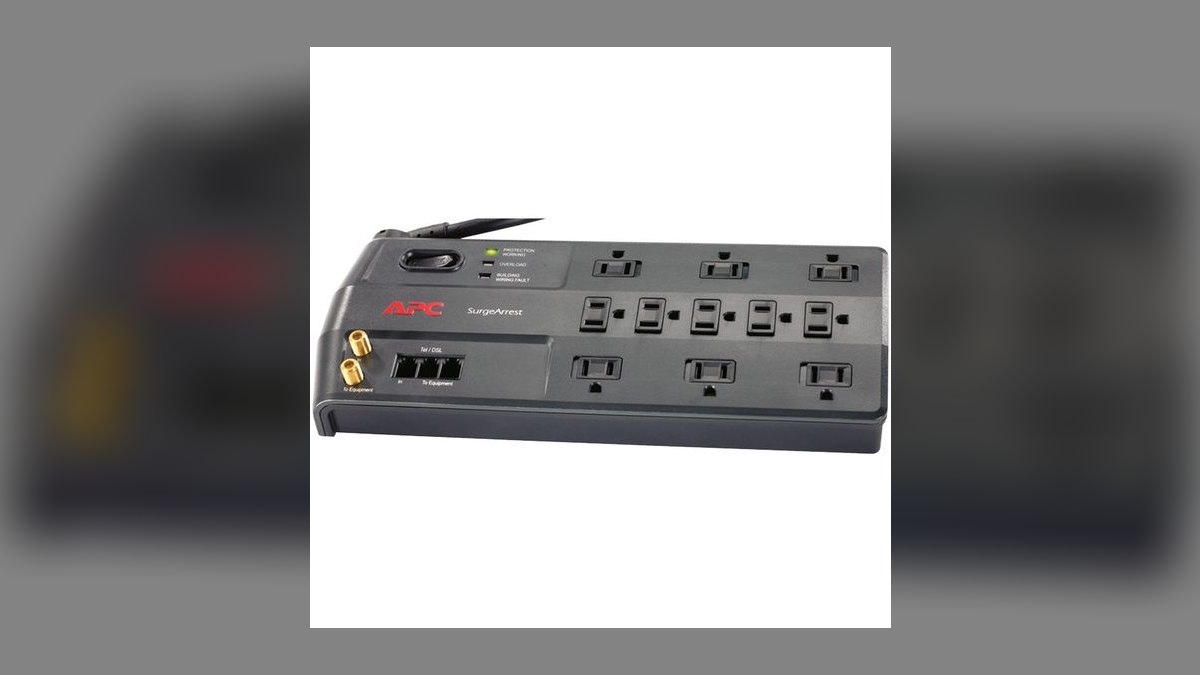
This ranks first because it is the only pick on the list that guards all three surge paths at once: AC power, coax, and Ethernet dataline. The 3,020-joule rating and 11 outlets cover a tower, dual monitors, a router, and a NAS off one strip, and it clamps at 330V — the threshold that catches a spike before a motherboard sees it. APC backs it with a connected-equipment warranty. Street price sits around $45.
This is the pick for a multi-device workstation where a cable modem or router shares the desk, since a surge riding the coax line bypasses any AC-only strip entirely. It trades away USB charging — there are no USB ports, so you keep using a wall brick. The Anker 351 below costs $21 less and adds a 20W USB-C port, but it has no dataline jacks and roughly two-thirds the joule headroom.
2. Anker 351 Power Strip
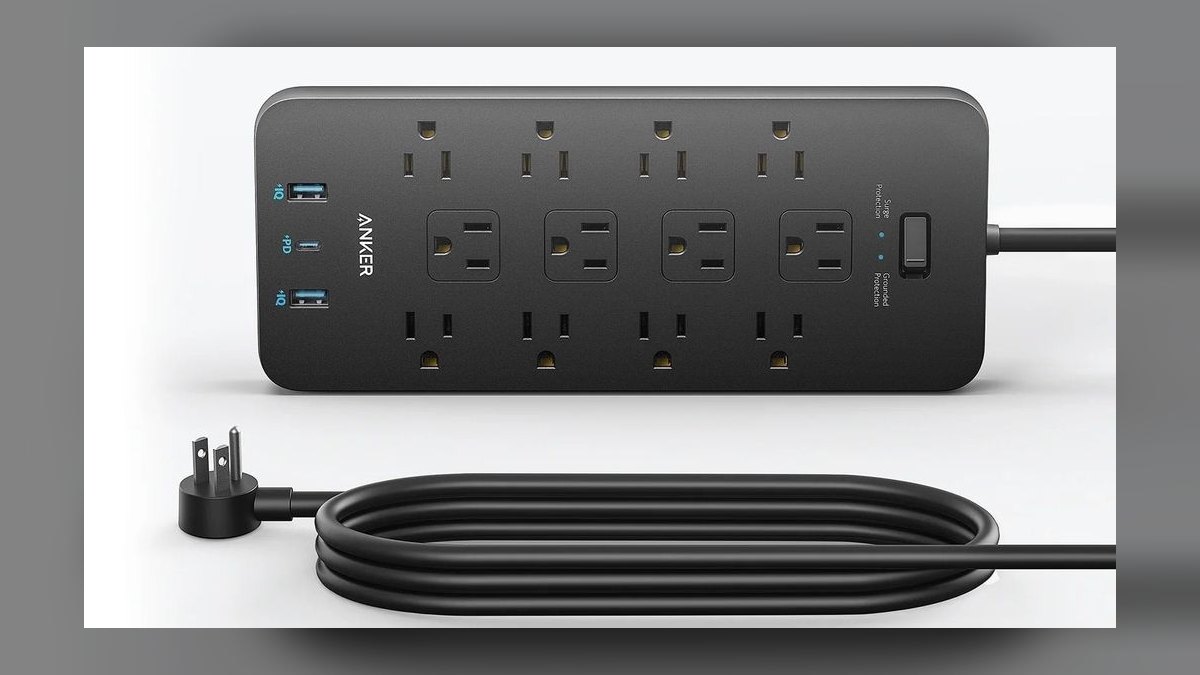
It ranks second on value density: $24 buys 12 AC outlets, a 20W USB-C port, two USB-A ports, and a 2,100-joule rating with 330V clamping. That joule figure sits squarely in the mid-range band that suits most home offices — a laptop, a monitor, and peripherals — and Anker includes a connected-equipment warranty that most budget strips omit. The USB-C port charges a phone or laptop without a separate brick.
This is the default buy for a laptop-first desk rather than a compromise pick. The catch is the 5-foot cord, so measure the run to your wall outlet before ordering; a mid-room setup will come up short. Against the APC above it, you give up coax and Ethernet protection plus about 900 joules of headroom, and you gain USB-C charging and roughly half the price.
3. Belkin BE112230
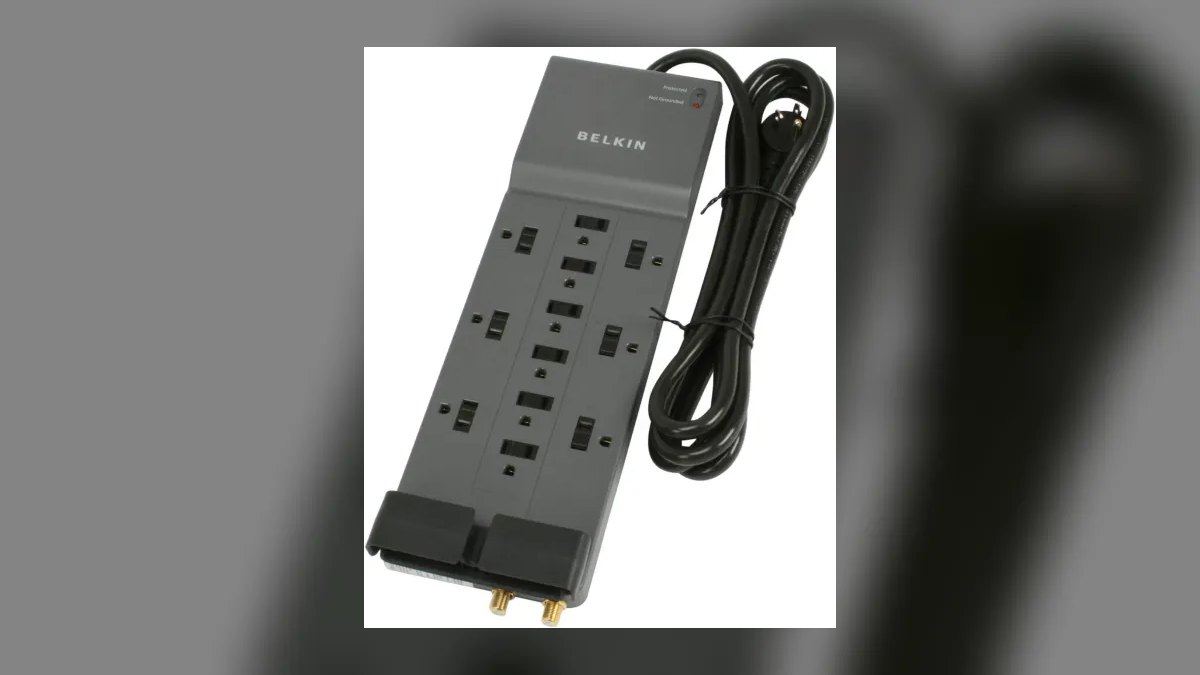
Third place goes to the flat-plug design paired with a 3,940-joule rating — the second-highest capacity here — for about $30. The plug sits flush against the wall, so the strip fits behind a desk or bookcase that would otherwise force the cord into a bend. Twelve outlets and a heavy-duty 8-foot cord handle a crowded desk, and built-in coax protection covers a cable modem or a shared TV wall.
Buy this when the office shares a wall with cable gear and the outlet is boxed in by furniture. It protects coax but not Ethernet, which is the gap versus the APC at the top of this list — that unit covers both paths but costs $15 more and has fewer joules. There are no USB ports. For a fiber setup with no coax run, the dataline feature goes unused.
4. Tripp Lite Protect It! TLP1208TEL
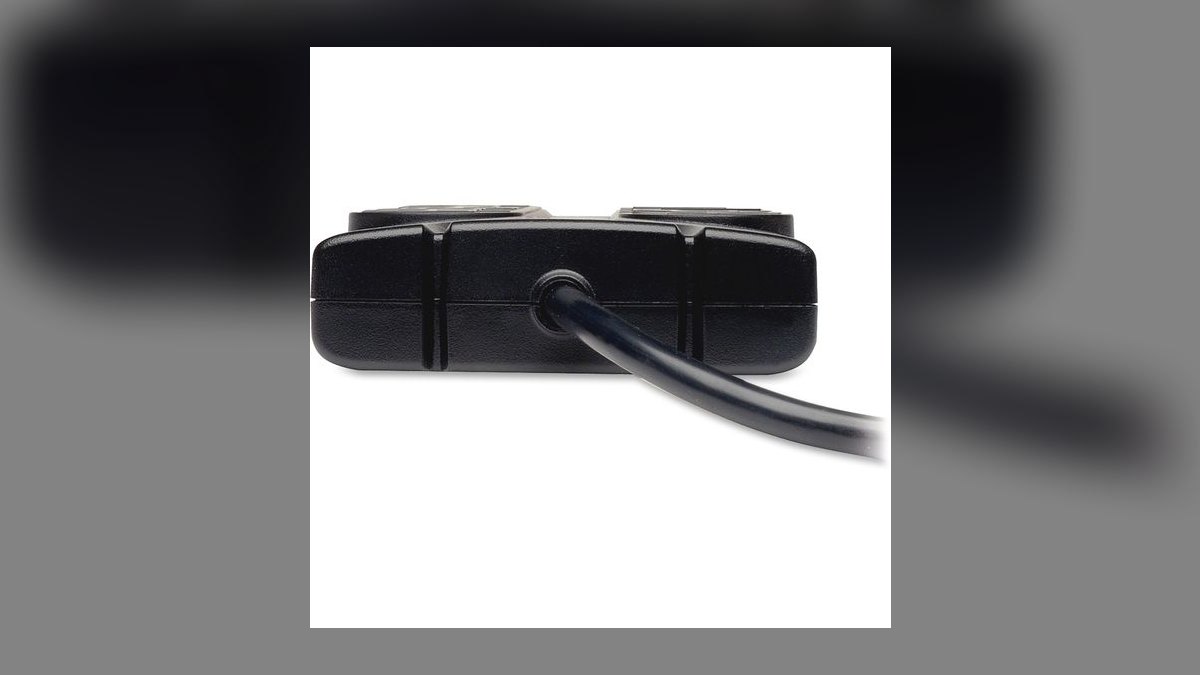
This earns fourth for RJ11 phone and modem jack protection, which nothing else on this list at $30 provides. The 2,160-joule rating covers a standard desk load across 12 outlets, and Eaton — now the parent of Tripp Lite — backs it with a lifetime warranty plus connected-equipment coverage. A surge riding a landline or DSL pair reaches gear that an AC-only strip never sees, and this closes that path.
This is for a desk still running a landline, a fax machine, or a DSL modem — traditional office hardware that many newer strips have stopped accommodating. The joule rating is modest next to the Belkin above it, and there are no coax or Ethernet jacks, so a cable-modem office is better served elsewhere. If you have no phone line, the feature you are paying for does nothing.
5. Amazon Basics 12-Outlet Surge Protector
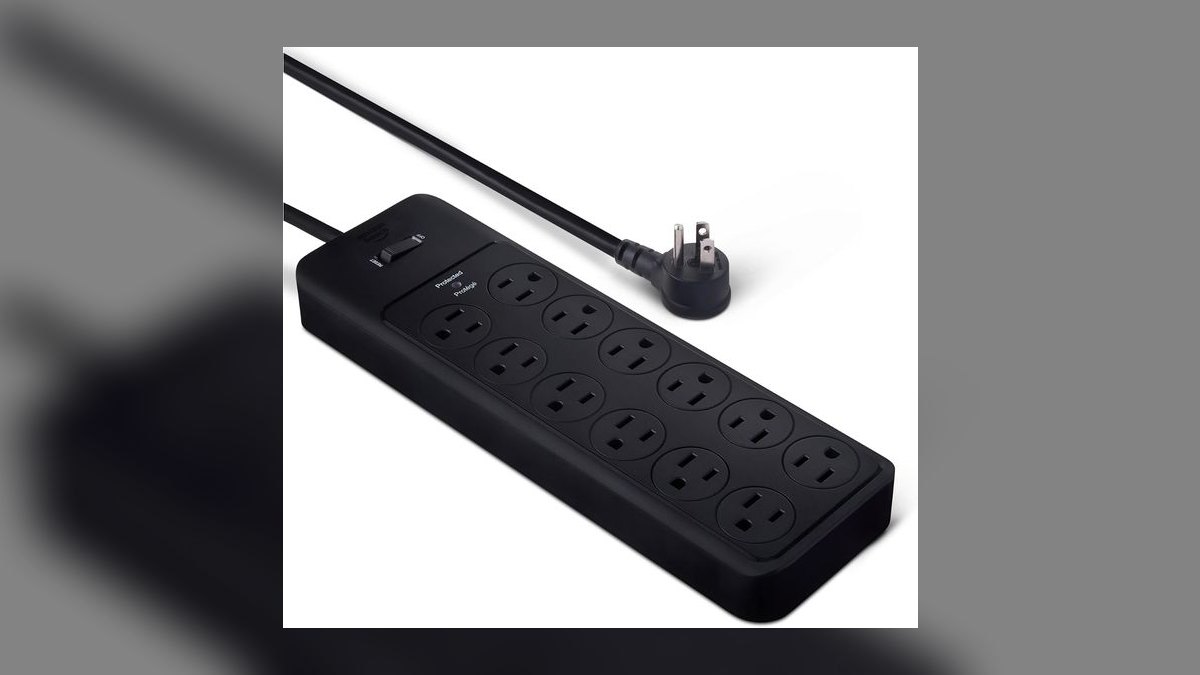
Fifth on pure joule-per-dollar: 4,320 joules for roughly $22, and frequently $15 on sale — the highest absorption rating on this list. Since metal oxide varistors degrade with every surge they absorb, that headroom translates directly into a longer usable lifespan before the protection quietly expires. Twelve outlets and an 8-foot cord reach across a crowded desk, and a 10-foot version exists for mid-room setups.
This suits a desk with a lot of AC devices and no networking gear routed through it. It trades away everything else: no USB ports, no coax jacks, no Ethernet, no phone protection. The Tripp Lite above it carries half the joules but adds dataline coverage and a lifetime warranty, which matters more than raw capacity when a modem is in the chain. Treat this as bulk protection.
6. Furman PST-8 Power Station
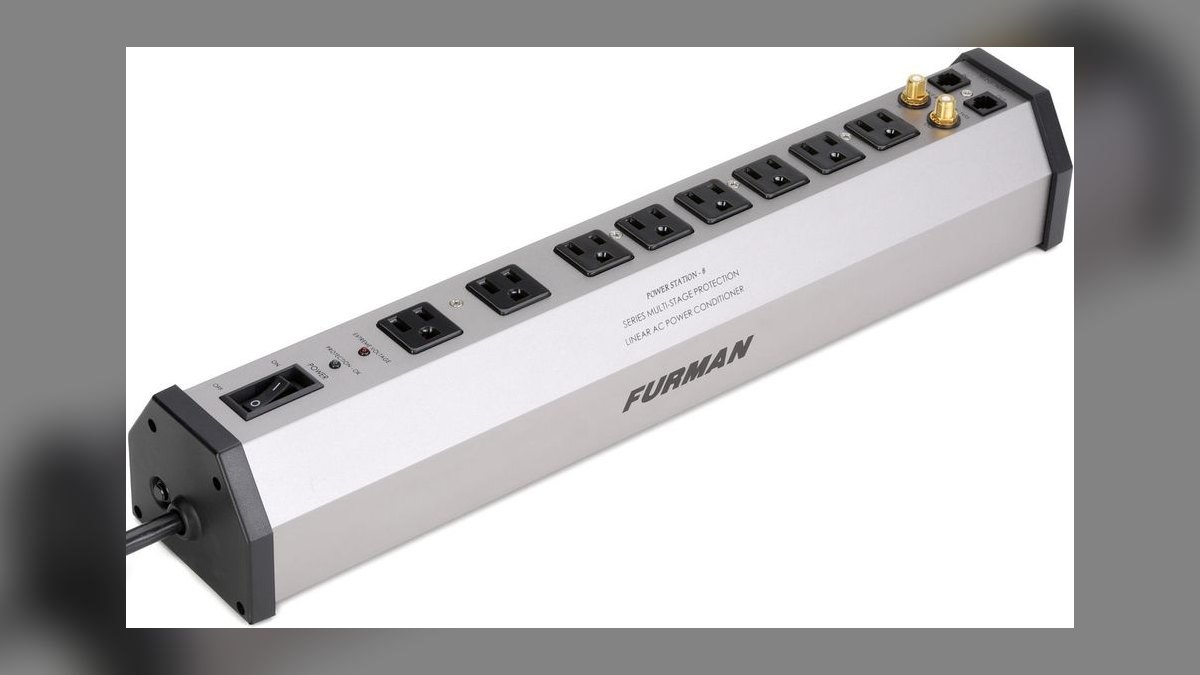
Sixth because $149 buys power conditioning rather than raw joule count. SMP (Series Multi-Stage Protection) handles spikes without the sacrificial MOV wear that kills cheaper strips, LiFT (Linear Filtering Technology) cleans line noise off the AC feed, and EVS (Extreme Voltage Shutdown) cuts power outright when incoming voltage climbs dangerously high. Eight outlets feed interfaces, monitors, and amplifiers from one conditioned source.
This is for a home office doubling as a studio, podcast booth, or A/V workstation, where audible hum through an interface is the actual failure mode. It costs five times the APC at the top of this list and has no USB, no coax, and no Ethernet protection. For a normal desk of computers and a router, the filtering is money spent on a problem you do not have.
7. CyberPower CP1500AVRLCD
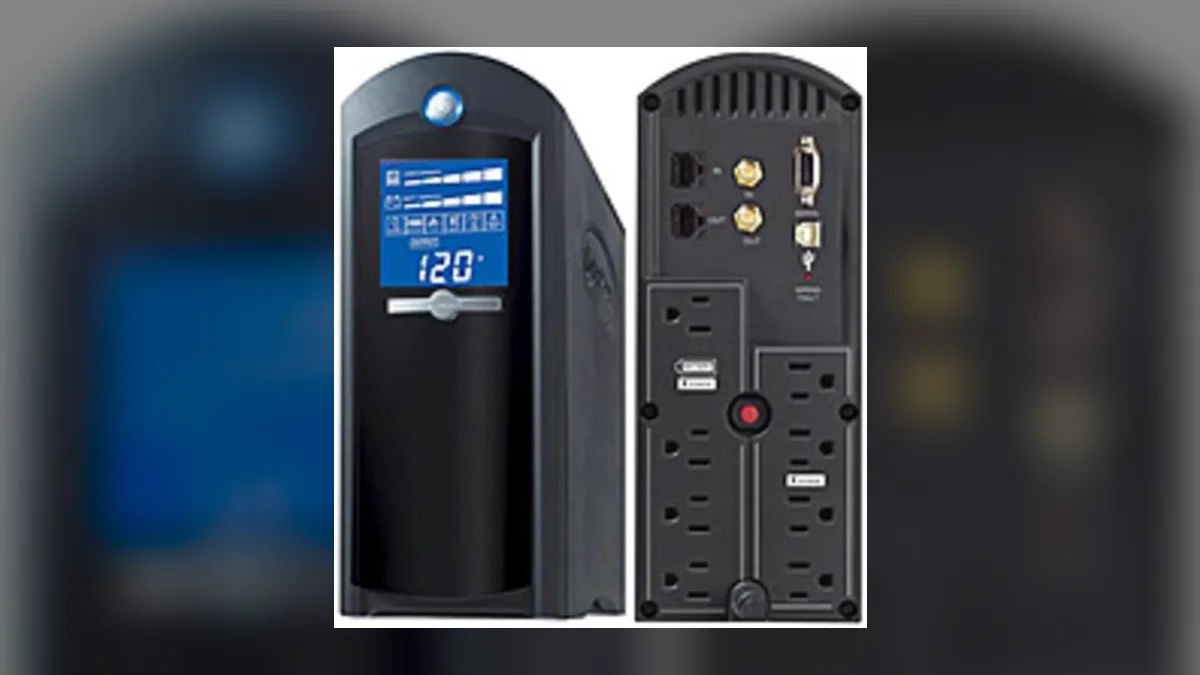
Seventh because it is not strictly a surge protector — it is a 1,500VA uninterruptible power supply with surge protection built in, at roughly $150 to $200. The battery gives a gaming PC, home server, or NAS enough runtime for a graceful shutdown when the power drops, which no strip on this list can do. An LCD panel reports load and runtime, and automatic voltage regulation corrects brownouts without draining the battery.
Buy this if an unexpected shutdown means corrupted data rather than just a lost hour — a home server, an editing rig mid-render, a RAID array. It costs roughly triple the Furman above it and needs battery replacement every three to five years. If your gear tolerates a hard power cut, the APC or Belkin protects against surges for a fraction of the price.
8. Furman SS-6B
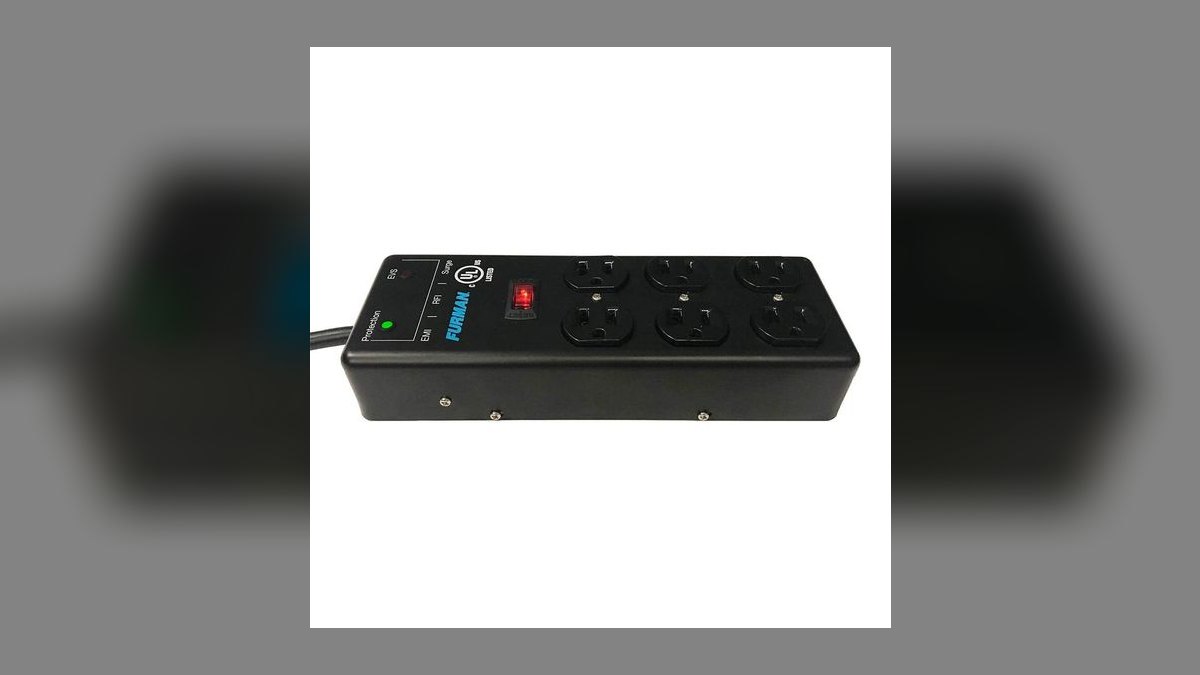
Eighth for delivering EMI/RFI noise filtering at roughly $60 to $70 — about half the PST-8's price. Six outlets, a 15-amp circuit breaker, and a metal chassis built for rack and studio duty make it a durable step above plastic consumer strips. The filtering targets the electrical hash that shows up as hum or hiss through audio interfaces and monitors, which raw joule capacity does nothing to address.
This fits a desk with modest A/V gear that does not justify the PST-8's $149 and its EVS voltage shutdown. You trade away two outlets, the multi-stage protection circuit, and any dataline jacks. Against the Amazon Basics further up the list, you pay roughly triple for six fewer outlets and get noise filtering plus build quality in return — worth it only if noise is audible.
9. Belkin 6-Outlet Surge Protector
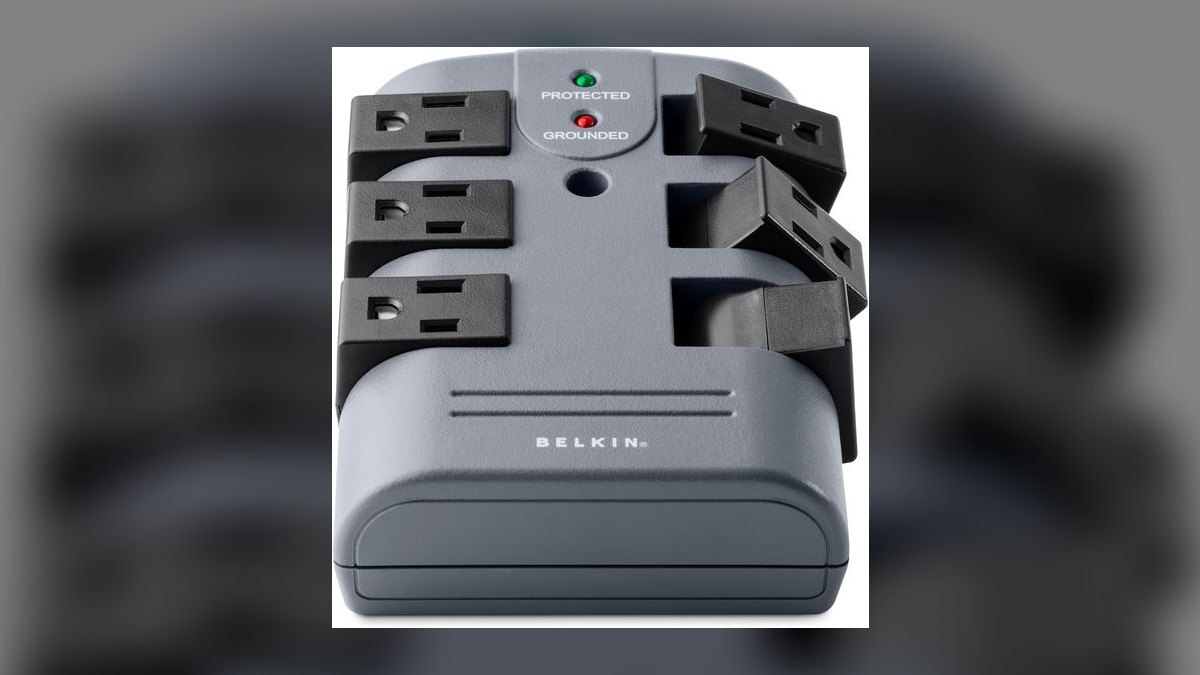
Ninth because it right-sizes to a small desk instead of overbuying: about $15 to $20 for 6 outlets, a 1,500-joule rating, and 330V clamping. That clamping figure matters more than joule count — it reacts before a spike reaches the gear, and it matches what the far more expensive APC delivers. Belkin includes a connected-equipment warranty covering up to $50,000, which is unusual at this price.
This is the pick for a laptop, a single monitor, and a lamp, where a 12-outlet strip is dead weight and cable clutter. The short cord assumes a desk pushed against the wall; a mid-room setup needs a longer run. Compared with the Anker 351 near the top, you lose USB-C charging, six outlets, and 600 joules, but you spend under $20 and keep the warranty.
10. Amazon Basics 6-Outlet Surge Protector
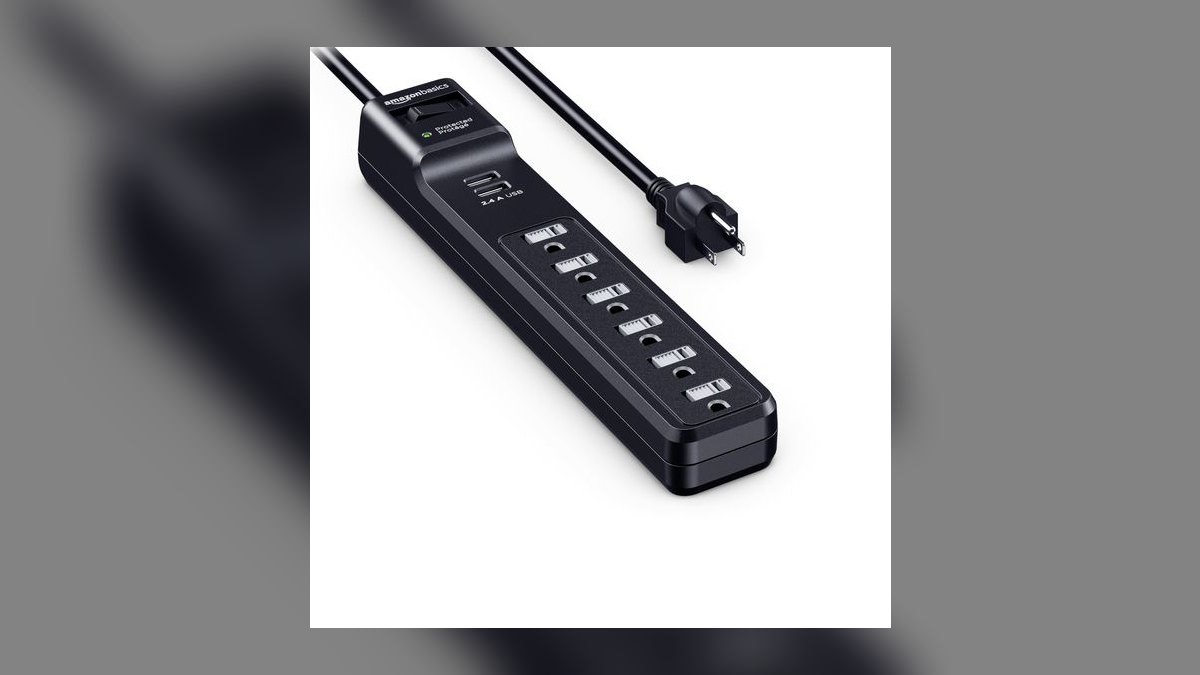
Tenth is the floor of acceptable protection: roughly $12 to $15 for 6 outlets, 1,200 joules, and 330V clamping. That clamping voltage is the spec that actually stops a spike early, and at this price it beats any unrated power strip outright. The 1,200-joule rating sits above the 600-to-1,000 range where budget strips become risky, making it adequate for a laptop, a tablet, and phone chargers.
This is for a student or a remote worker protecting under $2,000 of gear on a tight budget. The trade is real: no connected-equipment warranty, so a surge that fries your laptop leaves you paying for the replacement yourself. The Belkin 6-outlet above it costs a few dollars more, adds 300 joules, and carries $50,000 of coverage — the better buy unless every dollar counts.
How we ranked these
Ranking weighted four measurable specs: clamping voltage (330V or lower required), response time (sub-nanosecond), joule rating as absorption headroom rather than a headline number, and whether dataline paths — coax, Ethernet, RJ11 — are protected at all. Connected-equipment warranty value and cord length were scored as tiebreakers, since a strip that cannot reach the outlet gets defeated by an extension cord anyway.
Deliberately ignored: raw joule count as a standalone ranking signal, because a 2,000-joule unit clamping at 330V in 0.5ns beats a 4,320-joule unit clamping at 500V in 2ns for real home-office gear. Also ignored aesthetics, app connectivity, smart-outlet scheduling, and Amazon star averages, which reflect shipping speed and packaging more than surge behavior under an actual spike.
What to look for
Match the strip to the desk, not to the box copy. A tower, dual monitors, router, and NAS want 3,000+ joules and dataline jacks — the APC P11VNT3 covers phone, coax, and Ethernet. A laptop setup is fine at 2,100 joules with USB-C, like the Anker 351. Audio interfaces and amplifiers want Furman's filtering and voltage shutdown. Cable-modem desks need coax; landline or DSL desks need RJ11.
The common mistake is buying joules and skipping the data path. A surge entering through the coaxial line walks into the modem, through the router, and into the network card while the AC-side protection sits there untouched. The second mistake: treating the strip as permanent. MOVs degrade with every hit absorbed, so replace after any known major surge and roughly every three to five years regardless.
Related questions
Is a surge protector the same thing as a power strip?
No. A power strip only multiplies outlets — it has no protective components inside. A surge protector adds MOVs that divert excess voltage to ground, and it will list a joule rating and a clamping voltage on the packaging. If the box shows neither number, assume it is a plain strip regardless of what the marketing says.
Does a surge protector help during a power outage?
No. It clamps voltage spikes going up; it does nothing when voltage drops to zero. For graceful shutdowns you need a UPS with a battery, like the CyberPower CP1500AVRLCD at roughly $150–$200. Many UPS units include surge protection built in, so one purchase covers both jobs for a desktop or home server.
Why does clamping voltage matter more than joules?
Clamping voltage is the threshold where protection engages. A 500V clamp lets a dangerous spike through before it reacts; 330V catches it early. Joules only describe total absorption capacity before the unit degrades. A high-joule protector with a lazy clamp absorbs plenty of energy after the damage already reached your motherboard.
Do I need dataline protection if I have fiber internet?
Partly. The fiber strand is glass and immune to electrical surges, but the fiber modem still runs on AC power, and the copper Ethernet cable from modem to router remains a conductive path. Protect the AC side and the Ethernet side. The surge finds copper wherever copper exists in the chain.
How long does a surge protector actually last?
MOVs degrade cumulatively — every absorbed spike consumes headroom permanently. Plan on replacement every three to five years, and immediately after any known major surge event, even if the unit still passes power. Some models include a protection-status indicator light, but that light confirms failure rather than warning you before capacity runs out.
Are USB ports on a surge protector worth paying for?
Only if you actually charge at the desk. Look for 2.4A minimum per port, or USB-C at 20W like the Anker 351 delivers. If you already own a charging brick, skip them — ports add cost and complexity without adding protection. The APC P11VNT3 has none and still ranks first overall.
Will any surge protector survive a direct lightning strike?
No consumer-grade unit will. A direct hit overwhelms every strip on this list. What these units handle is the far more common case: induced surges from a strike a block away traveling through the grid or the cable line. For real strike protection, an electrician installs a whole-house suppressor at the panel.
What cord length should a home office desk get?
Measure first. A desk pushed against the wall works fine with three feet. A desk in the middle of the room needs six to ten. The Anker 351 ships with only five feet, while the Amazon Basics unit gives eight. Reaching for an extension cord to bridge the gap defeats the protection entirely.
FAQ
What is the best overall surge protector for a home office in 2027?
The APC Performance SurgeArrest P11VNT3 at roughly $45. It carries 11 outlets, a 3,020-joule rating, 330V clamping, and — the part that matters — built-in protection for phone, coax, and Ethernet datalines. It has no USB ports. For a desk running a tower, dual monitors, a router, and a NAS, that tradeoff is the correct one.
What is the best value surge protector?
The Anker 351 Power Strip at $24. Twelve AC outlets, a 20W USB-C port, two USB-A ports, a 2,100-joule rating, 330V clamping, and a connected-equipment warranty that budget strips normally omit. The catch is a five-foot cord, so measure your desk distance before ordering. For laptop-first setups this is the default pick, not a compromise.
How many joules do I actually need?
Budget strips run 600–1,000 joules — fine for a phone charger, risky for a workstation. Mid-range units land at 1,500–2,500 and cover most home offices. High-end protectors exceed 3,000, which suits sensitive electronics or storm-prone regions. A 4,000-joule unit for a laptop and a lamp is wasted money; for a $5,000 editing rig it is cheap insurance.
Which protector has the highest joule rating on this list?
The Amazon Basics 12-Outlet at 4,320 joules, priced around $22 and frequently discounted to $15. The high rating buys long service life as the MOVs age, and the eight-foot cord handles a crowded desk. But it offers no USB ports and no dataline jacks, making it a bulk headroom buy rather than a smart pick for networking gear.
What should I buy if my office shares a wall with cable TV?
The Belkin BE112230 at $30. It pairs a 3,940-joule rating with coax protection and a flat plug that sits flush behind furniture in tight spaces. Twelve outlets and a heavy-duty eight-foot cord round it out. It handles coax but not Ethernet, so choose the APC instead if you need both data paths covered.
Is phone-line surge protection still relevant?
Yes, for any desk running a landline, fax machine, or DSL modem. The Tripp Lite Protect It! TLP1208TEL at $30 includes RJ11 phone and modem jacks alongside a 2,160-joule rating. Eaton, which now owns Tripp Lite, backs it with a lifetime warranty and connected-equipment coverage. It offers no coax or Ethernet jacks, so it is a specialist pick.
When is a power conditioner worth $149?
When the office doubles as a studio, podcast booth, or A/V workstation. The Furman PST-8 Power Station adds Series Multi-Stage Protection, Linear Filtering Technology, and Extreme Voltage Shutdown — cleaning line noise and cutting power outright if voltage spikes dangerously high. That matters for audio interfaces, monitors, and amplifiers. Eight outlets, no USB, and unnecessary for ordinary desk gear.
What response time should I look for?
Anything under one nanosecond qualifies as excellent; quality units land between 0.1 and 0.5 nanoseconds. Even a full-nanosecond delay can let a lightning-induced surge reach a motherboard. Reputable brands publish the figure. If a product page omits response time entirely, assume the number is unflattering and move to a manufacturer that discloses it.
How should I connect the coax and Ethernet lines?
Run the cable from the wall into the protector's IN port, then a short cable from OUT to your modem. Repeat for Ethernet: wall to IN, OUT to router. That creates a sacrificial path where the protector absorbs the hit instead of your gear. Verify the coax port is rated for gigabit internet, not just analog cable TV.
Does a connected-equipment warranty actually pay out?
It is a real claim process, not marketing. Tripp Lite covers up to $100,000 in connected equipment on some models; Belkin's six-outlet unit covers up to $50,000. Keep the receipt and the damaged gear. The Amazon Basics budget models carry no such coverage, which is the actual reason to spend the extra eight dollars on a warrantied unit.
Sources
- https://www.consumerreports.org/home-garden/surge-protectors/
- https://www.nytimes.com/wirecutter/reviews/best-surge-protector/
- https://www.ul.com/services/surge-protective-devices-testing-and-certification
- https://www.nfpa.org/education-and-research/home-fire-safety/electrical
- https://standards.ieee.org/ieee/C62.41.2/3376/
- https://www.energystar.gov/products/advanced_power_strips
- https://www.apc.com/us/en/product/P11VNT3/apc-performance-surgearrest-11-outlet-with-phone-splitter-coax-and-ethernet-protection-120v/
- https://www.cisa.gov/news-events/news/lightning-safety-tips
- https://www.esfi.org/surge-protection/
Related on PULSE
This page will be disappearing soon. Save it to your device for $1 — or read it free while it is here.
@Kory-White- · if Venmo asks, the last 4 of my number are 2012
This page is gone.
This one is off the shelf now. $1 keeps it on your phone for good — the whole page, pictures and diagrams included.
 pulse-reviewsTop 10 Battery Lawn Mowers — Best Overall + Best Value in 2027
 pulse-reviewsTop 10 Electric Lunch Boxes — Best Overall + Best Value in 2027
 pulse-reviewsTop 10 Food Processors — Best Overall + Best Value in 2027
 pulse-reviewsTop 10 Electric Smokers — Best Overall + Best Value in 2027
 pulse-reviewsTop 10 Compression Socks for Long-Flight Sales Reps in 2027
 pulse-reviewsTop 10 Hobby Oscilloscopes — Best Overall + Best Value in 2027
 pulse-reviewsTop 10 Battery Hedge Trimmers — Best Overall + Best Value in 2027
 pulse-reviewsTop 10 Smart Water Bottles — Best Overall + Best Value in 2027
 pulse-reviewsTop 10 TSA-Approved Toiletry Bags for Sales Travel in 2027
 pulse-reviewsTop 10 Ergonomic Office Chairs — Best Overall + Best Value in 2027