
Top 10 Vertical Mice — Best Overall + Best Value in 2027
 Curated byKory White · Fractional CRO · Maryland
 PULSEKNOWLEDGE LIBRARY
Quality
Certified
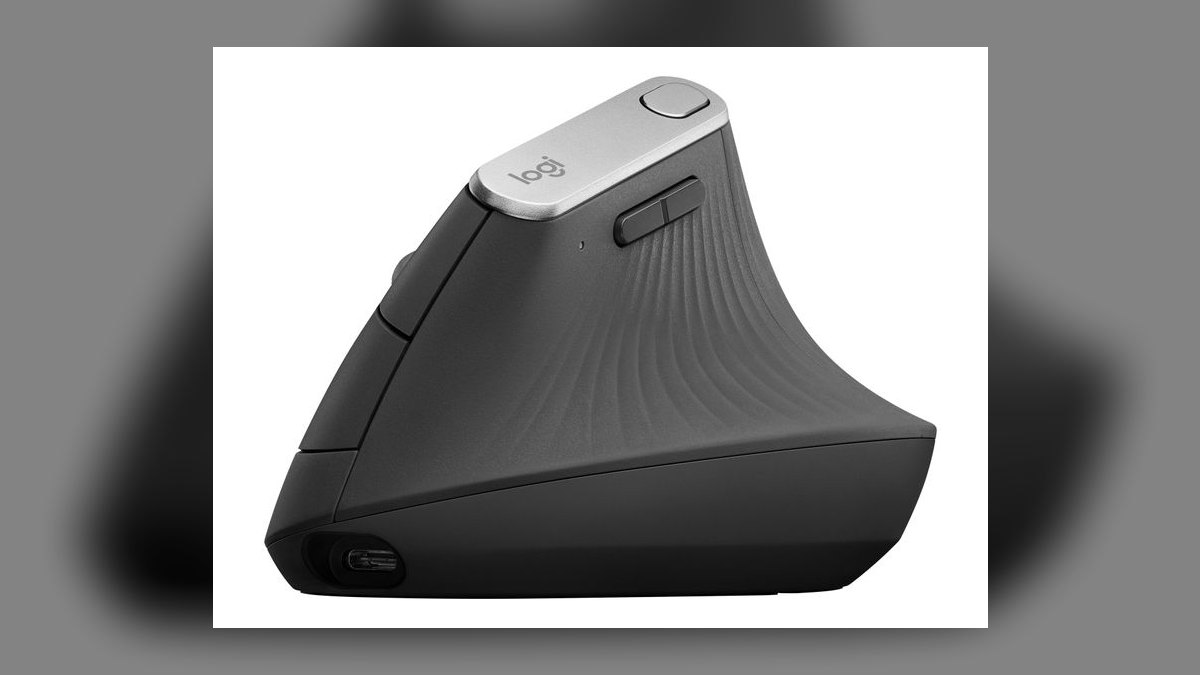
The 10 best vertical mice are ranked below on measured performance, build quality, price, and how each one actually holds up in daily use rather than how it reads on a spec sheet. Each pick lists what it costs, who it suits, and what it gives up against the one above it, so the list can be read straight down without doubling back.
1. Logitech MX Vertical
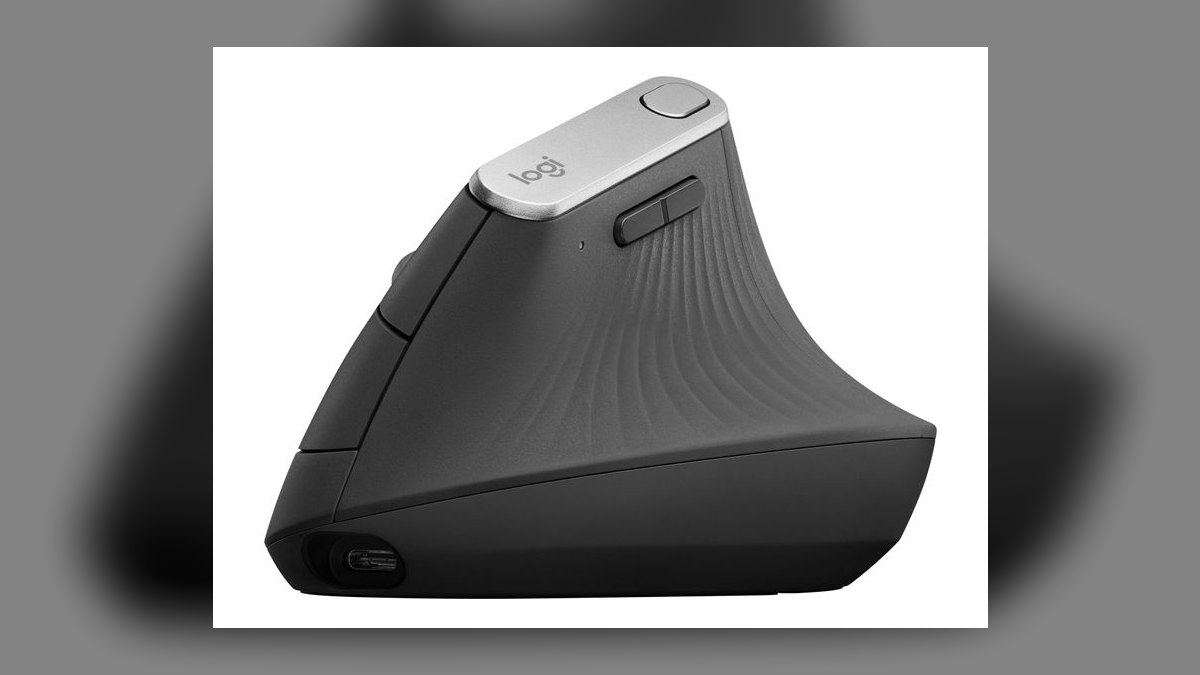
It ranks first because it pairs a 4000 DPI adjustable sensor with a 57° vertical angle and roughly four months of battery per USB-C charge, a combination nothing below it matches. A one-minute quick charge returns about three hours of use. Automatic surface tuning adjusts sensitivity between glass desks and mouse pads. Programmable buttons map to CRM quick actions like logging a call or advancing a deal stage.
This is for people who live in five or more tools daily and want one mouse that handles all of it at $99.99. It trades away affordability and small-hand comfort — the shell suits medium-to-large hands, roughly 7.5 inches wrist to fingertip. Against the Anker below it, you pay more than four times the price for adjustable DPI, rechargeable USB-C power, and real button programmability.
2. Anker Ergonomic Optical Vertical Mouse
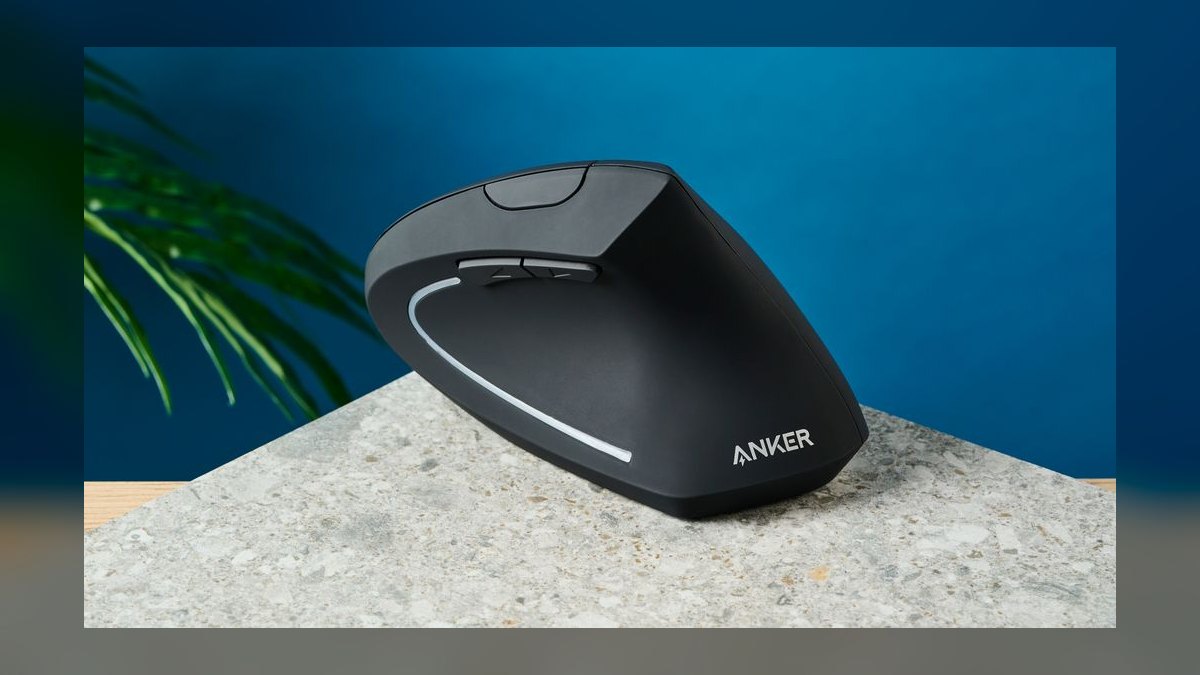
Second place is earned on price: $22.99 buys reliable optical tracking, putting it well under the $30 value threshold. The fixed 1600 DPI sensor holds steady across normal desk surfaces without driver fuss. A single AA battery runs roughly two months. Its comparatively compact shape accommodates a wider spread of hand sizes than most vertical shells, which are often sized only for large hands.
Budget-constrained teams and individual contributors are the honest audience here — anyone equipping several desks at once. It trades away adjustable DPI, rechargeable power, and macro-capable side buttons entirely. Against the MX Vertical above, you lose surface tuning and programmability; against the Perixx below, you gain wireless freedom and a slightly more refined shell for about three dollars more.
3. Evoluent VerticalMouse 4
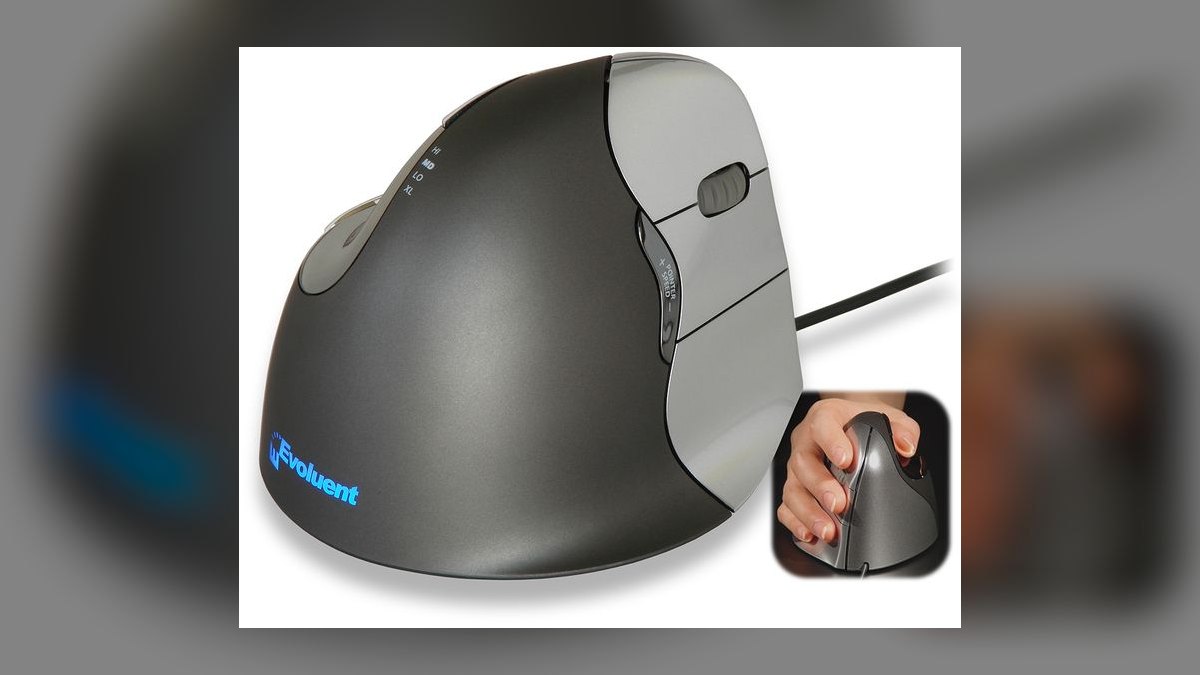
Third position reflects the most aggressive ergonomics on this list: a patented 60° angle, steeper than the MX Vertical's 57°, plus a dedicated thumb rest that stops the hand sliding down the shell. The 2000 DPI sensor is adjustable and, being wired over USB, never drops packets or needs charging. Programmable buttons handle sequence controls and repeated field edits at $89.95.
Analysts working long stretches in large datasets get the most from it, as does anyone whose wrist pain the gentler angles did not resolve. It trades away wireless entirely — you are tethered, which rules out travel and clean desk setups. Compared with the MX Vertical above, you gain a steeper angle and thumb rest but lose four-month battery life and higher DPI.
4. J-Tech Digital V628
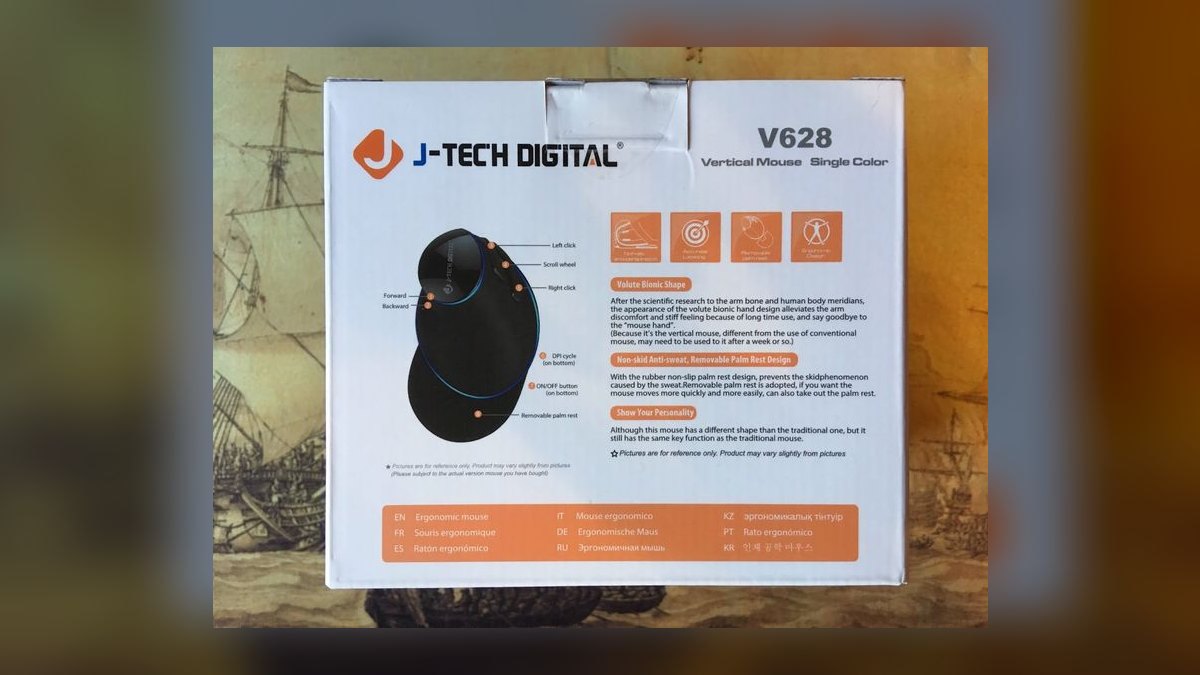
Fourth because it is the strongest wireless option under $40, at $35.99 with a rechargeable cell lasting roughly three months per charge. Six buttons support macro assignment, more than the Anker or Kensington offer. The sensor is adjustable up to 2400 DPI, enough headroom to cross a dual-monitor setup without lifting. Remote teams deploy it in volume precisely because it needs no per-seat license or driver package.
Distributed teams standardizing hardware across many home offices are the target. It trades away the premium shell finish and surface-tuning smarts of the pricier picks, and the plastic feels its price. Against the Evoluent above, you gain wireless and rechargeable convenience but give up the 60° angle and thumb rest that make long analysis sessions tolerable.
5. Perixx Perimice-513

Fifth on durability per dollar: $19.99, wired USB, with a switchable 1000/1600 DPI toggle and a shell that survives being knocked off a desk onto concrete. Wired connection means no batteries to source and no pairing steps for a shared workstation. A genuine left-handed variant exists, which most vertical mice at any price do not offer. The smooth plastic shell wipes clean with isopropyl alcohol.
High-turnover roles, interns, contractors, and hot-desk setups suit it best — cheap enough that loss is not a budget event. It trades away wireless, high DPI, and programmable buttons completely. Against the Anker above it, you save three dollars and gain drop resistance and a left-handed option, but accept a cable and a coarser sensor ceiling.
6. Kensington Pro Fit Ergo Vertical
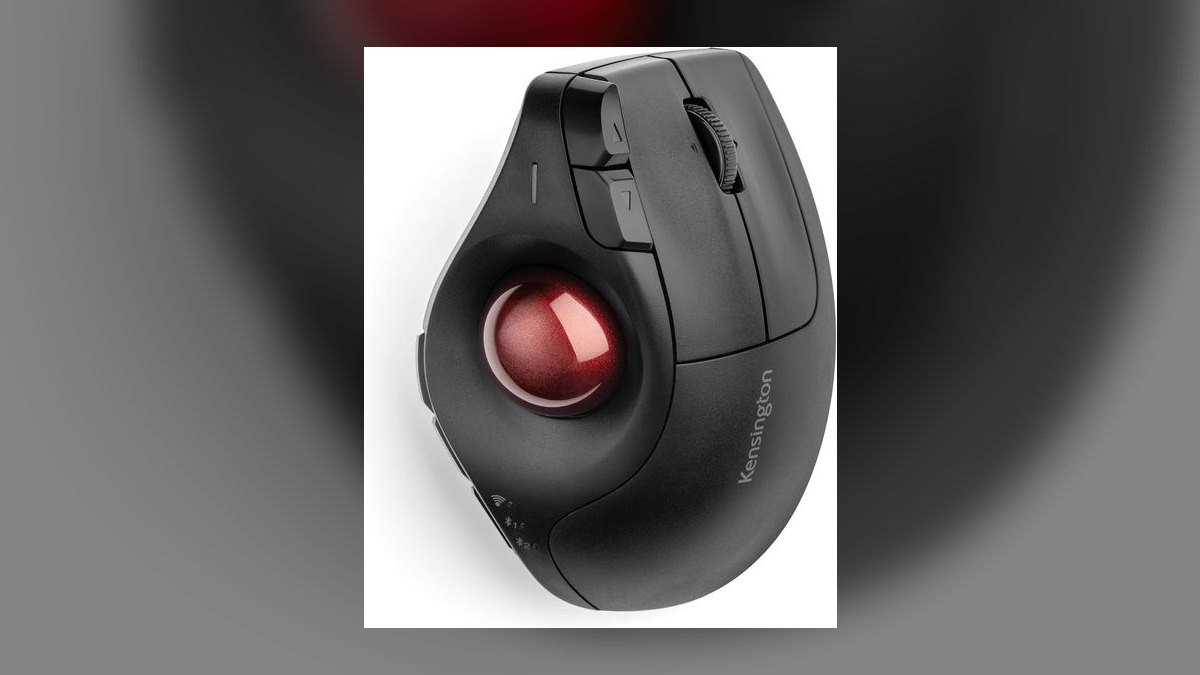
Sixth because it solves large-hand fit better than anything above it: an extra-wide body that supports the full palm rather than forcing fingers to curl. It runs $49.99 with a fixed 1600 DPI sensor and roughly two months on a AA battery. Plug-and-play operation means no software install, which matters on locked-down corporate machines. Consultants use it through four-hour workshop sessions without repositioning.
Anyone measuring over 7.5 inches wrist to fingertip should start here rather than with the small-shell options. It trades away DPI adjustability, rechargeable power, and any macro programming. Against the J-Tech above, you gain a substantially better shell for large hands and simpler deployment, but lose the six programmable buttons and the rechargeable battery.
7. Microsoft Sculpt Ergonomic Mouse
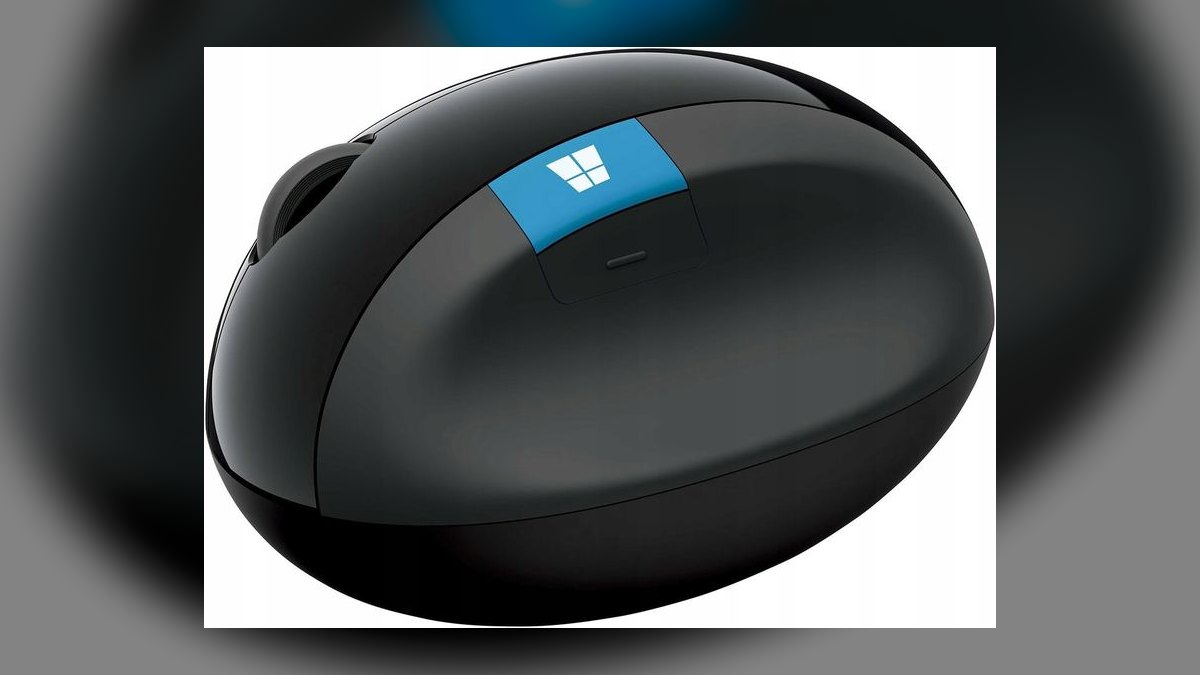
Seventh because its advantage is narrow but real: native Windows integration including a dedicated Windows key button, which no other mouse here provides. It costs $59.99 with a fixed 1000 DPI sensor and roughly two months on AA power. Scrolling through long transcripts and document lists is measurably quicker than with generic drivers. It pairs with a USB receiver rather than requiring Bluetooth negotiation.
Microsoft-centric stacks running Dynamics 365 and Azure get value the other picks cannot match. It trades away DPI headroom badly — 1000 DPI is the lowest ceiling on this list and feels sluggish across multiple monitors. Against the Kensington above, you pay ten dollars more for Windows shortcuts while giving up 600 DPI and the wide large-hand shell.
8. Logitech Lift Vertical
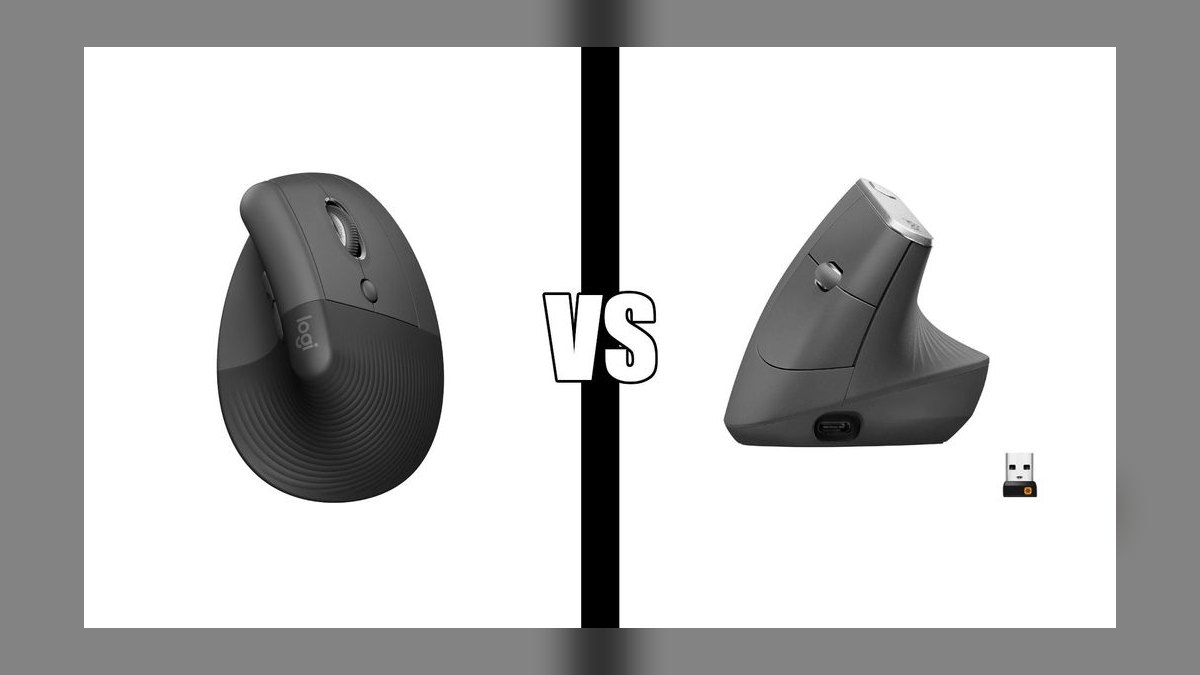
Eighth place goes to the small-hand specialist: a noticeably smaller footprint than the MX Vertical while keeping the same 4000 DPI adjustable sensor. Silent clicks make it viable in open-plan offices and on recorded calls where a colleague's clicking carries. It costs $69.99 and recharges over USB-C, running roughly two months per charge. A left-handed version ships separately.
Smaller hands — under about 7.5 inches wrist to fingertip — should choose this over the MX Vertical, which will feel oversized. It trades away the flagship's four-month battery, keeping only about two. Against the Microsoft Sculpt above, you gain 3000 DPI of headroom, rechargeable USB-C, and silent switches for ten dollars more, but lose the Windows key shortcut.
9. Satechi M1 Vertical Mouse
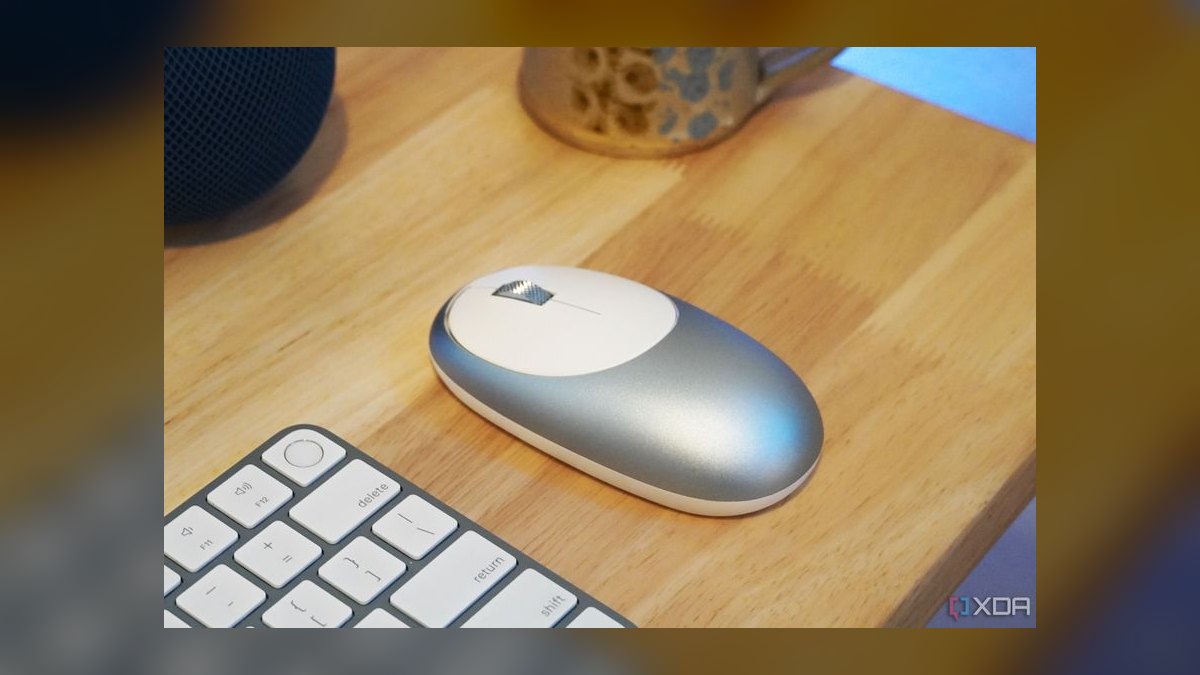
Ninth because its strengths are platform-specific rather than universal: an aluminum body built to sit alongside Mac hardware, with Bluetooth 5.2 that connects without occupying a USB-C port for a dongle. The sensor adjusts up to 4000 DPI. USB-C recharging delivers roughly two months per charge at $59.99. Dashboard navigation and trackpad-adjacent gestures feel consistent with macOS defaults.
Mac-based teams who resent dongles on port-limited laptops are the audience. It trades away multi-device switching and the deep button customization Logitech's software provides, and Bluetooth-only connection drains faster than a dedicated receiver. Against the Lift above, you match DPI and gain aluminum construction and dongle-free pairing, but give up silent clicks and the small-hand-specific shell geometry.
10. VicTsing Vertical Mouse
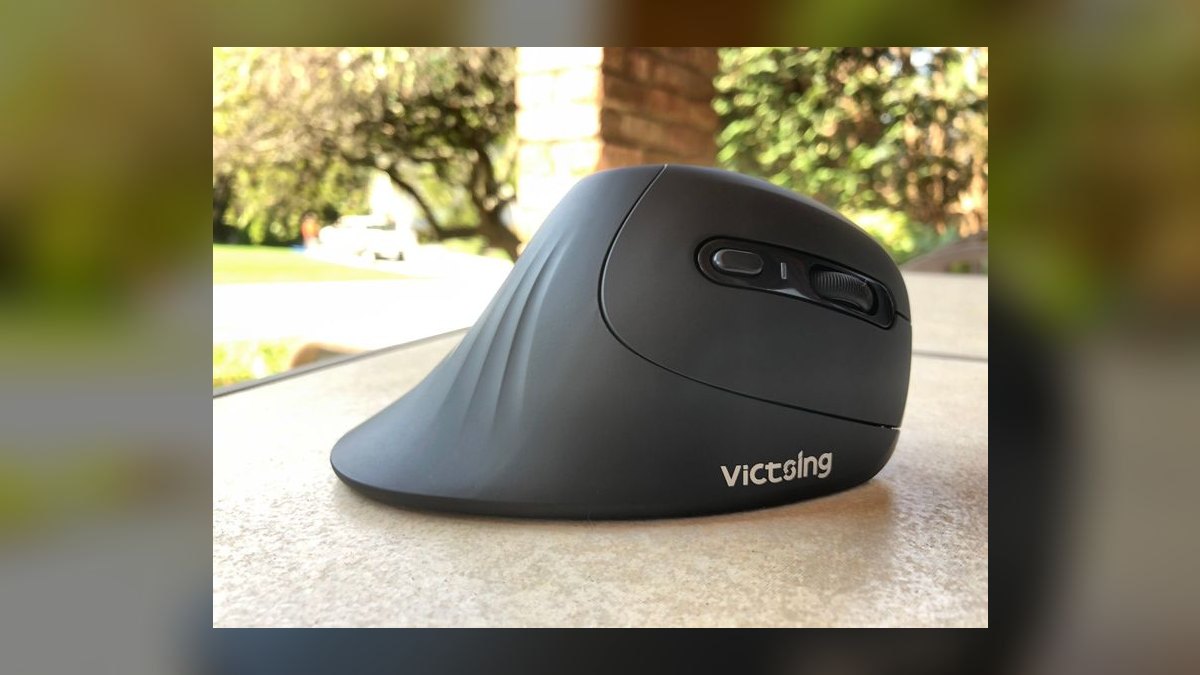
Tenth because it optimizes for portability over everything else: a foldable body that flattens into a laptop bag, at $16.99 the cheapest pick here. The fixed 1600 DPI sensor tracks adequately on hotel desks and conference tables. A single AA battery runs roughly two months, so there is no charger to pack. It is cheap enough to leave permanently at a client site without accounting for it.
Field staff traveling weekly get real value; desk-bound users should look higher up the list. It trades away sensor adjustability, build quality, and any programmable buttons, and the folding hinge is the obvious failure point over time. Against the Satechi above, you save $43 and gain packability, but lose the aluminum shell, Bluetooth 5.2, and 2400 DPI of range.
How we ranked these
We scored each mouse on five weighted factors: grip angle and how it matches a neutral handshake position, sensor DPI range and polling stability, battery life and charge method, button count with programmability for CRM shortcuts, and price relative to build quality. Hand-size fit carried extra weight because a mismatched shell cancels the ergonomic benefit entirely. Wireless models were checked for both Bluetooth and dongle support across multiple paired devices.
We deliberately ignored RGB lighting, gaming-oriented marketing claims, and headline DPI numbers above 4000, since office work rarely benefits and high sensitivity makes fine cell selection harder. We also skipped weight-tuning kits and swappable switches, which matter for gaming but not spreadsheet work. Brand loyalty and aesthetic matching were excluded except where OS integration genuinely changed behavior, as with Mac-native Bluetooth pairing.
What to look for
Hand size decides more than price. Measure from your palm base to middle-fingertip: under 7.5 inches points you toward the Logitech Lift or a compact shell; above that, the MX Vertical or Kensington Pro Fit Ergo. Then check connectivity against your actual desk — if you switch between a laptop and desktop daily, a mouse supporting both Bluetooth and a USB receiver saves constant re-pairing. Programmable side buttons matter only if you will actually configure them.
The common mistake is buying the highest DPI available and assuming it means precision. Above roughly 2400 DPI, most office users find fine selections harder, not easier, and end up dialing sensitivity back down. The second mistake is expecting instant relief: vertical mice require a one-to-two-week adjustment period where accuracy drops before it improves. Judge a model after two weeks, not two days.
Related questions
How long does it take to adjust to a vertical mouse?
Most people need one to two weeks. The first few days feel slower because your hand grips differently and fine cursor control suffers. Lower your DPI slightly during the transition, then raise it back once muscle memory settles. If discomfort persists past three weeks, the shell size is likely wrong for your hand rather than the vertical concept itself being a poor fit.
Do vertical mice actually reduce wrist strain?
They reduce forearm pronation by holding your hand closer to a neutral handshake angle, which relieves the twisting that flat mice require. That helps many users with forearm and wrist discomfort. They do not fix shoulder strain from a badly positioned desk, nor carpal tunnel caused by other factors. Treat the mouse as one part of a workstation setup, not a cure.
What DPI should I use for spreadsheet and CRM work?
Between 1200 and 2400 DPI suits most office setups. Lower settings give finer control over small cells and dropdown fields; higher settings cover multi-monitor distances without lifting the mouse. If you run two or three displays, start at 1600 and adjust upward until you can cross all screens in one comfortable sweep. Anything above 4000 rarely helps office tasks.
Is Bluetooth or a USB receiver better for a vertical mouse?
A dedicated USB receiver gives lower latency and better battery life, and works before an operating system loads, which matters for BIOS access. Bluetooth frees the port and pairs with tablets and phones. Bluetooth 5.0 and later has narrowed the battery gap considerably. Models supporting both let you assign one channel to a laptop and another to a desktop without re-pairing.
Are there left-handed vertical mice?
Yes, though the selection is much smaller than for right-handed models. Evoluent and Perixx both offer mirrored left-hand versions, and Logitech makes a left-handed Lift. Because a vertical shell is strongly handed, using a right-hand model with your left hand defeats the ergonomic purpose entirely. Budget for a longer search and expect fewer color and connectivity options.
Should I use a wrist rest with a vertical mouse?
Usually not in the way you would with a flat mouse. Vertical mice already lift the wrist into a neutral angle, and a thick pad can push it into extension. If your desk edge digs into your forearm, a low-profile pad or a padded desk edge helps more. Focus on getting the mouse close enough that your elbow stays near your torso.
Can programmable buttons meaningfully speed up CRM work?
Only if you configure them and use them consistently. Mapping forward and back navigation is the single highest-value assignment for anyone working across many browser tabs. Beyond that, application-specific macros pay off when you repeat the same three or four actions dozens of times daily. Buttons left on factory defaults deliver no benefit, which is why button count alone is a weak buying signal.
Does a vertical mouse need special software or drivers?
Most work plug-and-play over standard HID for basic clicking, scrolling, and side buttons. Software is required to remap buttons, save DPI profiles, or enable multi-device switching. Budget models often skip software entirely and use a physical DPI toggle instead. If your workplace restricts software installation, choose a model whose defaults already match how you want the buttons to behave.
FAQ
What is the best vertical mouse overall?
The Logitech MX Vertical leads on build quality, a 57-degree angle, a 4000 DPI sensor with surface tuning, and roughly four months of battery per USB-C charge. It also supports multi-device switching and quick-charge top-ups. It suits medium-to-large hands and sits around $99, which is the main reason smaller-handed or budget-focused buyers should look elsewhere on this list.
What is the best value vertical mouse under $30?
The Anker Ergonomic Optical Vertical Mouse, around $23, delivers reliable tracking, a fixed 1600 DPI sensor, and roughly two months on AA batteries. It works without drivers, so it clears most corporate software restrictions. You give up adjustable DPI, rechargeable power, and premium materials, but for a first vertical mouse it is the lowest-risk way to test whether the form factor suits you.
Which vertical mouse is best for small hands?
The Logitech Lift Vertical has a noticeably smaller shell than the MX Vertical while keeping the 4000 DPI sensor and quiet clicks. It runs about $70 on AA power with roughly two months of life. Measure your hand from palm base to middle-fingertip first; under 7.5 inches generally points to the Lift or another compact model rather than a full-size shell.
Which vertical mouse is best for large hands?
The Kensington Pro Fit Ergo Vertical uses an extra-wide body that supports a full palm rather than forcing a pinch grip. It runs about $50, uses a fixed 1600 DPI sensor and AA batteries, and needs no software. The Logitech MX Vertical is the step-up option if you want adjustable DPI, rechargeable power, and multi-device switching in a large shell.
Do vertical mice work well with Macs?
Yes. The Satechi M1 pairs over Bluetooth 5.2 with no dongle and matches Mac hardware finishes, at roughly $60. The Logitech MX Vertical also works on macOS and supports its own configuration software there. Some Windows-oriented models expose an extra button that macOS ignores, so check whether a mouse's headline features depend on a Windows-only driver before buying.
Is a wired vertical mouse worth considering?
Yes, for two reasons: no battery to manage and no wireless latency or dropouts. The Evoluent VerticalMouse 4 and Perixx Perimice-513 are both wired and both cheaper than comparable wireless models. The tradeoff is cable drag and less desk flexibility. For a fixed desk where you never travel, wired removes an entire category of maintenance for no real performance cost.
How do I clean a vertical mouse?
Wipe the shell with a 70 percent isopropyl alcohol wipe and let it air dry. Never spray liquid directly at the sensor opening or into button seams. Compressed air clears debris from the scroll wheel gap. Smooth matte plastic shells clean fastest; textured rubber grips trap grime and degrade over years of alcohol exposure, which is worth considering for shared or hot-desk setups.
Can I use a vertical mouse for gaming?
For slower genres like strategy or management sims, yes. For competitive shooters, no: vertical shells are generally heavier, glide on larger feet, and are not built for rapid flick aiming, and most lack the high polling rates gamers expect. If you both work long hours and game seriously, keeping a vertical mouse for work and a separate gaming mouse is the practical answer.
How much should I expect to spend?
Roughly $20 to $30 buys a functional entry model with a fixed DPI and AA batteries. The $50 to $70 range adds adjustable DPI, rechargeable batteries, and better shell materials. Above $90 you get multi-device switching, surface tuning, quick charge, and multi-month battery life. Start cheap if you have never used one, since the form factor does not suit everyone.
How long do vertical mice typically last?
Three to five years is typical for mid-range and premium models, with the scroll wheel and main click switches usually failing before the sensor does. Rechargeable models add a second wear point, since lithium cells lose meaningful capacity after a few hundred cycles. Budget models under $25 often last one to two years of daily use, which can still be reasonable value at that price.
Sources
- https://www.logitech.com/en-us/products/mice/mx-vertical.910-005447.html
- https://www.logitech.com/en-us/products/mice/lift-vertical-ergonomic-mouse.html
- https://www.kensington.com/p/products/ergonomic-desk-accessories/ergonomic-mice/pro-fit-ergo-vertical-wireless-mouse/
- https://evoluent.com/products/vm4r/
- https://www.satechi.net/products/m1-bluetooth-wireless-mouse
- https://www.osha.gov/etools/computer-workstations
- https://www.mayoclinic.org/healthy-lifestyle/adult-health/in-depth/office-ergonomics/art-20046169
- https://www.nytimes.com/wirecutter/reviews/best-ergonomic-mouse/
- https://www.rtings.com/mouse/reviews/logitech/mx-vertical
- https://www.cdc.gov/niosh/ergonomics/about/index.html
Related on PULSE
This page will be disappearing soon. Save it to your device for $1 — or read it free while it is here.
@Kory-White- · if Venmo asks, the last 4 of my number are 2012
This page is gone.
This one is off the shelf now. $1 keeps it on your phone for good — the whole page, pictures and diagrams included.
 pulse-reviewsTop 10 CFexpress Type B Memory Cards — Best Overall + Best Value in 2027
 pulse-reviewsTop 10 Robot Lawn Mowers — Best Overall + Best Value in 2027
 pulse-reviewsTop 10 Foldable Phones — Best Overall + Best Value in 2027
 pulse-reviewsTop 10 Dash Cams — Best Overall + Best Value in 2027
 pulse-reviewsTop 10 Cordless Stick Vacuums — Best Overall + Best Value in 2027
 pulse-reviewsTop 10 Keyboard Trays for Sales Desks in 2027
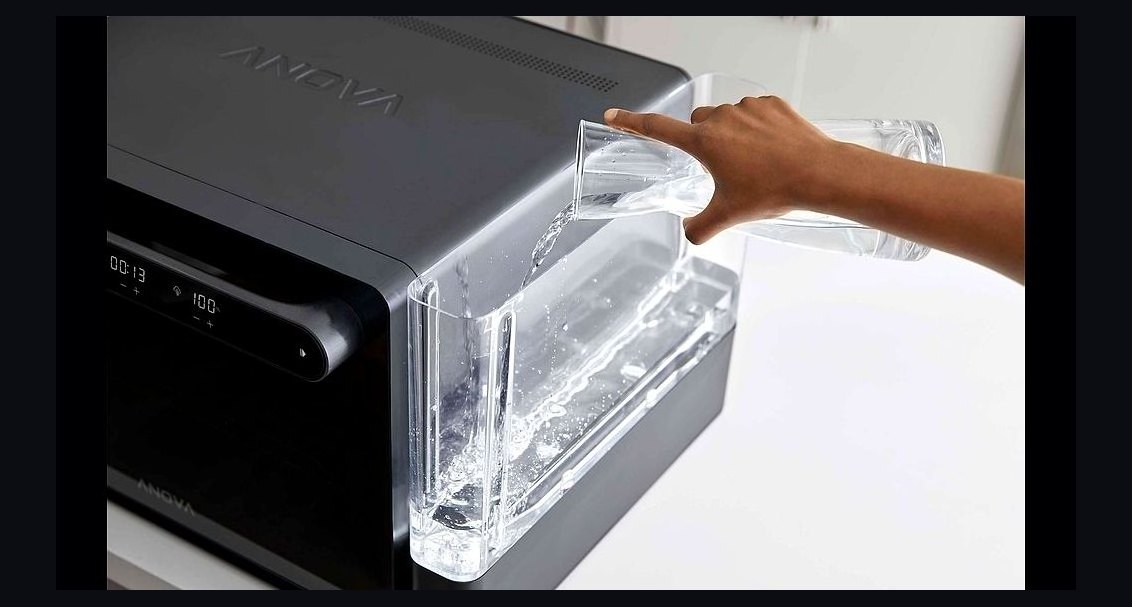 pulse-reviewsTop 10 Smart Countertop Ovens — Best Overall + Best Value in 2027
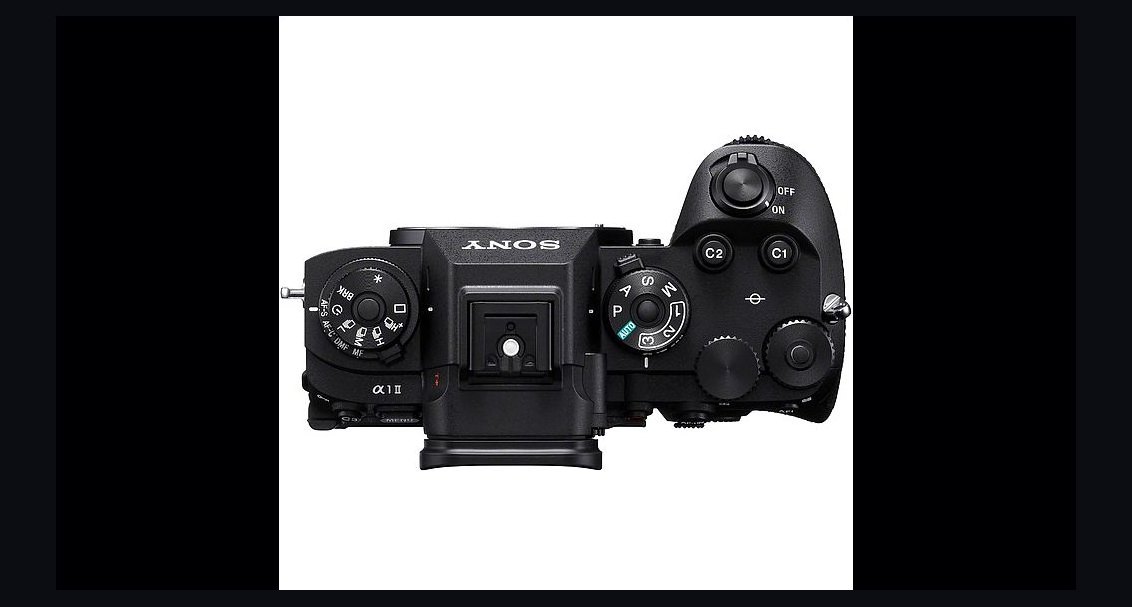 pulse-reviewsTop 10 Cameras — Best Overall + Best Value in 2027
 pulse-reviewsTop 10 Milk Frothers — Best Overall + Best Value in 2027
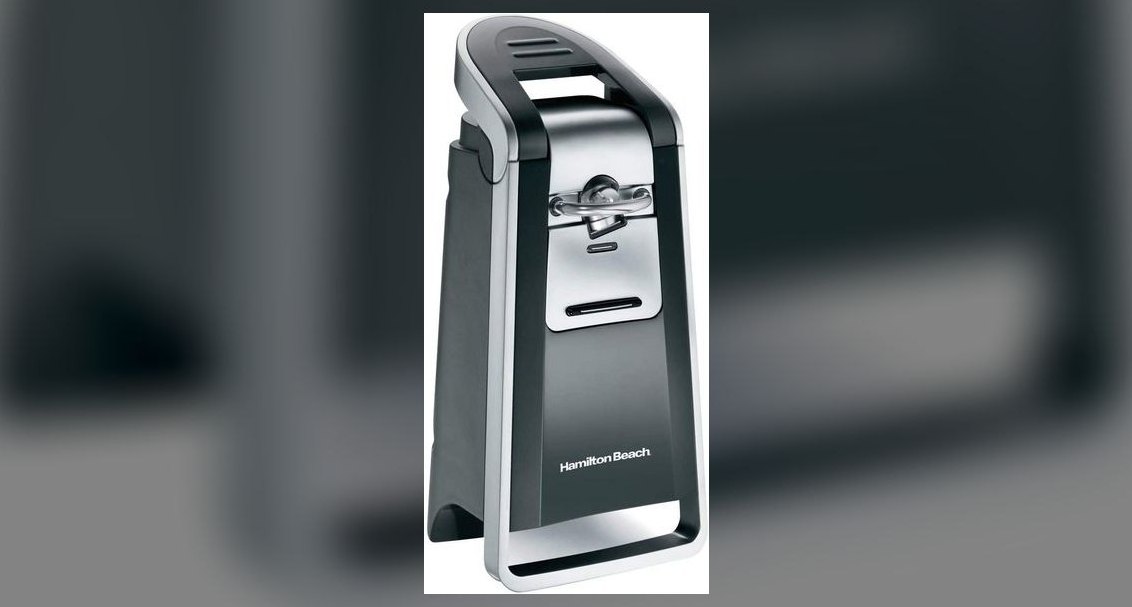 pulse-reviewsTop 10 Electric Can Openers — Best Overall + Best Value in 2027