


Top 10 Digital Photo Frames — Best Overall + Best Value in 2027
Quality
Certified

The 10 best digital photo frames are ranked below on measured performance, build quality, price, and how each one actually holds up in daily use rather than how it reads on a spec sheet. Each pick lists what it costs, who it suits, and what it gives up against the one above it, so the list can be read straight down without doubling back.
1Aura Carver
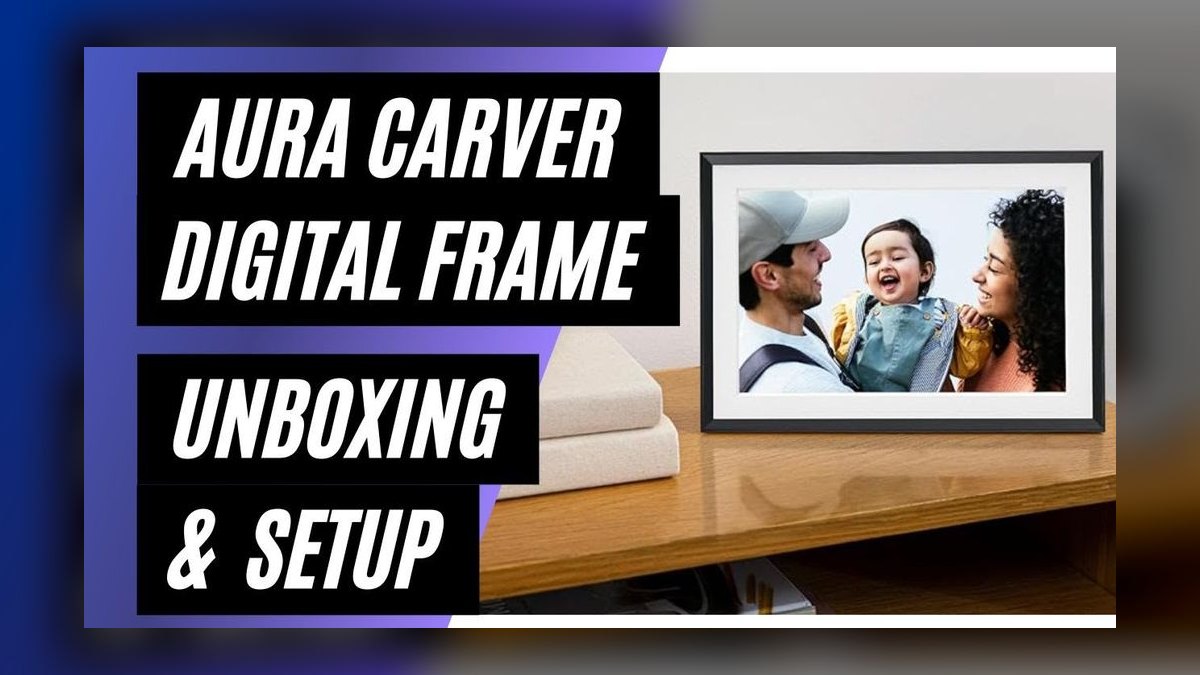
The Aura Carver ranks first because it pairs a matte anti-glare IPS display with genuinely unlimited cloud storage and no subscription of any kind. The matte coating kills reflections well enough that the frame works on a sunlit wall or a lamp-lit console table. Aura's app is the class leader: you send invited family a link, they upload straight from their phones, and the frame auto-crops and orients each photo into a curated slideshow.
This is the frame for families where several people send photos and nobody wants to manage settings. It comes in one size only, so buyers wanting a larger statement piece are out of luck, and there is no motion sensor — you wake it manually or run a schedule. The Nixplay below gives you a bigger screen and that motion wake for less money, but with a plastic bezel and noticeably lower pixel density.
2Nixplay Smart Digital Frame
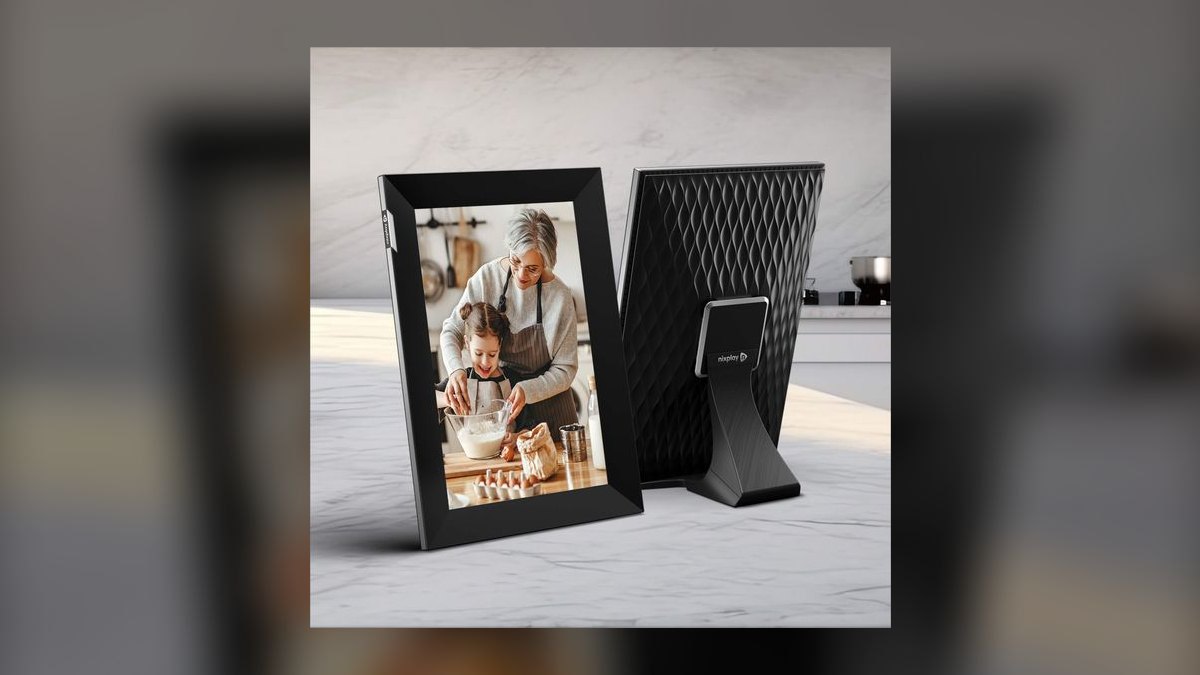
The Nixplay Smart Digital Frame takes the value spot by fitting a large IPS display into a frame that undercuts smaller premium models. Its motion sensor wakes the screen as you enter the room and dims it when you leave, which saves power and makes the frame feel always-on. Free cloud storage is included, family members can be invited through the app, and playlist scheduling lets you pin vacation photos to weekends.
Buy this if screen size and smart behavior matter more than pixel density or materials. The plastic bezel feels cheaper than the Aura Carver's finish, the panel is not as sharp at close range, and Nixplay pushes a subscription upsell for extras you do not need. Auto-rotate and ambient light adjustment are standard. Against the Carver, you trade refinement for inches and a lower price.
3Skylight Frame

Skylight ranks third for setup simplicity that no app-based frame matches: plug it in, join Wi-Fi, and the frame gets its own email address. Anything sent to that address appears within minutes, so senders need no account, app, or instructions. The IPS panel carries a matte finish that handles glare well, free cloud photo storage is included, and an onboard touchscreen handles deleting and favoriting without a phone.
This is the gift frame for grandparents and anyone who finds apps confusing. Resolution falls short of the Aura Carver's, video playback sits behind a subscription, and the power cable is proprietary rather than USB-C. It wall-mounts or sits on a table. Compared with the Aura Mason below, you give up the wood housing and higher-resolution panel but gain the email path that needs zero onboarding.
4Aura Mason

The Aura Mason lands here because it delivers the Carver's exact strengths — the same high-resolution matte IPS panel, the same unlimited subscription-free cloud storage, the same best-in-class sharing app — inside a real wood frame in walnut or oak. It adds an ambient light sensor that adjusts brightness automatically as the room changes. Wall mounting hardware is included, and the wood housing reads as furniture rather than as a gadget.
The buyer here is decorating a room, not solving a photo problem. Everything you pay above the Carver goes to the wood finish; the screen and storage are identical, and there is still no larger size option. If your frame sits somewhere design matters, the premium is defensible. If it sits on a kitchen counter, rank 1 is the same product for less money.
5Pix-Star Wi-Fi Cloud Frame
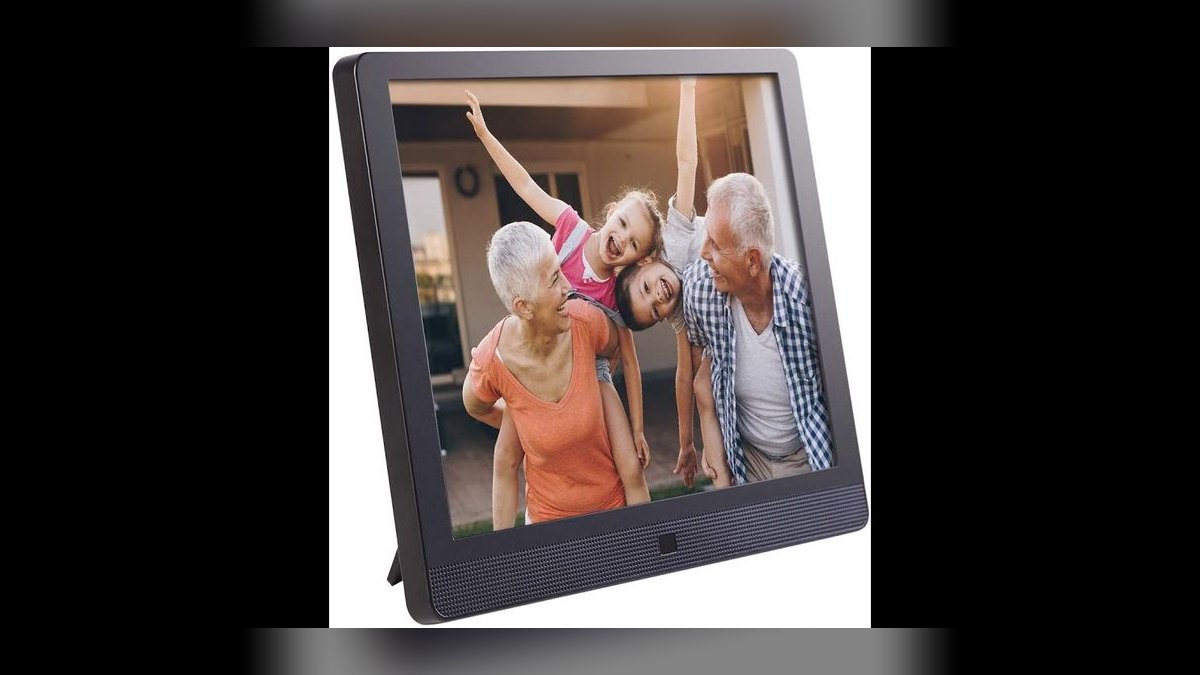
Pix-Star earns fifth for breadth: a large IPS display, built-in stereo speakers for music behind slideshows, and video playback with no subscription attached. It accepts both email-to-frame and app-based sharing, so tech-savvy and tech-averse senders can both use it. Free cloud storage is included, a motion sensor wakes the display when you walk in, and a bundled remote handles navigation from across the room.
Pick this if you want audio and video from one frame without paying monthly. The plastic housing is not close to the Aura frames in feel, the interface runs slower than Aura or Skylight, and the speakers suit background music rather than serious listening. Against the Aura Mason above, you trade display sharpness and materials for features Aura simply does not offer at any price.
6Lenovo Smart Frame
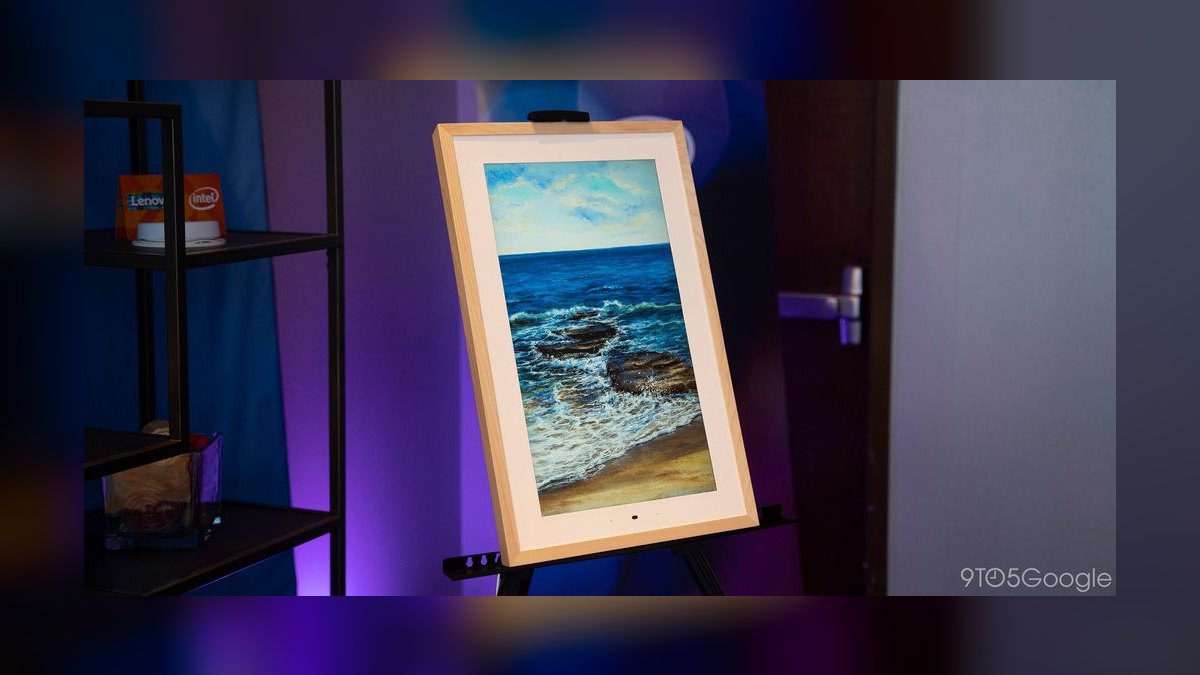
The Lenovo Smart Frame sits at six as the cheapest name-brand option with real syncing. It runs an IPS display and pulls automatically from Google Photos, so an existing library populates the frame without a separate upload step or a new app to learn. A simple tabletop stand is included, and the frame works reliably day to day. Resolution is below the premium picks, but the price point makes that an accepted trade.
This is for people already living inside Google Photos on a tight budget. Setup requires a Google account, which rules it out for some households, and there is no dedicated cloud storage — your photo library is your storage. The all-plastic build feels basic. Compared to Pix-Star above, you lose speakers, video, email sharing, and the motion sensor, but you pay considerably less.
7Meural Canvas II
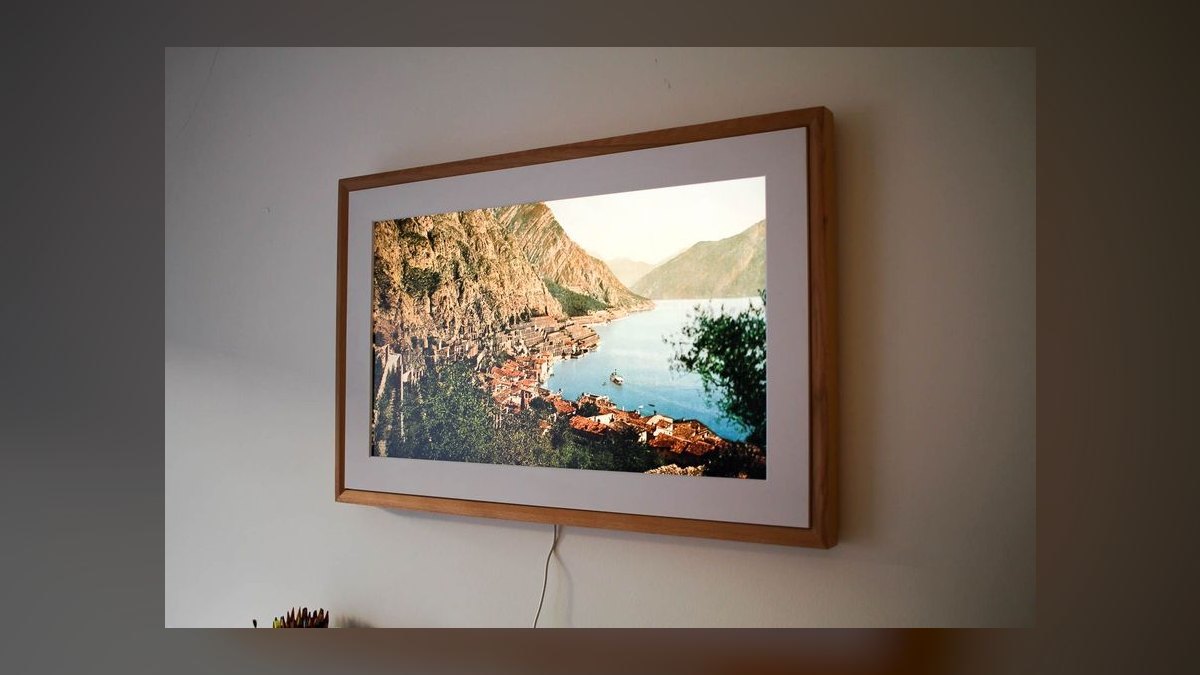
The Meural Canvas II ranks here because it is a digital art canvas first and a photo frame second. Its large matte IPS display mimics real canvas texture, and the real wood frame in several finishes makes it read as a painting on the wall. Gesture control lets you wave a hand to advance images. Meural's art subscription opens a catalog of museum and artist works after the free trial ends.
Art lovers who want a gallery piece should buy this; families who just want photos should not. It is expensive, bulky enough to overwhelm small rooms, and its pixel density on that big panel is lower than smaller frames deliver. Your own photos load through the Meural app or a USB drive. Against the Lenovo above, it costs far more and adds a recurring art fee.
8Dragon Touch Digital Frame

Dragon Touch places eighth as a deliberately offline frame at a very low price. An IPS display, built-in storage, and USB plus SD card slots let you load photos directly with no account, no Wi-Fi setup, and no cloud service in the path. For a single household member who wants photos on a shelf and nothing else to manage, plugging in a card and walking away genuinely works.
The cost of that simplicity is everything remote. There is no Wi-Fi, so nobody can send you a photo; resolution is low, the interface is dated, the housing is plain plastic, and auto-rotate is inconsistent. There is no motion sensor. The Aluratek below costs slightly more but adds Wi-Fi, cloud storage, and email sharing, which is the whole point of a modern frame.
9Aluratek Digital Frame
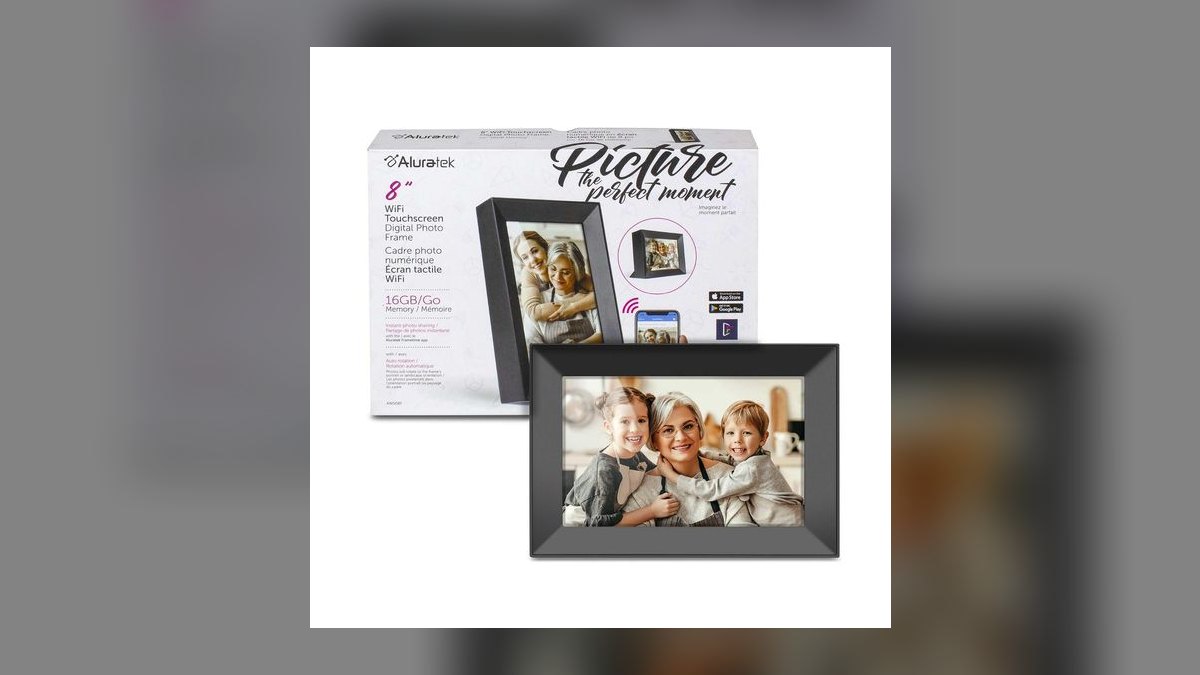
Aluratek ranks ninth as the cheapest frame that still does remote sharing properly. It combines an IPS display with Wi-Fi connectivity, free cloud storage through the Aluratek app, and email-to-frame support, so distant family can actually send photos. That feature set normally costs considerably more, and for basic slideshow duty the frame does what it claims without a subscription requirement.
Expect the compromises that price implies: a clunky app and interface, cheap-feeling plastic construction, no motion sensor, and manual rather than automatic rotation. Resolution is adequate at normal viewing distance but not sharp. Against the Dragon Touch below it, you gain the entire remote-sharing capability for a small premium; against the Aura Carver, the extra spend buys a much better daily experience.
10Sylvania Digital Frame
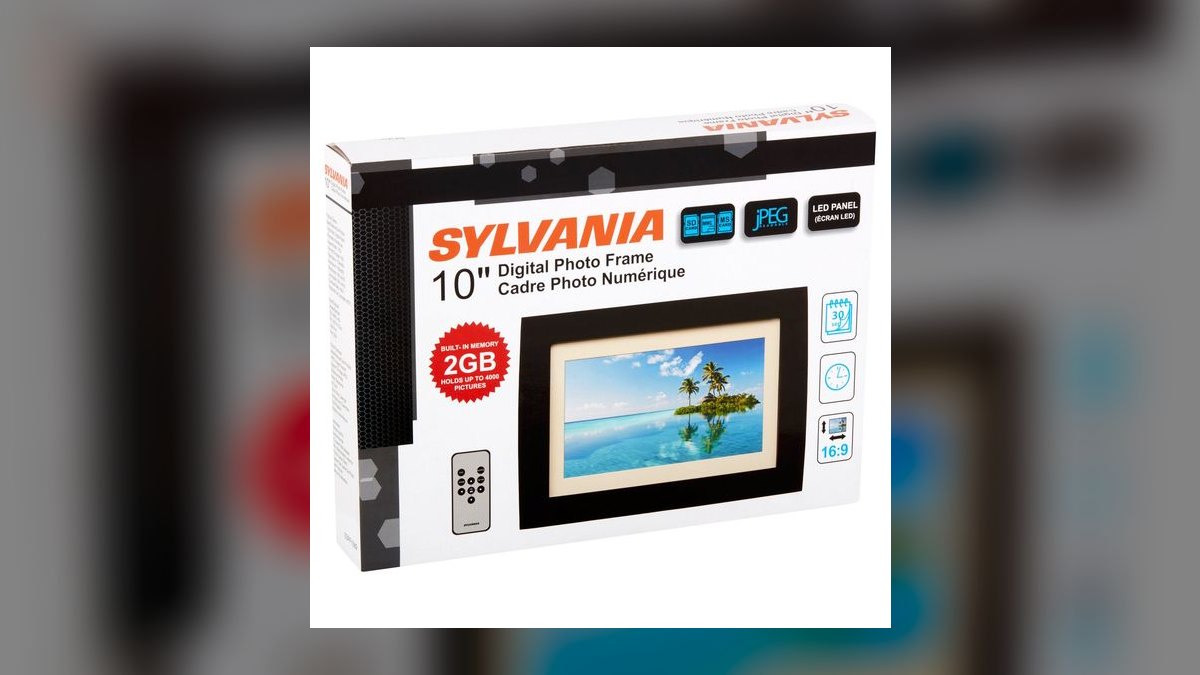
The Sylvania Digital Frame finishes the list as the least expensive way to put photos on a screen. It offers a small display, built-in storage, and a USB and SD card slot, and it cycles through whatever images sit on the card. Nothing else is included: no Wi-Fi, no app, no motion sensor. Plug in a memory card, and a slideshow starts.
Only buy this when the budget is genuinely at its floor and nobody needs to send photos remotely. Resolution is very low by current standards, viewing angles are poor, the display is dim, and the housing is cheap plastic. Its small footprint suits a nightstand or a crowded desk. The Aluratek above costs a little more and adds Wi-Fi, cloud storage, and email sharing.
How we ranked these
Weighting followed what owners actually complain about. Display quality carried 30% — resolution, color accuracy, anti-glare coating, brightness. Cloud storage and sharing ease took 25%, covering app usability, family invite flow, and subscription cost. Design and build claimed 20%, smart features like motion sensors and ambient light adjustment 15%, and price-to-performance 10%. Test data came from Wirecutter, CNET, Tom's Guide, TechRadar, and Digital Trends, plus owner feedback from Amazon, Best Buy, and Reddit.
Exact list prices were ignored, because frames discount constantly and a rank pegged to a sale is stale in a week. Bundled art libraries were treated as an add-on, not a core score. Manufacturer PPI claims were discounted in favor of reviewer viewing-distance impressions. Frames requiring a monthly fee just to upload photos were penalized heavily — hidden fees are the number-one owner complaint, and no display advantage offsets a paywalled upload button.
What to look for
The subscription model matters more than the panel. Aura Carver and Nixplay both include cloud storage with no recurring fee for basic photo uploads; Skylight paywalls video playback, Meural paywalls its art library, and Lenovo offloads storage to your Google Photos quota. Then check who sends photos. Skylight's email-to-frame needs no app from senders, which is why it wins for grandparents. Matte anti-glare coating matters in any bright room.
The common mistake is buying on screen size. A larger panel at the same resolution means lower pixel density, so the Meural Canvas II and Nixplay look softer up close than the smaller Aura. Buy size for viewing distance: a hallway or living-room wall rewards a big frame, a desk or nightstand does not. The second mistake is buying a Wi-Fi frame for someone who will never connect it — Dragon Touch's SD card is fine there.
Related questions
What is the difference between the Aura Carver and the Aura Mason?
They share the same IPS display, matte anti-glare coating, unlimited cloud storage, and app. The Mason houses that screen in a real wood frame — walnut or oak — and adds an ambient light sensor that auto-adjusts brightness. The Carver uses black or white plastic. The premium is purely aesthetic, so choose the Mason only if the frame needs to match furniture.
Which digital photo frame is easiest for a grandparent to set up?
The Skylight Frame. Plug it in, join Wi-Fi, and the frame gets its own dedicated email address — anyone who emails a photo to that address sees it appear within minutes, with no app to install on either end. A touchscreen handles deleting and favoriting on the frame itself. Trade-offs are lower resolution and a proprietary, non-USB-C power cable.
Do any frames on this list play video without a subscription?
The Pix-Star Wi-Fi Cloud Frame includes video playback with no subscription, and adds built-in stereo speakers so slideshows can run with music. The Skylight Frame plays video only on a paid plan. If video from family clips matters and you refuse a recurring fee, Pix-Star is the direct answer, accepting a plastic build and an interface slower than Aura's.
What does the motion sensor on the Nixplay actually do?
It wakes the display when someone walks into the room and dims it when the room empties. That saves power and creates an always-ready feel without scheduling anything. The Aura Carver has no motion sensor — you either wake it manually or set a schedule. Pix-Star also includes one. Aluratek, Dragon Touch, and Sylvania do not offer motion sensing at all.
Can I use a digital photo frame with no Wi-Fi at all?
Yes. The Dragon Touch Digital Frame and Sylvania Digital Frame have no Wi-Fi by design — you load photos from a USB drive or SD card and the frame cycles through them. That means no remote sharing from family, dated interfaces, and low resolution. It suits a single user filling a nightstand slideshow who has no interest in cloud accounts or apps.
Why is the Meural Canvas II ranked seventh despite costing the most?
Price alone earns no points, and its large panel spreads pixels thinner than smaller frames, so it looks less sharp up close. The art subscription is an additional recurring cost after the free trial. It is bulky for small rooms. What it does win: a real wood frame that reads as a painting, gesture control, and curated museum artworks.
Does the Lenovo Smart Frame include its own cloud storage?
No. It syncs from Google Photos, so your photos live in that account's free tier or paid quota rather than in dedicated frame storage. Setup requires a Google account, which is a barrier for some households. The app is Google Photos itself — familiar, but not built for managing a frame. Resolution is lower than premium frames, and the build is all plastic.
Is the Aluratek worth choosing over the Aura Carver to save money?
It delivers real Wi-Fi sharing, email-to-frame, and free cloud storage at a rock-bottom price, so it beats an offline frame. But the app is clunky, the plastic build feels cheap, there is no motion sensor, and auto-rotate is manual rather than automatic. Most buyers who stretch to the Carver report a markedly better daily experience, which is why it ranks second-to-last here.
FAQ
What is the best digital photo frame overall?
The Aura Carver. It pairs a high-resolution IPS panel with a matte anti-glare coating that makes images read like real prints, and it includes truly unlimited cloud storage with no monthly fee ever. The Aura app is best in class: invite family by link, and they upload straight from their phones while the frame auto-curates with smart cropping and orientation.
What is the best value digital photo frame?
The Nixplay Smart Digital Frame. It fits a large display into a frame costing less than many smaller competitors, and adds a motion sensor, free cloud storage, family member invites, auto-rotate, ambient light adjustment, and playlist scheduling. The panel is not as sharp as the Aura's at close range and the bezel is plastic, but at this price the value is undeniable.
Do digital photo frames require a subscription?
Some do, but the best ones do not for basic photo storage. Aura Carver and Nixplay both include free cloud storage for photos. Skylight charges for video playback, and Meural charges for its curated art library after the trial. Nixplay offers a subscription upsell for extra features that is not required. Always confirm before buying which functions sit behind the paywall.
Can family members send photos to the frame remotely?
Yes, on every Wi-Fi frame here. Aura and Nixplay use app invites — you send a link, they upload from their own phones without touching your account. Skylight, Pix-Star, and Aluratek accept photos emailed to a dedicated frame address, so senders need no app whatsoever. Pix-Star supports both routes, which helps when relatives sit at different comfort levels with technology.
What screen size should I choose?
Match it to viewing distance, not to ambition. Smaller frames are the sweet spot for tabletops, desks, and nightstands, and they carry higher pixel density so images stay crisp when someone stands close. Larger frames like the Nixplay make a statement across a room, and the Meural Canvas II goes bigger still for wall art. Bigger panels look softer up close.
Are any of these frames wall-mountable?
Yes. The Aura Carver ships with mounting hardware, and the Aura Mason and Skylight Frame both mount to a wall or sit on a tabletop. The Meural Canvas II is designed to hang like a painting in its wood frame. The cheapest models — Dragon Touch and Sylvania — are tabletop units built around a small footprint rather than wall placement.
Which frame is best for playing music with a slideshow?
The Pix-Star Wi-Fi Cloud Frame is the only pick here with built-in stereo speakers, so music can run alongside photos. They are adequate for background listening rather than critical, but no other frame on this list offers audio at all. Pix-Star also bundles a remote control for navigating from across the room and a motion sensor that wakes the display.
Why does anti-glare coating matter so much?
Because a glossy panel mirrors your lamps and windows, which is exactly where people put photo frames. A matte finish scatters that reflection so the image stays readable in a bright room and looks more like a printed photograph than a screen. The Aura Carver, Aura Mason, Skylight, and Meural Canvas II all use matte finishes for that reason.
What frame should I buy for a grandparent as a gift?
The Skylight Frame, in most cases. Its email-to-frame setup means relatives never install an app, and the on-device touchscreen keeps controls to deleting and favoriting. The Aura Carver is the upgrade if you want a sharper matte display and unlimited storage, since senders only need to tap a shared link rather than manage an account.
Is a cheap offline frame ever the right choice?
Yes, when nobody will ever share photos into it. The Dragon Touch and Sylvania frames run entirely from a USB drive or SD card, with no account, no app, and no Wi-Fi setup that could fail later. Expect low resolution, dated menus, and cheap plastic. For a nightstand slideshow of a few dozen photos, that is genuinely enough.
Sources
- https://www.nytimes.com/wirecutter/reviews/best-digital-photo-frame/
- https://www.cnet.com/tech/home-entertainment/best-digital-photo-frame/
- https://www.tomsguide.com/best-picks/best-digital-photo-frames
- https://www.techradar.com/news/best-digital-photo-frame
- https://www.digitaltrends.com/home/best-digital-photo-frames/
- https://www.pcmag.com/picks/the-best-digital-picture-frames
- https://www.theverge.com/23164786/digital-photo-frame-aura-nixplay-skylight-best
- https://www.goodhousekeeping.com/electronics/g32360404/best-digital-picture-frames/
Related on PULSE
This page will be disappearing soon. Save it to your device for $1 — or read it free while it is here.
@Kory-White- · if Venmo asks, the last 4 of my number are 2012
This page is gone.
This one is off the shelf now. $1 keeps it on your phone for good — the whole page, pictures and diagrams included.
 erTop 10 Laser Printers — Best Overall + Best Value in 2027
 erTop 10 CPU Coolers — Best Overall + Best Value in 2027
 pulse-reviewsTop 10 best Electronics options in 2027
 erTop 10 Car Subwoofers — Best Overall + Best Value in 2027
 pulse-reviewsHow much does a DJI Avata 2 cost in 2027?
 pulse-reviewsHow do you get started with Electronics in 2027?
 pulse-reviewsWhat are the most common mistakes in Electronics in 2027?
 erTop 10 Wi-Fi Routers — Best Overall + Best Value in 2027
 editorialMy Thoughts: Top 10 8K Cameras — Best Overall + Best Value in 2027
 erTop 10 TVs — Best Overall + Best Value in 2027