


Top 10 Ergonomic Mice for Sales Reps in 2027
Quality
Certified
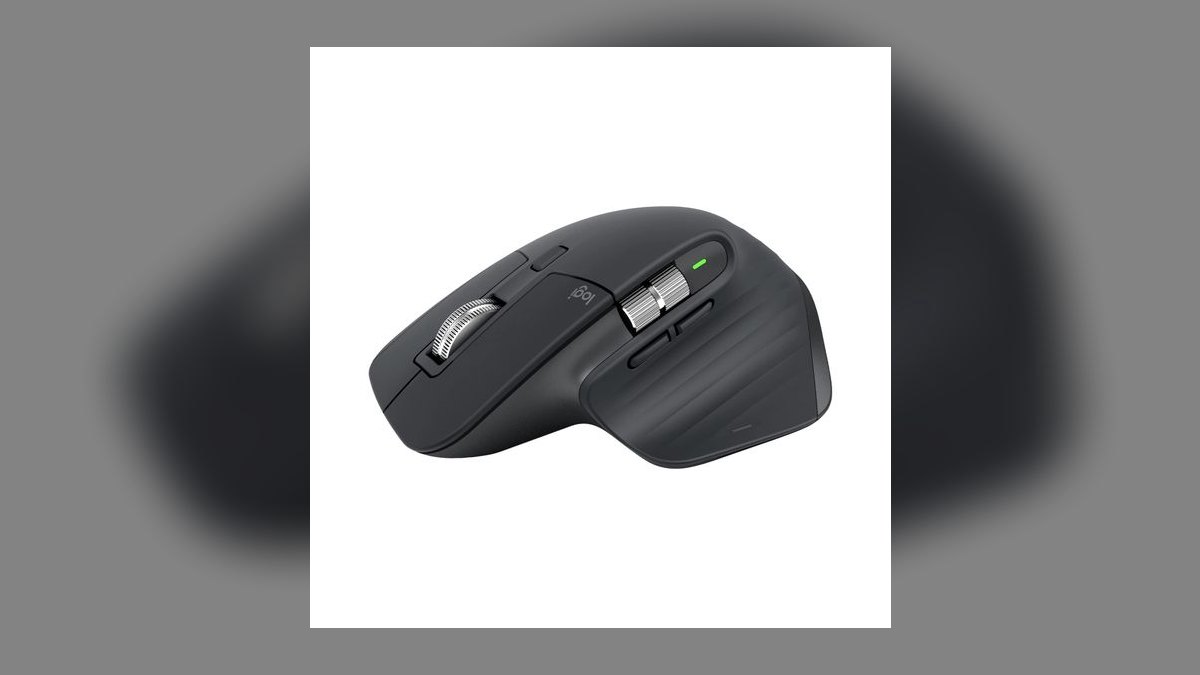
The 10 best ergonomic mice for sales reps are ranked below on measured performance, build quality, price, and how each one actually holds up in daily use rather than how it reads on a spec sheet. Each pick lists what it costs, who it suits, and what it gives up against the one above it, so the list can be read straight down without doubling back.
1Logitech MX Master 3S
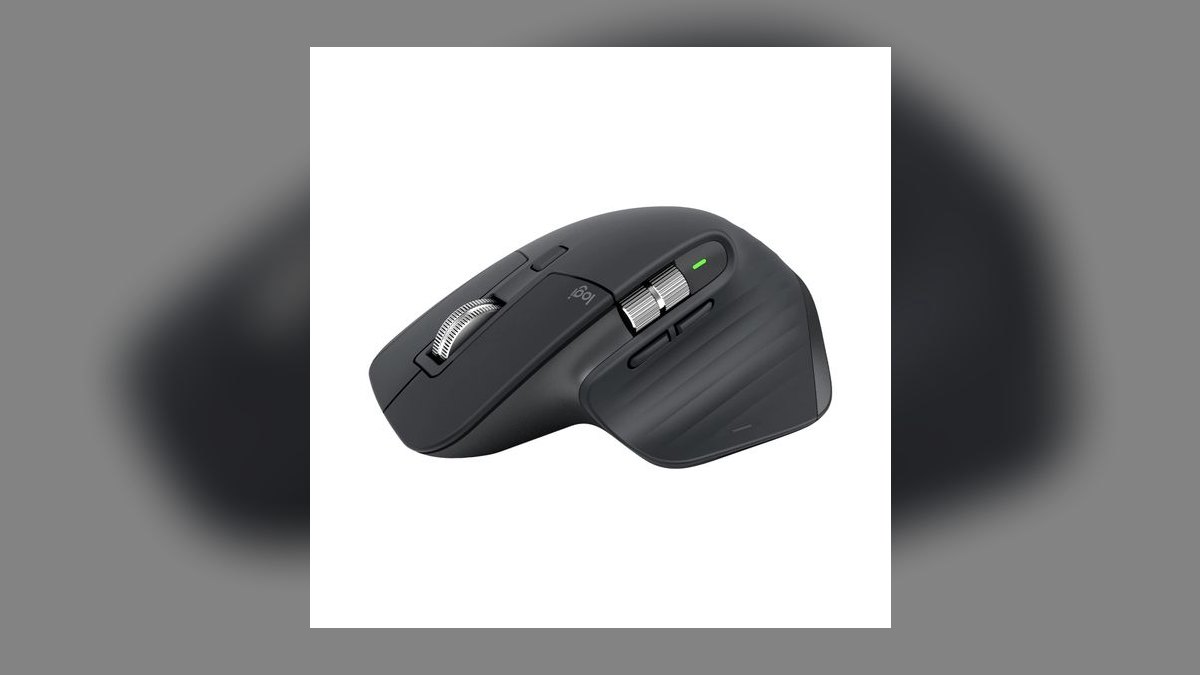
The MX Master 3S ranks first because it is the only mouse here that solves comfort and CRM productivity at once, at roughly $100. Its quiet clicks are 90% quieter than the prior generation, which keeps mousing out of the customer's audio on video demos. The MagSpeed flywheel scrolls through long pipeline reports in a single flick. It pairs to three devices with app-specific button profiles.
This is for a rep with medium-to-large hands who wants general comfort rather than correction for a specific injury. It trades away true pronation relief — it is a sculpted mouse, not a vertical one, so severe wrist-twisting pain needs the Logitech Lift below instead. Small hands will find the body bulky. At $100 it costs about $30 more than the Lift and adds productivity features the Lift does not have.
2Logitech Lift
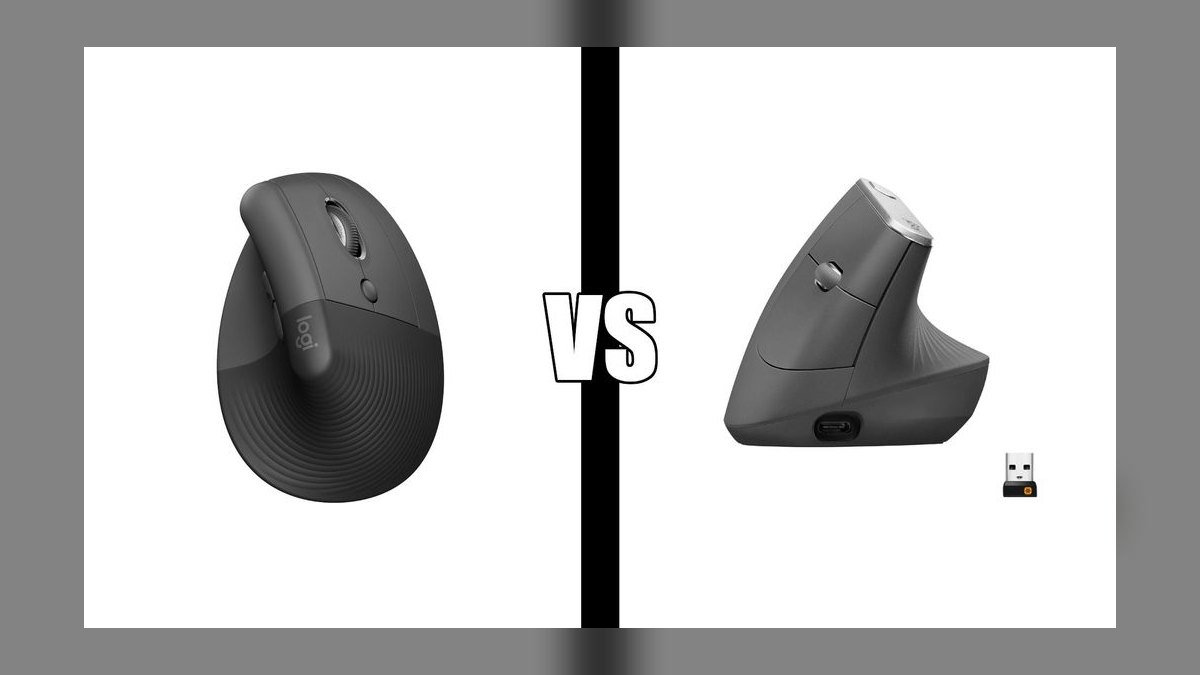
The Lift ranks second because it delivers real ergonomic correction at roughly $70, the cheapest genuine entry into vertical mousing. Its 57-degree handshake angle reduces wrist pronation — the twisting motion behind most mousing pain. The body is sized for small-to-medium hands, which most vertical mice ignore. It is quiet, wireless, and pairs to multiple devices, so it slots into a normal work setup without compromise.
Buy this if wrist comfort is your only goal and your hand is small to medium. It trades away the MX Master 3S's flywheel scroll and deeper customization, so it is a comfort fix rather than a productivity upgrade. Expect a few awkward days while your arm adapts to the vertical orientation. Large-handed users should size up to the MX Vertical instead.
3Logitech MX Vertical
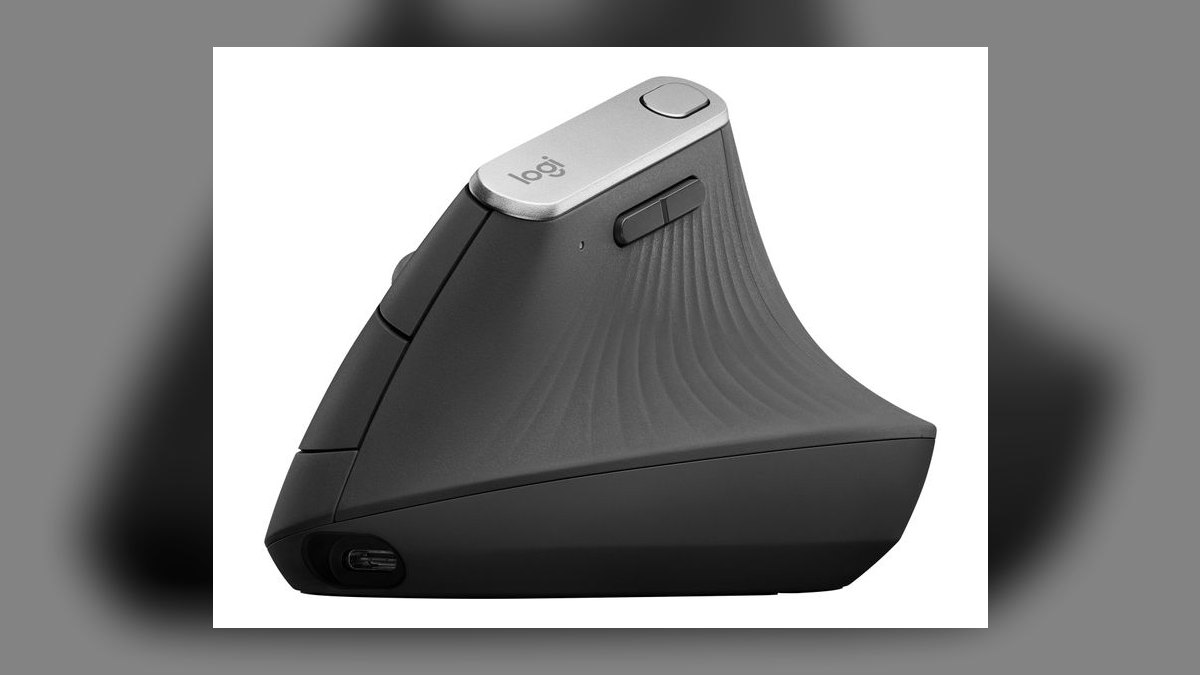
The MX Vertical ranks third because it applies the same 57-degree corrective angle as the Lift in a larger body, at roughly $100. It is Logitech's original premium vertical, with build quality and multi-device pairing matching the MX Master line. For a rep with genuine wrist pronation pain and a big hand, the extra volume is the point — a small vertical mouse forces a cramped grip that undoes the ergonomic benefit.
This is for medium-to-large hands with actual pain, not general discomfort. It trades away roughly $30 against the Lift for size and premium finish rather than any additional ergonomic function. If a smaller vertical already fits your hand, this is overkill. Against the MX Master 3S at the same price, it corrects posture but gives up the flywheel scroll and app-specific profiles.
4Logitech Ergo M575S
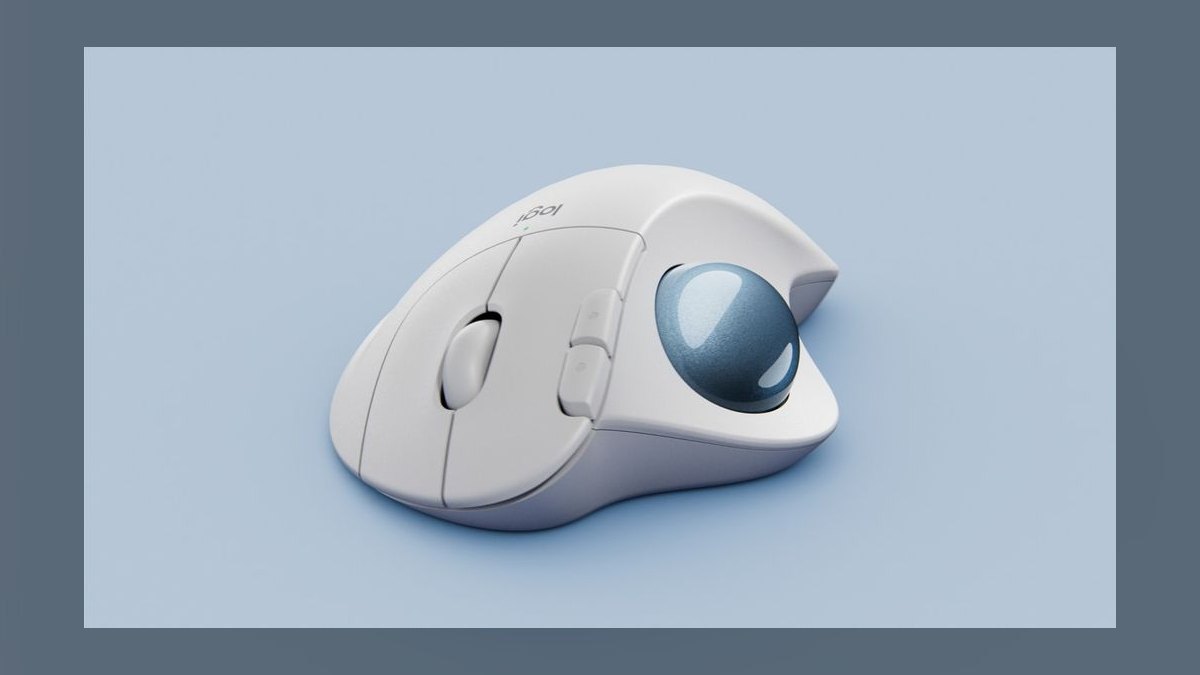
The Ergo M575S ranks fourth because at roughly $50 it removes arm movement entirely — the hand stays planted and the thumb rolls the ball. That makes it the only fix here for strain in the shoulder and forearm rather than the wrist. It suits any hand size, works wireless, and pairs to multiple devices. On a cramped desk it needs no sweeping room at all.
This is for reps whose pain sits higher up the arm, or who work in tight spaces like a hotel desk. It trades away immediate usability: trackballs carry a real learning curve, roughly one to two weeks for precise control, and the ball needs occasional cleaning. Precision is fine for CRM and slides but weaker than the MX Vertical for detailed work.
5Logitech MX Anywhere 3S
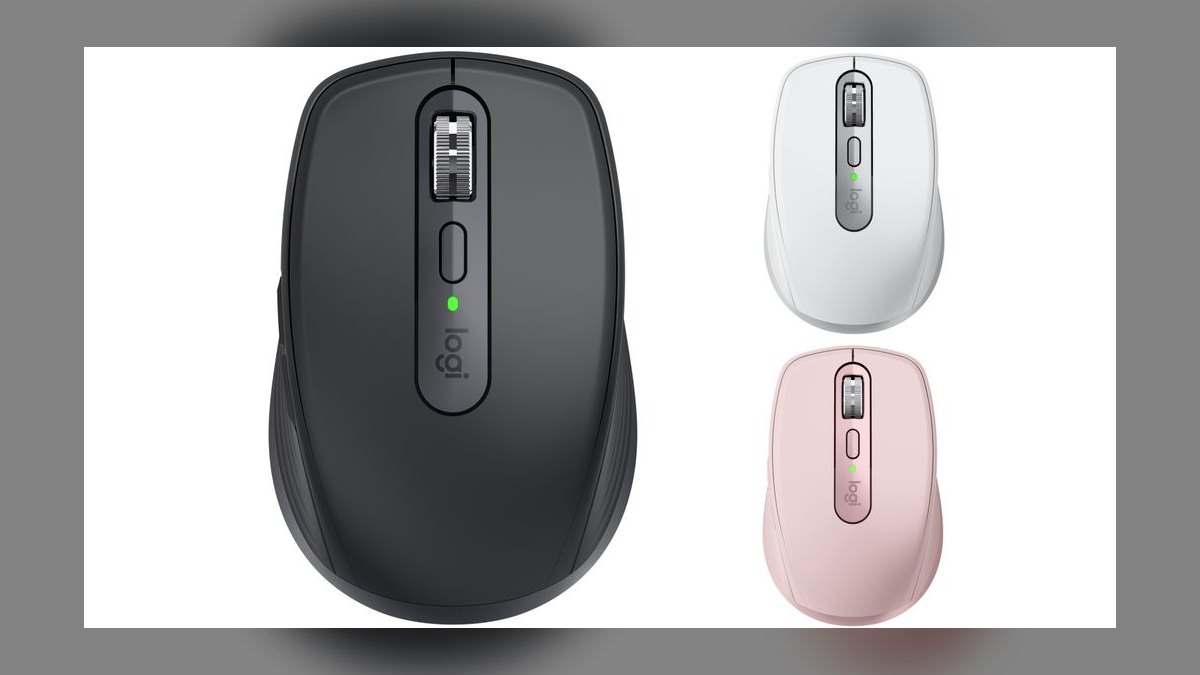
The MX Anywhere 3S ranks fifth because at roughly $80 it carries the MX line's quiet clicks and fast scroll into a compact body that tracks on any surface, including glass. For a rep working from airport gates and hotel rooms, surface independence is the feature that matters — no mousepad required. It fits small-to-medium hands and pairs across multiple devices like its full-size sibling.
This is a travel second mouse, not a primary. It trades away the palm support of a full-size sculpted body, so all-day desk use is less comfortable than on the MX Master 3S. Buy it alongside a desktop mouse rather than instead of one. Against the Ergo M575S it costs $30 more and offers no relief for shoulder strain.
6Razer Pro Click
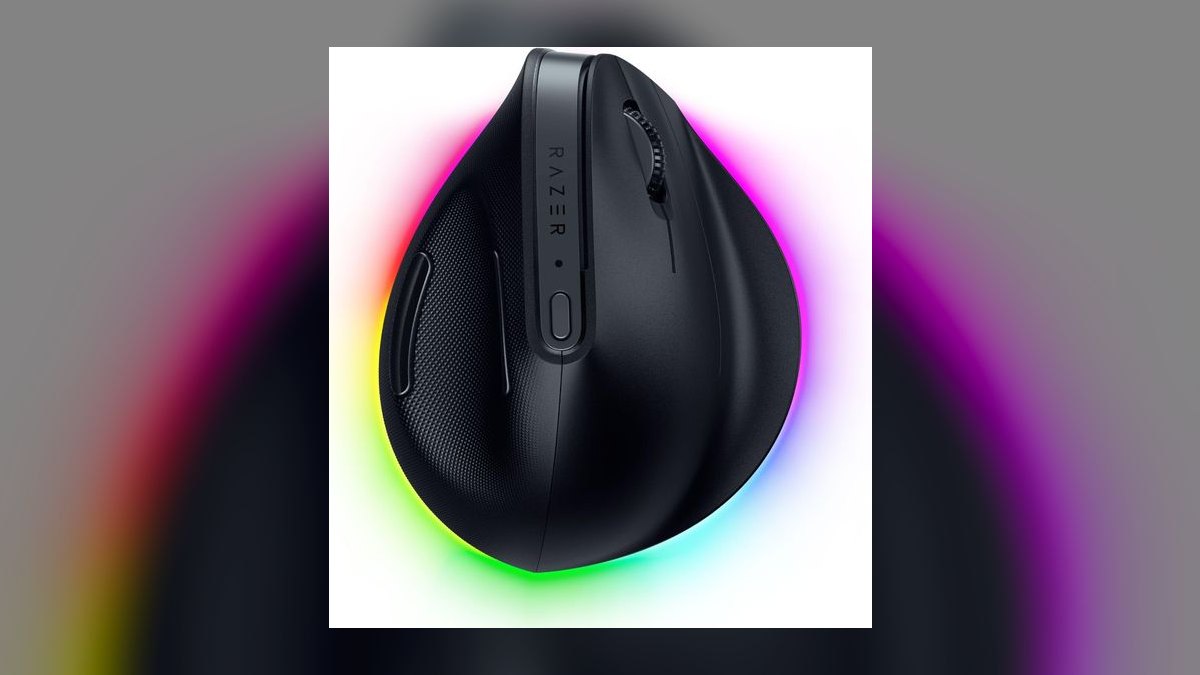
The Pro Click ranks sixth because it is the credible non-Logitech sculpted option at roughly $100, co-designed with ergonomics firm Humanscale. The body supports medium-to-large hands through long sessions, and Razer's high-precision sensor and long battery life back it up. For a rep who wants out of the Logitech ecosystem without dropping to budget hardware, this is the pick that keeps the build quality intact.
This suits medium-to-large hands and anyone already invested in Razer peripherals. It trades away software polish — Razer's suite is rougher than Logitech Options+ for button mapping and app profiles. At the same roughly $100 as the MX Master 3S, it matches the shape and price but not the flywheel scroll or the 90%-quieter click acoustics.
7Microsoft Sculpt Ergonomic Mouse
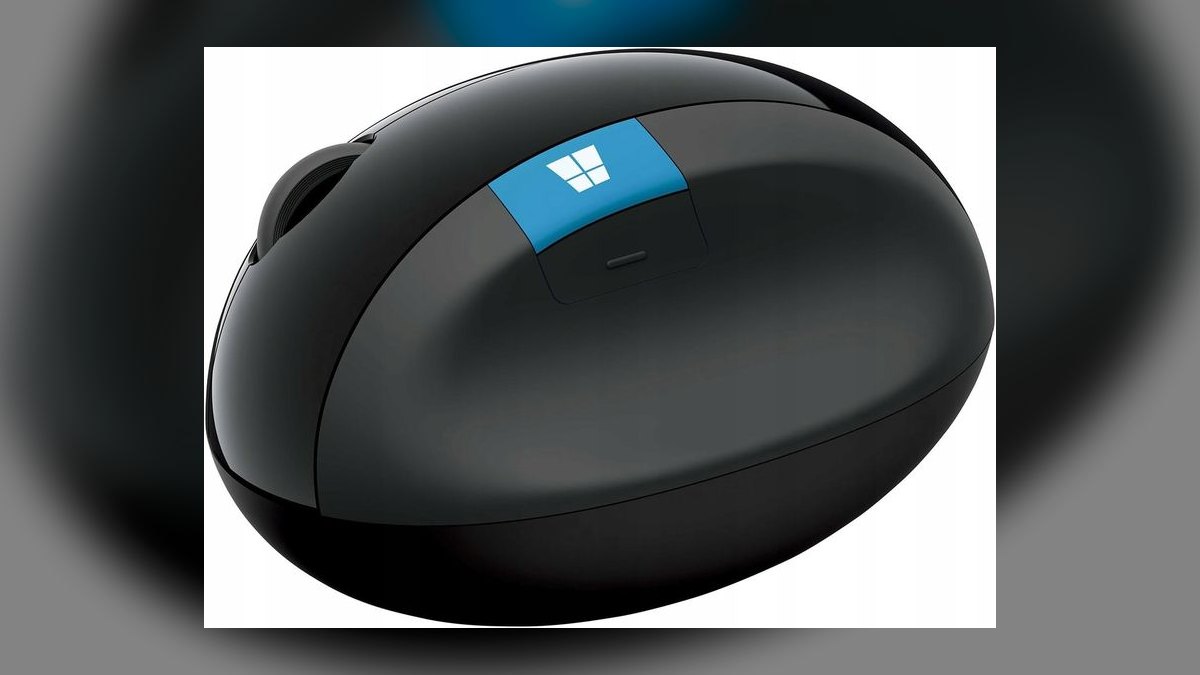
The Sculpt ranks seventh because its domed shape fills the palm and encourages a neutral wrist for roughly $50, half the price of the premium sculpted picks. A thumb scoop and a dedicated Windows button round it out. It is a long-running design that has held its place because the dome genuinely reduces the claw grip that flat mice force on a medium hand over an eight-hour day.
This is for Windows-first reps on a budget who want sculpting rather than vertical correction. It trades away modern connectivity: a USB receiver with no Bluetooth, and AA batteries instead of USB-C charging. The design is aging and Windows-oriented. Against the Razer Pro Click it saves $50 but gives up the sensor, battery life, and multi-device pairing.
8Anker Vertical Ergonomic Mouse
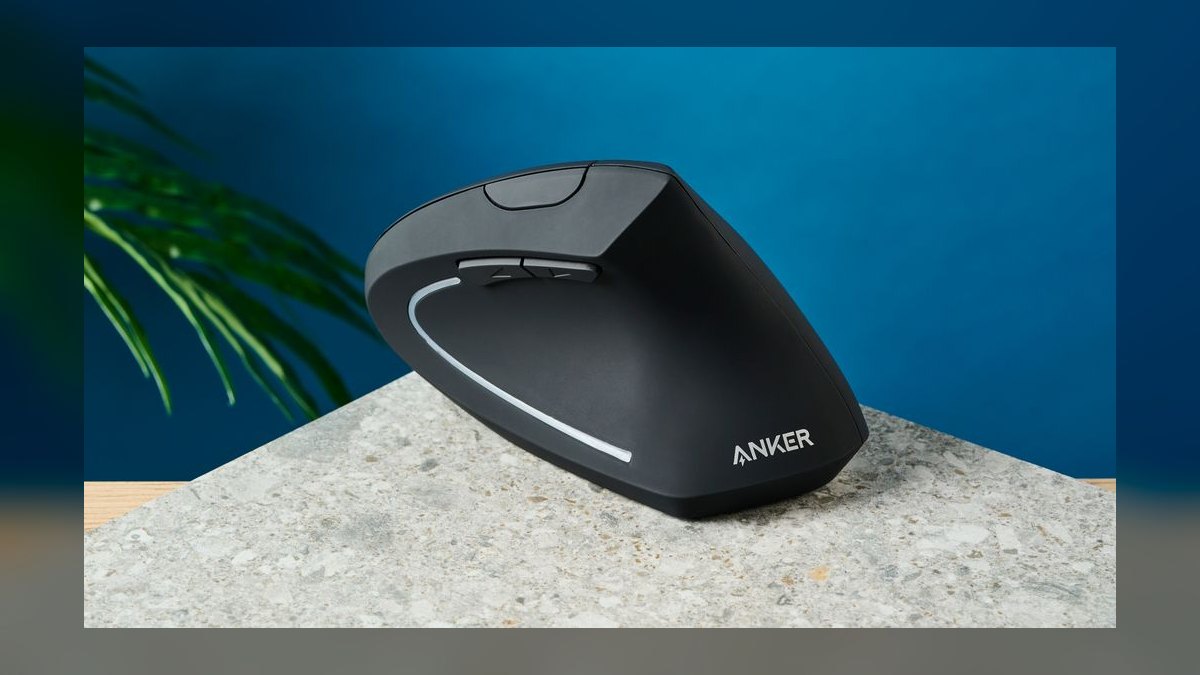
Anker's vertical ranks eighth because at roughly $30 it is the cheapest way to test whether vertical posture actually helps your wrist. The handshake grip delivers the core ergonomic benefit that the $70 and $100 verticals above are built around. For a rep unsure whether pronation is the real source of their pain, spending $30 to find out beats guessing at triple the price.
This is a proving-ground mouse for medium hands, not a daily driver. It trades away nearly everything beyond the angle: basic build, utilitarian software, and connectivity that varies by model. Against the Logitech Lift it saves about $40 but gives up the quiet clicks, multi-device pairing, and refined shape that make the Lift livable for years.
9Logitech Ergo M575
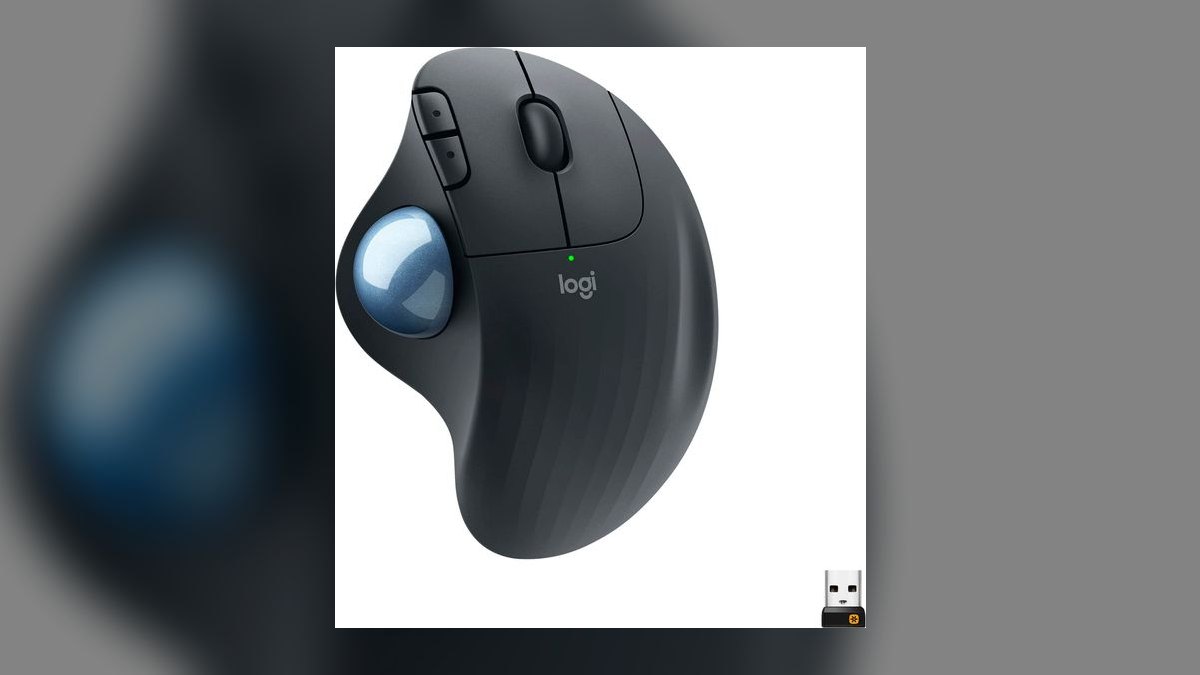
The standard M575 ranks ninth because at roughly $40 it delivers the same plant-your-hand trackball ergonomics as the M575S for about $10 less. The thumb ball eliminates arm sweeping identically to its newer sibling, so the shoulder-strain benefit is unchanged. It fits any hand size and works wireless. For a rep who has already decided a trackball is the answer, the older revision loses nothing structural.
This is for buyers who want trackball ergonomics at the lowest credible price. It trades away the newer sensor in the M575S and carries the same one-to-two-week learning curve. The ball still needs periodic cleaning. Given the small gap, the M575S is worth the extra spend for most reps unless the $10 genuinely matters.
10Kensington Pro Fit Ergo Vertical
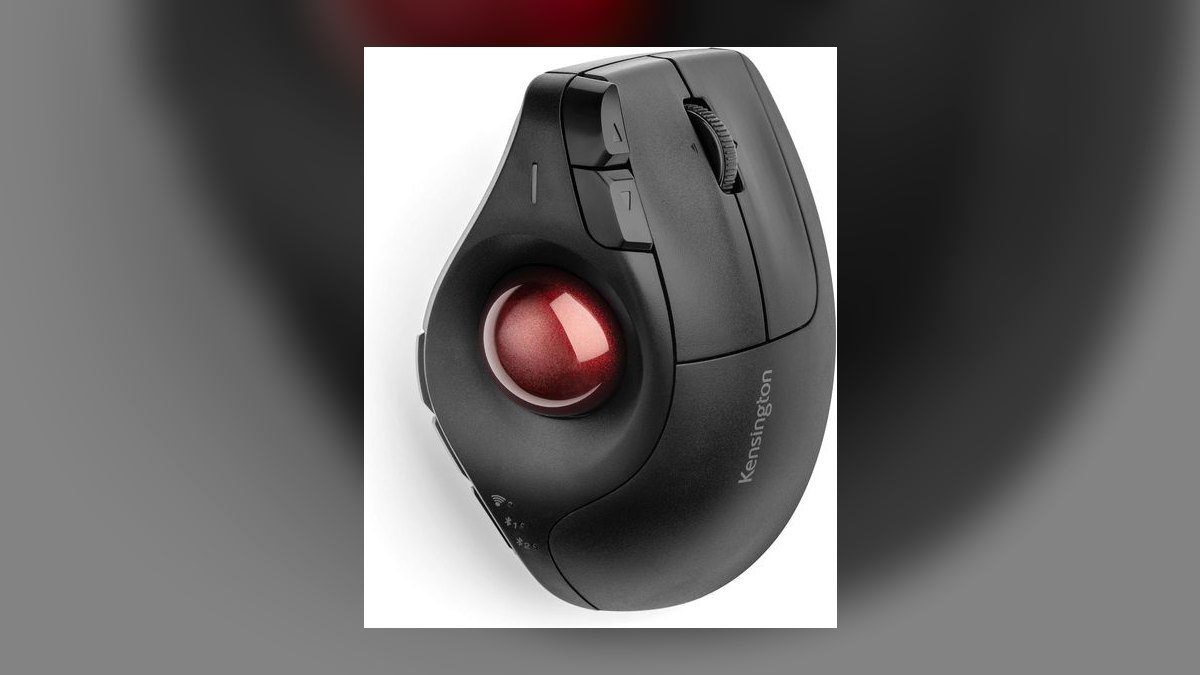
The Pro Fit Ergo ranks tenth because it solves a procurement problem rather than a personal one: at roughly $50 it is a vertical mouse with simple, reliable wireless and broad IT approval. Kensington is the workplace-ergonomics standard, which matters when a sales floor is standardizing hardware across dozens of desks. The vertical grip suits medium-to-large hands and delivers real pronation relief.
This is for whoever is buying ergonomic hardware for a team, not for an individual optimizing their own desk. It trades away features — the software is utilitarian and it lacks the polish of Logitech's premium line. Against the Logitech Lift at $70, it saves $20 and clears IT more easily, but an individual buyer gets a better mouse from the Lift.
How we ranked these
Ranking weighted three things a rep actually feels by 5 p.m.: shape-to-symptom fit (vertical for wrist pronation, trackball for shoulder and forearm strain, sculpted for general comfort), hand-size fit against each manufacturer's stated range, and click acoustics for people who mouse while live on video. Secondary weight went to multi-device pairing, battery or USB-C charging cadence, scroll speed through long CRM record lists, and price against a realistic expense-report ceiling.
Deliberately ignored: DPI ceilings, polling rates, and sensor specs, none of which a CRM user can perceive; RGB lighting and gaming-oriented feature sets; macro-programming depth beyond a few reassignable buttons; and aggregate star ratings, which blend reviewers with incompatible hand sizes into one meaningless number. Also skipped were medical claims — no mouse treats an injury, and any list implying otherwise is selling rather than measuring.
What to look for
The decision that matters is category, not brand. Pain from a twisting forearm points to a vertical; ache in the shoulder or upper forearm points to a trackball, because it removes arm sweeping entirely; general fatigue with no sharp pain points to a sculpted mouse. Get that wrong and the most expensive mouse on the list still hurts. Second: measure your hand, then check the manufacturer's stated size range before ordering.
The mistake most buyers make is treating price as a proxy for relief. A $70 Lift fixes pronation better than a $100 sculpted mouse ever will, because it changes wrist posture rather than cushioning it. The second mistake is quitting a vertical mouse on day three — the adjustment period is real and lasts roughly a week. Also underrated: quiet clicks, which stop your mousing from landing in a prospect's audio feed.
Related questions
Does a vertical mouse actually reduce wrist strain?
A vertical mouse rotates the forearm out of pronation — the palm-down twist that a flat mouse forces all day. That posture change is the mechanism, and it addresses one specific complaint well. It does nothing for shoulder fatigue or a poor desk height. If your pain is in the wrist itself and worsens with mousing, vertical is the category to try first.
How long is the adjustment period for a trackball?
Expect one to two weeks before cursor control feels automatic. The thumb has to learn fine positioning it never performed before, so early clicking feels imprecise and slow. CRM work, spreadsheets, and slide decks tolerate that learning curve easily. Detailed design or photo-editing work is where the imprecision stays noticeable long after the awkwardness fades.
Do quiet clicks really matter on sales calls?
On a video call your microphone sits within arm's reach of your mouse, so every click lands in the prospect's audio. Reduced-noise switches cut that considerably. It is not an ergonomic feature at all — it is a call-quality feature — but for a rep on video most of the day it changes the listening experience more than any spec on the box.
Is a compact travel mouse safe to use full-time?
Not ideally. A compact body like the MX Anywhere 3S offers less palm support than a full-size sculpted mouse, which pushes the hand toward a claw grip over eight-hour days. It is excellent in an airport or hotel room where bag space rules. Treat it as a second mouse and keep a full-size ergonomic one at the primary desk.
What hand size fits the MX Master 3S?
Logitech targets medium to large hands with the Master line, and the sculpted body assumes a palm big enough to fill it. Smaller hands tend to reach for the buttons rather than rest on them, which produces exactly the tension the shape is meant to relieve. Smaller-handed reps are better served by the Lift or the MX Anywhere.
Should a sales team standardize on one ergonomic mouse?
Standardizing simplifies IT approval and procurement, which is why Kensington shows up on office hardware lists. But a single model cannot fit every hand or every symptom on a floor. A workable compromise is approving one option per category — a sculpted, a vertical, and a trackball — and letting each rep pick from that short approved list.
Is a $30 vertical mouse worth trying before a $100 one?
Yes, as an experiment. The Anker vertical delivers the core postural change cheaply, which answers the only question that matters: does vertical help your specific pain? If the answer is yes after two weeks, upgrading to a Lift or MX Vertical buys better build, multi-device pairing, and software. If no, you spent $30 finding out.
Does an ergonomic mouse replace a proper desk setup?
No. Chair height, desk height, monitor distance, and how often you stand all shape wrist and shoulder load, and a mouse touches only the last few inches of that chain. Swapping the mouse while keeping a desk that forces a raised shoulder tends to disappoint. Fix the posture chain first, then match the mouse to whatever discomfort remains.
FAQ
What is the best ergonomic mouse for a sales rep overall?
The Logitech MX Master 3S, at roughly $100, is the strongest all-around pick for CRM-heavy days. Its sculpted body supports the hand through long sessions, the quiet switches keep clicking off video calls, and the MagSpeed flywheel scrolls through long pipeline views quickly. It suits medium to large hands and pairs across three devices, which covers most desk setups.
Which ergonomic mouse gives the most value for the money?
The Logitech Lift at about $70. It provides genuine ergonomic correction — a 57-degree handshake angle that reduces wrist pronation — rather than a comfort upgrade, and it is sized for small to medium hands. It is quiet, wireless, and pairs to multiple devices. That combination makes it the most accessible entry point into vertical mice available.
What is the best ergonomic mouse for small hands?
The Logitech Lift, which is built specifically for small to medium hands and still delivers the vertical posture change. The MX Master 3S, despite being the better mouse on paper, assumes a larger palm and tends to feel bulky for smaller grips over a full day. The MX Anywhere 3S is a reasonable compact alternative.
Which mouse is best for large hands?
The Logitech MX Vertical at roughly $100 uses the same 57-degree angle as the Lift in a noticeably larger body built for medium to large hands. It is the upgrade for someone with real pronation pain who also wants premium build quality and multi-device pairing. If a smaller vertical already fits your hand, it is unnecessary spending.
What is the best trackball on this list?
The Logitech Ergo M575S at around $50. Your hand stays planted while the thumb moves the ball, which removes arm sweeping and the shoulder fatigue that comes with it. It works well on cramped desks and pairs to multiple devices wirelessly. The older standard M575, near $40, delivers the same ergonomics with an earlier sensor.
Can an ergonomic mouse prevent wrist pain?
It can reduce a specific mechanical cause. Vertical shapes address pronation-related discomfort, while sculpted shapes support the palm and reduce claw-grip tension. Neither guarantees prevention, because desk height, break frequency, and total mousing hours all contribute. Treat the mouse as one input among several, and see a clinician if pain persists after a genuine setup change.
Does a good ergonomic mouse work on both Windows and Mac?
Most modern options, including the MX Master 3S and the Lift, support Windows and macOS over Bluetooth or a USB receiver. Custom button mapping usually requires vendor software, which Logitech ships for both platforms. The Microsoft Sculpt is the exception worth noting — it relies on a USB receiver and AA batteries, with a Windows-first design.
How much should a rep expect to spend?
The useful range runs roughly $30 to $100. Around $30 buys a basic vertical worth trying as an experiment; $50 buys a trackball or a budget sculpted mouse; $70 buys the Lift; $100 buys the MX Master 3S or MX Vertical. Above that you are paying for build quality and software, not additional ergonomic benefit.
Are trackballs practical for daily CRM work?
Yes. Scrolling long record lists, clicking through pipeline stages, and building slides all sit well within trackball precision once the one-to-two-week learning curve passes. The tradeoff appears in fine detail work such as design or photo editing, where cursor precision matters more. The ball also needs occasional cleaning to keep tracking smooth.
Does a mouse with quiet clicks cost more?
Not by much on its own. Reduced-noise switches appear on the MX Master 3S and MX Anywhere 3S, which sit at $100 and $80 respectively, but those prices reflect the whole feature set rather than the switches alone. Cheaper mice on this list simply were not designed around call acoustics, since that was not their target use case.
Sources
- https://www.logitech.com/en-us/products/mice/mx-master-3s.html
- https://www.logitech.com/en-us/products/mice/lift-vertical-ergonomic-mouse.html
- https://www.rtings.com/mouse/reviews/logitech/mx-vertical
- https://www.macworld.com/article/705018/logitech-mx-master-3s-review.html
- https://www.engadget.com/logitech-mx-anywhere-3s-hands-on-a-nearly-ideal-travel-mouse-specs-price-availability-070134836.html
- https://www.bestbuy.com/site/logitech-ergo-m575-wireless-trackball-mouse-with-ergonomic-design-black/6440330.p
- https://www.cdc.gov/niosh/ergonomics/about/index.html
- https://www.osha.gov/etools/computer-workstations
- https://www.mayoclinic.org/healthy-lifestyle/adult-health/in-depth/office-ergonomics/art-20046169
- https://www.microsoft.com/en-us/d/sculpt-ergonomic-mouse/8xkrqhqz9d3k
Related on PULSE
This page will be disappearing soon. Save it to your device for $1 — or read it free while it is here.
@Kory-White- · if Venmo asks, the last 4 of my number are 2012
This page is gone.
This one is off the shelf now. $1 keeps it on your phone for good — the whole page, pictures and diagrams included.
 pulse-reviewsTop 10 Countertop Dishwashers — Best Overall + Best Value in 2027
 pulse-reviewsHow do I set up a reliable home office network for video calls in 2027?
 pulse-reviewsTop 10 Heated Towel Racks — Best Overall + Best Value in 2027
 pulse-reviewsTop 10 Bluetooth Transmitters for TV — Best Overall + Best Value in 2027
 pulse-reviewsTop 10 Ethernet Adapters for MacBook — Best Overall + Best Value in 2027
 pulse-reviewsTop 10 Heated Mattress Pads — Best Overall + Best Value in 2027
 pulse-reviewsTop 10 TDS Water Testers — Best Overall + Best Value in 2027
 pulse-reviewsTop 10 Phone Ring Holders — Best Overall + Best Value in 2027
 pulse-reviewsTop 10 Thermal Label Printers — Best Overall + Best Value in 2027
 pulse-reviewsTop 10 USB-C Hubs for Sales Travel in 2027