


Top 10 Portable Printers for Field Sales Reps in 2027
Quality
Certified
The 10 best portable printers for field sales reps are ranked below on measured performance, build quality, price, and how each one actually holds up in daily use rather than how it reads on a spec sheet. Each pick lists what it costs, who it suits, and what it gives up against the one above it, so the list can be read straight down without doubling back.
1HP OfficeJet 250 Mobile All-in-One
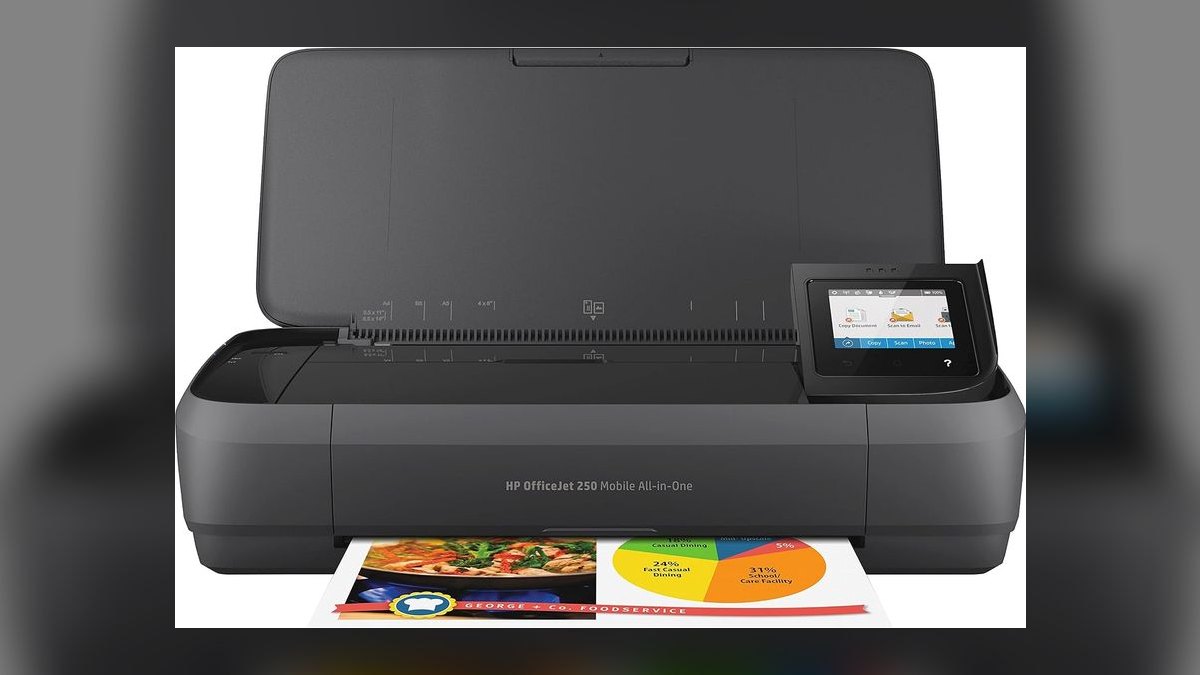
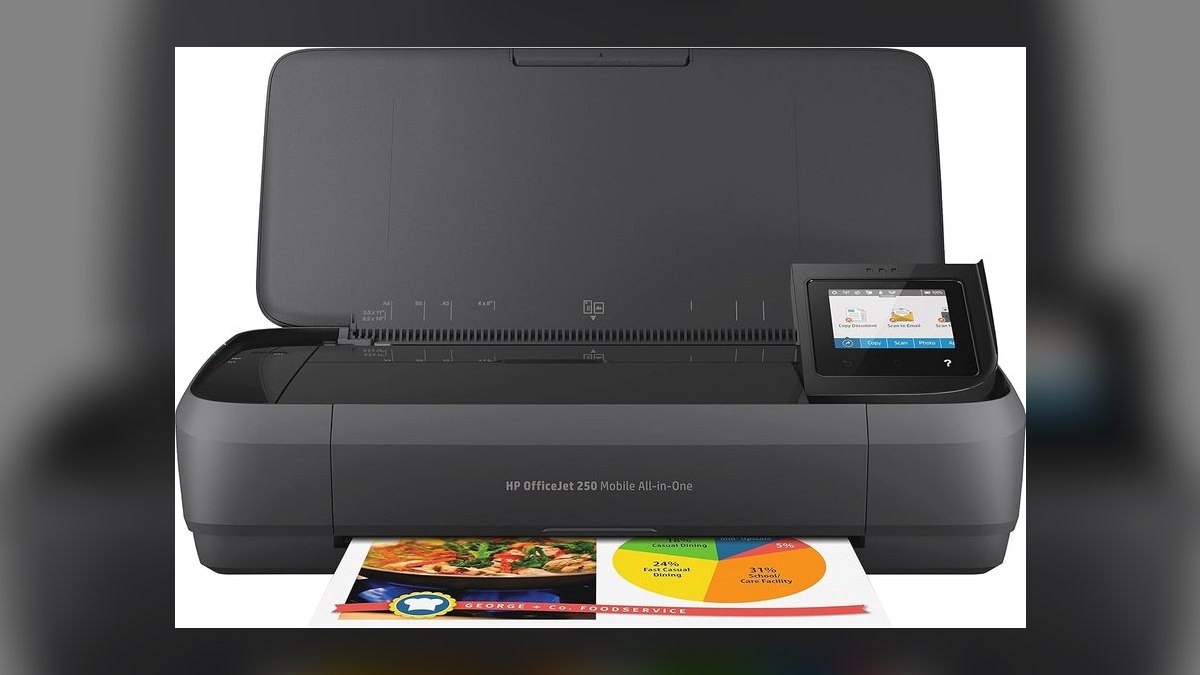
It ranks first because it is the only portable printer here that prints, scans, and copies full-size documents on a built-in rechargeable battery. At roughly $300 to $400, it lets a rep print a contract, capture the signed copy, and hand over a duplicate without leaving the customer's site. Wi-Fi and mobile printing are built in. HP rates it near 100 to 200 pages per charge.
This is for reps who close paperwork loops on-site: contracts, addenda, signed copies that need scanning back. It trades away portability and price, being the bulkiest and most expensive pick, and inkjet cartridges add $20 to $50 per set. Against the Canon PIXMA TR150 below it, you pay roughly $150 more and carry more weight purely to gain the scanner and copier.
2Canon PIXMA TR150
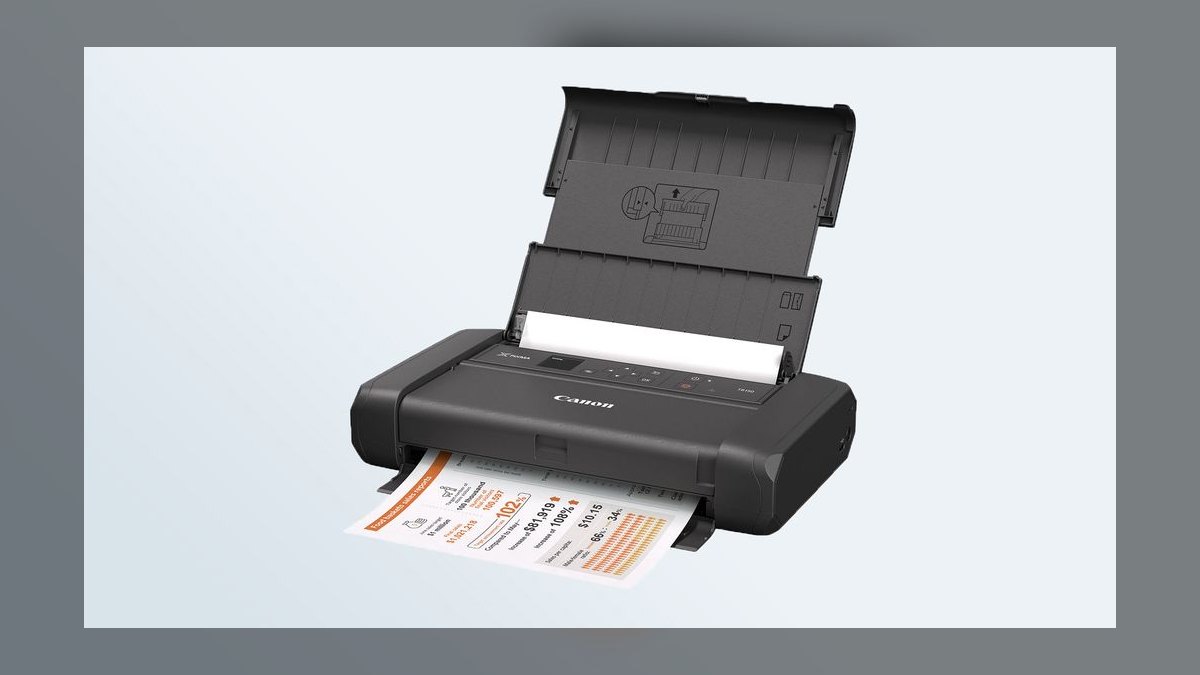
It ranks second because it delivers full-page inkjet document and photo quality at around $200, less than half the all-in-one above it. The body is genuinely travel-sized and fits a laptop bag, and an optional clip-on battery near $80 makes it cord-free. Color printing is supported for quotes and presentations. Wireless printing from a phone or laptop works out of the box.
This is for the rep who prints contracts and quotes but never needs to scan them back. It trades away scan and copy entirely, and the battery is a separate purchase, so the real cost lands closer to $280. Compared to the HP OfficeJet 250 above, you give up the paperwork loop; compared to the Brother PocketJet below, you keep color but take on cartridge costs.
3Brother PocketJet PJ-883
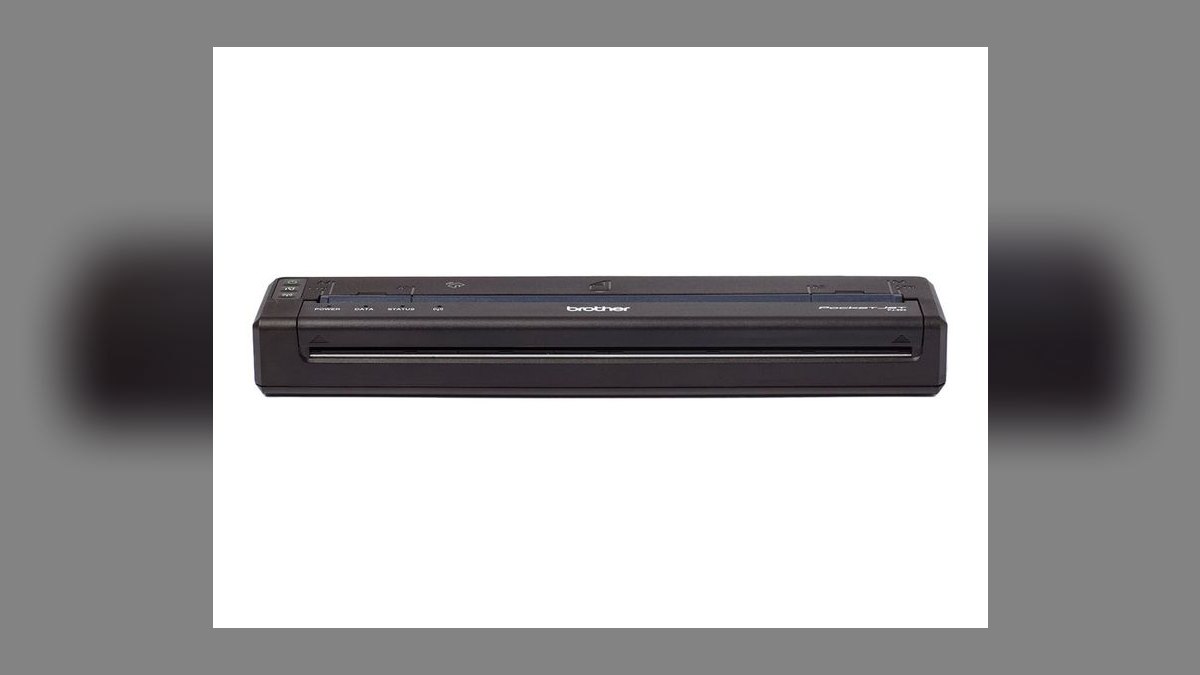
It ranks third because it prints full-size pages with thermal technology and uses no ink or toner ever, which removes the single biggest field-printing failure point. At roughly $300 to $400 it is thin, durable, and battery-powered, built for mobile workforces in field service and public safety that print all day. There is no cartridge to clog, dry out, or run dry mid-visit.
This is for high-volume field printers who cannot babysit consumables between calls. It trades away color entirely, output is black-and-white only, it needs special thermal paper as an ongoing cost, and thermal prints can fade over time. Against the Canon PIXMA TR150 above it, you pay more and lose color, buying reliability and ruggedness instead of print richness.
4Epson WorkForce EC-C110
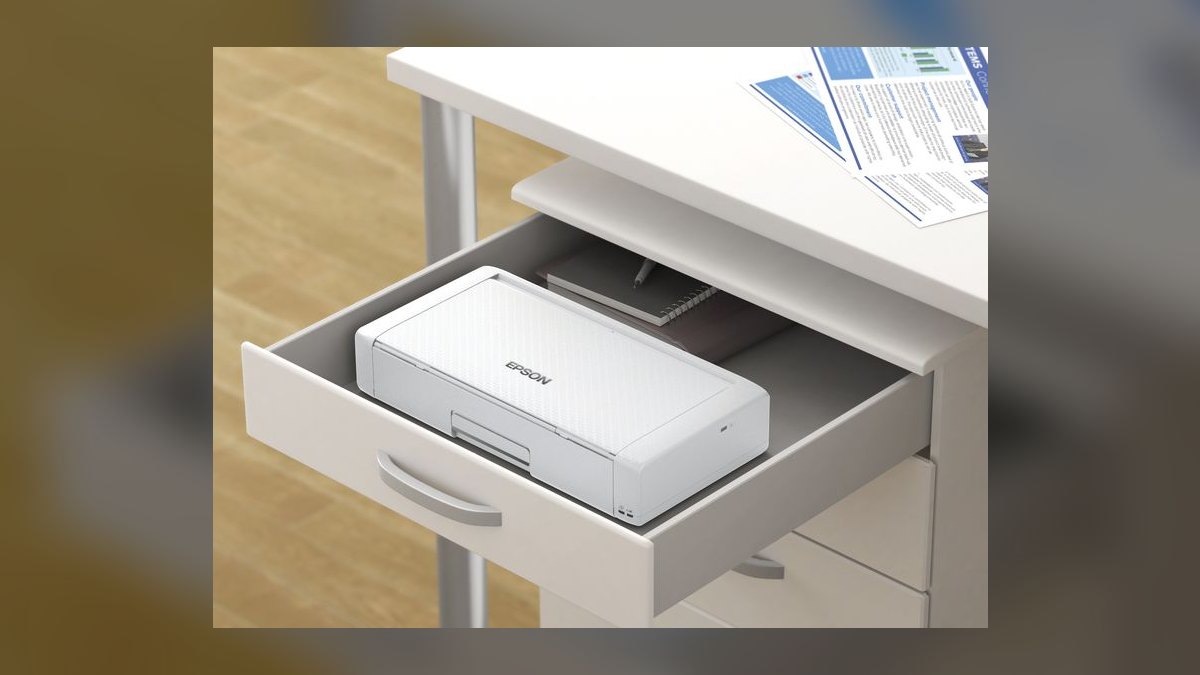
It ranks fourth because it is one of the slimmest full-page printers made, designed specifically to slide into a laptop bag alongside a machine. At around $250 it prints quality color documents on battery power with wireless connectivity. For reps whose main constraint is bag depth rather than budget, that thin profile is the deciding specification over comparable mobile inkjets.
This is for the rep already carrying a full bag who will not tolerate another bulky object. It trades away scanning and copying, carries the usual inkjet cartridge costs, and runs slower than any desktop printer. Against the Canon PIXMA TR150 above it, you pay roughly $50 more for a thinner body and give up the Canon's lower entry price.
5HP OfficeJet 200 Mobile
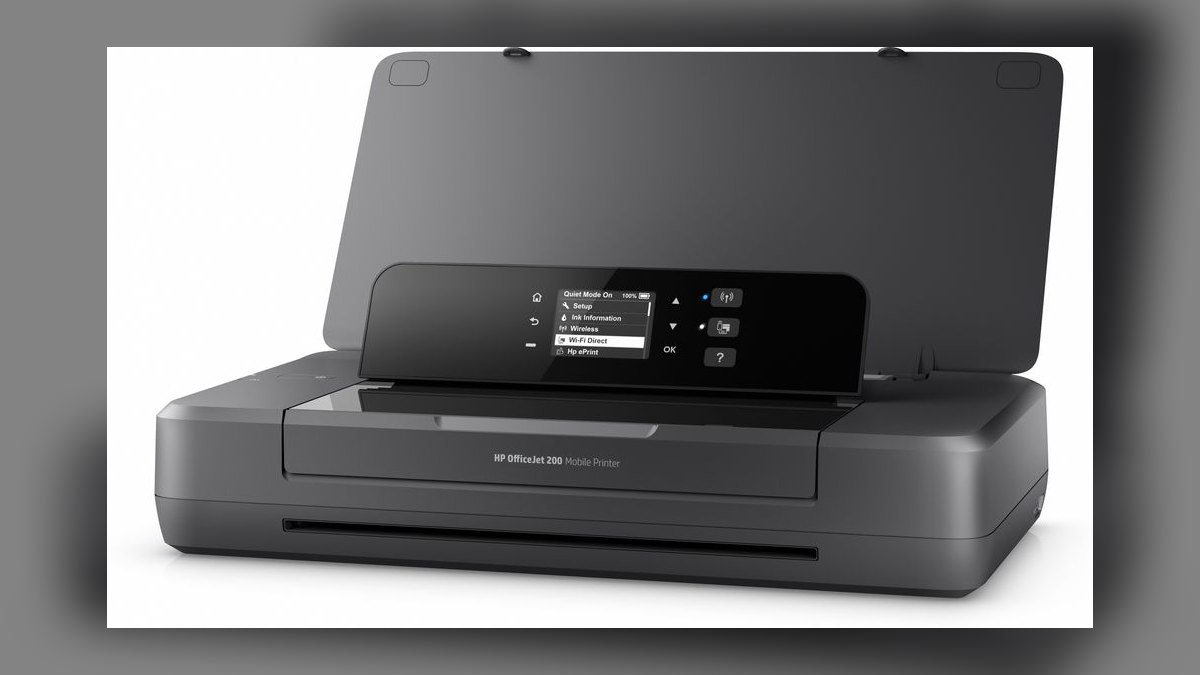
It ranks fifth because it keeps HP's reliable mobile printing and battery in a lighter, cheaper body by dropping the scanner and copier. At around $250 it is the print-only sibling of the OfficeJet 250, saving roughly $100 or more against that all-in-one. Full-page color documents print wirelessly on battery power without any office nearby.
This is for the rep who trusts HP's ecosystem and drivers but genuinely never scans in the field. It trades away the entire scan and copy function, and inkjet cartridge costs still apply. Against the Epson WorkForce EC-C110 above it, the price is similar but the body is thicker; if scanning is ever likely, stepping up to the 250 is the better spend.
6Brother RJ-3250WB-L Rugged Mobile
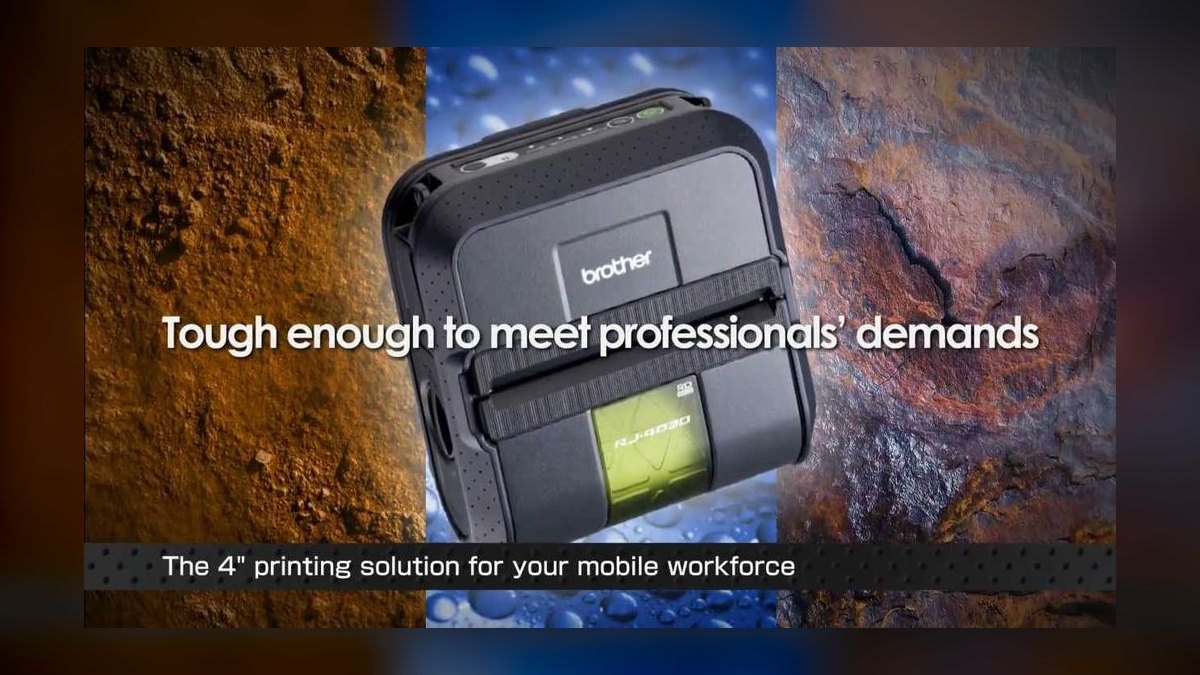
It ranks sixth because it is drop-resistant and weather-tolerant, built to survive trucks and loading docks rather than laptop bags. At roughly $350 this 3-inch thermal printer produces receipts and labels on the spot from battery power, with no ink involved. For delivery, route sales, and trades work, that durability is the entire purchase rationale, not a bonus specification.
This is for reps printing receipts and invoices in vehicles and outdoors, not contracts at a conference table. It trades away full-document printing entirely, limited to receipt and label width, and requires thermal paper. Against the HP OfficeJet 200 above it, you pay $100 more and lose full pages; it is plainly overbuilt for any office-based rep.
7Phomemo M08F
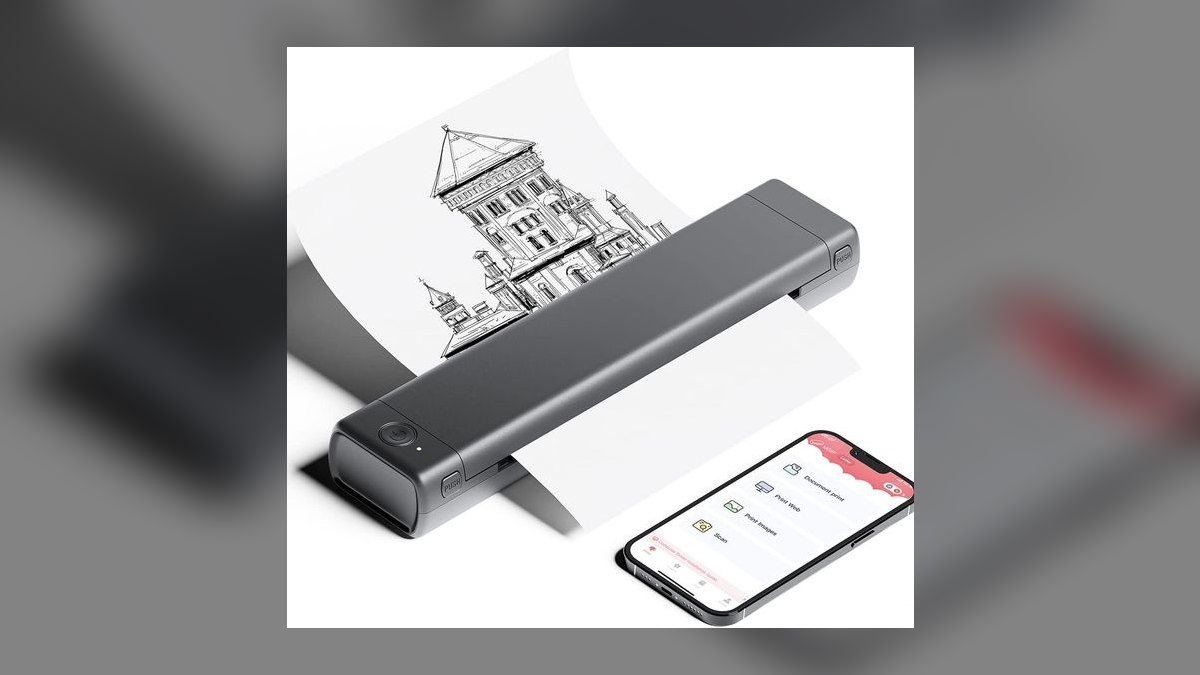
It ranks seventh because it delivers inkless Bluetooth printing at roughly $60 to $80, a fraction of every full-page option above it. The pocket-sized thermal unit prints notes, light documents, and A4 output via thermal roll straight from a phone. There are no cartridges to buy, clog, or replace, which suits a rep who prints only occasionally.
This is for the rep who needs paper a few times a month and refuses to carry or fund a real printer. It trades away print quality and longevity, since thermal output is basic and fades, and it uses thermal rolls as a recurring cost. Against the Brother RJ-3250WB-L above it, you save roughly $280 but give up ruggedness and receipt-grade reliability.
8Munbyn Thermal Printer
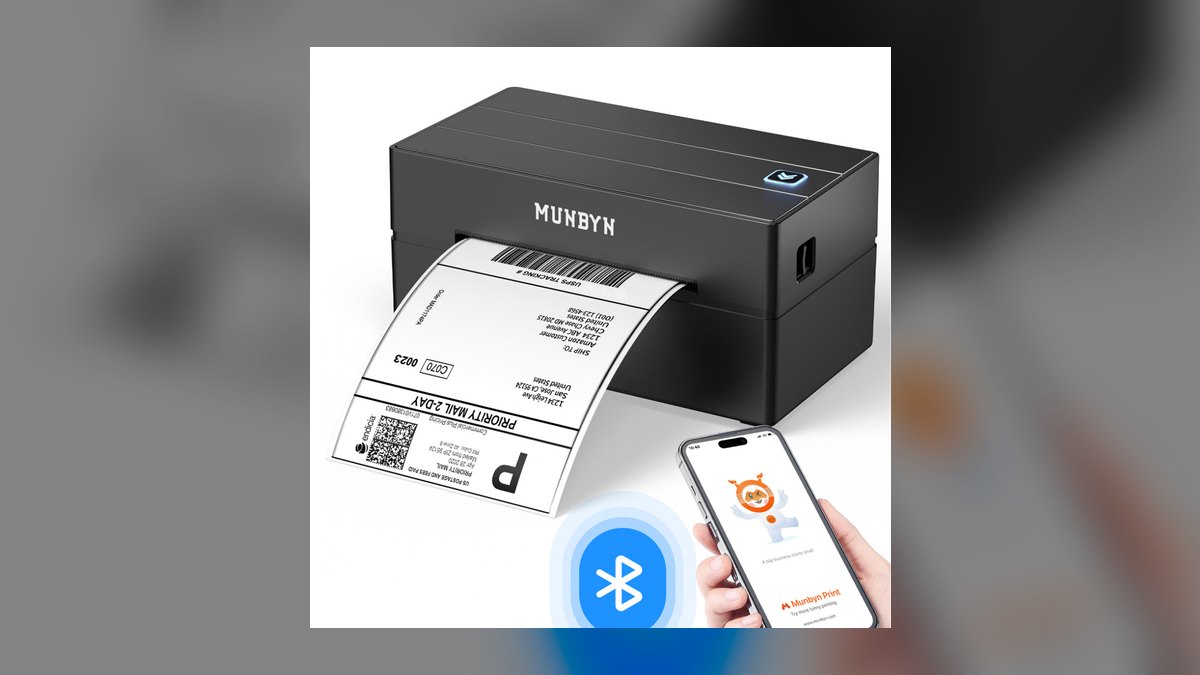
It ranks eighth because it covers receipts, shipping labels, and quick notes for roughly $50 to $90, the lowest entry price for a functional field printer. Models run on battery or USB power and print without any ink, toner, or ribbon. For a rep whose paper output is transactional rather than contractual, that core function arrives cheap and without consumable cartridges.
This is for reps handing over receipts or slapping labels on shipments, not producing signed agreements. It trades away full-document printing, offers no color, and carries the usual thermal fade limitation on anything meant to last. Against the Phomemo M08F above it, the price overlaps closely, but the Munbyn leans toward receipt and label duty rather than A4 roll documents.
9Canon SELPHY QX20
It ranks ninth because it solves a real but narrow field problem: printing a durable, smudge-proof photo on-site from a phone. At around $150 the compact dye-sublimation unit runs on battery, which matters to reps in real estate, insurance, and inspection whose deliverable is an image rather than a document. Dye-sub output resists smudging in a way inkjet photos do not.
This is for the rep whose paperwork is visual evidence, not contracts or receipts. It trades away document printing entirely, and it consumes both paper and ribbon as ongoing costs. Against the Munbyn thermal above it, you pay roughly double for a specialist tool that cannot print a single page of text, making it a supplement rather than a primary field printer.
10HP Sprocket Portable Printer
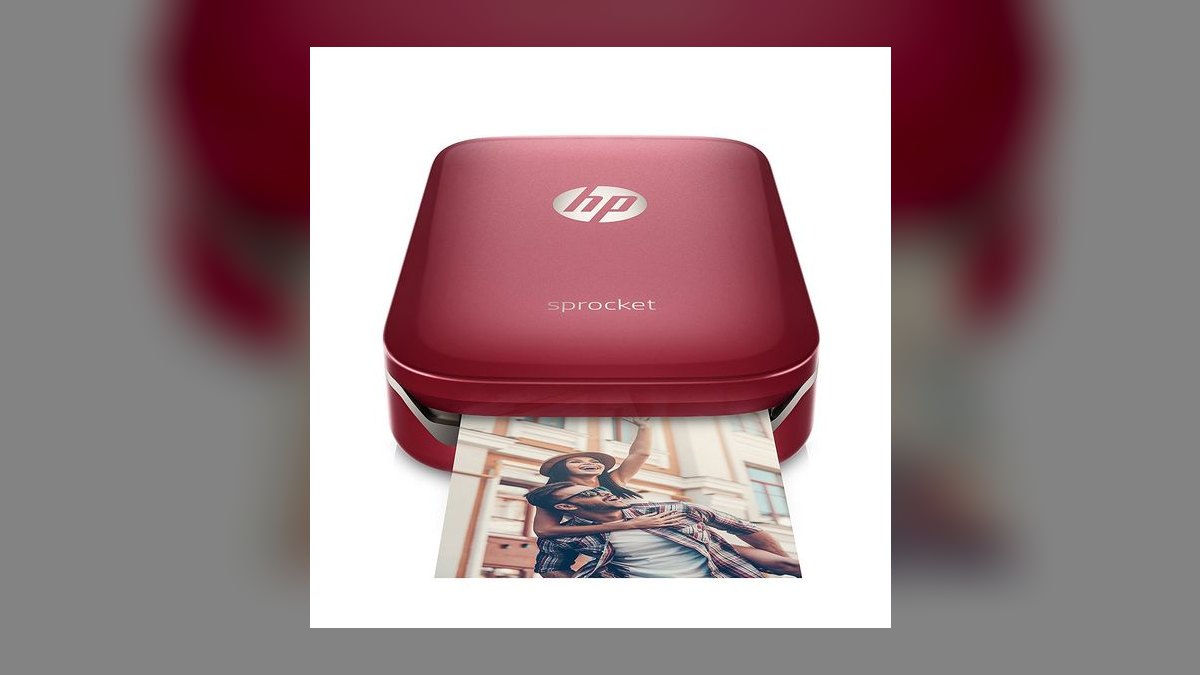
It ranks tenth because it is the smallest and cheapest way to print anything on the go, at roughly $100 for a genuinely pocketable unit. It uses ZINK technology to produce 2x3 inch sticker-backed prints from a phone over Bluetooth, on battery, with no ink cartridges at all. Nothing else on this list disappears into a jacket pocket this completely.
This is for the rep who wants ultra-portable printing for photos and small visual notes, not paperwork. It trades away every document function, producing only tiny photo prints, and ZINK paper is a recurring cost per sheet. Against the Canon SELPHY QX20 above it, you save around $50 but drop to a much smaller print size and lower dye-sub durability.
How we ranked these
We measured what a field sales rep actually carries and actually prints: whether the unit produces full-size pages or receipt-width output, whether it runs on battery without a wall outlet, wireless printing from a phone, and total running cost including cartridges, thermal rolls, or ZINK paper. We weighted document type heaviest — contracts, quotes, receipts, photos — because buying the wrong category is the mistake that wastes the money.
We deliberately ignored pages-per-minute ratings, since nobody prints fifty pages in a customer's driveway and desktop speed comparisons flatter machines nobody carries. We ignored maximum DPI specs, because every unit here prints a legible contract. We ignored bundled software suites and cloud-print ecosystems, which change yearly and rarely survive a firmware update. Aesthetics and color options were excluded entirely — this tool lives inside a bag.
What to look for
What matters is the paper coming out the other end. If a customer signs a contract, you need a full page from a mobile inkjet like the PIXMA TR150 or OfficeJet 250. If you print receipts on a truck tailgate all day, a thermal like the Brother RJ-3250WB-L skips ink entirely. Then confirm the battery is included, not an $80 afterthought, and that your phone prints to it wirelessly.
The mistake buyers make is shopping on sticker price and eating the consumables. A $60 pocket thermal looks cheap until you learn its output fades and cannot hold a signature for a filed contract. A $200 inkjet looks cheap until cartridges run $40 a set and clog after three idle weeks. Price the paper and ink over a year, then decide — and buy scanning only if you genuinely scan.
Related questions
Do thermal prints fade enough to matter on a signed contract?
Yes, and this is the reason thermal is not the default for legal paperwork. Direct thermal paper darkens with heat, light, and time, so a signature can degrade within months in a hot vehicle. For anything filed or archived, print on a mobile inkjet, or scan the thermal copy immediately and treat the paper as a courtesy copy only.
Will an inkjet cartridge dry out if I only print occasionally?
It can. Inkjet nozzles clog when unused for several weeks, which is exactly the pattern for a rep who prints twice a month. Run a page every week or two, or use the printer's cleaning cycle before an important visit. If your printing is genuinely rare, a thermal unit avoids the problem entirely since there is nothing to dry.
Is an all-in-one worth the extra bulk over a print-only model?
Only if you actually scan on-site. The OfficeJet 250 closes the loop — print the contract, capture the signed copy, hand over a duplicate — without returning to an office. But most reps photograph signed pages with a phone instead. If that is you, the print-only OfficeJet 200 or PIXMA TR150 saves weight and roughly a hundred dollars.
Can I just use my phone camera instead of scanning?
For most purposes, yes. Phone scanning apps deskew, crop, and export clean PDFs that hold up for internal records and CRM attachments. A dedicated scanner wins on multi-page batches and consistent quality. If the customer's file needs twenty pages captured in order, a scanner earns its keep; for a three-page agreement, your phone is faster.
What print volume justifies a thermal printer over an inkjet?
Roughly when you are printing daily rather than occasionally. Thermal has no ink cost, so the running expense is paper alone, and the units tolerate heat, vibration, and drops that kill inkjets. Route sales, delivery, and field service hit that threshold easily. A rep printing a handful of contracts monthly will never recover the durability premium.
Does a portable printer need Wi-Fi to work in the field?
No. Most modern units support Wi-Fi Direct or Bluetooth, creating a connection between your phone and the printer without any network. That matters in a basement, a job site, or a rural driveway. Verify the mode before buying, though — some older or cheaper models assume an existing network and become useless off-grid.
How much should I budget annually for consumables?
For a mobile inkjet printing a few dozen pages monthly, expect roughly $100 to $200 a year in cartridges, more if you print color quotes. Thermal roll paper runs cheaper, often under $75 annually at similar volume. ZINK photo paper is the most expensive per sheet. Estimate your real monthly page count before comparing sticker prices.
Is a portable printer still relevant when everything is e-signature?
It is niche but decisive. Most deals close digitally, and that is fine. The exception is the customer who wants paper in hand, the jurisdiction or lender requiring a wet signature, or the site with no reliable connectivity. In those moments the rep who produces a printed document closes while competitors promise to email it later.
FAQ
How long does the battery last on a portable printer?
Expect two to five hours of active use, which for most reps is a full day of intermittent printing. A mobile inkjet like the OfficeJet 250 typically manages 100 to 200 pages per charge; thermal units often stretch further because there is no ink system drawing power. Charge nightly and carry a car adapter for long routes.
Can portable printers handle full-size letter paper?
Mobile inkjets like the PIXMA TR150, OfficeJet 200/250, and WorkForce EC-C110 all take standard letter sheets, as does the Brother PocketJet using thermal paper. Pocket thermal units and photo printers do not — they output receipt-width rolls or small photo sheets. This distinction is the single most important filter when shopping.
Do portable printers print in color?
Inkjets do. The PIXMA TR150, OfficeJet models, and Epson WorkForce all produce color documents, though color printing is slower and consumes ink faster. Save it for quotes and presentations where it earns attention. Thermal printers are monochrome only by design, and dye-sublimation photo printers like the SELPHY print color photos but not documents.
Which portable printer is best for printing contracts?
The HP OfficeJet 250 if you also want to scan the signed copy on-site, or the Canon PIXMA TR150 if you only need to print. Both produce full-page, permanent inkjet output suitable for filing. Avoid thermal for contracts that must survive archiving, since the print can fade under heat and light over time.
Is the Canon PIXMA TR150 battery included?
No. The TR150 sells for roughly $200 as a print-only unit, and the clip-on battery is a separate purchase around $80. Budget for both if you need true cord-free field printing, which brings the real cost close to the OfficeJet 200. Some retailers bundle the two, so compare the bundle price before buying separately.
What does a portable printer cost in 2027?
Pocket thermal units like the Phomemo M08F or Munbyn run $50 to $90. Mobile inkjets sit between $200 and $260 for the PIXMA TR150, Epson EC-C110, and OfficeJet 200. Full all-in-ones like the OfficeJet 250 and the Brother PocketJet reach $300 to $400. Photo printers land near $100 to $150.
Are rugged printers worth the extra money?
Only for genuinely harsh conditions. The Brother RJ-3250WB-L tolerates drops, weather, and vehicle vibration that would kill a consumer inkjet, which matters in delivery, trades, and route sales. An office-based rep carrying a printer between a car and a conference room is paying for protection they will never use, plus receipt-width output.
Can I print from an iPhone or Android without a computer?
Yes. Every unit here prints from a phone via a manufacturer app, AirPrint, Mopria, or Bluetooth. Install the app before your first customer visit rather than during one, and print a test page. Connection setup is the most common field failure, and it is entirely avoidable with ten minutes of preparation at home.
What is the difference between thermal and inkjet running costs?
Inkjets buy cartridges, typically $20 to $50 per set, and waste ink on cleaning cycles. Thermal printers buy only paper, which is cheaper per page but requires the specific heat-sensitive stock. Over a year of heavy printing, thermal usually wins on cost; over light, occasional printing, the difference rarely justifies switching categories.
Should I buy a photo printer for field sales?
Only in specific roles. Real estate, insurance adjusting, and property inspection sometimes need a printed image left with a customer or attached to a report. The Canon SELPHY QX20 produces durable, smudge-resistant prints for that purpose. For everyone else it is a second device with its own consumables solving a problem you do not have.
Sources
- https://www.hp.com/us-en/shop/pdp/hp-officejet-250-all-in-one-portable-printer
- https://www.usa.canon.com/shop/p/pixma-tr150
- https://www.brother-usa.com/products/pj883
- https://epson.com/For-Work/Printers/Inkjet/WorkForce-EC-C110-Wireless-Mobile-Color-Printer/p/C11CH25201
- https://www.brother-usa.com/products/rj3250wbl
- https://www.rtings.com/printer/reviews/best/portable
- https://www.pcmag.com/picks/the-best-portable-printers
- https://www.nist.gov/publications
- https://www.consumerreports.org/electronics/printers/
- https://www.epa.gov/greenerproducts
Related on PULSE
This page will be disappearing soon. Save it to your device for $1 — or read it free while it is here.
@Kory-White- · if Venmo asks, the last 4 of my number are 2012
This page is gone.
This one is off the shelf now. $1 keeps it on your phone for good — the whole page, pictures and diagrams included.
 pulse-reviewsTop 10 Portable USB-C Monitors for Sales Travel in 2027
 pulse-reviewsBest Headsets for Sales Teams in 2027: Top 10 Ranked
 pulse-reviewsTop 10 Clip-On Phone Lenses — Best Overall + Best Value in 2027
 pulse-reviewsTop 10 Countertop Dishwashers — Best Overall + Best Value in 2027
 pulse-reviewsTop 10 Laser Levels — Best Overall + Best Value in 2027
 pulse-reviewsTop 10 USB Microphones Under $100 for Sales Calls in 2027
 pulse-reviewsTop 10 Random Orbital Sanders — Best Overall + Best Value in 2027
 pulse-reviewsTop 10 Popcorn Machines — Best Overall + Best Value in 2027
 pulse-reviewsTop 10 Electric Shavers — Best Overall + Best Value in 2027
 pulse-reviewsTop 10 Lap Desks for Remote AE Couch Work in 2027