


How do I choose the right desk setup for a small apartment home office in 2027?
Quality
Certified
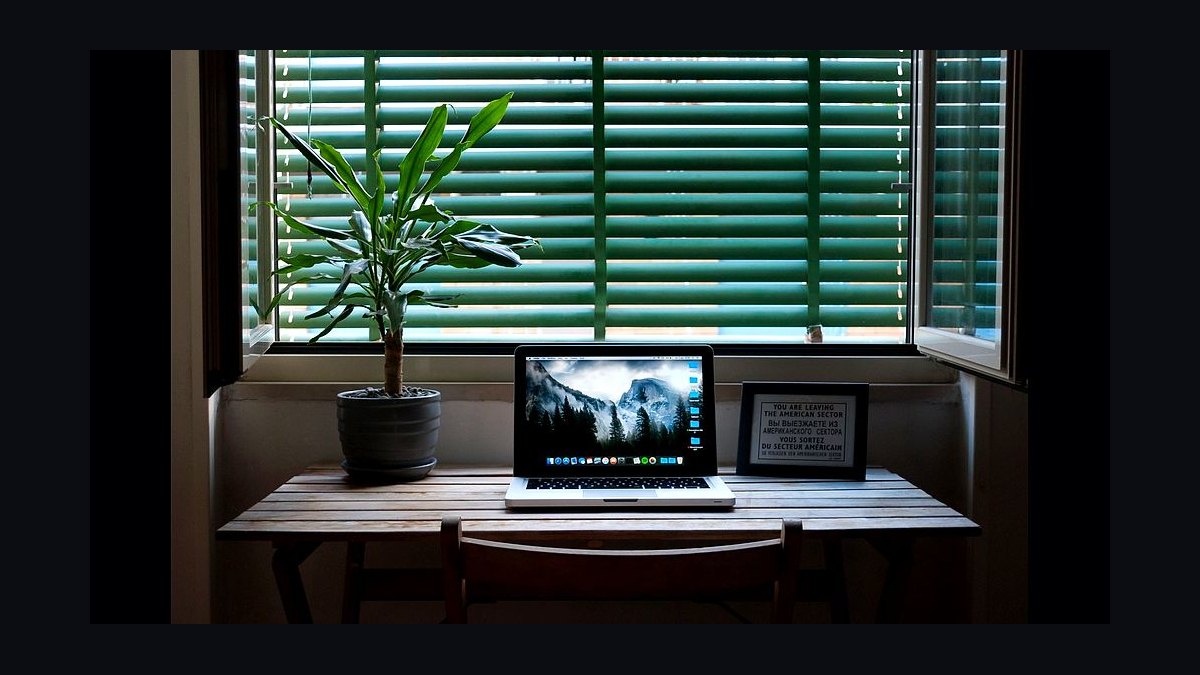
Choosing the right desk setup for a small apartment home office in 2027 means matching desk footprint, height adjustability, and storage to your actual room dimensions and daily work mode. Measure your space first, prioritize a 40–48 inch wide desk with a shallow 24-inch depth, and add vertical storage. Aim for 24–30 inches of clear knee space and 20–28 inches of monitor distance.
What it is and why it matters
A small apartment home office desk setup is not simply a smaller version of a corporate workstation. It is a system of interdependent choices — desk dimensions, height range, storage, seating, cable routing, and lighting — constrained by walls, doors, windows, and the fact that the same room may also be a bedroom, living room, or kitchen. Getting it right matters because a poorly chosen desk in a tight apartment cannot be easily relocated, returned, or hidden. It occupies the same square footage as a bed or a sofa, so every inch has to earn its place.
The core tension is between work surface area and floor area. A standard corporate desk is often 60 inches wide and 30 inches deep, which consumes 12.5 square feet of floor. In a 10-by-10-foot apartment bedroom, that is over 12 percent of the entire room for a single piece of furniture. Shrinking to a 47-inch by 24-inch desk drops that to roughly 7.8 square feet — a 38 percent reduction — while still accommodating a laptop, a 27-inch monitor, and a keyboard. That difference is often the gap between a usable room and a cramped one.
Depth matters more than most people expect. A 24-inch deep desk leaves roughly 8–10 inches behind the monitor for cable management and wall clearance, which is enough for a slim monitor arm but not for a bulky all-in-one printer. A 20-inch deep desk can work for a laptop-only setup but forces the monitor uncomfortably close to your eyes, often landing around 16–18 inches instead of the recommended 20–28 inches. If you wear progressive lenses or do detailed spreadsheet work, that distance becomes a daily strain.
Height adjustability is the second pillar. Sitting-only desks are cheaper and lighter, but a sit-stand desk in a small office pays for itself by letting the same surface serve as a standing workstation in the morning and a seated one in the afternoon. The catch is that standing desks need vertical clearance — typically 45–50 inches of travel space above the desktop — and they weigh 50–90 pounds, which matters if you ever need to move it alone. In a rental apartment, a lighter two-piece frame that you can disassemble is often more practical than a welded industrial frame.
Storage is the third pillar and the one most often ignored. In a small space, horizontal storage (drawers under the desk) competes directly with knee space, while vertical storage (wall shelves, a tall narrow cabinet, or a pegboard) uses air rather than floor. A 12-inch wide, 60-inch tall bookshelf holds roughly the same volume as a two-drawer filing cabinet but occupies one-third of the floor footprint. The trade-off is that vertical storage requires wall anchoring, which some leases restrict and some walls (plaster, brick) make difficult.
Finally, consider the room's other functions. If the desk sits in a bedroom, screen glare and blue light affect sleep; if it sits in a living room, cable clutter and visual noise affect how the space feels in the evening. A desk with a modesty panel or a rear cable tray hides the mess from the room side. A desk on casters can be rolled into a corner when guests arrive. These are not aesthetic niceties — in a small apartment, they determine whether the desk feels like a permanent intrusion or a flexible tool.
The step-by-step process
The process below assumes you have not yet bought anything and are starting from a tape measure. Work through it in order; skipping step one is the single most common cause of returns.
Step 1: Measure the room, not the desk. Measure the wall you intend to use, then subtract 2–3 inches on each side for baseboards, radiators, curtains, or door swing. Note the position of electrical outlets, because a desk placed in front of the only outlet forces an extension cord across the floor. Note window position: a desk facing a window causes backlighting on video calls and glare on screens; a desk perpendicular to the window is usually best.
Step 2: Define your work mode. List what must sit on the desk at once. A laptop-only user needs 30 inches of width. A laptop plus external monitor needs 40–48 inches. A dual-monitor plus docking station setup needs 55–60 inches, which often does not fit a small apartment and pushes you toward a monitor arm and a single larger display instead.
Step 3: Choose the footprint. For rooms under 100 square feet, target a desk 40–48 inches wide and 20–24 inches deep. For rooms 100–150 square feet, 48–55 inches wide is comfortable. Anything wider than 55 inches in a small apartment usually blocks a doorway, a closet, or a walking path of less than 30 inches, which is the minimum comfortable clearance for a person to pass.

Step 4: Decide sit-only versus sit-stand. If you sit more than six hours a day, a height-adjustable desk is worth the extra cost and weight. If the desk doubles as a dining table or a nightstand, a fixed-height desk with a separate standing mat and a laptop riser is a lighter, cheaper compromise.
Step 5: Plan storage vertically. Before buying a desk with drawers, check whether a wall shelf or a narrow tall unit fits. Drawers under a 24-inch deep desk reduce knee space to as little as 18 inches, which is below the 24-inch minimum for comfortable legroom.
Step 6: Plan cable and power routing. Count your devices and their chargers. A monitor, laptop, lamp, phone charger, and speakers can easily need six outlets. A desk with an integrated cable tray and a single power strip mounted underneath keeps cords off the floor and makes the setup look intentional.
Step 7: Choose seating that fits the desk height. A desk at 29 inches (standard fixed height) pairs with a chair whose seat is 16–19 inches high. If you are shorter than about 5 feet 4 inches or taller than about 6 feet 2 inches, a fixed-height desk will force awkward wrist or neck angles, and an adjustable desk or an adjustable chair with a footrest becomes necessary.
Step 8: Test the layout with tape. Before ordering, mark the desk footprint on the floor with painter's tape and sit inside it for ten minutes. This catches problems — a door that cannot open, a chair that cannot roll back, a monitor that would sit in front of a mirror — that no product photo reveals.
Costs, timelines, and typical ranges
Budgeting for a small apartment desk setup is less about the desk alone and more about the total system. The desk is typically 35–50 percent of the total spend; the chair, storage, lighting, and cable management make up the rest. Prices vary widely by region and season, so treat the ranges below as planning bands rather than quotes.
A basic fixed-height desk in the 40–48 inch range typically costs between $80 and $250 depending on material. Particleboard with a laminate finish sits at the low end; solid wood or bamboo tops sit at the high end. A height-adjustable desk in the same footprint generally runs $250 to $700, with dual-motor frames and memory presets at the upper end. In a small apartment, a two-leg frame is usually sufficient; four-leg frames add stability but also weight and cost.
Seating is the item most often underbudgeted. A basic task chair runs $60–$150, but a chair with adjustable seat height, adjustable lumbar support, and a synchro-tilt mechanism typically starts around $200 and can exceed $600. Because a chair outlasts most desks and directly affects back and wrist health, many practitioners recommend allocating at least as much to the chair as to the desk.
Storage and organization typically add $50–$200. A wall-mounted shelf unit runs $30–$80, a narrow tall cabinet $60–$150, and a desk-mounted cable tray $20–$50. A monitor arm, which frees desk depth and improves ergonomics, runs $30–$120 for a single-arm gas-spring model. Lighting — a desk lamp with adjustable color temperature — adds $25–$80.

Timelines matter in a small apartment because assembly space is limited. A flat-pack desk typically takes 45–90 minutes to assemble and requires roughly 6 by 4 feet of clear floor to lay out panels. A height-adjustable desk with a separate frame and top takes 60–120 minutes. If you live alone, check whether the box can be carried up stairs; a 70-pound desk box is manageable, but a 120-pound solid-wood top may require a second person or a delivery service.
Total realistic budgets for a small apartment home office in 2027:
- Minimum viable setup: $200–$350. Fixed desk, basic chair, existing laptop, one lamp, adhesive cable clips.
- Comfortable setup: $600–$1,100. Height-adjustable desk or quality fixed desk, ergonomic chair, monitor arm, wall shelf, cable tray, desk lamp.
- Fully optimized setup: $1,200–$2,000. Premium adjustable desk, high-end chair, dual-purpose storage, acoustic panel or room divider, smart lighting.
Delivery and lead times vary. Mass-market flat-pack furniture is usually in stock and arrives in 3–7 days. Made-to-order solid wood tops can take 3–8 weeks. Custom closet or wall storage can take 6–12 weeks and often requires landlord approval in a rental apartment.
Where teams get it wrong
The most common mistake is buying the desk before measuring the room. People see a 55-inch desk online, imagine it fitting, and discover on delivery that it blocks a closet door or leaves only 20 inches of walkway. In a small apartment, the difference between 48 and 55 inches is often the difference between a functional room and a frustrating one. Measure first, then shop.
The second mistake is over-indexing on desk width and under-indexing on depth and height. A wide but shallow desk forces the monitor too close. A deep desk eats floor space. A fixed-height desk that is 2 inches too tall causes shoulder elevation and wrist extension that show up as pain after a few weeks. Height and depth are ergonomic variables; width is mostly a storage variable.
The third mistake is treating storage as an afterthought. Buyers choose a desk with two drawers, then discover the drawers collide with their knees because the desk is only 24 inches deep. Or they stack papers on the desktop because there is nowhere else, shrinking usable work area to 30 inches. Vertical storage planned before purchase avoids both problems.
The fourth mistake is ignoring cable and power reality. A desk placed against a wall with no outlet nearby leads to a daisy chain of extension cords, which is both a trip hazard and, in older apartment wiring, an overload risk. Count your devices and confirm outlet locations before committing to a desk position.
The fifth mistake is buying a chair that does not match the desk. A 29-inch fixed desk with a chair whose seat only goes down to 19 inches leaves shorter users with dangling feet and pressure behind the knees. Conversely, a tall user on a low desk hunches forward. Desk height and chair height are a matched pair; changing one usually requires changing the other.
The sixth mistake is underestimating assembly and disposal. Flat-pack furniture generates a large amount of cardboard, which is difficult to store in a small apartment until recycling day. Some buildings restrict bulky waste. If you are renting, check whether the building has a freight elevator or a loading dock, because carrying a 90-pound box up four flights is a genuine constraint.
The seventh mistake is choosing aesthetics over function in a visible room. A minimalist glass desk looks clean but shows every cable and offers no clamp-friendly edge for a monitor arm. A desk with a solid modesty panel hides clutter and gives you a surface to mount a power strip, which matters more in a studio apartment where the desk is always on display.
Decision framework: when to choose what
Use the framework below to move from constraints to a specific choice. It assumes you have completed the measurements and device list from the process section.
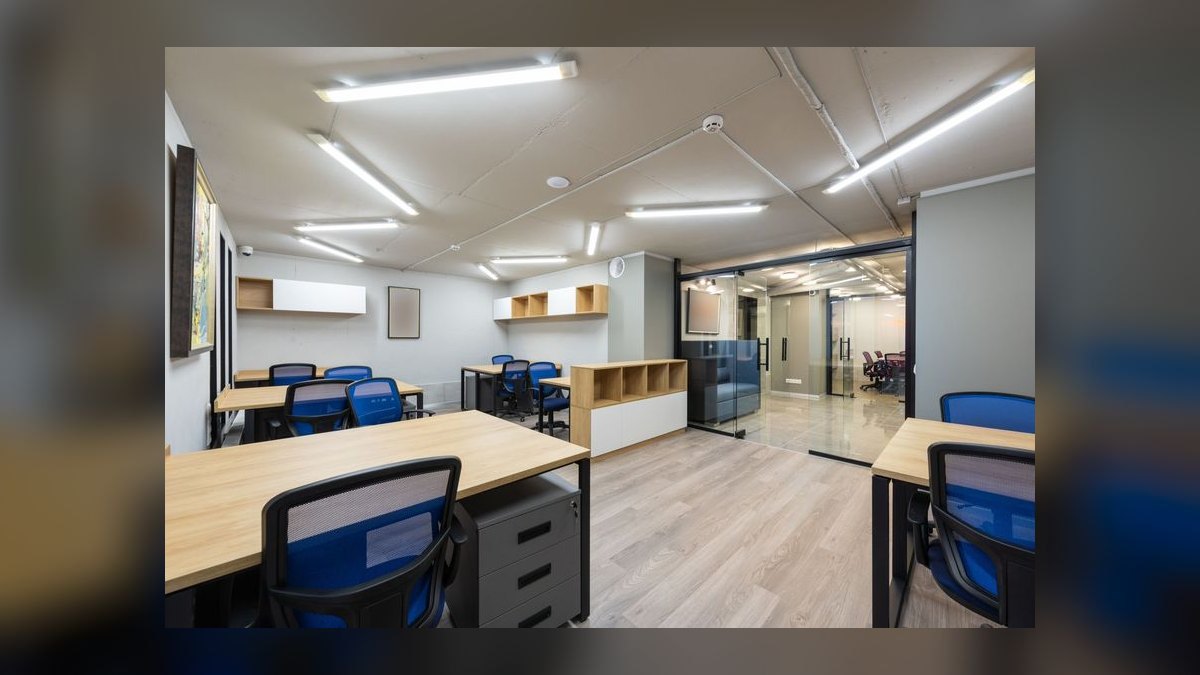
If your room is under 80 square feet: choose a wall-mounted or folding desk 36–42 inches wide and 18–20 inches deep. Prioritize a laptop-only or laptop-plus-single-monitor setup. Use a wall shelf above the desk for storage. Skip drawers entirely; use a rolling cart that tucks under the desk and rolls away when not in use.
If your room is 80–120 square feet: choose a 44–48 inch wide, 24-inch deep desk. This is the sweet spot for a small apartment home office. A height-adjustable version is worth it if you sit more than six hours. Add one narrow vertical storage unit, ideally under 16 inches wide.
If your room is 120–160 square feet: you can accommodate a 48–55 inch desk with a monitor arm and a small drawer unit, provided you keep a 30-inch walkway. Consider an L-shaped corner desk only if the corner is otherwise unusable; L-desks consume more floor area than two separate straight desks in most layouts.
If the desk must double as a dining table or nightstand: choose a fixed-height desk with a durable, easy-clean top and no under-desk drawers. Add a laptop riser and an external keyboard so you can raise the screen without raising the whole desk.

If you record video or take many calls: choose a desk that lets you sit perpendicular to a window, not facing it. Add a monitor arm so the screen can be pushed back for camera framing. Choose a desk with a solid rear panel or add a fabric screen behind you to reduce echo, which is more pronounced in small, hard-surfaced rooms.
If you rent and move frequently: choose a desk under 60 pounds that disassembles into flat panels, and avoid wall-mounted storage that requires large anchors. A freestanding tall narrow shelf is more portable than built-in shelving and leaves smaller holes.
If your budget is under $300 total: buy a used height-adjustable desk frame or a solid fixed-height desk secondhand, and put the savings into the chair. A $120 used steel desk with a $180 ergonomic chair outperforms a $300 desk with a $60 chair for daily comfort.
Related questions
How wide should a desk be in a small apartment?
For most small apartments, 40–48 inches wide is the practical range. Under 40 inches you struggle to fit a monitor and keyboard comfortably; over 55 inches you usually block a walkway or door. Measure your wall and subtract 2–3 inches per side before deciding.
Is a standing desk worth it in a tiny room?
Yes, if you sit more than six hours a day and have 45–50 inches of vertical clearance. The main drawbacks are weight (50–90 pounds) and cost. If space or budget is tight, a fixed desk with a laptop riser and an anti-fatigue mat captures much of the benefit.
How do I hide cables in a small home office?
Mount a power strip and a cable tray under the desk, route cords along the desk legs with adhesive clips, and use a desk with a rear modesty panel to block the view from the room. Label chargers so you can unplug unused ones and reduce clutter.
What desk depth works for a 27-inch monitor?
A 24-inch deep desk is the practical minimum for a 27-inch monitor on a stand, leaving 20–24 inches of viewing distance. A 20-inch deep desk forces the monitor too close unless you use a wall-mounted or desk-clamped monitor arm to push it back.
Should I buy a corner desk for a small apartment?
Usually not. Corner desks consume more floor area than a straight desk of the same surface area and often block window access. Choose a corner desk only if the corner is otherwise unusable and you need the extra surface for dual monitors or paperwork.
FAQ
How do I choose the right desk height for a small apartment home office?
For seated work, the desktop should sit at roughly elbow height when your shoulders are relaxed — typically 28–30 inches for average-height adults. If you are shorter than about 5 feet 4 inches or taller than about 6 feet 2 inches, a fixed-height desk will likely be wrong, and you should choose an adjustable desk or an adjustable chair with a footrest.
What is the minimum walkway width behind a desk chair?
Allow at least 30 inches of clear floor behind the chair so you can push back and stand up without hitting a wall or bed. If the desk faces a wall and the chair backs into a walkway, 36 inches is more comfortable. Below 30 inches, you will constantly feel cramped and may damage the wall.
Do I need a height-adjustable desk in a small apartment?
Not necessarily. If you sit fewer than six hours a day or the desk doubles as a table, a fixed-height desk with a laptop riser is lighter, cheaper, and easier to move. Choose adjustable if you sit long hours, have back or shoulder issues, or want to alternate sitting and standing without a second piece of furniture.
How much floor space does a small home office desk need?
A 48-inch by 24-inch desk occupies 8 square feet of floor, plus roughly 30 inches of clearance behind the chair, which adds about 10 square feet of usable circulation. Plan for 18–20 square feet of total room area dedicated to the desk zone, including the chair pull-out space.
What storage works best in a small apartment office?
Vertical storage works best: wall shelves, a narrow tall cabinet under 16 inches wide, or a pegboard above the desk. Avoid under-desk drawer units in desks shallower than 26 inches, because they reduce knee space below the 24-inch minimum. A rolling cart that tucks away when not in use is a flexible alternative.
How do I keep a home office desk from taking over a small apartment?
Choose a desk that matches the room's other furniture in material and color, hide cables with a tray and modesty panel, and add one vertical storage element so the desktop stays clear. If the desk sits in a living area, consider a folding or wall-mounted design that closes away when the workday ends.
Sources
- https://www.nytimes.com/wirecutter/reviews/best-standing-desks/
- https://www.nytimes.com/wirecutter/reviews/best-office-chairs/
- https://www.ergotron.com/en-us/ergonomics/ergonomic-equations
- https://www.osha.gov/etools/computer-workstations
- https://www.pcmag.com/picks/the-best-standing-desks
- https://www.tomsguide.com/best-picks/best-standing-desk
- https://www.techradar.com/news/best-standing-desk
- https://www.cnet.com/home/kitchen-and-household/best-standing-desk/
Related on PULSE
This page will be disappearing soon. Save it to your device for $1 — or read it free while it is here.
@Kory-White- · if Venmo asks, the last 4 of my number are 2012
This page is gone.
This one is off the shelf now. $1 keeps it on your phone for good — the whole page, pictures and diagrams included.
 pulse-reviewsTop 10 Noise-Cancelling Headphones — Best Overall + Best Value in 2027
 pulse-recentTop 10 Webcams with Built-In Privacy Shutters in 2027
 pulse-reviewsTop 10 Blue Light Glasses for Sales Reps in 2027
 pulse-reviewsTop 10 Foldable Phones — Best Overall + Best Value in 2027
 pulse-reviewsTop 10 Shop Vacuums — Best Overall + Best Value in 2027
 pulse-reviewsTop 10 Backpack Leaf Blowers — Best Overall + Best Value in 2027
 pulse-recentHow does blue light exposure from screens actually affect sleep quality in 2027?
 pulse-reviewsTop 10 Premium Travel Coffee Mugs for Sales Reps in 2027
 pulse-reviewsTop 10 Smart Water Leak Detectors — Best Overall + Best Value in 2027
 pulse-reviewsTop 10 Standing Desks $500-$1500 in 2027