


How do you get started with Graphics in 2027?
Quality
Certified
Getting started with graphics in 2027 means picking one lane, downloading free professional-grade software, and shipping small finished projects until the fundamentals become muscle memory. You do not need a degree, an expensive workstation, or years of runway. A mid-range computer with a dedicated GPU, a free program like Blender or Krita, and a steady practice habit are enough to go from zero to a portfolio-ready beginner within a year. The single most important decision is scope: choose one discipline first — 2D illustration, 3D modeling, motion graphics, or real-time/game art — and resist the urge to learn all of them at once.
The reason 2027 is a good moment to begin is that the barrier to entry has collapsed on two fronts. Software that once cost thousands per year now has free, fully capable open-source equivalents, and generative AI tools handle a growing share of the tedious, repetitive work — background fills, upscaling, denoising, first-draft concepts — so a beginner can produce respectable results faster than ever. But the tools are only accelerants. The durable skills are the same ones that have mattered for a century: composition, value, color, lighting, and perspective. If you invest in those fundamentals while staying fluent in the current toolset, you will be employable and adaptable regardless of which specific app or model dominates next year.
Here is the honest path in one paragraph: install free software today, spend your first two to three months on fundamentals and short tutorials, then shift to self-directed personal projects that you finish and post publicly for feedback. After roughly six months of consistent work — call it ten to fifteen hours a week — pick a specialization and build a focused portfolio of five to ten polished pieces. From there, freelance marketplaces, game jams, open-source contributions, and junior studio roles all become realistic entry points. The rest of this guide expands each of those steps with specifics.
What hardware and software do you actually need to start?
You need far less than most beginners assume. For 2D work — digital painting, vector illustration, UI design — almost any modern laptop from the last few years is adequate, and a graphics tablet matters more than raw compute. For 3D modeling, animation, and real-time engines, aim for a machine with a dedicated GPU, at least 16 GB of RAM (32 GB is comfortable), and an SSD. A discrete GPU with 8 GB or more of video memory will handle sculpting, texturing, and viewport rendering smoothly. If your current machine is underpowered, cloud rendering and browser-based tools let you offload the heavy computation, so a weak GPU is an inconvenience, not a wall.
On the software side, you can build a complete professional toolkit without paying anything:
- Blender — a free, open-source 3D suite covering modeling, sculpting, texturing, rigging, animation, simulation, and rendering. It is the single best starting point for anyone drawn to 3D, and it has one of the largest tutorial communities of any creative tool.
- Krita — a free, open-source painting application built specifically for illustrators and concept artists, with a strong brush engine and animation support.
- GIMP — a free raster editor for photo editing and general image manipulation, a capable stand-in for Photoshop.
- Inkscape — a free vector editor for logos, icons, and scalable UI assets, comparable to Illustrator for many tasks.
- Unreal Engine and Unity — both free for beginners and hobbyists, and the standard platforms for real-time and game graphics.
- Adobe Creative Cloud (Photoshop, Illustrator, After Effects) — still the paid industry default in many studios, worth learning eventually if you target agency or film work, but not required to start.
A sensible first move is to install Blender and Krita today. Between them you can explore both 3D and 2D, decide which excites you more, and never hit a paywall while you learn. As you grow, learn node-based workflows — the material and shader graphs in Blender and Unreal, and the compositing nodes in tools like DaVinci Resolve's Fusion page. Node graphs are how modern materials, effects, and procedural content are built, and comfort with them transfers across nearly every professional pipeline.
What fundamental skills matter more than any tool?
Tools change; principles do not. Prioritize these:
Composition. How you arrange elements in the frame determines whether an image reads clearly and holds attention. Study the rule of thirds, leading lines, focal hierarchy, and negative space — then study how they are broken deliberately. The fastest way to improve is to analyze images you admire and ask *why* your eye moves the way it does.
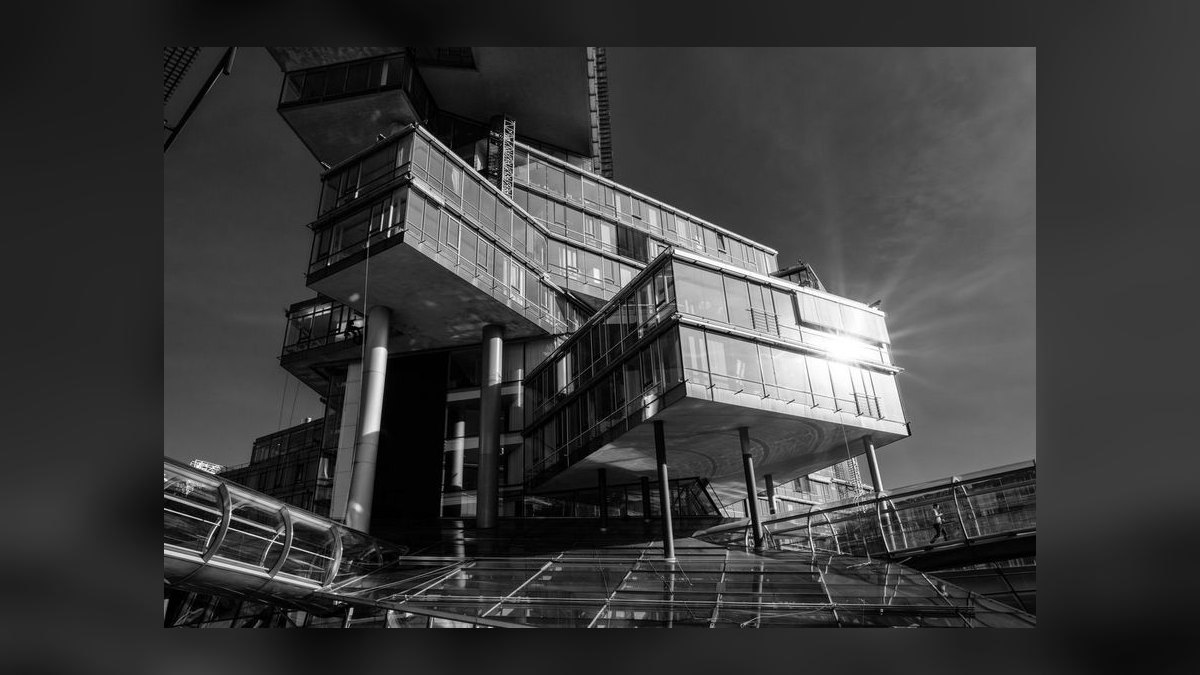
Value and contrast. Value — the lightness or darkness of tones — carries more of an image's readability than color does. Many professionals do value studies in grayscale before adding any hue at all, because if the values work, the piece reads even in black and white.
Color theory. Learn how hue, saturation, and temperature interact; how complementary and analogous palettes create mood; and how limiting your palette almost always strengthens a piece. Color is where beginners most often overreach, so restraint is a skill in itself.
Lighting. Understanding key, fill, and rim light — and how light behaves on different surfaces — is what separates flat work from believable work, whether you are painting in 2D or lighting a 3D scene. The same lighting logic applies across both.
Perspective and form. The ability to construct believable space and volume — one-, two-, and three-point perspective, and how basic forms turn in space — underpins everything from environment design to hard-surface modeling.
Alongside these artistic fundamentals, build technical literacy in your chosen software: keyboard shortcuts, non-destructive layer and modifier workflows, and a basic mental model of the rendering pipeline. And in 2027, add AI literacy: knowing how to write precise prompts, how to use AI for upscaling and cleanup, and — critically — how to judge and correct AI output rather than accepting it blindly. AI is a competent junior assistant, not an art director; your taste is still the deciding factor.
Finally, practice giving and receiving critique. Post work publicly, ask specific questions, and apply the feedback. The loop of create → share → revise is the single fastest accelerator of growth, and it is free.
How do you structure a realistic learning path?
A structured path prevents the two most common failure modes: tutorial-hopping without ever finishing anything, and burning out by attempting professional-scale work too early. Here is a workable twelve-month arc, assuming roughly ten to fifteen hours a week.
Months 1–2: Orientation. Learn your software's interface and complete a handful of beginner tutorials start-to-finish. In Blender, the classic "make a donut" style series exists precisely because it teaches the whole pipeline — modeling, materials, lighting, rendering — on a small object. Do not skip the boring parts; the goal is fluency, not a masterpiece.
Months 3–4: Fundamentals over polish. Do daily or near-daily studies: value studies, master copies, simple still-life models, short animation exercises. Keep each one small enough to finish in a sitting or two. Volume of finished work matters more than any single piece.
Months 5–6: Small original projects. Move from copying tutorials to solving your own briefs — recreate a favorite scene, design a fictional prop, animate a character walk cycle, or build a small UI screen. Each project should stretch exactly one new skill. Write down what you learned each time.
Months 7–9: Specialize. Pick a lane and go deep. This is where you narrow from "graphics" to, say, "3D environment art" or "2D character illustration." Rebuild your practice around the specific tools and techniques that lane demands.
Months 10–12: Portfolio. Produce five to ten portfolio-quality pieces in your niche, each with a short process description. Set up a simple portfolio site and profiles on the platforms where people in your specialization actually hire.
Throughout, mix free and paid learning. YouTube channels cover most fundamentals for free; structured paid courses on platforms like Udemy, Coursera, Domestika, or specialized schools can compress your learning when you hit a plateau. Use paid courses to fix specific weaknesses, not as a substitute for making your own work.
How do you build a portfolio and gain real experience?
Your portfolio *is* your resume in graphics — most employers and clients care far more about what you can show than about credentials. Build it around a few principles:
Quality over quantity. Five to ten strong, finished pieces beat fifty rough ones. A weak piece drags down the perceived quality of everything around it, so cut anything you are not proud of.
Show your process. For each piece, include a short note on the brief, the tools you used, and what you learned or solved. This signals problem-solving ability and a growth mindset, which matter as much as the final image to anyone hiring a junior.
Target the piece to the job. If you want environment work, your portfolio should be environments — not a scattered mix of logos, characters, and photo edits. A focused body of work reads as intentional.
To gain experience and exposure without a job yet, use several channels in parallel:
- Game jams such as Global Game Jam or Ludum Dare teach you to finish under deadline and collaborate with programmers and designers — invaluable and free.
- Open-source and community projects often need art and assets; contributing gives you real credits and teammates.
- Freelance marketplaces like Upwork and Fiverr offer small, low-stakes paid work that builds both skills and client experience.
- Community platforms — ArtStation and Behance for professional visibility, plus discipline-specific forums and Discord servers — are where feedback, opportunities, and networking actually happen.
Set up a clean personal site (a simple single-page portfolio is fine) so you own one canonical link to your work, and keep your platform profiles current. Consistency of presence matters: the artist who posts finished work regularly gets seen far more than the one with better work who posts twice a year.
What role does AI genuinely play in a 2027 workflow?
AI in graphics is best understood as an accelerator for specific, well-defined tasks, not a replacement for artistic judgment. In practice, working artists use generative and machine-learning tools for:
- Concept and mood exploration — generating rough visual directions and reference boards quickly at the ideation stage.
- Texture and material drafts — producing base textures that you then refine by hand for uniqueness.
- Upscaling and denoising — cleaning up renders and increasing resolution.
- Repetitive production tasks — assisting with rotoscoping, in-betweening, and background fills that would otherwise eat hours.
The skill to develop is *direction and curation*: writing precise prompts, generating many options, then selecting and heavily reworking the best. The finished, distinctive work almost always requires meaningful human input on top of any AI output.
Two cautions matter. First, ethics and disclosure: be transparent about AI use in client work, respect licensing and copyright, and never imitate a living artist's signature style to pass work off as your own. Second, legal uncertainty: the copyright status of purely AI-generated images is still contested and varies by jurisdiction, and guidance from bodies like the U.S. Copyright Office has generally held that works must contain sufficient human authorship to be protected. Treat AI as a tool inside a human-authored process, keep records of your own contribution, and read the terms of any tool you use commercially. If you prefer more control and privacy, node-based local generation tools let you run models on your own machine instead of sending work to a cloud service.
How do you choose a specialization?
After six to twelve months of general practice, narrowing your focus is what makes you hireable — studios hire specialists far more often than generalists at the junior level. Common paths include:
- 2D illustration — character design, concept art, editorial illustration.
- UI/UX and product design — interface layout, design systems, interaction.
- 3D modeling — hard-surface, organic/character, or environment and architectural work.
- Animation — 2D frame-by-frame, 3D character animation and rigging, or motion graphics.
- Visual effects and simulation — particles, fluids, compositing.
- Game and real-time art — optimized assets, materials, and lighting for engines.
- Technical art — shaders, tools, and pipeline work bridging art and programming, often among the best-paid and most in-demand niches.
Choose based on where your genuine interest and the market overlap. Research each field by watching production breakdowns and reading real job descriptions to see which specific tools and skills employers list. Then rebuild your practice around that lane: a character modeler leans into sculpting and texturing tools; a motion designer masters compositing and animation software; a technical artist learns shader languages and scripting. Emerging niches — volumetric capture, digital twins, and immersive XR — are worth watching, but a solid foundation in a mainstream discipline transfers into them more easily than chasing a niche from day one.
What are the most common beginner mistakes to avoid?
Beginners lose the most time to a predictable set of traps. Tutorial addiction — endlessly following along without ever making original work — feels productive but builds little independent skill; the fix is to finish original projects, not more tutorials. Scope creep — starting an ambitious cinematic scene as your third project — almost always ends in an abandoned file; keep early projects small enough to finish. Skipping fundamentals in favor of flashy software features produces work that looks superficially advanced but reads poorly, because weak value and composition can't be hidden by a fancy shader. Comparing your beginnings to others' highlight reels is corrosive; compare your work to your own from three months ago instead. And hoarding unfinished work deprives you of the feedback loop entirely — an imperfect finished piece you post is worth more to your growth than a perfect one you never show. Avoiding these five is, in practice, most of what separates people who improve steadily from people who stall.
FAQ
What is the best free software to start learning graphics?
For 3D, Blender is the clear choice — free, open-source, professionally capable, and backed by an enormous tutorial community. For 2D painting, Krita is purpose-built for illustrators; for vector work, Inkscape; and for general photo editing, GIMP. You can assemble a complete beginner toolkit without spending anything, which lets you explore multiple disciplines before committing.
Do I need a drawing tablet to get started?
For 2D illustration and 3D sculpting, a pen tablet dramatically improves control and is worth buying early; entry-level models from established makers like Wacom or Huion are inexpensive. For pure 3D modeling, animation, and engine work, a mouse and keyboard are perfectly workable, so you can start without a tablet and add one when your focus demands it.
How long does it take to become employable?
With consistent practice of roughly ten to fifteen hours a week, many people reach a junior/entry level and can begin freelancing or applying for junior roles within about twelve months, provided they focus on a single specialization and build a targeted portfolio. Genuine mastery takes years, but you do not need it to start earning.
Do I need a degree to work in graphics?
Generally no. A strong, focused portfolio and demonstrable skills carry more weight than formal credentials in most of the field, and many working artists are self-taught. A degree can help with structured learning, networking, and internships — especially at larger studios — but it is not a requirement for entry.
Can I learn entirely from free online resources?
Yes. High-quality free tutorials cover the fundamentals of nearly every discipline, and free software removes the tooling cost. Paid courses are useful for compressing your learning when you hit a specific plateau, but a determined beginner can go from zero to portfolio-ready almost entirely on free material, as long as they finish real projects and seek feedback.
How do I handle copyright and licensing when using AI tools?
Read the terms of any tool you use commercially, keep meaningful human authorship in your process, and document your contribution. The legal status of purely AI-generated images is still evolving and varies by country, and the U.S. Copyright Office has generally required sufficient human authorship for protection. Avoid imitating a living artist's distinctive style, and be transparent about AI use in client work.
What is the difference between raster and vector graphics?
Raster images are made of pixels and are ideal for photographs and richly detailed painting, but they lose quality when scaled up. Vector graphics are defined by mathematical paths, so they scale to any size without quality loss, which makes them the standard for logos, icons, and UI. Both are useful skills; which you prioritize depends on your specialization.
How do I stay current as tools and trends change?
Follow a few reputable industry sites and the channels of working artists, participate in a community or two for your discipline, and set aside a small amount of time regularly to try new tools without abandoning your core practice. Because fundamentals transfer across every tool, the safest hedge against change is to keep those fundamentals strong while sampling new software deliberately rather than chasing every release.
Sources
- Blender — official site and documentation
- Krita — official site
- Inkscape — official site
- Unreal Engine — Epic Games
- Unity — official site
- Adobe Creative Cloud
- ArtStation — portfolio platform
- U.S. Copyright Office
- Global Game Jam
- Coursera — online courses
Related on PULSE
- How do you build a creative portfolio that gets you hired?
- What are the best AI tools for graphic design in 2027?
- How do you transition from 2D to 3D graphics?
- What is the role of ethics in AI-generated art?
- How do you price freelance graphic design projects?
People also search for: get started with graphics · how to get started with graphics · graphics for beginners 2027
This page will be disappearing soon. Save it to your device for $1 — or read it free while it is here.
@Kory-White- · if Venmo asks, the last 4 of my number are 2012
This page is gone.
This one is off the shelf now. $1 keeps it on your phone for good — the whole page, pictures and diagrams included.
 gbTop 10 Graphics strategies for 2027
 gbWhat is the best way to approach Graphics in 2027?
 gbHow much do Graphics cost in 2027?
 gbIs Graphics worth it in 2027?
 gbWhat are the most common mistakes in Graphics in 2027?
 gbTop 10 best Graphics options in 2027
 gbWhat should you know before investing in Graphics in 2027?
 gbAnnual Sales Planning — Title Slide
 graphic5 Stages of a Healthy Pipeline — Infographic
 graphicMEDDIC Qualification — Infographic