

The 10 Best AI Tools for Subtitles and Captions in 2027
 Curated byKory White · Fractional CRO · Maryland
Quality
Certified
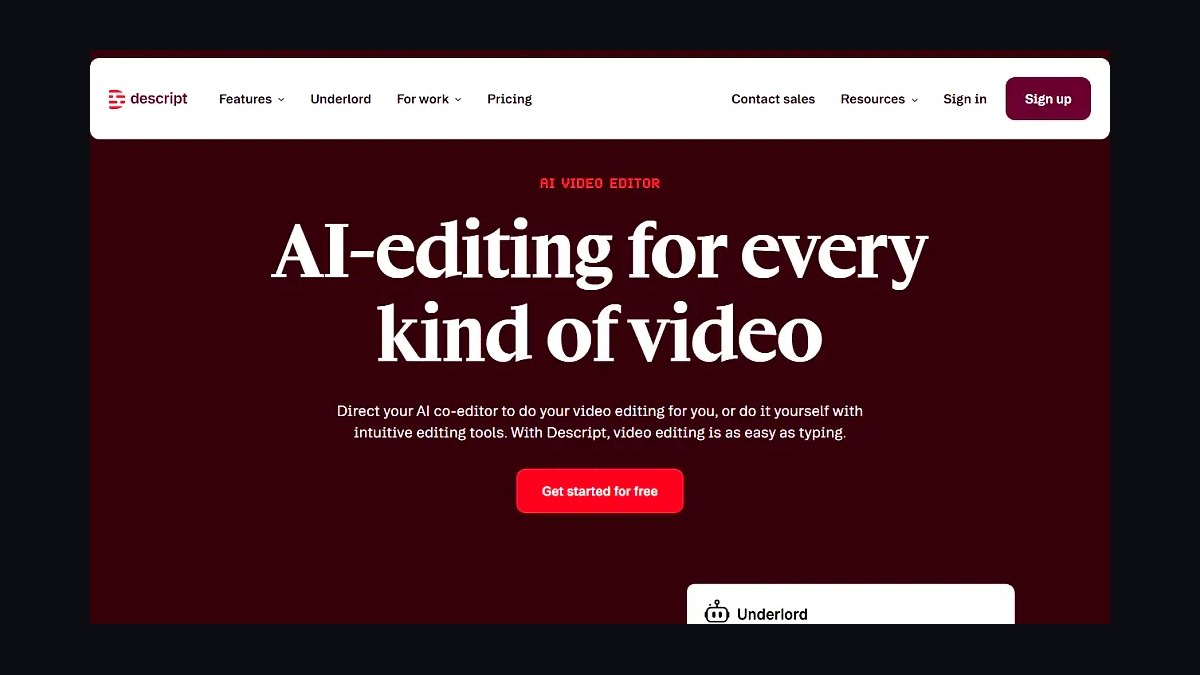
For professionals who need accurate subtitles and captions at production scale in 2027, Descript is the best overall AI tool — it pairs near-broadcast transcription with text-based editing, burned-in or sidecar caption export, and word-level timing you can fix by editing text instead of nudging timecodes. The strongest runner-up is Adobe Premiere Pro's Speech to Text, which is the right call if your captions already live inside a video edit.
Short-form creators chasing animated, on-trend caption styles should jump straight to Submagic or CapCut, while compliance-heavy teams that need certified accuracy belong on Rev. This list is built for operators — editors, localization leads, podcast teams, and accessibility owners — not hobbyists.
How We Ranked These
Subtitles and captions are not one job, so the ranking weighs five things. Transcription accuracy comes first — measured by how clean the raw output is on real audio with accents, overlap, and jargon, since every minute of correction is cost. Timing and sync quality is second: word-level timestamps, sentence segmentation, and whether the tool respects caption reading-speed limits (the common ~17 characters-per-second and 42-characters-per-line conventions).
Third is export and format coverage — real captioning needs SRT, WebVTT, and often SCC or EBU-STL for broadcast, plus burned-in "open caption" rendering for social. Fourth is languages and translation, because localization is where caption volume explodes. Fifth is workflow fit and price for an operator: collaboration, API access, brand styling, and predictable cost per hour.
Tools that only nail one dimension rank lower than balanced performers, and anything that can't export a clean sidecar file was disqualified outright.
1Descript 🏆 BEST OVERALL

Descript treats your media as a document: it transcribes audio, then lets you edit the video or podcast by editing the transcript text. For captioning specifically, that model is the whole advantage — when the AI mishears a word, you correct it in the script and the caption updates with its timing intact, no timecode wrestling required. It produces word-level timestamps, which is what makes karaoke-style highlighting and tight reading speed possible.
It's best for podcast and video teams that publish constantly and need both a clean transcript and styled captions from the same pass. Descript exports captions as SRT, WebVTT, and plain text, and it can burn in animated captions with brand fonts and colors for vertical social cuts. The Underlord AI assistant handles filler-word removal and auto-clipping, which removes a separate editing step before captions are even generated.
Concrete details: Descript supports transcription in 20-plus languages, offers a free tier with limited transcription hours, and paid plans run from roughly $16 to $24 per month depending on billing and seat tier, with more transcription hours and overdub features at higher levels. The combination of accuracy, text-based correction, and direct social export is why it's the default recommendation for most operators.
2Adobe Premiere Pro (Speech to Text)
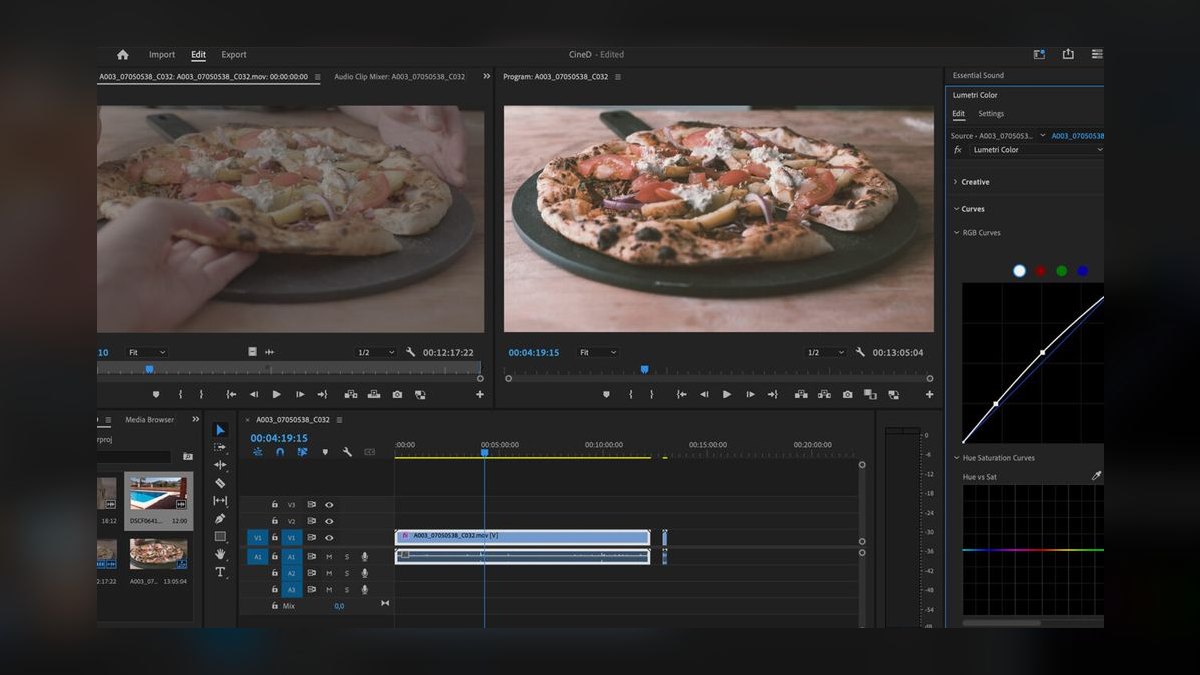
Adobe Premiere Pro builds captioning directly into the timeline through its Speech to Text feature, which transcribes a clip and generates a caption track you can restyle as graphics. If your captions are part of a finished video edit — color graded, mixed, titled — this is the tool that keeps everything in one project file instead of round-tripping through a separate app.
It's best for professional video editors and post houses already living in Creative Cloud. Premiere generates captions as editable text, lets you set characters-per-line and reading-speed rules, and exports SRT, SCC for broadcast, and burned-in caption graphics. The transcript panel supports searching dialogue and detecting speakers automatically.
Premiere is included with Creative Cloud and available as a single-app subscription around $22.99 per month. It covers roughly 18 caption languages for Speech to Text, and because the captions are real Essential Graphics, you get full typographic control without leaving the NLE.
3Rev

Rev is the answer when accuracy has to be certified, not estimated. It offers both AI captions and human-reviewed captions, and the human tier targets the 99% accuracy that legal, medical, and broadcast deliverables demand. For accessibility compliance — think ADA, FCC, or WCAG obligations — that audited accuracy is the product.
It's best for compliance and enterprise teams that can't risk a mistranscribed name or figure. Rev delivers SRT, WebVTT, SCC, and other broadcast formats, and supports rush turnaround on the human tier. Its AI-only path is far cheaper and fast for internal or low-stakes content.
On pricing, Rev's AI captions run around $0.25 per minute and human-grade captions are priced higher per minute for the manual review. The dual-tier model lets one vendor cover both the "good enough now" and "must be perfect" ends of a captioning queue.
4Happy Scribe

Happy Scribe is a localization-first captioning platform with unusually deep language coverage. It transcribes audio in a very wide set of languages and translates subtitles across dozens more, which makes it a fit for teams pushing one video into many markets. The subtitle editor enforces reading-speed and line-length rules as you go.
It's best for localization and international content teams. Happy Scribe supports transcription in roughly 120-plus languages and subtitle output in a large translated set, with both automatic and human/professional service tiers. Exports include SRT, WebVTT, EBU-STL, and other broadcast-friendly formats.
The subtitle workspace shows the waveform, the video, and the text together, with automatic flagging when a caption exceeds characters-per-second limits. Pricing is typically per-minute for the automatic tier with subscription bundles for heavier volume, making it scalable from one-off jobs to ongoing localization pipelines.
5Sonix
Sonix is a transcription-and-subtitle engine respected for clean raw output and a polished browser editor. It auto-transcribes, supports speaker labels, and generates subtitles with adjustable per-caption length. For operators who care most about how little correction the AI requires, Sonix consistently produces tidy first drafts.
It's best for researchers, journalists, and content teams who need both a searchable transcript and deliverable captions. Sonix transcribes in roughly 49-plus languages, translates transcripts, and exports SRT, VTT, plus document formats. Its in-browser editor handles find-and-replace across long files, which matters for fixing a recurring misheard term once.
Sonix offers pay-as-you-go pricing around $10 per hour of audio, with a premium subscription that lowers the per-hour rate for steady users. The API makes it easy to slot into an automated captioning workflow.
6Submagic

Submagic is purpose-built for short-form vertical video and the animated, word-by-word caption styles that drive watch time on TikTok, Reels, and Shorts. It auto-transcribes a clip and applies trend-aware caption templates with emphasis highlighting, emoji, and sound effects timed to the speech.
It's best for social media creators and short-form editors who want viral-style captions without hand-animating each word. Submagic includes preset caption styles, auto-zoom, B-roll suggestions, and one-click export of burned-in captions sized for vertical feeds. It also outputs standard SRT when you need a sidecar file.
Pricing sits in the roughly $16 to $25 per month range depending on tier and clip volume. For operators running a high-cadence clip factory, the speed from raw clip to styled, captioned vertical export is the entire value.
7VEED.io

VEED.io is a browser-based video editor with strong auto-subtitle and translation features, aimed at teams that want captioning plus light editing without installing software. It auto-generates subtitles, lets you restyle them with brand fonts and animations, and translates captions into a large language set.
It's best for marketing teams and remote collaborators who need a shared, no-install workspace. VEED translates subtitles across 100-plus languages, supports burned-in and sidecar SRT/VTT export, and includes brand kits so captions stay on-style across a team. Speaker detection and a caption template gallery speed up repeated formats.
Paid plans generally run from about $12 to $24 per month per seat. The collaboration layer — shared projects, comments, brand assets — is what separates VEED from single-user caption tools.
8CapCut 💎 BEST VALUE
CapCut, from ByteDance, delivers genuinely capable auto-captions at no cost, which makes it the value pick for anyone who doesn't need broadcast formats or compliance certification. Its auto-caption feature transcribes speech and applies animated styles, and the mobile and desktop apps share the same captioning engine.
It's best for independent creators and lean teams producing social video on a budget. CapCut supports auto-captions in many languages, text-to-speech, and trend-driven animated caption templates, with one-tap burned-in export tuned for vertical platforms. You can export standard subtitle files on desktop as well.
The headline detail is simple: the core auto-caption workflow is free, with an optional paid CapCut Pro tier unlocking advanced effects and higher-resolution export. For the cost-to-output ratio on social captions, nothing else on this list competes — hence BEST VALUE.
9Kapwing

Kapwing is a collaborative online studio with reliable auto-subtitles and a focus on team workflows and repurposing. It transcribes uploaded video, generates editable captions, and offers translation, making it a practical hub for turning one long video into many captioned clips.
It's best for content and social teams that repurpose a single source into multiple platform cuts. Kapwing auto-generates subtitles, supports translation into a broad language set, and exports SRT plus burned-in captions with custom styling. Its smart-cut and resize tools help reformat 16:9 source into 9:16 with captions intact.
Paid plans start around $16 per month per seat, with a limited free tier for testing. The browser-based, shareable project model fits distributed teams that don't want desktop software.
10Trint
Trint is an enterprise-grade transcription and captioning platform built for newsrooms and large content organizations. Its strength is collaborative editing of long-form transcripts with verification tooling, plus subtitle export for publishing. Security and team controls are first-class.
It's best for media organizations and enterprise teams managing high transcription volume with multiple editors. Trint transcribes in roughly 40-plus languages, translates into many more, and exports SRT, WebVTT, and EDL-style formats alongside documents. The editor links text to audio for fast verification of quotes and figures.
Pricing is subscription-based and skews toward business buyers, with starter plans typically beginning around $60 per month per seat and custom enterprise tiers above that. For organizations that treat transcripts and captions as a shared, governed asset, Trint's collaboration and compliance posture justify the premium.
FAQ
What's the difference between subtitles and captions? Subtitles assume the viewer can hear and usually carry only spoken dialogue, often translated. Closed captions are built for accessibility and include speaker labels and non-speech sounds like [music] or [applause]. Most tools here produce both, but only check the accessibility-specific output if compliance matters.
Which file format should I export — SRT or VTT? Use SRT for the widest compatibility across social platforms and players. Use WebVTT (.vtt) for web/HTML5 video, since it supports styling and positioning. For broadcast delivery you'll often need SCC or EBU-STL, which Rev, Happy Scribe, and Premiere can produce.
Are AI captions accurate enough to publish without review? For internal or low-stakes content, often yes — the best engines exceed 90% accuracy on clean audio. For public, legal, or regulated content, no: proofread or use a human-review tier. Accuracy drops fast with heavy accents, overlapping speech, and technical jargon.
Can these tools translate captions into other languages? Yes. Happy Scribe, VEED.io, and Kapwing translate subtitles into large language sets, and Descript and Sonix translate transcripts. Always have a fluent speaker review machine-translated subtitles for idioms and names before publishing.
Which tool is best for free TikTok and Reels captions? CapCut — its auto-caption and animated-style workflow is free and tuned for vertical video. If you want trend-driven viral templates and will pay for them, Submagic is the upgrade.
Do I need word-level timestamps? If you want karaoke-style highlighting or precise reading-speed control, yes. Descript, Submagic, and CapCut provide word-level timing; most professional exports work fine with sentence-level caption blocks.
Bottom Line
For most operators, Descript wins on balance — accurate transcription, text-based correction, and clean export from one workspace. Stay in Adobe Premiere Pro when captions belong to a finished edit, lean on Rev when accuracy must be certified, and reach for Happy Scribe when localization is the real job. Short-form teams should default to CapCut for free output or Submagic for paid viral styling.
Match the tool to the deliverable — sidecar file, broadcast format, or burned-in social caption — and test each on your hardest audio before you commit.
Related on PULSE
- The 10 Best AI Tools for Shopping Cart Development in 2027
- The 10 Best AI Tools for Favicon and Icon Design in 2027
- The 10 Best AI Tools for UI Mockups in 2027
Sources
- Descript — Captions & Subtitles
- Adobe Premiere Pro — Speech to Text and captions
- Rev — Captions & Subtitles services
- Happy Scribe — Subtitle Generator
- Sonix — Automated transcription and subtitles
- VEED.io — Auto Subtitle Generator
- CapCut — Auto Captions
- Trint — Transcription and captions platform
- W3C WAI — Captions/Subtitles accessibility guidance
*Best AI subtitle and caption tools 2027 — auto-caption generators, SRT and VTT subtitle export, AI transcription accuracy, video caption software, and subtitle translation tools for professionals.*
People also search for: best ai tools for subtitles and captions 2027 · top ai tools for subtitles and captions 2027 · top rated ai tools for subtitles and captions 2027 · top ranked ai tools for subtitles and captions 2027 · highest rated ai tools for subtitles and captions 2027 · ai tools for subtitles and captions reviews 2027
This page will be disappearing soon. Save it to your device for $1 — or read it free while it is here.
@Kory-White- · if Venmo asks, the last 4 of my number are 2012
This page is gone.
This one is off the shelf now. $1 keeps it on your phone for good — the whole page, pictures and diagrams included.
 pulse-ai-infrastructureThe 10 Best AI Tools for Trend Forecasting in 2027
 pulse-ai-infrastructureThe 10 Best AI Tools for End-to-End Testing in 2027
 pulse-ai-infrastructureThe 10 Best AI Tools for A/B Testing in 2027
 pulse-ai-infrastructureThe 10 Best AI Tools for Lesson Planning in 2027
 pulse-ai-infrastructureHow do you load-test an LLM inference service in 2027?
 pulse-ai-infrastructureThe 10 Best AI Tools for Brand Voice Guides in 2027
 pulse-ai-infrastructureThe 10 Best AI Chatbots and Assistants in 2027
 pulse-ai-infrastructureThe 10 Best AI Tools for Character Design in 2027
 pulse-ai-infrastructureHow do you manage secrets and API keys for LLM applications in 2027?
 pulse-ai-infrastructureThe 10 Best LLM Guardrails and Safety Tools in 2027