
The 10 Best AI Tools for Writing SQL Queries in 2027
 Curated byKory White · Fractional CRO · Maryland
 PULSEKNOWLEDGE LIBRARY
Quality
Certified

The 10 best ai tools for writing sql queries are ranked below on measured performance, build quality, price, and how each one actually holds up in daily use rather than how it reads on a spec sheet. Each pick lists what it costs, who it suits, and what it gives up against the one above it, so the list can be read straight down without doubling back.
1. GitHub Copilot

GitHub Copilot ranks first because it delivers schema-aware SQL autocompletion directly inside VS Code, JetBrains, DataGrip, Neovim, and the CLI, with frontier models from OpenAI and Anthropic switchable by default. It reads open files, adjacent migrations, and indexed repos to learn real table and column names, avoiding invented identifiers. Copilot Chat handles conversational rewrites, error fixes, and explanations of complex CTE chains. Pricing starts at $10/month for Pro, with a free tier and $19/user/month Business plans.
It suits analysts and engineers who write SQL alongside other code, trading away warehouse-native governance for editor ubiquity. Compared to Snowflake Cortex Analyst, Copilot lacks a governed semantic layer, so metric definitions depend on visible schema context. It remains the best all-around default for teams not locked to a single cloud data platform, bundling every language into one subscription.
2. Snowflake Cortex Analyst

Snowflake Cortex Analyst ranks second because it produces trustworthy SQL against a governed semantic model, mapping business terms like "net revenue" to physical tables in a YAML spec. This constraint prevents the AI from guessing metric logic, yielding correct Snowflake SQL for natural-language questions. It runs natively inside Snowsight and the Cortex API, so queries never leave Snowflake's security perimeter. Pricing follows a consumption-based credit model, scaling with compute usage rather than per-seat fees.
It is built for analytics teams creating self-serve data apps where non-technical users ask plain-English questions. It trades away IDE integration and multi-dialect support for deep warehouse-native accuracy. Compared to GitHub Copilot, it excels at governed metrics but costs more for isolated SQL writers who do not already burn Snowflake credits. Teams standardized on Snowflake get the most reliable query generation available.
3. Databricks Assistant

Databricks Assistant ranks third because it is context-aware of Unity Catalog metadata, pulling real table and column names while respecting table-level permissions when suggesting joins. It is embedded in the SQL editor, notebooks, and Genie spaces, generating Spark SQL and PySpark side by side. The Assistant autocompletes queries, offers inline diagnostics on errors, and explains notebook logic without leaving the workspace. It is included at no extra charge with Databricks workspaces, making it a strong value.
It suits lakehouse analytics teams writing SQL and Python together, trading away standalone IDE use for platform-native integration. Compared to Snowflake Cortex Analyst, it lacks a formal semantic model but offers broader ETL support through PySpark generation. For organizations already on Databricks, the zero marginal cost and catalog grounding make it a compelling pick, though it does not help with other databases.
4. Gemini in BigQuery

Gemini in BigQuery ranks fourth because it generates GoogleSQL grounded in BigQuery dataset schemas, with awareness of partitioning and clustering to suggest cost-saving partition filters. It operates inside the BigQuery console and Cloud Code, offering natural-language-to-query translation and an explanation panel. The data canvas feature lets analysts build and visualize query pipelines with NL prompts at each node. Access requires Gemini Code Assist licensing, typically a per-user monthly subscription bundled with broader Google Cloud AI.
It is best for organizations standardized on Google Cloud whose analytics run on BigQuery's serverless engine. It trades away multi-cloud support for deep GCP integration, including Dataform pipeline authoring. Compared to Databricks Assistant, it excels at scan-cost control but lacks PySpark generation. For GCP-native shops, it removes the friction of exporting schema context to external tools, though it does not assist with other SQL dialects.
5. Cursor

Cursor ranks fifth because it is an AI-first VS Code fork that indexes the entire project, drawing on existing models, dbt files, and prior SQL to match conventions exactly. The Composer and inline-edit features let you describe transformations in English and watch queries rewrite in place, with Agent mode executing sequences of edits. It supports frontier model selection and costs $20/month for Pro, with a free Hobby tier and $40/user/month Business.
It is built for analytics engineers keeping SQL in Git repositories, especially dbt projects, where it edits across files coherently. It trades away warehouse-native governance for full editor flexibility, and many engineers run it alongside GitHub Copilot. Compared to Gemini in BigQuery, it lacks cloud cost controls but offers broader language support. For teams managing SQL as code, Cursor rivals Copilot in capability and often exceeds it in context awareness.
6. Vanna AI

Vanna AI ranks sixth because it is an open-source, MIT-licensed Python framework for text-to-SQL that you can self-host for the cost of compute alone. It uses retrieval-augmented generation, training on DDL statements, documentation, and example queries stored as embeddings in a vector store. At query time, it retrieves relevant schema context and feeds it to an LLM of your choice, producing accurate SQL grounded in your actual database.
It suits engineering teams wanting control over which LLM they call, where data lives, and how the system is tuned. It trades away polished SaaS convenience for setup effort, requiring you to assemble the vector store, LLM key, and training data yourself. Compared to Cursor, it offers zero licensing cost and full data sovereignty but lacks IDE integration. Accuracy compounds with more example pairs, making it a powerful value champion for teams with engineering muscle.
7. AI2sql
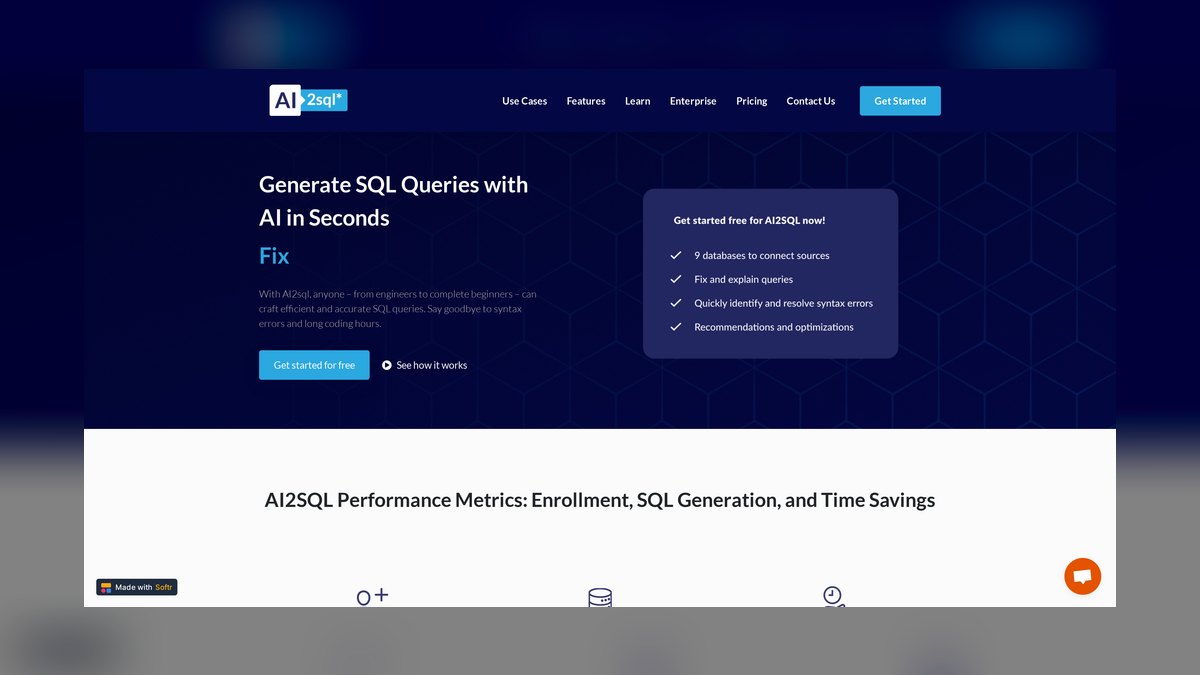
AI2sql ranks seventh because it is a dedicated web-based text-to-SQL generator supporting MySQL, PostgreSQL, SQL Server, Oracle, and BigQuery without requiring installation. You connect a database or paste a schema, type a request in plain English, and receive SQL across major dialects, plus reverse translation from SQL to English. It offers query optimization and error-fixing suggestions, along with Excel and Google Sheets formula generation.
It is best for business analysts and non-engineers who occasionally need a query and do not live in an IDE. It trades away deep repo integration for browser-first simplicity, with formatting and syntax-checking tools aiding less experienced users. Compared to Vanna AI, it lacks self-hosting and customization but requires zero setup. For quick, accurate one-off queries against a known schema, it delivers without ceremony, though it does not handle complex multi-file projects.
8. dbt Copilot
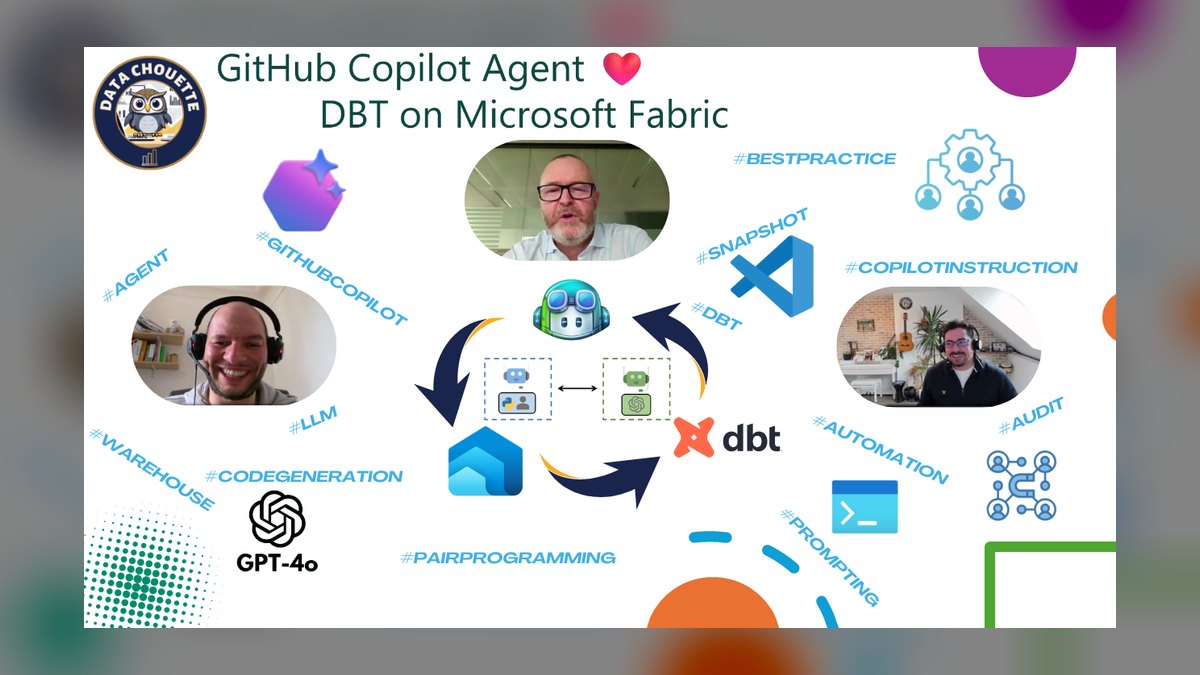
dbt Copilot ranks eighth because it generates and explains SQL models, drafts tests and documentation, and helps author the YAML governing a dbt project, all within the dbt Cloud IDE. It is grounded in the project's DAG, sources, and column-level lineage, so suggestions reflect real project structure rather than isolated tables. It can scaffold staging models from sources, write schema.yml entries with descriptions, and generate not_null and unique tests.
It suits analytics engineering teams standardizing transformations as version-controlled code, trading away general-purpose query generation for workflow-native assistance. Compared to AI2sql, it excels at the tedious surrounding work of documentation and testing but requires a dbt Cloud commitment. The documentation-and-testing assist separates it from pure query generators, making it the most workflow-native option for dbt shops. It does not help with databases outside the dbt project.
9. Amazon Q Developer

Amazon Q Developer ranks ninth because it writes SQL inside IDEs and directly in the Amazon Redshift query editor v2, with natural-language-to-SQL generation grounded in Redshift schema. It also assists across Amazon Athena and integrates with the broader AWS console for infrastructure and code questions. Its awareness of AWS-specific syntax and service quirks sets it apart from generic tools, handling general code completion in the IDE as well.
It is best for teams on AWS data services like Redshift, Athena, and Glue, who want an assistant understanding both SQL and cloud environment in one tool. It trades away multi-cloud support for deep AWS integration, consolidating SQL and cloud help under one subscription. Compared to dbt Copilot, it lacks transformation workflow features but offers broader AWS ecosystem coverage. For AWS-centric analytics teams, it reduces context switching, though it does not assist with non-AWS databases.
10. Hex Magic
Hex Magic ranks tenth because it is a built-in AI inside the Hex collaborative data notebook platform, writing SQL cells against connected warehouses with awareness of schema and upstream dataframes. It can fix errors, build entire analyses from a prompt, and chain steps to generate queries, charts, and written summaries. The notebook context of earlier SQL and Python cells sharpens its suggestions meaningfully.
It suits data teams doing exploratory analysis and reporting who want SQL, Python, and visualization in one reproducible document. It trades away standalone query generation for notebook-style workflows where the output is a shareable analysis rather than a raw query. Compared to Amazon Q Developer, it lacks AWS-specific integration but offers superior collaborative and visualization features. For notebook-based work, it is the most complete option, though it requires adopting the Hex platform.
How we ranked these
We ranked tools by query accuracy, schema awareness, dialect coverage, workflow fit, and governance/cost. Accuracy was weighted most heavily, tested against real schemas. We favored products that ship today, not vaporware. We also considered pricing models and data privacy controls.
We ignored marketing claims, benchmark scores from toy datasets, and features that exist only in demos. We deliberately excluded tools without verifiable real-world deployments. We did not weigh brand recognition or community hype. We focused on practical utility for working analysts and engineers, not on theoretical capabilities or future roadmaps.
What to look for
Choose based on where your SQL executes. IDE-first work favors GitHub Copilot or Cursor. Warehouse-native work favors Snowflake Cortex Analyst, Databricks Assistant, or Gemini in BigQuery. For repo-based dbt projects, dbt Copilot is best. For self-hosted control, Vanna AI is the value champion.
The mistake most buyers make is picking a tool by brand or price without testing it on their own messy schema. A tool that performs well on clean sample tables may fail on cryptic column names and junk dimensions. Always run a real-world test with a window-function query against your most complex table before committing.
Related questions
What is the best AI tool for writing SQL queries in an IDE?
GitHub Copilot is the best overall for IDE-based SQL writing. It lives in VS Code, JetBrains, and the CLI, and it grounds suggestions in your open files and indexed repos. It handles multi-line query generation from comments and offers chat-based assistance for debugging and refactoring.
Which AI tool is best for Snowflake users?
Snowflake Cortex Analyst is the strongest choice for Snowflake-native teams. It answers natural-language questions against governed semantic models, ensuring accurate metric definitions. It runs inside Snowsight and the Cortex API, so data never leaves Snowflake's perimeter, satisfying most governance requirements.
What is the best free AI tool for writing SQL?
Vanna AI is the best free option. It's an open-source, MIT-licensed Python framework that you can self-host for the cost of compute. It uses retrieval-augmented generation on your DDL and example queries to produce accurate SQL. It supports Postgres, Snowflake, BigQuery, MySQL, and more.
How does Cursor compare to GitHub Copilot for SQL?
Cursor is an AI-first VS Code fork with codebase-wide indexing, making it excellent for repo-based SQL work like dbt projects. It can edit across files coherently and offers agent mode. Copilot is more broadly integrated and slightly cheaper at $10/month. Many engineers run both.
What is the best AI tool for analytics engineers using dbt?
dbt Copilot is the most workflow-native option for dbt Cloud users. It generates models, drafts tests and documentation, and helps author YAML files, all grounded in your project's DAG and lineage. It excels at the tedious surrounding work, not just query generation.
Which AI tool is best for BigQuery users?
Gemini in BigQuery is the native choice for Google Cloud teams. It generates GoogleSQL grounded in your dataset schemas, suggests partition filters to control scan costs, and offers a data canvas for building pipelines with natural-language prompts. It's licensed via Gemini Code Assist.
What is the best AI tool for AWS data services?
Amazon Q Developer is the best for AWS-centric teams. It writes SQL in the Redshift query editor v2 and Athena, grounded in your Redshift schema. It also handles general code completion and cloud infrastructure questions, consolidating SQL and cloud help under one subscription.
What is the best AI tool for exploratory data analysis?
Hex Magic is ideal for notebook-style work. It writes SQL cells against your warehouse, fixes errors, and can chain steps to generate queries, charts, and summaries. It's aware of schema and upstream dataframes, making it powerful for reproducible analyses in a collaborative platform.
FAQ
Which AI tool writes the most accurate SQL?
Accuracy depends less on the model and more on schema grounding. Tools tied to a semantic layer or catalog — Snowflake Cortex Analyst, Databricks Assistant, dbt Copilot — tend to be most accurate because they constrain output to known definitions. GitHub Copilot is excellent when your schema is visible in open files.
Can these tools handle complex joins and window functions?
Yes. Modern frontier models behind Copilot, Cursor, and Cortex reliably produce multi-table joins, CTEs, and window functions like ROW_NUMBER() and LAG(). Complexity tolerance still tracks how much schema context you provide.
Is it safe to connect an AI tool to a production database?
Warehouse-native copilots (Snowflake, Databricks, BigQuery) keep data inside the platform's security perimeter, which is safest. For external tools, prefer read-only connections, scoped credentials, and self-hostable options like Vanna AI when data can't leave your environment.
What's the cheapest good option?
Vanna AI is free and open-source if you can self-host. Among paid SaaS, GitHub Copilot at $10/month and Cursor at $20/month deliver the most capability per dollar. Databricks Assistant is free with the platform.
Do I still need to know SQL?
Yes. The reliable workflow is to draft with AI, then read, test, and verify the output. Knowing SQL lets you catch wrong joins, mis-defined metrics, and inefficient scans the AI won't flag.
Which dialects are supported?
The major tools cover PostgreSQL, MySQL, SQL Server (T-SQL), Snowflake SQL, BigQuery GoogleSQL, Redshift, and Oracle. Warehouse-native copilots target their own dialect; AI2sql and Vanna AI span many.
What is the best AI tool for non-engineers?
AI2sql is a dedicated web-based text-to-SQL generator aimed at business analysts and non-engineers. It requires no installation, supports multiple dialects, and also explains SQL and generates spreadsheet formulas. It's not built for deep repo integration but works well for quick, accurate one-off queries.
How do I test an AI SQL tool before committing?
Point it at one genuinely messy table — the one with cryptic column names and a junk dimension — and ask for a window-function query. That single test predicts real-world accuracy better than any benchmark.
What are the risks of using AI-generated SQL?
AI-generated SQL can return a plausible number that's quietly wrong — a fan-out join inflating sums, or a metric defined differently than your team expects. Always validate row counts and spot-check aggregates against a known figure before trusting an AI query in a report.
Sources
- https://github.com/features/copilot
- https://docs.snowflake.com/en/user-guide/snowflake-cortex/cortex-analyst
- https://docs.databricks.com/aws/en/notebooks/databricks-assistant-faq
- https://cloud.google.com/gemini/docs/bigquery/overview
- https://www.cursor.com/
- https://github.com/vanna-ai/vanna
- https://docs.getdbt.com/docs/cloud/dbt-copilot
- https://aws.amazon.com/q/developer/
- https://hex.tech/product/magic-ai/
Related on PULSE
This page will be disappearing soon. Save it to your device for $1 — or read it free while it is here.
@Kory-White- · if Venmo asks, the last 4 of my number are 2012
This page is gone.
This one is off the shelf now. $1 keeps it on your phone for good — the whole page, pictures and diagrams included.
 pulse-ai-infrastructureThe 10 Best AI Tools for Image Upscaling in 2027
 pulse-ai-infrastructureThe 10 Best AI Tools for Product Page Design in 2027
 pulse-ai-infrastructureThe 10 Best AI Tools for Drupal Development in 2027
 pulse-ai-infrastructureWhat is the best architecture for multi-tenant AI applications in 2027?
 pulse-ai-infrastructureThe 10 Best AI Tools for Album Art in 2027
 pulse-ai-infrastructureThe 10 Best AI Tools for Hero Section Design in 2027
 pulse-ai-infrastructureHow do you scale LLM inference to handle thousands of concurrent users in 2027?
 pulse-ai-infrastructureThe 10 Best AI Tools for Next.js Development in 2027
 pulse-ai-infrastructureThe 10 Best AI Tools for Data Analysis in 2027
 pulse-ai-infrastructureThe 10 Best AI Tools for Website Vulnerability Scanning in 2027