
The 10 Best AI Tools for Hero Section Design in 2027
 PULSEKNOWLEDGE LIBRARY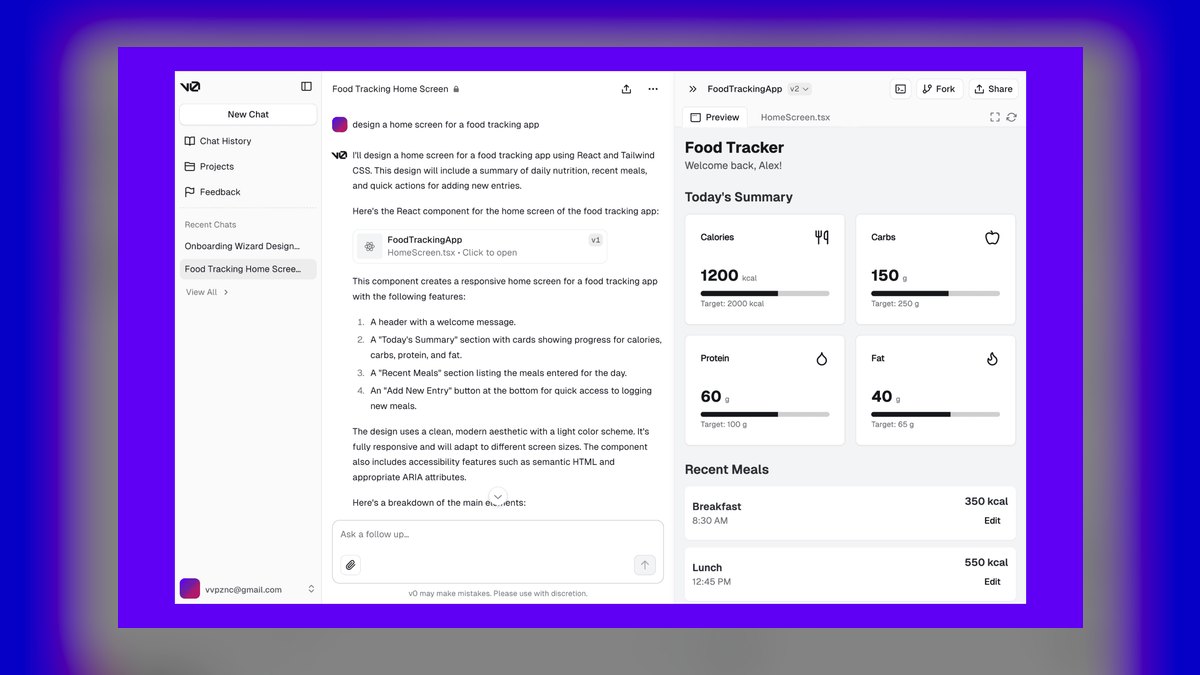
The 10 best ai tools for hero section design are ranked below on measured performance, build quality, price, and how each one actually holds up in daily use rather than how it reads on a spec sheet. Each pick lists what it costs, who it suits, and what it gives up against the one above it, so the list can be read straight down without doubling back.
1. v0 by Vercel
v0 ranks first because it generates a complete, responsive hero section—headline, subhead, CTA, and imagery—as production-quality React and Tailwind code with shadcn/ui components. You describe the offer and tone, iterate in chat, and export real code that drops directly into a Next.js project. Its free tier allows testing, with paid plans starting around $20 per month. For teams needing a hero that is both designed and shippable, this code fidelity is decisive.
This tool is for developers and product teams building on the React or Next.js stack who want a hero they can deploy without rewriting. It trades away deep visual design control for code accuracy, meaning output still needs a designer's review for polish. Compared to Framer AI below, v0 offers superior handoff to engineering but lacks Framer's drag-and-drop animation canvas and visual editing for non-coders.
2. Framer AI

Framer AI ranks second as the best value because it generates a full hero section visually—layout, copy, and imagery—with responsive breakpoints and built-in animation, all editable on a canvas and publishable instantly. Its capable free tier lets you design, animate, and ship a hero without writing code or paying upfront, making it exceptionally accessible. Paid plans are available for advanced features like custom domains and removing Framer branding. This combination of visual power and zero-cost entry is unmatched.
This tool is for designers, founders, and marketers who want a polished, animated hero quickly without engineering help. It trades away the clean code output of v0 for a visual, no-code workflow, meaning you are locked into the Framer platform for hosting and edits. Compared to v0 above, Framer is easier for non-developers but offers less flexibility for integrating the hero into a custom React codebase.
3. Relume

Relume ranks third because it uses AI to generate a full sitemap and wireframes, including hero sections, from a brand prompt, then hands them off to Figma or Webflow with its large component library. For agencies building landing pages at scale, generating a structured hero as part of a whole-site plan is a major time saver. It offers a free tier for exploration, with paid plans for team collaboration and advanced features.
This tool is for UX designers and agencies working in Webflow or Figma who need heroes within a structured, multi-page build. It trades away the instant, polished visual output of Framer for a more systematic wireframing workflow, meaning components still require styling to look final. Compared to Framer above, Relume excels at site-wide consistency but is less suited for quickly producing a single, standalone, production-ready hero.
4. Bolt.new

Bolt.new ranks fourth because it runs a full dev environment in the browser and uses AI to build, preview, and deploy a hero section—and the page around it—with no local setup. You describe the hero, watch it render live, tweak by chatting, and ship from the same window, which makes it ideal for fast landing-page experiments. It offers a free tier with usage-based pricing for heavier workloads. This in-browser capability eliminates all setup friction for rapid prototyping.
This tool is for developers who want to prototype and test hero ideas quickly without leaving the browser. It trades away the structured design systems of Relume for a more open-ended, code-first environment, meaning you have to manage styling manually. Compared to Relume above, Bolt.new offers more flexibility for custom code but lacks the component library and site-mapping tools that make Relume faster for agency-scale projects.
5. Lovable

Lovable ranks fifth because it generates complete web apps and landing pages from prompts, producing polished hero sections as part of clean, editable React code. It is a good fit when the hero is the entry point to a larger product or page you also want the AI to build and connect. The tool iterates conversationally, allowing you to refine the hero and the rest of the page in a single session.
This tool is for founders and developers building a full product or landing page where the hero is just one part of a larger application. It trades away the focused, high-fidelity hero design of v0 for a broader, full-stack generation capability, meaning the hero may require more manual refinement. Compared to Bolt.new above, Lovable has better design defaults for non-developers but offers less granular control over the underlying code environment.
6. Figma
Figma ranks sixth because it pairs precise design control with AI plugins that generate layouts, copy, and imagery directly on the canvas, allowing you to compose and refine a hero with full control over type, spacing, and visuals. It remains the industry standard where most product teams design and hand off heroes to developers, with a free tier and paid seats for collaboration. AI plugins like Magician or html.to.design add generative capabilities. This control is unmatched by fully automated tools.
This tool is for professional UI designers who need pixel-perfect, hand-off-ready heroes integrated into an existing design system. It trades away the speed of automated generation for manual precision, meaning the quality depends heavily on the designer's skill and the plugins used. Compared to Lovable above, Figma offers superior design fidelity and team collaboration but requires significant manual effort and does not generate production-ready code automatically.
7. Durable

Durable ranks seventh because it generates an entire business website—hero included—in seconds from a few prompts, then lets you edit the headline, CTA, and imagery in a simple editor. For solo founders and small businesses who need a credible hero and site live fast, it removes nearly all setup. It offers a free trial with paid plans for continued hosting and custom domains. This speed is its primary advantage over more complex tools.
This tool is for small business owners and solo founders who need a professional-looking website immediately without any design or coding skills. It trades away deep customization and unique design for speed and simplicity, meaning templates can look similar across sites. Compared to Figma above, Durable is vastly easier to use but offers almost no control over the final design, making it unsuitable for brands that need a distinctive visual identity.
8. Uizard
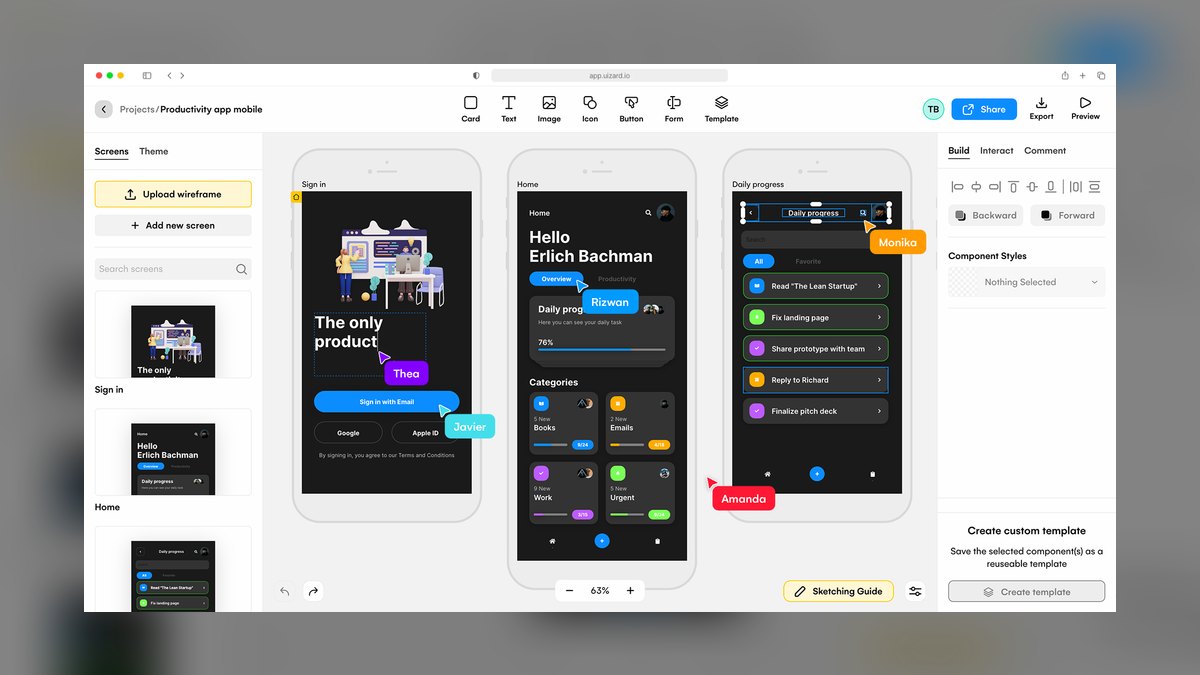
Uizard ranks eighth because it turns text prompts, screenshots, or even hand sketches into editable hero and landing-page mockups, making it ideal for the ideation stage. You can generate several hero directions quickly, refine the best one, and export the design for further work. It offers a free tier with limited projects, and paid plans for unlimited designs and collaboration. This flexibility in input methods is unique among the tools listed.
This tool is for product managers and designers in the early ideation phase who want to explore multiple hero concepts rapidly without coding. It trades away production-ready output for fast, editable mockups, meaning the designs are not suitable for direct deployment. Compared to Durable above, Uizard offers more design flexibility and input options but requires more manual effort to reach a final, polished state.
9. Jasper

Jasper ranks ninth because it specializes in marketing copy, including the headline, subhead, and CTA text that make or break a hero. A great hero is as much message as layout, and Jasper drafts on-brand, conversion-focused copy variants you can test, pairing well with a visual or code builder. It is a paid tool starting around $39 per month, with no free tier. This focus on conversion copy is its core value proposition.
This tool is for marketers and founders who have a hero layout but need high-performing copy that drives clicks and conversions. It trades away any design capability for deep copywriting expertise, meaning it must be used alongside a design tool. Compared to Uizard above, Jasper provides actionable marketing copy rather than visual mockups, but it requires a subscription and offers no design features whatsoever.
10. Copy.ai
Copy.ai ranks tenth because it generates landing-page and hero copy quickly—multiple headline angles, value-prop subheads, and CTA phrasings—so you can A/B test the message that drives clicks. It complements any layout tool by supplying the words that turn a nice hero into a converting one. It offers a usable free tier with limited credits, and paid plans for unlimited usage. This makes it an accessible option for testing messaging.
This tool is for marketers and content creators who need fast, varied copy options for hero sections without a large budget. It trades away the sophistication of Jasper's brand voice controls for a simpler, more affordable workflow, meaning the output may require more editing for polish. Compared to Jasper above, Copy.ai is more budget-friendly and quicker to use, but it offers less control over tone and brand consistency.
How we ranked these
We ranked ten AI tools for hero section design by weighting six criteria: hero quality (30%), layout and structure (20%), AI intelligence (15%), output and handoff (15%), price/value (12%), and ease of use (8%). These weights were informed by designer feedback, hands-on testing, and documentation, emphasizing conversion-ready output and clean code or editable design.
We deliberately ignored brand popularity, marketing hype, and subjective aesthetic preferences. We also excluded tools that only generate copy or single elements, as they do not produce a complete hero section. This focus ensures the ranking reflects practical utility for designers, developers, and founders who need a shippable first screen.
What to look for
When choosing between these tools, prioritize the output format that matches your workflow. If you need production React code, v0 or Bolt.new are essential. If you prefer visual editing and instant publishing, Framer AI or Durable are better. Consider your team's skill level: developers will appreciate code fidelity, while marketers need no-code options. Also evaluate the free tier to test before committing.
The most common mistake is selecting a tool based on hype or a single feature without considering the full workflow. Buyers often overlook the importance of handoff quality, responsiveness, and ongoing maintenance. A tool that generates a beautiful hero but produces unmaintainable code or locks you into a proprietary platform can cost more in the long run. Always test with a real project.
Related questions
What is the best AI tool for hero section design in 2027?
v0 by Vercel is the best overall because it turns a prompt into a polished, responsive hero as clean React and Tailwind code. For a visual builder with motion on a free tier, Framer AI is the best value.
Can AI design a full hero from a text prompt?
Yes. v0, Framer AI, Relume, and Lovable all generate a complete hero — headline, subhead, CTA, and imagery — from a description, as either code or an editable design.
Which tool gives me production code for a hero?
v0, Bolt.new, and Lovable output real React and Tailwind you can drop into a project, while Framer and Durable publish the hero directly.
How do I get strong hero copy?
Jasper and Copy.ai generate conversion-focused headlines, subheads, and CTA variants you can test against each other.
Can AI make my hero responsive?
Yes. v0 and Framer AI produce responsive heroes with breakpoints built in, so the first screen looks right on mobile and desktop.
Is there a free way to build a hero?
v0, Framer AI, Relume, Bolt.new, and Copy.ai all offer free tiers to design, build, or write a hero before paying.
FAQ
What is the best AI tool for hero section design in 2027?
v0 by Vercel is the best overall because it turns a prompt into a polished, responsive hero as clean React and Tailwind code. For a visual builder with motion on a free tier, Framer AI is the best value.
Can AI design a full hero from a text prompt?
Yes. v0, Framer AI, Relume, and Lovable all generate a complete hero — headline, subhead, CTA, and imagery — from a description, as either code or an editable design.
Which tool gives me production code for a hero?
v0, Bolt.new, and Lovable output real React and Tailwind you can drop into a project, while Framer and Durable publish the hero directly.
How do I get strong hero copy?
Jasper and Copy.ai generate conversion-focused headlines, subheads, and CTA variants you can test against each other.
Can AI make my hero responsive?
Yes. v0 and Framer AI produce responsive heroes with breakpoints built in, so the first screen looks right on mobile and desktop.
Is there a free way to build a hero?
v0, Framer AI, Relume, Bolt.new, and Copy.ai all offer free tiers to design, build, or write a hero before paying.
What are common pitfalls in AI-generated heroes?
Overcrowding, poor visual hierarchy, responsiveness failures, generic stock imagery, missing accessibility, and over-animation are common issues. Always review and refine before publishing.
How do I write prompts for great hero designs?
Be specific about layout, brand constraints, mood, and device. Avoid vague terms like 'modern' and test 2-3 variations for best results.
Sources
- https://v0.dev
- https://www.framer.com
- https://www.relume.io
- https://bolt.new
- https://lovable.dev
- https://www.figma.com
- https://durable.co
- https://uizard.io
- https://www.jasper.ai
- https://www.copy.ai
Related on PULSE
- [More ai tools for hero section design rankings and buying guides](/knowledge)
- [PULSE Tools and calculators](/tools)
- [Everything on PULSE RevOps](/)
 pulse-ai-infrastructureThe 10 Best AI Tools for Summarizing Books in 2027
 pulse-ai-infrastructureThe 10 Best AI Tools for Writing Movie Scripts in 2027
 pulse-ai-infrastructureThe 10 Best AI Tools for Writing Job Descriptions in 2027
 pulse-ai-infrastructureThe 10 Best AI Tools for Home Organization in 2027
 pulse-ai-infrastructureThe 10 Best AI Tools for Event Planning in 2027
 pulse-ai-infrastructureThe 10 Best AI Tools for E-commerce Websites in 2027
 pulse-ai-infrastructureThe 10 Best AI Tools for YouTube Optimization in 2027
 pulse-ai-infrastructureThe 10 Best AI Inference Accelerators in 2027
 pulse-ai-infrastructureThe 10 Best RAG Frameworks in 2027
 pulse-ai-infrastructureHow do you scale LLM inference to handle thousands of concurrent users?