
The 10 Best AI Tools for API Rate Limiting and Throttling in 2027
 Curated byKory White · Fractional CRO · Maryland
 PULSEKNOWLEDGE LIBRARY
The 10 best ai tools for api rate limiting and throttling are ranked below on measured performance, build quality, price, and how each one actually holds up in daily use rather than how it reads on a spec sheet. Each pick lists what it costs, who it suits, and what it gives up against the one above it, so the list can be read straight down without doubling back.
1. Kong AI Gateway
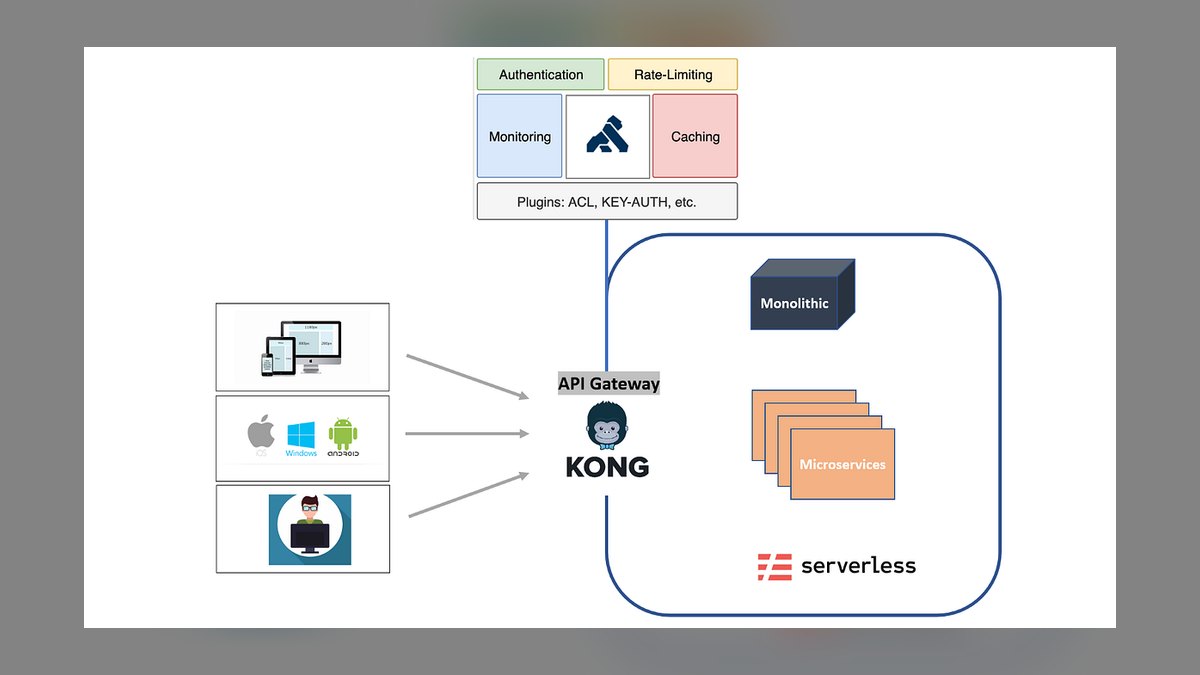
Ranks first because it extends Kong's mature, high-throughput OpenResty/Nginx core — already running in front of production APIs at large enterprises — with an AI Gateway layer purpose-built for LLM traffic. Its rate-limiting plugins can throttle by token count rather than raw request count, letting teams cap GPT-4 or Claude usage by actual cost. Kong is open source, self-hostable, and backed by Kong Inc.'s enterprise support and plugin ecosystem.
It suits platform teams already running Kong who want AI throttling without standing up a second gateway; smaller teams may find its Lua/Go plugin architecture heavier to configure than a dedicated LLM proxy. Compared with Portkey below, Kong trades quick setup for deeper integration with existing API infrastructure, multi-protocol support, and enterprise-grade access control spanning both traditional and AI endpoints.
2. Portkey AI Gateway
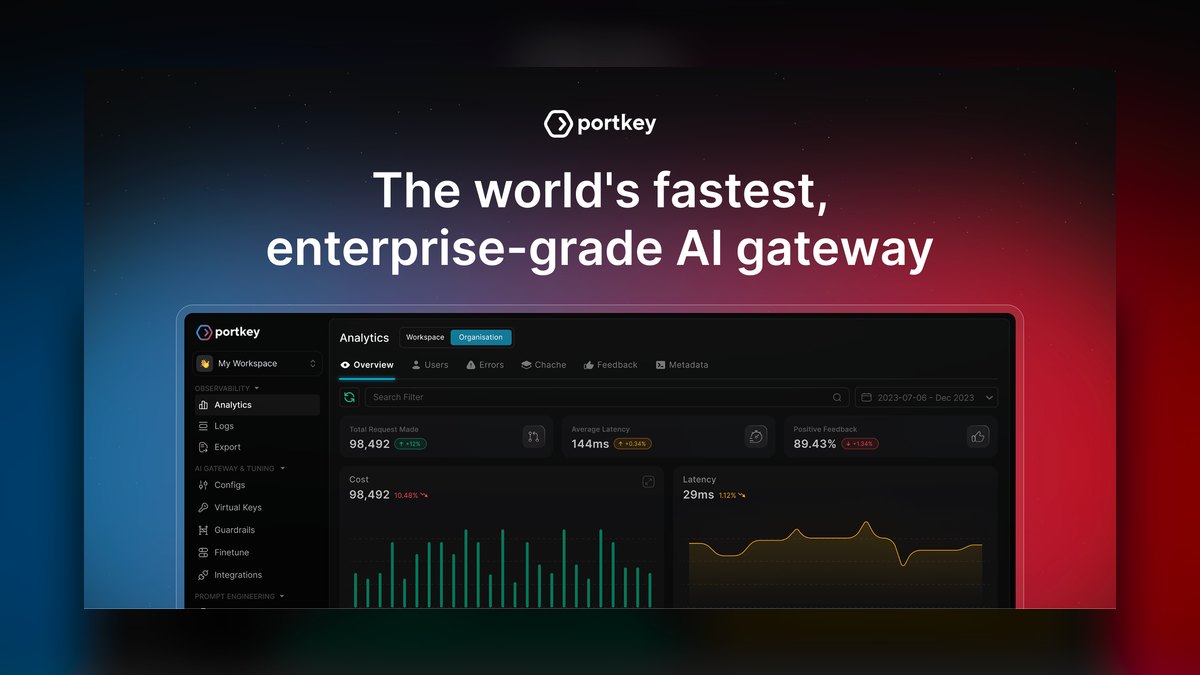
Ranks second as the most LLM-native option, built from the ground up to sit only in front of AI providers rather than general APIs. Portkey offers per-user and per-team rate limits, automatic fallback across OpenAI, Anthropic, and other providers, and request queuing when limits are hit. It ships as both a hosted service and an open-source self-hosted proxy, making adoption fast for teams without existing gateway infrastructure.
It suits AI-first startups and product teams needing throttling and failover across model providers without adopting a full API management stack. It doesn't handle non-AI API traffic, so organizations with mixed workloads still need a separate gateway like Kong or Apigee. Compared with Kong, Portkey favors speed of setup over breadth of protocol and infrastructure coverage.
3. Cloudflare AI Gateway
Ranks third because it piggybacks on Cloudflare's existing global edge network, giving any team already on Cloudflare free, low-latency rate limiting and caching for calls to OpenAI, Workers AI, and other model providers. Requests route through Cloudflare's points of presence before reaching the model provider, and a dashboard shows real-time throttling and cost analytics, with no separate vendor account or infrastructure required.
It's a strong fit for teams already on Cloudflare wanting throttling bolted on with minimal setup, but it offers less granular token-based control than Portkey or Kong's AI plugins. Compared with Portkey, Cloudflare wins on zero-infrastructure simplicity and cost but trades away the deeper multi-provider failover logic dedicated LLM gateways provide.
4. LiteLLM Proxy
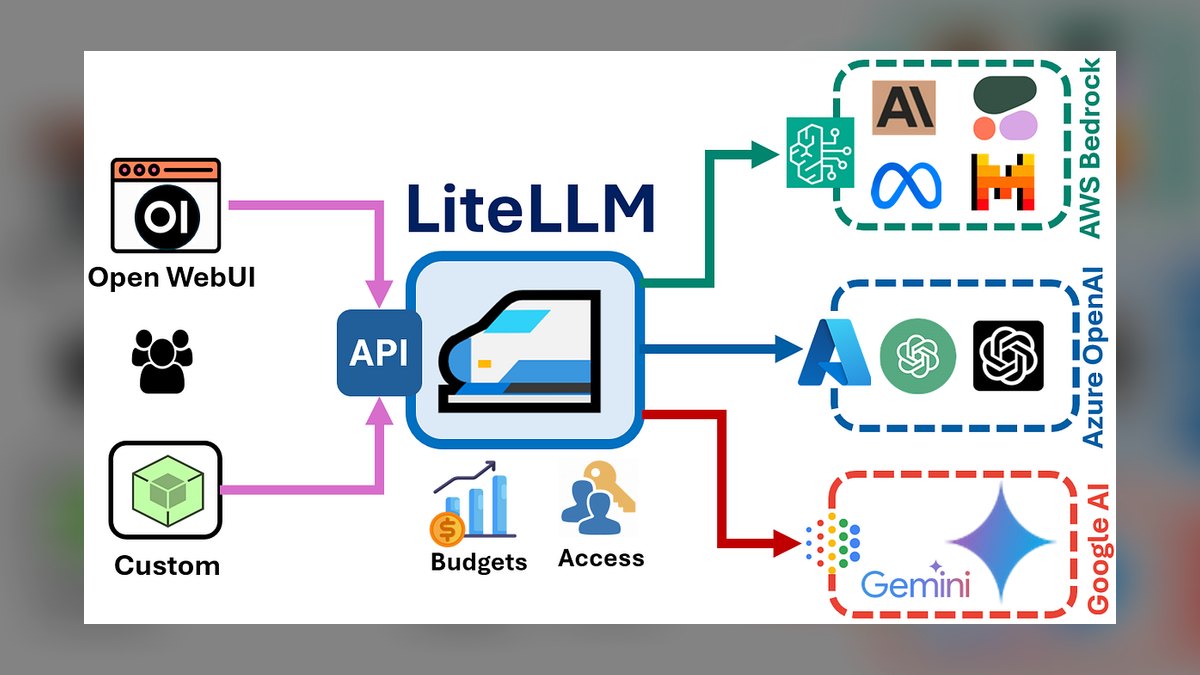
Ranks fourth as the leading open-source option for teams wanting full control without vendor lock-in. LiteLLM's proxy server translates over 100 model provider APIs into a single OpenAI-compatible format and supports per-key, per-user, and per-team rate limits configured through a YAML file. It's self-hosted, written in Python, and widely adopted by engineering teams building their own internal LLM gateways.
It's built for engineering teams comfortable self-hosting and maintaining their own proxy layer rather than paying for a managed service, and it lacks the polished dashboards of Portkey or Cloudflare. Compared with Cloudflare AI Gateway, LiteLLM demands more operational ownership but gives complete visibility into and control over throttling logic and provider routing.
5. Helicone

Ranks fifth as an observability-first platform that added rate limiting and caching on top of its core LLM logging product. Helicone sits as a proxy between an application and providers like OpenAI, tracking token usage per user and enforcing configurable spend and request caps. It's open source with a hosted cloud option, and popular among smaller AI product teams that track cost alongside throttling.
It fits teams whose primary need is visibility into LLM spend and usage patterns, with throttling as a secondary feature rather than the core product. Compared with LiteLLM, Helicone offers a more polished analytics UI out of the box but less depth in multi-provider routing, making it better suited to single-provider setups than mixed-vendor deployments.
6. Azure API Management
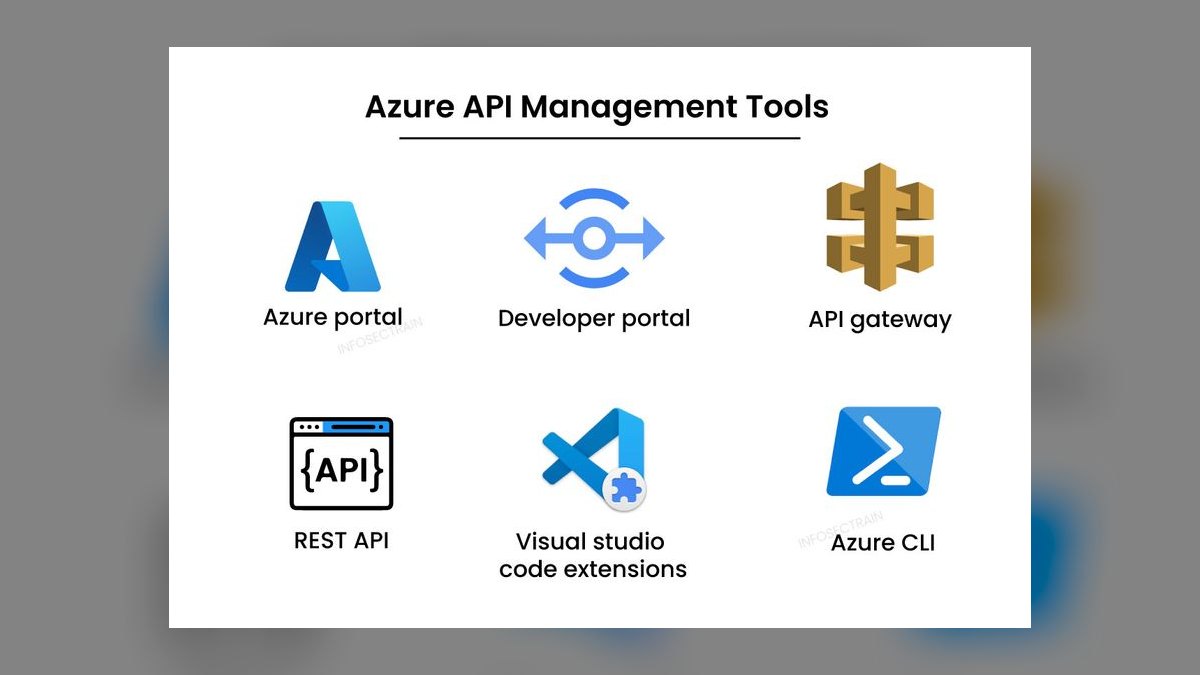
Ranks sixth because Microsoft built dedicated Azure OpenAI token-limit policies directly into its long-established API Management product, letting enterprises throttle GPT model consumption by tokens-per-minute at the gateway level. It integrates natively with Azure OpenAI Service, Entra ID authentication, and existing enterprise API estates already managed through Azure APIM, making it the default pick for Microsoft-centric organizations.
It's built for large enterprises already standardized on Azure and Azure OpenAI who need throttling folded into existing governance and compliance tooling; teams outside the Azure ecosystem gain little from it. Compared with Google's Apigee below, Azure APIM's AI throttling is more tightly coupled to a single cloud's model service rather than provider-agnostic.
7. Google Apigee
Ranks seventh as Google Cloud's established enterprise API management platform, which added quota and spike-arrest policies applicable to Vertex AI and other generative model endpoints. Apigee has been in production use since well before the generative AI era, giving it mature analytics, monetization, and multi-cloud API governance features that newer AI-specific gateways have not yet built out to the same depth.
It suits large enterprises with existing Apigee deployments who want AI throttling added to an already-governed API surface rather than adopting a new tool. Its AI-specific features are less purpose-built than Portkey's or Kong's dedicated AI Gateway plugins. Compared with Azure APIM, Apigee offers broader multi-cloud reach but similarly bolts AI throttling onto a general-purpose product.
8. AWS API Gateway
Ranks eighth because AWS API Gateway's usage plans and per-key throttling limits can be applied in front of Amazon Bedrock endpoints, giving AWS-native teams a familiar way to cap request rates to hosted foundation models. It integrates deeply with IAM, CloudWatch, and Lambda, and bills on the same pay-per-request model AWS customers already use for other services.
It's a reasonable default for teams already running Bedrock and other workloads on AWS who want one throttling layer for both AI and non-AI APIs. It lacks the token-aware rate limiting and multi-provider routing that dedicated LLM gateways offer. Compared with Google Apigee, AWS API Gateway is simpler and cheaper but offers thinner AI-specific tooling.
9. Tyk API Gateway
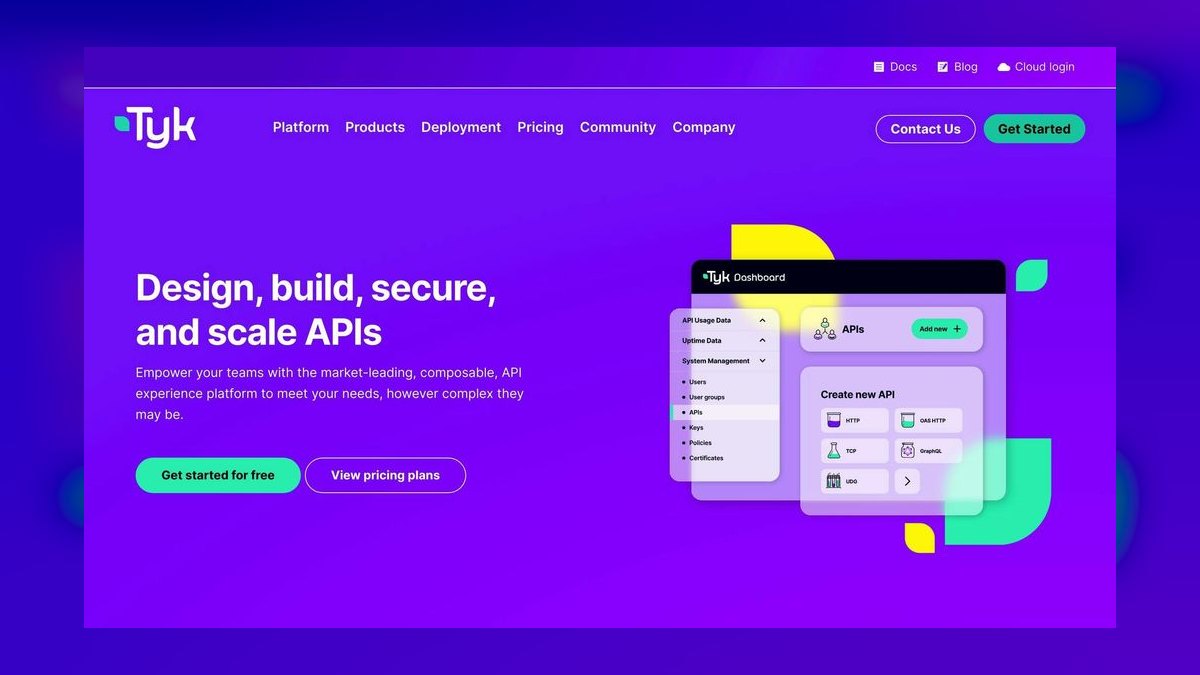
Ranks ninth as an open-source API gateway, a direct competitor to Kong, that added its own AI Gateway module supporting rate limiting, load balancing, and semantic caching across LLM providers. Tyk is written in Go, self-hostable, and offers a free open-source tier alongside a paid cloud and hybrid offering, giving smaller teams an alternative to Kong's ecosystem.
It fits teams wanting an open-source alternative to Kong with similar AI throttling capability but a smaller plugin ecosystem and community around it. Compared with Kong, Tyk is generally regarded as lighter-weight and easier to configure, but with fewer enterprise integrations and a smaller installed base among large organizations.
10. Zuplo
Ranks tenth as a newer, developer-focused edge API gateway that runs on Cloudflare Workers and lets teams write rate-limiting and throttling policies as TypeScript code rather than configuration files. It supports token-based limits for AI endpoints and deploys globally with low cold-start latency, appealing to smaller engineering teams that prefer code-first infrastructure over GUI-driven gateways.
It's built for small to mid-sized engineering teams comfortable writing their own policy logic in code, not large enterprises wanting turnkey governance. It has a smaller feature set and community than Kong or Tyk. Compared with Tyk, Zuplo trades maturity and breadth for a faster, more developer-friendly setup experience.
How we ranked these
We weighted adaptive throttling accuracy, latency overhead, and policy granularity — how finely each platform can scope limits by API key, user tier, endpoint, or IP without hand-written rules. Machine-learning-driven anomaly detection, burst-handling headroom, and multi-region consistency counted heavily, since a rate limiter that drifts across data centers under load defeats its own purpose. Documentation clarity and default-config safety also factored in.
We ignored raw requests-per-second marketing numbers, since vendors benchmark on idle clusters that no production workload resembles. Pricing tiers below enterprise scale were left out because most teams needing AI-driven throttling already run high volume. We also skipped tools that only offer static token-bucket limits rebranded as 'AI' without actual predictive modeling — that's a labeling problem, not a capability.
What to look for
What actually matters is whether the tool enforces limits at the edge (CDN/gateway) versus deep in your app tier — edge enforcement stops abusive traffic before it burns compute, while app-tier throttling only protects your database. Also check if quota rules travel with API keys across regions consistently, and whether the platform exposes real-time dashboards so you can see throttling decisions, not just totals.
The most common mistake is picking a rate limiter based on peak-throughput benchmarks instead of tail-latency behavior under partial outages — most incidents happen when one backend degrades, not at max load. Buyers also underestimate migration cost: swapping gateways later means rewriting every quota policy and re-testing every client integration, so evaluate lock-in risk as carefully as the algorithm itself.
Related questions
What's the difference between rate limiting and throttling in an API gateway?
Rate limiting rejects requests outright once a client exceeds a quota, usually returning HTTP 429, while throttling slows delivery by queuing or delaying requests to smooth bursts without hard failures. Most modern gateways like Kong and Apigee combine both — a soft throttle window before a hard rate-limit ceiling — so legitimate traffic spikes degrade gracefully instead of dropping outright.
Can AI actually predict traffic spikes before they overload an API?
Yes — tools like AWS API Gateway usage plans paired with CloudWatch anomaly detection, and Kong's AI Gateway plugin, analyze historical request patterns to pre-adjust limits ahead of predictable spikes like product launches or marketing pushes. The catch is true predictive throttling needs weeks of clean traffic history; without it, these systems fall back to reactive, rule-based limiting.
Does Cloudflare's rate limiting work at the DNS/CDN layer or the origin server?
Cloudflare enforces rate limiting entirely at its edge network, before requests ever reach your origin server, which is why it's effective against volumetric abuse and credential-stuffing attempts. The tradeoff is less granularity for business-logic-specific limits — like per-user quota inside an authenticated session — which still need enforcement in your application or API gateway layer.
How does Tyk's rate limiting compare to Kong's for open-source deployments?
Tyk ships a distributed rate limiter using Redis by default and supports per-endpoint, per-key, and per-tag quotas out of the box in its open-source edition, while Kong's free tier requires plugins for some of that granularity. Kong pulls ahead on plugin ecosystem breadth and Kubernetes-native Ingress support; Tyk is often faster to configure for multi-tenant limits.
Is Azure API Management's rate-limit policy engine good enough without third-party tools?
For most mid-size APIs, yes — Azure APIM's built-in rate-limit-by-key and quota-by-key policies handle per-subscription and per-IP throttling natively, with Azure Monitor providing usage analytics. Teams outgrow it when they need cross-region quota synchronization at low latency or ML-based anomaly detection, at which point pairing APIM with a dedicated AI-driven gateway becomes worthwhile.
What happens to rejected requests when a rate limit is hit — do they retry automatically?
That depends entirely on the client, not the gateway — a well-behaved client reads the 429 response's Retry-After header and backs off, but most don't implement that by default. This is why platforms like Google Cloud Apigee recommend documenting retry guidance for API consumers, since undisciplined retry storms can cause worse cascading failures than the original spike.
Do rate-limiting tools slow down normal, well-behaved API traffic?
A well-tuned gateway adds single-digit milliseconds of overhead for limit checks, negligible compared to typical network latency — the bigger risk is misconfigured limits that throttle legitimate burst traffic, like a mobile app syncing after being offline. This is why tools with per-client burst allowances, not just flat per-second caps, matter more than raw enforcement speed.
Can I test rate-limiting rules before pushing them to production?
Most enterprise gateways — Kong Konnect, Apigee, and Azure APIM among them — support a shadow or dry-run mode that logs what would have been throttled without actually rejecting traffic. Load-testing tools like k6 or Vegeta are commonly used alongside this to simulate burst patterns and confirm configured limits behave as intended before they go live.
FAQ
What is API rate limiting and why do I need it?
Rate limiting caps how many requests a client can make in a given time window, protecting your backend from being overwhelmed by abusive bots, buggy integrations, or traffic spikes. Without it, one misbehaving client can degrade service for every other user. It's considered a baseline API security and reliability control, not an optional add-on, for any public-facing endpoint.
What's the difference between a rate limiter and an API gateway?
An API gateway is the broader traffic-management layer handling routing, authentication, and transformation; rate limiting is one policy that gateway enforces. You can run rate limiting standalone via a library or middleware, but most teams get it as one feature inside a full gateway like Kong, Apigee, or AWS API Gateway rather than building it separately.
Which algorithm do most AI-assisted rate limiters use — token bucket or sliding window?
Sliding-window-counter and token-bucket algorithms remain the two dominant approaches; AI-assisted platforms typically layer anomaly detection on top of one of these rather than replacing them. Token bucket handles burst allowances well, sliding window gives smoother enforcement over time — the 'AI' layer usually adjusts bucket size or window thresholds dynamically based on observed traffic.
Can rate limiting stop DDoS attacks?
Rate limiting helps mitigate application-layer (L7) DDoS attempts by capping requests per client, but it won't stop volumetric network-layer floods, which need dedicated scrubbing services like Cloudflare or AWS Shield. Treat rate limiting as one layer of defense-in-depth for API abuse, not a substitute for a full DDoS mitigation stack.
Do I need a paid tool, or can open-source rate limiting handle enterprise traffic?
Open-source options like Tyk Community Edition, Kong OSS, and Envoy's rate-limit service handle enterprise-scale traffic fine technically, but you take on the operational burden of running and scaling the Redis or storage backend yourself. Paid tiers mainly buy managed infrastructure, SLA-backed support, and dashboards — not fundamentally better throttling algorithms.
How do I rate-limit by user tier instead of just by IP address?
Tier-based limiting requires the gateway to read an authenticated identity — an API key, JWT claim, or subscription ID — rather than just the request's source IP, since IP-based limits break down behind shared NATs or corporate proxies. Kong, Apigee, and Tyk all support key-based and claim-based quota policies for this reason.
What HTTP status code should a rate-limited request return?
The standard is HTTP 429 Too Many Requests, ideally paired with a Retry-After header telling the client how long to wait before retrying. Returning a generic 500 or 403 instead is a common mistake that breaks client-side retry logic and makes debugging throttling issues much harder for API consumers.
Does GraphQL need different rate-limiting logic than REST APIs?
Yes — a single GraphQL request can trigger wildly different backend costs depending on query depth and requested fields, so naive per-request limits don't work. Tools like Apollo's rate limiting or Apigee's cost-based throttling assign a computed complexity score per query and limit against that score instead of raw request counts.
How often should rate-limit thresholds be reviewed once set?
Review thresholds quarterly at minimum, and immediately after any major traffic-pattern change like a new mobile release or marketing campaign, since limits calibrated for last year's usage often throttle legitimate growth. Platforms with built-in analytics, like AWS API Gateway usage plans, make this review far faster than manually parsing raw access logs.
Can rate limiting be bypassed by rotating API keys or IP addresses?
Naive IP- or key-based limits can be evaded this way, which is why mature platforms add device fingerprinting, behavioral analysis, or account-level aggregation on top of raw key/IP counting. Cloudflare and Akamai's bot-management layers specifically target this evasion pattern, correlating signals beyond the single identifier a basic rate limiter checks.
Sources
- https://docs.konghq.com/hub/kong-inc/rate-limiting/
- https://cloud.google.com/apigee/docs/api-platform/reference/policies/quota-policy
- https://docs.aws.amazon.com/apigateway/latest/developerguide/api-gateway-request-throttling.html
- https://developers.cloudflare.com/waf/rate-limiting-rules/
- https://tyk.io/docs/basic-config-and-security/security/rate-limiting/
- https://learn.microsoft.com/en-us/azure/api-management/api-management-access-restriction-policies
- https://www.envoyproxy.io/docs/envoy/latest/configuration/http/http_filters/rate_limit_filter
- https://www.nginx.com/blog/rate-limiting-nginx/
Related on PULSE
- [More ai tools for api rate limiting and throttling rankings and buying guides](/knowledge)
- [PULSE Tools and calculators](/tools)
- [Everything on PULSE RevOps](/)
 pulse-recentThe 10 Best AI Tools for Canary Deployments of ML Models in 2027
 pulse-recentThe 10 Best Disaster Recovery Tools for AI Infrastructure in 2027
 pulse-recentWhat SLA uptime should you set for a production LLM inference endpoint in 2027?
 pulse-recentWhat is the infrastructure cost difference between fine-tuning a model and training one from scratch in 2027?
 pulse-recentThe 10 Best Chargeback and Showback Tools for Shared GPU Clusters in 2027
 pulse-recentHow do you negotiate committed-use discounts for GPU cloud contracts in 2027?
 pulse-recentHow many GPUs do you need to serve 10,000 inference requests per minute in 2027?
 pulse-recentHow much does INT4 quantization cut LLM inference costs compared to FP16 in 2027?
 pulse-recentThe 10 Best AI Tools for Open-Source Model License Compliance in 2027
 pulse-recentThe 10 Best AI Cost Management Platforms for Enterprises in 2027