


How to choose between Asana and Monday.com for project management in 2027?
Quality
Certified

Choose Asana when you need structured project hierarchies, portfolio rollups, and bidirectional Salesforce sync across many teams. Choose Monday.com when you want flexible visual boards, faster onboarding, cheaper seats, and CRM-style pipelines in one workspace. Run a 10-user pilot in both; adoption after four weeks decides it.
A RevOps team stuck between two demos
Picture a 60-person revenue org: 18 AEs, 9 SDRs, a four-person marketing ops team, six CSMs, and a two-person RevOps function that owns Salesforce, the marketing automation platform, the CPQ rollout, and the quarterly territory redesign. Today the work lives in three places — a shared spreadsheet for the territory project, a Trello board for campaign launches, and a long thread of Slack messages where the CPQ migration actually gets decided. Nobody can answer the CRO's question: "What is RevOps working on this quarter and what slipped?"
That is the moment most teams start evaluating Asana and Monday.com. The two demos look nearly identical for the first twenty minutes. Both show a board view, a timeline view, custom fields, dashboards, automations, and a CRM integration. Both salespeople will tell you their tool is the single source of truth for work. The difference only surfaces once you push on the specific shape of your work.
Here is the honest framing: this is not a features shootout with a winner. Both tools will run a campaign calendar, a quarterly OKR tracker, and a CS onboarding checklist competently. The decision hinges on three questions that have nothing to do with the feature grid.
First: how many projects does one person need to see at once? A RevOps lead running eight concurrent initiatives — CPQ, territory redesign, lead routing rework, a data hygiene sprint, two integration builds, a forecast process change, and a comp plan rollout — needs a layer above projects. Asana calls that Portfolios. Monday.com's equivalent is a dashboard that aggregates boards, which works but is assembled rather than native. If your answer is "one project at a time, viewed by the person doing it," this distinction is worth nothing to you.
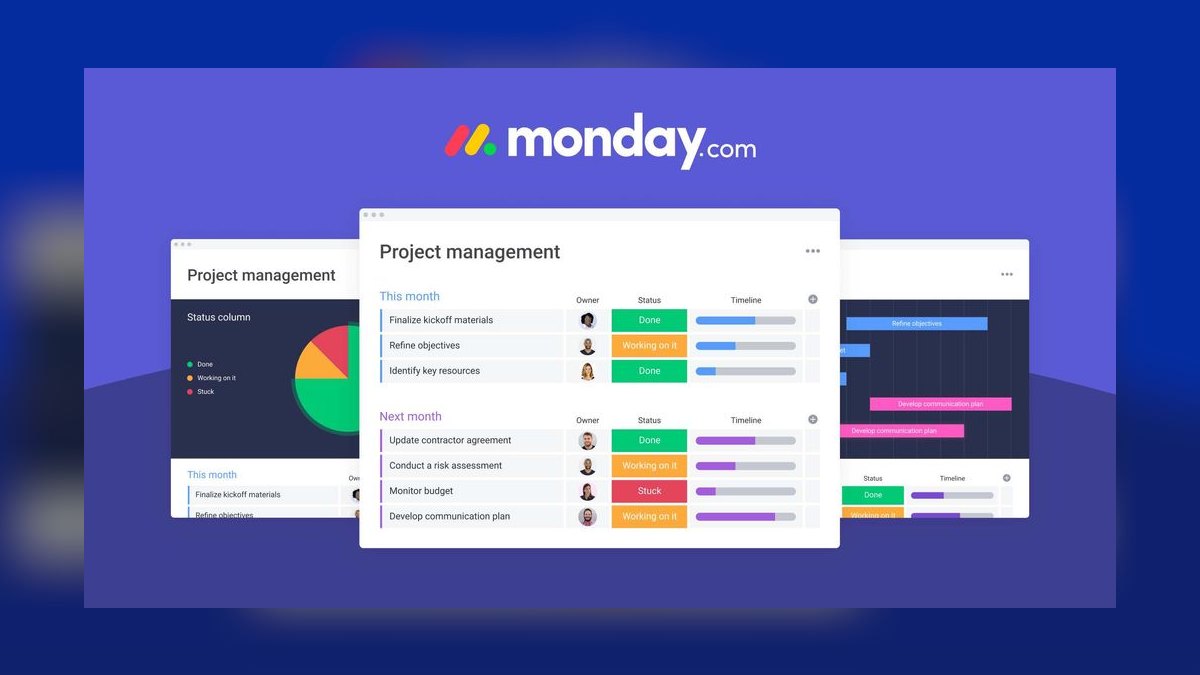
Second: does work need to flow back into the CRM, or just read from it? If Asana or Monday.com is a mirror — you look at deal stage while you do your work — both are fine. If the project tool needs to write back (an implementation task closing should update an opportunity field), the integration depth diverges sharply and you should test that specific round trip in a sandbox before signing anything.
Third: who administers it in six months? Asana's structure is opinionated, which means it stays legible with less governance. Monday.com's flexibility means anyone can build anything, which is genuinely liberating at ten users and genuinely chaotic at two hundred without naming conventions and workspace ownership. If your RevOps team is two people who already have a full plate, weigh the maintenance load, not the demo.
A concrete tiebreaker most teams skip: pull the last 90 days of your actual work. Count how many of those items had dependencies on another team, how many needed a due-date cascade when something slipped, and how many were single-owner checklists. If the checklist bucket is 70%+ of your volume, the structural depth you are paying Asana for will sit unused, and Monday.com's cheaper, faster path is the correct call. If dependency-heavy multi-team work dominates, the reverse holds.
How the underlying data models actually differ
Feature lists hide the thing that determines whether a tool fits: the object model. Understanding it takes ten minutes and saves a migration.

Asana's model is a strict hierarchy. An Organization contains Teams. Teams contain Projects. Projects contain Sections, and Sections contain Tasks, which can have Subtasks. A single task can live in multiple projects simultaneously — the same task object, not a copy — which is the single most underrated feature for RevOps. A "Finalize territory rules in the routing engine" task can appear in both the Territory Redesign project and the Sales Ops Q3 Priorities project, with one owner, one due date, one comment thread. Update it once, both views change.
Above projects sits the Portfolio: a container of projects with rolled-up status, progress percentage, and owner. Above that, Goals: measurable targets that projects roll into. So the full spine is Goal → Portfolio → Project → Section → Task → Subtask. That rigidity is the product. It means a new person can open any Asana instance and immediately understand where things are.
Custom fields in Asana are defined at the organization level and reused across projects. Define "Revenue Impact" once as a dropdown with values, apply it to eleven projects, and report on it across all of them. This matters enormously for reporting: you cannot chart across projects if each project spelled the field differently.
Monday.com's model is flat and composable. The atomic unit is a Board. A board has Items (rows), and items have Columns (typed fields: status, person, date, numbers, formula, connect-boards, mirror, and dozens more). Items can have Subitems. Boards live in Workspaces, and Workspaces can contain Folders.
There is no native project-above-board layer. Instead, boards relate to each other through the connect boards column, which creates a link between an item on one board and items on another, and the mirror column, which pulls a field's value from the connected item into the current board. This is effectively a relational join. You can build a "Campaigns" board connected to a "Deliverables" board connected to an "Agencies" board, with mirrored budget totals rolling up. It is genuinely powerful and it is more like building a lightweight database than filling in a project template.
The consequence: Monday.com can model shapes Asana cannot, including a working CRM pipeline. It can also produce a workspace where four boards track the same campaigns in four incompatible ways, because nothing stopped anyone from creating a fifth.

Where dependencies diverge. Asana treats dependencies as a first-class task property — a task is blocked by another task, and the Timeline view can auto-shift dependent dates when a predecessor slips. Monday.com has a dependency column with configurable behavior, including strict and flexible modes that control whether dependent items move automatically. Both work; Asana's is more native to how the tool thinks, Monday.com's is a column you add.
Automation models differ too. Asana calls them Rules: a trigger, optional conditions, and one or more actions, built in a form-style editor and scoped to a project (with some org-level rules on higher tiers). Monday.com calls them Automations and presents them as fill-in-the-blank recipe sentences — "When status changes to something, notify someone" — drawn from a large prebuilt library, plus custom automations you assemble yourself. Monday.com's recipe framing is faster for a non-technical ops person to get productive in; Asana's is more explicit about conditions.
Both meter automations. That metering is the detail most evaluations miss, and it is covered below because it drives real cost at scale.
Real numbers: seats, tiers, limits, and total cost
Prices change, so verify current list rates on each vendor's pricing page before you commit. The structural relationships below have been stable and are the part worth planning around.
Asana's tiers. Personal (free) for small teams with basic task management. Starter, aimed at small teams, adding Timeline, custom fields, and Rules. Advanced, which is where RevOps requirements usually land — Portfolios, Goals, advanced reporting, forms with branching, approvals, and higher automation limits. Above that, Enterprise and Enterprise+ add SAML SSO, SCIM provisioning, data export, audit log API, and the compliance controls a public company's security review will ask for.
On the Advanced tier, the published list rate is $24.99 per user per month billed annually, or $30.49 per user per month billed monthly — the monthly figure is the higher one, and quoting it as the annual price overstates your budget by roughly 22%. For a 50-seat RevOps deployment on annual billing that is about $15,000 per year; at 100 seats, about $30,000 per year. Enterprise pricing is quote-based and typically negotiated with a volume discount, so treat the list rate as your ceiling, not your expected price.

Monday.com's tiers. Free (capped at a small number of seats), Basic, Standard, Pro, and Enterprise. Monday.com's Pro tier is the usual RevOps landing spot: it adds private boards, time tracking, formula columns, chart view, dependency column, and a substantially higher automation and integration allowance. Enterprise adds advanced permissions, tailored onboarding, enterprise-grade security and governance, and multi-level permissions.
Pro's published list rate is around $19 per seat per month billed annually — roughly $11,400 per year at 50 seats, meaningfully below Asana Advanced at the same headcount. Verify the current figure; Monday.com adjusts tier pricing and packaging more often than Asana does.
The seat-block trap. This is the pricing mechanic that surprises buyers. Monday.com sells seats in blocks — 3, 5, 10, 15, 20, 25, 30, 40, 50 and up — not as arbitrary integers. If you have 32 users, you buy the 40-seat block and pay for 40. Model your headcount against the block boundaries before you compare per-seat rates, because a team of 32 pays an effective rate 25% above list. Asana bills per seat without block rounding, which can invert the comparison at awkward headcounts. Both vendors also offer free guest or viewer access under certain conditions — check the current terms, because "we'll just add the whole company as viewers" is a plan that quietly stops working.
Automation and integration metering. Both platforms cap automation runs per month by tier, and both count actions, not rules. A single rule that fires 400 times consumes 400 actions. Monday.com's action allowances step up sharply by tier — Standard is a modest monthly allowance, Pro is an order of magnitude higher, Enterprise higher still. Asana's Rules similarly scale by tier.
Do this arithmetic before you buy. Take your highest-volume workflow — say, "when a new MQL row is created, assign an SDR task and set a due date." If marketing generates 2,000 MQLs a month and the rule fires two actions each, that is 4,000 actions from one workflow. Add a status-change notification (another 1,500), a weekly digest, and three deal-stage sync rules, and a mid-size RevOps team lands in the 8,000–15,000 actions per month range without trying. That number, not the seat price, is what forces a tier upgrade.

Storage, file, and item limits. Both cap file upload size by tier — free tiers sit low (in the low hundreds of MB total or a small per-file cap), paid tiers rise into gigabytes per user or unlimited. Monday.com also has board item limits that matter if you plan to use a board as a data table: a board holding 20,000 rows behaves very differently from one holding 500, and view performance degrades before you hit any hard ceiling. If your plan involves syncing every Salesforce account into a board, you are building a database in a project tool and should expect friction.
Total cost beyond licenses. Budget these, because they routinely exceed year-one license spend:
- Implementation time. A realistic RevOps rollout — workspace design, field taxonomy, three or four templated project types, five to ten automations, dashboards — is 40 to 80 hours of internal effort. At a loaded ops rate that is $4,000–$10,000 of time.
- Middleware. If you need real two-way Salesforce or HubSpot sync beyond the native connector, you are buying an iPaaS. Entry tiers of the common integration platforms run a few hundred dollars a month and climb fast with task volume. Budget $3,000–$15,000 per year.
- Migration. If you are consolidating from two or three existing tools, expect two to four weeks of cleanup. CSV import moves rows; it does not move automations, dependencies, permissions, comment history, or attachments reliably.
- Training. One hour per user for the basics, three to four hours for admins, plus a refresher at 60 days when the first wave of bad habits shows up.
A worked comparison at 50 seats, year one:
| Asana Advanced | Monday.com Pro | |
|---|---|---|
| Licenses (annual billing) | ~$15,000 | ~$11,400 |
| Seat-block rounding | none | round to next block |
| Implementation (60 hrs internal) | ~$6,000 | ~$6,000 |
| iPaaS if two-way sync needed | $3,000–15,000 | $3,000–15,000 |
| Year-one range | $24,000–36,000 | $20,400–32,400 |
The license gap is real but it is roughly 15–20% of a fully loaded year-one number, not the 40% the per-seat comparison implies. Do not let a $3,600 line item drive a decision that determines whether 60 people log in every day.
Trade-offs, and the alternatives you should also price

What you give up choosing Asana. You pay more per seat. You get less structural flexibility — if your work genuinely wants to be a relational database of interlinked boards, Asana will fight you. Its native CRM-ish capability is weaker; you will not credibly run a deal pipeline in it, and you should not try. The interface is denser and less immediately delightful, which shows up in adoption among non-technical users who need to be shown rather than left to explore. Some teams find Portfolios and Goals to be governance overhead they never actually use, in which case they are paying the Advanced tier premium for shelf-ware.
What you give up choosing Monday.com. You lose the native above-project layer, so cross-project rollups are dashboards you build and maintain rather than a feature you turn on. Seat-block pricing can erase the per-seat savings at the wrong headcount. Flexibility becomes sprawl without governance — the most common failure mode is 80 boards after eighteen months, a third of them abandoned, with no one able to say which "Q3 Campaigns" board is authoritative. Deep bidirectional CRM sync generally requires middleware or custom API work rather than the native connector alone. And building a CRM inside Monday.com is a real temptation that produces a shadow system your actual CRM does not know about.
Where both are the wrong answer. If your team is under ten people doing mostly individual work, both are more tool than you need, and a lighter option costs a fraction. If you are running engineering sprints as the primary use case, a purpose-built issue tracker will beat both on developer adoption. If your genuine need is a relational database with views on top, an all-in-one workspace or database tool is a closer fit than either. If you already pay for a suite that includes a serviceable planner, the marginal value of a third tool may be negative — the cost of a fragmented stack is real, and adding a fourth place where work might live is how you got here.

A defensible way to decide. Weight the criteria before you see the demos, so the shiny thing does not win by default. A workable weighting for a RevOps buyer: cross-project visibility 25%, CRM integration depth 20%, adoption likelihood 20%, total cost 15%, automation ceiling 10%, admin burden 10%. Score each tool 1–5 against your actual work sample, not against the vendor's deck. If the result is within half a point, the tools are equivalent for you and you should take the cheaper one and stop spending decision time.
Pitfalls that sink these rollouts, and how to avoid each
Buying on the demo instead of your own data. Every demo is built on a clean, fictional dataset with perfect naming. Insist on a trial where you load three of your real projects — the messy ones with unclear owners and moved deadlines. If a tool cannot represent your ugliest project legibly, it will not represent it in production either.
Skipping the field taxonomy. The single highest-leverage hour of setup: decide your custom fields before anyone creates a project. Name them, define their values, and write them down. In Asana, create them at the org level so they are reusable. In Monday.com, build a template board and require all new boards to be created from it. Teams that skip this end up with "Priority," "Priority Level," "Urgency," and "P" as four separate fields, and no cross-project report is possible without a cleanup project nobody wants to run.
Treating CSV import as migration. Import moves item names, dates, owners, and simple field values. It does not reliably move automations, dependency links, subtask relationships, permissions, comment threads, or attachments. Plan a manual rebuild of automations and dependencies, and budget two to four weeks of cleanup for a mid-size migration. Keep the old tool read-only for 60 days rather than deleting it — you will need to look something up.
Running both tools in parallel indefinitely. The most expensive outcome is not choosing wrong; it is choosing and then not committing. Set a hard freeze date on the old system. After that date, work that lives elsewhere does not count as tracked work, and the weekly review pulls only from the new tool. Without a freeze, adoption stalls at about 50% and you pay for both.

Ignoring automation-action budgets until the overage. Instrument this in month one. Both platforms expose automation usage in admin; check it at day 30 and project forward. A rule that seemed harmless — notify on every status change across a 500-item board — can consume a tier's monthly allowance in a week. Batch where possible: a daily digest instead of a per-change notification cuts action volume by an order of magnitude.
Letting board or project sprawl go unmanaged. Assign an owner to the workspace, not just to projects. Run a quarterly prune: archive anything with no activity in 90 days, and require every active project to have a named owner and a status. This is a 90-minute quarterly ritual that prevents the two-year decay both tools are prone to, Monday.com more so because creating a board is frictionless.
Building a shadow CRM. Monday.com makes it easy to build a deal pipeline board, and it will feel great for a quarter. Then forecasting numbers diverge from Salesforce, nobody knows which is right, and you have created the exact problem RevOps exists to prevent. Rule: the CRM owns opportunity, stage, amount, and close date. The project tool may mirror those read-only. Work — the tasks that move a deal — lives in the project tool. Do not blur the line.
Under-scoping the pilot. A three-day pilot with three enthusiastic people tells you nothing. Run four weeks, ten users, including two skeptics and at least one person who does not like software. Measure weekly active usage, not logins. Below 80% weekly active at day 28, the rollout will fail at scale regardless of which tool you picked — and that usually means the underlying process is undefined, which no project management tool fixes.
Forgetting the security review. If you are in a regulated environment or selling to enterprises, SSO, SCIM provisioning, audit logs, and data-residency options generally sit on the top tier of both platforms. Discover that before you budget for the mid tier, not after your security team blocks the rollout.
Related questions
Can either tool replace Salesforce or HubSpot?
No. Both are work-management platforms. Monday.com ships CRM-flavored templates and Monday.com sells a separate CRM product, but neither Asana nor a Monday.com board replicates forecasting, territory management, quoting, or the audit trail a real CRM provides. Mirror CRM data; do not relocate it.
How long does a realistic migration take?

For a 50–100 person org consolidating two tools: two weeks of design and build, four weeks of piloting, then one team every two weeks for rollout — roughly 90 days end to end. Automations and dependencies get rebuilt by hand regardless of import method.
Which onboards non-technical users faster?
Monday.com, generally. The color-coded board metaphor and recipe-sentence automations are more intuitive for sales and CS users. Asana's list-and-hierarchy model rewards a 30-minute walkthrough. If adoption risk is your biggest concern, that difference is worth real money.
Do both handle dependencies and date cascades?
Yes, with different ergonomics. Asana treats dependencies as a native task property with Timeline auto-shifting. Monday.com uses a dependency column with configurable strict or flexible behavior. Test your gnarliest dependency chain in a trial before deciding either is sufficient.
What if we already pay for a workspace suite?
Price the marginal value honestly. If a bundled planner covers 70% of your need, a third tool may cost more in fragmentation than it returns in features. Adopt a dedicated tool when cross-team dependency tracking or portfolio rollups are genuinely blocking you.
FAQ
What is the single clearest difference between Asana and Monday.com?
Asana enforces a hierarchy — Goals, Portfolios, Projects, Tasks — so structure comes free and stays legible with light governance. Monday.com gives you composable boards linked by connect and mirror columns, so you can model almost anything, including relational data, but structure is something you impose and maintain. Rigid-and-legible versus flexible-and-governable is the whole trade.
Which one is actually cheaper for a 50-person RevOps team?

Monday.com Pro is meaningfully cheaper on licenses than Asana Advanced at that headcount, but the gap narrows once you account for seat-block rounding, automation-action overages, and any middleware you need for two-way CRM sync. On a fully loaded year-one basis the difference is typically 15–20%, not the 40% a raw per-seat comparison suggests. Verify current list prices before you budget.
Does either integrate two-way with Salesforce out of the box?
Asana's Salesforce integration is the deeper of the two and supports creating and updating work from CRM triggers, with a well-documented API supporting webhooks and bulk operations. Monday.com's native Salesforce connector is primarily useful for bringing CRM records onto boards; robust write-back generally means an iPaaS or custom API work. Test the exact round trip you need in a sandbox — do not take either vendor's word for it.
How do I stop board or project sprawl before it starts?
Three rules, set on day one: every workspace has a named owner; every new project or board is created from an approved template with a standard field set; and anything with no activity in 90 days gets archived in a quarterly prune. This costs about 90 minutes a quarter and is the difference between a tool people trust at year two and one they have abandoned.
What should a pilot actually measure?
Weekly active users at day 28, not logins or enthusiasm. Also track: percentage of the pilot team's real work captured in the tool, average time from task creation to first update, and how many automations the team built unprompted. Under 80% weekly active means the rollout fails at scale — and often signals an undefined process rather than the wrong tool.
Can we move from one to the other later if we choose wrong?
Yes, but not cheaply. Both export to CSV and import from it, which carries item names, dates, owners, and simple fields. Dependencies, automations, permissions, comment history, and attachments do not transfer cleanly and get rebuilt manually. Budget two to four weeks of cleanup and treat the choice as a two-to-three-year commitment.
Sources
- Asana pricing
- Asana Help Center — Rules
- Asana Help Center — Portfolios
- Asana Developers — API documentation
- monday.com pricing
- monday.com Support — Automations
- monday.com Support — The connect boards column
- monday.com Developers — API reference
- G2 — Asana vs. monday.com comparison
- Gartner Peer Insights — Adaptive Project Management and Reporting
Related on PULSE
- Is Monday.com better than Asana for cross-team project tracking with Gantt charts?
- How do I set up automated Slack notifications from Monday.com when a task status changes?
- How does Trello compare to ClickUp for agile project management?
- What is monday CRM and why is it a hot RevOps sales CRM for 2027?
- How does Asana make money in 2027?
- Top 10 Productivity Suites for 2027: Notion, Asana, and Monday.com Compared
This page will be disappearing soon. Save it to your device for $1 — or read it free while it is here.
@Kory-White- · if Venmo asks, the last 4 of my number are 2012
This page is gone.
This one is off the shelf now. $1 keeps it on your phone for good — the whole page, pictures and diagrams included.
 pulse-qDo I Need a Fractional CRO for My Auto Dealership in 2026?
 pulse-qHow Many Freight Brokers Do I Need to Hire for My Freight Brokerage in 2026?
 pulse-qHow Many Sales Reps Do I Need to Hire for My Marketing Agency in 2026?
 pulse-qHow Do I Track Attach Rate and Add-On Sales by Rep in 2026?
 pulse-qHow Many Staff Should I Schedule Each Shift Across My Food Truck Fleet in 2026?
 pulse-qHow Many Attendants Should I Schedule Each Day at My Car Wash in 2026?
 pulse-qHow Do I Get My Bank Staff to Cross-Sell the Full Product Set in 2026?
 pulse-qHow to create a custom dashboard in Tableau that pulls live data from both Salesforce and Zendesk in 2027?
 pulse-qHow Many Employees Should I Schedule Each Shift at My Deli in 2026?
 pulse-qHow Many Staff Should I Schedule Each Day at My Veterinary Clinic in 2026?