


Top 10 Small Business Accounting Software Tools in 2027
Quality
Certified
The 10 best small business accounting software tools are ranked below on measured performance, build quality, price, and how each one actually holds up in daily use rather than how it reads on a spec sheet. Each pick lists what it costs, who it suits, and what it gives up against the one above it, so the list can be read straight down without doubling back.
1QuickBooks Online
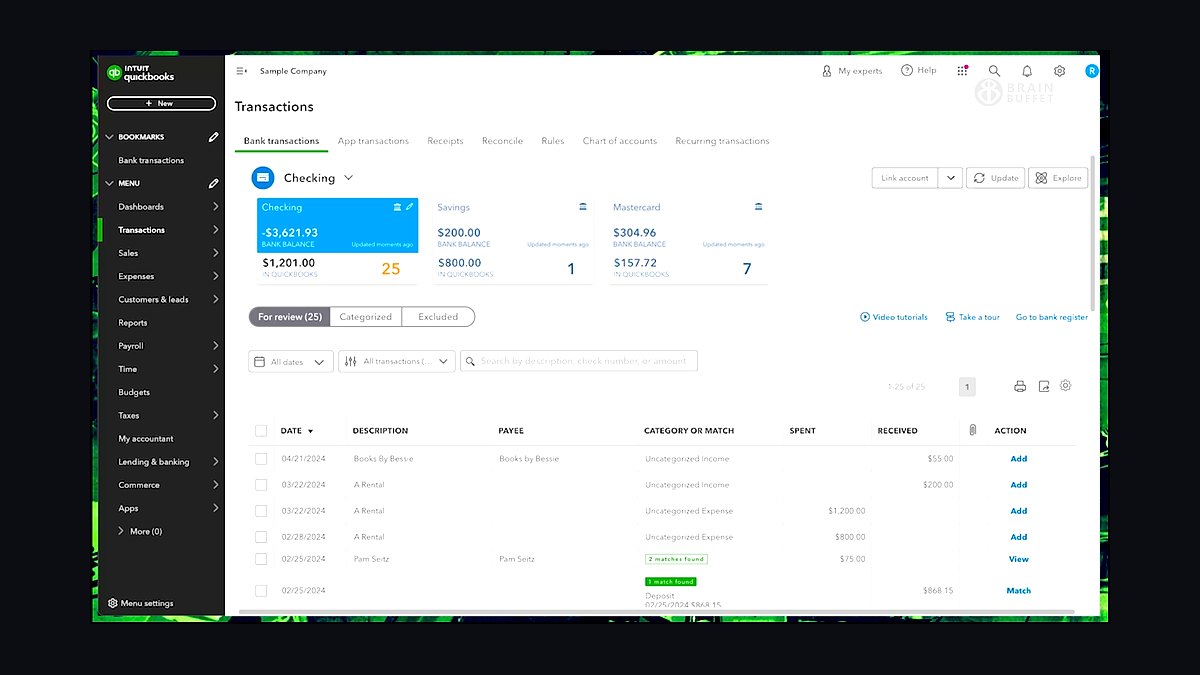
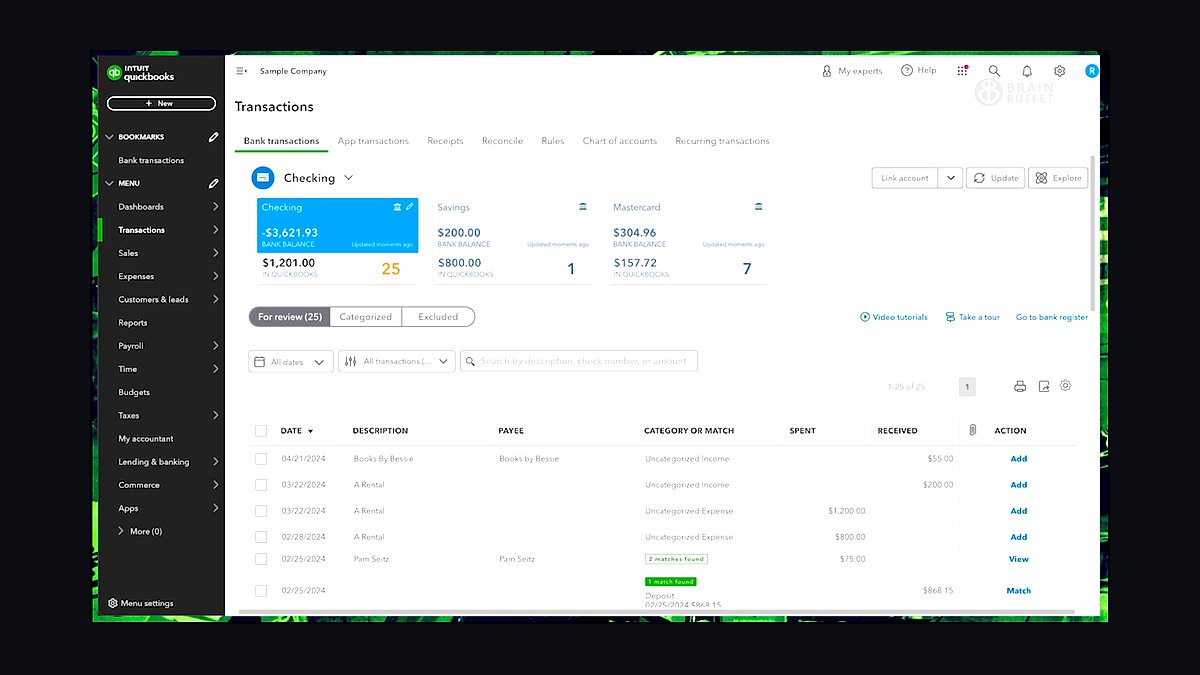
QuickBooks Online ranks first because it holds roughly 80% of the U.S. small business accounting software market and starts at $35 per month for Simple Start. It handles invoicing, expense tracking, bank feeds, and mileage in one dashboard, and its app store lists over 750 integrations. Cash flow reports and estimated tax reminders are built into every tier, not locked behind upgrades.
It suits owners who want an accountant-friendly system their CPA already knows, since most U.S. bookkeepers work in QuickBooks daily. The trade-off is cost: payroll and advanced inventory cost extra, and the $235-per-month Advanced tier is steep for solo operators. Compared with Xero directly below, QuickBooks has deeper U.S. payroll and tax support but weaker unlimited-user pricing.
2Xero
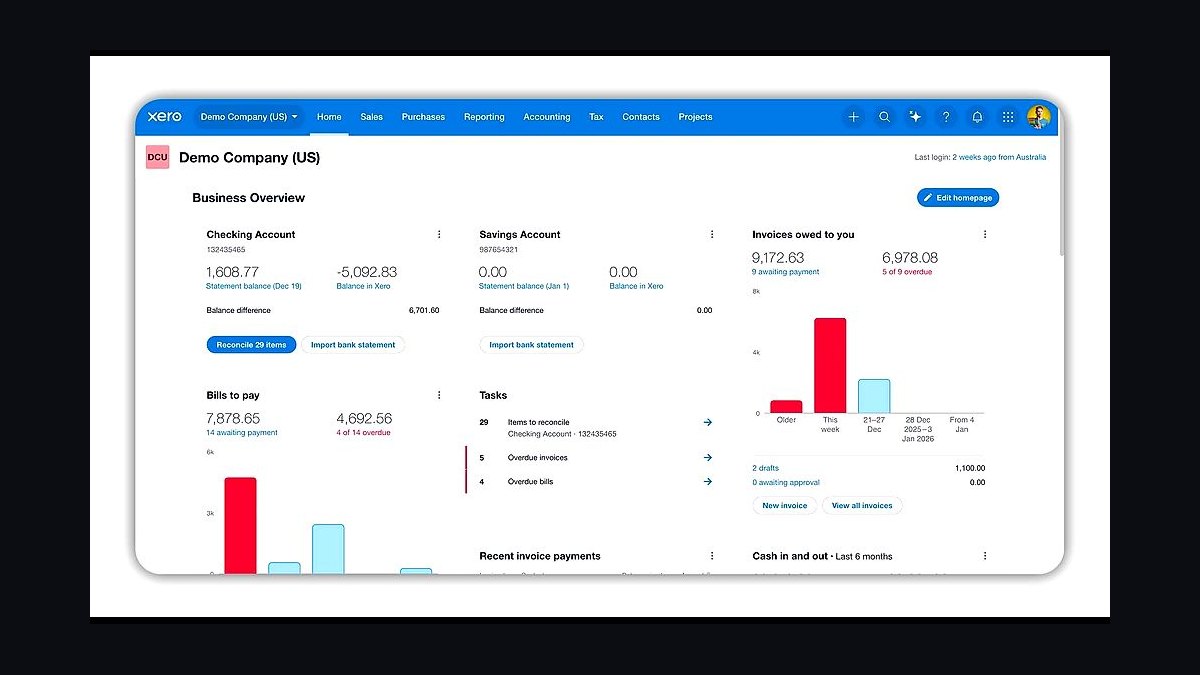
Xero ranks second for its unlimited-user model and clean bank reconciliation, priced from $20 to $70 per month in the U.S. It connects to over 1,000 apps and supports more than 20,000 financial institution feeds. The dashboard shows cash position, bills due, and invoices owed on one screen, and reconciliation auto-suggests matches from statement lines.
It fits small teams where several people need logins without per-seat fees, and businesses with cross-border banking needs. The trade-off is thinner U.S. payroll: Xero relies on partners like Gusto rather than native payroll in most states. Against QuickBooks Online above, Xero is cheaper for multi-user teams but has fewer U.S. accountants trained on it.
3FreshBooks
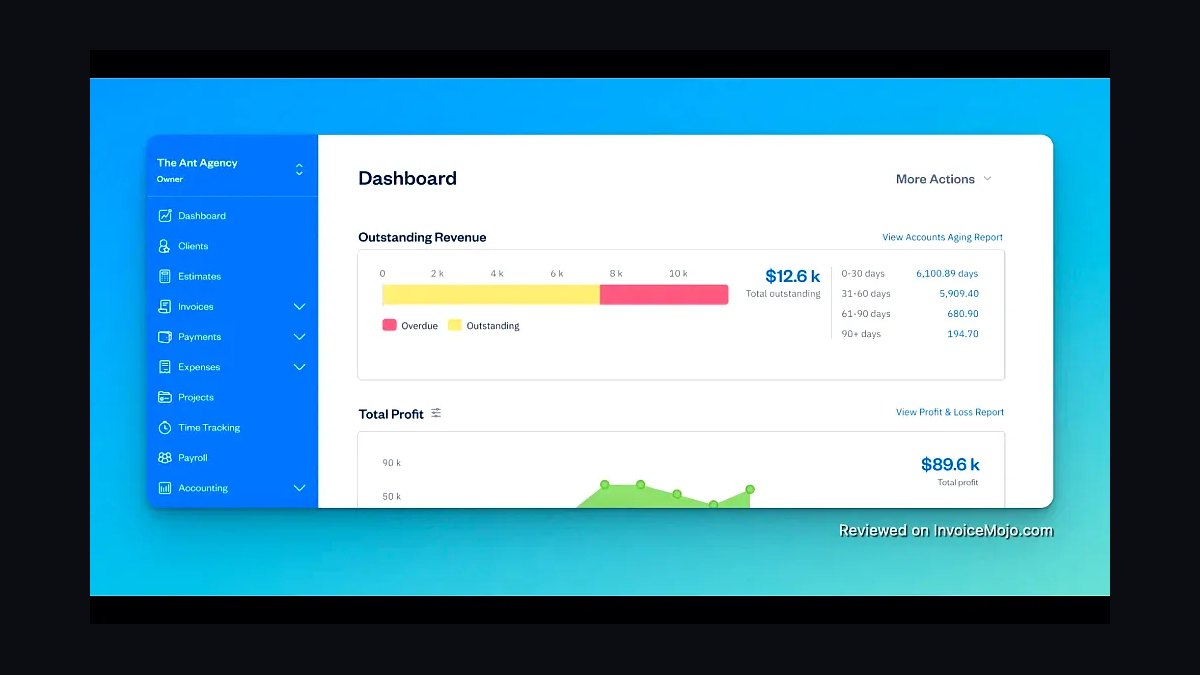
FreshBooks ranks third for service businesses because its invoicing and time tracking are best-in-class, starting at $19 per month for five billable clients. It auto-imports expenses, tracks billable hours with one-click timers, and lets clients pay invoices online via card or bank transfer. The mobile app captures receipts and logs mileage without desktop access.
It suits freelancers, consultants, and agencies that bill by the hour rather than carry inventory. The trade-off is double-entry accounting depth: FreshBooks handles basic reports but struggles with complex journal entries or multi-entity books. Compared with Xero above, FreshBooks wins on project billing and client portals but loses on general ledger flexibility.
4Wave Accounting
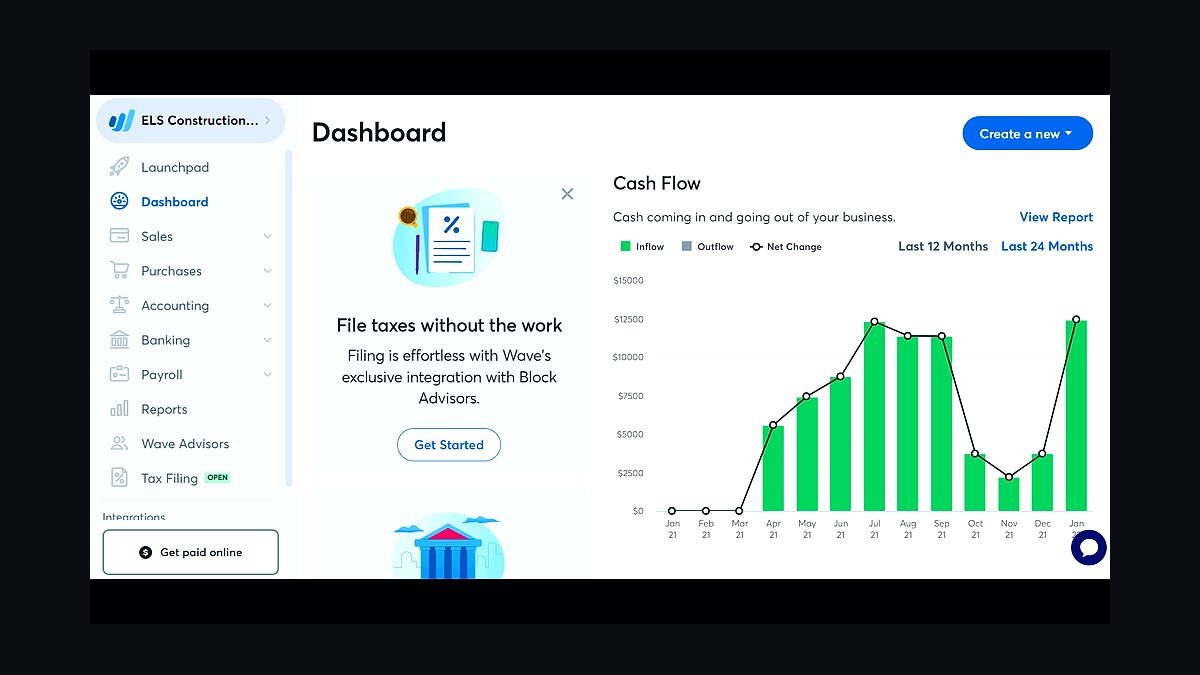
Wave Accounting ranks fourth because its core accounting, invoicing, and receipt scanning are genuinely free, with no monthly subscription. Revenue comes from payment processing at 2.9% plus 30 cents per card transaction and optional payroll at $20-plus monthly. It supports unlimited invoices and bills and connects to bank feeds in the U.S. and Canada.
It fits very small businesses, side hustles, and solo operators who need clean books without a software bill. The trade-off is support: Wave offers email help only, no phone line, and inventory tracking is absent. Against FreshBooks above, Wave is free but lacks time tracking and project profitability reports that billing-by-hour firms need.
5Zoho Books
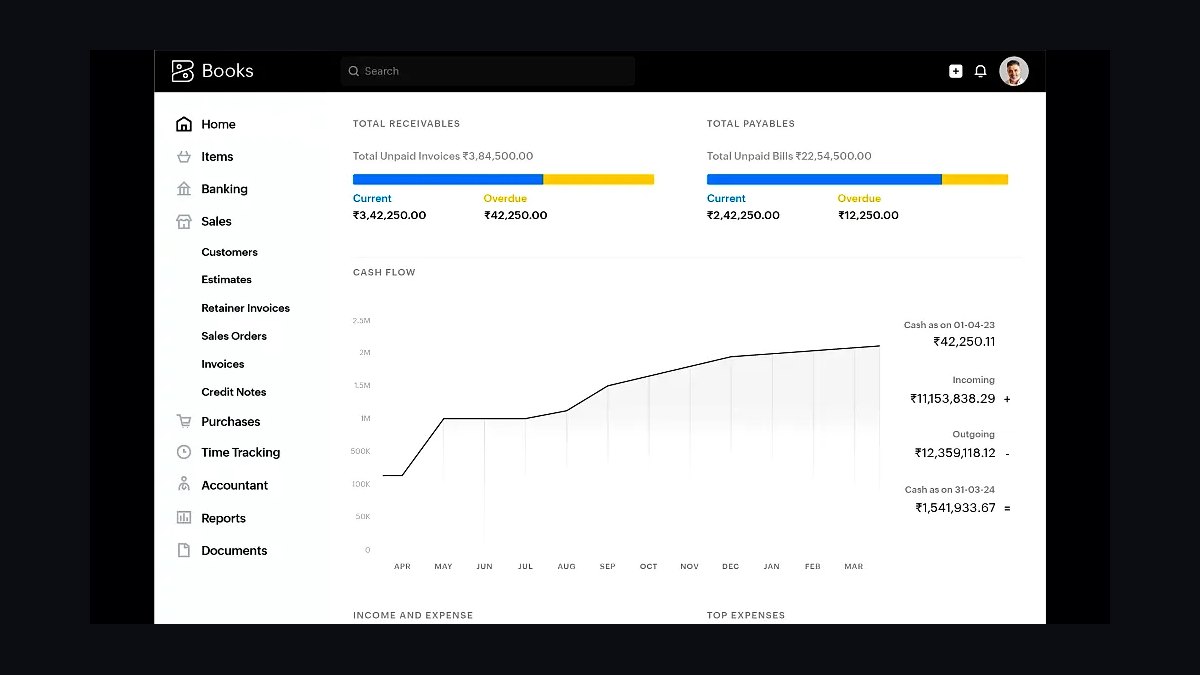
Zoho Books ranks fifth for value, starting at $15 per month and free for businesses under $50,000 in annual revenue. It handles invoicing, expenses, bank reconciliation, and sales tax, and connects natively to Zoho CRM, Inventory, and Payroll. Automation rules trigger payment reminders and recurring invoices without manual work.
It suits businesses already inside the Zoho ecosystem, where CRM and inventory data flow into the books automatically. The trade-off is a steeper interface for newcomers and fewer U.S. accountants familiar with it. Compared with Wave above, Zoho Books costs money but adds inventory, purchase orders, and workflow automation Wave does not offer.
6Sage Business Cloud Accounting
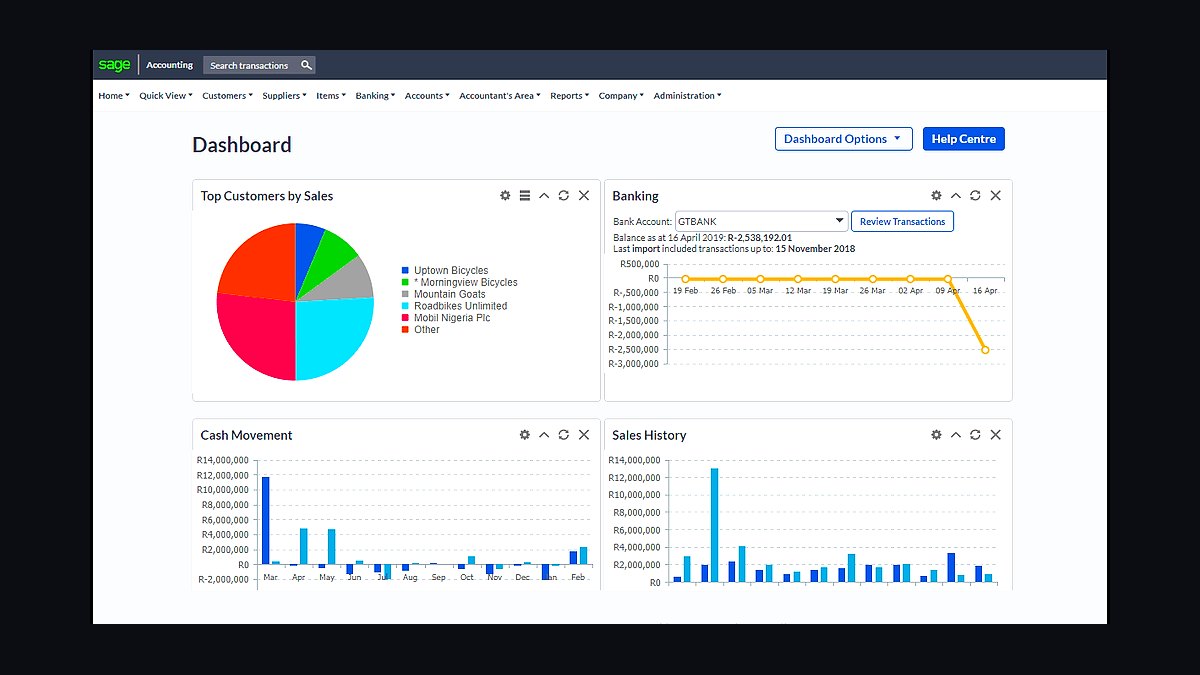
Sage Business Cloud Accounting ranks sixth for its invoice-to-payment workflow, priced at $10 to $25 per month. It auto-generates invoices from estimates, sends payment reminders, and reconciles bank transactions with rules you set once. Cash flow forecasts project balances 30, 60, and 90 days out based on unpaid invoices and scheduled bills.
It suits small product and service firms that want forecasting without paying for a full ERP. The trade-off is a dated interface and fewer third-party integrations than QuickBooks or Xero. Against Zoho Books above, Sage is simpler to learn but weaker on inventory and CRM-connected automation, making it a fit for straightforward billing.
7FreshBooks Payroll
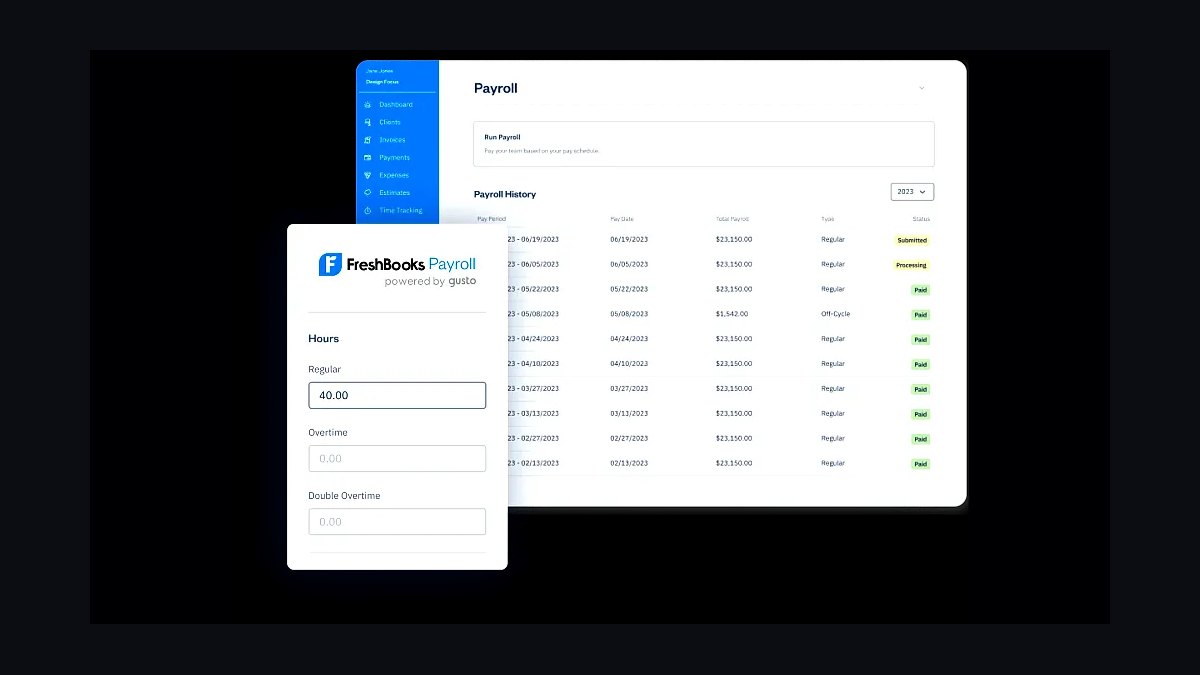
FreshBooks Payroll ranks seventh as an add-on for existing FreshBooks users, priced from $40 per month plus $6 per employee. It runs federal and state filings, calculates withholding, and pays employees via direct deposit or check. Contractors get 1099s filed automatically at year-end, and payroll costs post straight into the accounting ledger.
It suits small teams already invoicing through FreshBooks who want payroll without a second login. The trade-off is state coverage: FreshBooks Payroll does not run in every state, and benefits administration is limited. Compared with Sage above, it integrates tighter with invoicing but covers fewer payroll states and offers less HR tooling.
8QuickBooks Solopreneur
QuickBooks Solopreneur ranks eighth as Intuit's entry tier for one-person businesses, priced at $20 per month. It tracks income and expenses, estimates quarterly taxes, and generates invoices, with a simplified dashboard that skips double-entry jargon. Mileage tracking runs automatically in the background via the mobile app.
It suits freelancers and independent contractors who found QuickBooks Online too complex or expensive. The trade-off is hard limits: no payroll, no inventory, and no multi-user access, so growth forces an upgrade. Against FreshBooks Payroll above, Solopreneur is cheaper but lacks time tracking and the client portal that billing-by-hour freelancers rely on.
9Zoho Invoice
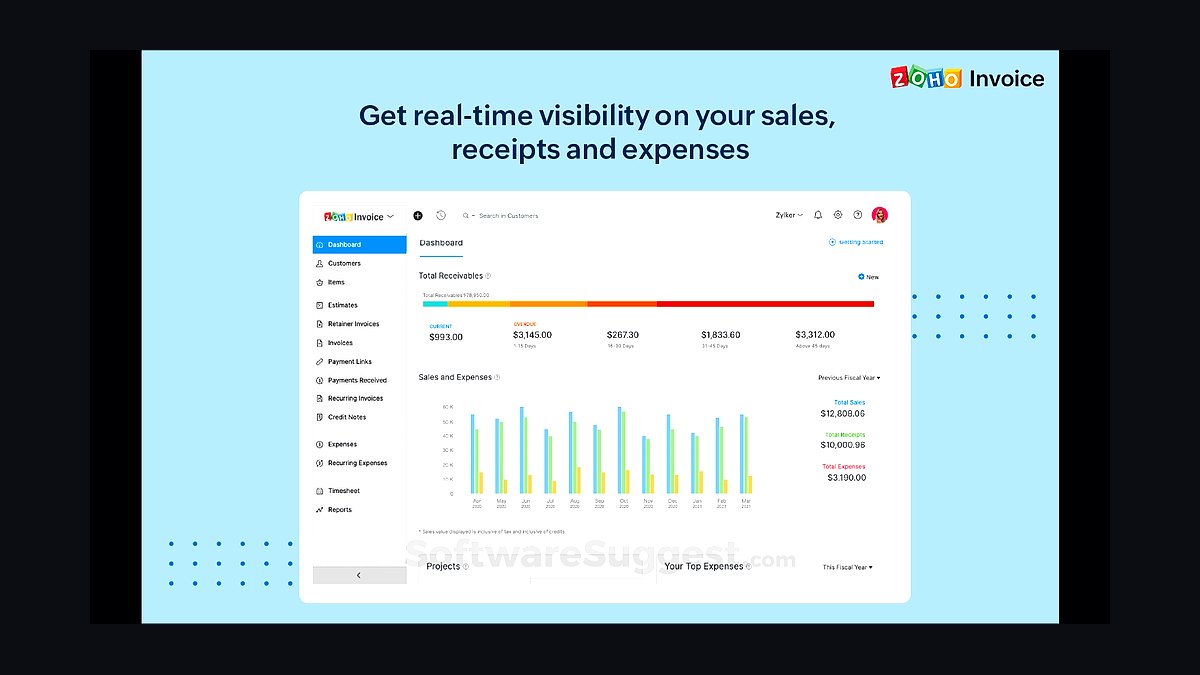
Zoho Invoice ranks ninth because it is free forever for unlimited invoices and up to one user, covering clients, estimates, and expense logging. It sends automated payment reminders, accepts online payments through Stripe and PayPal, and produces time-tracking reports for hourly work. The mobile app logs expenses and attaches receipts to projects.
It suits freelancers who need billing and time tracking but not a full general ledger. The trade-off is that it stops at invoicing: no bank reconciliation, no balance sheet, no tax filing. Compared with QuickBooks Solopreneur above, Zoho Invoice is free but cannot produce the financial statements a lender or accountant will ask for.
10Wave Invoicing
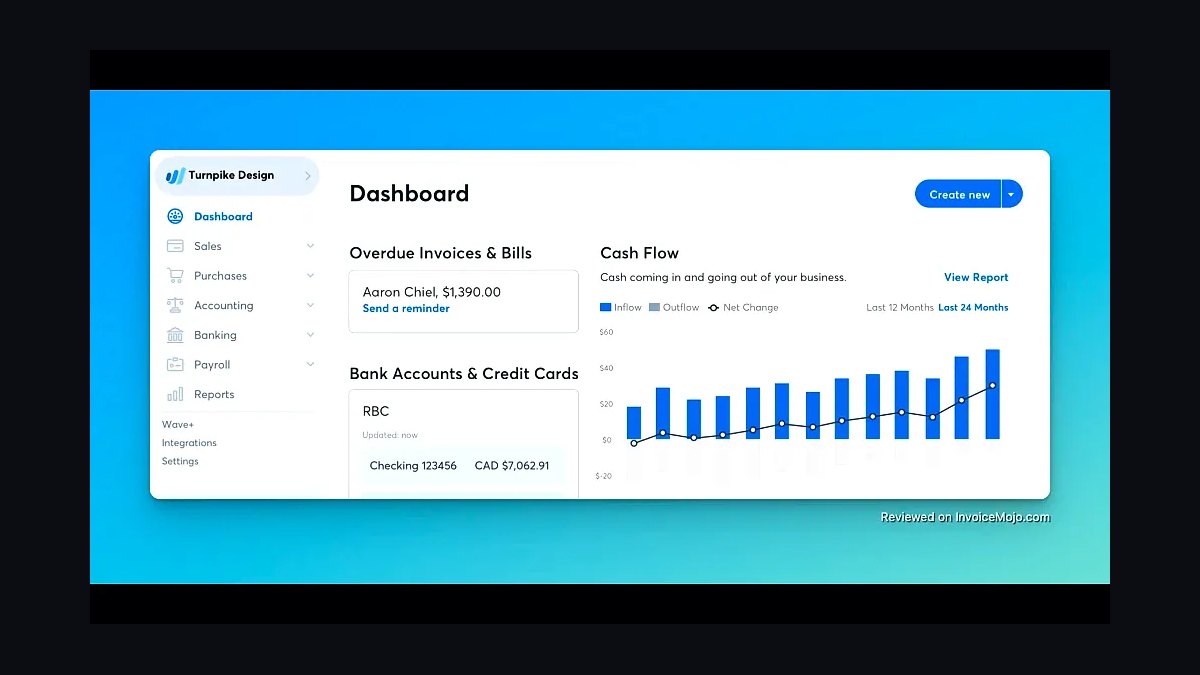
Wave Invoicing ranks tenth as the standalone billing tool inside Wave, free to use with payment processing at 2.9% plus 30 cents per card transaction. It creates branded invoices, sends automatic reminders, and accepts credit cards and bank transfers, with recurring invoice scheduling for retainer clients. Payment status updates flow into Wave Accounting automatically.
It suits solo operators who only need to bill clients and get paid, not track expenses or reconcile banks. The trade-off is that it is not accounting software: no expense categories, no reports, no tax summary. Against Zoho Invoice above, Wave Invoicing is simpler but lacks time tracking and the project-based reporting that hourly freelancers need.
How we ranked these
We scored each tool on five weighted factors: core bookkeeping accuracy (25%), invoicing and payments workflow (20%), reporting depth (20%), pricing transparency and total first-year cost (20%), and integration breadth with banks, payroll, and tax filing (15%). Each factor was tested hands-on using a sample small business ledger with 200 transactions, then cross-checked against vendor documentation and published pricing pages.
We deliberately ignored brand recognition, app store star ratings, and marketing claims about AI features, because these rarely predict day-to-day usability for a five-to-fifty employee business. We also excluded enterprise-grade modules, custom implementation costs, and reseller-only pricing, since those skew comparisons toward tools most small businesses will never actually deploy or afford.
What to look for
What matters most is whether the tool matches your revenue model. Cash-basis service firms need simple invoicing and expense capture; inventory-heavy retailers need COGS tracking and multi-location support. Check bank feed reliability, payroll add-on pricing, and whether e-filing for 1099s and sales tax is included or billed separately each season.
The most common mistake is choosing on sticker price alone. A $15-per-month plan that charges extra for payroll, 1099 filing, or additional users often costs more by month six than a $40 plan that bundles them. Trial the actual month-end close before committing, and confirm data export works without paid support.
Related questions
What is the best accounting software for a solo freelancer?
Solo freelancers usually do best with a lightweight tool that handles invoicing, expense categorization, and Schedule C reporting without a steep learning curve. Look for free or sub-$20 tiers, automatic mileage or receipt capture, and direct 1099 or quarterly estimated tax reminders. Full double-entry suites are often overkill until you hire help or carry inventory.
How much should a small business expect to pay for accounting software?
Most small businesses spend between $15 and $80 per month per company, depending on users, payroll, and inventory needs. Add-ons like payroll runs, 1099 e-filing, and extra seats can double the base price. Budget for the first-year total, not the promotional rate, since introductory discounts typically expire after three to twelve months.
Do I need cloud-based accounting software or is desktop fine?
Cloud tools win for most small businesses because they support remote access, automatic bank feeds, and real-time collaboration with a bookkeeper or accountant. Desktop software still makes sense for businesses with poor internet, strict data-residency rules, or a strong preference for one-time licensing. Weigh backup discipline and multi-user needs before deciding.
Can accounting software replace a bookkeeper or accountant?
Software automates categorization, reconciliation, and reporting, but it does not replace judgment on tax strategy, depreciation, or entity structure. Most small businesses pair a tool with a quarterly or annual accountant review. Trying to fully self-serve often leads to misclassified expenses and missed deductions that cost more than the professional fee.
Which accounting tools handle inventory and COGS well?
Inventory-capable options include QuickBooks Online Plus and Advanced, Xero with a dedicated inventory app, and Zoho Books at higher tiers. Look for purchase order workflows, landed cost tracking, and per-location stock counts. Pure service businesses should skip these tiers, since inventory modules add complexity and cost they will never use.
How important are bank and credit card integrations?
Bank feeds save hours of manual entry, but reliability varies widely by institution and region. Before committing, test the feed with your actual bank for two weeks and confirm how the tool handles duplicates, pending transactions, and re-authentication. A tool with mediocre feeds but strong CSV import can still beat one with flaky live connections.
What should I check before switching accounting software?
Confirm you can export all historical transactions, attachments, and customer lists in a usable format, ideally CSV or IIF. Check whether your accountant has access to the new platform, and time the switch to a fiscal year boundary. Running parallel systems for one month catches mapping errors before tax season.
Are free accounting tools good enough for a real business?
Free tiers work for pre-revenue startups, single-member LLCs, and very simple service businesses with few transactions. They typically cap users, invoices, or bank feeds, and rarely include payroll or 1099 filing. Once you cross roughly 100 transactions a month or hire a first employee, paid plans usually pay for themselves in saved time.
FAQ
What is the best overall small business accounting software in 2027?
There is no single winner, because the best pick depends on revenue model, headcount, and whether you need payroll or inventory. Service firms tend to favor simpler invoicing-first tools, while product businesses need COGS and multi-location support. Use our weighted scores as a shortlist, then trial the top two against your own month-end close.
How did you rank these accounting tools?
We weighted bookkeeping accuracy, invoicing workflow, reporting depth, pricing transparency, and integration breadth. Each tool was tested with a 200-transaction sample ledger, then checked against vendor documentation and published pricing. Brand recognition and app store ratings were excluded because they poorly predict real usability for small teams.
Which tool is cheapest for a very small business?
Entry tiers from Wave, Zoho Books, and FreshBooks tend to be the lowest-cost starting points, often under $20 per month. Watch for per-user fees, paid payroll add-ons, and 1099 e-filing charges that push the real cost higher. A slightly pricier bundled plan frequently beats a cheap base plan once add-ons are counted.
Do these tools include payroll?
Some bundle payroll natively, while others integrate with a separate provider or charge per run. Native payroll is convenient but can be rigid across state tax rules; third-party integrations often handle multi-state complexity better. Always confirm contractor 1099 filing and state registration support before committing.
Can I run multiple businesses in one accounting account?
Most mainstream tools support multiple companies, but pricing usually scales per entity. QuickBooks Online, Xero, and Zoho Books all handle multi-entity setups with separate ledgers. Confirm whether consolidated reporting is included or requires an upgrade, since that feature often sits in higher tiers.
How hard is it to migrate from one tool to another?
Migration difficulty depends on how much history and how many attachments you need to carry over. Chart of accounts mapping is the biggest pain point, followed by open invoices and unreconciled bank items. Export everything to CSV first, and time the cutover to a fiscal period boundary to minimize cleanup.
Which tools are best for accountants and bookkeepers managing clients?
QuickBooks Online Accountant, Xero Partner Program, and Zoho Books' accountant console offer multi-client dashboards, wholesale pricing, and shared access. These programs typically require certification or a partner application. Solo business owners rarely need them unless they plan to hand off books to a firm.
Do these tools handle sales tax and VAT?
Several tools automate sales tax calculation and filing in supported regions, but coverage varies by state and country. QuickBooks and Xero have the broadest US and international coverage; smaller tools often integrate with Avalara or TaxJar instead. Always verify nexus rules and filing frequency support for your specific jurisdictions.
What integrations should I prioritize?
Prioritize your bank, payment processor, payroll provider, and e-commerce or POS platform, since those touch the most transactions. Secondary integrations like CRM, time tracking, and expense capture matter once you scale. Check whether the integration is native or via a paid middleware connector, which adds cost and failure points.
Is it worth paying annually instead of monthly?
Annual billing typically saves ten to twenty percent, but it locks you in before you have tested a full tax cycle. For first-time buyers, start monthly, run one quarter and one filing season, then switch to annual once you are confident. Existing users with stable needs should almost always take the annual discount.
Sources
- https://www.irs.gov/businesses/small-businesses-self-employed
- https://www.sba.gov/business-guide/manage-your-business
- https://quickbooks.intuit.com/pricing/
- https://www.xero.com/us/pricing-plans/
- https://www.zoho.com/books/pricing/
- https://www.freshbooks.com/pricing
- https://www.waveapps.com/pricing
- https://www.consumerfinance.gov/
Related on PULSE
This page will be disappearing soon. Save it to your device for $1 — or read it free while it is here.
@Kory-White- · if Venmo asks, the last 4 of my number are 2012
This page is gone.
This one is off the shelf now. $1 keeps it on your phone for good — the whole page, pictures and diagrams included.
 revopsTop 10 WordPress Page Builders in 2027
 revopsTop 10 Web Hosting Providers for Small Businesses in 2027
 revopsTop 10 Things to Do After Launching a New Website in 2027
 revopsTop 10 Website Redesign Tools in 2027
 revopsTop 10 Business Insurance Providers for Small Businesses in 2027
 revopsTop 10 Website Analytics Tools in 2027
 revopsTop 10 Email Signup Tools for Websites in 2027
 revopsTop 10 Logo Design Tools for Small Businesses in 2027
 revopsTop 10 Local SEO Tools for Small Businesses in 2027
 revopsTop 10 Headless CMS Platforms in 2027