


Top 10 Cybersecurity Tips for Small Businesses in 2027
Quality
Certified
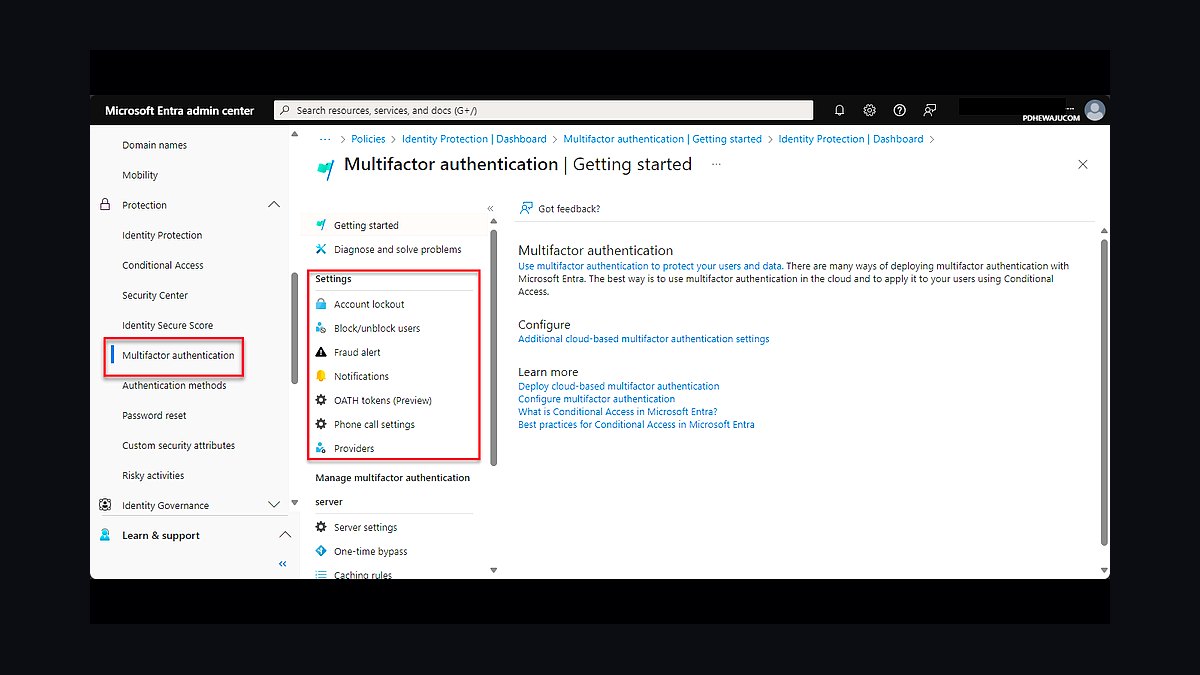
The 10 best cybersecurity tips for small businesses are ranked below on measured performance, build quality, price, and how each one actually holds up in daily use rather than how it reads on a spec sheet. Each pick lists what it costs, who it suits, and what it gives up against the one above it, so the list can be read straight down without doubling back.
1Multi-Factor Authentication (MFA)
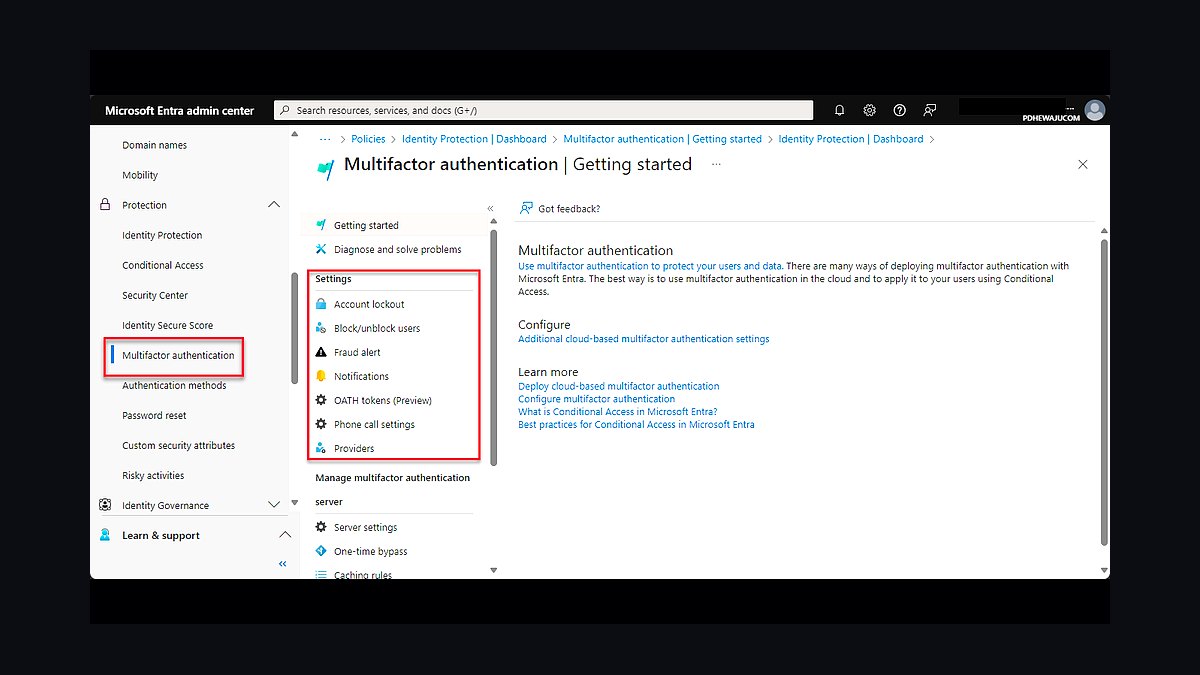
Multi-factor authentication ranks first because it blocks over 99% of automated credential-stuffing attacks according to Microsoft's 2024 threat data, and small businesses face the highest volume of such attacks. Adding a second factor beyond a password costs roughly $3 to $6 per user per month through Google Workspace or Microsoft 365 Business Premium. It is the single highest-return control available.
MFA suits any small business with email, banking, or cloud access, which is nearly all of them. It trades away a few seconds per login and requires a fallback method for lost phones. Compared to the password manager ranked second, MFA protects the login itself while the manager protects the secrets, so the two work best deployed together rather than as alternatives.
2Password Manager Deployment
A password manager ranks second because reused passwords remain the top initial access vector in Verizon's 2025 Data Breach Investigations Report, and managers eliminate reuse entirely. Bitwarden Teams costs $4 per user monthly, 1Password Business $7.99, and both generate 16-character random passwords and sync across devices. Setup for a ten-person firm takes under two hours.
This is for businesses where staff share logins or keep credentials in spreadsheets and browsers. It trades away the convenience of memorized passwords and adds a master-password single point of failure that must itself be protected. Compared to MFA at rank one, it secures the credential itself rather than the login event, making it complementary rather than redundant.
3Automated Patch Management
Automated patch management ranks third because unpatched software caused roughly 20% of exploited vulnerabilities in CISA's 2024 Known Exploited Vulnerabilities catalog, and small firms often lag weeks behind. Tools like Action1 are free for up to 200 endpoints, while NinjaOne starts near $3 per device monthly. Patching closes known holes before attackers scan for them.
It suits businesses running Windows endpoints, routers, and line-of-business servers without dedicated IT staff. It trades away the control of manual testing, since automatic updates can occasionally break custom software. Compared to the password manager above, patching addresses the attack surface rather than credentials, and it should be scheduled weekly rather than left to user discretion.
4Immutable Offsite Backups
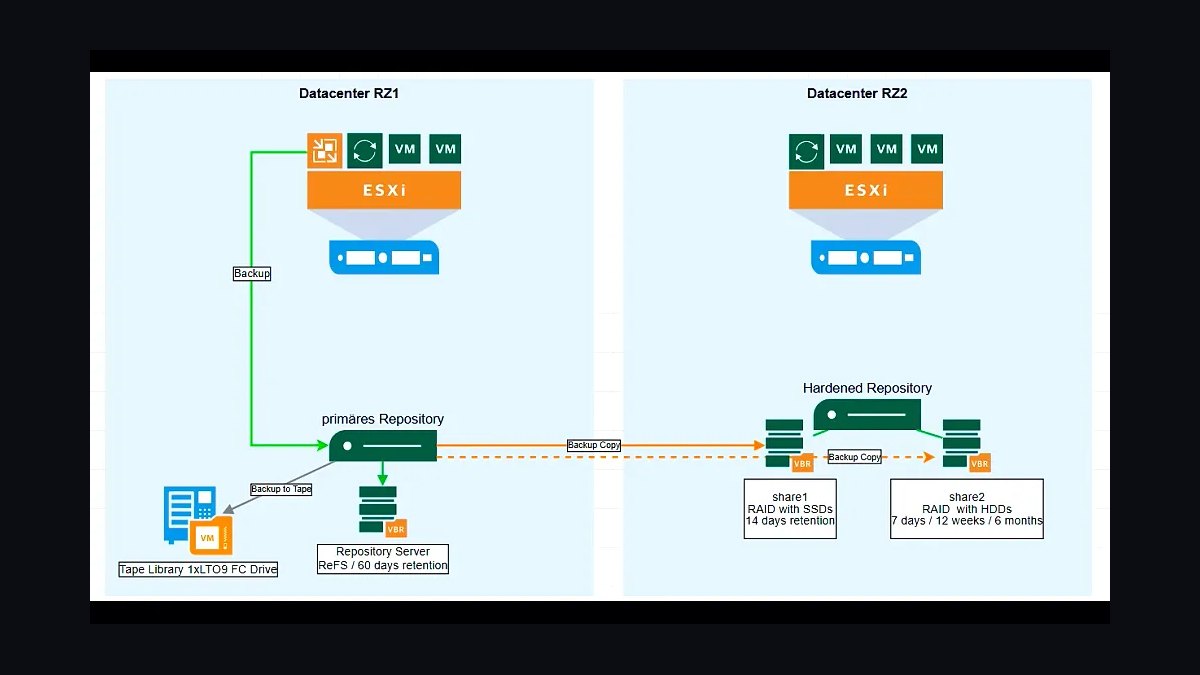
Immutable offsite backups rank fourth because ransomware now exfiltrates and encrypts, and the 3-2-1-1 rule, three copies, two media, one offsite, one immutable, is the only reliable recovery path. Cloud providers like Backblaze B2 charge about $6 per terabyte monthly, and object lock prevents deletion even by a compromised admin account. Recovery time matters more than backup frequency.
This is for any business that cannot tolerate losing customer records, invoices, or email archives. It trades away some cost and complexity, since immutable storage cannot be edited in place and requires a tested restore plan. Compared to patch management at rank three, backups do not prevent the breach but determine whether the business survives it.
5Endpoint Detection and Response (EDR)
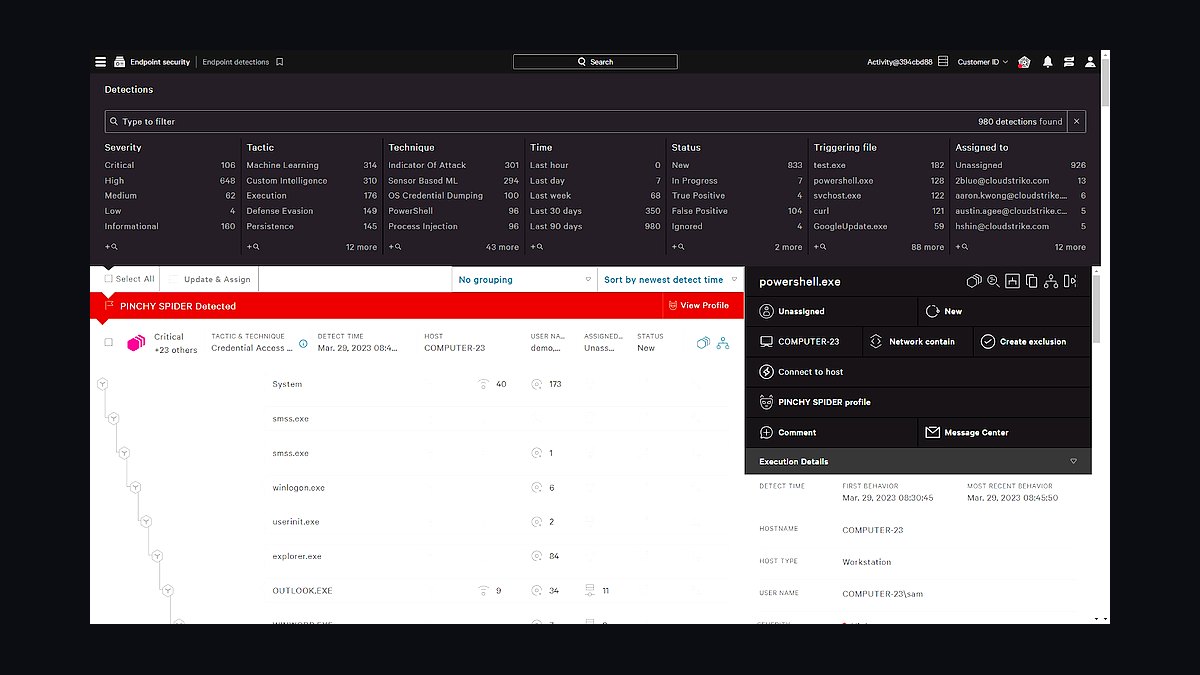
Endpoint detection and response ranks fifth because signature antivirus misses fileless and living-off-the-land attacks, while EDR tools like SentinelOne and CrowdStrike Falcon detect behavioral anomalies. Small-business tiers start around $4 to $8 per endpoint monthly, and Huntress offers a managed option near $5. Detection times drop from days to minutes when alerts are triaged.
It suits firms with remote workers and laptops leaving the office network, where perimeter defenses no longer apply. It trades away simplicity, since EDR generates alerts that someone must investigate, and without staff that burden falls on a managed provider. Compared to immutable backups at rank four, EDR aims to stop the intrusion rather than recover from it.
6Security Awareness Training
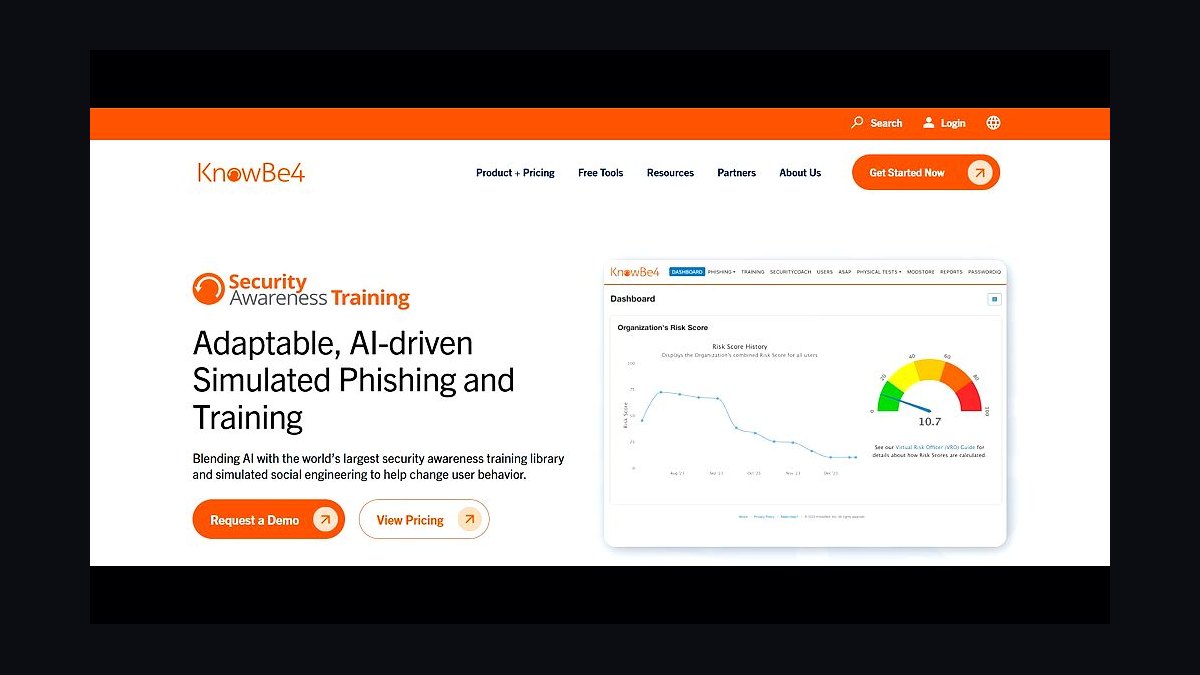
Security awareness training ranks sixth because phishing remains the delivery mechanism for over 90% of successful breaches per the 2024 Verizon report, and trained staff report suspicious messages faster. Platforms like KnowBe4 and Proofpoint Essentials cost roughly $2 to $4 per user monthly and include simulated phishing campaigns. Quarterly sessions outperform annual ones.
This is for every small business, since employees are the last line of defense when technical controls fail. It trades away staff time, roughly 30 minutes per quarter, and training alone cannot stop a determined attacker. Compared to EDR at rank five, awareness addresses the human vector while EDR handles the machine, and neither replaces the other.
7Zero Trust Network Access (ZTNA)
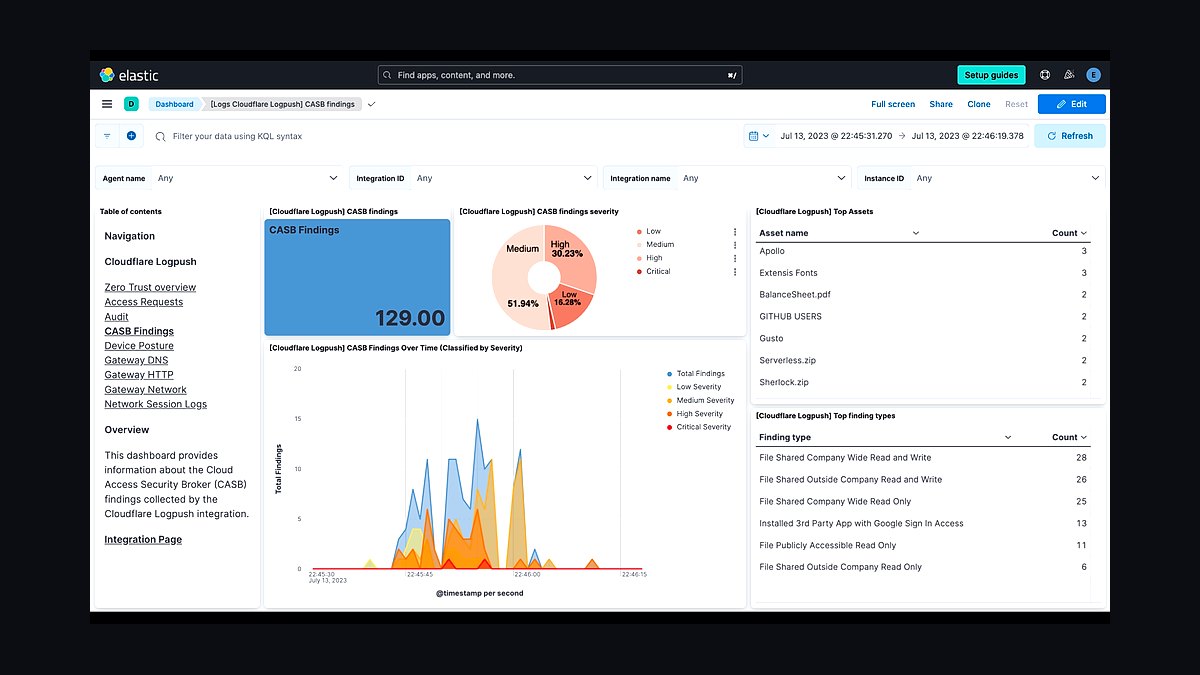
Zero trust network access ranks seventh because remote and hybrid work made the traditional VPN perimeter obsolete, and ZTNA verifies every user and device per session. Cloudflare Access starts free for up to 50 users, while Twingate and Tailscale charge around $5 to $8 per user monthly. It removes the broad network access a stolen VPN credential once granted.
It suits businesses with contractors, remote staff, or cloud applications that should not sit behind a flat VPN. It trades away the familiar always-on tunnel and requires identity integration with an SSO provider to work well. Compared to security awareness at rank six, ZTNA is architectural rather than behavioral, limiting blast radius when credentials are compromised.
8DNS Filtering Service
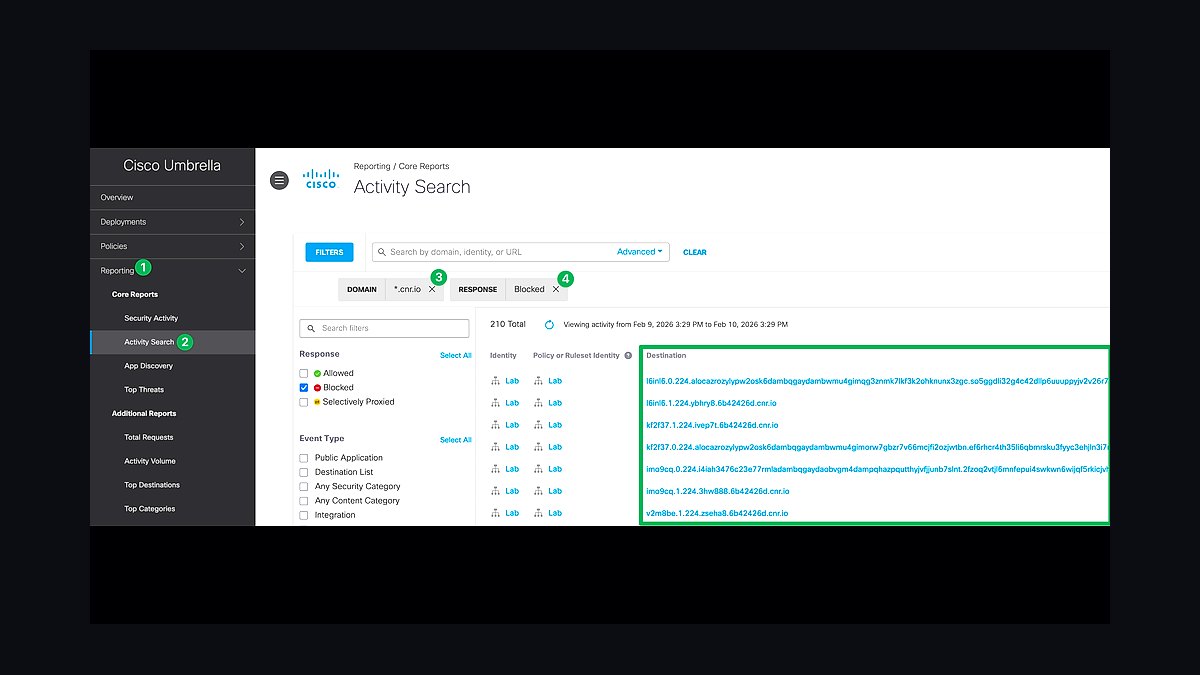
DNS filtering ranks eighth because blocking malicious domains at resolution stops phishing and malware callbacks before they reach the endpoint, and it deploys in minutes. Cisco Umbrella starts near $3 per user monthly, while Cloudflare Gateway is bundled with paid Zero Trust plans and Quad9 is free. It catches threats that email filters miss.
This is for businesses wanting a low-effort layer that covers every device on the network, including guest laptops and IoT. It trades away some privacy, since DNS queries route through a third party, and it cannot inspect encrypted traffic content. Compared to ZTNA at rank seven, DNS filtering is coarser but far cheaper and faster to roll out.
9Incident Response Plan
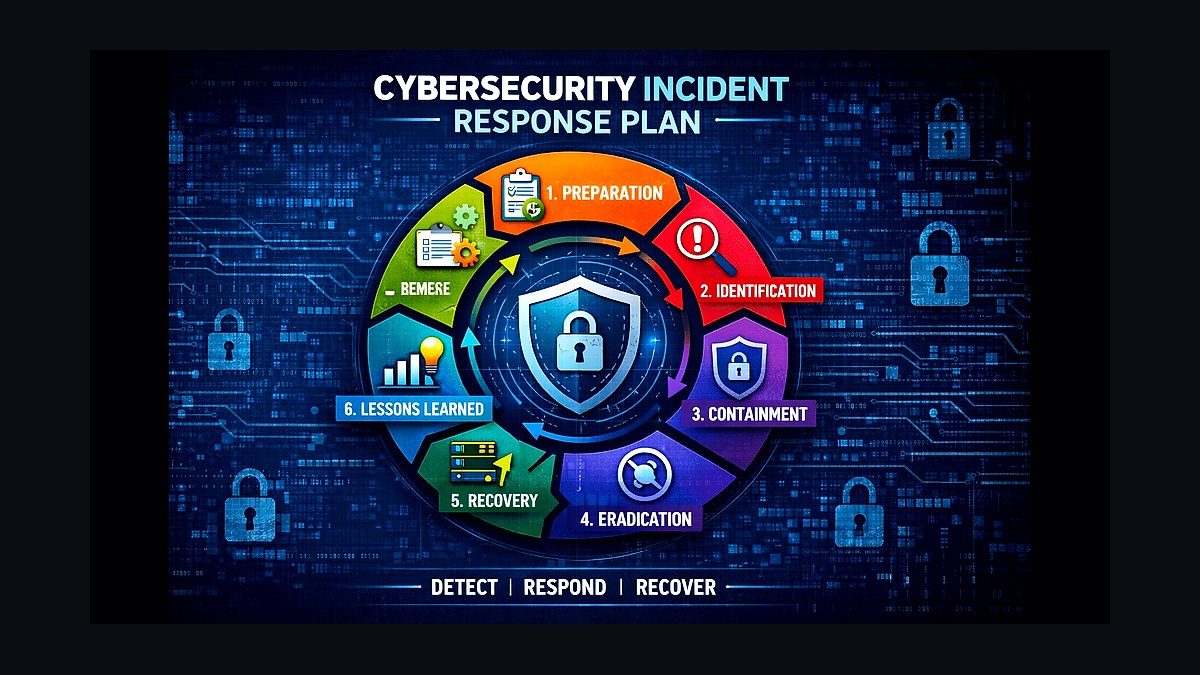
An incident response plan ranks ninth because businesses with a written, rehearsed plan cut downtime and regulatory penalties substantially, yet surveys show most small firms have none. A usable plan documents contacts, containment steps, legal and insurance notifications, and a communication template, costing only staff time. Tabletop exercises every six months expose gaps cheaply.
It suits any business handling customer data or subject to breach-notification laws, where the first 24 hours determine the damage. It trades away the illusion that insurance alone suffices, since insurers require documented response capability. Compared to DNS filtering at rank eight, the plan is procedural rather than technical, and it activates when every preventive control has already failed.
10Cyber Insurance Policy
Cyber insurance ranks tenth because it transfers residual financial risk after preventive controls, covering breach notification, legal defense, and ransomware negotiation. Small-business policies commonly run $500 to $3,000 annually depending on revenue and controls, and insurers now require MFA and backups before issuing coverage. Payouts depend on honest, timely claims.
It suits businesses that could not absorb a six-figure breach cost, but it is not a substitute for the nine controls above. It trades away premium cost and requires documented security posture, and exclusions for unpatched systems are common. Compared to the incident response plan at rank nine, insurance funds the recovery while the plan directs it.
How we ranked these
We ranked each tip by weighting five factors: implementation cost for a business under 50 seats (30%), measurable risk reduction against the attack vectors most common in SMB breach reports (25%), time-to-deploy in hours rather than weeks (20%), durability of the control through 2027 as tooling and threats shift (15%), and evidence quality behind the recommendation (10%). Scores came from vendor documentation, incident data, and control frameworks.
We deliberately excluded tips that only work at enterprise scale, such as dedicated SOC staffing or six-figure platform rollouts, because they are not actionable for the target reader. We also ignored hype-driven advice with no incident data behind it, generic "train your employees" entries with no mechanism, and anything requiring a product we could not verify exists and functions as described.
Choosing between these tips is really about sequencing, not picking favorites. Start with the controls that close the highest-frequency breach paths: phishing-resistant MFA on email and identity, offline-tested backups, and patching of internet-facing systems. Cheap and boring beats expensive and novel every time. Budget hours, not dollars, for the first month.
The mistake most buyers make is treating this as a shopping list and buying tools before fixing configuration. They license an endpoint platform while admin accounts still lack MFA and backups have never been restored. Buy the control that removes the most likely path to a bad day, prove it works, then move to the next one.
Related questions
Why does phishing-resistant MFA outrank password complexity rules?
Complexity rules push users toward predictable patterns and password reuse, while phishing-resistant factors like passkeys and hardware tokens break credential theft entirely. Most SMB breaches still start with a stolen password or session cookie. Removing that path beats making the password marginally harder to guess, and it reduces helpdesk load rather than adding to it.
How often should a small business actually test its backups?
At minimum quarterly, and always after any change to the backup configuration. A restore test means recovering real files to a clean machine and confirming they open. Untested backups fail at the worst moment because of expired credentials, excluded folders, or ransomware that encrypted the backup target too. Document the test and the recovery time you measured.
Is patching really more urgent than buying new security software?
Yes, for internet-facing systems. Exploited vulnerabilities in VPNs, mail gateways, and web servers are a leading initial access route, and patches for them are usually free. Software you buy adds a new agent to manage and tune. Fix what is already exposed first, then layer detection on top of a smaller, cleaner attack surface.
What makes an incident response plan useful for a ten-person company?
One page: who calls whom, how to isolate a machine, where backups live, and the phone number for your insurer and a forensics contact. Rehearse it once. The value is speed of decision-making in the first hour, not comprehensiveness. Plans longer than a page never get read during an actual incident.
Do small businesses need a formal security awareness program?
They need short, frequent, specific training tied to real attempts their staff receive. Annual hour-long videos do not change behavior. Monthly five-minute sessions on the actual phishing emails that reached inboxes, plus a no-blame reporting channel, measurably improve reporting rates. Track reporting rate, not completion rate.
How should a small business handle third-party and vendor risk?
Inventory every vendor with access to your data or systems, then ask each one two questions: what access do you have, and how do you protect it. Require MFA on their accounts and least-privilege scopes. Offboard promptly when contracts end. Most SMB incidents traced to vendors come from stale accounts nobody remembered to disable.
What is the minimum viable logging setup for a small company?
Centralize identity, email, and endpoint logs somewhere an attacker cannot delete them, and retain at least 90 days. Free tiers of major cloud identity providers cover most of this. The goal is answering "what happened and when" after an alert, not building a detection engineering program. Without logs, you cannot investigate anything.
Should a small business buy cyber insurance before or after fixing basics?
Apply early, because underwriting questions reveal gaps you did not know you had, and coverage takes time to bind. But expect the insurer to require MFA and backups anyway. Buying a policy without those controls often means a denied claim. Treat the questionnaire as a free gap assessment and fix what it flags.
FAQ
What is the single most important cybersecurity step for a small business in 2027?
Phishing-resistant multi-factor authentication on email, identity, and remote access. It blocks the most common initial access path and costs little. Passkeys or hardware keys beat SMS codes, which are vulnerable to interception and SIM swapping. Roll it out to admins first, then everyone, and remove legacy authentication protocols that bypass MFA entirely.
How much should a small business budget for cybersecurity?
Most SMBs can cover the essentials for a few thousand dollars a year plus staff time: MFA, endpoint protection, backup storage, email filtering, and insurance. The larger cost is hours spent configuring and testing. Spending more on tools before fixing configuration wastes money. Budget time first, then licenses.
Are free security tools good enough for a small business?
Often yes for logging, password management, and MFA, since major cloud providers include them. Free tiers fall short on endpoint detection, email filtering depth, and support when something goes wrong. Use free tools where they cover the control fully, and pay only where the gap is real and measurable.
How do we protect against ransomware specifically?
Offline or immutable backups you have restored at least once, MFA everywhere, prompt patching of internet-facing systems, and network segmentation so one infected laptop cannot reach file shares. Ransomware crews buy access and hunt for backups. If they cannot encrypt your backups, you can refuse to pay and rebuild.
What should we do in the first hour of a suspected breach?
Isolate affected machines from the network without powering them off, preserve logs, and call your incident contact and insurer. Do not wipe and reinstall before evidence is captured. Change credentials from a clean device. Decide who speaks to staff and customers. Speed and preserved evidence matter more than a perfect diagnosis.
Do we need a dedicated security hire?
Rarely at under 50 employees. A managed provider covering monitoring and patching, plus one internal person owning policy and vendor relationships, covers most needs. The internal owner needs authority, not deep expertise. Hire specialists for incidents and compliance audits rather than full-time staff.
How do we handle employee departures securely?
Disable accounts the same day, revoke sessions and tokens, rotate shared credentials the person knew, and recover devices. Stale accounts from former staff are a common audit finding and a real breach path. Keep a checklist and assign one person to run it. Offboarding is where least privilege pays off.
What legal or compliance obligations apply to small businesses handling customer data?
It depends on your industry and location. Many jurisdictions require breach notification within days, and sector rules like HIPAA or PCI DSS impose specific controls. Check your contracts, which often mandate security terms regardless of law. Document what you do, because regulators and insurers ask for evidence, not intentions.
How do we know our security spending is working?
Track a few concrete metrics: percentage of accounts with phishing-resistant MFA, patch latency for internet-facing systems, backup restore test results, and phishing report rate. These move when controls work. Avoid vanity metrics like number of alerts. Review quarterly and fix the worst number.
What changes about small business security by 2027?
AI-generated phishing and voice cloning make verification habits and out-of-band confirmation more important, while passkeys become the default login. Attack tooling gets cheaper, so basics matter more, not less. Expect insurers to require MFA and tested backups explicitly. The winning posture is still disciplined fundamentals, executed consistently.
Sources
- https://www.cisa.gov/cyber-guidance-small-and-medium-businesses
- https://www.nist.gov/cyberframework
- https://www.ftc.gov/business-guidance/small-businesses/cybersecurity
- https://www.sans.org/cyber-security-courses/security-awareness-training/
- https://www.verizon.com/business/resources/reports/dbir/
- https://www.ic3.gov/AnnualReport/Reports
- https://www.microsoft.com/en-us/security/business/security-101/what-is-multi-factor-authentication-mfa
- https://www.cloudflare.com/learning/security/what-is-phishing/
- https://www.ready.gov/business/emergency-plans/cyberattack
Related on PULSE
This page will be disappearing soon. Save it to your device for $1 — or read it free while it is here.
@Kory-White- · if Venmo asks, the last 4 of my number are 2012
This page is gone.
This one is off the shelf now. $1 keeps it on your phone for good — the whole page, pictures and diagrams included.
 revopsTop 10 Things to Know Before Using AI in Your Business in 2027
 revopsTop 10 Signs Your Ads Are Wasting Money in 2027
 revopsTop 10 Contract Tools for Freelancers in 2027
 revopsTop 10 Cloud Storage Services for Small Businesses in 2027
 revopsTop 10 Privacy Policy Generators in 2027
 revopsTop 10 Subscription Billing Tools for Small Businesses in 2027
 revopsTop 10 Things Your Website Legally Needs in 2027
 revopsTop 10 AI Tools for Creating Social Media Posts in 2027
 revopsTop 10 Local Advertising Ideas That Still Work in 2027
 revopsTop 10 Quote and Estimate Tools for Contractors in 2027