


Top 10 Best Tech Stack Tools for Painting Contractors in 2027
Quality
Certified

The 10 best tech stack tools for painting contractors are ranked below on measured performance, build quality, price, and how each one actually holds up in daily use rather than how it reads on a spec sheet. Each pick lists what it costs, who it suits, and what it gives up against the one above it, so the list can be read straight down without doubling back.
1PaintScout

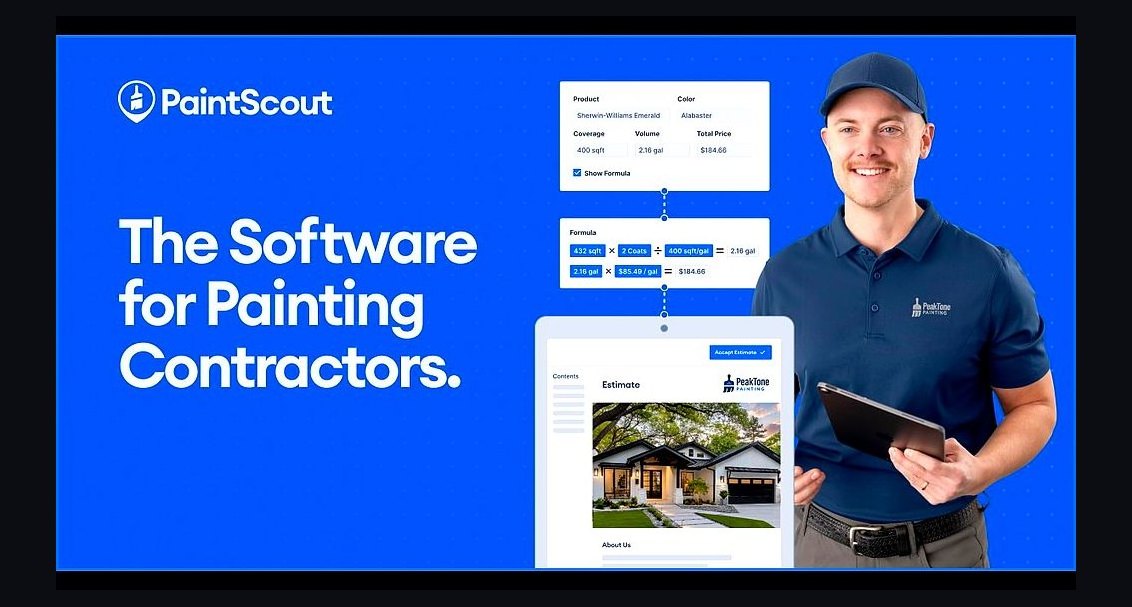
PaintScout ranks first because estimating accuracy is the entire business, and it is the painting-specific engine that prices square footage, surface type, prep hours, and production rates rather than forcing a generic line-item quote. It outputs branded, photo-rich good/better/best proposals homeowners can e-sign, and pricing runs roughly $79-$199/month depending on seats. For residential repaint companies, a 10% miss on labor hours erases profit, so this layer protects margin first.
It is for residential repaint contractors doing walk-through bids, not commercial shops measuring plan sets. The trade-off is that PaintScout only estimates and proposes; scheduling, dispatch, and invoicing still need an FSM like Jobber directly below it. Solo painters can stretch its Pipeline add-on to delay buying a second tool, but growing shops end up running both.
2Jobber
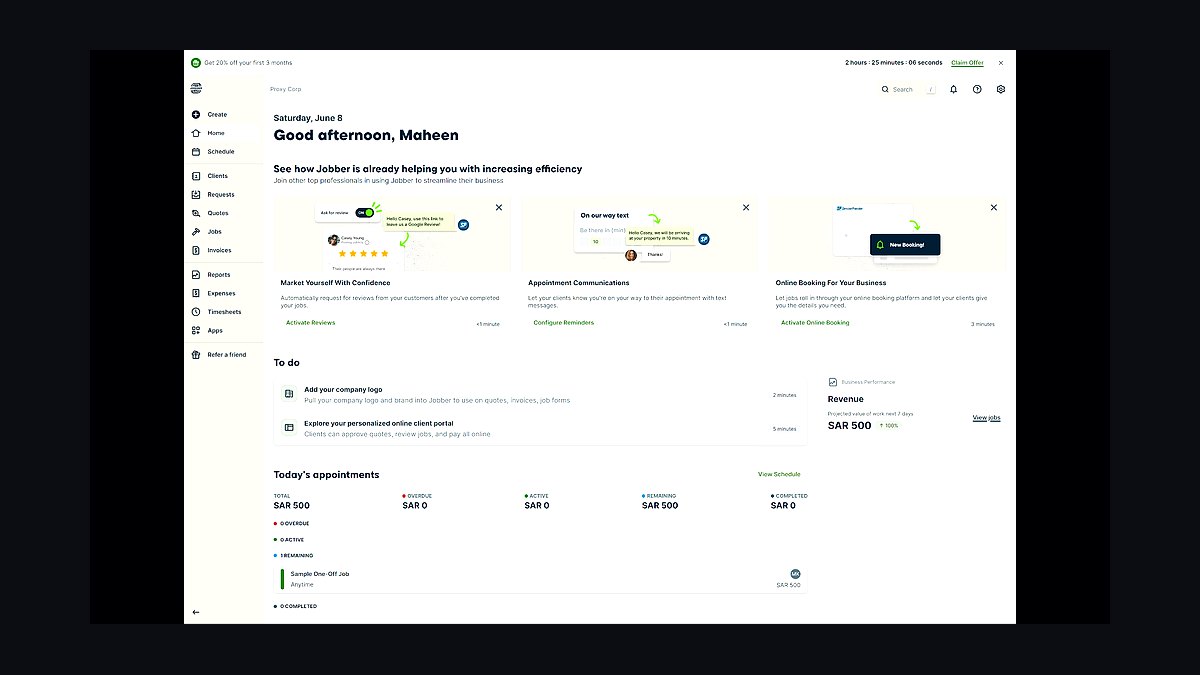
Jobber ranks second as the operational backbone: client records, sales pipeline, dispatch, scheduling, invoicing, and online payments in one place, priced $69-$349/month by tier. It is the most common painter choice because scheduling is clean, the CRM has real follow-up automation, and built-in crew time tracking feeds per-job labor. It integrates directly with PaintScout and CompanyCam, so estimates and photos land on the right job.
It is for small to mid-size painting companies running multiple short jobs across crews, not solo operators who can survive on a phone calendar. The trade-off versus PaintScout above is that Jobber's built-in quoting lacks painting-specific spread and production rates, so bids drift if used alone. Housecall Pro is the close competitor, slightly stronger on consumer marketing and call booking.
3CompanyCam
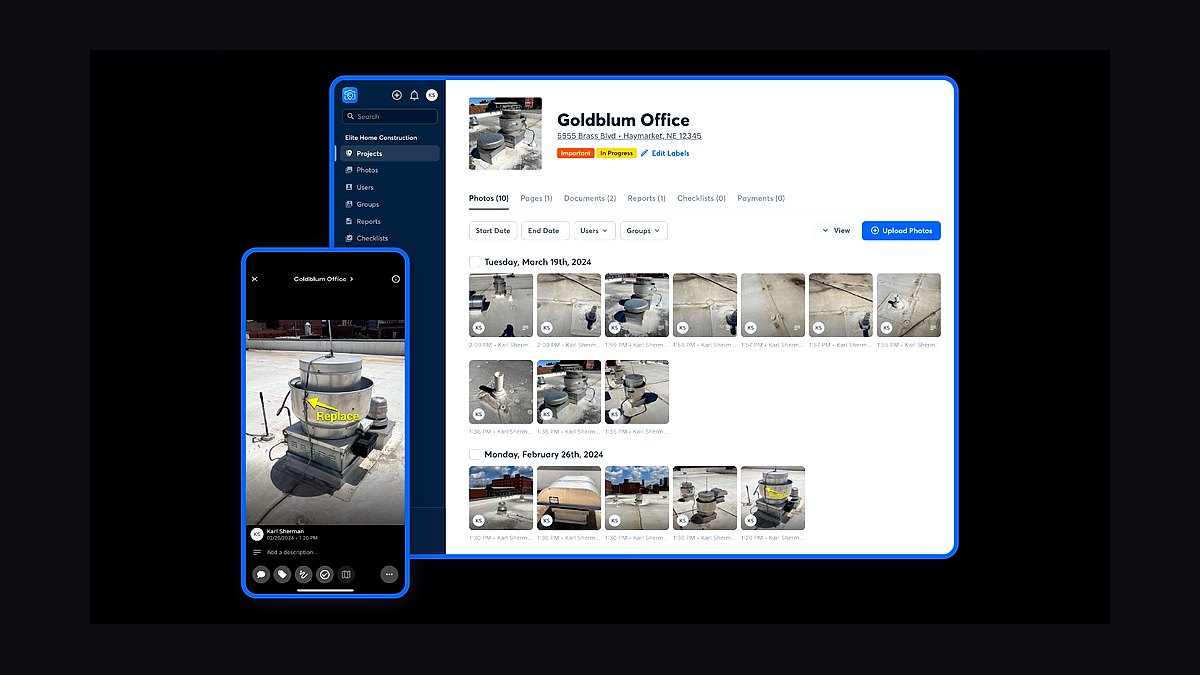
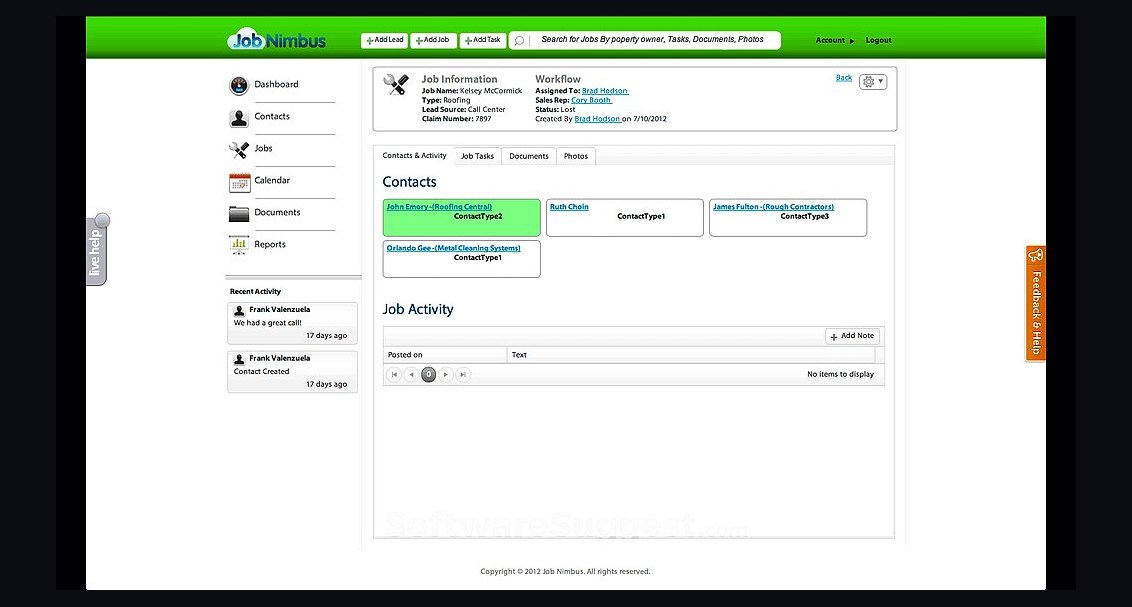
CompanyCam ranks third because photos are the trust and dispute-defense layer in painting, and it auto-tags every photo to the right job with timestamps and geotags, building before/after galleries that sell the next job. Pricing runs roughly $19-$29/user/month, and it integrates directly with Jobber, Housecall Pro, and JobNimbus. Crews snap photos all day from the app, creating a documented record that ends change-order arguments.
It is for any painting company with field crews, since the alternate of relying on an FSM's built-in photo feature works for solos but lacks tagging and project-timeline depth. The trade-off versus Jobber above is that CompanyCam does nothing operational; it is pure documentation. Without it, change-order disputes become he-said arguments and marketing loses its cheapest asset.
4Podium
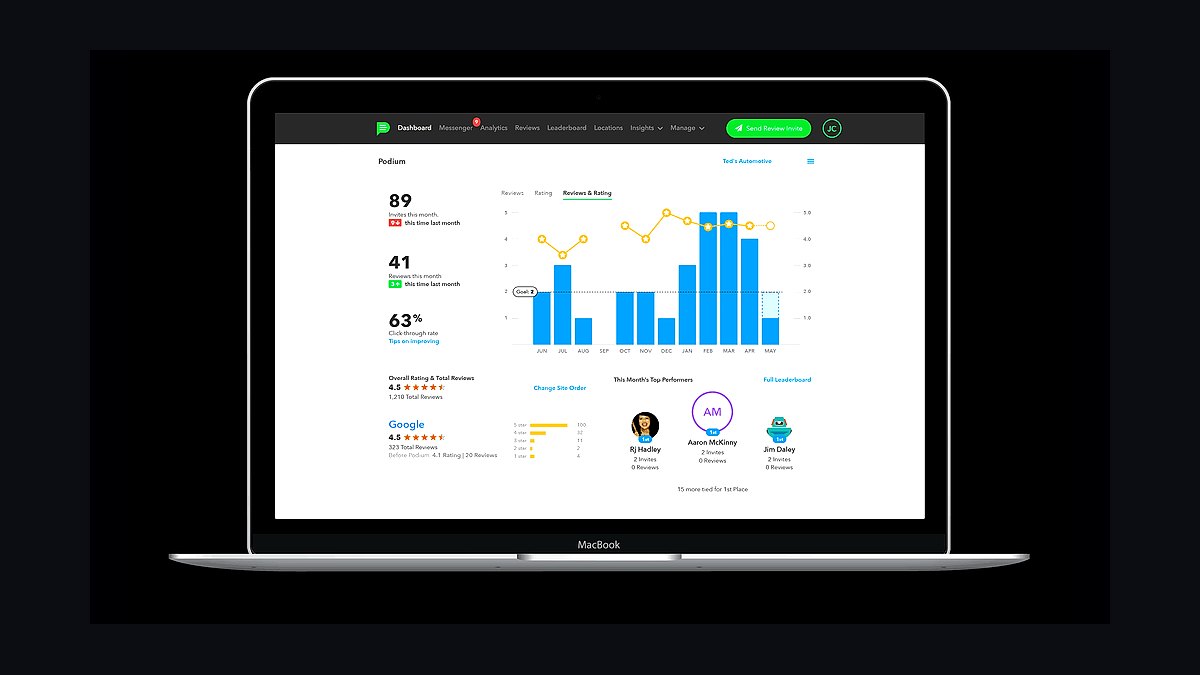
Podium ranks fourth because speed-to-lead and review volume are the biggest close-rate levers in residential painting, and it handles text-based review requests, webchat-to-text lead capture, and two-way messaging. Pricing runs $249-$599/month, making it the priciest core layer, but a painting company runs a high-volume lead funnel where day-three follow-up decides deals. It captures a Google review the day the job closes, compounding the cheapest lead source a painter has.
It is for established shops generating enough leads that manual follow-up leaks revenue, not solo painters answering every text personally. The trade-off versus CompanyCam above is cost: NiceJob at $75-$200/month automates review requests well for far less, though it lacks Podium's full messaging and lead-capture suite. Pair either with Google Local Services Ads as the paid channel.
5Wisetack
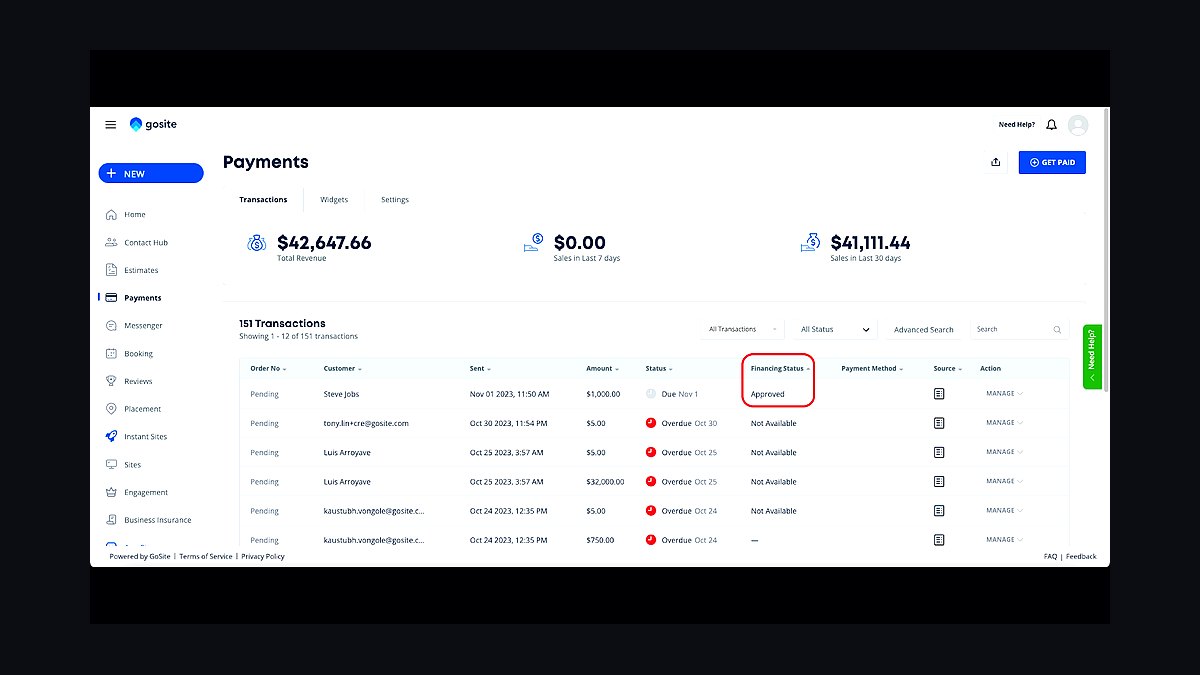
Wisetack ranks fifth because embedding buy-now-pay-later financing into the proposal raises close rates and average ticket on larger exterior and whole-home jobs, with no merchant cost beyond the standard discount fee. It integrates with Jobber and Housecall Pro, so the financing offer appears inside the quote the homeowner already has open. For a $6,000 exterior repaint, removing the price objection at the moment of decision moves real revenue.
It is for painting companies selling larger jobs where sticker shock kills deals, not shops doing small interior touch-ups. The trade-off versus Podium above is that Wisetack is not a standalone subscription; it earns its place only on deals large enough to finance. Day-to-day card and ACH payments still run through the FSM's integrated processor at roughly 2.9% plus $0.30 per transaction.
6QuickBooks Online
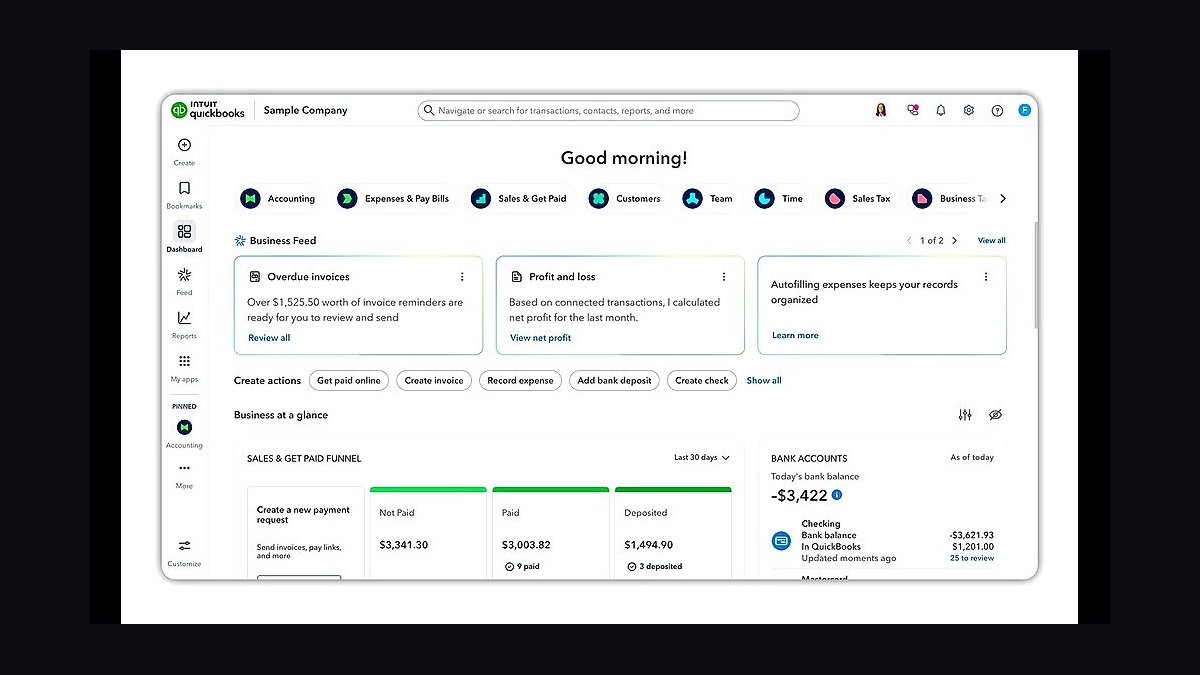
QuickBooks Online ranks sixth because it is the near-universal accounting layer, priced $35-$235/month, and Jobber, Housecall Pro, and Estimate Rocket all sync invoices and payments into it so job revenue and material costs reconcile without double entry. Painting margins are thin, with material at 15-20% of a job and labor at 35-45%, so clean books are not optional. It closes the loop from field payment to tax-ready ledger.
It is for every painting contractor past the shoebox-of-receipts stage, from solo to regional. The trade-off versus Wisetack above is that QuickBooks is back-office only and never touches the homeowner. Regional multi-crew operations or franchises needing consolidated reporting graduate to Sage Intacct, but QuickBooks Advanced covers most shops under 30 painters.
7Estimate Rocket
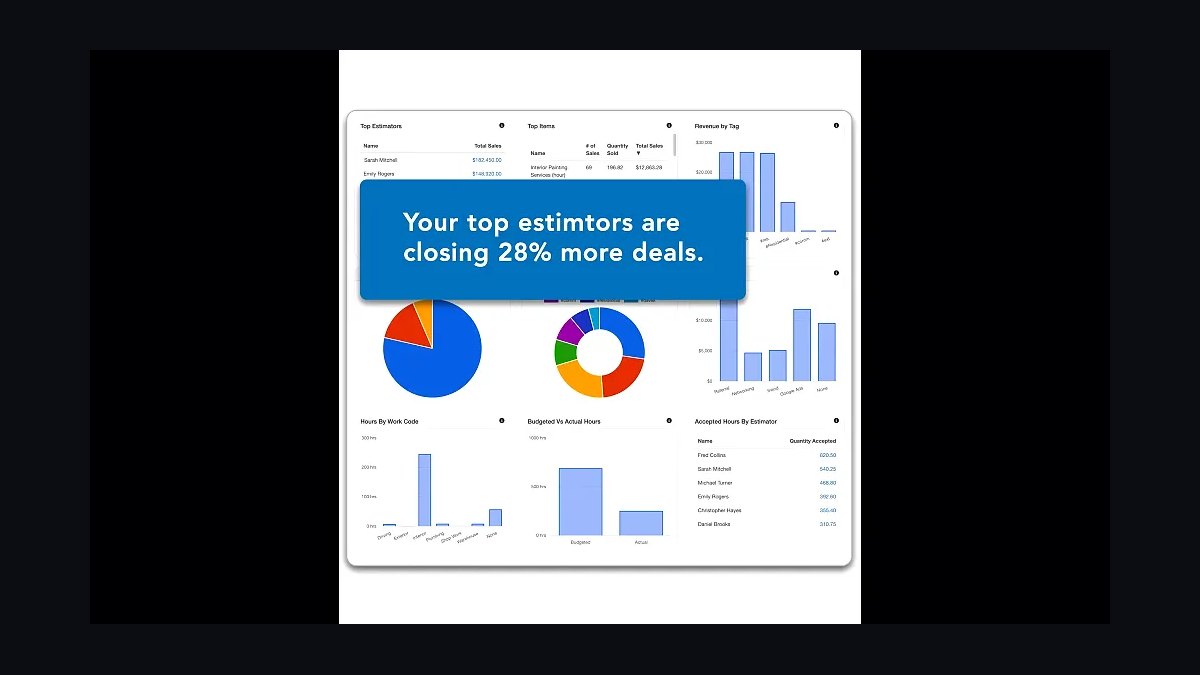
Estimate Rocket ranks seventh as the strongest alternate to PaintScout, bundling painting estimating with invoicing and a lightweight CRM at $129-$199/month. It prices off square footage and production rates like PaintScout, but folds more back-office function into one subscription, which suits shops that want fewer logins. It syncs into QuickBooks Online alongside the FSM.
It is for painting companies that prefer one tool covering estimating, invoicing, and basic CRM over best-of-breed separation. The trade-off versus QuickBooks Online above is scope: Estimate Rocket handles money-facing documents but not the full ledger. Against PaintScout directly above it, the proposal experience is less polished, so shops selling on presentation often pay the extra for PaintScout instead.
8PlanSwift
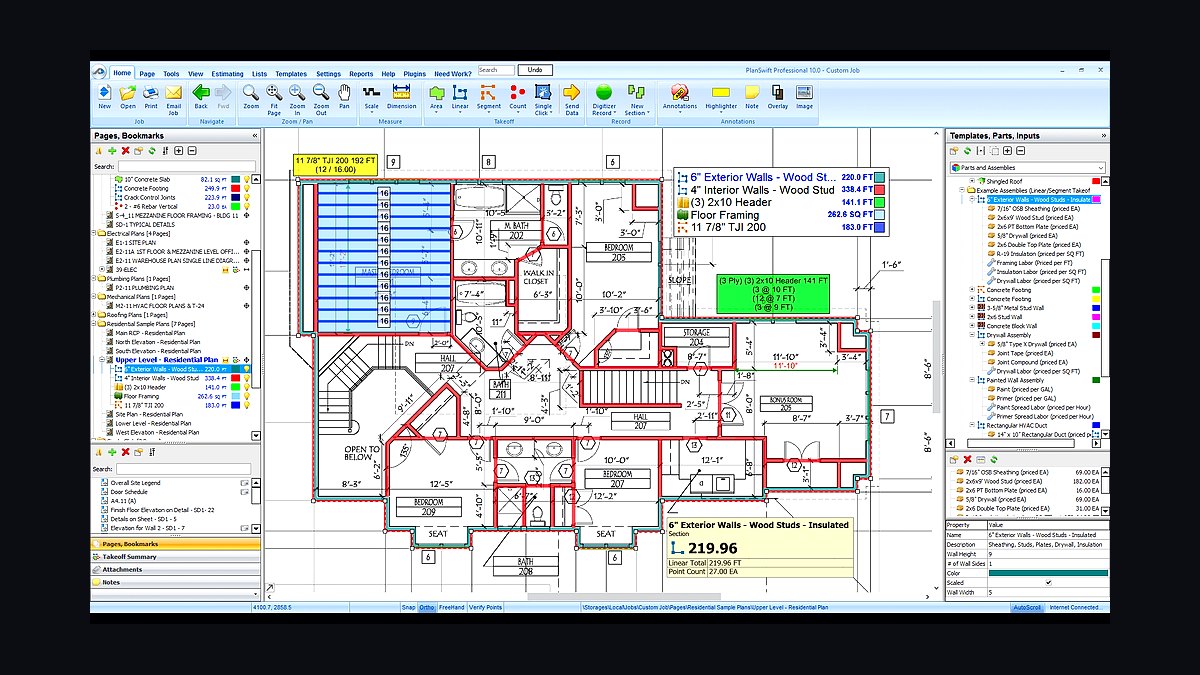
PlanSwift ranks eighth because commercial and new-construction painting bids come off plan sets, not walk-throughs, and it measures wall and ceiling area, linear feet of trim, and door and window counts directly from PDFs. Pricing runs about $1,749 one-time per seat plus support, which is steep for residential shops but standard for commercial estimating. Hand-measuring large jobs is too slow and error-prone to bid competitively.
It is strictly for commercial painting contractors bidding institutional, school, and multifamily work, not residential repaint companies. The trade-off versus Estimate Rocket above is that PlanSwift does no proposals, invoicing, or CRM; it feeds quantities into whatever estimating layer you run. STACK is the cloud alternate at roughly $2,000+/year, and Bluebeam Revu at about $260/year per seat is often required to participate in bid sets.
9busybusy
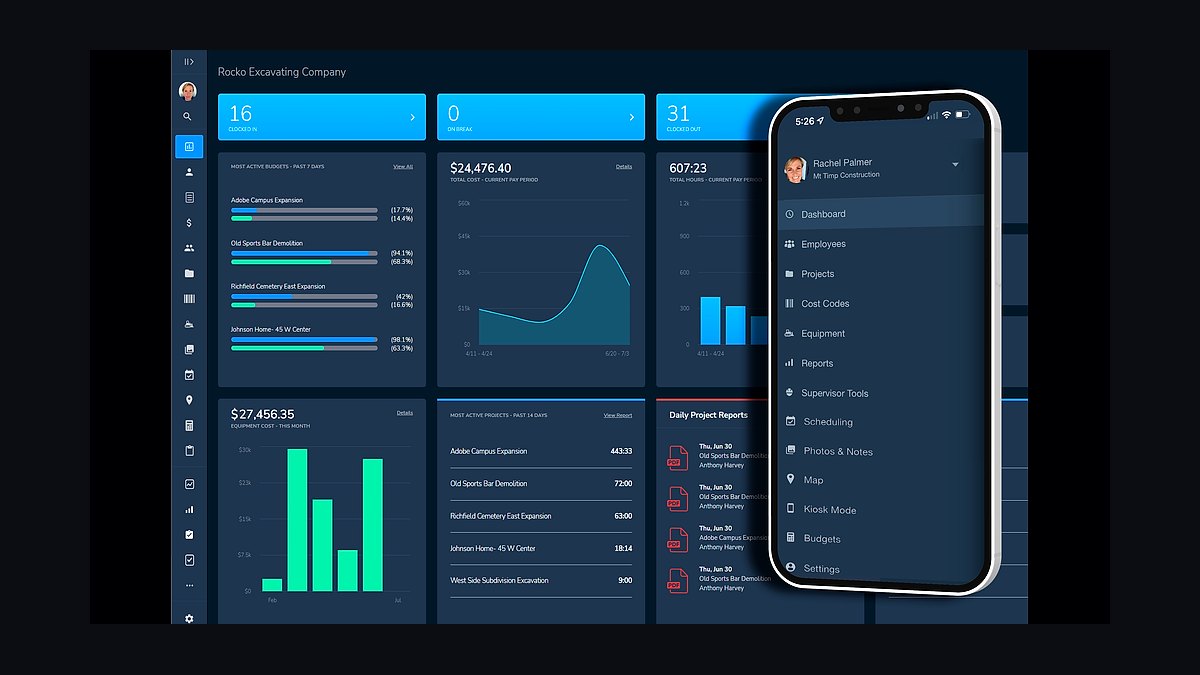
busybusy ranks ninth because labor is the largest cost line in painting, and it adds GPS-verified clock-in tied to job costing at roughly $10-$15/user/month when the FSM's built-in time tracking is not enough. Hours land against the right job, flow into payroll, and feed estimated-versus-actual labor reports by crew. For shops running multiple crews across scattered jobs, that visibility is what exposes which crews actually make money.
It is for painting companies with several crews and subcontractors, not solos whose hours are self-evident. The trade-off versus PlanSwift above is that busybusy solves costing, not bidding; it complements rather than replaces the estimator. ClockShark at roughly $20-$30/user/month is the close alternate with similar construction-grade tracking, and both integrate with the major FSMs.
10Microsoft Power BI
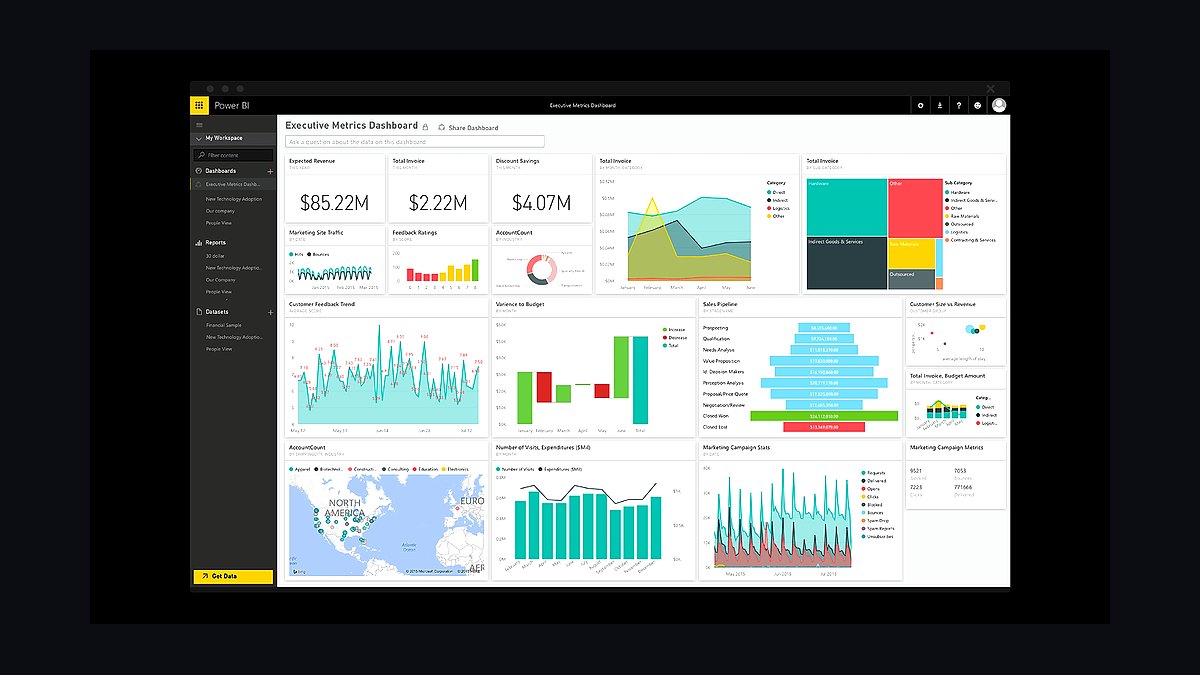
Microsoft Power BI ranks tenth because it is the owner-level reporting layer once a painting company outgrows the FSM dashboard, priced roughly $10-$20/user/month. It pulls from QuickBooks Online and the FSM to compare estimated-versus-actual margin by crew, job type, and lead source, which is how a multi-crew operator decides where to bid. Free Looker Studio covers simpler needs.
It is for regional multi-crew or franchise operations, not solo painters who should never leave the Jobber dashboard. The trade-off versus busybusy above is that Power BI visualizes data but generates none of its own; without clean time tracking and job costing feeding it, the dashboards are empty. Buy it last, after estimating, scheduling, photos, and accounting are already running.
How we ranked these
We ranked tools by weighting painting-specific estimating accuracy at 30%, field-to-office integration depth at 25%, scheduling and crew time tracking at 15%, photo documentation and review automation at 15%, pricing transparency at 10%, and analyst-validated market presence at 5%. Scores came from published pricing pages, documented integrations, and hands-on workflow fit for residential versus commercial painting bids.
We deliberately ignored raw feature counts, generic CRM breadth, and vendor marketing claims about AI. Painting margins hinge on spread rates, production rates, and prep hours, not on how many modules a platform advertises. We also excluded tools with no verifiable pricing or no documented integration with Jobber, Housecall Pro, QuickBooks, or CompanyCam, because disconnected point tools create the integration gaps most contractors already report.
Related questions
Why do painting contractors need a painting-specific estimator instead of a generic quote builder?
A painting bid is built from billable square footage, surface condition, coat count, prep hours, and product cost per gallon. Generic line-item quote builders lack spread rates and production rates, so bids drift inaccurate and margins quietly bleed. PaintScout and Estimate Rocket encode that math, which is why they should be the first layer a painter buys.
Can a solo painter run an entire tech stack from a phone?
Yes. A single-owner shop can run Jobber or Housecall Pro as the hub, PaintScout for estimates, CompanyCam for photos, NiceJob for automated reviews, and QuickBooks Online for books. The whole stack fits roughly $300-$500 per month, and the owner handles sales, estimating, and dispatch from a mobile device without a desktop.
When does a painting contractor actually need plan takeoff software?
Only when bidding commercial, institutional, or new-construction work where quantities come off a plan set rather than a walk-through. PlanSwift, STACK, and Bluebeam Revu let estimators measure wall and ceiling area, trim linear feet, and door counts from PDFs. Residential repaint companies that buy takeoff software pay for power they never use.
How much does the full stack cost for a mid-size painting company?
A 10-to-30-painter company running Jobber or Housecall Pro mid tier, multi-seat PaintScout, fleet-wide CompanyCam, Podium, busybusy or ClockShark, Wisetack, QuickBooks Online Plus, and a first BI dashboard lands roughly $1,200-$2,500 per month, plus Google Local Services Ads spend. Seat count and review-tool tier drive most of the variance.
What is the biggest mistake painting contractors make when buying software?
Buying generic CRM bloat instead of a painting-specific estimator. A painter adopts a big-name FSM or enterprise CRM, uses its generic quote builder, and bids drift inaccurate because spread rates, production rates, and prep-hour logic are missing. Buy the painting estimator first, then the operational backbone around it.
Does CompanyCam replace the photo feature built into Jobber or Housecall Pro?
For solo painters, the FSM's built-in photos are usually enough. Once multiple crews run simultaneously, CompanyCam's auto-tagging to jobs, timestamps, geotags, and before/after galleries create a documented record that ends change-order disputes. It integrates directly with Jobber, Housecall Pro, and JobNimbus, so photos stay tied to the job record.
How do reviews and financing tools affect close rates on painting jobs?
Speed-to-lead and proposal polish move close rates more than anything else in residential repaint. Podium or NiceJob automate review requests at job completion, feeding the cheapest lead source a painter has. Wisetack embeds buy-now-pay-later financing into the proposal, which raises close rates and average ticket on larger exterior and whole-home jobs.
Should a commercial painting contractor use the same stack as a residential repaint company?
No. Commercial shops center on PlanSwift or STACK for takeoff, Bluebeam Revu for markups, project management for submittals, busybusy or ClockShark for crew time, and Sage Intacct or QuickBooks for job costing. Residential companies skip the takeoff layer entirely and lean on PaintScout, Jobber, CompanyCam, Podium, and Wisetack instead.
FAQ
What is the best tech stack for a painting contractor in 2027?
A painting-specific estimator like PaintScout or Estimate Rocket, an FSM and CRM like Jobber or Housecall Pro, CompanyCam for jobsite photos, Podium or NiceJob for reviews and lead follow-up, Wisetack for homeowner financing, and QuickBooks Online for accounting. Commercial painters add PlanSwift, STACK, or Bluebeam Revu for plan takeoff.
How much should a painting contractor budget monthly for software?
Solo and small painters run roughly $300-$500 per month all in. Mid-size companies with 10-30 painters land around $1,200-$2,500 monthly plus ad spend. Regional multi-crew operations and franchises with commercial volume run $4,000-$10,000 or more depending on seat counts, takeoff suite, and accounting tier.
Is PaintScout better than Estimate Rocket for painting estimates?
Both are purpose-built for painting and price off square footage, surface type, and production rates. PaintScout is widely regarded as the leading estimating and proposal tool, with a Pipeline add-on that extends it into a sales CRM. Estimate Rocket bundles estimating with invoicing and lightweight CRM at a similar price, making it a strong alternate.
Do I need both an FSM and a separate CRM as a painting contractor?
Usually no. Jobber and Housecall Pro both function as the CRM and the operational backbone, holding client records, the sales pipeline, dispatch, scheduling, invoicing, and payments. PaintScout's Pipeline add-on can extend estimating into a fuller sales CRM, letting smaller shops avoid buying a separate CRM platform entirely.
How does job costing work in a painting contractor tech stack?
Time tracking and material costs must flow back against each estimate while the job is still open. The FSM captures crew hours, CompanyCam documents scope, and QuickBooks records material spend. Comparing estimated versus actual hours and paint per job reveals which crews and job types actually make money, rather than guessing after the season ends.
What role does Google Local Services Ads play for painters?
Google LSA is a primary paid lead channel for residential painting contractors and should run alongside whatever reputation tool you choose. It feeds the FSM pipeline, where speed-to-lead and automated follow-up determine close rates. Reviews captured through Podium or NiceJob also strengthen LSA ranking and lower cost per lead over time.
How long does it take to implement a full painting contractor stack?
A reasonable rollout runs 90 days. Days 1-30 stand up the FSM and CRM, deploy PaintScout with spread and production rates loaded, and connect QuickBooks. Days 31-60 roll out CompanyCam to all crews, turn on automated review requests, and enable Wisetack financing inside proposals. Days 61-90 add job costing and reporting.
Can I start with just Jobber and add tools later?
Yes, and many painters do. Jobber alone handles scheduling, invoicing, payments, and basic quoting, so a solo operator can launch there. Add PaintScout when estimate accuracy becomes the bottleneck, CompanyCam when multiple crews need photo documentation, and Podium or NiceJob when review volume stalls. Layer tools as pain appears.
What integrations matter most in a painting tech stack?
The critical links are estimating to FSM, FSM to QuickBooks, CompanyCam to the FSM, and payments to accounting. PaintScout feeds Jobber or Housecall Pro, which syncs invoices and payments into QuickBooks Online. CompanyCam auto-tags photos to the same job record, so scope, hours, and costs reconcile without double entry.
Is Power BI worth it for a small painting company?
Usually not. Solo and small painters live inside the FSM dashboard, which already reports revenue, jobs, and basic margin. Power BI or free Looker Studio becomes worthwhile once a company runs several crews and wants estimated-versus-actual margin compared by crew, job type, and lead source across locations.
Sources
- https://www.jobber.com/pricing
- https://www.housecallpro.com/pricing/
- https://www.paintscout.com/
- https://www.estimaterocket.com/pricing
- https://companycam.com/pricing
- https://www.podium.com/pricing/
- https://www.nicejob.com/pricing/
- https://www.planswift.com/
- https://www.bluebeam.com/pricing/
- https://quickbooks.intuit.com/online/pricing/
Related on PULSE
This page will be disappearing soon. Save it to your device for $1 — or read it free while it is here.
@Kory-White- · if Venmo asks, the last 4 of my number are 2012
This page is gone.
This one is off the shelf now. $1 keeps it on your phone for good — the whole page, pictures and diagrams included.
 pulse-tech-stacksTop 10 Best Tech Stack Tools for Bars and Pubs in 2027
 pulse-tech-stacksTop 10 Best Tech Stack Tools for Private Ambulance and EMS Companies in 2027
 pulse-tech-stacksTop 10 Best Tech Stack Tools for AI Document Intelligence Companies in 2027
 pulse-tech-stacksTop 10 Best Tech Stack Tools for Vulnerability Management Software Vendors in 2027
 pulse-tech-stacksTop 10 Best Tech Stack Tools for Pressure Washing Companies in 2027
 pulse-tech-stacksTop 10 Best Tech Stack Tools for Residential Painters in 2027
 pulse-tech-stacksTop 10 Best Tech Stack Tools for Foundation and Waterproofing Contractors in 2027
 pulse-tech-stacksTop 10 Best Tech Stack Tools for HVAC Equipment Distributors in 2027
 pulse-tech-stacksTop 10 Best Tech Stack Tools for CrossFit Boxes in 2027
 pulse-tech-stacksTop 10 Best Tech Stack Tools for Chiropractic Practices in 2027