


Top 10 Best Tech Stack Tools for Specialty Coffee Shop Chains in 2027
Quality
Certified
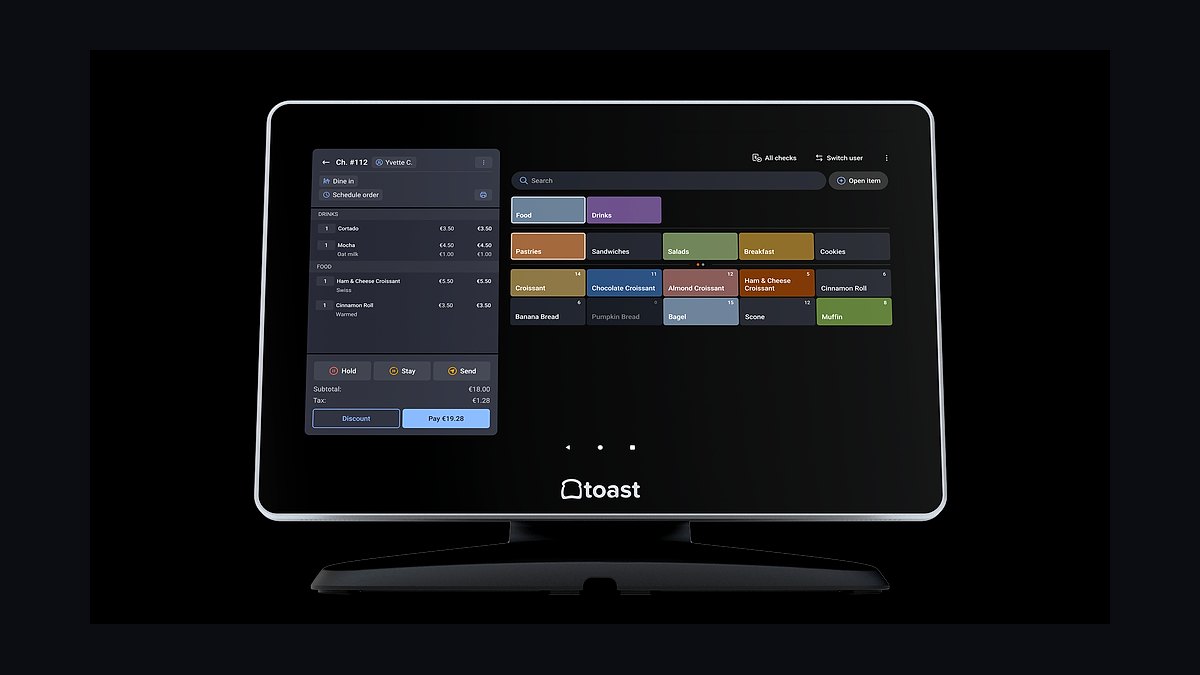
The 10 best tech stack tools for specialty coffee shop chains are ranked below on measured performance, build quality, price, and how each one actually holds up in daily use rather than how it reads on a spec sheet. Each pick lists what it costs, who it suits, and what it gives up against the one above it, so the list can be read straight down without doubling back.
1Toast POS

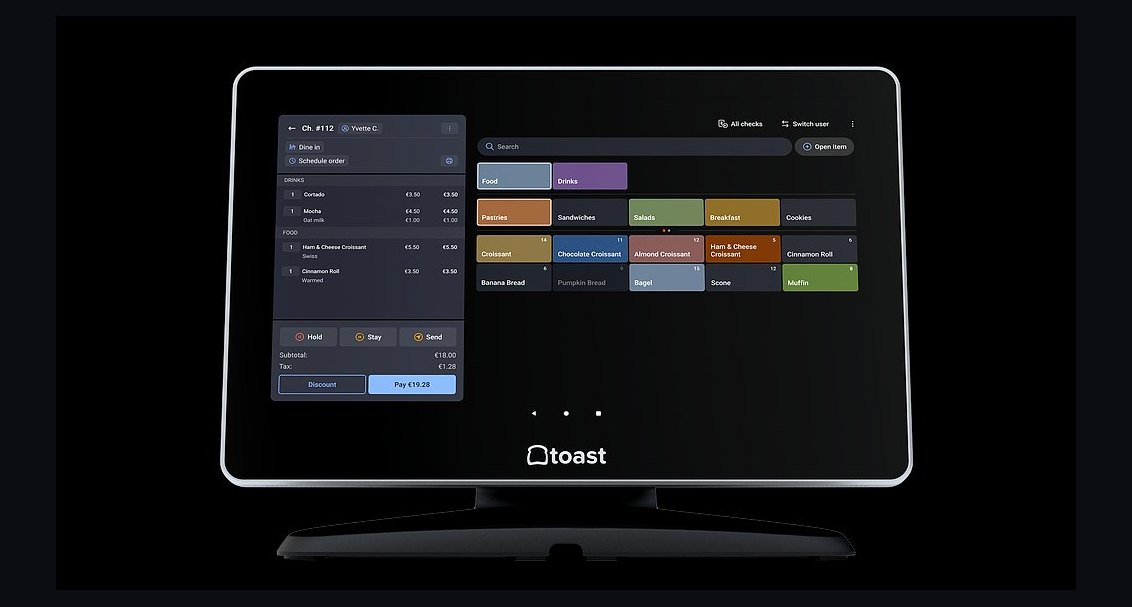
Toast POS ranks first because it is the only major cloud POS built with native multi-location menu control, central pricing pushes, and consolidated reporting that specialty chains actually need across five or more stores. A five-store chain can push a price change to all registers simultaneously, compare per-store speed of service, and reconcile pooled tips across locations without middleware. Toast also bundles payment processing, which simplifies the vendor relationship at scale.
Toast is for chains that have crossed roughly three to six locations and can no longer personally observe every store weekly. It trades away some flexibility on processing rates because bundling reduces negotiating leverage, and its inventory module is weaker than dedicated recipe-costing platforms. Compared to Square for Restaurants directly below, Toast offers deeper multi-site controls but higher per-location subscription costs and a longer onboarding timeline.
2Square for Restaurants

Square for Restaurants ranks second because it delivers the fastest path from signing to live registers for a small specialty chain, with menu building measured in days rather than weeks and hardware that ships preconfigured. A two-store operator can run both locations under one account with consolidated reporting and shared customer records without paying enterprise platform fees. Square's bundled processing is competitive at low volume and its ecosystem covers loyalty, scheduling, and online ordering natively.
Square is for chains of two to five stores that prioritize speed and simplicity over deep customization. It trades away granular recipe costing and green coffee lot tracking, which specialty roasters need. Compared to Toast above, Square is cheaper per location and faster to deploy, but offers less central menu control at scale and weaker per-store performance comparison tools for operators past six locations.
3Lightspeed Restaurant

Lightspeed Restaurant ranks third because it combines strong inventory and recipe-costing depth with multi-location POS functionality, letting a specialty chain track milk usage per transaction, flag stores burning twice the neighbor's rate, and cost every modifier combination. Its back-office reporting is genuinely built for operators who want to compare store performance on a common basis. Lightspeed also handles complex modifier structures — milk alternatives, syrups, temperatures, sizes — better than most competitors.
Lightspeed is for chains of four to fifteen stores where inventory accuracy and margin control matter more than deployment speed. It trades away some ease of use at the counter, and its payment processing options are less flexible than Square's bundled rate. Compared to Square for Restaurants above, Lightspeed offers deeper costing and inventory but a steeper learning curve and longer menu build-out timeline.
4Clover Flex

Clover Flex ranks fourth because it is a handheld, counter-agnostic terminal that works for line-busting at peak and tableside ordering, with multi-location support through a single merchant account. A specialty chain doing 700 tickets daily with a drive-thru can deploy Clover Flex at the window and the bar without running cable. Its app marketplace covers loyalty, scheduling, and inventory through third-party integrations, and hardware is durable enough for high-volume cafe environments.
Clover Flex is for chains that need flexible terminal placement and value hardware reliability over deep software customization. It trades away native recipe costing and green coffee lot tracking, requiring bolt-on software for those functions. Compared to Lightspeed Restaurant above, Clover offers better hardware flexibility and faster setup but weaker inventory depth and less sophisticated multi-site reporting out of the box.
5Shopify POS

Shopify POS ranks fifth because it unifies retail bag and brew gear sales with cafe transactions under one inventory system, which matters for specialty operators selling beans, merchandise, and drinks from the same counter. A chain can track retail inventory across locations, fulfill online wholesale orders, and reconcile in-store and e-commerce sales in one dashboard. Shopify's ecosystem of apps covers loyalty, scheduling, and accounting sync without custom development.
Shopify POS is for specialty chains where retail merchandise and online wholesale are meaningful revenue lines alongside cafe service. It trades away cafe-specific features like recipe costing, modifier explosion handling, and tip pooling across shifts, which require third-party apps. Compared to Clover Flex above, Shopify offers stronger retail and e-commerce integration but weaker native cafe operations and less granular per-store performance comparison.
6TouchBistro

TouchBistro ranks sixth because it is built specifically for restaurant and cafe operations, with strong floor management, course firing, and kitchen ticket routing that matters for specialty cafes serving food alongside coffee. Its multi-location dashboard gives chains a consolidated view of sales, labor, and menu performance across stores. TouchBistro integrates with dedicated inventory, scheduling, and loyalty platforms through a documented API.
TouchBistro is for cafe chains with full kitchens and food programs where table management and kitchen coordination matter as much as counter speed. It trades away some of the simplicity that pure cafe POS systems offer, and its hardware requirements are heavier. Compared to Shopify POS above, TouchBistro offers deeper food-service functionality but weaker retail and e-commerce integration for merchandise and wholesale channels.
7MarketMan

MarketMan ranks seventh because it is a dedicated inventory and recipe-costing platform that integrates with major POS systems to track par levels per site, flag stores with abnormal milk or syrup usage, and calculate true cost of goods sold across a chain. A five-store operator can see which location is burning 30 percent more oat milk per transaction and correct it before month-end close. MarketMan handles vendor ordering, invoice capture, and waste tracking in one system.
MarketMan is for chains of four or more stores where inventory accuracy and margin control justify a dedicated platform beyond what POS-native modules provide. It trades away simplicity because it requires POS integration and disciplined data entry to deliver value. Compared to TouchBistro above, MarketMan offers far deeper inventory and costing but no transaction engine, meaning it complements rather than replaces the POS layer.
87shifts

7shifts ranks eighth because it is a scheduling and labor-management platform built for multi-location food service, handling shift coverage across stores, availability changes, minor hour restrictions, and tip pooling rules that a group chat cannot. A five-store chain with fifty baristas can forecast labor needs against sales data, publish schedules across locations, and track labor as a percentage of sales per store. Integration with major POS systems pulls actual sales data to refine forecasts.
7shifts is for chains where labor is the largest controllable expense and scheduling complexity has outgrown spreadsheets. It trades away standalone value because it requires POS integration and manager discipline to deliver accurate forecasts. Compared to MarketMan above, 7shifts addresses labor rather than inventory, and the two are complementary rather than competing — most chains past five stores need both.
9Cropster
Cropster ranks ninth because it is the only platform on this list built specifically for coffee production, tracking green coffee lots, roast profiles, batch records, roast dates for freshness, and wholesale ordering channels. A specialty chain that roasts for its own stores or wholesales to other cafes needs lot traceability and production planning that no general restaurant POS provides. Cropster integrates with inventory platforms to connect roasted output to cafe usage.
Cropster is for specialty chains where roasting is part of the business, even at small scale, and where wholesale accounts exist or are planned within twenty-four months. It trades away relevance for chains that buy roasted coffee from a partner roaster, for whom the entire category can be deferred. Compared to 7shifts above, Cropster addresses production rather than labor, and the two serve completely different operational layers.
10QuickBooks Online

QuickBooks Online ranks tenth because it is the accounting layer that every cafe chain needs regardless of POS choice, syncing sales, expenses, payroll, and vendor payments into a single ledger that a bookkeeper or accountant can close monthly. A multi-location operator can track profit and loss per store, manage accounts payable to coffee importers and dairy suppliers, and reconcile card processing deposits against sales. Its integration ecosystem connects to most POS, inventory, and scheduling platforms on this list.
QuickBooks Online is for chains of any size that need reliable accounting sync and per-store financial reporting without hiring a full-time controller. It trades away cafe-specific functionality entirely, meaning it complements rather than replaces any operational system. Compared to Cropster above, QuickBooks addresses financial back office rather than production, and most chains run both simultaneously from their first location onward.
How we ranked these
We scored each tool on four weighted criteria: multi-site central control (30%), inventory and recipe costing depth (25%), loyalty and customer data unification (20%), and integration breadth with payroll, accounting, and delivery (15%). Remaining 10% covered offline resilience, onboarding time, and contract flexibility. Scores came from vendor documentation, published pricing, and hands-on demos, not marketing pages.
We deliberately ignored brand recognition, trade-show awards, and analyst quadrant placement, because none predict whether a five-store operator can push a price change to all registers on a Tuesday. We also excluded bundled payment rates from the ranking itself, since processing economics vary by card mix and ticket size and belong in your own negotiation, not a generic scorecard.
What to look for
What matters most is whether the platform's data spine is genuinely shared across locations. Central menu control, one customer record, and comparable per-store reporting are the non-negotiables; everything else is negotiable. Confirm the vendor can export sales history, loyalty balances, and gift card liability on demand, in writing, before you sign anything resembling a multi-year term.
The mistake most buyers make is shopping POS first. The register is downstream of payment processing economics and integration requirements, and a cafe's fixed per-transaction fees punish small tickets hardest. Model your effective rate on a 4.75 dollar latte before comparing subscriptions, because processing usually costs several times what the software does each month.
Related questions
Why does a specialty coffee chain need a different stack than a standalone cafe?
A standalone owner can physically see the espresso hopper and schedule eight baristas in a group chat. A five-store chain cannot see any hopper, cannot compare store performance without a common data spine, and cannot push a price change without driving between locations. Chains buy visibility and control across distance; standalones buy counter speed and fewer paperwork hours.
What are the six layers of a coffee shop tech stack?
Point of sale, payment processing, inventory and recipe management, ordering and fulfillment, customer data and loyalty, and back office covering labor, payroll, accounting, and reporting. Every cafe runs all six layers whether or not they bought software for them. A clipboard inventory count is still an inventory layer, just staffed by the owner's memory at 5:40 in the morning.
When does a coffee chain actually need multi-site software?
The step change usually happens between roughly three and six locations, when the owner can no longer personally cover every store weekly and the cost of not knowing exceeds the cost of the software. The real trigger is not store count but the moment the owner stops being the sensor network for inventory, labor, and quality.
How much does card processing cost a coffee shop?
Card-present retail effective rates generally sit in the low-to-mid two percent range plus a fixed per-transaction component. Small tickets get punished hardest: a 4.75 dollar latte paying 10 to 15 cents fixed loses two to three percent before the percentage rate. Run the arithmetic on your own average ticket, never a headline rate.
Should a specialty chain roasting its own coffee buy a separate production system?
Yes, if roasting is part of the business even at small scale. Standard cafe POS platforms cannot track green coffee lots, roast batches, roast dates, or wholesale orders. Buying a general restaurant stack and bolting production on later usually means running a parallel spreadsheet forever. Put lot traceability in the shortlist criteria from day one.
How long does a chain POS rollout take?
Plan three to six months end to end: a month of requirements and demos, a month piloting in your highest-volume store through a full month-end close and payroll run, then a staged rollout of roughly one store per week or two with stabilization before the next wave. Rolling out all locations the same weekend is how chains end up with five broken stores.
What should a chain negotiate first, payments or software?
Payments first, always. On a shop doing 40,000 dollars monthly in card volume, a quarter-point effective rate difference is roughly 100 dollars a month, often more than the POS subscription itself. At five stores, processing volume is genuine leverage. Negotiate software second, and never in the reverse order.
What is the biggest hidden cost in a cafe tech migration?
Menu and modifier build-out. A specialty menu with milk alternatives, syrups, temperatures, and sizes explodes combinatorially and takes far longer than anyone estimates. Budget also for network hardening with cellular failover, one spare card reader, and training hours at real wage rates across every barista, repeated as turnover cycles.
FAQ
What is the best tech stack for a specialty coffee shop chain in 2027?
A multi-site cloud POS with central menu and pricing control, cross-location inventory and recipe costing, unified loyalty and customer data, integrated labor scheduling, and accounting sync. Chains should prioritize the middle layers, inventory, labor, and customer data, because those are where a chain either compounds its advantage or quietly bleeds margin across every store at once.
Can a standalone cafe use the same stack as a chain?
Technically yes, practically no. Buying a chain platform for one store produces configuration debt and modules nobody opens. Buying a standalone product for a chain produces reporting blindness. Neither mistake shows up on day one; both surface around month four, usually during a payroll run or an inventory count that does not reconcile.
Does a coffee shop POS need offline mode?
Yes, and you should test it at the counter before go-live. Cafes are frequently in old buildings with marginal connectivity. Know exactly what happens when the internet drops: does the register keep taking cards offline, queue them, and settle later, or stop entirely? On a single business cable line, that answer determines whether an outage costs 40 minutes or a whole morning.
How should a chain handle loyalty across multiple locations?
One customer record shared across every store, not per-location punch cards. A customer data platform tells you which regulars stopped coming, what your top decile spends, and whether a new store cannibalizes an old one or grows the market. If your loyalty tool cannot answer those questions, it is a coupon system with an app.
Why is central menu control so important for a chain?
If store three calls it Lg Oat Latte and store one calls it Oat Latte L, you cannot compare anything across sites. Central menu control exists precisely to prevent that drift. Undermining it is how chains lose their most valuable asset: comparable data across locations, which is the entire reason multi-site software exists.
What percentage of revenue should labor and COGS represent?
Labor is typically the single largest controllable expense line in a cafe, often roughly a quarter to a third of revenue, with cost of goods sold in a similar band. That math justifies dedicated scheduling and labor-forecasting software at chain scale and almost never justifies it at one location, where a group chat still works fine.
Should a cafe bundle payment processing with its POS?
Bundling is simpler, one throat to choke, usually a blended rate. Separating gives more negotiating leverage on rate but more integration work. Decide this before shortlisting POS platforms, because it constrains which vendors qualify. At chain scale, processing volume is real leverage, and a tenth of a percent across millions in annual volume is meaningful money.
What happens if a chain skips the single-store pilot?
You discover failure modes across every location simultaneously with no working reference site. Pilot in your highest-volume store, not your easiest one, for at least a full month covering a month-end close, a payroll run, an inventory count, and a real rush. Easy stores hide the exact problems that break a rollout.
How do tips and payroll integrations typically go wrong?
Pooled tips across shifts and locations are where cafe payroll breaks. Confirm tip data actually flows from POS to payroll and reconciles before the first live payroll run, not after. Skipping that integration test is one of the most common and most avoidable chain-scale mistakes, and it damages barista trust immediately.
Do you own your data if you cannot export it?
No. If you cannot export sales history, customer records, and loyalty balances in a usable format on demand, you rent access to your business data rather than owning it. Read the export clause before the pricing page. Gift card balances are a legal liability and the most commonly botched item in a POS migration.
Sources
- https://squareup.com/us/en/restaurants/coffee-shops
- https://www.toasttab.com/restaurants/coffee-shops
- https://www.clover.com/restaurants/coffee-shops
- https://www.lightspeedhq.com/pos/restaurant/coffee-shops/
- https://www.shopify.com/pos/coffee-shops
- https://www.nraweb.org/
- https://www.sca.coffee/
- https://www.ncausa.org/
- https://www.dol.gov/agencies/whd/flsa/tips
- https://www.ftc.gov/business-guidance/resources/consumer-protection-guidance-businesses
Related on PULSE
This page will be disappearing soon. Save it to your device for $1 — or read it free while it is here.
@Kory-White- · if Venmo asks, the last 4 of my number are 2012
This page is gone.
This one is off the shelf now. $1 keeps it on your phone for good — the whole page, pictures and diagrams included.
 pulse-tech-stacksTop 10 Best Tech Stack Tools for Locksmith Services in 2027
 pulse-tech-stacksTop 10 Best Tech Stack Tools for Data Center and Colocation Operators in 2027
 pulse-tech-stacksTop 10 Best Tech Stack Tools for Hospitality & Travel Businesses in 2027
 pulse-tech-stacksTop 10 Best Tech Stack Tools for Multi-Unit Restaurant Groups in 2027
 pulse-tech-stacksTop 10 Best Tech Stack Tools for Remote Engineering Teams in 2027
 pulse-tech-stacksTop 10 Best Tech Stack Tools for Commercial Electrical Contractors in 2027
 pulse-tech-stacksTop 10 Best Tech Stack Tools for AI Eval Platform Companies in 2027
 pulse-tech-stacksTop 10 Best Tech Stack Tools for Casino and Gaming Operators in 2027
 pulse-tech-stacksTop 10 Best Tech Stack Tools for Food & Beverage Brands in 2027
 pulse-tech-stacksTop 10 Best Tech Stack Tools for Custom Home Builders in 2027