


Top 10 Best Tech Stack Tools for Coffee Roasters and Cafes in 2027
Quality
Certified
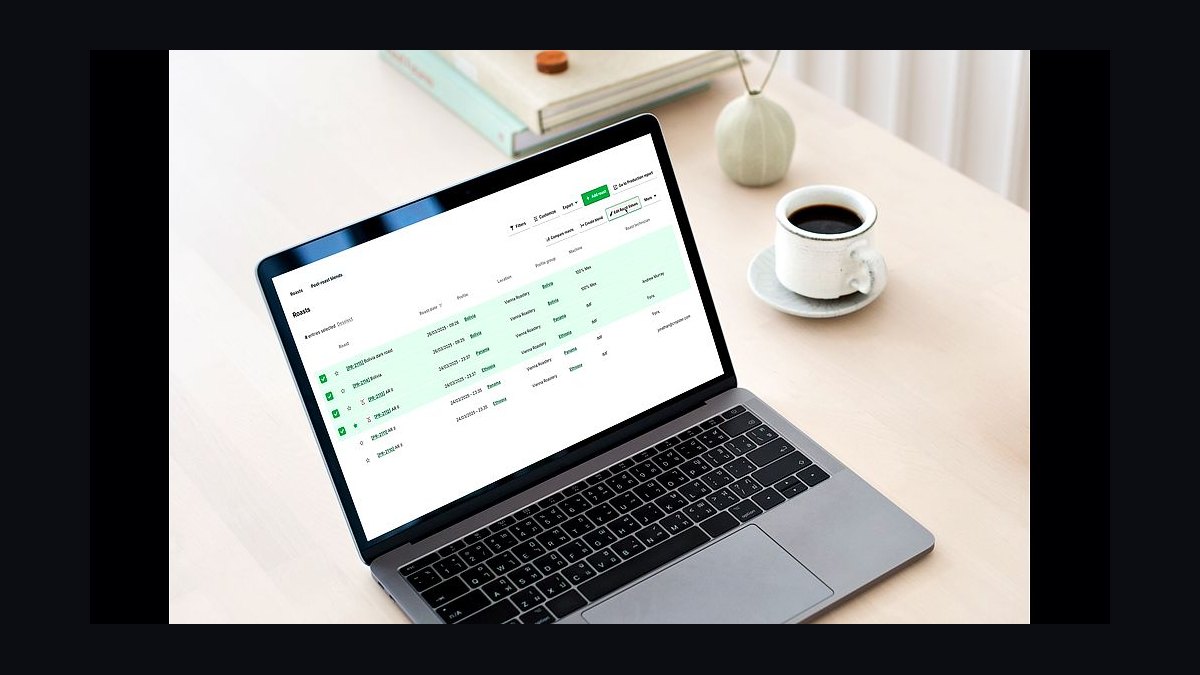
The 10 best tech stack tools for coffee roasters and cafes are ranked below on measured performance, build quality, price, and how each one actually holds up in daily use rather than how it reads on a spec sheet. Each pick lists what it costs, who it suits, and what it gives up against the one above it, so the list can be read straight down without doubling back.
1Cropster

Cropster ranks first because it is the only mainstream platform that unifies roast profiling, green inventory, lot costing, and production planning in one subscription, priced on roasting volume tiers. It logs bean and environmental temperature, rate of rise, and profile replay across multiple machines and operators, while tracking landed green cost and shrinkage-aware conversion so 100 pounds green at 15 percent shrink yields roughly 85 pounds roasted.
It is built for roasters running multiple machines, multiple operators, and wholesale production planning, not for a single-machine startup roasting a few hundred pounds a month. The trade-off is cost and complexity: you pay a scaling subscription and spend real time configuring lots and price lists. Against Artisan directly below, Cropster wins on integration but loses on price and openness.
2Artisan Roast Software

Artisan ranks second because it is the open-source standard for roast profiling, free to download and genuinely capable of real-time curves, rate of rise, and profile replay across a wide range of machines and probe setups. It connects via probes or serial, logs bean and environmental temperature, and is used commercially by serious roasters, not just hobbyists. The only real cost is a laptop and setup time.
It suits a single-machine operation comfortable with technical configuration and willing to track green inventory and lot costing in a disciplined spreadsheet. What it trades away is production planning, green inventory, wholesale order integration, and multi-operator workflow, all of which Cropster above handles natively. Against Shopify below, Artisan owns the craft layer but offers nothing on the commerce side.
3Shopify

Shopify ranks third because it is the default ecommerce and subscription platform for coffee, with a mature app ecosystem covering cadence flexibility, skip-a-delivery, grind selection at the line-item level, and roast-day batching. Coffee is an archetypal subscription product, and Shopify's cohort and retention tooling lets roasters see monthly retention by signup month. It handles DTC card processing and shipping label generation out of the box.
It is for roasters selling direct, especially those running subscriptions where churn management is the whole game. It trades away wholesale-specific features like per-account price lists, delivery-day routing, and net terms, which usually require a B2B extension or a dedicated platform. Against Artisan above, Shopify owns the customer layer but does nothing for roast profiling or green costing.
4Square for Restaurants

Square for Restaurants ranks fourth because it anchors the coffee shop stack with a fast retail POS, integrated card processing, loyalty, and mobile-order-ahead in one system, priced as a monthly software fee per location plus per-terminal add-ons. For a single-site shop, bundling POS, payments, and loyalty means one transaction record in real time, which eliminates reconciliation between systems. Setup is learnable in a shift, which matters in high-turnover hospitality.
It is for single-location cafes where the anchor need is speed at the counter and a loyalty program that works without extra configuration. It trades away manufacturing-grade inventory: Square models retail depletion, not green-to-roasted conversion, so it cannot track pounds through transformation. Against Shopify above, Square owns in-store transactions but not wholesale or subscription coffee.
5Toast POS

Toast POS ranks fifth because it is a restaurant-grade point of sale built for high-frequency hospitality, with daypart sales reporting, labor-against-sales by hour, and offline transaction handling that keeps the bar running when the internet drops. It bundles payment processing, online ordering, and loyalty, and its scheduling module ties labor cost directly to revenue by daypart, which is the shop's largest controllable cost.
It is for cafes doing meaningful card volume where processing rate and labor reporting matter more than subscription price. It trades away simplicity and often locks you to Toast's own payment processor, so the effective card rate deserves scrutiny before signing. Against Square above, Toast wins on labor and daypart reporting but costs more and is heavier to configure.
6QuickBooks Online

QuickBooks Online ranks sixth because it is the accounting layer both businesses share, and the rule that emerges from every stack decision is to integrate at accounting, not operations. It holds the general ledger where a roaster's production platform and a shop's POS both reconcile, and it supports inventory tracking for green purchases treated as converting inventory rather than simple expense. Bank feeds and journal entries keep the books current without nightly manual entry.
It is for any coffee business with a bookkeeper or an owner who does the books, and integrations matter more than reports when a bookkeeper is involved. It trades away operational depth: it cannot profile a roast or ring a sale. Against Toast above, QuickBooks owns the money layer but nothing at the point of transaction.
7Xero

Xero ranks seventh because it is the strongest QuickBooks alternative for coffee businesses, with clean bank reconciliation, multi-currency support for imported green coffee, and an integration marketplace that connects to production platforms and POS systems. For roasters paying overseas importers, multi-currency handling and landed-cost tracking reduce the manual work of converting FOB prices plus freight and duty into a true input cost. Its reporting is clean and its API is well documented.
It is for roasters and shops whose bookkeeper prefers Xero or who need stronger multi-currency handling than QuickBooks offers. It trades away the deep inventory features some accounting packages include, so green lot costing usually lives in the production platform and syncs in. Against QuickBooks above, Xero wins on currency and integrations but loses on inventory depth.
8Homebase
Homebase ranks eighth because labor is the shop's largest controllable cost, and Homebase handles scheduling, time tracking, and labor-against-sales reporting priced per employee per month, which keeps it affordable for a small cafe team. It ties scheduled hours to actual clock-ins and flags overtime before it happens, and it integrates with major POS systems so sales by daypart flow into labor reporting. Shift swapping and availability are handled in the employee app.
It is for single or small multi-location cafes that need scheduling without buying a full restaurant management suite. It trades away deep HR and payroll depth at the low tier, and its reporting is thinner than Toast's built-in labor module. Against Toast above, Homebase is cheaper and standalone but does not share a transaction record with the POS.
9ShipStation
ShipStation ranks ninth because roasted coffee is heavy relative to its value and transit time is a quality variable, so rate shopping across carriers, batch label printing, and tracking pushed back to the customer are table stakes past a few dozen orders a week. It compares carrier rates, supports zone-based and flat-rate structures, and connects directly to Shopify so DTC orders flow into fulfillment without re-keying. Free-shipping thresholds can be tested against actual zone-weighted cost.
It is for roasters shipping DTC at volume where shipping is the hidden cost center and a 12-ounce bag with packaging crosses weight breaks quickly. It trades away nothing on the roasting side but adds a monthly cost that only pays off past meaningful order volume. Against Homebase above, ShipStation serves the roaster's outbound layer rather than the shop's labor layer.
10Mailchimp

Mailchimp ranks tenth because email marketing is worth more to a roaster than a neighborhood shop, since DTC and subscription revenue respond directly to campaigns, and Mailchimp handles list segmentation, automated flows, and cohort-triggered sends without a developer. It connects to Shopify so purchase history drives segmentation, and abandoned-cart and win-back flows run automatically. For a roaster building subscription retention, the habit of cohort reporting matters more than early data volume.
It is for roasters with a DTC or subscription business who need retention marketing, not for a single-location cafe where loyalty and local presence return more than email volume. It trades away deep ecommerce-native automation that Klaviyo offers, and pricing scales with list size. Against ShipStation above, Mailchimp owns retention rather than fulfillment.
How we ranked these
We ranked tools on five weighted criteria: production-fit for roasters (roast profiling, green lot costing, shrink-aware conversion) at 30%, wholesale and multi-price-list capability at 20%, retail POS speed and offline reliability at 20%, integration depth with accounting and shipping at 15%, and total cost including transaction fees at 15%. Each tool was scored against the business it actually serves, not a blended average.
We deliberately ignored brand popularity, app-store review counts, and feature-list length. Those reward marketing spend and checkbox breadth rather than operational fit. We also excluded vendor-published ROI claims and any tool whose pricing could not be verified from a primary source. Generic restaurant suites were down-weighted because their inventory models assume resale, not transformation, which misrepresents roasted yield.
What to look for
What matters most is whether the tool's core data model matches your unit of measure. A roaster needs pounds through a transformation step with landed cost and shrink; a shop needs tickets per labor hour. If the model is wrong, configuration cannot fix it, and you will be exporting to spreadsheets within two quarters regardless of how good the dashboard looks.
The mistake most buyers make is choosing the POS or ecommerce platform first because it feels like progress, then bolting on production and costing later. That inverts the dependency chain. Cost per roasted pound determines wholesale and retail pricing, so costing has to come first. The second most common error is running two systems as inventory source of truth, which guarantees drift.
Related questions
What software do specialty coffee roasters actually need?
At minimum: roast profiling, green inventory with landed lot costing, a wholesale ordering portal, ecommerce with subscriptions, and shipping. Underneath sits accounting as the single source of truth for inventory quantities. Roasters under a few thousand pounds monthly can run Artisan plus a disciplined spreadsheet, but once multiple operators and wholesale accounts appear, integrated production platforms earn their subscription by eliminating re-keying.
Is Artisan enough or do I need Cropster?
Artisan is free, open-source, and genuinely sufficient for a single roaster running under a few thousand pounds a month with one or two operators. Cropster earns its price when you need production planning tied to open wholesale orders, multi-operator consistency, and green inventory with lot costing in the same system. The deciding factor is usually re-keying, not profiling quality.
How do I calculate cost per roasted pound?
Start with landed green cost: FOB price plus freight, duty, warehousing, and financing. Divide by your yield factor. At 15 percent shrink, divide by 0.85. Then add packaging scaled to bag size, direct labor allocated per pound, and an overhead allocation. Wholesale pricing sits at a multiple of that number, retail bags at a higher multiple. Pricing off gut under-prices wholesale reliably.
Do coffee shops need inventory management software?
Most single-location shops do not need perpetual inventory. Periodic counts of beans, milk, cups, and syrups are cheaper and accurate enough at that scale. The cost of precision exceeds the benefit. What shops do need is labor-against-sales reporting by daypart, because labor is the largest controllable cost and scheduling decisions depend on it. Inventory software becomes worth it at multi-location scale.
What is the biggest hidden cost in a cafe tech stack?
Card processing, not software subscriptions. On meaningful card volume, processing fees dwarf monthly POS fees, often by an order of magnitude. That is why the effective rate matters more than the subscription line. Watch interchange-plus versus flat-rate pricing, whether the POS locks you to its processor, and what rate applies to card-not-present mobile orders.
Should a roaster with a cafe use one system or two?
Two, integrated at the accounting layer. Let the POS be excellent at retail transactions and the production platform be excellent at green inventory and roast planning. Reconcile them in the general ledger. Attempts to make a POS the master inventory system for green coffee fail because POS models assume you sell what you buy, not a transformed product that weighs less.
How do I choose a subscription platform for coffee?
Cadence flexibility first: customers must be able to choose every two, three, or four weeks and skip without emailing you. Then grind selection at the line-item level, and roast-day batching so subscriptions ship the day after a specific roast rather than continuously. Churn visibility by cohort is the whole game. Shopify's app ecosystem is the default for good reason.
What breaks first as a roaster grows?
Spreadsheet lot costing. It fails around the point where you have more than a handful of active green lots and more than one person touching production. The symptom is inventory drift: the sheet says 400 pounds, the warehouse has 320. At that point you either buy a real inventory system or accept that your cost data is fiction and your pricing is guesswork.
FAQ
What is the best tech stack for a coffee shop in 2027?
A fast retail POS with offline mode, labor scheduling priced per employee, loyalty either bundled or standalone, accounting sync, and delivery aggregation. The POS anchors everything. Prioritize transaction speed, offline reliability, and processing rate over feature breadth. If a new barista cannot run it after 30 minutes of shadowing, the software is wrong regardless of its feature list.
What is the best tech stack for a specialty coffee roaster in 2027?
Roast profiling, green inventory with landed lot costing, a wholesale ordering portal, ecommerce with subscriptions, shipping with rate comparison, and accounting underneath. Evaluate in that order because each layer constrains the next. Costing comes first because every pricing decision depends on knowing cost per roasted pound, not invoice price per green pound.
Can one platform run both a roastery and a cafe?
Rarely well. The unit of measure differs: pounds through transformation versus tickets per labor hour. Integrate at the accounting layer instead. Let the POS handle retail and the production platform handle green inventory and roast planning, then reconcile in the general ledger. Forcing one system to do both usually produces accurate neither.
How much should a coffee shop budget for software?
Software subscriptions are usually modest against revenue, often a few hundred dollars monthly for a single location. The real budget line is card processing, which is transaction-linked and typically far larger. Model processing at your actual volume before comparing POS vendors, because a lower subscription with a worse effective rate costs more every month.
How much should a roaster budget for software?
Production platforms price on roasting volume tiers, so cost scales with pounds. Add ecommerce platform fees, subscription app fees, and card processing on direct orders. Software is a larger share of fixed cost for roasters than for shops because wholesale invoicing often runs on ACH or check rather than card, so transaction fees are smaller.
When should a roaster move off spreadsheets?
When you have more than a handful of active green lots and more than one person touching production. The tell is inventory drift between the sheet and the warehouse. Before that point, a disciplined spreadsheet with landed cost and shrink built in is genuinely sufficient and cheaper. After it, your cost data becomes fiction and pricing decisions inherit the error.
What should I check before signing a POS contract?
Test offline behavior by unplugging the router during a slow hour before go-live. Confirm the effective processing rate, not just the headline. Ask whether the POS locks you to its processor. Verify you can export full transaction history and product catalog on day 30, not the day you decide to leave. Get the answers in writing.
How do I migrate a POS without disrupting service?
Migrate on the slowest day of the slowest week, never during a seasonal peak and never on a Monday. Keep the old system available as a fallback for one full week. Write and print a paper backup procedure. Clean the item catalog before migrating: kill dead SKUs, standardize modifier naming, and decide once whether size is a variant or a separate item.
Why do coffee subscription businesses fail quietly?
Monthly revenue keeps rising while cohort retention decays underneath it, so the problem stays invisible until growth stalls. Build cohort reporting early even when the numbers are small, because the habit matters more than the early data. Churn management is the whole game in subscription coffee, and it requires seeing retention by signup month.
What integrations matter most for coffee businesses?
Accounting sync first, because it determines whether daily close is automated or manual. Then shipping for roasters and delivery aggregation for shops. Decide which system pushes and which receives: one-way POS-to-accounting with a daily summary journal entry is boring and correct. Bidirectional sync is where duplicate entries breed and reconciliation becomes a weekly chore.
Sources
- https://artisan-scope.org/
- https://www.cropster.com/
- https://www.shopify.com/
- https://quickbooks.intuit.com/
- https://www.xero.com/
- https://squareup.com/
- https://www.clover.com/
- https://www.toasttab.com/
- https://www.shipstation.com/
- https://www.rechargepayments.com/
Related on PULSE
This page will be disappearing soon. Save it to your device for $1 — or read it free while it is here.
@Kory-White- · if Venmo asks, the last 4 of my number are 2012
This page is gone.
This one is off the shelf now. $1 keeps it on your phone for good — the whole page, pictures and diagrams included.
 pulse-tech-stacksTop 10 Best Tech Stack Tools for MSP and IT Services Companies in 2027
 pulse-tech-stacksTop 10 Best Tech Stack Tools for CrossFit Boxes in 2027
 pulse-tech-stacksTop 10 Best Tech Stack Tools for SaaS & Software Companies in 2027
 pulse-tech-stacksTop 10 Best Tech Stack Tools for Cabinet and Millwork Manufacturers in 2027
 pulse-tech-stacksTop 10 Best Tech Stack Tools for Tire Shops in 2027
 tkTop 10 Best Tech Stack Tools for Concrete and Paving Contractors in 2027
 pulse-tech-stacksTop 10 Best Tech Stack Tools for Threat Intelligence Vendors in 2027
 pulse-tech-stacksTop 10 Best Tech Stack Tools for Fitness & Wellness Businesses in 2027
 pulse-tech-stacksTop 10 Best Tech Stack Tools for Foundation and Waterproofing Contractors in 2027
 pulse-tech-stacksTop 10 Best Tech Stack Tools for HVAC Equipment Distributors in 2027