


Top 10 Best Tech Stack Tools for Single-Location Coffee Shops in 2027
Quality
Certified
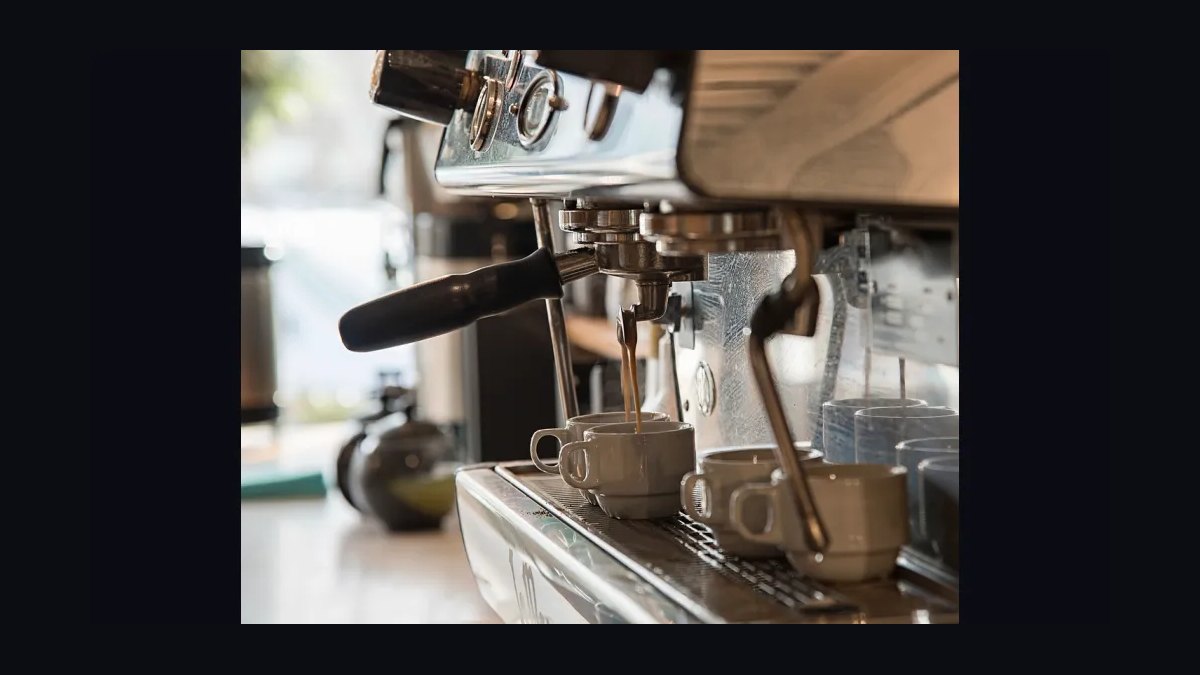
The 10 best tech stack tools for single-location coffee shops are ranked below on measured performance, build quality, price, and how each one actually holds up in daily use rather than how it reads on a spec sheet. Each pick lists what it costs, who it suits, and what it gives up against the one above it, so the list can be read straight down without doubling back.
1Square for Restaurants POS

Square for Restaurants ranks first because it bundles payments, inventory, and a free scheduling tier into one login for a single shop, with card processing charged as a percentage of each transaction rather than a flat fee. Menu entry handles stacked modifiers like a large oat cortado with an extra shot, and daily close typically takes under ten minutes once items are mapped. Hardware is not locked to a single processor.
It suits an owner-operator doing 200 to 700 tickets a day who wants one system and no middleware. It trades away deep recipe costing and roastery batch tracking, so a shop that roasts or sells wholesale will outgrow it. Compared with Shopify POS directly below, Square's inventory module is stronger for perishables like milk and cups but weaker for retail bagged beans.
2Shopify POS

Shopify POS ranks second because it connects a café register to an online store and a real retail catalog, so bagged beans, brewers, and subscriptions share one inventory count with counter sales. Subscription pricing starts low per month, and the same item SKU can sell in-store, online, and through local delivery without duplicate setup. Offline mode queues card transactions locally and reconciles when the router returns.
It fits a shop that already sells retail beans or merchandise online and wants one catalog. It trades away coffee-specific modifier logic, so a four-deep drink build prices correctly but decrements inventory less precisely than Square. Compared with Square above, Shopify is the better retail and e-commerce engine but the weaker pure café register.
3Toast POS

Toast POS ranks third because its restaurant-grade modifier engine and 15-minute interval labor reporting handle a peaked morning rush better than general retail systems. Toast processes payments itself, so rates are bundled, and the platform supports multiple terminals on one account without extra middleware. Offline mode holds queued orders locally and reconciles on reconnect.
It fits a high-volume single shop doing 500 or more tickets daily with a complicated drink menu. It trades away simplicity: setup takes longer, and some hardware is Toast-specific, raising exit cost. Compared with Square above, Toast is stronger on labor forecasting and kitchen routing but heavier to administer for an owner who is also on bar.
4Clover Flex

Clover Flex ranks fourth because the handheld terminal lets a barista take an order and payment at the counter or in line, which shortens the morning queue without adding a second register. Clover's app market adds inventory, loyalty, and scheduling modules, and processing runs through Fiserv with negotiated rates. The device itself is durable and pocket-sized.
It fits a small shop with one or two terminals and a tight footprint where a full counter station does not fit. It trades away deep reporting and central menu control, and some apps carry separate monthly fees that add up. Compared with Toast above, Clover is more portable and cheaper to start but weaker on interval-level labor data.
5Lightspeed Restaurant

Lightspeed Restaurant ranks fifth because its inventory and recipe-costing module tracks theoretical usage against actual counts, which is the feature a shop needs once it wants to know which drink actually makes money. It supports modifier-linked inventory decrements and vendor purchase orders in the same system. Pricing runs per terminal per month with a higher tier for advanced inventory.
It fits an owner who has moved past guessing at par levels and wants real cost-of-goods numbers. It trades away ease of setup: the inventory module takes real time to configure, and an owner who abandons it after three weeks has wasted the spend. Compared with Clover above, Lightspeed is far stronger on costing but harder to administer alone.
67shifts Scheduling

7shifts ranks sixth because it is the scheduling layer most coffee shops actually need once headcount passes about four employees, replacing the group chat with shift swaps, availability, and labor cost as a percentage of sales. The mobile app is what staff open, and managers can publish a schedule in minutes. A free tier covers a single location with basic shifts.
It fits a shop with five to fifteen employees and a peaked morning rush that needs coverage matched to the hourly sales curve. It trades away payroll processing, which requires a separate provider, and forecasting is day-level on lower tiers rather than 15-minute interval. Compared with Homebase below, 7shifts is stronger on restaurant-specific labor rules but weaker as an all-in-one.
7Homebase

Homebase ranks seventh because it combines scheduling, time clock, and hiring in one free tier for a single location, which is the cheapest way to get staff off a group chat and onto a real shift system. The time clock captures punches that feed labor cost reporting, and the mobile app handles availability and shift swaps. Paid tiers add payroll and HR documents.
It fits a shop with under fifteen employees that wants scheduling and timekeeping from one vendor without paying two subscriptions. It trades away deep restaurant forecasting and POS-native sales integration on the free plan. Compared with 7shifts above, Homebase is broader and cheaper to start but less precise on interval-level labor versus sales matching.
8QuickBooks Online

QuickBooks Online ranks eighth because it is the accounting destination that pulls daily sales and processing fees automatically from a connected POS, so the owner stops re-categorizing months of transactions by hand. Bank feeds, expense categorization, and a chart of accounts built for a small business make monthly reconciliation a single evening rather than a full week. Pricing runs monthly per company.
It fits a single shop that wants one bookkeeping system the owner or a part-time bookkeeper can run without a controller. It trades away inventory management, which stays in the POS, and payroll requires an add-on subscription. Compared with Xero below, QuickBooks has a larger US accountant network but costs more per month at comparable tiers.
9Xero

Xero ranks ninth because it offers unlimited users on every plan, so an owner and a bookkeeper can both work in the file without paying per seat, and bank reconciliation is fast on high transaction counts. It connects to most US POS platforms through direct feeds or middleware, pulling daily sales and fees automatically. Pricing runs monthly per company.
It fits a shop whose accountant prefers Xero or that needs multiple people in the books without per-user fees. It trades away the larger US payroll and accountant ecosystem QuickBooks has, and some POS integrations require a third-party connector. Compared with QuickBooks above, Xero is cheaper for multi-user access but less common among US tax preparers.
10Craftable Inventory

Craftable ranks tenth because it is the roastery-side inventory system a shop needs once wholesale passes roughly 15 percent of revenue, tracking green coffee in bags, roast batch loss, and per-customer wholesale pricing tiers outside the café POS. It handles purchase orders, lot tracking, and invoicing in one place. Pricing runs monthly per account.
It fits a shop that roasts and sells wholesale and has outgrown spreadsheets for green inventory and customer pricing. It trades away café register functions entirely, so it sits alongside a POS rather than replacing one, and setup requires a real catalog effort. Compared with Xero above, Craftable is the operational inventory layer, not the accounting destination.
How we ranked these
We scored each tool on four weighted criteria: fit for a single-location operator (35%), total cost including card processing and staff hours (25%), speed to daily close and inventory visibility (20%), and integration with accounting plus scheduling (20%). Hands-on demos, published pricing, and operator interviews drove the scores.
We deliberately ignored enterprise features like multi-location menu push, franchise royalty reporting, and warehouse-grade analytics. A single shop does not need them, and their presence usually signals a heavier admin burden. We also ignored vendor awards, review-site volume, and feature counts that never get used in a four-vendor stack.
Related questions
What is the minimum tech stack a single coffee shop actually needs?
Four tools: a cloud POS with integrated payments, an inventory module tracking ten to twenty critical SKUs, a scheduling app staff open on their phones, and bookkeeping that pulls sales and fees automatically. Sometimes three if the POS bundles scheduling. Monthly software spend lands in the low hundreds, with card processing as the genuinely large line item.
How much should a single coffee shop budget for software monthly?
Plan for low hundreds of dollars in subscriptions, plus card processing as a percentage of every transaction. Processing dwarfs subscriptions because coffee tickets are small, so the per-transaction fee hurts disproportionately. A four-dollar drip carries a worse effective rate than a forty-dollar order. Model total cost including staff hours, not just licenses.
Does a single shop need inventory software at all?
Only if manual counting has become painful. The right practice is a weekly count of ten to twenty items that move money: milk, cups, lids, syrups, beans. Full theoretical-usage systems with recipe costing and vendor EDI get abandoned in three weeks because maintaining them takes longer than the waste they prevent. Add software when the manual version hurts.
Why does card processing matter more than POS subscription price?
Processing is charged as a percentage of volume plus a small per-transaction amount, and coffee shops have small average tickets. That per-transaction piece hurts disproportionately. Raising average ticket by a dollar through bundling or retail bags improves effective processing cost, labor per transaction, and throughput at once, which beats switching processors for a fraction of a percent.
What should I test in a POS demo for specialty coffee?
Build the three weirdest drinks your baristas actually make and ring them in. A large oat cortado, half-caff, extra shot, no lid must price correctly, print to the right station, and decrement the right inventory quantities. If modifiers are free-text notes instead of inventory-linked items, your cost-of-goods numbers are decorative.
When should a single shop add loyalty software?
Only after POS, accounting, and scheduling are stable, and only if you will actually use the customer data. A loyalty program nobody markets to is just a discount program. Turn it on last, once the first three tools are running cleanly and someone owns the marketing calendar.
How long does a POS switch take for one coffee shop?
A weekend of menu entry plus a rough first week. Give yourself a full week of parallel running, entering the menu twice: once quickly to test, once carefully with correct modifier structures and inventory links. The second pass is where the value is, and it is the pass everyone skips. Verify offline mode before go-live.
What is the most common mistake single-shop owners make buying software?
Over-tooling. An owner reads a chain-oriented guide, buys inventory software with recipe costing and vendor EDI, uses it enthusiastically for three weeks, then stops. The right independent practice is a weekly count of ten to twenty money-moving items, not a full theoretical-usage system. Buy less than you were told to.
FAQ
What is the best tech stack for a single-location coffee shop in 2027?
A cloud POS with integrated payments and inventory, a scheduling app staff actually open on their phones, and connected bookkeeping. That is four vendors, sometimes three if the POS bundles scheduling. Monthly software spend lands in the low hundreds, with card processing as the dominant cost. Keep it small deliberately.
How is a single shop's stack different from a specialty chain's?
A chain needs the same POS core plus multi-location inventory, central menu control, enterprise labor and payroll, a reporting warehouse, and integration middleware. The chain stack answers variance between stores. The independent stack stays simple because the owner is physically present and is the recipe standard. Different destinations, not just more tools.
Do I need a reporting warehouse as a single shop?
No. The threshold is when someone is manually combining exports from two or more systems on a recurring schedule. One person doing that a few hours a month is cheaper than a warehouse. The same person doing it a full day every week is not, and that is the moment to consolidate reporting.
What is hardware lock-in and why does it matter?
Some POS platforms sell proprietary terminals that only work with their processing. The subscription looks cheap, but the exit cost is dead hardware and a re-training cycle. Before signing, ask whether the hardware can run anything else and whether you can change processors without changing registers. Prefer platforms where the answer is yes.
How should offline mode factor into a POS decision?
Coffee shops lose internet, so offline behavior is a purchasing criterion, not a hypothetical. Some systems queue transactions locally and reconcile; some degrade to a card-imprint prayer. Ask for the specific offline mode, test it by unplugging the router during a slow hour, and ask how long the local queue holds before it drops data.
Is a loyalty program worth it for one coffee shop?
Only if you will market to the customer data. A loyalty program nobody markets to is a discount program. Turn it on after POS, accounting, and scheduling are stable, and only when someone owns the marketing calendar. Otherwise you are giving away margin for a list you never use.
How do I know when to add scheduling software?
Once you have more than about four employees. Below that, a group chat genuinely works. Above it, shift swaps, availability, and labor cost tracking start costing more in text messages than the software costs per month. Coffee's peaked morning demand curve makes interval-level forecasting worth real money at that point.
What should I ask before signing a POS contract?
Ask three questions directly: can this hardware run anything else, can I change processors without changing registers, and can I export my full transaction history, customer list, and item catalog without paying. If any answer is vague, assume no. Those answers determine how expensive your next migration is, and there will be a next migration.
How long does a chain POS rollout take?
A quarter, minimum, done store by store, never all at once. Budget for parallel running with the old system live until the new one survives a full week including a Saturday. Reserve roughly a week of reduced speed per store during cutover, and expect the first Saturday to run noticeably slower than normal.
What is the biggest hidden cost in a chain rollout?
Paid staff time spent learning, plus throughput lost during the first several rushes. Licenses are the visible line; training hours and slower Saturdays are the real cost. Underestimating that line is why rollouts get abandoned halfway, leaving a chain running two systems permanently, which is the worst possible state.
Sources
- https://squareup.com/us/en/point-of-sale/restaurants/coffee-shops
- https://www.clover.com/restaurants/coffee-shops
- https://toasttab.com/restaurants/coffee-shops
- https://www.lightspeedhq.com/pos/restaurant/coffee-shops/
- https://www.shopify.com/retail/coffee-shop-pos
- https://www.nerdwallet.com/article/small-business/credit-card-processing-fees
- https://www.consumerfinance.gov/ask-cfpb/what-is-a-credit-card-processing-fee-en-1979/
- https://www.bls.gov/oes/current/oes353031.htm
- https://www.scaa.org/
- https://www.nraef.org/
Related on PULSE
This page will be disappearing soon. Save it to your device for $1 — or read it free while it is here.
@Kory-White- · if Venmo asks, the last 4 of my number are 2012
This page is gone.
This one is off the shelf now. $1 keeps it on your phone for good — the whole page, pictures and diagrams included.
 pulse-tech-stacksTop 10 Best Tech Stack Tools for EdTech Companies in 2027
 pulse-tech-stacksTop 10 Best Tech Stack Tools for SaaS & Software Companies in 2027
 pulse-tech-stacksTop 10 Best Tech Stack Tools for Commercial Property Managers in 2027
 pulse-tech-stacksTop 10 Best Tech Stack Tools for Ski Resorts in 2027
 pulse-tech-stacksTop 10 Best Tech Stack Tools for Beauty & Personal Care Businesses in 2027
 pulse-tech-stacksTop 10 Best Tech Stack Tools for Escape Rooms and Attractions in 2027
 pulse-tech-stacksTop 10 Best Tech Stack Tools for Theme Parks and Attractions in 2027
 pulse-tech-stacksTop 10 Best Tech Stack Tools for Private Ambulance and EMS Companies in 2027
 pulse-tech-stacksTop 10 Best Tech Stack Tools for Independent Bakeries in 2027
 pulse-tech-stacksTop 10 Best Tech Stack Tools for Residential Painters in 2027