
The Microsoft Dynamics vs. Salesforce Stack for a Multi-Location Service Business in 2027
 Curated by Kory White · Fractional CRO · Maryland
 PULSEKNOWLEDGE LIBRARY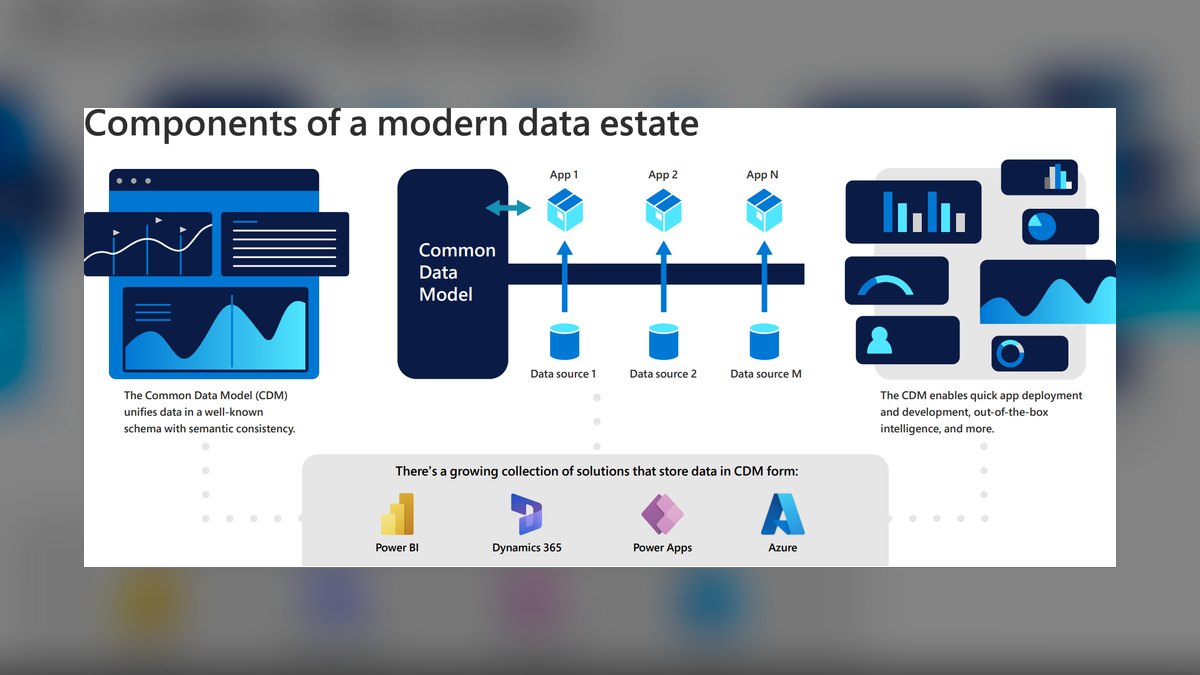
For a multi-location service business in 2027, Dynamics 365 wins on total cost and native Microsoft 365 integration, while Salesforce wins on field-service maturity, customization depth, and partner ecosystem. Choose Dynamics if you're already on Microsoft 365/Teams/Business Central and have 2-15 locations; choose Salesforce if you need best-in-class scheduling optimization, complex territory management, or plan to scale past 20 locations with dedicated admin resources.
What it is and why it matters
Microsoft Dynamics 365 and Salesforce are the two dominant CRM/ERP-adjacent platforms competing for multi-location service businesses — think HVAC franchises, multi-clinic dental groups, regional auto-repair chains, or property management companies running 3 to 50 branches. The decision isn't abstract "which CRM is better." It's about which platform's data model, licensing structure, and integration surface matches how a service business actually operates: dispatching technicians across Locations, tracking work orders per branch, rolling up revenue by region, and giving corporate visibility without breaking local autonomy.
Dynamics 365 is built around a unified data model (Dataverse) that ties CRM, ERP (via Business Central or Finance & Operations), and Power Platform tools (Power BI, Power Automate, Power Apps) into one licensing family. For a service business already running Microsoft 365 — Outlook, Teams, SharePoint — Dynamics inherits single sign-on, native Excel/Power BI reporting, and Teams-embedded case collaboration with near-zero extra integration work. The core object model handles multi-entity accounting through Business Central's "companies" concept, which maps cleanly to physical Locations if each branch is its own legal entity or cost center.

Salesforce, by contrast, is the more mature platform specifically for field service orchestration. Salesforce Field Service (formerly Field Service Lightning) has a decade-plus head start on scheduling optimization — the Einstein-powered Scheduling Optimizer can factor technician skill sets, drive time, parts availability, and SLA windows simultaneously across dozens of Locations in a single optimization pass. Salesforce's territory management and role hierarchy were designed from day one for organizations with regional sales/service structures, which is exactly the shape of a multi-location service business.
The stakes of getting this wrong are concrete: a mis-fit platform means either paying for Salesforce's field-service depth you'll never use because you're a 4-location plumbing company, or hitting a wall on Dynamics when you try to do complex multi-skill technician routing across 30 branches and discover you need a third-party scheduling add-on anyway. Both mistakes cost six figures in wasted licensing and reimplementation within 18-24 months.

The step-by-step process
Evaluating and implementing either stack for a multi-location service business follows a predictable sequence, and skipping steps is the single biggest predictor of a failed rollout.
Start with a Location and process audit — not a technology audit. Document every branch, how each one currently tracks work orders, whether pricing/inventory varies by region, and whether each location is a separate legal entity for tax and accounting purposes. This single artifact determines almost everything downstream: if your locations are separate legal entities, Dynamics 365 Business Central's multi-company architecture is a natural fit; if they're cost centers under one entity, either platform's territory/division model works.

Next, map your technician and dispatch workflow against each platform's field-service module — Dynamics 365 Field Service versus Salesforce Field Service — using a real work order from your busiest location as the test case. Run the same scenario (emergency dispatch, multi-skill job, parts-on-truck check) through both platform's trial/sandbox environments. Most businesses skip this and choose based on the sales demo instead of their own data, which is why so many replatform within two years.
Third, price out the full stack, not just the CRM seat. For Dynamics, that means Dynamics 365 Sales or Field Service licenses plus Business Central for accounting plus Power BI Pro for cross-location reporting. For Salesforce, that means Sales Cloud or Service Cloud plus Field Service add-on licenses plus a middleware or native connector to your accounting system (Salesforce has no native GL). This step alone reveals that "Salesforce is more expensive" is often actually "the Salesforce quote included modules the Dynamics quote didn't."

Fourth, select an implementation partner with proven multi-location service-industry experience on your chosen platform — not a generalist. Fifth, pilot at one or two Locations for 60-90 days before rolling out company-wide. Sixth, roll out in waves by region, not all at once, so support load stays manageable and you can fix data-model mistakes before they propagate to every branch.
Costs, timelines, and typical ranges
Licensing is the most misunderstood cost driver. Dynamics 365 Sales Enterprise typically lists in the range of $95-$135 per user per month, and Dynamics 365 Field Service adds a similar per-user tier on top for dispatchers and technicians who need scheduling access — though Microsoft's "Team Member" light licenses (roughly $8-$10/user/month) can cover back-office staff who only need read access, which materially lowers blended cost for a multi-location org with a lot of non-CRM staff touching the system.

Salesforce Sales Cloud Enterprise typically lists in the $165-$175 per user per month range, with Salesforce Field Service requiring its own add-on license layered on top of a base Service Cloud seat, which commonly pushes fully-loaded per-technician cost above $200/month once scheduling, mobile, and asset management are included. For a business with 40 field technicians across 8 locations, that licensing delta alone — Dynamics versus Salesforce — can be $50,000-$90,000 per year before implementation cost is even counted.
Implementation cost follows a similar pattern but the gap narrows. A mid-complexity multi-location rollout (5-15 branches, standard field service workflows, one accounting integration) typically runs $75,000-$180,000 on Dynamics 365 with a certified partner, versus $100,000-$250,000 on Salesforce for a comparable scope — Salesforce implementations tend to run higher because of the platform's flexibility inviting more customization, which is a benefit long-term but adds build hours up front.

Timeline expectations should be set at 4-6 months for a Dynamics 365 rollout covering CRM plus Business Central for a business under 10 locations, and 6-9 months for the same scope on Salesforce when Field Service scheduling optimization is in scope, since configuring skill matrices, service territories, and optimization rules takes real iteration time. Businesses that budget 3 months for either platform consistently blow past it — multi-location data migration (historical work orders, customer service history, equipment/asset records per site) is almost always the underestimated line item, commonly adding 4-8 weeks by itself.
Ongoing cost after go-live also diverges: Dynamics 365's tighter coupling with Microsoft 365 means fewer standalone integration subscriptions, while Salesforce's larger AppExchange ecosystem means more available point solutions but also more recurring subscription costs if you lean on third-party apps for accounting sync, route optimization, or inventory.

Where teams get it wrong
The most common and costly mistake is choosing the platform based on which sales team gave the better demo rather than which data model matches the business's actual multi-location structure. A demo optimized for a single-location retailer looks nothing like the reality of dispatching across 12 physical branches with different regional pricing, and both Microsoft and Salesforce sales engineers will happily demo scenarios that flatter their platform.
A second common failure is underestimating the accounting integration. Salesforce has no native general ledger, so a multi-location service business on Salesforce must either buy an ERP integration (like a Salesforce-to-NetSuite or Salesforce-to-QuickBooks connector) or build custom middleware — teams that don't budget for this end up with technicians closing work orders in Salesforce while the finance team re-keys everything into accounting software by hand, which defeats the entire point of the CRM investment. Dynamics 365 paired with Business Central avoids this specific trap because the financial and operational data share the same underlying Dataverse tables, but only if the implementation partner actually configures that connection rather than running them as two disconnected systems that happen to share a vendor.

A third mistake is treating "Location" as a simple picklist field instead of a first-class data structure. When branches have different service catalogs, different tax rates, or different technician pools, bolting Location on as a dropdown instead of using Business Central's company/location hierarchy (Dynamics) or a proper territory and record-type structure (Salesforce) creates reporting nightmares within the first two quarters — corporate can't get a clean region-by-region P&L because the data was never structured to support it.
A fourth mistake is rolling out to every location simultaneously. Multi-location businesses that skip the pilot phase discover platform-specific quirks — a mobile app that doesn't sync well on a technician's older device, a scheduling rule that doesn't account for a branch's unique service radius — at the worst possible time, with every location's dispatchers calling the help desk on the same day.

Finally, teams frequently underinvest in change management for field technicians specifically. Office staff adapt to a new CRM screen quickly; technicians who've used a paper clipboard or a simple app for 15 years resist a more complex mobile interface, and that resistance shows up as technicians reverting to text messages and phone calls to dispatch, silently killing the ROI of either platform regardless of which one was chosen.
Decision framework: when to choose what
The decision reduces to five practical filters. First, existing Microsoft 365 investment: if the business already pays for Microsoft 365 E3/E5 and uses Teams and SharePoint daily, Dynamics 365 captures that sunk cost through native integration and lower marginal licensing. Second, number of Locations: businesses under roughly 15 locations with straightforward dispatch needs generally get to value faster and cheaper on Dynamics 365 Field Service; businesses planning to scale past 20-30 locations with complex multi-skill, multi-region scheduling benefit from Salesforce's more mature optimization engine even at the higher price point, because the efficiency gains at that scale outweigh the licensing premium.

Third, accounting complexity: if each Location is a distinct legal entity requiring separate financial statements, Dynamics 365 plus Business Central's native multi-company support is materially simpler than bolting a general ledger onto Salesforce. Fourth, in-house admin capability: Salesforce's flexibility requires a more skilled (and more expensive) in-house or contracted administrator to maintain; a lean multi-location business without a dedicated Salesforce admin often finds Dynamics 365's more opinionated structure easier to keep running correctly over time. Fifth, growth trajectory through acquisition: service businesses that grow by acquiring other regional operators — common in HVAC, pest control, and home services roll-ups — tend to favor Salesforce because its ecosystem of implementation partners and AppExchange tools makes absorbing an acquired company's data and process differences more flexible, even though it costs more per seat.
Related questions
Can Salesforce and Dynamics 365 run side by side during a migration?
Yes, but only briefly. Run parallel systems for a single pilot region for 30-60 days maximum with clear cutover criteria; longer than that and dual data entry causes technicians to abandon one system silently, corrupting your comparison data.
Does Business Central replace QuickBooks for a multi-location business?
Usually yes, once the business exceeds roughly 5-8 locations or needs multi-entity consolidation. Below that scale, QuickBooks integrated to either CRM via middleware is often cheaper and sufficient.
Which platform handles technician skill-based routing better?
Salesforce Field Service's Scheduling Optimizer has more mature multi-constraint routing (skills, parts, drive time, SLA) out of the box; Dynamics 365 Field Service covers the basics well but often needs Power Automate customization for the same depth.
Is there a lower-cost alternative for under 5 locations?
Yes — Dynamics 365 Business Central alone (without full Sales/Field Service licensing) or Salesforce Essentials/Starter can cover a very small multi-location business, though both lack the field-service depth needed once dispatch volume grows.
FAQ
Is Dynamics 365 cheaper than Salesforce for a multi-location service business? On a per-seat basis, yes — Dynamics typically runs lower than Salesforce for comparable Sales and Field Service tiers, and the gap widens further when you factor in native Business Central accounting versus a separate ERP integration Salesforce requires.
Which platform is better for franchise-model service businesses? It depends on entity structure. If each franchise Location is financially independent, Dynamics 365's multi-company model in Business Central is a more natural fit; if franchises share centralized dispatch and reporting, Salesforce's territory hierarchy handles centralized-with-local-visibility structures well.
How long does a full multi-location rollout take? Plan for 4-6 months on Dynamics 365 and 6-9 months on Salesforce for a business with 5-15 locations, with data migration and technician change management being the most commonly underestimated phases on either platform.
Do I need a certified implementation partner, or can internal IT do it? For anything beyond 3-4 locations with real field-service complexity, use a certified partner with prior multi-location service-industry experience. Internal IT teams without platform-specific expertise routinely misconfigure the Location/territory data model, which is expensive to unwind later.
Can I switch from Salesforce to Dynamics 365 (or vice versa) later without starting over? Technically yes, but expect it to cost 60-80% of a fresh implementation because of data migration and retraining. Treat the initial choice as a 5-7 year decision, not a trial you can casually reverse.
Does either platform handle multi-location inventory and parts tracking natively? Dynamics 365 Field Service integrates parts/inventory tracking directly through its connection to Business Central or Finance & Operations; Salesforce Field Service tracks parts and inventory natively within the Field Service module but typically still needs an ERP connector for full financial reconciliation of parts cost per job.
Sources
- https://dynamics.microsoft.com/en-us/field-service/overview/
- https://www.salesforce.com/products/field-service/overview/
- https://learn.microsoft.com/en-us/dynamics365/business-central/
- https://www.salesforce.com/editions-pricing/sales-cloud/
- https://dynamics.microsoft.com/en-us/sales/pricing/
- https://help.salesforce.com/s/articleView?id=sf.core_field_service.htm
- https://learn.microsoft.com/en-us/dynamics365/field-service/overview
- https://www.g2.com/compare/microsoft-dynamics-365-vs-salesforce-sales-cloud
- https://www.gartner.com/en/documents/magic-quadrant-crm
Related on PULSE
- How to choose a CRM data model for multi-entity service businesses
- Field service scheduling optimization: what actually moves technician utilization
- Multi-location P&L rollups: getting regional reporting right in your CRM
- When to bring in a certified implementation partner vs. building in-house
- Business Central vs. NetSuite for service-industry accounting
 pulse-tech-stacksThe HubSpot vs. Salesforce Stack for a Mid-Size B2B SaaS Company in 2027
 pulse-tech-stacksThe Power Platform vs. Salesforce Stack for a Nonprofit Donor Management System in 2027
 pulse-tech-stacksTop 10 Tech Stacks for Senior Living Facilities in 2027
 pulse-tech-stacksWhat is the best tech stack for an AI agent framework in 2027?
 pulse-tech-stacksTop 10 tech stack differences between a multi-location retail chain and a single-store operator in 2027
 pulse-tech-stacksTop 10 Tech Stacks for a Multi-Location Specialty Retailer in 2027
 pulse-tech-stacksWhat is the best tech stack for a cannabis cultivation facility in 2027?
 pulse-tech-stacksTop 10 Data Warehouses for Modern Data Teams in 2027
 pulse-tech-stacksWhat is the best tech stack for a pet grooming or boarding facility in 2027?
 pulse-tech-stacksWhat is the best tech stack for a small aerospace and defense contractor in 2027?