


Top 10 HR software for small teams in 2027
Quality
Certified
The 10 best hr software for small teams are ranked below on measured performance, build quality, price, and how each one actually holds up in daily use rather than how it reads on a spec sheet. Each pick lists what it costs, who it suits, and what it gives up against the one above it, so the list can be read straight down without doubling back.
1BambooHR

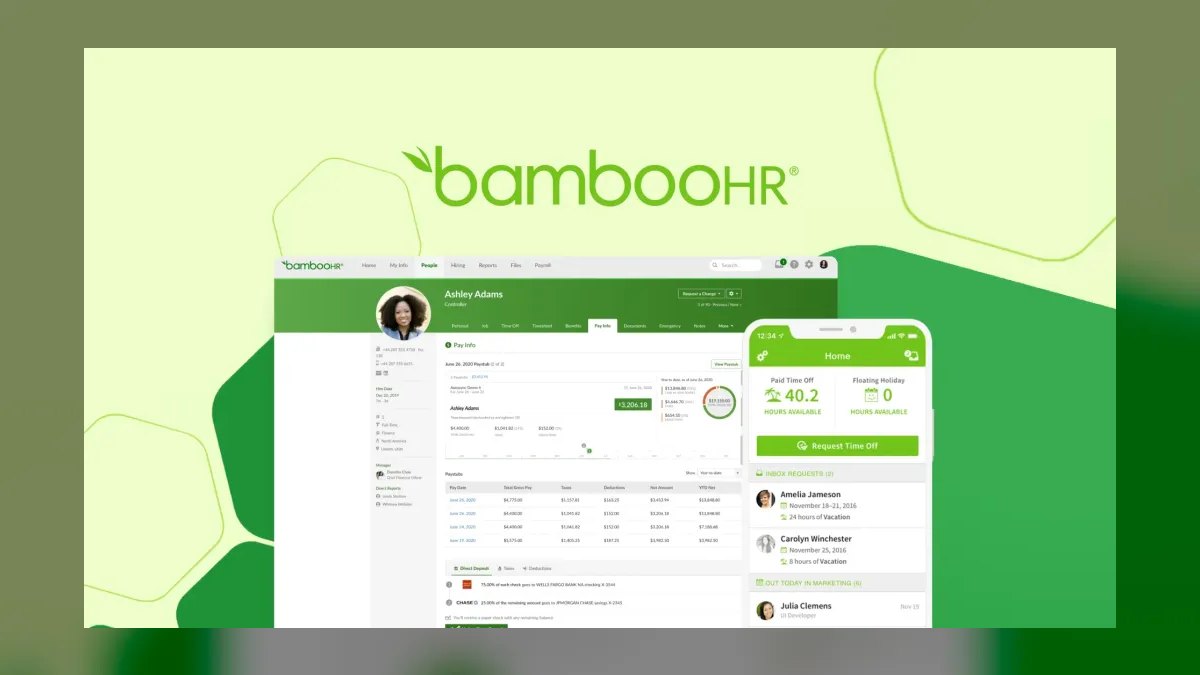
BambooHR ranks first because it is the best generalist HRIS for teams of 20–200 that have outgrown spreadsheets. Core HR starts around $6.50 per user monthly, with the full performance suite near $10 per user. Its self-service portal measurably cuts admin work, centralizing employee records, PTO, and reporting in one clean interface. It fits teams that want strong people-management without a steep learning curve.
BambooHR trades away native payroll, which routes through an integration partner and adds a hidden line item. Compared to Gusto, it is weaker for micro-teams of 2–25 but stronger as headcount grows past 50. It suits companies prioritizing culture, performance reviews, and clean records over payroll automation. Teams needing payroll-first simplicity should look at Gusto instead.
2Gusto

Gusto ranks second because it is the payroll-first platform for micro-teams of 2–25, with the fastest onboarding flow in the category. Its entry plan costs roughly $40 per month plus $6 per user, scaling to $80 plus $12 for the concierge tier. It automates federal, state, and local tax filings, W-2s, and 1099 contractor payments reliably. For a 10-person team, the predictable base-plus-seat model makes budgeting simple.
Gusto trades away deep performance management and reporting, which are thin compared to BambooHR. It is ideal for startups that need payroll accuracy and compliance alerts without HRIS complexity. Unlike BambooHR, it lacks a robust employee-record hub for larger teams. Teams expecting to scale past 25 employees will likely outgrow its HR features within a year.
3Rippling

Rippling ranks third because it bundles HR, IT, and finance into one workflow, letting a 50-person startup onboard a hire, provision a laptop, and enroll benefits simultaneously. Core HR starts near $8 per user monthly, with IT management adding another $8 per user. The per-user rate stays flat up to about 500 employees, making scaling predictable. It handles global payroll in 50+ countries cleanly.
Rippling trades away simplicity for power—costs climb as you stack modules, and setup is more complex than Gusto or BambooHR. It suits tech-forward startups that want unified device and HR management. Compared to Gusto, it is overkill for micro-teams but far more scalable. Teams needing only payroll should choose Gusto; teams wanting IT integration should pick Rippling.
4Zoho People

Zoho People ranks fourth because it is the budget HRIS leader, with basic plans near $2 per user monthly and a professional tier around $3. It covers time tracking, leave, appraisals, and self-service at the lowest price point on this list. For teams already inside the Zoho ecosystem, integration is seamless and cost-effective. The value proposition is unmatched for very small teams with tight budgets.
Zoho People trades away a modern interface—it feels dated compared to BambooHR or Gusto. US payroll requires the separate Zoho Payroll product, adding complexity. It suits cost-conscious teams under 50 employees that prioritize function over polish. Compared to Freshteam, it offers more depth in workflows and approvals, making it a better long-term budget choice.
5Deel

Deel ranks fifth because it solves global hiring for contractors and EOR employees across 150+ countries, with payroll in 120+ currencies. Contractor payments are free with a 2% per-transaction fee, while EOR employees cost roughly $599 per month each. It handles local compliance and multi-currency payroll without requiring local legal entities. For distributed teams, it is the most comprehensive global solution available.
Deel trades away domestic HRIS functionality—it is not a replacement for BambooHR or Rippling for US-based staff. Teams with heavy US presence must pair it with a domestic tool, adding cost and complexity. It suits remote-first startups with employees in multiple countries. Compared to Personio, it is better globally but worse for European domestic compliance.
6Personio
Personio ranks sixth because it is the European specialist for teams in Germany, Austria, or Switzerland, with GDPR-compliant records and works-council workflows. Essential plans start around €4 per user monthly, with the full suite near €8. It natively handles German tax and social-security requirements, which US-based tools cannot match. For DACH-region companies, it is the most compliant choice available.
Personio trades away US functionality, which is limited and not its focus. It suits European teams that need native language support and local compliance over global reach. Compared to Deel, it is weaker for international hiring but stronger for domestic European payroll. Teams outside DACH should consider BambooHR or Rippling for broader features.
7Justworks
Justworks ranks seventh because it is a PEO that gives small teams Fortune-500-grade benefits and compliance without the administrative load. It runs about $59 per user monthly plus benefits pass-through costs, making it the most expensive per-seat option. The price buys benefits buying-power, compliance offload, and regulated-industry support. For teams needing E-Verify or ACA handling, it is a turnkey solution.
Justworks trades away software features—it is not a full HRIS like BambooHR, and performance management is minimal. It suits regulated industries like healthcare or finance that need PEO-grade compliance. Compared to Rippling, it is costlier per seat but simpler to implement. Teams under 20 with complex benefits needs will find the premium justified.
8Freshteam
Freshteam ranks eighth because it offers a genuinely usable free tier for very small teams, with paid growth plans starting near $1.20 per user monthly. It is a lean HRIS with applicant tracking, time-off management, and employee self-service in one package. The free tier is viable for teams up to a handful of employees without hidden costs. It is the most accessible entry point for startups with zero budget.
Freshteam trades away advanced features like deep performance management and full payroll integration. It suits very small teams that need basic HR records and recruiting without paying. Compared to Zoho People, it is simpler but less customizable, with fewer workflow options. Teams expecting rapid growth will outgrow it within a year and should budget for a move to BambooHR or Gusto.
9Rippling IT
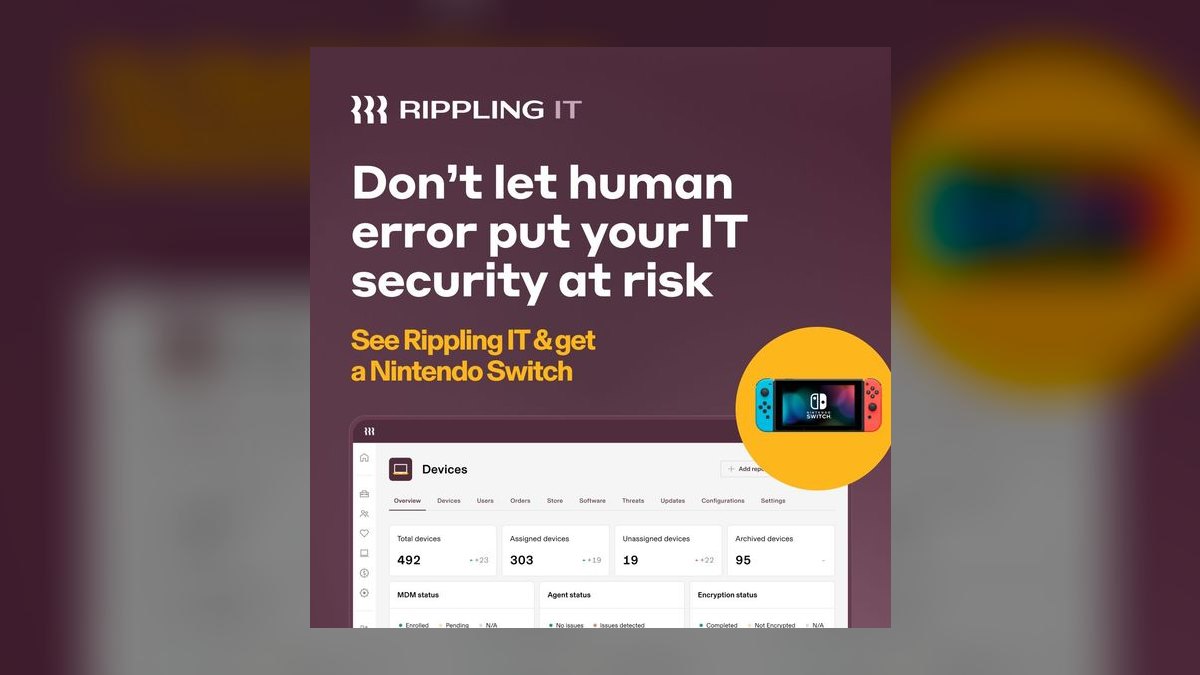
Rippling IT ranks ninth as a standalone module because it solves device management and app provisioning for small teams that already use Rippling core. It costs around $8 per user monthly on top of core HR, enabling laptop provisioning, Slack setup, and benefits enrollment in one workflow. For a 50-person startup, it eliminates manual IT onboarding tasks. It is the only HR-adjacent tool on this list that directly handles hardware.
Rippling IT trades away standalone value—it requires the core Rippling HR module to function. It suits tech teams that want unified HR and IT management without separate tools. Compared to Freshteam, it is far more powerful but significantly costlier. Teams not already using Rippling should skip this and choose a simpler HRIS.
10Zoho Payroll
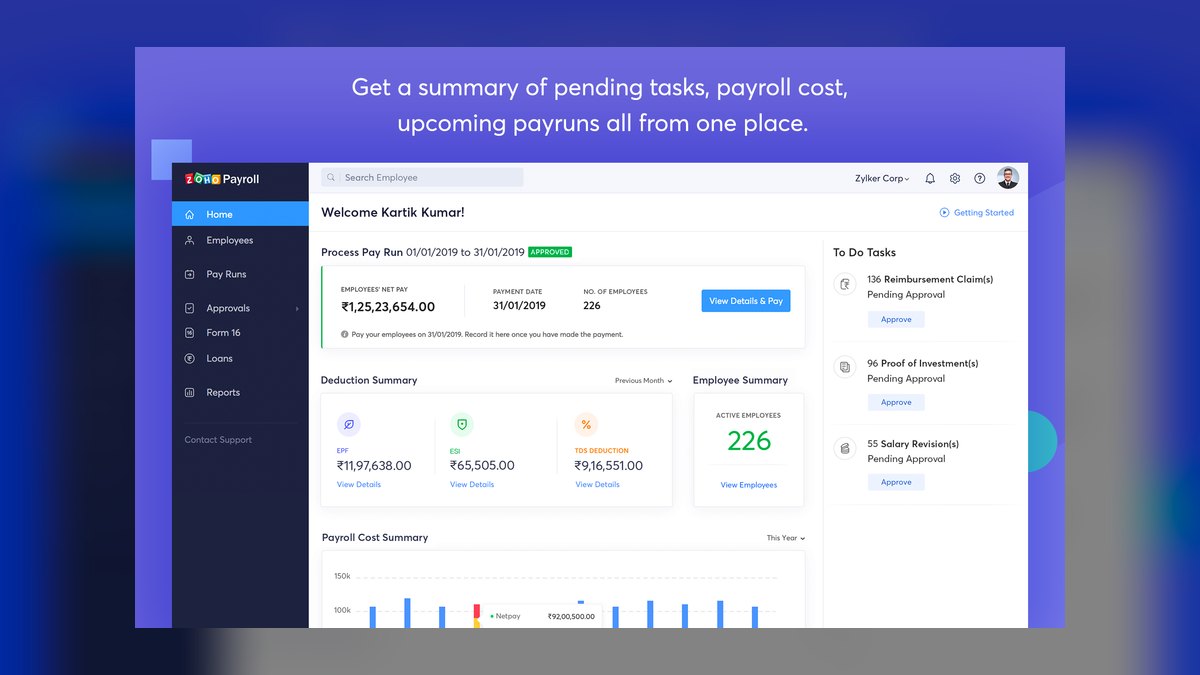
Zoho Payroll ranks tenth because it is the necessary complement to Zoho People for US-based teams, enabling native payroll processing. It integrates directly with Zoho People, avoiding CSV exports and double-entry work. Pricing is not publicly listed but is competitive within the Zoho ecosystem, typically under $5 per user monthly. It automates federal, state, and local tax filings for small teams.
Zoho Payroll trades away standalone usability—it is only valuable when paired with Zoho People, limiting its appeal. It suits budget-conscious US teams already committed to Zoho HR tools. Compared to Gusto, it lacks the polish and concierge support but costs less. Teams not using Zoho People should choose Gusto for payroll-first simplicity.
How we ranked these
We measured eight platforms across pricing per employee, payroll integration depth, onboarding speed, employee self-service quality, compliance coverage, and scalability from 2 to 200 people. Pricing and feature claims were weighted against total cost of ownership, including hidden fees for exports, modules, and support tiers. Implementation time and employee adoption friction were also scored.
We deliberately ignored vendor marketing claims, generic feature checklists, and free-tier promises without auditing data-portability traps. We excluded platforms lacking transparent pricing or verifiable user reviews. We did not weigh aesthetics or brand recognition, focusing instead on operational realities like payroll sync reliability and whether employees actually use the portal.
What to look for
What matters is matching the platform to your geographic footprint and your single biggest pain point. If your team is US-only and under 25, Gusto’s payroll-first design beats a generalist HRIS. If you hire globally, Deel is non-negotiable. For 20-200 employees needing performance management, BambooHR’s clean interface wins. Budget per employee first—under $3 forces Zoho or Freshteam; above $12 means you’re buying compliance offload.
The mistake most buyers make is obsessing over admin features while ignoring employee experience. The top reason small teams switch is clunky onboarding or a review tool that feels punitive. Another error is assuming payroll integration works—always ask for a live demo and confirm you keep your data if you switch providers. Test the portal with three real employees before committing.
Related questions
Do I need separate software for HR, IT, and finance?
Not necessarily. Rippling deliberately bundles all three, letting a small team onboard a hire, provision devices, and enroll benefits in one workflow. The trade-off is cost that grows as you add modules, so weigh unification against a best-of-breed stack for your specific pain points.
Can budget HR software actually handle compliance?
Yes, within limits. Zoho People and Freshteam cover core records, leave, and appraisals cheaply, and Gusto automates tax filings well. But deep compliance—PEO-grade benefits, multi-country payroll, or E-Verify and ACA—usually requires stepping up to Justworks, Deel, or a fuller tier.
Is free HR software a real option for small teams?
For very small teams it can work—Freshteam and some Zoho tiers offer genuine free plans. Just audit the hidden costs first: export fees, sudden per-seat charges past a headcount threshold, and slow support. Free is viable if one-click data export is guaranteed.
What if my team is spread across multiple countries?
Use Deel for contractors and EOR employees so you avoid setting up local legal entities in every country. It handles local compliance and multi-currency payroll, but it is not a domestic HRIS—pair it with BambooHR or Rippling for your US-based staff.
How do I choose between BambooHR and Gusto?
Pick Gusto if you have 2-25 employees and payroll is your top priority—it automates tax filings and onboarding faster than anyone. Pick BambooHR if you have 20-200 employees and need robust performance management and reporting, accepting that payroll lives in an add-on.
Is Rippling worth the cost for a 50-person startup?
Yes, if you value unified HR, IT, and finance workflows—onboarding a hire with laptop and Slack in one go saves hours. But costs climb as you stack modules, so calculate total per-employee cost. For simple needs, a cheaper HRIS plus separate tools may suffice.
What is the cheapest HR software with payroll?
Gusto starts around $40/month plus $6/user, making it affordable for micro-teams. Zoho People is cheaper as an HRIS but requires Zoho Payroll separately. Freshteam’s free tier lacks payroll, so factor in integration costs. Always compare total cost, not just base price.
FAQ
What is the best HR software for a small team in 2027?
There is no single best—it depends on team size, budget, and must-have features. For teams under 20, BambooHR or Gusto often fit well; mid-sized teams may prefer Rippling or a PEO like Justworks. Match the tool to your specific payroll, compliance, and culture needs rather than a generic ranking.
How much does HR software for small teams typically cost?
Expect $4–$15 per employee per month for a solid core plan, with advanced modules like performance management or global payroll adding more per person. Many vendors use base-plus-seat pricing, so ask specifically about setup fees, integration surcharges, and annual discounts before committing.
Can I use free HR software for my small team?
Yes—Freshteam and some Zoho People tiers offer free plans for very small teams, typically up to a handful of employees. They usually lack full payroll integration and advanced compliance, so growing teams generally move to a paid, more scalable plan within a year.
How long does it take to implement HR software for a small team?
Usually 1–4 weeks. A basic setup with simple employee data can go live in days, while custom workflows, multi-state compliance, or a payroll switchover takes longer. Sequence payroll migration first and run a parallel cycle before going fully live.
What features should I prioritize for a small team?
Focus on payroll accuracy, time-off tracking, and fast onboarding—they save the most time. Mobile self-service and a strong employee portal drive adoption on remote or hybrid teams. Avoid overbuying; add performance and reporting modules later as the team grows.
Is it worth switching HR software if my team is under 10 people?
Often yes, if your current tool is clunky or missing key integrations. Small teams frequently outgrow free or basic systems within a year, and switching early prevents compounding headaches. Just confirm data-migration support and cancellation terms before you move.
What is a PEO and do I need one?
A PEO like Justworks co-employs your staff, giving you access to Fortune-500-grade benefits and compliance support. It costs about $59/user/month plus benefits pass-through. You need one if you’re in a regulated industry or want to offload HR liability without hiring a dedicated HR person.
How do I avoid payroll integration gaps?
Before buying, ask for a five-minute demo of the actual integration. Ask bluntly: 'If I switch payroll providers next year, do I keep all my HR data?' If the answer isn’t an unqualified yes, walk away. Also verify it syncs via live API, not CSV exports.
What hidden costs should I watch for in HR software?
Watch for data-portability traps where exporting records incurs fees, silent per-employee fees that trigger past a headcount threshold, and slow support queues. Also budget for integration surcharges and add-on modules. Always calculate total cost of ownership, not just the base plan sticker price.
Sources
- https://www.g2.com/categories/core-hr
- https://www.capterra.com/hr-software/
- https://www.shrm.org/topics-tools/tools/hr-technology
- https://www.pcmag.com/picks/the-best-hr-software
- https://www.forbes.com/advisor/business/software/best-hr-software/
- https://www.techradar.com/best/best-hr-software
Related on PULSE
This page will be disappearing soon. Save it to your device for $1 — or read it free while it is here.
@Kory-White- · if Venmo asks, the last 4 of my number are 2012
This page is gone.
This one is off the shelf now. $1 keeps it on your phone for good — the whole page, pictures and diagrams included.
 softwareShould I add HubSpot's Sales Hub sequences once I'm sending more than 500 manual follow-up emails a month in 2027?
 softwareTop 10 ways to discover HubSpot CRM user communities in 2027
 softwareHow does Slack’s canvas feature compare to Microsoft Teams’ wiki for documentation sharing in 2026?
 softwareTop 10 marketplaces to find HubSpot CRM apps and integrations in 2027
 softwareHow to set up a custom lead routing rule in HubSpot CRM in 2027?
 softwareTop 10 live chat software for websites in 2027
 softwareHow to set up email sequences in HubSpot CRM for automated follow-ups in 2027?
 softwareHow to set up multi-touch attribution in Google Analytics 4 in 2026?
 softwareTop 10 AI tools for content creation in 2027
 softwareTop 10 ways to choose a HubSpot CRM consultant in 2027