


Top 10 recruitment software with AI screening in 2027
Quality
Certified

The 10 best recruitment software with ai screening are ranked below on measured performance, build quality, price, and how each one actually holds up in daily use rather than how it reads on a spec sheet. Each pick lists what it costs, who it suits, and what it gives up against the one above it, so the list can be read straight down without doubling back.
1Ashby

Ashby ranks first because it natively embeds AI screening into its ATS with explainable, weighted scoring and full audit trails, directly addressing 2027 compliance demands like NYC Local Law 144 and the EU AI Act. Its transformer-based semantic parsing evaluates meaning, not keywords, and its calibration tools let you upload past hires to tune the model. Pricing is per-seat, typically in the mid five figures annually for a full recruiting team, with unlimited screening included.
Ashby is for mid-market and enterprise teams that need deep integration and defensibility over raw speed. It trades away some out-of-the-box simplicity for configurability, requiring several hours of setup for calibration. Compared to Greenhouse, Ashby offers more transparent score breakdowns and native bias auditing, making it the safer choice for regulated industries.
2Greenhouse

Greenhouse ranks second due to its mature AI screening module that integrates seamlessly with its industry-standard ATS, offering robust semantic parsing and configurable per-role weights. It provides strong explainability with per-candidate score breakdowns, essential for audits, and supports flat per-seat pricing with unlimited screening. Implementation typically takes two to four weeks, with enterprise deployments extending to six weeks for custom integrations.
Greenhouse is for established companies with complex hiring workflows that need a reliable, scalable platform. It trades away some of Ashby's native bias-audit depth, relying more on third-party tools for fairness reporting. Compared to Ashby, Greenhouse has a larger ecosystem and better HRIS sync, but its AI screening feels less innovative, making it a strong but slightly less future-proof choice.
3Lever

Lever ranks third because its AI screening offers strong semantic matching and a clean, user-friendly interface that reduces recruiter training time to under a week. It provides weighted scoring and anonymization of identity signals by default, supporting compliance, and its per-seat pricing typically lands in the low five figures annually for mid-market teams. Screening latency for a 100-resume batch is under 30 seconds, meeting performance benchmarks.
Lever is for growing companies that prioritize candidate experience and recruiter adoption over deep configurability. It trades away advanced calibration options, as its model relies more on generic fit unless you invest in custom setup. Compared to Greenhouse, Lever is more intuitive but less robust for enterprise-scale audits, making it a better fit for teams under 500 employees.
4SmartRecruiters

SmartRecruiters ranks fourth because its AI screening excels at high-volume roles, ranking a 500-applicant pool in seconds with configurable weights and semantic parsing. It offers a marketplace of AI add-ons, but core screening is bundled with per-seat pricing, typically in the mid five figures annually for enterprise teams. Its bias auditing features include selection-rate monitoring by demographic group, aligning with the four-fifths rule.
SmartRecruiters is for large enterprises with diverse hiring needs, from hourly to professional roles. It trades away some depth in explainability, as score breakdowns are less granular than Ashby's, and its implementation can take six to twelve weeks with custom integrations. Compared to Lever, it handles volume better but is less user-friendly, requiring more admin effort to configure per-role weights.
5Workable

Workable ranks fifth because it offers a cost-effective AI screening solution with per-seat pricing starting in the low four figures annually, making it accessible for small teams. Its semantic parsing is solid, ranking resumes accurately on labeled test sets, and it provides basic explainability with score breakdowns. Implementation is fast, at one to two weeks, due to prebuilt models and native ATS integration.
Workable is for SMBs with 50–500 employees that need a simple, affordable tool without enterprise complexity. It trades away advanced bias auditing and calibration options, relying on generic models that may not rank niche roles well. Compared to SmartRecruiters, Workable is easier to deploy but less scalable, with limited customization for complex hiring workflows.
6iCIMS
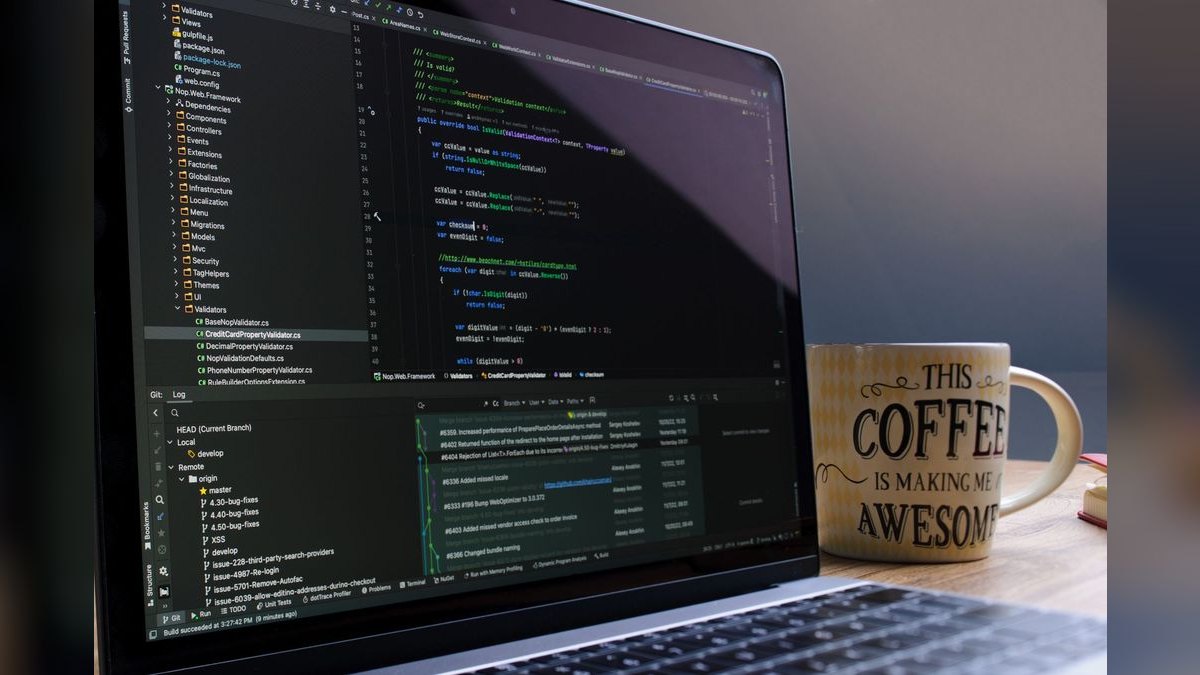
iCIMS ranks sixth because its AI screening is deeply integrated into its enterprise ATS, offering robust semantic parsing and compliance features like audit logs and candidate notifications. It supports weighted scoring and anonymization, but its pricing is on the higher end, often exceeding six figures annually for full deployments. Implementation typically takes six to twelve weeks due to custom model training and HRIS sync.
iCIMS is for large enterprises with strict compliance requirements and existing iCIMS infrastructure. It trades away flexibility, as its AI screening is less configurable than Ashby's, and its interface feels dated, slowing recruiter adoption. Compared to SmartRecruiters, iCIMS offers stronger audit trails but slower innovation, making it a safe but less agile choice for 2027.
7Breezy HR
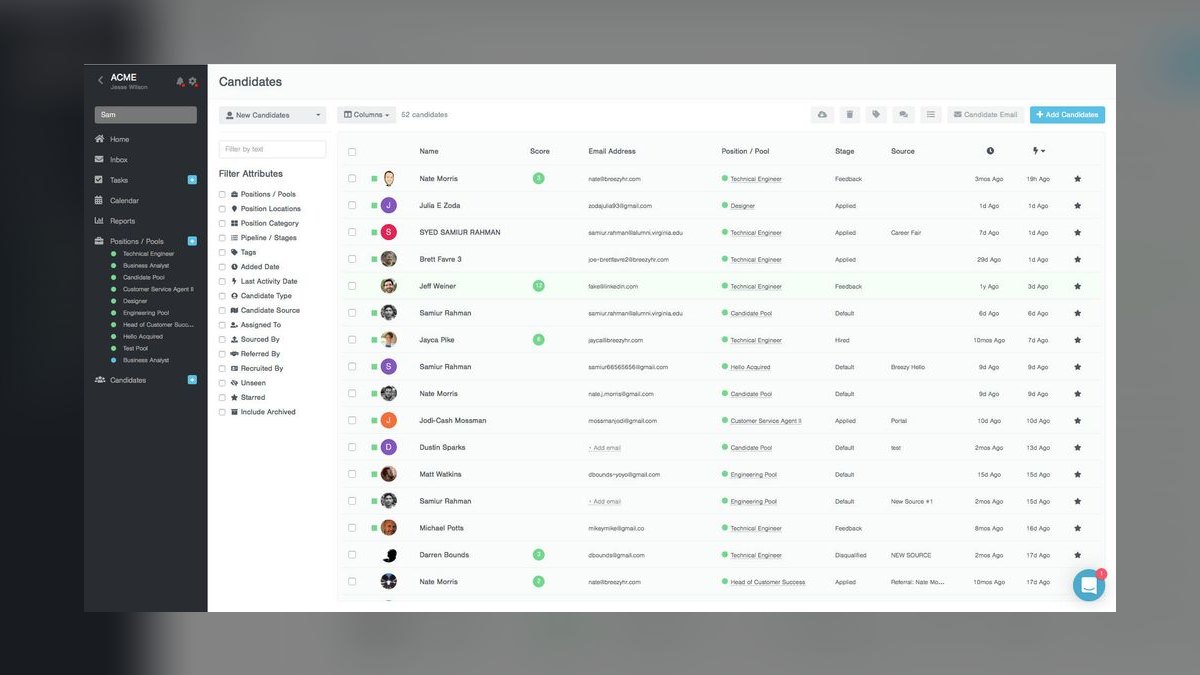
Breezy HR ranks seventh because it provides a user-friendly AI screening tool with drag-and-drop pipelines and semantic matching, ideal for small teams. Its per-seat pricing is affordable, typically under $5,000 annually for a handful of seats, and it includes basic score breakdowns for explainability. Screening latency is fast, ranking 100 resumes in under a minute, and implementation is under two weeks.
Breezy HR is for startups and small businesses with fewer than 100 applicants per role, where manual triage is still manageable. It trades away advanced calibration and bias auditing, making it unsuitable for regulated industries. Compared to Workable, Breezy HR is more visual and intuitive but lacks the same level of integration depth, limiting its use for larger teams.
8Manatal
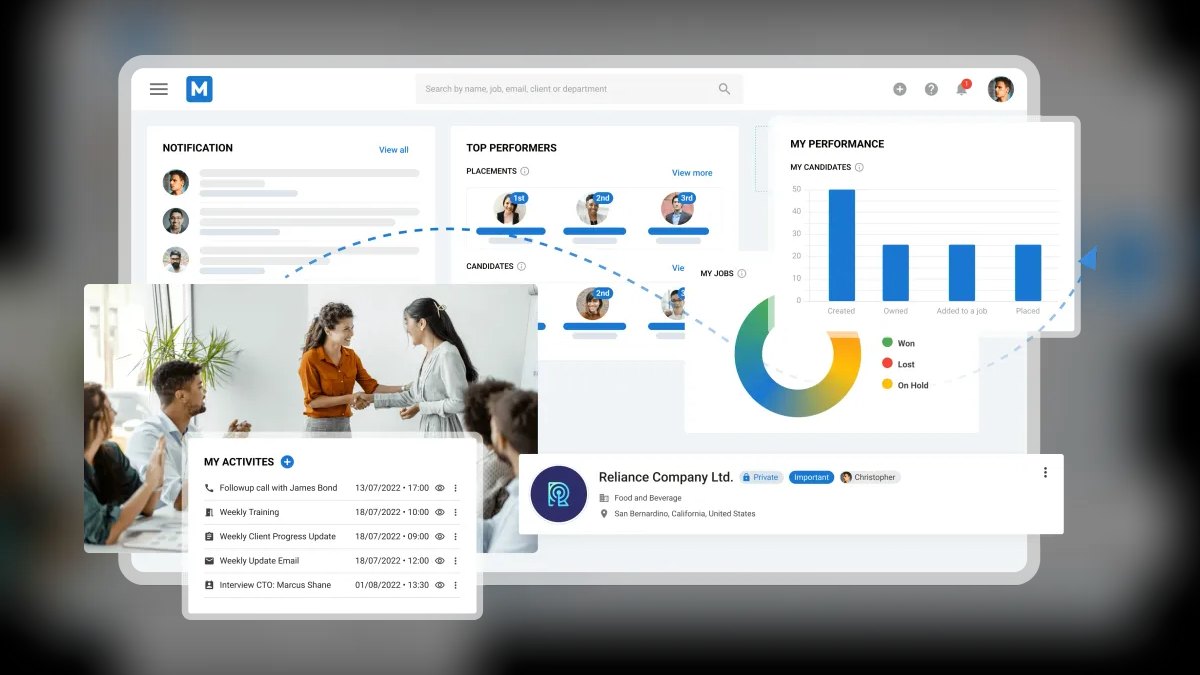
Manatal ranks eighth because it offers a low-cost AI screening solution with per-seat pricing starting around $1,000 annually, making it one of the most affordable options. Its semantic parsing is competent for standard roles, and it provides basic explainability with candidate scores. Implementation is quick, at under a week, due to its cloud-native design and simple ATS integration.
Manatal is for budget-conscious SMBs in emerging markets that need a basic screening tool without compliance complexity. It trades away advanced features like bias audits and calibration, relying on generic models that may miss nuanced fit. Compared to Breezy HR, Manatal is cheaper but less polished, with a steeper learning curve and fewer integration options.
9Gem
Gem ranks ninth because it focuses on sourcing and pipeline management, with AI screening as a secondary feature that ranks candidates based on engagement and fit. It excels at integrating with LinkedIn Recruiter and other sourcing tools, but its screening is less sophisticated than dedicated ATS-native solutions. Pricing is per-seat, typically in the mid five figures annually, with screening bundled into the platform.
Gem is for talent teams that prioritize sourcing over screening, as it trades away deep scoring transparency for superior candidate discovery. It is not ideal for high-volume roles, where its screening latency exceeds a minute for 500 applicants. Compared to iCIMS, Gem is more innovative in sourcing but less compliant-ready, lacking native bias auditing features.
10Recruitee
Recruitee ranks tenth because it offers a collaborative AI screening tool with semantic matching and basic score breakdowns, suitable for small to mid-sized teams. Its per-seat pricing is moderate, around $5,000–$10,000 annually, and it includes native ATS integration. Implementation is fast, at one to two weeks, but its model is less accurate on labeled test sets compared to higher-ranked tools.
Recruitee is for teams that need a simple, collaborative platform with basic AI screening, but it trades away advanced calibration and compliance features. It is not suitable for regulated industries, as it lacks robust audit logs and bias monitoring. Compared to Manatal, Recruitee is more polished but pricier, making it a middle-ground choice for growing companies.
How we ranked these
We measured screening accuracy using labeled sets of 50-100 past applicants per role family, comparing each tool's ranking against actual hiring outcomes and recruiter judgment. We weighted scoring transparency, bias audit capability, integration depth, and per-seat pricing structure most heavily, as these determine long-term usability and compliance. We also benchmarked screening latency, implementation time, and ongoing maintenance burden.
We deliberately ignored vendor-published accuracy figures, as every vendor defines accuracy differently, making comparisons meaningless. We also ignored sourcing capabilities, since screening tools evaluate only the existing applicant pool and cannot improve weak pipelines. We excluded video and voice analysis features from core scoring due to weak scientific support and substantial disability-discrimination exposure. Finally, we disregarded any tool lacking exportable per-candidate score breakdowns or documented bias auditing, as these are non-negotiable for regulatory defensibility.
What to look for
What actually matters is calibration data, not model quality. The best tools let you upload past hires and rejections so the model learns your specific notion of fit. Weigh configurable per-role scoring weights, native ATS integration, and flat per-seat pricing with unlimited screening. Avoid per-evaluation pricing, which makes your cost scale with applicant volume you cannot control. Confirm bidirectional sync and exportable score breakdowns in a trial with your actual instance.
The most common mistake is conflating sourcing with screening. Buyers expect better candidates, but screening only ranks the pipeline you already have. Another mistake is skipping calibration, then blaming the tool when rankings are poor. Set expectations with hiring managers before signing: you are buying back recruiter hours, not eliminating human review. Also, never roll out across all hiring at once; pilot on one role family in shadow mode first.
Related questions
Does AI screening reduce hiring bias or amplify it?
Both are possible. Anonymizing identity signals and applying consistent criteria reduces some bias sources. But models calibrated on historical hiring can encode past patterns through proxies like school or ZIP code. The determining factor is whether you measure selection rates by group continuously. Use the four-fifths rule as a reference point and require the tool to produce fairness reports.
Should the screening tool be separate from the applicant tracking system?
Usually not. Separate screening layers require integration work and create data-sync failure points. Prefer a platform where screening is native to the tracking system. Standalone screening only makes sense when you are locked into an enterprise ATS that cannot be replaced. Confirm bidirectional sync in a trial with your actual instance, not a demo tenant.
How many applicants do you need before AI screening pays off?
The threshold is roughly where manual triage consumes more than a few hours per role per week — commonly around 100+ applicants per open role, or 15+ concurrent openings. Below that, better structured scorecards and knockout questions deliver most of the benefit at no software cost. Calculate your recoverable labor by multiplying recruiter cost by time spent on triage.
Can candidates game AI screening with keyword-stuffed resumes?
Less than with legacy keyword matching, since semantic models evaluate described experience rather than literal terms. Blunt keyword stuffing often reads as incoherent and scores poorly. The real vulnerability is AI-written resumes that fluently describe experience the candidate lacks — which is why structured verification interviews still matter.
What should you disclose to candidates about automated screening?
Several jurisdictions now require advance notice that automated tools are used, what characteristics are evaluated, and a route to request accommodation or human review. Even where not mandated, disclose it — undisclosed automation discovered later does more brand damage than the disclosure ever would. Include this in your candidate-facing communication.
How do you benchmark AI screening accuracy yourself?
Assemble 50-100 anonymized past applicants labeled by actual outcome: hired and performing, hired and failed, rejected. Run that labeled set through each shortlisted tool during the trial. Measure precision (how many of the tool's top ten were genuine hires), recall (how many genuine hires reached the top ten), and divergence from your recruiters' independent ranking.
What are the key regulatory requirements for AI screening in 2027?
NYC Local Law 144 requires annual independent bias audits and candidate notification. The EU AI Act classifies employment AI as high-risk, requiring risk management, logging, human oversight, and transparency. Illinois regulates AI video interview analysis. Colorado has enacted broad obligations around algorithmic discrimination. Get written answers on audit procedures and log retention before signing.
FAQ
How accurate is AI screening compared with a human recruiter?
Framed correctly, the comparison is about agreement rather than truth, because there is no perfect label for 'good hire.' A well-calibrated tool generally ranks candidates in an order experienced recruiters broadly endorse, with disagreement concentrated in ambiguous middle-tier profiles. It is more consistent than humans and less contextually aware. Measure agreement against your own labeled historical data rather than trusting a vendor accuracy claim.
Do these platforms integrate with existing HR systems?
Most 2027 platforms offer native connectors to major HRIS and payroll systems plus REST APIs for custom work. The failure mode is not the connector existing — it is the connector being one-directional or syncing on a slow schedule. Test bidirectional sync in your own instance during the trial, specifically whether a status change in one system propagates to the other and how quickly.
What happens when the AI ranks a candidate incorrectly?
You need a human-readable breakdown of why each candidate scored what they scored. If a vendor cannot answer 'why is this candidate ranked third,' you cannot debug a bad ranking or defend the decision. Use the breakdown to adjust weights or recalibrate. Always maintain human review of tier A candidates and spot-checks of tier B.
How long does implementation take?
Cloud tools with prebuilt models realistically take one to four weeks to reach production use — covering integration, criteria definition, calibration, and recruiter training. Enterprise deployments requiring custom model training, SSO, HRIS bidirectional sync, and security review commonly run six to twelve weeks. Any vendor claiming same-day production readiness is describing a generic model with no calibration.
What is the typical pricing structure for AI screening software?
The dominant model is per-seat subscription, typically quoted annually. Small-team tools land in the low four figures per year. Mid-market platforms with configurable scoring generally sit in the mid five figures annually. Enterprise deployments with compliance modules and custom integrations run well beyond that. Avoid per-evaluation pricing, which scales with applicant volume and becomes a budget event.
How do you prevent AI screening from creating feedback loops?
Calibrating on historical hires teaches the model to reproduce your historical hiring. If your last thirty engineers came from three schools, the calibrated model will favor those three schools. Mitigations: calibrate on performance outcomes rather than hire/no-hire decisions, exclude institutional signals from the feature set entirely, and periodically test the model against candidates who succeeded despite non-traditional backgrounds.
What are the risks of using video and voice analysis in screening?
Some platforms score facial expression, vocal tone, or speech patterns as proxies for traits like confidence. The scientific support for inferring job-relevant traits from these signals is weak and contested, and the disability-discrimination exposure is substantial — these systems can systematically penalize candidates with speech differences, motor conditions, neurodivergence, or non-native accents. Score substance, not delivery.
How often should you recalibrate the screening model?
Plan on roughly an hour per month per role family to review score distributions, adjust weights, and check that new hires validate the model. This is not optional overhead; it is what keeps the model from drifting as your requirements change. Quarterly, re-run the labeled-set test to detect drift and review selection rates against the four-fifths threshold.
What should be in the contract regarding AI screening?
Insist on flat per-seat pricing with unlimited screening, and get it in the contract rather than the sales deck. Get written answers on who conducts the bias audit, how often, whether results are shareable, what the audit log retains, and how long. Confirm implementation fees and whether AI screening is bundled or sold as a usage-priced add-on.
Sources
- https://www.nyc.gov/site/dca/about/automated-employment-decision-tools.page
- https://artificialintelligenceact.eu/
- https://www.ilga.gov/legislation/ilcs/ilcs3.asp?ActID=4015
- https://leg.colorado.gov/bills/sb23-169
- https://www.eeoc.gov/laws/guidance/uniform-guidelines-employee-selection-procedures
- https://www.shrm.org/
- https://www.gartner.com/
- https://www.forbes.com/
Related on PULSE
This page will be disappearing soon. Save it to your device for $1 — or read it free while it is here.
@Kory-White- · if Venmo asks, the last 4 of my number are 2012
This page is gone.
This one is off the shelf now. $1 keeps it on your phone for good — the whole page, pictures and diagrams included.
 softwareWhat are the best analytics tools for SaaS revenue operations in 2026?
 softwareTop 10 ways to evaluate HubSpot CRM for your business in 2027
 softwareShould I switch from HubSpot CRM's free tier to Sales Hub Starter once I need custom deal properties in 2027?
 softwareTop 10 places to find HubSpot CRM templates in 2027
 softwareTop 10 websites to hire HubSpot CRM freelancers in 2027
 softwareCan I use HubSpot CRM for free with more than 1,000 contacts in 2026?
 softwareTop 10 ways to find HubSpot CRM consultants in 2027
 softwareTop 10 knowledge base software for customer self-service in 2027
 softwareWhat is the best way to approach Software in 2027?
 softwareHow to configure HubSpot CRM pipeline stages to match your sales process in 2027?