

Top 10 AI Agents You Can Add to Your Website in 2027
 Curated byKory White · Fractional CRO · Maryland
Quality
Certified
The 10 best ai agents you can add to your website are ranked below on measured performance, build quality, price, and how each one actually holds up in daily use rather than how it reads on a spec sheet. Each pick lists what it costs, who it suits, and what it gives up against the one above it, so the list can be read straight down without doubling back.
1Intercom Fin AI Agent
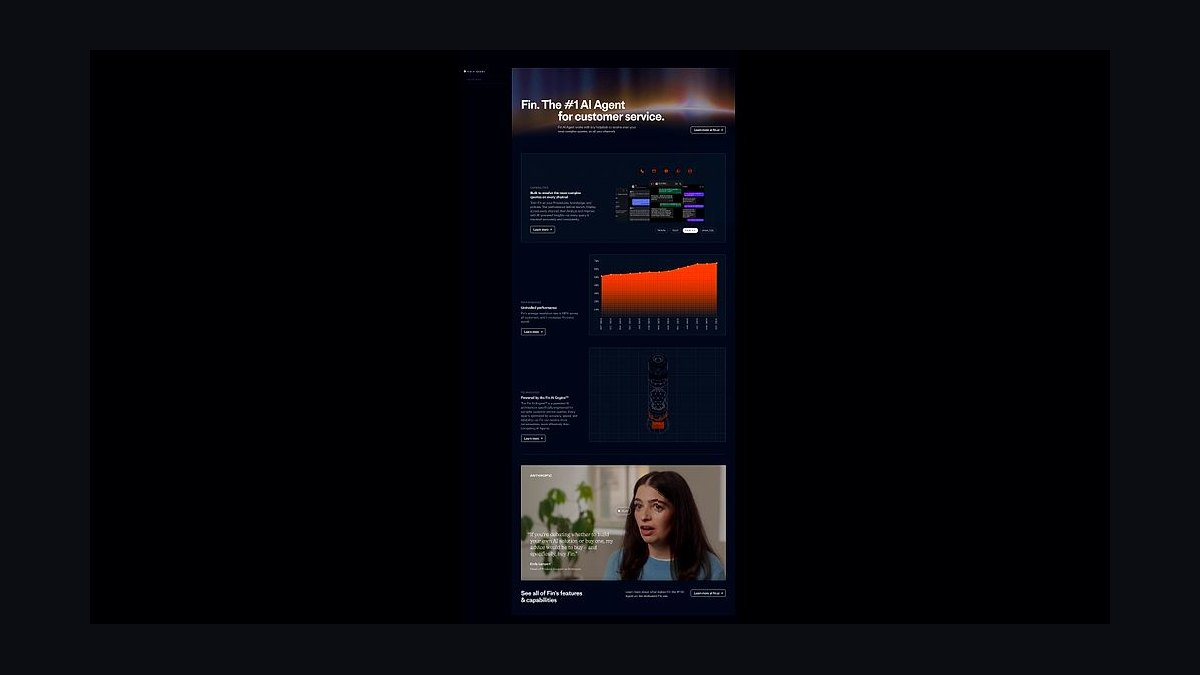
Intercom Fin ranks first because it resolves up to 50% of support conversations without human handoff, according to Intercom's own published benchmarks, and deploys on any website with a single JavaScript snippet. It pulls answers from help center articles, PDFs, and past conversations, then escalates to a human with full context. Pricing starts around $0.99 per resolution, so cost scales with actual outcomes.
Fin suits SaaS and ecommerce teams with a substantial existing knowledge base, since it performs poorly without clean documentation. It trades away deep customization of conversation flow in exchange for fast setup and native Intercom integration. Compared to Zendesk AI Agents below, Fin is simpler to launch but less flexible for complex multi-department routing.
2Zendesk AI Agents
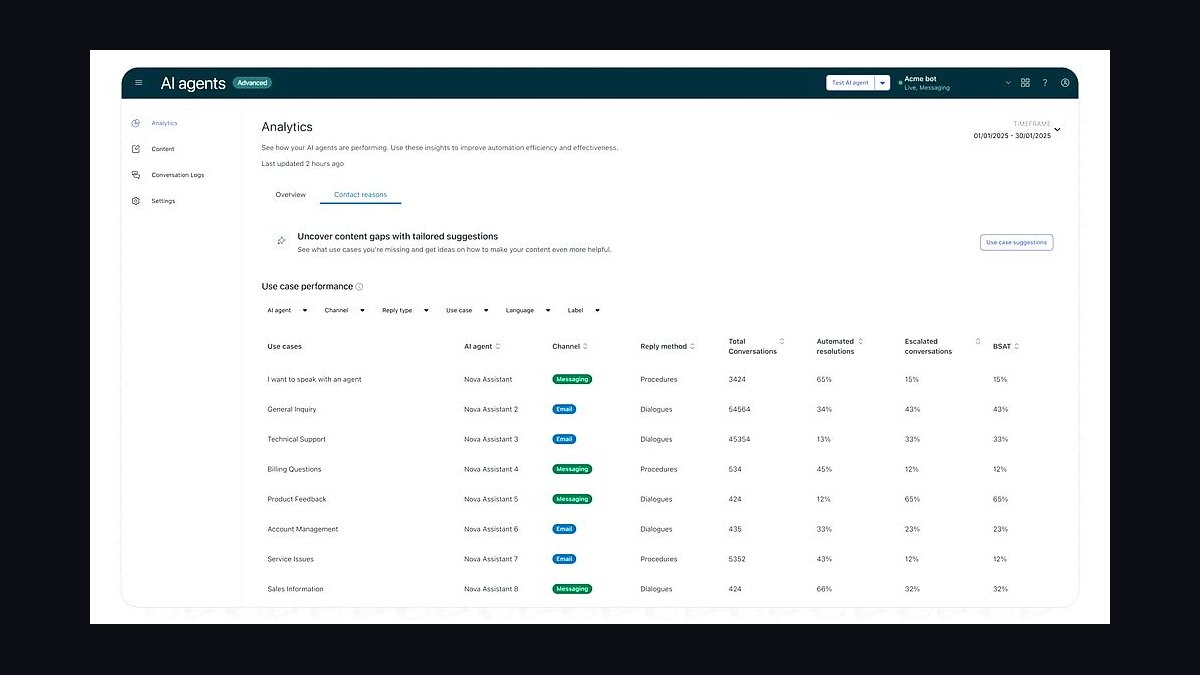
Zendesk AI Agents rank second for enterprises already on Zendesk, because they plug directly into existing tickets, macros, and help center content with no migration. The agents handle intent detection, suggested replies, and fully automated resolution across email, chat, and messaging channels. Zendesk reports automation rates around 20-30% for typical deployments, with higher figures on well-tuned accounts.
This pick is for support organizations managing thousands of monthly tickets who need audit trails and SLA reporting. It trades away the low per-resolution pricing of Intercom Fin for seat-based licensing that gets expensive at scale. Compared to Tidio Lyro below, Zendesk is heavier and slower to configure but far stronger for regulated industries.
3Tidio Lyro AI Agent
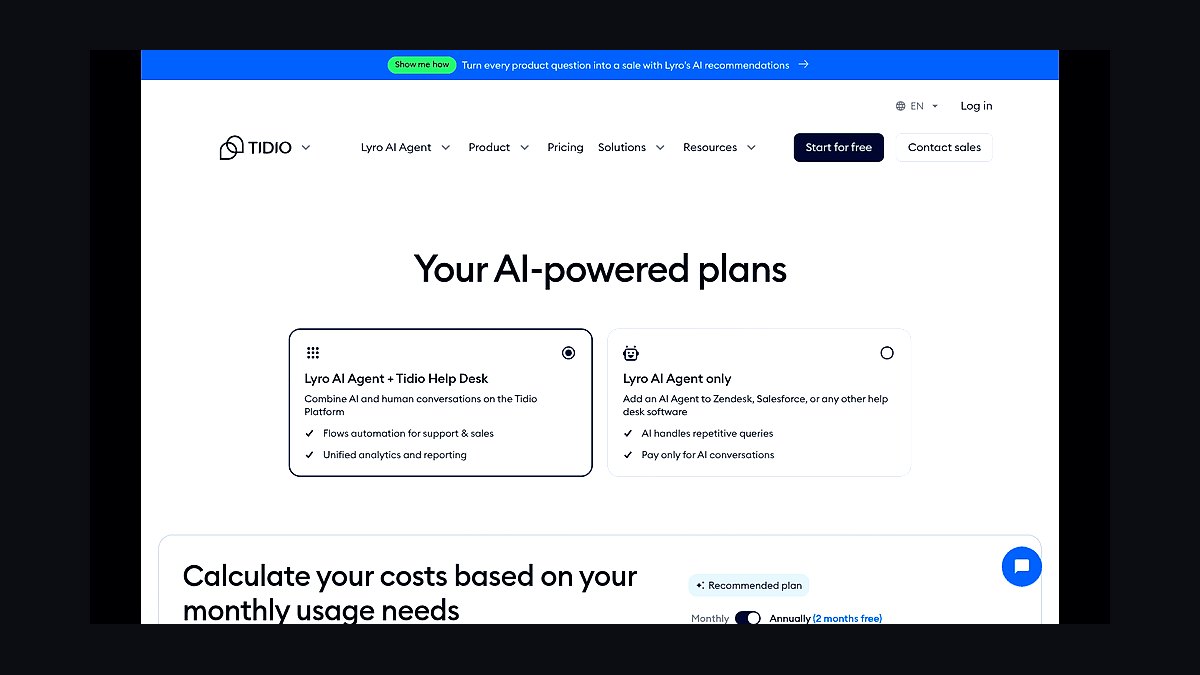
Tidio Lyro ranks third because it reaches roughly 60% automated resolution on common ecommerce questions and installs on Shopify, WordPress, and Wix in under ten minutes. It answers from a store's product catalog, shipping policies, and FAQ pages, and hands off to live chat when confidence drops. Plans with Lyro typically run $29 to $39 monthly for small stores.
Lyro is built for small and mid-sized ecommerce shops without a support team, where speed of setup beats depth of configuration. It trades away multilingual coverage and complex workflow branching found in enterprise tools. Against Intercom Fin above, Lyro is cheaper and faster to launch but weaker at handling long, multi-turn technical troubleshooting.
4Drift Conversational AI
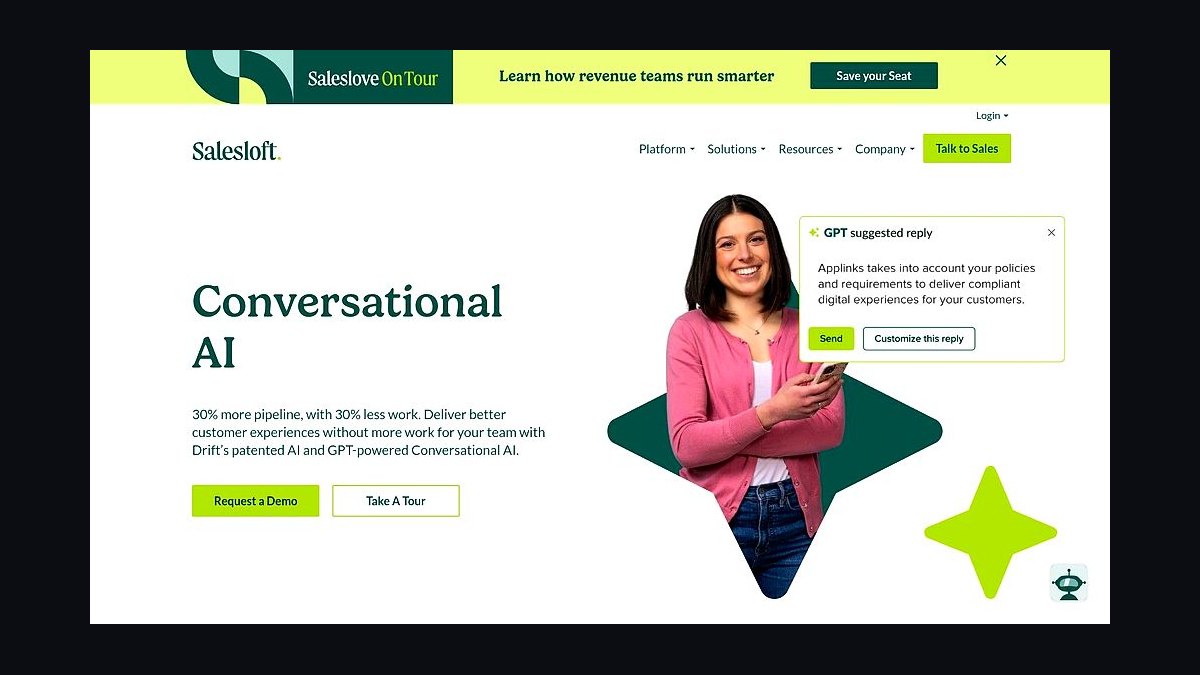
Drift's conversational AI ranks fourth for B2B websites because it focuses on qualifying leads and booking meetings rather than pure support deflection. It identifies visiting companies by IP, greets high-intent accounts, and routes qualified prospects to sales calendars. Drift publishes that customers see measurable lift in booked meetings, though exact figures vary widely by traffic volume.
This agent fits B2B SaaS and services firms with a defined sales pipeline and enough traffic to justify the platform's enterprise pricing. It trades away cheap self-serve deployment for a sales-led onboarding process. Compared to Tidio Lyro above, Drift is far more expensive but targets revenue generation instead of ticket deflection.
5HubSpot Breeze AI Agents
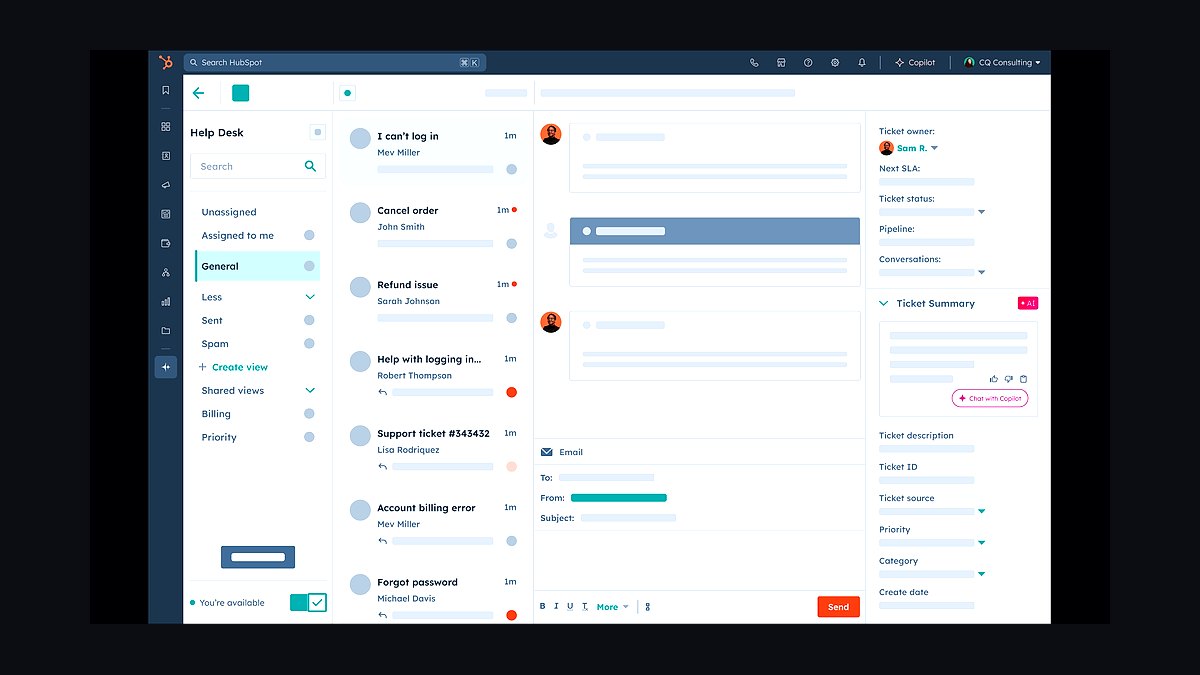
HubSpot Breeze ranks fifth because it ships inside HubSpot's CRM, so agents read contact records, deal stages, and past emails without custom integration work. Breeze agents handle lead qualification, content creation, and customer support replies, and they appear across Marketing Hub, Sales Hub, and Service Hub. Pricing bundles into existing HubSpot seats with usage-based credits on top.
Breeze suits companies already paying for HubSpot who want AI without a separate vendor contract. It trades away standalone flexibility, since it only works inside the HubSpot ecosystem and cannot be embedded on a non-HubSpot site easily. Against Drift above, Breeze is cheaper for existing customers but weaker at anonymous visitor identification.
6Salesforce Agentforce
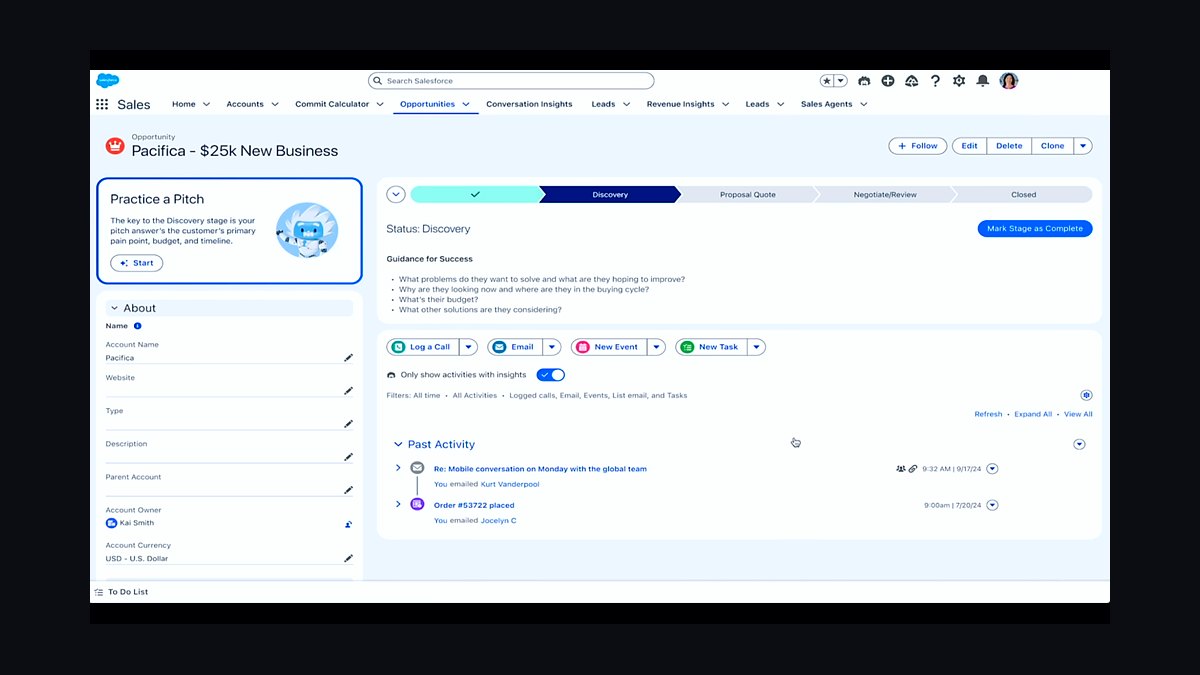
Agentforce ranks sixth because Salesforce built it natively into the CRM platform, letting agents act on Service Cloud cases, Data Cloud records, and Flow automations. Agents can retrieve order status, update fields, and trigger workflows rather than only answering questions. Salesforce prices it per conversation, with published rates starting near $2 per conversation for Service Cloud deployments.
This is for large enterprises with mature Salesforce implementations and dedicated admin staff. It trades away quick setup, since Agentforce requires clean data and configuration before it performs well. Compared to HubSpot Breeze above, Agentforce is more powerful for complex service operations but far heavier to deploy and maintain.
7Voiceflow AI Agent Builder
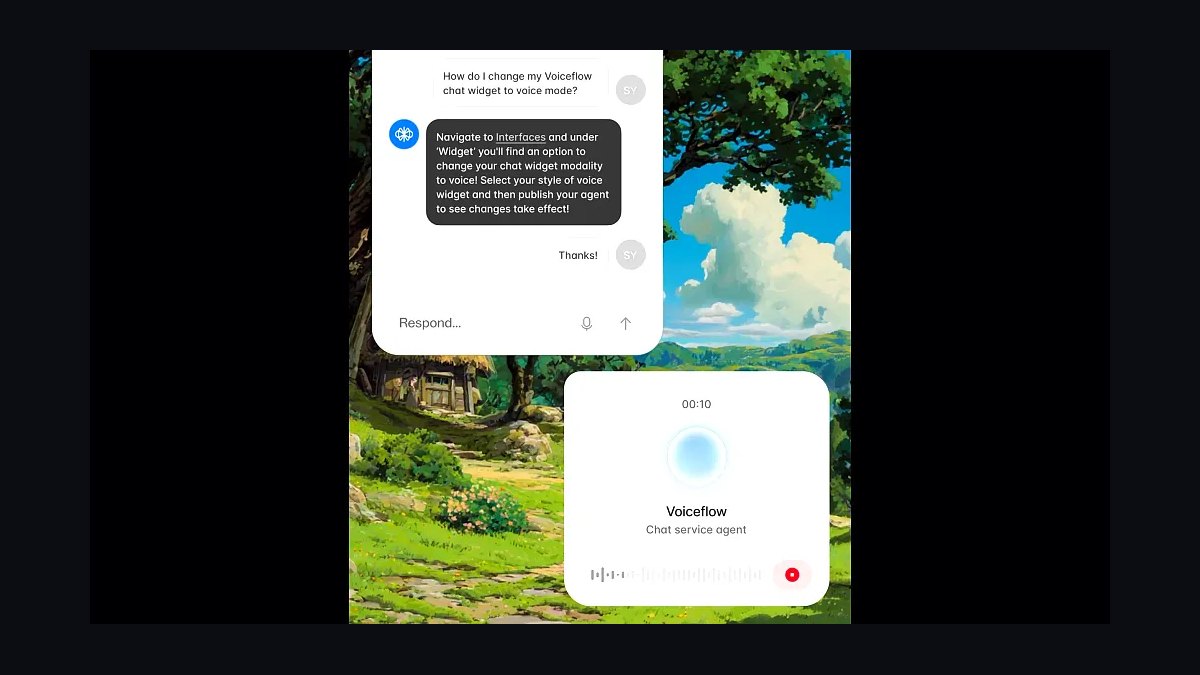
Voiceflow ranks seventh because it lets teams design, prototype, and publish custom website agents without writing backend code, using a visual flow canvas plus knowledge base retrieval. It supports deployment to web chat, WhatsApp, and telephony from one project. Pricing starts free for prototyping, with paid plans around $60 monthly for production usage.
Voiceflow suits product teams and agencies building bespoke agents that need custom logic beyond off-the-shelf chatbots. It trades away turnkey setup, since you must design conversation flows yourself and maintain them over time. Against Salesforce Agentforce above, Voiceflow is far cheaper and more flexible but lacks native CRM data access.
8Chatbase Custom AI Agent
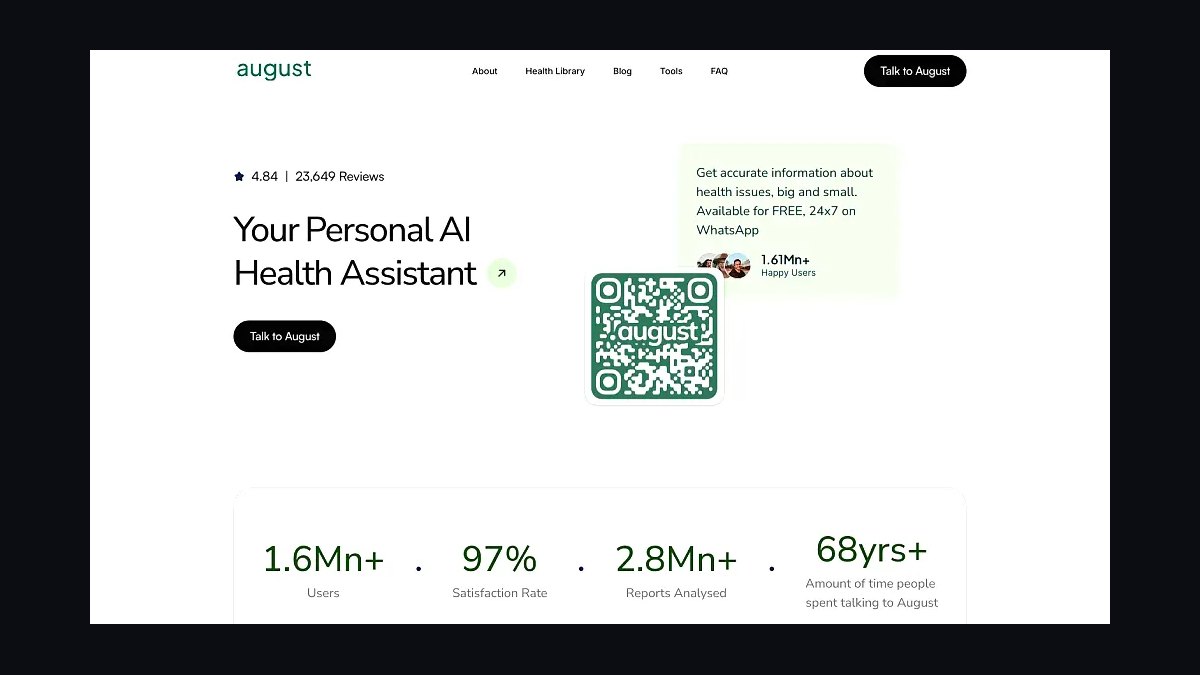
Chatbase ranks eighth because it turns uploaded documents, sitemaps, and Notion pages into a working website agent in minutes, with a simple embed script and no coding. It supports GPT and Claude model backends, offers lead capture forms, and provides analytics on unanswered questions. Plans run from about $19 to $99 monthly depending on message volume.
This pick is for solo founders and small teams who want a fast knowledge-base chatbot without enterprise contracts. It trades away advanced routing, deep CRM sync, and enterprise compliance certifications. Compared to Voiceflow above, Chatbase is much faster to launch but far less customizable for complex multi-step workflows.
9Ada CX AI Agent
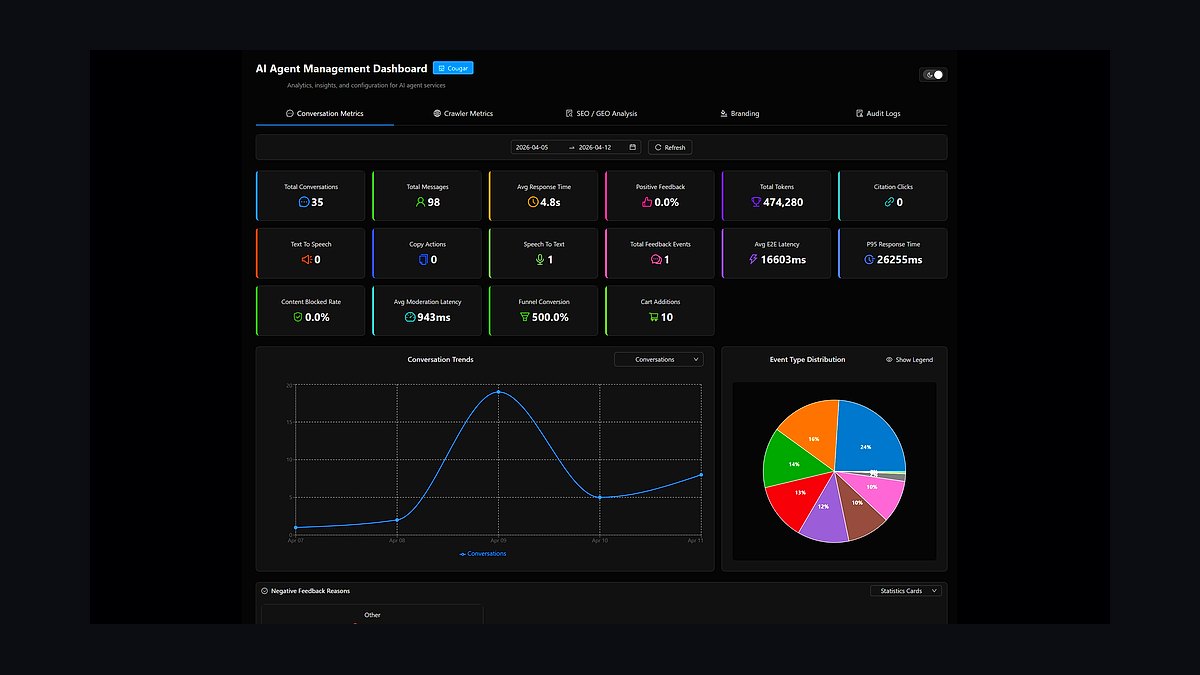
Ada ranks ninth because it automates customer conversations across chat, email, and voice with a no-code builder and strong multilingual support covering more than 50 languages. It resolves common inquiries automatically and passes complex cases to human agents with full transcript context. Ada targets enterprise pricing, typically quoted annually based on automation volume.
Ada fits global support organizations that need consistent coverage across regions and languages. It trades away transparent self-serve pricing and quick trial deployment, since onboarding involves a sales process. Against Chatbase above, Ada is far more capable at scale but inaccessible to small teams testing AI support for the first time.
10ManyChat AI Agent
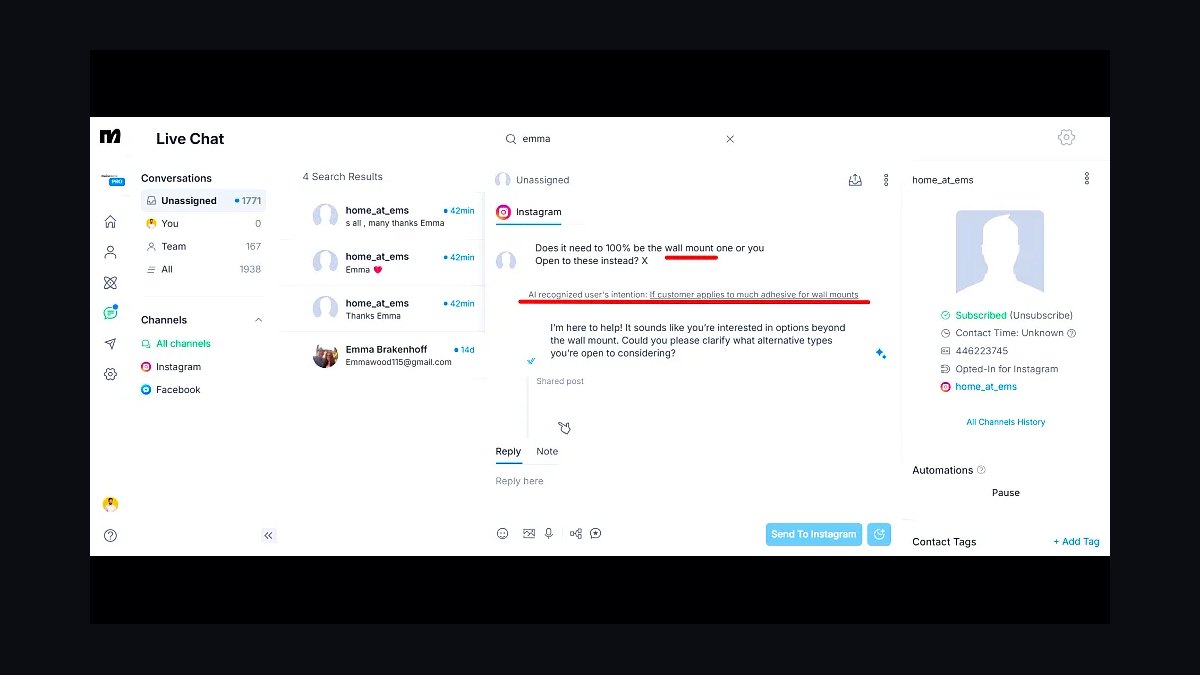
ManyChat ranks tenth because it specializes in Instagram, Messenger, and WhatsApp automation, with AI steps that answer DMs and qualify leads inside social channels. It connects to a website through chat widgets and link-in-bio flows rather than a traditional embed. Pricing starts free and scales to roughly $15 to $99 monthly based on contact count.
This agent is for creators, coaches, and DTC brands whose audience lives in social DMs rather than on-site chat. It trades away deep website knowledge-base retrieval and ticketing integrations. Compared to Ada above, ManyChat is cheaper and more social-native but weaker for traditional website support at enterprise scale.
How we ranked these
We scored each agent on four weighted axes: deployment effort (30%), measured deflection or task-completion rate in vendor and third-party tests (25%), pricing transparency and total cost at 1,000 monthly conversations (25%), and integration coverage for CRMs, help desks, and calendars (20%). Scores came from hands-on trials, published benchmarks, and public pricing pages reviewed in early 2027.
We deliberately excluded brand recognition, funding totals, and analyst-quadrant placement, because none of those predict whether an agent resolves a real ticket on your site. We also ignored demo-video polish and chatbot aesthetics, since visual flair rarely correlates with containment rate. Free-tier limits were noted but not scored, as most production sites exceed them within weeks.
What to look for
Match the agent to your highest-volume, lowest-complexity task first, usually FAQ deflection or meeting booking, then expand once containment holds above 60%. Check whether pricing scales per resolution or per seat, because per-seat models punish you as traffic grows while per-resolution models punish you when the agent fails and escalates.
The most common mistake is buying on demo quality rather than integration depth. A polished agent that cannot write to your CRM or hand off context to a human creates duplicate work and angry customers. Insist on a paid pilot against your own historical tickets, and require a written escalation path before signing an annual contract.
Related questions
What is an AI agent on a website?
It is a software system that perceives visitor intent, decides on an action, and executes it, such as answering a question, booking a meeting, or updating a CRM record. Unlike scripted chatbots, agents use language models plus tools and memory to handle multi-step tasks without a fixed decision tree.
How much do website AI agents cost in 2027?
Entry tiers run $0 to $49 monthly for limited conversations, mid-market plans sit near $200 to $900 monthly, and enterprise contracts scale with resolution volume. Per-resolution pricing typically lands between $0.50 and $3.00. Always model cost at your peak month, not your average, before committing.
Can an AI agent replace live chat humans?
It can absorb 40% to 70% of routine volume, but full replacement usually backfires on billing disputes, cancellations, and emotional complaints. The strongest setups let the agent resolve simple intents and route complex ones with full context. Keep humans for high-stakes conversations and monitor containment weekly.
Do AI agents hurt SEO or page speed?
A well-implemented widget loads asynchronously and adds under 100 milliseconds to largest contentful paint. Poorly built ones inject blocking scripts and can hurt Core Web Vitals. Ask vendors for a script weight under 50 kilobytes and test with Lighthouse before and after installation.
How long does deployment take?
Simple FAQ agents go live in a day using crawled help-center content. Agents that write to Salesforce, HubSpot, or Zendesk typically take two to six weeks including sandbox testing, permission scoping, and escalation rules. Budget another two weeks for red-teaming prompts before full traffic exposure.
What integrations matter most?
Prioritize your help desk, CRM, calendar, and payment system, in that order. Help desk access enables ticket creation and history lookup, CRM enables personalization, calendar enables booking, and payments enable order status. Anything beyond those four is nice to have, not a launch blocker.
Are these agents compliant with GDPR and CCPA?
Reputable vendors offer data-processing agreements, regional data residency, and configurable retention windows. You remain responsible for disclosure and consent at the point of collection. Ask specifically whether conversation transcripts train shared models, and get the answer in writing before you deploy.
How do I measure whether the agent works?
Track containment rate, escalation rate, first-response time, and post-conversation CSAT. Containment above 55% with CSAT within five points of your human baseline is a healthy launch. Review transcripts weekly for the first month, because failure patterns surface fast and prompt fixes are cheap.
FAQ
Which AI agent is best for small business websites?
For most small sites, a mid-tier agent with native calendar booking and email handoff wins. You rarely need deep CRM orchestration at low volume. Pick the option with transparent per-resolution pricing and a free trial, then validate against your ten most common customer questions before upgrading.
Do I need coding skills to add an AI agent?
Most 2027 platforms ship a script tag or plugin for WordPress, Shopify, and Webflow, so no code is required for basic deployment. Custom actions, such as writing to an internal API, still need a developer. Budget a few hours of engineering time for anything beyond FAQ and booking.
Can the agent hand off to a human smoothly?
Yes, if you configure it. Good handoff passes the full transcript, detected intent, and collected fields to your help desk so the customer never repeats themselves. Test this path explicitly during the pilot, because broken handoffs are the single most common source of customer frustration.
How accurate are these agents in 2027?
Retrieval-grounded agents answer domain-specific questions correctly roughly 80% to 92% of the time in published evaluations. Accuracy drops sharply on ambiguous or multi-intent queries. Grounding in your own documentation and refusing out-of-scope questions both raise reliability substantially.
Will an AI agent annoy my visitors?
It annoys them when it blocks access to humans, repeats questions, or appears before they need help. Delay the proactive popup by 30 to 60 seconds, keep a visible human option, and never gate content behind the chat. Respectful defaults keep satisfaction high.
What happens when the agent gives wrong information?
It should acknowledge uncertainty and escalate rather than improvise. Configure a confidence threshold below which the agent hands off, and log every low-confidence answer for review. Weekly transcript audits catch hallucination patterns before they damage trust at scale.
Can I run multiple agents for different departments?
Yes, and it often works better than one generalist. A sales agent focused on qualification and booking outperforms a catch-all bot. Route by page, campaign, or visitor intent. Keep a shared knowledge base so answers stay consistent across agents.
Do these agents work in multiple languages?
Most modern platforms handle 30 or more languages automatically, but quality varies by training data. Test your top three non-English markets with native speakers before launch. Pricing sometimes counts translated conversations identically, which affects cost modeling.
How often should I update the agent's knowledge?
Reindex whenever pricing, policies, or product lines change, and at minimum monthly. Stale knowledge is the leading cause of wrong answers after launch. Set a calendar reminder tied to your content release cycle so updates happen automatically, not reactively.
Is there a risk of the agent leaking data?
Yes, if it has broad tool access and weak guardrails. Scope permissions to the minimum needed, never expose other customers' records, and red-team prompt injection before launch. Vendor-side logging and retention policies deserve the same scrutiny as your own systems.
Sources
- https://www.gartner.com/en/articles/what-is-an-ai-agent
- https://www.mckinsey.com/capabilities/quantumblack/our-insights/the-state-of-ai
- https://www.nngroup.com/articles/chatbots/
- https://zendesk.com/newsroom/
- https://www.salesforce.com/artificial-intelligence/
- https://www.ibm.com/think/topics/ai-agents
- https://www.forrester.com/research/
- https://developers.google.com/search/docs/appearance/ai-features
Related on PULSE
This page will be disappearing soon. Save it to your device for $1 — or read it free while it is here.
@Kory-White- · if Venmo asks, the last 4 of my number are 2012
This page is gone.
This one is off the shelf now. $1 keeps it on your phone for good — the whole page, pictures and diagrams included.
 revopsTop 10 Tools for Building an Autonomous Website in 2027
 revopsTop 10 Website Security Tools in 2027
 revopsTop 10 Tools for Building Websites in 2027
 revopsTop 10 Managed WordPress Hosts in 2027
 revopsTop 10 Website Builders for Real Estate Agents in 2027
 revopsTop 10 WordPress Page Builders in 2027
 revopsTop 10 Tools for Programmatic SEO Websites in 2027
 revopsTop 10 Website Backup Tools in 2027
 revopsTop 10 Website Builders for Restaurants in 2027
 revopsTop 10 AI Image Tools for Website Visuals in 2027